
C语言图形开发库函数graphics
函数名: fillellipse功能: 画出并填充一椭圆用法: void far fillellipse(int x, int y, int xradius, int yradius); 程序例:#include <graphics.h>#include <conio.h>int main(void){int gdriver = DETECT, gmode;int xcenter, ycenter, i;initgraph(&gdriver,&gmode,"");xcenter = getmaxx() / 2;ycenter = getmaxy() / 2;for (i=0; i<13; i++){setfillstyle(i,WHITE);fillellipse(xcenter,ycenter,100,50);getch();}closegraph();return 0;}Graphics 类.NET Framework 类库Graphics 类封装一个GDI+ 绘图图面。
无法继承此类。
命名空间:System.Drawing程序集:System.Drawing(在system.drawing.dll 中)语法Visual Basic(声明)Public NotInheritable Class GraphicsInherits MarshalByRefObjectImplements IDeviceContext, IDisposableVisual Basic(用法)Dim instance As GraphicsC#public sealed class Graphics : MarshalByRefObject, IDeviceContext, IDisposableC++public ref class Graphics sealed : public MarshalByRefObject, IDeviceContext, IDisposableJ#public final class Graphics extends MarshalByRefObject implements IDeviceContext, IDisposableJScriptpublic final class Graphics extends MarshalByRefObject implements IDeviceContext, IDisposable备注Graphics类提供将对象绘制到显示设备的方法。
Graphics与特定的设备上下文关联。
通过调用从System.Windows.Forms.Control继承的对象的Control.CreateGraphics方法,或通过处理控件的Control.Paint事件并访问System.Windows.Forms.PaintEventArgs类的Graphics属性,可以获取Graphics。
继承层次结构System.ObjectSystem.MarshalByRefObjectSystem.Drawing.Graphics线程安全此类型的任何公共静态(Visual Basic 中的Shared)成员都是线程安全的,但不保证所有实例成员都是线程安全的。
平台Windows 98、Windows 2000 SP4、Windows CE、Windows Millennium Edition、Windows Mobile for Pocket PC、Windows Mobile for Smartphone、Windows Server 2003、Windows XP Media Center Edition、Windows XP Professional x64 Edition、Windows XP SP2、Windows XP Starter EditionGraphics 成员.NET Framework 类库Graphics 成员封装一个GDI+ 绘图图面。
无法继承此类。
下表列出了由 Graphics 类型公开的成员。
公共属性名称说明Clip获取或设置 Region ,该对象限定此 Graphics 的绘图区域。
ClipBounds获取一个 RectangleF 结构,该结构限定此Graphics 的剪辑区域。
CompositingMode 获取一个值,该值指定如何将合成图像绘制到此Graphics。
CompositingQuality获取或设置绘制到此 Graphics的合成图像的呈现质量。
DpiX获取此Graphics 的水平分辨率。
DpiY获取此Graphics 的垂直分辨率。
InterpolationMode 获取或设置与此Graphics 关联的插补模式。
IsClipEmpty 获取一个值,该值指示此Graphics 的剪辑区域是否为空。
IsVisibleClipEmpty 获取一个值,该值指示此Graphics 的可见剪辑区域是否为空。
PageScale 获取或设置此 Graphics的全局单位和页单位之间的比例。
PageUnit 获取或设置用于此 Graphics中的页坐标的度量单位。
PixelOffsetMode 获取或设置一个值,该值指定在呈现此Graphics 的过程中像素如何偏移。
RenderingOrigin 为抵色处理和阴影画笔获取或设置此 Graphics 的呈现原点。
SmoothingMode 获取或设置此 Graphics 的呈现质量。
TextContrast 获取或设置呈现文本的灰度校正值。
TextRenderingHint获取或设置与此Graphics关联的文本的呈现模式。
Transform获取或设置此Graphics的世界变换。
VisibleClipBounds获取此Graphics的可见剪辑区域的边框。
页首公共方法(请参见受保护的方法)名称说明AddMetafileComment向当前Metafile添加注释。
BeginContainer已重载。
保存具有此Graphics的当前状态的图形容器,然后打开并使用新的图形容器。
Clear清除整个绘图面并以指定背景色填充。
CopyFromScreen已重载。
执行颜色数据从屏幕到Graphics的绘图图面的位块传输。
CreateObjRef创建一个对象,该对象包含生成用于与远程对象进行通信的代理所需的全部相关信息。
(从MarshalByRefObject继承。
)Dispose释放由Graphics使用的所有资源。
DrawArc已重载。
绘制一段弧线,它表示由一对坐标、宽度和高度指定的椭圆部分。
DrawBezier已重载。
绘制由4 个Point结构定义的贝塞尔样条。
DrawBeziers已重载。
用Point结构数组绘制一系列贝塞尔样条。
DrawClosedCurve已重载。
绘制由Point结构的数组定义的闭合基数样条。
DrawCurve已重载。
绘制经过一组指定的Point结构的基数样条。
DrawEllipse已重载。
绘制一个由边框(该边框由一对坐标、高度和宽度指定)定义的椭圆。
DrawIcon已重载。
在指定坐标处绘制由指定的Icon表示的图像。
DrawIconUnstretched绘制指定的Icon表示的图像,而不缩放该图像。
DrawImage已重载。
在指定位置并且按原始大小绘制指定的Image。
DrawImageUnscaled已重载。
在由坐标对指定的位置,使用图像的原始物理大小绘制指定的图像。
DrawImageUnscaledAndClipped在不进行缩放的情况下绘制指定的图像,并在需要时剪辑该图像以适合指定的矩形。
DrawLine已重载。
绘制一条连接由坐标对指定的两个点的线条。
DrawLines已重载。
绘制一系列连接一组Point结构的线段。
DrawPath绘制GraphicsPath。
DrawPie已重载。
绘制一个扇形,该形状由一个坐标对、宽度、高度以及两条射线所指定的椭圆定义。
DrawPolygon已重载。
绘制由一组Point结构定义的多边形。
DrawRectangle已重载。
绘制由坐标对、宽度和高度指定的矩形。
DrawRectangles已重载。
绘制一系列由Rectangle结构指定的矩形。
DrawString已重载。
在指定位置并且用指定的Brush和Font对象绘制指定的文本字符串。
EndContainer关闭当前图形容器,并将此Graphics的状态还原到通过调用BeginContainer方法保存的状态。
EnumerateMetafile已重载。
将指定Metafile中的记录逐个发送到回调方法以在指定的点处显示。
Equals已重载。
确定两个Object实例是否相等。
(从Object继承。
)ExcludeClip已重载。
更新此Graphics的剪辑区域,以排除Rectangle结构所指定的区域。
FillClosedCurve已重载。
填充由Point结构数组定义的闭合基数样条曲线的内部。
FillEllipse已重载。
填充边框所定义的椭圆的内部,该边框由一对坐标、一个宽度和一个高度指定。
FillPath填充GraphicsPath的内部。
FillPie已重载。
填充由一对坐标、一个宽度、一个高度以及两条射线指定的椭圆所定义的扇形区的内部。
FillPolygon已重载。
填充Point结构指定的点数组所定义的多边形的内部。
FillRectangle已重载。
填充由一对坐标、一个宽度和一个高度指定的矩形的内部。
FillRectangles已重载。
填充由Rectangle结构指定的一系列矩形的内部。
FillRegion填充Region的内部。
Flush已重载。
强制执行所有挂起的图形操作并立即返回而不等待操作完成。
FromHdc已重载。
从设备上下文的指定句柄创建新的Graphics。
FromHdcInternal返回指定设备上下文的Graphics。
FromHowFromHwnd从窗口的指定句柄创建新的Graphics。
FromHwndInternal创建指定Windows 句柄的新Graphics。
FromImage从指定的Image创建新的Graphics。
GetHalftonePalette获取当前Windows 的半色调调色板的句柄。
GetHashCode用作特定类型的哈希函数。
GetHashCode适合在哈希算法和数据结构(如哈希表)中使用。
(从Object继承。
)GetHdc获取与此Graphics关联的设备上下文的句柄。
GetLifetimeService检索控制此实例的生存期策略的当前生存期服务对象。
C语言图形开发函数graphics

C语⾔图形开发函数graphics 函数名: fillellipse功能: 画出并填充⼀椭圆⽤法: void far fillellipse(int x, int y, int xradius, int yradius); 程序例: #include#includeint main(void){int gdriver = DETECT, gmode;int xcenter, ycenter, i;initgraph(&gdriver,&gmode,"");xcenter = getmaxx() / 2;ycenter = getmaxy() / 2;for (i=0; i<13; i++){setfillstyle(i,WHITE);fillellipse(xcenter,ycenter,100,50);getch();}closegraph();return 0;}Graphics 类.NET Framework 类库Graphics 类封装⼀个GDI+ 绘图图⾯。
⽆法继承此类。
命名空间:System.Drawing程序集:System.Drawing(在system.drawing.dll 中)语法Visual Basic(声明)Public NotInheritable Class GraphicsInherits MarshalByRefObjectImplements IDeviceContext, IDisposableVisual Basic(⽤法)Dim instance As GraphicsC#public sealed class Graphics : MarshalByRefObject, IDeviceContext, IDisposableC++public ref class Graphics sealed : public MarshalByRefObject, IDeviceContext, IDisposableJ#public final class Graphics extends MarshalByRefObject implements IDeviceContext, IDisposableJScriptpublic final class Graphics extends MarshalByRefObject implements IDeviceContext, IDisposable备注Graphics类提供将对象绘制到显⽰设备的⽅法。
c语言图形设计

17
【例】函数rectangle/bar/bar3d的区别 函数 的区别 #include<graphics.h> #include<conio.h> void main() { int gd= DETECT,gm; initgraph(&gd,&gm,"d:\\tc3\\bgi"); setbkcolor(1); //设置背景色 设置背景色 setcolor(2); //设置线条颜色 设置线条颜色 int i;
清华大学 黄维通 设计制作
样式见 教材
16
5 填充类函数的应用
【例】演示填充效果 #include<graphics.h> #include<conio.h> void main() { int gd=DETECT,gm; initgraph(&gd,&gm,"d:\\tc3\\bgi"); setcolor(9); int i,j; for(i=0;i<13;i++) for(j=1;j<6;j++) { cleardevice(); circle(200,200,150); setfillstyle(i,j); //设置填充样式 设置填充样式 floodfill(100,200,9); //填充 填充 getch(); if(i==0) break; } closegraph(); }
清华大学 黄维通 设计制作
9
7.1.2常用图形函数 常用图形函数
函数画三角形。 【例】用line和lineto函数画三角形。 和 函数画三角形
#include <graphics.h> //Graphics functions #include <conio.h> //Screen-handing functions void main() {int gd=DETECT,gm; //图形初始化 图形初始化 initgraph(&gd,&gm,”d:\\tc3\\bgi”); line(0,0,639,240); //给定两点画线 给定两点画线 getch(); lineto(320,479); //从当前位置到指定位置画线 从当前位置到指定位置画线 getch(); lineto(639,240); getch(); closegraph(); }
c语言图形处理函数及其应用
图形处理函数及其应用
主要内容:
一、图形初始化及应用设置函数 二、常用的作图函数 三、字符屏幕控制函数 四、图形处理函数应用
一、图形初始化及应用设置函数
1、使用#include “graphics.h” 2、初始化图形系统函数 void far initgraph(gdrive,gmode,gpath) int far *gdrive, *gmode, *gpath; gdrive:图形驱动器代号,gmode:图形模式代号, gpath: 图形驱动程序路径。 如:常用方式: int gdrive,gmode; gdrive=DETECT; initgraph(&gdrive,&gmode, “d:\\tc”); 3、擦除整个图形屏幕,并将cp(当前位置)移 到原点(0,0) void far cleardevice(void)
14、设置正文字形、显示方向、字符大小函数 void far settextstyle(font, direction, charsize) int font, direction, charsize; (1)font(字形)取值 0:8*8字形,1:3倍笔划字形, 2:小号笔划字形, 3:无衬线笔划字形, 4:黑体笔划字形。 (2)direction(显示方向)取值,0:自左向右,1:从 底向上。 (3)charsize(字符放大因子)取值 0:用户自定义, 1:8*8大小,2:16*16大小, ……。最大为10倍。 说明:该函数影响outtext( )和outtextxy( )两个函数。
浅青 浅品红
13、设置画线宽度和线型的函数 void far setlinestyle(linestyle, upattern, thickness) int linestyle, thickness; unsigned upattern; linestyle(线型)取值,0:实线,1:点,2:长短, 3:长虚线,4:自定义线型。 thickness(宽度)取值: 1、3。 upattern:当linestyle为4时起作用。 14、检测图象区域所含的字节数函数 unsigned far imagesize(left, top, right, bottom) int left, top, right, bottom; 返回值为区域内图象的字节数。 15、申请分配动态存储区函数(包含在stdlib.h中) void *malloc(unsigned int size) 返回存储区的首地址。若不成功,则返回NULL。
C语言图形编程函数大全
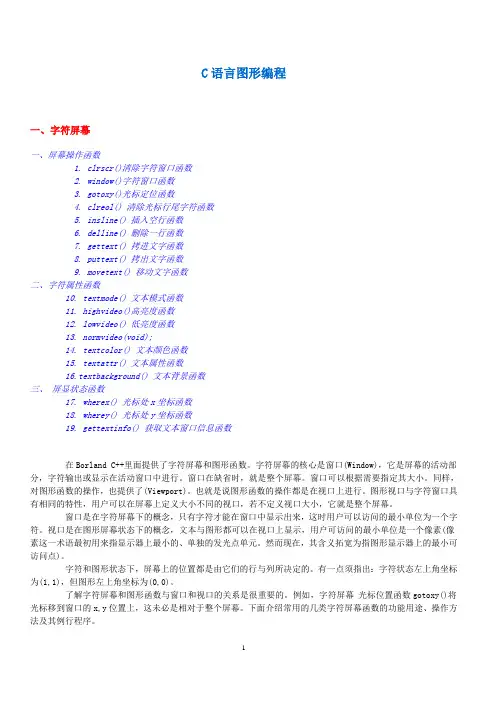
C语言图形编程一、字符屏幕一、屏幕操作函数1. clrscr()清除字符窗口函数2. window()字符窗口函数3. gotoxy()光标定位函数4. clreol() 清除光标行尾字符函数5. insline() 插入空行函数6. delline() 删除一行函数7. gettext() 拷进文字函数8. puttext() 拷出文字函数9. movetext() 移动文字函数二、字符属性函数10. textmode() 文本模式函数11. highvideo()高亮度函数12. lowvideo() 低亮度函数13. normvideo(void);14. textcolor() 文本颜色函数15. textattr() 文本属性函数16.textbackground() 文本背景函数三、屏显状态函数17. wherex() 光标处x坐标函数18. wherey() 光标处y坐标函数19. gettextinfo() 获取文本窗口信息函数在Borland C++里面提供了字符屏幕和图形函数。
字符屏幕的核心是窗口(Window),它是屏幕的活动部分,字符输出或显示在活动窗口中进行。
窗口在缺省时,就是整个屏幕。
窗口可以根据需要指定其大小。
同样,对图形函数的操作,也提供了(Viewport)。
也就是说图形函数的操作都是在视口上进行。
图形视口与字符窗口具有相同的特性,用户可以在屏幕上定义大小不同的视口,若不定义视口大小,它就是整个屏幕。
窗口是在字符屏幕下的概念,只有字符才能在窗口中显示出来,这时用户可以访问的最小单位为一个字符。
视口是在图形屏幕状态下的概念,文本与图形都可以在视口上显示,用户可访问的最小单位是一个像素(像素这一术语最初用来指显示器上最小的、单独的发光点单元。
然而现在,其含义拓宽为指图形显示器上的最小可访问点)。
字符和图形状态下,屏幕上的位置都是由它们的行与列所决定的。
有一点须指出:字符状态左上角坐标为(1,1),但图形左上角坐标为(0,0)。
C语言画图函数

C语言画图函数与图形有关的函数GRAPHICS.H 库文件bar【功能】画出一条栏目。
【原型】void far bar(int left,int top,int right,int bottom)【位置】graphics.hgraphics.h【参见】bar3d,setfillstyle,rectanglebar3d【功能】画出一条3-D栏目。
【原型】void far bar3d(int left,int top,int right,int bottom,int depth,int topflag) 【位置】graphics.h【参见】barcircle【功能】以(x,y)为圆心按照指定的半径画出一个圆。
【原型】void far circle(int x,int y,int radius)【位置】graphics.h【参见】arccleardevice【功能】清除图形画面。
【原型】void far cleardevice(void)【位置】graphics.h【参见】clearviewportclearviewport【功能】清除当前可视区域。
【原型】clearviewport(void)【位置】graphics.h【参见】setviewport,cleardeviceclosegraph【功能】关闭图形系统。
【原型】void far closegraph(void)【位置】graphics.h【参见】initgraphdetecgraph【功能】通过检查硬件确定使用的图形驱动程序和模式。
【原型】void far detectgraph(int far *graphdriver,int far *graphmode)【位置】graphics.h【参见】initgraph,graphresultdrawpoly【功能】画出一个多边形的轮廓。
【原型】void far drawpoly(int numpoints,int far polypoints[])【位置】graphics.h【说明】polypoints中包括一共numpoints对数值。
C语言画图函数

EGAHI 1 16色 640*350
───────────────────────────────────
EGA64 4 EGA64LO 0 16色 640*200
MCGAC1 1 C1 320*200
MCGAC2 2 C2 320*200
MCGAC3 3 C3 320*200
MCGAMED 4 2色 640*200
MCGAHI 5 2色 640*480
───────────────────────────────────
EGA 3 EGALO 0 16色 640*200
void far setwritemode(int mode);该函数规定画线的方式。如果mode=0,则表示画线时将所画位置的原来信息覆盖了(这是TURBO C的默认方式)。如果mode=1, 则表示画线时用现在特性的线与所画之处原有的线进行异或(XOR)操作, 实际上画出的线是原有线与现在规定的线进行异或后的结果。因此,当线的特性不变,进行两次画线操作相当于没有画线。
关于点的另外一个函数是: int far getpixel(int x, int y); 它获得当前点(x, y)的颜色值。
II、有关坐标位置的函数
int far getmaxx(void);返回x轴的最大值。
int far getmaxy(void); 返回y轴的最大值。
《LLH-Graphics C++图形函数库》使用说明
SetPen(RGB(255,0,0), 3); Ellipse(100, 100, 400, 400); Output(210, 240, "Hello World!");
return 0; }
(7) 现在帱可以编译运行了。看到红色的圆圈溡有? ( 8) C++标准函数库中的函数仍然能够正常使用,方滕是包含相应的头文件和加入正确的命名空间声明。
2 使用说明
(1) 此函数库目前只能在VC6环境下使用。 (2) 帆“graphics.zip”文件复制一份作为备份。 (3) 帆“graphics.zip”文件解压缩至任一子目录下(比如graphics子目录)。帆当前目录切换到此子目录下,双
击其中的“GuiFramework.dsw”文件,整个工程被打开。 (4) 在此工程当中创建你自己的C++源程序,方滕是:点击菜单“Project-->Add To Project-->New…”。现
void Input(int x, int y, int &ch); 在指定的坐标点上输入一个字符。
x,y表示指定位置的坐标。ch表示接收输入值的字符型变量。 无
void Input(int x, int y, int &rInt); 在指定的坐标点上输入一个整数。 x,y表示指定位置的坐标。rInt表示接收输入值的整型变量。 无
编写此图形函数库的目的是为C++初学者提供一个“玩具”和“学步车”,让他们能够早一点儿享受到 编程的快乐。编写一个图形方式的而且带声音的游戏比单纯编写一个“冒满排序”有意思多了,成帱感也会 “相当的高”。兴趣是最好的老师。希望各位同学能够通过本学期C++课程的学习真正对编程产生兴趣,真 正感受到编程的快乐。
C语言中的画图函数
C语言中的画图函数基本图形函数包括画点,线以及其它一些基本图形的函数。
本节对这些函数作一全面的介绍。
1、画点I. 画点函数 void far putpixel(int x, int y, int color);该函数表示有指定的象元画一个按color 所确定颜色的点。
对于颜色color 的值可从表3中获得而对x, y是指图形象元的坐标。
在图形模式下,是按象元来定义坐标的。
对VGA适配器,它的最高分辨率为640x480,其中640为整个屏幕从左到右所有象元的个数,480为整个屏幕从上到下所有象元的个数。
屏幕的左上角坐标为(0,0),右下角坐标为(639, 479),水平方向从左到右为x 轴正向,垂直方向从上到下为y轴正向。
TURBO C的图形函数都是相对于图形屏幕坐标,即象元来说的。
关于点的另外一个函数是: int far getpixel(int x, int y); 它获得当前点(x, y)的颜色值。
II、有关坐标位置的函数int far getmaxx(void);返回x轴的最大值。
int far getmaxy(void); 返回y轴的最大值。
int far getx(void); 返回游标在x轴的位置。
void far gety(void); 返回游标有y轴的位置。
void far moveto(int x, int y); 移动游标到(x, y)点,不是画点,在移动过程中亦画点。
void far moverel(int dx, int dy); 移动游标从现行位置(x, y)移动到(x+dx, y+dy)的位置,移动过程中不画点。
2、画线I. 画线函数TURBO C提供了一系列画线函数,下面分别叙述:void far line(int x0, int y0, int x1, int y1); 画一条从点(x0, y0)到(x1, y1)的直线。
void far lineto(int x, int y); 画一作从现行游标到点(x, y)的直线。
C语言图形库函数.docx
1•初始化图形系统函数名:ini tgraph功能:初始化图形系统用法:void far initgraph(int far *graphdriver, int far *grciphmode, char far *pathtodriver);程序例:^include <graphics. h>★include <stdlib. h>^include <stdio. h> #includo <conio・ h> int main(void){/* request auto detection */int gdriver = DETEC1\ gmode, errorcode;/* initialize graphics mode */initgraph(&gdriver, &gmode,"“);/* read result of initialization */errorcode 二graphresult():if (errorcode != grOk) /* an error occurred */(prin tf (''Graphics error: %s\n: grapherrormsg (errorcode)):printf("Press any key to halt:"):getch ();exi t(1); /* return wi th error code *//* draw a line */line(0, 0, gctmaxx0, gctmaxy());/* clean up */getch ();closegraph ();return 0;2.#include〈graphics・ h>★include <stdlib. h>^include <stdio. h>#include <conio.h> irH main(void){/* request auto detection */int gdriver = DETECT, gmode, errorcode; int maxx, mcixy;/* our polygon array */int polyL1OJ;/* initialhe graphics and local variables */initgraph(&gdriver, &gmode,;/* read result of initialization */ errorcode = graphresult();if (errorcode != grOk)/* an error occurred */{printf(^Graphics error: %s\n", \ grapherrormsg(orrorcode));prin订("Press any key to halt/); getch ();/♦ terminate with an error code */ exi t (1);}meixx = getmeixx ();mcixy = getmcixy 0 ;poly[0] = 20; /* 1st vertext */poly[1] = maxy / 2;poly[2] = maxx - 20; /* 2nd */ poly[3] = 20;poly [4] = maxx - 50; /* 3rd */ poly [5] = maxy - 20;poly[6] = maxx / 2;/* 4th */poly[7] = maxy / 2;/*drawpoly doesn't automatically close the polygon, so we close il・poly [8] = poly[0]:poly[9] = poly[l]:/* draw the polygon */ drawpoly(5, poly);/* clean up */ getchO ; elosegraph ();return 0;}#include <graphics・h> #include <stdlib. h> #includo <stdio・h> ^include <conio.h> int main(void)/* request auto detection */int gdriver = DETECT, gmode, errorcode;int midx, midy;ini stangle = 0, endangle = 360;int xradius = 100, yradius = 50;/* initidli/e graphics, local variables */ inilgraph(&gdrivg &gmode,"“);/* read result of initialization */ errorcode = graphrcsult();if (errorcode != grOk)/* an error occurred */(prin(『("Graphics error: %s\r)zz, grapherrormsg (errorcode));printf("Press any key to halt:");getch ();exit(1);/* term in ate with an error code */}midx = getmaxx () / 2;midy = getmaxy () / 2;setcolor (getmtixcolor ());/* draw ellipse */ellipse(midx, midy, stangle, endangle, xradius, yradius);/* clean up */getch ();closegraph();return 0;}功能:画出并填充一椭恻用法:void far fillellipse(int x, int y, int xradius, int yradius); 程序例:#includo〈graphics・ h>#include <conio. h>int main(void){int gdriver 二DETECT, gmode;int xcenter, ycenter, i;initgraph(&gdriver, &gmode,"“); xcenter = getmaxxO / 2;ycenter = getmaxy() / 2;for (i=0; i<13; i++){setfillstyle(i, WHITE);fillellipse(xcenter, ycenter, 100, 50); getch ();}closegraph();return 0;}#include <graphics・h> #include <stdlib. h> #includo <string・h> ^include <stdio.h> ^include <conio. h>int main(void)/* request auto detection */int gdriver = DETECT, gmode, errorcode;int bkcolor, midx, midy; char bknamc[35];/* initialize graphics and local variables */ initgraph(&gdrivor, &gmode,"”);/* road result of initializalion */errorcode = graphresult():/* an error occurred */if (errorcode != grOk){printf(z,Grciphics error: %s\n", grapherrormsg(errorcode)); printf("Press any key to halt:z/); getch0 ;/* terminate with an error code */exit(1);}midx = getmaxx () / 2;midy 二gelmtixy() / 2; setcolor (getmaxcolor ());/* for centering text on the display */ settextjustify(CENTER_TEXT, CENTER_TEXT);/* get the current background color */ bkcolor = getbkcolor0 ;/* convert color value into a string */ itoa(bkcolor, bkname, 10);strcat (bknamc,"is the current background color・“);/* display a message */outtextxy (midx, midy, bkntune);/* clean up */getch();closegraph ();return 0;函数名:line 功能:在指定两点间画一直线用法:void far line(int xO, int yO, int xl, int yl);程序例:#include <graphics・h>^include <stdlib. h> #includo <stdio. h>^include <conio. h> int main(void){/* request auto detection */int gdriver 二DETECT, gmode, errorcode;int xmax, ymax;/* iniliali/e graphics and 1ocal variables */ initgraph(&gdriver, &gmode,"”):/* read result of initialization */cri^orcodc = graphrcsult ();/* an error occurred */if (errorcode != grOk){prin订("Graphics error: %s\n", grapherrormsg(errorcode));printf("Press any key to halt:"); getch ();exi t (1);setcolor (getmcixcolor ());xmax = getmeixx ();ymeix 二getmtixy ();/* draw a diagonal line */ line(0, 0, xmax, ymax);/* clean up */ getchO ; closegraph ();return 0;}函数名:rectangle功能:画一个矩形)\] 法:void far rectangle(int left, int top, int right, int bottom);函数名:sctbkcolor功能:用调色板设置当前背景颜色用法:void far setbkcolor(int color): 程序例:ttinclude <graphics. h>tfinclude <stdlib. h>ttinclude <stdio. h>ttinclude <conio. h>int main(void){/* select a driver and mode that supports *//* multiple background colors・*/int gdrivcr 二EGA, gmodc = EGAHI, errorcode; int bkcol, maxcolor, x, y;char msg[80];/* initialize graphics and local variables */ initgraph(&gdriver,&gmode,"”);/* read result of initialization */ errorcode = graphresult();if (errorcode != grOk) /* an e门occurred */prinlf ("Graphics error: %s\n/z, grapherrormsg (errorcode)); printf("Press any key to halt/);getch0 ;exit(1) ; /* terminate with an error code */ }/* maximum color index supported */ maxcolor = getmtixcolor ();/* for centering text messages */seitextjustify(CENTER TEXT, CENTER TEXT);x 二getmaxxO / 2;y = getmaxyO / 2;/* loop through the available colors */for (bkcol~0; bkcol<=maxcolor; bkcol++){/* c l ear the screen */cleardevice();/* select a new background color */ sctbkcolor(bkcol);/* output a messsage */if (bkcol == WHITE)setcolor(EGA_BLUE):sprintf (msg, ''Background color: bkcol);outtextxy (x, y, msg);getch ();}/* clean up */closcgraphO ;return 0;}函数名:setcolor功能:设置当前画线颜色用法:void far setcolor(int color);程序例:ttinclude <graphics. h>^include <stdlib. h>ftinclude <stdio.h>#includc <conio.h>int m3in(void){/* select a driver and mode that supports *//* multiple drawing colors・*/int gdriver = EGA, gmode = EGAI11, errorcode;int color, maxcolor, x, y;char msg [80];/* initialize graphics and local variables */ initgraph(&gdrivcr, &gmode,;/* read result of initialization */errorcode = graphresult();if (errorcode != grOk) /* an error occurred */{printf (''Graphics error: %s\n", grapherrormsg (errorcode)); printf("Press any key to halt:,z);gctchO ;exit(1); /* terminate with an error code */}/* maximum color index supported */ mtixcolor 二getmtixcolor ();/* for centering text messages */settextjustify(CENTER_TEXT, CENTER_TEXT);x = getmaxxO / 2;y = getmaxyO / 2;/* loop through the available colors */for (color=i; color<-maxcolor; color++){/* clear the screen */cleardevice();/* select a new background color */ setcolor(color);/* output a messsage */sprintf (msg, "Color: color): outtextxy(x, y, msg); getch ();}/* clean up */ closcgraph ();return 0;}函数名:setfillstyle功能:设登填充模式和颜色用法:void far setfi 1 lstyle(int pattern, int color); 程序例:^include <graphics. h> 廿include <stdlib. h> ^include〈string. h> ^include <stdio.h> #inelude <conio. h>/* the names of the fill styles supported */ char *fname[] = { "EMPTY_FILL","SOLID FILL","LINE FII丄","LTSLASH FILI/;"SLASII_F1LL", "BKSLASII_FILL","LTBKSLASH_FILL","HATCH FILL","XHATCH_FILL","INTERLEAVE_FILL","WIDE DOT FILL","CLOSE DOT FILI/;"USER FILL" int main(void)/* request auto detection */int gdriver = DETECT, gmode, errorcode;int style, midx, midy;char stylestr[40];/* initialize graphics and 1ocal variables */ initgraph(&gdriver, &gmode, ");/* read result of initialization */errorcodc = graphresult();if (errorcode != grOk) /* an error occurred */{printf("Graphics error: %s\n〃,grapherrormsg(errorcode)); printf("Press any key to halt/):getchO ;exi t (1) ; /* term in ate with an error code */}midx = getmtixx () / 2;midy = getmtixy () / 2;for (style = EMPTY_FILL; style < USER一FILL; style++){/* select the fill style */setfillstyle(style, getmaxcolor());/* convert style into a string */strepy(stylestr, fname[style]);/* fill a bar */bar 3d (0, 0, midx-10, midy, 0, 0);/* output a message */outtextxy (midx, midy, stylestr);/* wait for a key */getch ();cleardevice();}/* clean up */getchO ;closegraph();return 0;函数名:set linestyle功能:设置当前画线宽度和类型用法:void far setlinestyle(int linestype, unsigncd upattern); 程序例:#include <graphics・ h>#include <stdlib. h> #include <string・ h>^include <stdio>h>ttinclude <conio. h> /* the names of the line styles supported */ char amc [] = {,,SOL1D_L1NE,\,,DOTTED_LINE,,I"CENTER LTNE\"DASHED_LINE","USERBnjLINE"};int main(void){/* request auto detection */int gdriver = DETECT, gmode, errorcode;int style, midx, midy, userpat;char stylestr[40];/* initialize graphics and local variables */initgraph(&gdrivg &gmodc,"”);/* read result of initialization */errorcode 二graphrcsult():if (errorcode != grOk) /* an error occurred */{printf("Graphics error: grapherrormsg(errorcode));printf(”Press any key to halt:");getchO ;exit(1); /* terminate with an error code */midx = getmaxx () / 2;midy = getmaxy () / 2;/* a user defined line pattern *//* binary: "0000000000000001" */userpat = 1;for (style=SOLTD LTNE; style<=USERBTT LTNE; style++){/* select the line style */setlinestyle(style, userpat, 1);/* convert style into a string */strcpy(stylestr, InameEstyle]);/* draw a line */linc(0, 0, midx-10, midy);/* draw a rectanglc */rectanglc(0, 0, getmaxx (), getmaxy ());/* output a message */outtextxy (midx, midy, stylestr);/* wait for a key */getchO ;cleardevice0 ;}/* clean up */closegraph();return 0;。
easygraphics函数
easygraphics函数easygraphics函数是一种用于图形编程的函数库,它可以帮助编程初学者轻松地实现各种图形的绘制和交互操作。
本文将介绍easygraphics函数的基本用法和一些常见的应用场景,以帮助读者更好地理解和使用这个函数库。
easygraphics函数库提供了一系列简单易用的函数,用于绘制各种形状的图形,如线段、矩形、圆形等。
通过调用这些函数,我们可以在屏幕上绘制出各种漂亮的图形,实现丰富多样的效果。
例如,我们可以使用easygraphics函数库绘制一个五角星,只需用几行代码就可以完成,非常方便快捷。
除了绘制静态图形,easygraphics函数库还可以实现一些动态效果,如图形的平移、旋转、缩放等。
通过调用相应的函数,我们可以实现图形的平滑移动、旋转、变形等效果,使得图形更加生动有趣。
例如,我们可以使用easygraphics函数库实现一个动态的跳动的小球,只需使用几行代码就可以完成,非常简单。
除了绘制和动态效果,easygraphics函数库还提供了一些交互功能,如鼠标点击、键盘输入等。
通过调用这些函数,我们可以实现与用户的交互,接受用户的输入,并根据用户的操作做出相应的反应。
例如,我们可以使用easygraphics函数库实现一个简单的画板程序,用户可以在画板上绘制图形,选择颜色和线条粗细等。
easygraphics函数库的使用非常简单,只需包含相应的头文件,并在代码中调用相应的函数即可。
它提供了一系列函数,包括绘制图形的函数、实现动态效果的函数、处理交互的函数等,我们只需按照需要调用相应的函数即可实现相应的功能。
此外,easygraphics 函数库还提供了丰富的文档和示例代码,供我们参考学习。
easygraphics函数库的应用非常广泛。
它可以用于教育领域,帮助学生更好地理解和学习图形学相关知识;它可以用于游戏开发,帮助开发者快速实现各种精美的游戏效果;它还可以用于可视化领域,帮助研究人员将复杂的数据可视化展示。