
魅视S4K高清播放器简易说明 (1)
一、时间搜索、播放进度选择。
1、简易导航或者播放MKV等文件时,按住向上向下键不动就是快进和快退,到了你想要的地方或者时间段,松手,就OK了,简直是指哪打哪,快速又方便。
2、原盘导航时,一种方式是倍数快进或快退,另一种就是按“查找”按键,手动输入时间,然后按确认。
3、简易导航时看着一大片文件名别看蒙了,不用去费心选择直接在默认的那个上面按确定就可以正常播放了。
二、字幕相关问题(切换字幕请按遥控器上的“字幕”按键。
1、字幕须与事情文件同名。
如果不同名。
可以直接播放器里面改名,也挺方便的。
先把光标移到视频文件上,按“POP UP菜单”按键,选重命名,再按“POP UP菜单”按键选“复制文本”,然后按“确认”按键,接着把光标移动到要改名的字幕文件上,按“POP UP菜单”按键,选重命名,然后按“POP UP菜单”按键,选“黏贴文本”,然后按删除键,删除扩展名,再手动输入字幕的扩展名,再按“确定”按键,OK字幕就改成和视频文件同名了,不需要接到电脑上去的。
2、字幕字体更换。
把喜欢的字体拷贝到U盘,直接运行字体文件,重启之后就OK了。
3、播放蓝光原盘外挂字幕。
对于ISO蓝光原盘文件,只要把字幕文件名起的和ISO文件一样即可,播放器里改名字的方法前面有详细说明,播放时用简易导航不能用蓝光导航。
简易导航时看着一大片文件名别看蒙了,不用去费心选择直接在默认的那个上面按确定就可以正常播放了。
BDMV 外挂字幕,方法一:将字幕改名index.srt,放入BDMV文件夹,简易导航播放。
方法二:把字幕放到M2TS文件所在的stream目录内,取名与最大的那个M2TS文件一样,播放时进入文件夹,找到那个最大的M2TS文件,单独播放它,就能看到外挂字幕。
(这法子对肉酱盘就无能为力咯)
4、字幕位置调整、字体大小设置等。
原盘导航不能调整,简易导航可以调整。
播放状态下按“字幕”按键,选设置,用上下键调整字幕的上下位置,用左右键调整设置时间校正,用P+、P-调整字幕字体大小,用1-6数字键设置字幕的颜色。
三、NFS设置:有自动和手动两种方式。
1、自动的话加我QQ7841370发你荣大的NFS自动搜索插件:①把dune_service_NFS 自动建立.dsf 和IP.txt 拷入U盘根目录,注意是根目录,同时S4K只能接1个存储,就是这个U盘,不可以接其他U盘或者硬盘。
②修改IP.txt里面的IP地址为自己的NAS IP地址。
(装HANEWIN就是电脑的IP地址)③在播放器上运行dune_service_NFS自动建立.dsf(和播放电影一样),提示成功后重新开机。
就会看到NFS的建立好的目录。
2、手动方式分两步走:
一是群晖NAS上的设置:点控制面板,点共享文件夹,光标选定要共享的目录,点编辑,点NFS权限,点编辑,在服务器或IP地址栏填写*,在权限选:可读写,在squash选:映射所有用户为admin,在安全性选:sys,然后下面三个选项都打上勾,最后点确定。
二是S4K播放器上的设置,在播放器主界面选“资源”按确定进入,然后按“POP UP菜单”按键,选择新建网络共享目录,然后输入名字(随你喜欢啥名字),类型选NFS,服务器填写群晖NAS的IP地址,目录填写群晖NAS共享目录名,目录名称在群晖刚才NFS设置界面窗口的最下面查看,一般就是:/volume1/群晖里想共享的目录名称(注意大小写,一个字都不能错),切换大小写、英文、数字请按pop up菜单上面的那个“字母/数字”按键。
协议选“TCP”。
然后按确定就OK了。
四、SMB共享
如果有用户NFS方式建好的网络目录打开是空白,别慌,还有SMB共享方式的,SMB 也一样的,通过千兆网络播放60G的蓝光原盘也不会卡。
第一种是使用群晖服务器的用户。
在S4K播放器主界面选“资源”按确定进入,然后按“POP UP菜单”按键,选择新建网络共享目录,然后输入名字(随你喜欢啥名字),类型选SMB,服务器填写群晖NAS的IP地址,目录填写群晖NAS共享目录名,注意这个目录名称和刚才NFS设置时候的目录名是不一样的,直接填写群晖的共享目录名称就可以了,前面的这一大串字符“/volume1/”是不需要的,并且大小写都没关系的,用户名和密码就是你群晖登录的用户名和密码。
第二种是迅雷下载宝用户。
前面的设置和用群晖的都一样,就是输入目录名会费点周折,在接入同一个局域网的电脑端按开始-所有程序-附件-运行,说半天反正就是打开运行窗口,然后输入\\192.168.1.100(别照抄,其实就是你下载宝的IP地址)。
回车后跳出来的窗口里现实的就是目录名称,在刚才S4K的设置窗口输入这个目录名称就行了。
可能又有人要跳起来了,目录名称里面有中文怎么办,其实也好办的,插个U盘在电脑里,在U盘上建个目录,名称就是刚才的,然后拔下U盘插到S4K上,选定U盘上的这个目录,按pop up菜单按钮,选重命名,然后复制文本,退出到SMB设置界面在目录位置按pop up菜单按钮,选黏贴文本,OK中文目录输进去了。
账号和密码就是你登录迅雷的账号和密码。
之后按确定就完成了。
五、输出有时没声音问题。
有买家反映播放器有时输出没声音,那必定是播放器HDMI线直接接了电视或者投影机,没有接到功放上的,S4K默认源码输出的,你的电视或者投影机又不能解码的,所以没声音是正常的。
请设置HDMI音频解码输出,按“设置”按键,选“音频设置”进入,在数字音频输出格式里选“解码”,在音频解码模式里选“双声道”,设置好以后返回播放,OK有声音了。
还有反映光纤输出时都是噪音或者没有声音的,还是得设置音频,按“设置”按键,选“音频设置”进入,在数字音频连接器里选S/PDIF,然后再按“设置”就可以退出,OK光纤输出有声音了。
不过最好还是给你的S4K接上功放。
六、播放APE等高清音乐时CUE的支持。
打开APE等高清音乐文件后,按“PO P UP菜单”按键,就可以显示CUE的歌曲清单了。
七、VXP的打开。
播放时按信息INFO按键,然后再按黄色的C键。
另外信息里面的A-Angle 是角度,极少电影有多角度;D-Deinterlacing是扫描方式,D也基本用不到。
八、电视显示问题。
S4K通过HDMI线接电视,在极少数电视上有时会出现开机LOGO之后黑屏没显示的情况,或者有的客户设置错了刷新率显示黑屏了。
这种情况先按遥控器左上角的“显示”按键,再按“3”按键,重新设置刷新率和分别率应该就能解决问题。
在投影仪上则未碰到过这种情况。
九、关闭3D功能。
设置-视频-高级设置-编辑-HDMI 3D支持-否,S4K就成了2D机器了。
好多人不喜欢3D 功能,我也不喜欢,偶尔玩一下可以,总用来看电影眼睛受不了,而且很多电影其实并不需要3D,3D特效不明显累了眼睛不值得,所以给出关闭方法。
Philips 4K UHD LED Smart TV 产品说明书

Philips LED4K UHD LED Smart TVMajor HDR formats supported Dolby Vision and Dolby Atmos 126 cm (50") SAPHI smart TV Pixel Precise Ultra HD50PUS7657Pure entertainment4K HDR Smart LED TVGet the picture and sound you want with this no-frills smart TV. You'll enjoy sharp, vivid films and shows, plus smooth, great-looking gaming. Premium Dolby Atmos sound means you'll get the most from music and soundtracks.Slim design. Responsible packaging.•Slim, attractive design•Slim TV. Packed for the future.Smart. Fun. Easy to control.•Great for gaming. Low latency on any console.•SAPHI. The smart way to enjoy your TV.Great value. Great performance.•Vibrant viewing. Philips 4K UHD LED TV.•Sharp HDR picture. Philips 4K UHD TV.•Cinematic vision and sound. Dolby Vision and Dolby Atmos.4K UHD LED TVLove everything that you watch on this 4K UHD LED TV. Philips Pixel Precise Ultra HD engine optimises picture quality to deliver sharp images, rich colours and smooth motion. You get the best possible viewing experience every time.Slim, attractive design.Looking for a TV that fits with your room? The virtually bezel-free screen of this 4K smart TV goes with just about any interior, and the slimsilver feet make it seem as if the screen is floating. Our packaging and inserts use recycled cardboard and paper.Dolby Vision and Dolby AtmosWith Dolby Vision and Dolby Atmos on board, your films, shows and games look and sound incredible. See the picture that the director wanted you to see — no more disappointing scenes that are too dark to make out! Hear every word clearly. Experience sound effects like they're really happening around you.Great for gamingYour Philips TV lets you get the best from your console, with fast gameplay and smooth graphics. HDMI connectivity with VRR is supported and a low-latency setting activates automatically when you turn on your console.Saphi smart TVThe fast, intuitive SAPHI operating system makes your Philips Smart TV a real pleasure to use. Enjoy great picture quality and one-button access to a clear icon-based menu. Operate your TV with ease, and quickly navigate to popular Philips Smart TV apps.Philips 4K UHD TVSharp HDR picture. Philips 4K UHD TV.Slim, attractive designSlim, attractive designIssue date 2023-08-06 Version: 8.1.1EAN: 87 18863 03398 2© 2023 Koninklijke Philips N.V.All Rights reserved.Specifications are subject to change without notice. Trademarks are the property of Koninklijke Philips N.V. or their respective owners.Picture/Display•Diagonal screen size (metric): 126 cm •Display: 4K Ultra HD LED•Panel resolution: 3840 x 2160•Native refresh rate: 60 Hz•Picture engine: Pixel Precise Ultra HD •Picture enhancement: Dolby Vision, HLG (Hybrid Log Gamma), HDR10+ compatible•Diagonal screen size (inch): 50 inch Supported Display Resolution •Computer inputs on all HDMI: up to 4K UHD 3840 x 2160 @60 Hz, HDR supported, HDR10/ HLG•Video inputs on all HDMI: up to 4K UHD 3840 x 2160 @60 Hz, HDR supported, HDR10/HLG (Hybrid Log Gamma)Tuner/Reception/Transmission•Digital TV: DVB-T/T2/T2-HD/C/S/S2•TV Programme guide*: 8-day Electronic Programme Guide•Signal strength indication•Teletext: 1000 page Hypertext•HEVC supportSmart TV Features•User Interaction: SimplyShare, Screen mirroring •SmartTV apps*: Online video stores, Open Internet browser, TV on demand, YouTube, Netflix TV•Ease of Installation: Auto detect Philips devices, Network installation wizard, Settings assistant wizard•Ease of Use: One-stop smart menu button, On-screen user manual•Firmware upgradeable: Firmware auto upgrade wizard, Firmware upgradeable via USB, Online firmware upgradeMultimedia Applications•Video Playback Formats: Containers: AVI, MKV, H264/MPEG-4 AVC, MPEG-1, MPEG-2, MPEG-4, HEVC (H.265), VP9, AV1•Music Playback Formats: AAC, MP3, WAV, WMA (v2 up to v9.2), WMA-PRO (v9 and v10), FLAC •Subtitles Formats Support: .SMI, .SRT, .SUB, .TXT, .ASS, .SSA•Picture Playback Formats: JPEG, BMP, GIF, PNG, 360 photo, HEIF Processing•Processing Power: Dual CoreSound•Output power (RMS): 20 W•Speaker configuration: 2 x 10 W full-range speaker•Sound Enhancement: A.I. Sound, Clear Dialogue,Dolby Atmos®, Night mode, Dolby BassEnhancement, A.I. EQ, Dolby Volume LevellerConnectivity•Number of HDMI connections: 3•HDMI features: Audio Return Channel, 4K•EasyLink (HDMI-CEC): Remote control pass-through, System audio control, System standby,One touch play•Number of USBs: 2•Wireless connection: Wi-Fi 802.11n, 2 x 2, Singleband•Other connections: Satellite Connector, CommonInterface Plus (CI+), Digital audio out (optical),Ethernet-LAN RJ-45, Service connector•HDCP 2.3: Yes on all HDMI•HDMI ARC:Yes on HDMI1•HDMI 2.1 features: eARC on HDMI 1, eARC/VRR/ALLM supportedEU Energy card•EPREL registration numbers: 1205173•Energy class for SDR: F•On mode power demand for SDR: 64 kWh/1000h•Energy class for HDR: G•On mode power demand for HDR: 116 kWh/1000h•Off mode power consumption: n.a.•Networked standby mode: <2.0 W•Panel technology used: LED LCDPower•Mains power: AC 220 - 240 V 50/60 Hz•Standby power consumption: <0.3 W•Power Saving Features: Auto switch-off timer,Picture mute (for radio), Eco mode, Light sensor•Off mode power consumption: N/AAccessories•Included accessories: Remote Control, 2 x AAABatteries, Power cord, Quick start guide, Legal andsafety brochure, Tabletop standDesign•Colours of TV: Mid silver bezel•Stand design: Mid silver sticksDimensions•Set Width: 1111.3 mm•Set Height: 654.4 mm•Set Depth: 85.3 mm•Product weight: 9.2 kg•Set width (with stand): 1111.3 mm•Set height (with stand): 673.9 mm•Set depth (with stand): 246.8 mm•Product weight (+stand): 9.3 kg•Box width: 1240.0 mm•Box height: 785.0 mm•Box depth: 150.0 mm•Weight incl. Packaging: 12.1 kg•Stand width: 808.4 mm•Stand height: 28.0 mm•Stand depth: 246.8 mm•Distance between 2 stands: 808.4 mm•Stand height to TV bottom edge: 28.0 mm•Wall-mount compatible: 100 x 200 mm*EPG and actual visibility (up to 8 days) is country- and operator-dependent.*The TV supports DVB reception for 'Free to air' broadcast. SpecificDVB operators may not be supported. An up to date list can befound in the FAQ section of the Philips support website. For someoperators Conditional Access and subscription are required.Contact your operator for more information.*Philips TV Remote app and related functionalities vary per TV model,operator and country, as well as smart device model and OS. Formore details please visit: /TVRemoteapp.*Smart TV app availability varies per TV model and country. For moredetails please visit: /smarttv.*This television contains lead only in certain parts or componentswhere no technology alternatives exist in accordance with existingexemption clauses under the RoHS Directive.*Amazon Prime is available in selected languages and countries.*Netflix subscription required. Subject to terms on https://*Rakuten TV is available in selected languages and countries.。
高清播放器的操作说明书

目录
前言: 重要说明……………………………………………………………………2 第一章:产品概览……………………………………………………………………3
包装清单………………………………………………………………3 遥控器各键功能说明 ……………………………………………………4 第二章:系统的各项设置............................................................................................8
第三章:浏览和播放多媒体文件……………………………………………………………20
浏览选择设备..............................................................................................................20 浏览电影......................................................................................................................21 浏览音乐......................................................................................................................22 浏览图片......................................................................................................................23 电视浏览......................................................................................................................24 互联网...................................................................................................................... ...24 浏览器...................................................................................................................... ...25 局域网络浏览............................................................................................................. 25
philips GoGear Muse mp4 播放器 说明书

飞利浦 GoGear采用 FullSound™ 音效技术的 MP4 播放器Muse8GB*SA2MUS08S卓越的听音体验即使在最噪杂的环境下GoGear Muse 有 FullSound™ 音效技术为您带来无与伦比的音效体验,有环绕立体声让您欣赏电影,有隔音耳机让您专注聆听。
您可以在 3.2 英寸的 HVGA 触摸屏上欣赏电影,也可以连接到高清电视上获得更畅快的观赏体验。
音质非凡•Fullsound™ 音效技术让 MP3 音乐栩栩如生•电影环绕立体声,让您身临其境•噪音隔离耳机可最大限度地减少环境噪音•FLAC 和 APE 无损编解码器支持可提供精准音质让您的生活更加绚丽多彩•3.2 英寸 HVGA 彩色显示屏带来卓越的视频享受• 所提供的不仅仅是数字语音书籍•HDMI 输出让您可在高清电视上观看高清 (720p) 视频•具有 Micro SD 卡槽,可扩展存储容量•具有 RDS 和 20 个预设电台的 FM 收音机,为您提供更多音乐选择操作简易而直观•Philips Songbird :一个简易程序,查找、播放和同步功能样样俱全•触摸屏控制,导航流畅而直观•创新用户界面增强并简化了媒体库浏览功能*精于心 简于形产品亮点Audible 上提供了最丰富的数字语音书籍、杂志、电台节目、独角喜剧等内容供您下载。
您可以在车中、健身房中或家中畅享书籍。
作者们和偶像们各显神通,知名演员为您讲述您喜爱的故事。
在 上,您可以在 75,000 多个项目中进行浏览和挑选,其中包括最新的畅销书籍和不老的经典著作。
FullSound™飞利浦革新的 FullSound 音效技术能够忠实再现 MP3 压缩音乐的声音细节,极大地丰富和增强音乐效果,让您体验到无失真的 CD 级音质。
FullSound 音效技术基于音频后期处理算法,它结合了飞利浦在重现音乐方面的著名专业技艺和新一代数字信号处理器 (DSP),因而能够产生更饱满、更深沉、更震撼的低音效果,更清晰的歌声和乐器声,以及更丰富的细节音效。
高清硬盘播放器 说明书

高清硬盘播放器用户手册目录第一章:产品简介 (2)第二章:技术规格 (2)第三章:产品概览 (5)第四章:装连线和内置SATA硬盘装配 (11)第五章:系统的各项设定 (12)一、声音设置 (12)二、影像设置 (13)三、网络设置 (14)四、系统设置 (20)五、其它设置 (21)第六章:浏览和播放多媒体文件 (22)一、浏览选择设备 (22)二、浏览全部 (22)三、浏览音乐 (23)四、浏览图片 (23)五、浏览电影 (24)六、网络浏览 (24)第七章:文件编辑 (28)第八章:在线播放 (29)第九章:文件复制 (31)第十章:固件升级 (33)多媒体播放器,它将为您带来全新的娱乐体验!第一章:产品简介多媒体播放机是一款新型的全高清家庭多媒体播放产品。
产品外形简洁、美观大方。
内置SATA接口,支持2.5寸硬盘;支持USB外接设备端口,可读取外置移动硬盘、U盘等数据存储资料。
强大的播放功能,可以直接播放多种格式的高清高保真的影音文件。
配备多种音视频输出接口,观看高质量的电影和照片更是赏心悦目。
同时还拥有快捷的网络访问能力,简易接入网络,可直接播放网络中共享的多媒体影音文件。
HD001多媒体播放机是一款理想的全高清家庭多媒体娱乐产品。
第二章:技术规格一、基本功能高清高保真影音播放,支持多种多媒体格式。
丰富的音视频输出接口,可以适用各种电视机。
大容量扩展,支持读取外置移动硬盘、U盘等,即插即用。
快捷的网络访问能力,简易接入网络全高清1080P(1920*1080)解码输出。
支持USB外置DVD光驱可播放DVD电影。
主板除了双USB HOST设计外,还带有独家设计的内置SATA硬盘接口。
二、技术参数解码功能:视频解码格式:H.264, MKV, WMV9, MPEG 1/2/4, HD Divx , Xvid,FLV, RM/RMVB;支持视频文件:mkv、 ts、m2t、 m2ts、 mts、 tp、 trp、 wmv、 Ifo、iso、 vob、 dat、 avi、 m2p、mpg、 mp4、 rmp4、mov、 rm、 rmvb、divx、 xvid、 flv、afs;视频解码分辨率:高清电影高达1080p 网络电影RM/RMVB高达720p; 支持字幕:sub、smi、ssa、srt,、idx + sub ;音频格式: mp3、wma、wav、ogg aac、lpcm、flac、ac3、 dt s;图片格式:jpg 、bmp、gif。
FOCUS 4K 用户手册说明书
用户手册目录安全注意事项 (3)指定用途声明 (4)安全信息 (4)安全标签 (6)商标 (7)视频和音频解码器注意事项 (7)管理通告 (8)CE声明 (9)WEEE声明 (9)简介 (10)包装内容 (10)关于投影仪 (11)主机 (11)输入/输出连接 (12)控制面板 (13)遥控器 (14)安装遥控器电池 (15)遥控器的工作范围 (15)安装 (16)连接到计算机 (16)连接到DVD播放机 (17)连接多媒体 (18)打开/关闭投影机电源 (19)打开投影机电源 (19)关闭投影仪电源 (19)调整投影图像 (20)升高投影仪 (20)降低投影机高度 (20)调整投影仪焦距 (20)调整投影图像尺寸 (21)用户控制 (23)使用屏显菜单 (23)主菜单 (23)语言 (23)输入源 (24)显示模式 (25)音频 (25)自动调整 (26)1简体中文OSD Reset (26)Data Transferring (26)高级 (26)固件版本 (26)高级菜单 (27)显示(在PC模式下) (27)显示(在视频模式下) (28)图像 (29)电源 (30)多媒体简介 (31)照片格式 (31)视频格式 (31)音频格式 (32)Office Viewer格式 (32)如何设置USB多媒体的文件类型 (33)如何设置MicroSD多媒体的文件类型 (34)如何设置内部存储器多媒体的文件类型 (35)多媒体主菜单 (36)USB、MicroSD和内部存储器的多媒体设置 (36)照片设置 (37)视频设置 (38)音乐设置 (39)信息 (40)附录 (41)故障排除 (41)指导信号 (43)兼容模式(模拟/数字) (44)将投影机装在三脚架上 (45)2简体中文安全注意事项警告:为降低起火或电击风险,请勿让此设备遭受雨淋或受潮。
机壳内存在危险高压。
请勿打开机壳。
委托专业人士进行维修。
Philips 9100系列Razor Slim 4K UHD 电视说明书
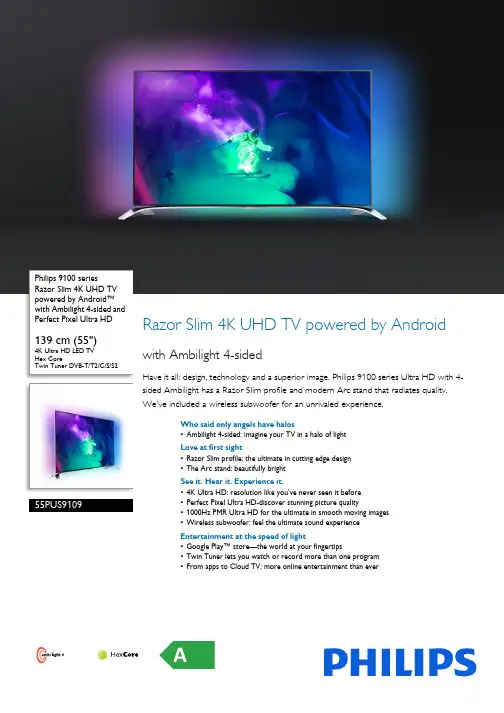
Philips 9100 series Razor Slim 4K UHD TV powered by Android™ with Ambilight 4-sided andPerfect Pixel Ultra HD 139 cm (55")4K Ultra HD LED TVHex CoreTwin Tuner DVB-T/T2/C/S/S2 55PUS9109Razor Slim 4K UHD TV powered by Android with Ambilight 4-sidedHave it all: design, technology and a superior image. Philips 9100 series Ultra HD with 4-sided Ambilight has a Razor Slim profile and modern Arc stand that radiates quality. We’ve included a wireless subwoofer for an unrivaled experience.Who said only angels have halos•Ambilight 4-sided: imagine your TV in a halo of lightLove at first sight•Razor Slim profile: the ultimate in cutting edge design•The Arc stand: beautifully brightSee it. Hear it. Experience it.•4K Ultra HD: resolution like you’ve never seen it before•Perfect Pixel Ultra HD-discover stunning picture quality•1000Hz PMR Ultra HD for the ultimate in smooth moving images•Wireless subwoofer: feel the ultimate sound experienceEntertainment at the speed of light•Google Play™ store—the world at your fingertips•Twin Tuner lets you watch or record more than one program•From apps to Cloud TV: more online entertainment than everAHighlightsAmbilight 4-sidedYou’ve created a home that’s more than just a house, so why not choose a TV that is warm and inviting too? Our most amazing Ambilight experience ever projects an extra wide glow around four-sides of your TV onto the surrounding wall. Your screen seems much wider, your experience more enhanced…and your TV appears to float on air. Color, vibrancy and excitement move beyond the screen and into your living room, bringing with it a more thrilling, intense and immersive viewing experience.Razor Slim profileSometimes less is more. Especially when it comes to the thinness of your TV. That’s why Philips Razor Slim TVs has our thinnest, sharpest and most refined edge. From some angles you’ll barely notice it’s there…and yet it never fails to be the first thing people admire when they walk into the room.Arc standDesigned as a companion to our 4-sided Ambilight, Philips Arc stand has a light, open arch that creates the illusion that your TV is floating in a halo of light. The high quality polished chrome finish and elegant open design add an air of style to any room.4K Ultra HD ResolutionSee TV like never before thanks to four times the resolution of a conventional Full HD TV. 3840 x 2160 pixels provide an image so refined, so lifelike, it’s a window to a new world.Perfect Pixel Ultra HDBuilding on our award winning Picture Quality heritage, we’ve elevated high definition Picture Quality to a whole new level. The picture processing algorithms of our Perfect Pixel Ultra HD engine convert any input picture into 4K Ultra HD resolution on your screen. The result? Whether you watch a video online, or native UHD content, you’ll experience the ultimate in sharpness, motion, clarity, color and contrast from Philips.1000Hz PMR UltraNothing beats the adrenaline rush of gaming,fast paced sporting events or action films on anUltra HD TV. That's why this Philips TV has1000Hz Perfect Motion Rate Ultra; so you’llenjoy the ultimate in smooth moving Ultra HDimages. Because even though your pulse mayjump, the image you’re watching shouldn’t.Wireless subwooferFeel the power of sound. We’ve included aWireless Ultra Bass subwoofer to bring moredepth to your TV experience. 50W of powerdelivers high impact sound that will transformthe ambient space of your room. It’s wirelessand thin enough to place discreetly under yoursofa or against the wall, so you can create atruly captivating sound experience anywherewithin your home.Google Play™ storeFeel like a kid in a candy store. Enjoy a deliciousassortment of apps, games, and all the goodiesavailable from the Google Play™store like theChrome™ browser, YouTube™, GoogleMovies, Google Music, social network apps andmore…and all on your TV Powered byAndroid™.Twin TunerNever fight about what to watch again. With atwin tuner on your TV you can watch yourfavorite series and a football game—and all atthe same time. Our dual recording feature letsyou watch one program while recordinganother so, you’ll always have something greatto watch later.Apps, Cloud TV* & ExplorerImagine an ever-growing Smart app portfolioon your TV. From YouTube to music, VideoOn Demand and more, you can customizewhich apps you add to your dashboard. Wantmore? Explore Cloud TV. With hundreds ofpremium international channels, it’s a greatway to watch your favorite shows and discoverwhat’s popular on the other side of the world.With Cloud Explorer, you can accessDropbox™ to view (and share) your favoritephotos and videos on the big screen.Ambilight 4-sidedAmbilight 4-sided: imagine your TV in ahalo of lightYou’ve created a home that’s more thanjust a house, so why not choose a TV thatis warm and inviting too? Our mostamazing Ambilight experience everprojects an extra wide glow around four-sides of your TV onto the surroundingwall. Your screen seems much wider,your experience more enhanced…andyour TV appears to float on air. Color,vibrancy and excitement move beyond thescreen and into your living room, bringingwith it a more thrilling, intense andimmersive viewing experience.Hex CoreThe power of Hex Core and Android onyour 4K Ultra HD TVFasten your seat belt; this is a TV enginelike never before. With Android on yourUltra HD TV you'll enjoy the ultimateimages, make video calls, and chat in a waythat is super fast, super intuitive, andsuper fun. The Android robot liberatesthe power of multiple cores spread overmultiple processors to get things donewith lightning speed and total ease.Issue date 2017-03-30 Version: 8.3.112 NC: 8670 001 12785 EAN: 87 12581 71403 1© 2017 Koninklijke Philips N.V.All Rights reserved.Specifications are subject to change without notice. Trademarks are the property of Koninklijke Philips N.V. or their respective owners.SpecificationsAmbilight•Ambilight Version: 4 sided•Ambilight Features: Built in Ambilight+hue, Wall colour adaptive, Gaming mode, Lounge light mode Picture/Display•Display: 4K Ultra HD LED•Diagonal screen size: 55 inch / 139 cm•Panel resolution: 3840x2160•3D: Active 3D, 2 Player Full Screen Gaming*, Premium 2D to 3D conversion•Aspect ratio: 16:9•Brightness: 450 cd/m²•Pixel engine: Perfect Pixel Ultra HD•Picture enhancement: Perfect Natural Motion, 1000Hz PMR Ultra, Local contrast, Ultra Resolution, Micro Dimming ProAndroid•Android OS: 4.2.2 (Jelly Bean)•Pre-installed apps: Google Chrome browser, Search, Google Play Movies*, Google Play Music*, YouTube, OnLive*•Google PlayStore apps: TV libraries, TV player •Memory size to install apps: 1.6GB, extendable via USB Hard DriveSmart TV•Interactive TV:HbbTV•SmartTV apps*: Catch-up TV, Netflix*, Online apps, Online Video stores•Social TV: Skype, TwitterSmart Interaction•Remote Control: with Pointer, with Keyboard •User interaction: SimplyShare, Cloud TV* and Cloud Explorer, DropboxTM, MultiRoom Client and Server*, Wi-fi Miracast Certified*•Integrated Smart Camera: Gesture Control, Skype, Distance Adaptive Sharpness•Program: Pause TV, USB Recording*•Ease of Installation: Auto detect Philips devices, Device connection wizard, Network installation wizard, Settings assistant wizard•Ease of Use: One-stop Home button, Onscreen Usermanual•Firmware upgradeable: Firmware auto upgrade wizard, Firmware upgradeable via USB, Online firmware upgrade•Screen Format Adjustments: Basic - Fill Screen, Fitto Screen, Advance - Shift, Zoom, Stretch, Native•Philips TV Remote app*: Control, Simply Share, TVGuide, Wi-fi Smart ScreenProcessing•Processing Power: Hex CoreSound•Output power (RMS): 30W (2x 15W)•Subwoofer output power: 50W•Sound Features: Ambi wOOx, Natural Sound, HDStereo•Sound Enhancement: Incredible Surround,Incredible Surround 3D, Clear Sound, AutoVolume Leveller, Dynamic Bass Enhancement, DTSpremiumConnectivity•Number of HDMI connections: 4•Number of component in (YPbPr): 1•Number of scarts(RGB/CVBS):1•Number of USBs: 3•Wireless connections: Integrated Wi-Fi 11n, 2x2Dual band, Soundbeam•Other connections: Antenna IEC75, 2x Satteliteinput, 2x Common Interface Plus (CI+), CI+1.3certified, Ethernet-LAN RJ-45, Digital audio out(optical), Audio L/R in, Headphone out, Serviceconnector•HDMI features: 4K, 3D, Audio Return Channel•EasyLink (HDMI-CEC): Remote control pass-through, System audio control, System standby,Plug & play add to Homescreen, One touch play•HDCP2.2:Yes on HDMI1Multimedia Applications•Video Playback Formats: Containers: AVI, MKV,H264/MPEG-4 AVC, MPEG-1, MPEG-2, MPEG-4,WMV9/VC1, 3GP•Subtitles Formats Support: .AAS, .SMI, .SRT, .SUB,.TXT, MKV/SRT•Music Playback Formats: AAC, MP3, WMA (v2 upto v9.2)•Picture Playback Formats: JPEG, BMP, GIF, JPS,PNG, PNSSupported Display Resolution•Computer inputs on all HDMI: up to 4K Ultra HD3840x2160, @60Hz•Video inputs on all HDMI: up to 4K Ultra HD3840x2160p, @ 24, 25, 30, 50, 60HzTuner/Reception/Transmission•Digital TV: Astra HD+ support, 2x DVB-T/T2/C/S/S2•MPEG Support: MPEG2, MPEG4•Video Playback: NTSC, PAL, SECAM•TV Program guide*: 8 day Electronic ProgramGuide•Signal strength indication•Teletext: 1200 page HypertextPower•Mains power: AC 220 - 240 V 50/60Hz•Ambient temperature: 5 °C to 35 °C•Eu Energy Label power: 112 W•Annual energy consumption: 155 kW·h•Energy Label Class: A•Standby power consumption: < 0.3 W•Off mode power consumption: < 0.3 W•Power Saving Features: Auto switch-off timer,Light sensor, Picture mute (for radio)Dimensions•Box dimensions(W x H x D):1369 x 1129 x 198 mm•Set dimensions (W x H x D): 1227 x 714 x 33 mm•Set dimensions with stand (W x H x D):1227 x 756 x 236 mm•Product weight: 18.4 kg•Product weight (+stand): 20.1 kg•Weight incl. Packaging: 32.3 kg•VESA wall mount compatible: 200 x 200 mm•Finishing (back): Grey•Finishing (front): Black•Finishing (side): Black Brushed aluminium*Philips TV Remote app and related functionalities varies per TVmodel and country, as well as smart device model and OS. For moredetail, please visit: /TV.*Pointer functionality depends on the Smart TV App being used.*Android App offerings vary per country. For more details please visityour local Google Play Store.*For smart TV app, visit /TV to discover the servicesoffering in your country*USB recording for digital channels only, recordings may be limited bybroadcast copy protection (CI+). Country and channel restrictionsmay apply.*Android, Google Play and other marks are trademarks of Google Inc.*Parents should monitor their children during 3D viewing and ensurethey do not experience any discomfort as mentioned above.Watching 3D is not recommended for children under 6 years of ageas their visual system is not fully developed yet.*The TV supports DVB reception for 'Free to air' broadcast. SpecificDVB operators may not be supported. An up to date list can befound in the FAQ section of the Philips support website. For someoperators Conditional Access and subscripction are required.Contact your operator for more information.*Energy consumption in kWh per year, based on the powerconsumption of the television operating 4 hours per day for 365days. The actual energy consumption will depend on how thetelevision is used.*EPG and actual visibility (up to 8 days) is country and operatordependent.*(Philips) only compatible with specific Philips player device.。
S430说明书
首先感謝您選購本公司的產品!為了您能儘快輕鬆自如地操作你的數碼播放器,我們隨機配備了內容詳盡的用戶手冊,從中您可以獲取有關的產品介紹,使用方法等方面的知識,在您開始使用您的數碼播放器之前,請仔細閱讀我們隨機提供的所有資料,以便您能正確使用產品。
注意事項:本手冊包含重要的安全措施和正確使用產品的資訊,以避免事故發生,確信在使用該產品之前仔細閱讀該手冊。
●請不要將產品放在高溫度、潮濕或粉塵多的地方。
●請不要將產品放在高溫的地方,特別是夏天不要將產品放在窗戶關閉的車輛內。
●避免摔落或強烈碰撞產品,不要讓TFT屏遭到猛烈震動,否則可能導致TFT屏損壞或顯示不正常。
●請選擇合適的音量,使用耳機不宜過大音量,若感到耳鳴,請調小音量或停止使用。
●在下列情況下請充電:A、電池電量圖示顯示沒電時B、系統自動關機,再次開機後很快關機C、操作按鍵沒有反應注:本機不能配用其他型號的充電器,否則會燒毀機器,本公司概不負責,如需要本機原裝充電器請與我公司有關部門聯繫。
●播放器在格式化或正在進行上傳和下載時請不要突然斷開連接,否則可能導致程式出錯。
●對於那些因為產品損壞、維修或其他原因造成的抹除記憶體損失,本公司不負任何責任,請用戶遵照使用手冊進行規範操作。
●請勿自行拆卸產品,不要使用酒精、稀釋劑或苯類來擦洗產品表面。
●不要在那些禁止使用電子設備的地區內使用該產品,比如在飛機上。
●請不要在駕駛或在街上行走時使用該產品,否則可能會引起車禍。
●USB只用於資料傳輸,盡可能避免USB放歌或者放視頻。
※本公司保留改進產品的權利,產品規格及設計如有變更,恕不另行通知!★(本機無防水功能)目錄基本功能……………………………………………………………………………………………………認識播放器…………………………………………………………………………………………………按鍵說明……………………………………………………………………………………………………使用前準備…………………………………………………………………………………………………與PC連接……………………………………………………………………………………………………開機/關機……………………………………………………………………………………………………USB互聯(即OTG功能)…………………………………………………………………………………使用TF擴展卡………………………………………………………………………………………………電池管理及充電……………………………………………………………………………………………主介面應用…………………………………………………………………………………………………設置…………………………………………………………………………………………………………音樂…………………………………………………………………………………………………………電影…………………………………………………………………………………………………………照片…………………………………………………………………………………………………………書籍…………………………………………………………………………………………………………錄音…………………………………………………………………………………………………………流覽…………………………………………………………………………………………………………軟體系統要求………………………………………………………………………………………………固件升級……………………………………………………………………………………………疑難解答……………………………………………………………………………………………………產品規格……………………………………………………………………………………………………申明…………………………………………………………………………………………………………基本功能1. 4.3英寸、480*272圖元、16:9真彩寬屏顯示。
高清播放机怎么用
高清播放机怎么用1. 简介高清播放机是一种专门用于播放高清视频的设备,通常具有更高的视频分辨率和更好的音频效果。
在使用高清播放机之前,了解一些基本的操作方法和注意事项是很重要的。
2. 连接设备首先,将高清播放机与电视或显示器连接。
通常,高清播放机具有HDMI接口,可以将其与电视或显示器的HDMI端口相连接。
如果您的电视或显示器不支持HDMI接口,您还可以使用其他接口,如组件视频或S视频。
3. 电源连接将高清播放机连接到电源插座。
请确保使用正确的电源适配器,并按照设备说明书中的指示进行正确的电源连接。
4. 打开设备按下高清播放机上的电源按钮,打开设备。
通常,设备将显示厂商的标志或设备型号,并进入主屏幕。
5. 导航菜单高清播放机上通常配备有一个导航菜单,您可以使用遥控器上的方向键来浏览菜单选项。
导航菜单通常包括以下选项:•播放:用于播放高清视频文件。
•设置:用于设置设备参数,如显示设置、音频设置等。
•文件管理:用于管理存储在设备上的视频文件。
•USB:用于连接外部存储设备,如USB闪存驱动器或移动硬盘,以播放存储在这些设备上的视频文件。
6. 播放视频在导航菜单中选择“播放”选项后,您可以通过以下步骤播放高清视频:1.使用导航键选择文件管理中的文件。
2.按下“确定”按钮,选择您要播放的视频。
3.选择“播放”按钮,开始播放视频。
7. 设置在导航菜单中选择“设置”选项后,您可以进行以下设置:•显示设置:调整画面的亮度、对比度、饱和度等参数,以最佳方式呈现视频画面。
•音频设置:调整音量、音频输出模式、均衡器等参数,以获得最佳音频效果。
•网络设置:如果您的高清播放机支持网络连接,您可以通过此选项进行网络设置,并访问在线视频服务。
•其他:根据设备功能和型号,还可能有其他设置选项可供选择。
8. 文件管理导航菜单中的“文件管理”选项可帮助您管理存储在高清播放机上的视频文件。
您可以使用方向键在文件列表中滚动,并使用“确定”按钮打开您选择的视频文件。
Philips Momentum 4K HDR Gaming Monitor 43 用户指南说明书
Philips Momentum4K HDR display with AmbiglowMomentum43 (42.51" / 108 cm diag.) 3840 x 2160 (4K UHD)439M1RV Optimized performancefor next-gen gamingGet in the moment with this Momentum gaming monitor with immersive Ambiglow. An ultra-clear 4K picture at 144Hz, Sync technology and low Input lag deliver a smooth gaming feel. DisplayHDR 400 gives ultra-crisp and vibrant image quality.Meet the most recent update of HDMI specification•AMD FreeSync™ Premium Pro; smooth, low latency HDR gaming•4K / 144Hz PC gaming on the big screen•Smooth console gaming at 4K / 120Hz•Purpose-built for low latency gaming•SmartImage HDR gives optimal viewing from your HDR contentDesign to enhance the senses•Ambiglow adds a new dimension to your viewing experience•Enhanced audio with DTS Sound™Features for gamers needs•USB-C one cable does it all•LowBlue mode and Flicker-free easy-on-the eyes viewing•Access and display multiple sources on two devices•MultiView enables simultaneous dual connection and view•VA display delivers awesome images with wide viewing anglesHighlightsAMD FreeSync™ Premium ProGaming shouldn't be a choice between choppy gameplay or broken frames. This display is certified with AMD FreeSync™ Premium Pro, which provides a variable refresh rate (VRR) and the true HDR gaming experience. This provides a combination of smooth gaming at peak performance, and exceptional high dynamic range visuals while still maintaining low latency.4K / 144Hz PC gamingPC gamers who demand a true 4K gaming experience with the fastest refresh rate of 144Hz can now enjoy even smootherperformance with the included connections.4K / 120Hz Console gamingGame with ultra-clear 4K resolution at asmooth 120Hz refresh rate when you connect your Xbox Series X & other next-gen consoles via one of multiple HDMI 2.1 connections. Afaster refresh rate ensures less skipped frames, showing enemy movement in ultra-clear, smooth motion to easily target them.Low Latency GamingUnlike standard TVs, Philips Momentumgaming displays are purpose-built with low lag and lighting fast pixel response as a priority and supports fast-paced, reaction time-sensitive games . The display also provides variable refresh rate (VRR) support for Xbox Series X to achieve seamlessly smooth motion.SmartImage HDRSelect one of SmartImage HDR modes to best suit your needs. HDR Game: Optimize for playing video games. With brighter white and darker black, the gaming scene is vivid and revealing more details, easily spot enemies hiding in the dark corner and shadows. HDR Movie: Ideal for watching HDR movie. Deliver better contrast and brightness for more realistic and immerse viewing experience. HDR Photo: Enhance red, green, and blue for lively visuals. DisplayHDR: VESA DisplayHDR certified*. Personal: Customize settings in picture menu. *Please refer to specification for HDR grade.AmbiglowThe innovative Ambiglow technology enhances the content on the screen by creating a halo of light from the monitor. Its fast processor analyses the incoming image content,continuously adapts the color and brightness of the emitted light to match the image. Especially suited for watching movies, sports or playing games, Philips Ambiglow offers you a unique and immersive viewing experience.DTS Sound™DTS Sound is an audio processing solution designed to optimize the playback of music, movies, streaming and games on the PCregardless of form factors. DTS Sound enables an immersive virtual surround soundexperience, complete with rich bass and dialog enhancement and maximized volume levelsfree of any clipping or distortion.Red DotRed Dot stands for belonging to the best in design and businessThis gaming monitor scores with the striking base, which radiates a solid presence and thereby underlines thequality of the monitor.Issue date 2023-04-10 Version: 4.0.112 NC: 8670 001 84565 EAN: 87 12581 79533 7© 2023 Koninklijke Philips N.V.All Rights reserved.Specifications are subject to change without notice. Trademarks are the property of Koninklijke Philips N.V. or their respective owners.SpecificationsPicture/Display•LCD panel type: VA LCD•Backlight type: W-LED system•Panel Size: 42.51 inch / 108 cm•Color gamut (min.): DCI-P3 Coverage: 95.6%*•Color gamut (typical): NTSC 106.8%*, sRGB 127.7%*, Adobe RGB 90.4%*•HDR: DisplayHDR 400 certified•Effective viewing area: 941.18 (H) x 529.412 (V) mm•Aspect ratio: 16:9•Maximum resolution: HDMI / DP: 3840 x2160 @ 144 Hz*; USB-C: 3840 x 2160 @ 120 Hz •Pixel Density: 103.64 PPI•Response time (typical): 4 ms (Gray to Gray)*•MPRT:1ms•Low Input Lag•Brightness: 550 cd/m²•SmartContrast: Mega Infinity DCR•Contrast ratio (typical): 4000:1•Pixel pitch: 0.2451 x 0.2451 mm•Viewing angle: 178º (H) / 178º (V), @ C/R > 10•Picture enhancement: SmartImage game •Display colors: Color support 1.07 billion colors •Scanning Frequency: HDMI: 30 - 135 kHz (H) / 48 - 144 Hz (V); DP: 30 - 254 kHz (H) / 48 - 144 Hz (V); USB C: 30 - 254 kHz (H) / 48 - 120 Hz (V)•SmartUniformity: 93 ~ 105%•Delta E: < 2 (sRGB)•sRGB•Flicker-free•LowBlue Mode•Ambiglow:4-sided•HDMI 2.1 Feature: VRR, FRL•AMD FreeSync™ technology: Premium Pro Connectivity•Signal Input: HDMI 2.1 x 3, DisplayPort 1.4 x 1, USB-C x 1 (DP Alt mode, PD 65W)•HDCP: HDCP 2.2 (HDMI)•USB:: USB-B x 1 (upstream), USB 3.2 x 4 (downstream with 2 fast charge B.C 1.2)•Sync Input: Separate Sync•Audio (In/Out): Audio out•EasyLink (HDMI-CEC): Remote control pass-through, System audio control, System standby USB•DP: Built-in Display Port Alt mode•Super speed: Data and Video transfer•Power delivery: USB PD version 3.0•USB-C max. power delivery: Up to 65W (5V/3A, 7V/3A, 9V/3A, 10V/3A, 12V/3A, 15V/3A, 20V/ 3.25A)Convenience•Built-in Speakers: 7 W x 2, DTS Sound •MultiView: PBP (2x devices)•KVM: USB-C, USB-B•User convenience: Power On/Off, Menu/OK,Input/Up, Sound Mode/Down, SmartImage game/Back•OSD Languages: Brazil Portuguese, Czech, Dutch,English, Finnish, French, German, Greek,Hungarian, Italian, Japanese, Korean, Polish,Portuguese, Russian, Spanish, Simplified Chinese,Swedish, Turkish, Traditional Chinese, Ukrainian•Other convenience: Kensington lock, VESA mount(200x200mm)•Plug & Play Compatibility: DDC/CI, Mac OS X,sRGB, Windows 10 / 8.1 / 8 / 7Stand•Height adjustment: 110 mm•Swivel:-/+20 degree•Tilt: -5/15 degreePower•On mode: 64.4 W (typ.)•Standby mode: 0.5 W (typ.)•Off mode: 0.3 W (typ.)•Power LED indicator: Operation - White, Standbymode- White (blinking)•Power supply: Internal, 100-240VAC, 50-60HzDimensions•Product with stand(max height): 978 x 738 x341 mm•Product without stand (mm): 978 x 573 x 78 mm•Packaging in mm (WxHxD): 1150 x 704 x 284 mmWeight•Product with stand (kg): 18.00 kg•Product without stand (kg): 12.80 kg•Product with packaging (kg): 23.69 kgOperating conditions•Temperature range (operation): 0°C to 40 °C•Temperature range (storage): -20°C to 60 °C•Relative humidity: 20%-80 %•Altitude: Operation: +12,000ft (3,658m), Non-operation: +40,000ft (12,192m)•MTBF: 50,000 (Excluded backlight) hour(s)Sustainability•Environmental and energy: RoHS•Recyclable packaging material: 100 %•Specific Substances: Mercury free, PVC / BFR freehousingCompliance and standards•Regulatory Approvals: CB, CE Mark, FCC Class B,ICES-003, BSMICabinet•Color: Black•Finish: Textured / GlossyAccessories•Included accessories: Remote Control*The maximum resolution works for either HDMI input or DP input.*For best output performance, please always ensure that your graphiccard is capable of achieving the maximum resolution and refresh rateof this Philips display.*Response time value equal to SmartResponse*MPRT is to adjust brightness for blur reduction, so cannot adjustbrightness while MPRT is turned on. To reduce motion blur, LEDbacklight will strobe synchronously with screen refresh, which maycause noticeable brightness change.*MPRT is gaming-optimized mode. Turn on MPRT may causenoticeable screen flickering. It is recommended to turn off when youare not using the gaming function.*DCI-P3 Coverage based on CIE1976*NTSC Area based on CIE1976*sRGB Area based on CIE1931*Adobe RGB Coverage based on CIE1976*For USB-C power and charging function, your Notebook/devicemust support USB-C standard Power Delivery specifications. Pleasecheck with your Notebook user manual or manufacturer for moredetails.*For Video transmission via USB-C, your Notebook/device mustsupport USB-C DP Alt mode*2020 Advanced Micro Devices, Inc. All rights reserved. AMD, theAMD Arrow logo, AMD FreeSync™ and combinations thereof aretrademarks of Advanced Micro Devices, Inc. Other product namesused in this publication are for identification purposes only and maybe trademarks of their respective companies.*The monitor may look different from feature images.。
4k电视清晰度设置方法
4k电视清晰度设置方法
电视自身软件问题。
通常大家都会安装不同影视软件看片源,但往往打开后并不是默认切换到4K画质的,因此在播放时自然只达到2K标准甚至更低,呈现高清效果。
这时需利用遥控器重新筛选画质,选择分辨率就好,例如腾讯视频,就能在清晰度上重新选择4K画质。
先下载4K片源再离线看。
如果你家的网速达不到4K在线播放要求,自然就无法达到4K画质标准。
最简单的方法就是先下载完整片源(4K片源),然后通过第三方视频解码就可观看4K效果了,推荐使用当贝播放器解码,不仅支持格式多,且解码4K片源更快。
电视盒子分辨率没调好。
第三种就是盒子分辨率没调好,如果画面分辨率没匹配到位的话,会影响画质。
这时需要手动去调节画质,下面就以当贝盒子为例子。
在进入盒子桌面后,打开显示功能,这时就会看到电视盒子显示分辨率,手动将分辨率调至最高就好,就能正常看4K画质了。