
Module 7 Unit 2 When do you use a computer 课件(外研版七年级上册)
We have a computer at home. My parents don’t use it. I can use it on Sundays. I send email to my friends and play computer games. But sometimes I play a lot of games and my mother doesn’t like it. —— Mike
Unit 2 When do you use a computer?
•What are they?
a manager of a company
某公司经理
talk to one’s customers
on the computer
go on the Internet
通过电脑
上网
火车时刻表
the times of trains
× 2. Alice checks emails at home. √ 3. Mike likes playing computer games. × 4. Mike and his parents use their
home computer.
3 Match the words and expression in Column A with those in Column B.
发电子邮件给某人
玩电脑游戏
play computer games
Download music
Visit website
Get information
Go online
There is a computer in my home, and my father and I share it. My father is a manager of a company, so he often talks to his customers on the computer. He also goes on the Internet to check the times of trains, make travel plans, and buy tickets. I listen to music or watch movies every Friday night. —— Jack
A
B
buy check go on make play share talk to search for watch work for
a company a computer customers email games information the Internet movies tickets travel plans
There is no computer in my home. I can only use it at school. On the Internet, I search for information, do my homework and check my email. I have a friend in Australia. I can see her and talk to her on the Internet. —— Alice
What time does your (5) _______ movie start and finish? You can (6) ______ check on the Internet. What about shopping? Many (7) __________ customers buy books, clothes and many other things on the Internet. And do you want to visit friends or family? Many people buy train (8) _______ tickets on the Intern tickets
listen to music
watch movies
on the Internet
看电影
在互联网上
搜索信息
做家庭作业
search for information
do one’s homework
check email
send email to sb.
检查电子邮件
Read the passage and match the questions with the people who answer them. 1. Who can use the computer on Sundays? Mike can use the computer on Sunday. 2. Who shares a computer with his father? Jack shares a computer with his father.
4 Complete the passage with the correct form of the words from the box. check customer information Internet movie plan search send share ticket You can use your computer to do lots of things on the (1) ________. Internet You can (2) _______ search for (3) ____________ information about planning an things to do. Are you (4) _________ evening at the cinema?
3. Who has a friend in Australia? Alice has a friend in Australia.
2 Check (√) the true sentences.
× 1. Jack’s father uses the computer
every Friday night.
外研版七年级上 Module 7 Unit 2When do you use a computer教案

Module 7 ComputersUnit 2 When do you use a computer?教学目标【知识与技能】1. 掌握下列单词和短语:share, Australia, company, customer, Internet, check, plan, ticket, movie, search for, information, send, cinema, visit, buy tickets, check email, go on the Internet, make travel plans, play games, share a computer, talk to customers, search for information, watch movies, work for a company2. 能够读懂介绍自己和他人使用电脑情况的短文。
3. 正确使用特殊疑问词when, how等。
4. 过阅读他人对电脑的使用情况,从而正确认识如何合理使用电脑和网络。
【情感、态度与价值观】提高学生学习英语的兴趣,使学生了解更多关于电脑的知识,激励学生自主探索新知识。
通过实践、参与、练习,鼓励学生学会互相合作。
教学重难点【教学重点】能够读懂介绍自己和他人使用电脑情况的三篇短文,并能在阅读中找出每个作者的相关细节信息,完成任务。
【教学难点】能够正确使用特殊疑问词。
教学过程Step 1 Warming-up1. Play a piece of music and then have a conversation with the students:“What’s this?”“We often use the computer to …”“How do you write your homework on the computer?”2. Ask some students to present some ways of using the computer. Ask other students to say out the sentences. Use the sentences like this: “What are they doing? Do youoften …”“What/ how/ where/ when...”Step 2 Pre-readingShow the students some pictures about using the computer and lead the students to describe what they are doing. Also present new words and teach them.eg:share,Australia,company, customer, Internet...Step 3 While-reading1. ScanningAsk students to scan the passages.T: What are the passages talking about?2. Careful reading①Ask students to skim the passages.T: Jack, Alice and like using the computer. Find out “Who can use the computer on Sundays?”“Who often share the computer with his father?”“Who has a friend in Australia?”②T: Le t’s read again and tell true or false.Ask a student to be “a little teacher” to check the answers.③Let some team students read the paragraphs and the other students listen carefully to point out important points.④Solve difficulties.3.Ask the studentsread the letter.T: Let’s read the letter together. Make sure theyunderstand the letter.Step 4 Post-reading1. Let the students do Activity 3.2. Let the students do Activity4.3. Retell.①Let the students fillin the blanks accordingto the picture and thetable .②Call back the answersfrom two students thenread the short passagein the whole class .2.Make a surveyAsk the students to make a survey in group. Then ask teams to report. “When do you use a computer…””How do you …”Step 5 Summary1.Get the students tosum up the language points.T: What have we learned today?Ss:……2.Let the students to choose the best team in this lesson. HomeworkWrite a passage to talk about when and how you use a computer.教学反思。
Module7U2when_do_you_use a comprter
listen and fill in the blanks
1 First, _______ connect the screen to the computer. Next connect the keyboard and the 2 _____, mouse to the computer. 3 Finally, turn _______ on the computer. c) Open a new document. a) Write your homework. d) Save the document. e) Put some paper in. b) Print your document.
Reading
叙述顺序时用到的标志词: First… next… then… finally…
1. How do you open a new document? Click the mouse on “new document”. 2. Where do you write your homework? Write it in the new document. 3. How do you save the document? Click “save”, and write a name for it. 4. Where do you write its name? Write it in the box. 5. How do you print the document? Put the paper in first and click “print” and “OK”.
the Internet
movies tickets travel plans
买票 检查邮件 上网 制定旅行计划 玩游戏 共用一台电脑 和客户交谈 查找信息 看电影 为一家公司工作
初中英语外研版七年级上册《Module 7 Unit 2 When do you use a com

如:Can you give me any information on this matter? 关于此事,你能给我提供什么消息吗?
外研(新标准)版-七年级上册
3. But sometimes I play a lot of games and my mother doesn’t like it. 但有时我玩太多游戏,妈妈就厌恶它。
外研(新标准)版-七年级上册
Key phrases
= There aren’t any apples in the box.
外研(新标准)版-七年级上册
There is no computer in my home. I can only use it at school. On the Internet, I search for information, do my homework and check my email. I have a friend in Australia. I can see her and talk to her on the Internet.
—— Alice
外研(新标准)版-七年级上册
外研(新标准)版-七年级上册
Read paragraph 3 and fill the blanks.
Mike has a computer at home. His parents don’t use it. He can use it o_n_ XXXdays. Hes_en_d_s__ email _t_o_ his friends _p_l_a_y_s_computer games. But sometimes he _p_la_y_s a lot of games and his mother ______ like it.
《Unit 2 When do you use a computer?》教案
外研版七年级上册英语Module 7 Computers《Unit 2 When do you use a computer?》教案教材分析:本节课是外研版七年级上册Module 7 Computers《Unit 2 When do you use a computer?》的教学内容。
本单元主要围绕电脑的使用情况展开,学生将学习并运用与电脑相关的词汇,了解不同国家和地区的电脑使用情况,提高对电脑的认识和运用能力。
教学目标:知识目标:掌握重点单词:share、game、often、customer、internet、check、train、travel等。
理解并能运用重点句型:Who can...? Who doesn't have ...? What do you ...?技能目标:能够就电脑的使用情况展开谈论,运用所学词汇进行表达。
能够读懂介绍电脑用途的文章。
文化目标:了解不同国家和地区电脑使用情况,拓宽跨文化视野。
学习策略:培养学生将词汇与实际事物之间建立联系的能力。
情感态度:通过学习与电脑相关的词汇,提高学生的英语学习兴趣。
教学重点和难点:教学重点:掌握重点单词和句型,能够灵活运用。
能够用英语描述电脑的使用情况。
教学难点:学生可能对一些新的词汇和句型不熟悉。
学生可能在描述电脑使用情况时缺乏流利的表达能力。
学情分析:学生是七年级的学生,对电脑和网络使用已经有一定的了解和实际经验。
他们对于英语词汇和句型的掌握程度有所不同,部分学生可能对新的词汇和句型感到陌生。
在学习过程中,需要通过多种教学手段激发学生的学习兴趣,提高他们的参与度和表达能力。
教学过程:Step 1: Lead-inShow pictures of different people using computers and ask students: "When do you use a computer?" Encourage students to share their ownexperiences and ideas.Teacher: "Look at these pictures. Can you tell me when you use a computer? Let's take turns and share our ideas. John, when do you use a computer?"John: "I use a computer to play games and do homework."Teacher: "Great! Who else would like to share?"Step 2: Vocabulary PresentationIntroduce the new vocabulary words: share, game, often, customer, internet, check, train, travel.Teacher: "Now, let's learn some new words related to computers. The first word is 'share.' When you share something, you give a part of it to someone else. For example, if you have a piece of cake, you can share it with your friend. Can you say 'share'?"Students: "Share."Repeat the process for the other vocabulary words, providing explanations, examples, and having students repeat the words after you. Step 3: Vocabulary PracticeDivide the class into pairs or small groups.Give each group a set of word cards with the new vocabulary words. Teacher: "Now, I will give each group some word cards. Your task is to match the words with their corresponding pictures. You can discuss with your group members and work together."Monitor the groups and provide assistance as needed.After they finish, ask each group to present their matches and provide feedback.Step 4: Reading ComprehensionDistribute the reading passage about computer usage in different countries or regions.Teacher: "Now, I will give you a reading passage about computer usage in different countries. Please read it silently and underline any unfamiliar words."Allow students some time to read and underline the unfamiliar words. Teacher: "Now, I will ask you some questions to check your understanding. Who can tell me which country has the highest internet usage?"Students: "China."Teacher: "That's right! Now, who can tell me what people often use computers for in Japan?"Students: "They often use computers to play games."Discuss the answers as a class and clarify any misunderstandings.Step 5: Speaking ActivityDivide the class into pairs or small groups.Teacher: "Now, I want you to discuss and answer questions related to computer usage with your partner. Use the target language we havelearned today. For example, ask each other 'Who can play computer games?' or 'What do you often do on the internet?' Take turns and have a conversation."Monitor the discussions and provide feedback and assistance as needed. After the activity, select a few pairs or groups to share their conversations with the whole class.Step 6: Wrap-upSummarize the key points of the lesson and review the new vocabulary words and sentence patterns.Teacher: "Today, we have learned about different computer uses and practiced using the new words and sentences. Who can tell me one thing they learned today?"Students: "I learned that people use computers to check information on the internet."Teacher: "Great! Computers are indeed very useful. Now, let's have a class discussion about the importance of computers in our daily lives and the advantages and disadvantages of computer usage."板书设计:Key Vocabulary:sharegameoftencustomerinternetchecktraintravelKey Sentences:Who can...?Who doesn't have...?What do you...?教学反思:本节课通过引导学生谈论电脑的使用情况,运用重点单词和句型进行表达,达到了预期的教学目标。
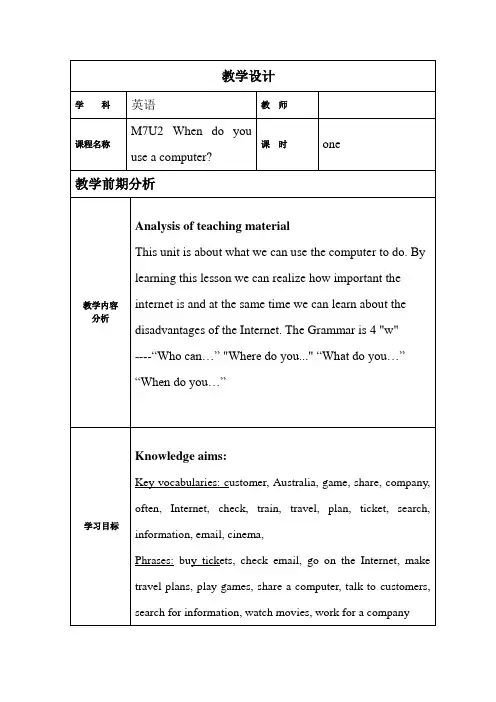
七年级英语上册 Module 7 Unit 2 When do you use a computer?教案 (新版)外研版

1. Grammar: special questions and answers; affirmative and negative forms in Present Simple.
2. Key vocabularies: customer, Australia, game, share, company, often, Internet, check, train, travel, plan, ticket, music, movie, night, search, information, email, send, sometimes, visit, cinema, clothes
4. Check with a partner.
5. Call back the answers from the whole class.
Keys:
1 Mike can use the computer on Sunday.
2 Jack shares a computer with his father.
Module 7 Unit 2 When do you use a computer?
教学设计
课型
Readingand writing
教材分析
The main topic of this unit is computer. Students can learn about how people in different places of the world use computer.
3. Through reading, listening, speaking and writing exercises, be able to ask and answer questions with the new phrases in this unit and write a report in Present Simple.
外研版七年级英语上册Module 7 unit2 When do you use a computer?.教案
Task2. Careful reading
Read para.1
Ask students to read para.1 and complete the table
Read para.1 carefully and find the details
To train the skills of careful reading
Read para.3
Let students read theparagraph and check the true sentences.
Read para.3 carefully and find thedetails
Read and match
Help students read through and find key words to match the pictures and the sentences.
Look through the whole passage and find out the key information
学习目标
Knowledgeaims:
Key vocabularies:customer, Australia, game, share, company, often, Internet, check, train, travel, plan, ticket, search, information, email, cinema,
教学设计
学科
英语
教 师
课程名称
M7U2 When do you use a computer?
课 时
one
外研版英语七年级上册Module7 Unit Two When do you use a computer教学设计
外语教学与研究出版社《新标准》英语七年级上册教学设计Module 7 ComputersUnit Two When do you use a computer?一、教材分析本模块电脑的操作和使用为话题,分设三个课时进行学习。
本节课是这个模块中的第二课时,是一节阅读课型的新授课。
作为模块的第二课,它以第一单元的电脑的相关操作的指令为基础,话题内容上拓展为电脑的使用,并且为第三单元熟练运用语言提供了话题和语境,同时也为学生们后来的学习扫清语言和文化的障碍。
在第一单元中,学生的听说活动是要对电脑相关操作的指令进行问答。
而在第二单元的阅读中,具体涉及到三个孩子及家庭不同的电脑使用情况。
第二单元的课文以“电脑的使用”为话题,介绍了三个不同的孩子及各自家庭使用电脑做不同的事情,让孩子们意识到科技产品对我们生活的影响,培养孩子们紧跟时代和信息社会的潮流。
作为一节阅读课型的新授课,本单元的重点是培养学生迅速进行标题和人物的拼配,快速获取文章细节信息的能力。
同时,教师要引导学生对于电脑等高科技的使用进行深层次的思考,引导学生正确的使用电脑,并对电脑的使用提出合理化建议。
本单元的重难点是掌握和正确使用特殊疑问句。
二、教学目标1.语言知识目标(1) 学会词汇:share, game, often, customer, check, train, travel, plan,ticket, movie, night, search for, information, email, send, sometimes.(2) 学会句型:who can …? Who doesn’t have…? What do you …? Whendo you …?2.技能目标(1) 能够读懂简单描述或介绍电脑使用的短文。
(2) 能够在文章中迅速提取有用信息,并能够处理信息。
(3)能够根据提示对语篇进行综合复述。
3.学习策略目标(1)小组合作学习(2)迁移学习,将已掌握的电脑知识应用与英语学习中。
Module7Unit2Whendoyouuseacomputer?教案
在完成了Module 7 Unit 2 "When do you use a computer?"的教学后,我对整个教学过程进行了深入的思考。首先,我注意到学生在学习一般现在时描述日常活动时,对于时间状语从句的运用存在一定难度。这让我意识到,在今后的教学中,我需要更加注重句型结构的讲解和练习,特别是对于那些语法概念较为复杂的内容。
-词汇掌握:重点词汇包括与日常活动相关的词汇(如homework, chat, play games)和时间表达(如morning, afternoon, evening, after school),学生需掌握这些词汇并能正确运用。
-时态运用:学生需要掌握一般现在时态在描述日常习惯和活动中的运用,确保在表达时使用正确的动词形式。
(二)新课讲授(用时10分钟)
1.理论介绍:首先,我们要了解一般现在时在描述日常习惯中的应用。一般现在时是描述习惯性动作和状态的一种时态,它在日常交流中非常重要。
2.案例分析:接下来,我们来看一个具体的案例。这个案例展示了如何用一般现在时描述电脑使用的习惯,以及如何通过这个问题了解他人的日常生活。
3.重点难点解析:在讲授过程中,我会特别强调句型"When do you use a computer?"和"I use a computer when I..."的正确使用。对于难点部分,如时间状语从句的构建,我会通过例句和对比来帮助大家理解。
(三)实践活动(用时10分钟)
1.分组讨论:学生们将分成若干小组,每组讨论一个与电脑使用相关的实际问题,如“如何在日常生活中合理安排使用电脑的时间”。
2.实验操作:为了加深理解,我们将进行一个简单的角色扮演活动。学生模拟真实场景,运用所学句型询问和回答电脑使用时间。
外研版七年级英语 上册 课件Module7 Unit2 When do you use a computer(共27张PPT)
share sth with sb
与某人分享某物
Eg.1.We share the same classroom. Eg.2.I share an apple with my sister.
First reading :skip(跳读)and find out the answers.
1.Who shares a computer with his father? 分享 ,共
and then complete the table. When What
talk to his customers ,go on the Internet to check the times of trains, make travel plans ,buy tickets
send email check email go on the
玩电脑游戏
查找信息
search for information
发送电子邮件 检查电子邮件
check the times of trains
检查火车时间表
Internet to
目的
make travel plans watch movies talk to sb.
2.Who has a friend in Australia? 澳大利亚
3.Who can use the creading :skip(跳读)and find out the answers.
1.Who shares a computer with his father? 分享 ,共
2.Who has a friend in Australia? 澳大利亚
3.Who can use the computer on Sundays?
Module7Unit2Whendoyouuseacomputer教案
3.词汇学习:掌握与电脑相关的词汇,如"browse the internet"、"do homework"、"play computer games"等。
4.对话练习:通过角色扮演,模拟在不同场景下使用电脑的对话,提高口语交流能力。
5.写作练习:撰写小短文,描述自己或家人使用电脑的习惯。
二、核心素养目标
本节课的核心素养目标旨在培养学生的语言能力、思维品质、文化意识和学习能力。
1.语言能力:通过学习电脑使用的日常表达,学生能够熟练运用英语描述日常生活中的电脑使用情境,提升口语表达和书面表达能力。
2.思维品质:通过分析、比较不同场景下的电脑使用习惯,培养学生观察、分析、解决问题的能力,激发学生的批判性思维和创新意识。
(二)新课讲授(用时10分钟)
1.理论介绍:首先,我们要了解电脑使用的日常表达。这些表达帮助我们描述在不同场合下使用电脑的情况,是交流中非常重要的部分。
2.案例分析:接下来,我们来看一个具体的案例。这个案例展示了如何用英语描述一个人在一天中不同时间使用电脑的情境,以及这些表达如何帮助我们更好地理解和交流。
(3)日常对话交流:学生能够进行关于电脑使用习惯的日常对话,包括提问和回答。
-举例:模拟对话中,学生需要学会询问“你每天用电脑多久?”(How long do you use the computer every day?)。
2.教学难点
(1)词汇的准确运用:学生在构造句子时可能会出现词汇使用不准确的问题,如“浏览互联网”可能会误用为“search the internet”。