
外研版七年级英语上册Module7ComputersUnit1HowdoIwritemyhomeworkonthecomputer教案
Module7Computers
Unit1HowdoIwritemyhomeworkonthecomputer? 课型Listeningandspeaking
教材分析本模块以电脑为主题。
该单元则是以对话的形式谈论如何用电脑完成作业,让学生能听说有关电脑方面的基本词汇,并就电脑的操作使用进行简单的问答。
内容既接近生活又能激发学生学习的兴趣
语言知识目标1.Keyvocabulary:keyboard,mouse(pl.mice),screen,connect
,turn,turnon,learn,document,click,use,save,box,final ly,print,paper
2.Keystructures:wh-questioninPresentsimpleimperativese
ntences.
语言技能目标1.Tounderstandconversationsabouthowtouseacomputer
2.Tolearnhowtogiveinstructions
情感态度目标1.Raisestudents’interesttolearnEnglishandget toknowmor
eknowledgeaboutcomputersinEnglish.
2.Promptstudentstoexplorenewknowledgeautonomously.
3.Throughexperiencing,participationandpractice,encoura
gestudentstobecooperativeandlearnfromeachother.
教学重点sofcomputeritems
2.Conversationsabouthowtouseacomputer
Step3 Activity 1,2&3 灵活运用教
材,通过听力
训练,增加学
生进行听力
练习的信心。
1.Playtherecording
forthemtonumberthe
words,thencheckwit
hthepartner.
Keys:1.screen2.key
board4.mouse
2Labelthepartsofth
ecomputer.
3Completethesenten
ceswiththewordande
xpressionfromthebo
x.
4.Playtherecording
again,thenchecktog
ether.
Keys:1.connect2.co
nnect3.turnon
1.Listenandn
umbertheword
sastheyheart
hem.
belthepa
rtsofthecomp
uter.
pleteth
esentenceswi
ththewordand
expressionfr
omthebox.
4.Checktoget
her.
Step4 Newwords andexpre ssions 1.新课程标
准强调在语
境中学习词
汇和句型,任
务设计使学
生在理解上
下文语境的
基础上掌握
单词和词组
的意义和用
法。
2.学生初步
认识新单词
和词组,并在
教师的引导
下,能尝试运
用新词组。
通过课件图文并茂,
学习动词
connect,turnon,fir
st,next,then,final
ly,use,open,write,
save,print.并引导
学生尝试应用新词组
e:usethemous
e
click:clickthe
mouse
学生初步认识
新单词和词
组,并能结合
所学知识拓展
应用词组
usethemouse/
keyboard/pri
nter…c lick:
clickthemous
e/document…
eadandwr过听力加强tionsasyouhearthem
5.Pairworkandcheck 3.Actitout. sation.Writ
Step7Wor kinpairs 积极开发课
程资源,给学
生提供贴近
生活的与课
文相关的材
料,学生在老
师的指导下,
通过小组的
讨论与合作
等方式解决
问题,进一步
提升学生运
用语言的能
力。
在课件上提供几个文
件:绘图,购物,写
作业,发邮件。
1.Chooseoneofthedo
cuments;operatethe
computer,sayinghow
todoit.
2.Choosethedocumen
tagain,askthestude
ntstosayhowtodoitw
iththeteacher.
3.Askstudentstodop
airwork,thencheck.
学生小组讨
论。
以小组为
单位,自由选
择喜欢的文
件,初步运用
所学的知识,
用英语简单的
表述如何用电
脑操作。
ethekeyboard7.clickthenewdocument8 .writeyourhomework9.savethedocument10.putsom。
外研版七年级上册英语M7 Unit 1 How do I write my homework on

________________you? What/Howabout
—Metoo.
四、补全对话(有两项多余) 。
A. Do you often send emails?
A. Doyouoftensendemails?
B. What do you usually do
6. Don’tlookwatrtithee,_le_a_r_n_,_s_c_refeonr,lofninga.l, turn It’sbadforyouresycerse.en
write, learn, screen, final, turn 7. Don’tforget___t_o_w_r_it_e_anameforthedocument.
A C. Inthebathroom.
Putthepaperinthere. Click5. “____________” and
“OK”.
How to 1. _w_r_ite_h_o_m_e_wo_r_k______ on the
Open computer
First 2. ____________a new document.
21. Youcanuseyourcomputerto______.
A. sendemailB. havedinner
A
C. playfootballD. playthepiano 【点拨】根据原文第一个框中句子
Youcanuseyourkeyboardtowritedownyourhomework, thensavethedocumentonyourcomputer, andprintitout, orevenemailit.可知答案。
外研版英语七年级上册 正式篇 Module 7 Computers Unit 1 How do I
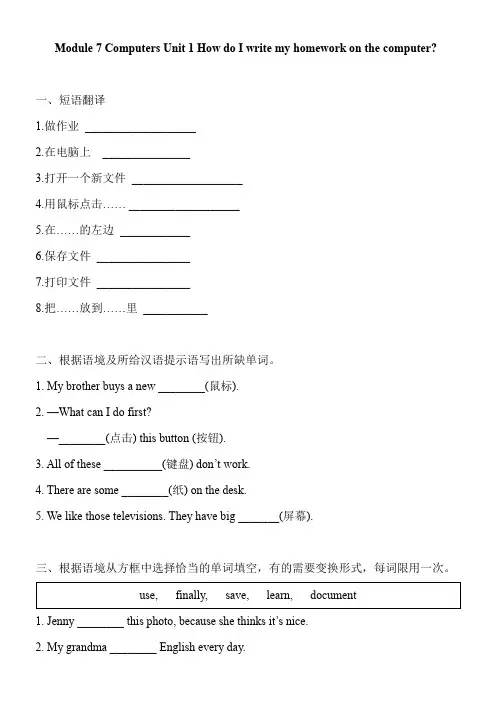
Module 7 Computers Unit 1 How do I write my homework on the computer?一、短语翻译1.做作业___________________2.在电脑上_______________3.打开一个新文件___________________4.用鼠标点击…… ___________________5.在……的左边____________6.保存文件________________7.打印文件________________8.把……放到……里___________二、根据语境及所给汉语提示语写出所缺单词。
1. My brother buys a new ________(鼠标).2. —What can I do first?—________(点击) this button (按钮).3. All of these __________(键盘) don’t work.4. There are some ________(纸) on the desk.5. We like those televisions. They have big _______(屏幕).三、根据语境从方框中选择恰当的单词填空,有的需要变换形式,每词限用一次。
1. Jenny ________ this photo, because she thinks it’s nice.2. My grandma ________ English every day.3. ________, they have some noodles for dinner.4. —Can you ________ pencils to draw pictures?—Sure.5. We can help Ms. White print these _________.四、根据语境从方框中选择恰当的单词填空完成短文。
七年级英语上册Module7ComputersUnit1HowdoIwritemyhomeworkonthecomputer第2课时教案新版外研版
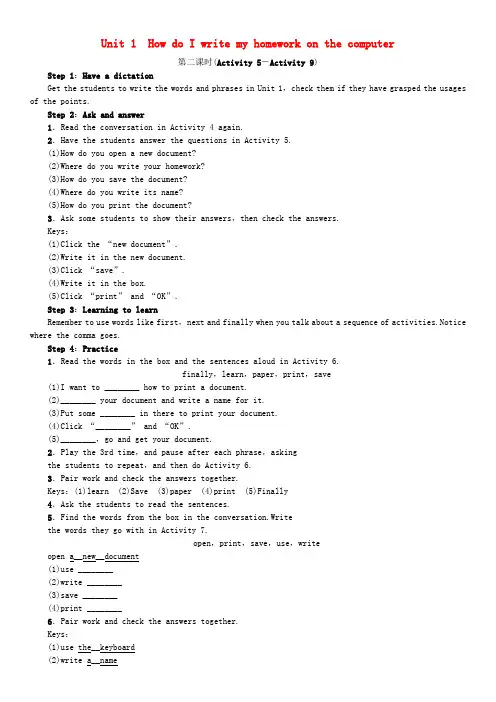
Unit 1 How do I write my homework on the computer第二课时(Activity 5-Activity 9)Step 1:Have a dictationGet the students to write the words and phrases in Unit 1,check them if they have grasped the usages of the points.Step 2:Ask and answer1.Read the conversation in Activity 4 again.2.Have the students answer the questions in Activity 5.(1)How do you open a new document?(2)Where do you write your homework?(3)How do you save the document?(4)Where do you write its name?(5)How do you print the document?3.Ask some students to show their answers,then check the answers.Keys:(1)Click the “new document”.(2)Write it in the new document.(3)Click “save”.(4)Write it in the box.(5)Click “print” and “OK”.Step 3:Learning to learnRemember to use words like first,next and finally when you talk about a sequence of activities.Notice where the comma goes.Step 4:Practice1.Read the words in the box and the sentences aloud in Activity 6.finally,learn,paper,print,save(1)I want to ________ how to print a document.(2)________ your document and write a name for it.(3)Put some ________ in there to print your document.(4)Click “________” and “OK”.(5)________,go and get your document.2.Play the 3rd time,and pause after each phrase,askingthe students to repeat,and then do Activity 6.3.Pair work and check the answers together.Keys:(1)learn (2)Save (3)paper (4)print (5)Finally4.Ask the students to read the sentences.5.Find the words from the box in the conversation.Writethe words they go with in Activity 7.open,print,save,use,writeopen a__new__document(1)use ________(2)write ________(3)save ________(4)print ________6.Pair work and check the answers together.Keys:(1)use the__keyboard(2)write a__name(3)save the__document(4)print the__documentStep 5:Pronunciation1.Play the recording once without stopping in Activity 8.2.Play the recording again and ask the whole class to repeat.3.Ask the students to listen and check their pronunciation.4.Now listen again and repeat.Step 6:SpeakingWork in pairs.Ask and answer questions about computers.A:What's this?B:It's the keyboard.A:How do you write your homework on the computer?…Step 7:Homework1.Revise all the check points in this unit.2.Finish off the workbook exercises.Blackboard DesignUnit 1How do I write my homework on the computer?(Activity 5-Activity 9 )learn save paper print finally。
外研版英语七年级上册Module 7 Unit 1 How do I write my homework on the computer

1 First, _c_o_n_n_e_c_t_ the screen to the computer. 2 Next, _c_o_n_n_e_c_t_ the keyboard and the mouse
to the computer. 3 Finally, _t_u_r_n_o_n__ the computer.
• 你离开办公室时务必把灯关掉。 Be sure to turn off the light when you leave the office.
5 Answer the questions.
1 How do you open a new document? 2 Where do you write your homework? 3 How do you save the document? 4 Where do you write its name? 5 How do you print the document?
Betty: Click “print” and “OK”. Lingling: What about some paper?
Betty: Oh yes, of course! You put the paper in there first!
Everyday English
• Is this it? • What’s next? • Of course!
Read again then answer.
How does Lingling write her homework on the computer?
_F__ir_s_t_, click and open a new document. _N__e_x_t_, use the keyboard to write your homework. _T_h_e_n__, save the document. Write the name in the box and click “save”. _F_i_n_a_l_ly_, save your document.
外研版新七年级英语上册module7 unit1_How_do_I_write_my_homework_on_the_computer

2. switch on 打开 意思是“打开或接通电源”。其反义词 为 );turn off (关闭)意思相同。
3. So, use the mouse and click “new document”. 然后,用鼠标点击“新文件”。 ① 这是一个祈使句,使用了并列连词 and 并列use 和click。也可以不用and, 改为动词不定式来表达。即:use the mouse to click “new document”. ② 介词with有“使用,用……工具”之 意,该句也可以用介词with 来改写。So, click “new document” with the mouse.
3. -I don‟t know how to make tea. -First, you get some hot water ready. ___ put the tea in the cup.___ pour the hot water into the cup. A. Then; Finally B. And ;And 4. -Don‟t ___ this pen to do your homework. -Is there anything wrong with it? A .make B. use
Ⅱ.单项选择。
1. -___the printer___ the computer. Then you can print your document. -I see. A. Connect ; to B. Switch ; on 2. -How can I go online? -Click “Internet Explorer” with the__. A. keyboard B. mouse
1. First, connect the monitor to the computer. 首先,连接显示器与主机。 connect “连接,把……联系起来”。 connect +名词/代词 +( with/to) eg: The railway line connects Wuhan and Shanghai. 这条铁路线连接武汉和上海。 Please connect me with Beijing University. (打电话用语)请给我接北京大学。
七年级英语上册Module7ComputersUnit1HowdoIwritemyhomeworkonthecomputer教案(新版)外研版

2. Answer the teacher’s questions.
Step 2
Presentation
1.结合图片,根据学生已有的水平教授单词。
2.将单词放入词组中学习,为稍后的学习作好铺垫,同时学生通过活动开动脑子学习单词词组,激发学生的学习兴趣。
3.学生模仿操练,通过交流合作进一步巩固所学内容。
Step8 Do exercises
A.重要短语:
1.把……连接……2.打开电脑3.在电脑上4.建立一个新文件
5.使用鼠标6.使用键盘7.点击新文件8.写下你的作业
9.保存文件10.放一些纸到那里11.打印文件12.关上电脑
Keys:1.connect…to…2. switch on/ turn on the computer 3. on the computer 4. open a new document 5. use the mouse 6. use the keyboard 7. click the new document 8. write your homework 9. save the document 10. put some paper in there 11. print the document 12. turn off the computer
4. Check together.
Step4
New words and expressions
1.新课程标准强调在语境中学习词汇和句型,任务设计使学生在理解上下文语境的基础上掌握单词和词组的意义和用法。
2.学生初步认识新单词和词组,并在教师的引导下,能尝试运用新词组。
外研版英语七年级上册Module 7 Unit 1 How do I write my homework on the computer教学设计
外语教学与研究出版社《新标准》英语七年级上册教学设计Module Seven ComputersUnit 1 How do I write my homework on the computer? 一.教学内容分析:第七模块以“computers”为话题,结合该话题展开听,说,读,写活动。
本模块通过这一话题引入了相关的电脑知识和电脑操作,对于当今中学生而言,该话题十分贴近生活并且是他们感兴趣的,此外,教师可以拓展电脑的合理使用,这对学生的学习和生活有一定的指导意义。
本课为第七模块的第一单元,围绕“computers”这一话题,主要学习有关电脑的词汇,拓展电脑操作过程的描述,并且通过对话引入本模块的语法---特殊疑问句的使用。
通过本课时的学习,学生对电脑各部分的名称有一个基本的了解,能够使用特殊疑问句进行有关电脑操作的提问和回答。
为下一单元电脑的用途打下基础,因此本课时在本模块中的地位是举足轻重的。
二.教学目标:(一)语言知识目标:1. 词汇:能正确理解并使用下列单词和词组动词: learn, use, save,connect, click, print名词:keyboard, mouse, paper, document副词:finally短语:turn on, connect...to2.语法:一般现在时的特殊疑问句3.功能:能够谈论电脑的操作方法,发出操作指令。
4.话题:信息技术和使用互联网(二)语言技能目标:1. 听:能听懂与电脑操作相关的连续指令,能辨认出与电脑相关的信息,并能听懂有关电脑操作的简单询问。
2. 说:能简单描述或介绍电脑的相关操作。
3. 读:能够读懂介绍电脑的短文大意。
4. 写:能简单表述计算机的用途。
(三)情感态度:通过学习与电脑有关的词汇和操作提高学生对英语学习的兴趣,并且促进学生适应时代的发展。
(四)教学的重难点:(1) 掌握语法--- 一般现在时的特殊疑问句。
(2) 掌握电脑的相关词汇和简单操作。