
路由器的基本配置命令
路由器的基本配置命令
第八章
1.router(config)#router rip 启动rip进程
2.router(conifg-router)#network 172.17.0.0指定rip协议的主网络
3.router(config-router)#passive-interface f0/1把f0/1配置成passive端口
4.router(config-router)#neighbor 172.17.12.67 以单波方式通告rip更新给路由器
5.router(config-if)#ip address 192.168.83.244 255.255.255.0 主ip地址
router(config-if)#ip address 10.33.55.1 255.255.255.0 secondary辅助ip地址
第九章
1.router(config-router)#version 2将rip配置成版本2
2.router(config-ip)#ip rip send version 1只发rip 1数据包
router(config-ip)#ip rip receive version 2只接收rip 2数据包
3.router(config-router)#no auto-summary 关闭汇总功能
4. router(config-if)#no ip split-horizon关闭水平分割
5.router#show ip ospf database router 192.168.30.10显示路由器LSA通告
router#show ip ospf database network 192.168.17.18显示网络LSA通告
router#show ip ospf database summary 172.16.121.0显示网络汇总LSA通告
router#show ip ospf database asbr-summary显示ASBR汇总LSA通告
router#show ip ospf database external 10.83.10.0显示自主系统外部LSA通告
router#show ip ospf database nssa-external显示NSSA外部LSA通告
第十二章
1.router(config)#router ospf 10配置ospf进程id
2.router(config)#interface loopback0
router(config-if)#ip address 192.168.10.1 255.255.255.0配置loopback0接口
3.router(config-router)#area 1 stub 配置stub区域
4.router(config-router)#area 1 stub no-summary配置totally stubby区域
5.router(config-router)#area 1 nssa配置nssa区域
6.router(config-router)#area 25 range 172.16.0.0 255.240.0.0 配置地址汇总
7.router(config-router)#area 100 virtual-link 192.168.100.33 配置虚链路
第十三章
1.router(config)#standby 172 ip 17
2.16.10.254加入备份组172 指定虚拟IP 地址
2.router(config-if)#standby 47 priority 150配置HSRP的优先级150
3.router(config-if)#standby 47 preempt 配置HSRP的占先权
4.router(config-if)#standby 47 ip time 2 9 2表示HELLO时间,9表示保持时间
5.router(config)#interface s0
6.router(config-if)#standby 47 track s0 100配置跟踪端口s0并在端口down时减少100
7.router#show standby brief 查看HSRP的状态
8.router#no debuge all关闭调试功能
第十四章
1.router(config-if)#ip access-group 1 in 访问列表的入
router(config-if)#ip access-group 1 out访问列表的出
2.router(config)#access-list 1 premit 192.168.10.0 0.0.0.255 允许192.168.10.0的网段通过
router(config)#access-list 1 deny 192.168.10.0 2.0.0.255 拒绝192.168.10.2的主机通过3.router(config)#access-list 1 premit any ;any表示0.0.0.0 255.255.255.255
router(config)#access-list 1 premit host 172.30.16.29 ;host表示0.0.0.0
4.router(config)#access-list 101 deny tcp 172.16.4.0 0.0.0.255 172.16.3.0 0.0.0.255 eq 21拒绝
来自172.16.4.0去往172.16.3.0的FTP流量
5.router(config)#ip access-list extended cisco创建名为cisco的命名访问控制列表
第十五章
一.静态地址转换
1.配置外部端口的IP地址
Router(config)#interface s0
Router(config-if)#ip address 61.159.62.129 255.255.255.248
2. .配置内部端口的IP地址
Router(config)#interface e0
Router(config-if)#ip address 192.168.100.1 255.255.255.0
3. 静态地址转换
Router(config)#ip nat inside source static 192.168.100.2 61.159.62.130
4.在内部和外部端口上启用NAT
Router(config)#interafce s0
Router(config-if)#ip nat outside
Router(config)#interafce e0
Router(config-if)#ip nat inside
二.动态NAT配置
1.配置外部端口的IP地址
Router(config)#interface s0
Router(config-if)#ip address 61.159.62.129 255.255.255.248
2. .配置内部端口的IP地址
Router(config)#interface e0
Router(config-if)#ip address 192.168.100.1 255.255.255.0
3.定义内部网络允许访问外部网络
Router(config)#access-list 1 permit 192.168.100.0 0.0.0.255
4.定义合法的IP地址池
Router(config)#ip nat pool chen 61.159.62.129 61.159.62.190 netmask 255.255.255.248
5.实现网络地址转换
Router(config)#ip nat inside source list 1 pool chen
6..在内部和外部端口上启用NAT
Router(config)#interafce s0
Router(config-if)#ip nat outside
Router(config)#interafce e0
Router(config-if)#ip nat inside
三.PA T的配置
1.配置外部端口的IP地址
Router(config)#interface s0
Router(config-if)#ip address 61.159.62.129 255.255.255.248
2. .配置内部端口的IP地址
Router(config)#interface e0
Router(config-if)#ip address 192.168.100.1 255.255.255.0
3.定义内部网络允许访问外部网络
Router(config)#access-list 1 permit 192.168.100.0 0.0.0.255
4.定义合法的IP地址池
Router(config)#ip nat pool chen 61.159.62.129 61.159.62.190 netmask 255.255.255.248 5.实现复用IP地址转换
Router(config)#ip nat inside source list 1 pool chen overload
6..在内部和外部端口上启用NAT
Router(config)#interafce s0
Router(config-if)#ip nat outside
Router(config)#interafce e0
Router(config-if)#ip nat inside
四.验证NAT的配置
1.router#show ip nat translations。
路由器配置命令大全

路由器配置命令大全路由器配置命令大全1.连接路由器1.1 使用串行控制台线连接路由器1.2 使用以太网接口连接路由器1.3 使用无线网络连接路由器2.基本配置2.1 配置主机名router(config)hostname [hostname]2.2 配置域名解析router(config)ip domn-name [domn-name] 2.3 配置密码router(config)enable secret [password] router(config)line console 0router(config-line)password [password] router(config-line)loginrouter(config-line)exitrouter(config)line vty 0 15router(config-line)password [password]router(config-line)loginrouter(config-line)exit2.4 配置管理IP地质router(config)interface [interface]router(config-if)ip address [ip-address] [subnet-mask]router(config-if)no shutdown3.网络协议配置3.1 配置静态路由router(config)ip route [destination-network] [subnet-mask] [next-hop]3.2 配置动态路由router(config)router [routing-protocol]router(config-router)network [network-address] [subnet-mask]3.3 配置带宽管理router(config)interface [interface]router(config-if)bandwidth [bandwidth-in-kbps]3.4 配置ACL(访问控制列表)router(config)access-list [access-list-number] [permit/deny] [source-network] [source-wildcard]4.NAT(网络地质转换)配置4.1 配置静态NATrouter(config)ip nat inside source static [inside-local-address] [outside-global-address]4.2 配置动态NATrouter(config)ip nat pool [pool-name] [start-ip-address] [end-ip-address] netmask [subnet-mask]router(config)ip nat inside source list [access-list] pool [pool-name]4.3 配置PAT(端口地质转换)router(config)interface [interface]router(config-if)ip nat insiderouter(config)interface [interface]router(config-if)ip nat outside5.VLAN(虚拟局域网)配置5.1 配置VLANrouter(config)vlan [vlan-id]router(config-vlan)name [vlan-name]5.2 配置接口VLANrouter(config)interface [interface]router(config-if)switchport mode accessrouter(config-if)switchport access vlan [vlan-id]5.3 配置Trunk接口router(config)interface [interface]router(config-if)switchport mode trunkrouter(config-if)switchport trunk allowed vlan [vlan-list]6.特定协议配置6.1 配置DHCP(动态主机配置协议)router(config)ip dhcp pool [pool-name]router(dhcp-config)network [network-address] [subnet-mask]router(dhcp-config)default-router [default-gateway]router(dhcp-config)dns-server [dns-server-ip]6.2 配置NTP(网络时间协议)router(config)ntp server [ntp-server-ip]router(config)ntp update-calendar6.3 配置SNMP(简单网络管理协议)router(config)snmp-server community [community-string] [ro/rw]router(config)snmp-server host [host-ip] [community-string]7.安全配置7.1 配置SSH(安全外壳协议)router(config)hostname [hostname]router(config)ip domn-name [domn-name]router(config)crypto key generate rsarouter(config)ip ssh version 2router(config)line vty 0 15router(config-line)transport input sshrouter(config-line)login localrouter(config-line)exit7.2 配置防火墙router(config)access-list [access-list-number] [permit/deny] [source-network] [source-wildcard] router(config)interface [interface]router(config-if)ip access-group [access-list-number] [in/out]附件:无法律名词及注释:- IP地质:Internet Protocol Address,互联网协议地质,用于标识网络上主机的唯一数字标识。
路由器的基本配置命令与方法

路由器的基本配置命令与方法路由器是连接不同网络的设备,它可以将来自不同网络的数据包进行转发和交换,使得不同网络之间可以实现通信。
为了使路由器能够正常工作,需要进行一些基本的配置。
本文将介绍路由器的基本配置命令与方法。
一、登录路由器要进行路由器的配置,首先需要登录路由器的管理界面。
一般情况下,可以通过在浏览器中输入默认的管理地址来访问路由器的管理界面。
例如,大多数路由器的默认管理地址是192.168.1.1。
登录时需要输入正确的用户名和密码。
二、修改管理员密码登录成功后,为了提高路由器的安全性,首先需要修改管理员密码。
可以在管理界面的设置选项中找到修改密码的入口,按照提示进行操作即可。
三、设置无线网络如果需要使用无线网络,可以在管理界面的无线设置选项中进行配置。
首先需要设置无线网络的名称(SSID),然后选择安全加密方式,如WPA2-PSK。
根据选择的加密方式,需要设置相应的加密密码。
最后保存设置,无线网络就配置完成了。
四、设置有线网络除了无线网络,路由器还可以提供有线网络连接。
要设置有线网络,需要将计算机通过网线连接到路由器的LAN口。
然后在管理界面的网络设置选项中,选择有线网络配置。
根据需要,可以设置静态IP 地址或者开启DHCP服务来自动获取IP地址。
五、端口转发与DMZ主机如果需要在路由器上设置端口转发或者将某台计算机设为DMZ主机,可以在管理界面的端口转发或者DMZ设置选项中进行配置。
根据需要,输入要转发的端口号或者选择要设为DMZ主机的计算机IP地址,然后保存设置即可。
六、虚拟服务器与特殊应用有些应用程序需要特殊的网络配置才能正常工作,例如网络摄像头、远程桌面等。
在管理界面的虚拟服务器或者特殊应用选项中,可以进行相应的配置。
根据需要,输入应用程序的端口号和要转发的计算机IP地址,然后保存设置即可。
七、防火墙与安全设置为了保护网络安全,路由器一般都会提供防火墙和其他安全设置。
可以在管理界面的防火墙设置选项中进行配置。
路由器的配置命令总结

路由器的配置命令总结配置路由器的命令可以分为以下几类:1. 基础配置命令:- configure terminal:进入全局配置模式- hostname:设置路由器的主机名- enable password:设置特权模式密码- line console 0:进入控制台线路配置模式- line vty 0 4:进入虚拟终端线路配置模式2. 接口配置命令:- interface interface_name:进入接口配置模式- ip address:配置接口IP地址- no shutdown:激活接口- description:为接口添加描述信息3. 路由配置命令:- ip route destination_network next_hop:配置静态路由- router rip:进入RIP路由器配置模式- network:指定RIP协议工作的网络地址4. 网络地址转换(NAT)配置命令:- ip nat inside source static inside_local_ip outside_global_ip:配置静态NAT- ip nat pool pool_name start_ip end_ip netmask:配置动态NAT 池5. 访问控制列表(ACL)配置命令:- access-list acl_number {deny | permit} source destination:创建ACL规则- interface interface_name:进入接口配置模式- ip access-group acl_number {in | out}:应用ACL到接口6. VLAN配置命令:- vlan vlan_id:创建VLAN- switchport mode {access | trunk}:配置接口模式7. 安全配置命令:- enable secret:设置特权模式加密密码- username username password password:创建本地用户8. 特定协议配置命令:- router ospf process_ID:进入OSPF路由器配置模式- network network_address wildcard_mask area area_number:配置OSPF网络- router bgp autonomous_system_number:进入BGP路由器配置模式- neighbor ip_address remote-as autonomous_system_number:配置BGP邻居以上是一些常见的路由器配置命令,不同型号和品牌的路由器可能会有一些差异,具体命令请参考相应的操作手册或文档。
路由器配置命令(最全)
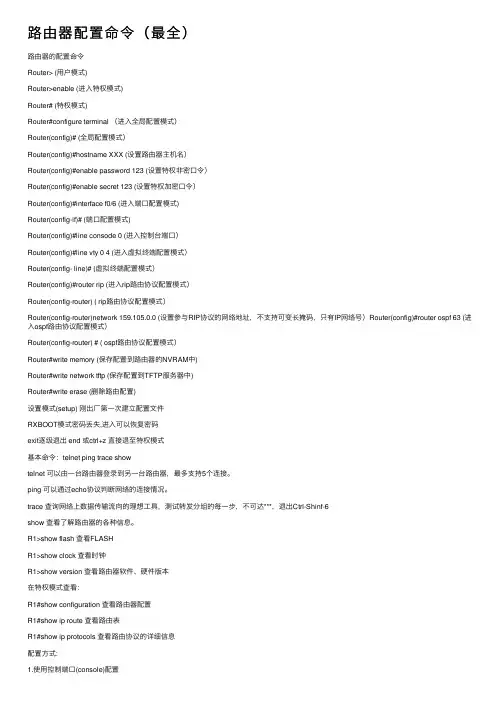
路由器配置命令(最全)路由器的配置命令Router> (⽤户模式)Router>enable (进⼊特权模式)Router# (特权模式)Router#configure terminal (进⼊全局配置模式)Router(config)# (全局配置模式)Router(config)#hostname XXX (设置路由器主机名)Router(config)#enable password 123 (设置特权⾮密⼝令)Router(config)#enable secret 123 (设置特权加密⼝令)Router(config)#interface f0/6 (进⼊端⼝配置模式)Router(config-if)# (端⼝配置模式)Router(config)#line consode 0 (进⼊控制台端⼝)Router(config)#line vty 0 4 (进⼊虚拟终端配置模式)Router(config- line)# (虚拟终端配置模式)Router(config)#router rip (进⼊rip路由协议配置模式)Router(config-router) ( rip路由协议配置模式)Router(config-router)network 159.105.0.0 (设置参与RIP协议的⽹络地址,不⽀持可变长掩码,只有IP⽹络号)Router(config)#router ospf 63 (进⼊ospf路由协议配置模式)Router(config-router) # ( ospf路由协议配置模式)Router#write memory (保存配置到路由器的NVRAM中)Router#write network tftp (保存配置到TFTP服务器中)Router#write erase (删除路由配置)设置模式(setup) 刚出⼚第⼀次建⽴配置⽂件RXBOOT模式密码丢失,进⼊可以恢复密码exit逐级退出 end 或ctrl+z 直接退⾄特权模式基本命令:telnet ping trace showtelnet 可以由⼀台路由器登录到另⼀台路由器,最多⽀持5个连接。
路由器的配置命令

路由器的配置命令1.路由器的模式Router>用户模式Router#特权模式Router(config)#配置模式Router(config-if)# 接口模式Router(config)#interface f0/0.1 进入子接口Router(config-subif)# 子接口模式Router(config-line)# 进行线模式Router(config-router)# 路由配置模式2.配置静态路由条目Router(config)# ip route 192.168.10.0 255.255.255.0 192.168.9.2 /192.168.10.0网段及掩码需要经过相邻路由器接口的IP地址3.配置默认路由Router B(config)#ip route 0.0.0.0 0.0.0.0 192.168.2.2 /所以外出的数据包如果找不到路由表目均找192.168.2.2接口。
4.配置路由控制台密码teacher(config)#line console 0teacher(config-line)#loginteacher(config-line)password ciscoteacher(config)#enable password cisco /配置特权模式密码teacher(config)#enable secret 1234 /配置加密保存的密码teacher(config)#service password-encryption / 对所有密码加密5.配置控制台会话时间teacher(config)#line console 0teacher(config-line)exec-timeout 0 06.配置控制台输出日志同步teacher(config)#line console 0teacher(config-line)#logging synchronous7.路由密码恢复(1)进入ROM Monitor 模式(2)修改配置寄存器的值,启动是绕过 startup-config文件rommon1>confreg ox2140rommon2>reset(3)用startup-config覆盖running-configROuter#copy starup-config running-config修改密码Router(config)#enable password cisco(4)修改配置寄存器的值Router(config)#config-register ox21028.动态路由配置(1)截断超时(2)打开接口(3)为接口设置IP 地址Router(config)#interface f0/0Router(config-if)#ip address 192.168.1.1Router(configif)#no shutdown(4)启动RIP进程,并宣告主网络号Router(config)#router ripRouter(config-router)#network 192.68.1.09.单臂路由配置Router(config)#interface f0/0.1router(config-subif)#encapsolution dotlq 1 :子接口封装dot1q针对的是VLAN1Router(config-subif)#ip address 192.168.1.1 255.255.255.0 :设置VLAN的网关地址Router(config)#interface f0/0.2router(config-subif)# encapsolution dotlq 2 子网接口封装do1q针对的是VLAN2 Router(config-subif)# 192.168.2.1 255.255.255.0 :设置VLAN2的网关地址路由器的操作系统,它是一个功能非常强大的系统,特别是在一些高档的路由器中,它具有相当丰富的操作命令,就像我们的DOS系统一样。
华为路由器基本配置命令

华为路由器基本配置命令华为路由器基本配置命令I. 登录华为路由器1. 打开浏览器,输入华为路由器的管理地址:,并按下Enter 键。
2. 在登录页面中,输入用户名和密码,登录按钮。
II. 网络设置1. 在菜单栏中选择“网络设置”选项。
2. 在网络设置页面中,配置路由器的IP地址、子网掩码、网关、DHCP等信息。
III. WLAN设置1. 在菜单栏中选择“WLAN设置”选项。
2. 在WLAN设置页面中,配置无线网络的SSID、加密方式、密码等参数。
IV. DHCP设置1. 在菜单栏中选择“DHCP设置”选项。
2. 在DHCP设置页面中,配置DHCP服务器的起始IP地址、终止IP地址、租期等参数。
V. 防火墙设置1. 在菜单栏中选择“防火墙设置”选项。
2. 在防火墙设置页面中,配置入站规则、出站规则、端口转发等防火墙规则。
VI. 路由设置1. 在菜单栏中选择“路由设置”选项。
2. 在路由设置页面中,配置静态路由、动态路由等路由表信息。
VII. 安全设置1. 在菜单栏中选择“安全设置”选项。
2. 在安全设置页面中,配置访问控制、端口映射、VPN等安全策略。
附件:本文档无附件。
法律名词及注释:1. IP地址:Internet Protocol Address,互联网协议地址的简称,是用于识别和定位计算机设备的数字标识。
2. 子网掩码:Subnet Mask,用于划分IP地址中网络地址和主机地址的一个掩码。
3. 网关:Gateway,是一个网络通信设备,用于连接不同网络之间的数据通信。
4. DHCP:Dynamic Host Configuration Protocol,动态主机配置协议,用于自动分配IP地址和其他网络配置参数。
5. WLAN:Wireless Local Area Network,无线局域网,用于在局域网范围内实现无线数据通信。
6. SSID:Service Set Identifier,服务集标识,是无线网络的名称。
路由器的配置命令
路由器的配置命令路由器的配置命令可以通过命令行界面(CLI)或者图形用户界面(GUI)来完成。
在命令行界面下,我们可以使用不同的命令,来对路由器进行配置和管理。
一、基本配置命令1. 进入特权模式在配置路由器之前,我们需要进入特权模式。
在命令行界面中输入以下命令,然后按下回车键即可:```enable```2. 进入全局配置模式进入特权模式之后,我们需要进入全局配置模式。
在全局配置模式下,可以对路由器进行各种配置。
在命令行界面中输入以下命令,按下回车键即可:```configure terminal```3. 配置主机名在全局配置模式下,我们可以为路由器配置一个唯一的主机名,以区分其他路由器。
在命令行界面中输入以下命令,按下回车键即可:```hostname Router1```这里的"Router1"可以替换为你想要的主机名。
4. 配置密码为了保护路由器的安全,我们可以为路由器配置密码。
以下是两种常用的密码配置命令:为特权模式设置密码:```enable secret password```为虚拟终端线路设置密码:```line vty 0 4password passwordlogin```这里的"password"可以替换为你想要的密码。
二、接口配置命令1. 进入接口配置模式在全局配置模式下,我们可以进入接口配置模式,对特定接口进行配置。
以下是两个常用的进入接口模式的命令:进入以太网接口配置模式:```interface Ethernet0/0```进入串口接口配置模式:```interface Serial0/0```2. 配置IP地址在接口配置模式下,我们可以为接口配置IP地址。
以下是一个配置IP地址的命令示例:```ip address 192.168.0.1 255.255.255.0```这里的"192.168.0.1"和"255.255.255.0"可以替换为你想要的IP地址和子网掩码。
教学—路由器基本配置命令
1、路由器模式的转换:用户模式:router> 权限低,只能查看,输入“enable ”命令进入到特权模式特权模式:router# 权限高,输入“configure terminal”命令进入到全局模式全局模式(通配模式):router(config)#具体配置模式:router(config-if)#2、查看的命令:show ******router# show interface查看端口router# show interface Ethernet 0查看具体端口3、在路由器里有两种配置文件:1)running-config:当前运行的配置文件2)startup-config:启动配置文件查看配置文件:show running-configshow startup-configcopy running-config startup-config4、改路由器的名字:在全局模式下router(config)# hostname 路由器的名字5、设置路由器的登陆消息:在全局模式下router(config)# banner motd # 回车在此输入消息的内容#6、命令:Router(config)# ip address <ip address> <subnet mask>例如:配置以太网口//以Router1为例命令:R1# config tR1(config)#interface Ethernet 0R1(config-if)# ip address 192.168.1.1 255.255.255.0 //配置以太网口R1(config-if)# no shutdown // 启用该以太网口7、CDP协议:1)R1#show cdp interface //查看cdp接口2)R1#show cdp neighbors (details) //查看cdp邻居3)R1(config)#cdp run //激活cdp4)R1(config)#no cdp run //禁用cdp5)R1(config)#int e0 //进入到接口6)R1(config-if)#cdp enable //激活e0 的cdp7)R1(config-if)#no cdp enable //禁用e0 的cdp8、TFTP服务器的配置配置路由器:R1#config tR1(config)#int e0 //配置路由器的接口地址R1(config-if)#ip address 192.168.0.1 255.255.255.0R1(config-if)#no shutdownR1#ping 192.168.0.1配置PC:IP地址:192.168.0.2 网关:192.168.0.1测试:ping 192.168.0.1继续配置路由器:R1#copy running-config startup-configR1#copy startup-config tftpR1#erase startup-configR1# copy tftp startup-configR1#show startup-config9、路由器口令的设置:1)控制台口令:R1#config terminalR1(config)#line con 0R1(config-line)#loginR1(config-line)#password 密码2)enable 口令R1#config terminalR1(config)#enable password 密码3)远程登陆口令R1#config terminalR1(config)#line vty 0 4R1(config-line)#loginR1(config-line)#password 密码10、远程登陆:从一台计算机登陆到远端的另一台计算机,使用另一台计算机就像使用自己的计算机一样。
路由器基本配置命令
1. switch配置命令(1)模式转换命令用户模式----特权模式,使用命令"enable"特权模式----全局配置模式,使用命令"configt"全局配置模式----接口模式,使用命令"interface+接口类型+接口号" 全局配置模式----线控模式,使用命令"line+接口类型+接口号" 注:用户模式:查看初始化的信息.特权模式:查看所有信息、调试、保存配置信息全局模式:配置所有信息、针对整个路由器或交换机的所有接口接口模式:针对某一个接口的配置线控模式:对路由器进行控制的接口配置(2)配置命令show running config 显示所有的配置show versin 显示版本号和寄存器值shut down 关闭接口no shutdown 打开接口ip add +ip地址配置IP地址secondary+IP地址为接口配置第二个IP地址show interface+接口类型+接口号查看接口管理性show controllers interface 查看接口是否有DCE电缆show history 查看历史记录show terminal 查看终端记录大小hostname+主机名配置路由器或交换机的标识config memory 修改保存在NVRAM中的启动配置exec timeout 0 0 设置控制台会话超时为0service password-encryptin 手工加密所有密码enable password +密码配置明文密码ena sec +密码配置密文密码line vty 0 4/15 进入telnet接口password +密码配置telnet密码line aux 0 进入AUX接口password +密码配置密码line con 0 进入CON接口password +密码配置密码bandwidth+数字配置带宽no ip address 删除已配置的IP地址show startup config 查看NVRAM中的配置信息copy run-config atartup config 保存信息到NVRAMwrite 保存信息到NVRAMerase startup-config 清除NVRAM中的配置信息show ip interface brief 查看接口的谪要信息banner motd # +信息+ # 配置路由器或交换机的描素信息description+信息配置接口听描素信息vlan database 进入VLAN数据库模式vlan +vlan号+ 名称创建VLANswitchport access vlan +vlan号为VLAN为配接口interface vlan +vlan号进入VLAN接口模式ip add +ip地址为VLAN配置管理IP地址vtp+service/tracsparent/client 配置SW的VTP工作模式vtp +domain+域名配置SW的VTP域名vtp +password +密码配置SW的密码switchport mode trunk 启用中继no vlan +vlan号删除VLANshow spamming-tree vlan +vlan号查看VLA怕生成树议2. 路由器配置命令ip route+非直连网段+子网掩码+下一跳地址配置静态/默认路由show ip route 查看路由表show protocols 显示出所有的被动路由协议和接口上哪些协议被设置show ip protocols 显示了被配置在路由器上的路由选择协议,同时给出了在路由选择协议中使用的定时器等信息router rip 激活RIP协议network +直连网段发布直连网段interface lookback 0 激活逻辑接口passive-interface +接口类型+接口号配置接口为被动模式debug ip +协议动态查看路由更新信息undebug all 关闭所有DEBUG信息router eigrp +as号激活EIGRP路由协议network +网段+子网掩码发布直连网段show ip eigrp neighbors 查看邻居表show ip eigrp topology 查看拓扑表show ip eigrp traffic 查看发送包数量router ospf +process-ID 激活OSPF协议network+直连网段+area+区域号发布直连网段show ip ospf 显示OSPF的进程号和ROUTER-IDencapsulation+封装格式更改封装格式no ip admain-lookup 关闭路由器的域名查找ip routing 在三层交换机上启用路由功能show user 查看SW的在线用户clear line +线路号清除线路3. 三层交换机配置命令配置一组二层端口configure terminal 进入配置状态nterface range {port-range} 进入组配置状态配置三层端口configureterminal 进入配置状态interface {{fastethernet | gigabitethernet} interface-id} | {vlan vlan-id} |{port-channel port-channel-number} 进入端口配置状态no switchport 把物理端口变成三层口ip address ip_address subnet_mask 配置IP地址和掩码no shutdown 激活端口例:Switch(config)# interface gigabitethernet0/2Switch(config-if)# no switchportSwitch(config-if)# ip address 192.20.135.21 255.255.255.0Switch(config-if)# no shutdown配置VLANconfigure terminal 进入配置状态vlan vlan-id 输入一个VLAN号, 然后进入vlan配态,可以输入一个新的VLAN号或旧的来进行修改。
路由器基本配置命令
路由器基本配置命令在网络通信中,路由器被广泛应用于连接不同的子网或网络,实现互联网的数据传输。
要使路由器正常工作,需要进行基本的配置。
本文将介绍一些常用的路由器基本配置命令,帮助读者快速了解和掌握路由器的配置过程。
一、登录路由器首先,我们需要登录路由器的管理界面,以便进行配置。
通常情况下,路由器的默认IP地址为192.168.1.1或192.168.0.1,读者可以根据自己的路由器型号来确认默认IP地址。
在浏览器的地址栏中输入路由器的IP地址,然后按下Enter键,会跳转到登录界面。
输入正确的用户名和密码,即可成功登录路由器。
二、配置路由器接口登录成功后,我们需要配置路由器的接口。
接口是路由器与其他网络设备连接的通道,通过配置接口,路由器才能正常传输数据。
以下是一些常用的配置命令:1. 接口查看命令```bashshow interfaces```该命令可以查看路由器上所有的接口信息,包括接口名称、状态、IP地址等。
通过查看接口信息,可以确认哪些接口是可用的,以及它们的IP地址等信息。
2. 配置接口IP地址命令```bashinterface fa0/0 # 进入接口配置模式ip address 192.168.1.1 255.255.255.0 # 配置接口IP地址及子网掩码no shutdown # 启用接口```以上命令将路由器的fa0/0接口配置为IP地址为192.168.1.1,子网掩码为255.255.255.0的接口,并启用该接口。
3. 配置默认网关命令```baship default-gateway 192.168.1.254```默认网关是路由器与其他网络设备进行通信的出口,需要将默认网关配置为正确的IP地址,使得数据能够正确地传输到其他网络设备。
三、配置路由接口配置完成后,我们需要配置路由,以指定数据包的转发路径。
以下是一些常用的配置命令:1. 配置静态路由命令```baship route 192.168.2.0 255.255.255.0 192.168.1.2```以上命令将192.168.2.0/24网段的数据包通过192.168.1.2这个地址进行转发。