
在Delphi中使用SQL Server的XML特性(五)插入、更新、删除数据
询 ,从s S V 数 据库 中获取 数据 。同样 的技 术 也可 以 用 QL e e r r
来执行 I NSERT、U P DATE和DELETE 句 。 只需 创建 一个 模 语 板 ( L文档 ) ,在 Del 代码 中静 态 执 行 ,或 者 放 置于 X M 码 ,使 其 可 以 使 用 保 存 在 文 件 中 的 参 数 化 模板 。这 回 ,代码 短 多 了 ,因 为模 板 储 存 了 全部 T r — an s
a t QL ( c —S T—SQL)代码 ,如 代码 段二 所示 :
行 . 暑
XMLHtt P : I XMLHTTPRe quest
一 SQ L
be gin
X LHtt M P
: string
结
果
。
∞
"
m
: ;
CoXMLHT P. T Create;
SOL :=
’ xm1 versi <? on= ”1. 0” ?>
SEL EC T F irstNa me , Las t m e, TitI F Na e ROM E mp l oyees ’
s L St 0 atement </sq1 : 口uerv’
S QL S QL S QL
: = SQL + : = SQL + : = SQL +
S L :; SQ L Q
<R OOT xml ns: q l ur : che s =” n s mas m i os — cr oft —co : ml— ql” ’ m x s >
在 前文 的 例子 中 ,我 们使 用<s >模板 指 定SELECT查 ql
SOL :
SOL
+ ’ <sq1: u q ery) ’
(s ql : query>
S L : Q = SQL +
I ER I NS T NTO mpl E oye es ( rst ame. L Fi N ast me. Tit e ) Na l
SQL := SQL + S L : Q = SQ L +
…
’ VALUES ( ’’’ + Edit1. Text +
…
. ’
’ + Edi t2. ext + … T
, ’ + …
’ + E dit3. Tex t + …
)’ ;
S L : Q = SQL +
’ </sql: query> ’ ;
/ 显 示 结 果 /
S QL : SQL + ’<s l: q query ’: >
S L : Q = SQL +
一一 ~一 一 一~ ~ 一 一 ~
一一 ~~ 一 一
SQL er e 的XM L特性 提 供 了三种修 改 数据 的方 式 :使 S v r 用<s l q >和 </s >模板执 行I qI NSE T,UPDATE、DE Rl LETE 语 图 句 ;u d tg a p a e r ms ( 更新 系统 );利用XML Bu k o d特性插 入 lIa 大量数据 。 本文只讨论 前 两种技 术。
维普资讯
在 本 系 文章 的前 几部 分 ,我 们 已经 了解 在 D Ih程 序 中利 , q S 2 0 × L 性 的数据 查 询技 术 J ep i  ̄S L v 0 e e r r 0 M 特
。
我 们
也研 究 了4 { , D Ih 数据 敏 感控 件 中使 用× 数据 源 。作 为 系列 文章 的最 后一 部 分 ,我们 将探 讨 有 关利 用S L S m fi i  ̄ ep - ML q r e e vr
- 轴
_ 》
i
i l
麓:: : 器 : 嚣= = :
目 ・ … _
。
. =: . 黑 . 裟 : 慧 ; 血
、 ・ , ^ 一 * Ⅵ ‘ 耐 T “ : ‘
f
一
l
§ 目
。自
《
∞∞§ 魄 ¥
3&
端
《
≤
疆 一 : 代码 段 一循 运 行 靖暴
M e o1. m Text e1 d ) : = Res o p nSeText
XMLHTTP : = ni1:
end ;
代 码段 一 :用 De h 字 符 串 实现 静 态模板 l i P
i l—
蔫
f
{蠹 嚣 蒜 蕊 基麓灞蕊 蠢篓茏忡 l 。 嚣
P 冀 黛 : 冀 : 焉 :
t mpl t 虚 拟 目录 ( SQL XM L IS工具 创 建 ) , 然 后 执 行 e ae 用 I 它 。下面 展示 了基本模 板 :
<R OOT x l m nS : SqI ’urn : ehemas—m1cro ’ S so f t—com : xml—sql” >
’ FOR XML AUTO ’ : ’ </s ql : quer >’; y ’ </RO OT >’
/ 执行 查询,娃示 结果 /
wit XMLHTTP do h bea i n
Op en ( PO ’ ST’ ’ t : /l al st n0 hw1 d/’ F se , ht p / 0c h0 / rt n , al , ’’ ’ ) , ’ SetRe questHeader ( Content—ty ’ pe ’, ’ aPP1ic ti a on/xm1 ’ ) Se nd ( SQL)
pr c d e F r 0 e ur T o m1. u to1 C i k《 e d r: T bj ct B t iI 1 c S n e O e )
v a r
新后 的数据状况。S e v rL QL S r e  ̄较<u d b fr>和<u d atr p g: oe e p g:fe> 元 素 ,从 中得 知 应 该执 行 何 种 ( 入 、删 除 或更 新 )操 作 。例 插 如 ,要插入新数据 ,只需要<u d a t r p g: fe >;要删除数 据 ,只需要 <up g: e o e d b f r >;而 更新数据则两者 皆需要 用到。下面的代码 段
sqlserver中的大数据的批量操作(批量插入,批量删除)

sqlserver中的⼤数据的批量操作(批量插⼊,批量删除)⾸先我们建⽴⼀个测试⽤员⼯表---创建⼀个测试的员⼯表---create table Employee(EmployeeNo int primary key, --员⼯编号EmployeeName nvarchar(50) null, --员⼯名称CreateUser nvarchar(50) null, --创建⼈CreateDate datetime null, --创建时间)执⾏后结果:那么假如我们要批量插⼊10000条数据,应该怎么办?这⾥有四种⽅法(普通循环,事务循环、批量插⼊、cte插⼊)1、普通循环插⼊(while)/**********************************************普通循环(插⼊数据10000,执⾏时间:1283毫秒)********************************************/--开启开关(记录sql语句各个阶段所消耗的时间)---set statistics time on;--声明两个变量---declare@Index int;declare@Timer datetime;--对两个变量进⾏赋值----set@Index=1;set@Timer=GETDATE();--当循环⼩于1000次执⾏添加语句---while@Index<=10000begin--执⾏添加的语句--insert into Employee(EmployeeNo,EmployeeName,CreateUser,CreateDate)values(@Index,'员⼯'+cast(@Index as CHAR(5)),'system',GETDATE())--设置循环次数加1set@Index=@Index+1end--获取执⾏的毫秒数--select DATEDIFF(MS,@Timer,GETDATE()) as'执⾏时间(毫秒)'--关闭开关(记录SQL语句各阶段所消耗的时间)set statistics time off;执⾏普通循环插⼊10000条数据,⼤概需要1200多毫秒,结果如图所⽰2、事务循环插⼊/**********************************************事务循环(插⼊数据1000,执⾏时间:460毫秒)********************************************/--开启事务--begin tran;--开启开关(记录sql语句各个阶段所消耗的时间)---set statistics time on;--声明两个变量---declare@Index int;declare@Timer Datetime;--对两个变量进⾏赋值----set@Index=1;set@Timer=GETDATE();--当循环⼩于1000次执⾏添加语句---while@Index<=10000begin--执⾏添加的语句--insert into Employee(EmployeeNo,EmployeeName,CreateUser,CreateDate)values(@Index,'员⼯'+cast(@Index as CHAR(5)),'system',GETDATE())--设置循环次数加1set@Index=@Index+1end--获取执⾏的毫秒数--select DATEDIFF(MS,@Timer,GETDATE()) as'执⾏时间(毫秒)'set statistics time off;--提交事务--commit;执⾏事务循环插⼊10000条数据,⼤概需要400多毫秒,结果如下所⽰:3、批量插⼊/**********************************************批量插⼊(插⼊数据10000,执⾏时间:33毫秒)********************************************/--开启开关(记录sql语句各个阶段所消耗的时间)--set statistics time on;--声明⼀个时间变量---declare@Timer datetime;---对时间变量进⾏赋值---set@Timer=GETDATE();---执⾏批量操作的sql语句---insert Employee(EmployeeNo,EmployeeName,CreateUser,CreateDate)select top(10000) EmployeeNo=ROW_NUMBER() over( order by c1.[object_id]),'员⼯','system',GETDATE()from sys.columns as c1 cross join sys.columns as c2order by c1.object_id--获取执⾏的毫秒数--select DATEDIFF(MS, @Timer, GETDATE()) AS[执⾏时间(毫秒)];--关闭开关(记录SQL语句各阶段所消耗的时间)--SET STATISTICS TIME OFF;执⾏批量插⼊10000条数据,⼤概只要33毫秒,结果如图所⽰:4、CTE插⼊--/*******************************************--***CTE插⼊(插⼊数据10000,执⾏时间:40毫秒)--********************************************/--开启开关(记录sql语句各个阶段所消耗的时间)--set statistics time on;--声明⼀个时间变量并赋值--declare@Timer datetime=GETDATE();---将要添加10000条语句组合成CTE模块---;with CTE(EmployeeNo,EmployeeName,CreateUser,CreateDate) as (select top(10000) EmployeeNo = ROW_NUMBER() over (order by C1.[OBJECT_ID]), '员⼯', 'system', GETDATE()from SYS.COLUMNS as C1 cross join SYS.COLUMNS as C2order by C1.[OBJECT_ID])--执⾏CTE插⼊语句---insert Employee select EmployeeNo,EmployeeName,CreateUser,CreateDate from CTE;--获取执⾏的毫秒数--select DATEDIFF(MS, @Timer, GETDATE()) as[执⾏时间(毫秒)];---关闭开关(记录sql语句各个阶段所消耗的时间)---set statistics time off;执⾏插⼊10000条数据,⼤概需要40毫秒,结果如图所⽰:最后我们查看⼀下,批量插⼊10000条数据的员⼯表⼩结:1)按执⾏时间,效率依次为:CTE和批量插⼊效率相当,速度最快,事务插⼊次之,单循环插⼊速度最慢;2)单循环插⼊速度最慢是由于INSERT每次都有⽇志,事务插⼊⼤⼤减少了写⼊⽇志次数,批量插⼊只有⼀次⽇志,CTE的基础是CLR,善⽤速度是最快的那么,假如我们要批量删除我们插⼊的数据,怎么办呢?批量删除有3中⽅法(循环删除、批量删除、truncate 删除)1、循环删除--/*******************************************--***循环删除(删除数据10000,执⾏时间:20毫秒)--********************************************/set statistics time on;--声明⼀个时间变量---declare@Timer datetime=GETDATE();--删除语句--delete from Employee--获取执⾏的毫秒数--select DATEDIFF(MS, @Timer, GETDATE()) as[执⾏时间(毫秒)];set statistics time off;删除10000条数据,所需的时间⼤概为20毫秒,如下所⽰:2、批量删除/**********************************************批量删除(删除数据10000,执⾏时间:23毫秒)********************************************/set statistics time on;declare@Timer datetime=GETDATE();SET ROWCOUNT10000;while1=1begin--开启事务--begin tran--执⾏删除--delete from Employee;--提交事务--commit;IF@@ROWCOUNT=0break;endset ROWCOUNT0;--获取执⾏的毫秒数---select DATEDIFF(MS, @Timer, GETDATE()) as[执⾏时间(毫秒)];set statistics time off;删除10000条数据,所需的时间⼤概为23毫秒,如下所⽰:3、truncate删除--/*******************************************--***truncate删除(删除数据10000,执⾏时间:3毫秒)--********************************************/set statistics time on;--声明⼀个时间变量--declare@Timer datetime=getdate();--执⾏truncate语句--truncate table Employee---获取执⾏的毫秒数---select DATEDIFF(MS, @Timer, GETDATE()) as[执⾏时间(毫秒)]set statistics time off删除10000条数据,所需的时间⼤概为3毫秒,如下所⽰:⼩结:1)TRUNCATE太快了,清除10W数据⼀点没压⼒,批量删除次之,最后的DELTE太慢了2)TRUNCATE快是因为它属于DDL语句,只会产⽣极少的⽇志,普通的DELETE不仅会产⽣⽇志,⽽且会锁记录PS:。
delphi sqlserver updat 用法

delphi sqlserver updat用法在Delphi中使用SQL Server进行更新(Update)操作涉及到使用SQL语句和相应的Delphi代码。
以下是一个简单的示例,演示如何使用Delphi中的TADOQuery组件执行SQL Server数据库的更新操作。
```delphiprocedure TForm1.UpdateData;varADOQuery1:TADOQuery;begin//创建TADOQuery组件ADOQuery1:=TADOQuery.Create(Self);ADOQuery1.Connection:=YourADOConnection;//请将YourADOConnection替换为你的实际ADO连接组件try//构造SQL更新语句ADOQuery1.SQL.Text:='UPDATE YourTableName'+'SET Column1=:NewValue1,Column2=:NewValue2'+'WHERE YourConditionColumn=:ConditionValue';//设置参数值ADOQuery1.Parameters.ParamByName('NewValue1').Value:=NewValue1;ADOQuery1.Parameters.ParamByName('NewValue2').Value:=NewValue2;ADOQuery1.Parameters.ParamByName('ConditionValue').Value:=ConditionValue;//执行更新操作ADOQuery1.ExecSQL;//提交事务(如果使用事务)//mitTrans;ShowMessage('更新成功!');except//处理异常on E:Exception dobegin//回滚事务(如果使用事务)//YourADOConnection.RollbackTrans;ShowMessage('更新失败:'+E.Message);end;end;//释放组件ADOQuery1.Free;end;```请注意,上述代码中的`YourTableName`、`Column1`、`Column2`、`YourConditionColumn`等需要替换为你的实际表名和字段名。
SQLServerinsert,update语句

SQLServerinsert,update语句SQLServer 深⼊DML⼀、insert语句:1、4种基本格式(1) insert [into] targettable [(targetcoloum1[,targetcolumn2])] values (value1[,value2])(2)insert [into] targettable default values ----所有列都需要有默认值(3)insert [into] targettable [(targetcoloum1[,targetcolumn2])] select sourcecolumn1[,sourcecolumn2] [from sourcetable.....](4) insert [into] targettable [(targetcoloum1[,targetcolumn2])] exec sourceprocedurename ----采⽤存储过程来插⼊值2、insert和错误:在sqlserver中默认是如果⼀组insert在⼀个批命令中执⾏,并且其中有⼀个失败时,其他命令不会受到影响。
如果希望有⼀个insert失败时整个批命令都失败,那在每个insert后检查⾃动变量@@error并作出相应的反应。
如:create table #test(id int unique,name varchar(20) not null);insert into #test values(1,'a');if(@@error <> 0) goto listinsert into #test values(2,'b');if(@@error <> 0) goto listinsert into #test values(2,'c');if(@@error <> 0) goto listinsert into #test values(4,'d');list:select * from #test在执⾏到红⾊标记那⼀块时,由于发⽣重复键的异常,下⾯的insert语句不再执⾏,转⼊到select * from #test语句中3、成批插⼊:采⽤bulk insert命令来进⾏⼤量数据的载⼊,如:create table test (k1 integer,k2 varchar(20))bulk insert test from 'D:\GG_TS\test.bcp';默认情况下,bulk insert只执⾏unique约束,其他约束会被忽略掉。
使用XML对SQLSERVER数据库中数据进行批量修改

使⽤XML对SQLSERVER数据库中数据进⾏批量修改Bulk update the datas of SQL SERVER(2005 OR 2008) using XMLwhen we update data ,we firstly use the Class of StringBuilder to build the string of XML:StringBuilder builder=new StringBuilder();builder.Append("<root>");builder.AppendFormat("<ID>{0}</ID>",ID.Text);builder.AppendFormat("<dataName>{0}</dataName>",dataName.Text);builder.AppendFormat("<UseName>{0}</UseName>",UseName.Text);builder.Append("</root>");Secondly,we create procedure in SQL :set ANSI_NULLS ONset QUOTED_IDENTIFIER ONgocreate PROCEDURE [dbo].[Update....](@XMLCustomer XML)ASBEGINUPDATE CustomerSET CustName=TempCustomer.Item.value(, 'VARCHAR(50)'),CustState=TempCustomer.Item.value(, 'VARCHAR(50)')FROM @XMLCustomer.nodes('/root/row') AS TempCustomer(Item)WHERE ID=TempCustomer.Item.value(, 'INT')RETURN 0ENDThirdly:T_SQL FOR Operate SQL DataBase................Test:declare @data xmlset @data='<Tags><Tag><HouseID>13c099d2-1378-41cd-8266-22537efe0ff3</HouseID></Tag><Tag><HouseID>2AB284E4-9315-4AE5-B325-AF09AE423320</HouseID></Tag><Tag><HouseID>D1B3BB46-DD65-4830-85E9-6CB87108B2EF</HouseID></Tag> </Tags>'--修改House表的ISEnable为0SELECTT.V.value('HouseID[1]','UNIQUEIDENTIFIER') as HouseIDINTO #TagsReportFROM @data.nodes('//Tags/Tag') AS T(V)UPDATE dbo.tb_HCS_HouseSET ISEnable=0from dbo.tb_HCS_House tb_hleft join #TagsReport as rep on rep.HouseID=tb_h.HouseIDWHERE rep.HouseID is not nullDROP TABLE #TagsReport。
delphi数据库的增删改查
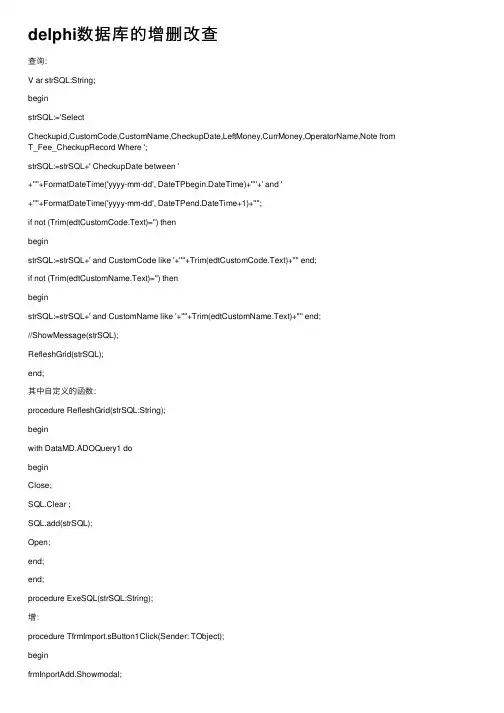
delphi数据库的增删改查查询:V ar strSQL:String;beginstrSQL:='SelectCheckupid,CustomCode,CustomName,CheckupDate,LeftMoney,CurrMoney,OperatorName,Note from T_Fee_CheckupRecord Where ';strSQL:=strSQL+' CheckupDate between '+''''+FormatDateTime('yyyy-mm-dd', DateTPbegin.DateTime)+''''+' and '+''''+FormatDateTime('yyyy-mm-dd', DateTPend.DateTime+1)+'''';if not (Trim(edtCustomCode.Text)='') thenbeginstrSQL:=strSQL+' and CustomCode like '+''''+Trim(edtCustomCode.Text)+'''' end;if not (Trim(edtCustomName.Text)='') thenbeginstrSQL:=strSQL+' and CustomName like '+''''+Trim(edtCustomName.Text)+'''' end;//ShowMessage(strSQL);RefleshGrid(strSQL);end;其中⾃定义的函数:procedure RefleshGrid(strSQL:String);beginwith DataMD.ADOQuery1 dobeginClose;SQL.Clear ;SQL.add(strSQL);Open;end;end;procedure ExeSQL(strSQL:String);增:procedure TfrmImport.sButton1Click(Sender: TObject);beginfrmInportAdd.Showmodal;RefleshGrid('Select * from T_Stock_ImportRecord Order by CreateDate DESC'); end;⾃定义的函数:procedure RefleshGrid(strSQL:String);beginwith DataMD.ADOQuery1 dobeginClose;SQL.Clear;SQL.add(strSQL);Open;end;end;varfrmInportAdd: TfrmInportAdd;function TCustomForm.ShowModal: Integer;varWindowList: Pointer;SaveFocusCount: Integer;SaveCursor: TCursor;SaveCount: Integer;ActiveWindow: HWnd;beginCancelDrag;if V isible or not Enabled or (fsModal in FFormState) or(FormStyle = fsMDIChild) thenraise EInvalidOperation.Create(SCannotShowModal);if GetCapture <> 0 then SendMessage(GetCapture, WM_CANCELMODE, 0, 0); ReleaseCapture; Application.ModalStarted;tryInclude(FFormState, fsModal);ActiveWindow := GetActiveWindow;SaveFocusCount := FocusCount;Screen.FSaveFocusedList.Insert(0, Screen.FFocusedForm);Screen.FFocusedForm := Self;SaveCursor := Screen.Cursor;Screen.Cursor := crDefault;SaveCount := Screen.FCursorCount;WindowList := DisableTaskWindows(0);tryShow;trySendMessage(Handle, CM_ACTIV A TE, 0, 0); ModalResult := 0;repeatApplication.HandleMessage;if Application.FTerminate then ModalResult := mrCancel else if ModalResult <> 0 then CloseModal;until ModalResult <> 0;Result := ModalResult;SendMessage(Handle, CM_DEACTIV A TE, 0, 0);if GetActiveWindow <> Handle then ActiveWindow := 0; finallyHide;end;finallyif Screen.FCursorCount = SaveCount thenScreen.Cursor := SaveCursorelse Screen.Cursor := crDefault; EnableTaskWindows(WindowList);if Screen.FSaveFocusedList.Count > 0 thenbeginScreen.FFocusedForm := Screen.FSaveFocusedList.First; Screen.FSaveFocusedList.Remove(Screen.FFocusedForm); end else Screen.FFocusedForm := nil;if ActiveWindow <> 0 then SetActiveWindow(ActiveWindow); FocusCount := SaveFocusCount;Exclude(FFormState, fsModal);end;finallyApplication.ModalFinished;end;end;删:procedure TfrmImport.sButton3Click(Sender: TObject);V ar tmp,str:String;beginDeleteCurrRecord();tmp:=FloatToStr(GetCurrNum(SelectID));str:='Update T_Stock_Info Set CurrNum='+''''+tmp+''''+' Where StockCode='+''''+SelectID+'''';ExeSQL(str); //更新库存数量//ShowMessage('删除成功,更新数据库成功');Close;end;⾃定义的:Procedure DeleteCurrRecord();//var strSQL:String;beginif( MessageDlg('确定要删除此记录吗?删除后将不可恢复!',mtwarning,[mbyes,mbno],0)=mryes) thenbeginTryDataMD.ADOQuery1.Delete;ShowMessage('删除数据成功');Exceptend;End;Function GetCurrNum(StockCode:String):Double; //获得现库存数量V ar str:String;tmpQuery:TADOQuery;tmpIMNum,tmpOUTNum,tmpDRNum:Double;beginstr:='SELECT SUM(Num) AS IMNum FROM T_Stock_ImportRecord WHERE StockCode='+''''+StockCode+''''; //ShowMessage(str);tmpQuery:=TADOQuery.Create(nil); //查询固定⽤法;tmpQuery.Connection :=DataMD.ADOConDB;tmpQuery.SQL.Add(str);tmpQuery.Open;if tmpQuery.Eof then tmpIMNum:=0 else tmpIMNum:=(tmpQuery.FieldByName('IMNum').AsFloat); tmpQuery.Free;str:='SELECT SUM(Num) AS OUTNum FROM T_Stock_OutportRecord WHERE StockCode='+''''+StockCode+''''; //ShowMessage(str);tmpQuery:=TADOQuery.Create(nil); //查询固定⽤法;tmpQuery.Connection :=DataMD.ADOConDB;tmpQuery.SQL.Add(str);tmpQuery.Open;if tmpQuery.Eof then tmpOUTNum:=0 else tmpOUTNum:=(tmpQuery.FieldByName('OUTNum').AsFloat); tmpQuery.Free;str:='SELECT Sum(Num) AS DRNum FROM T_Stock_DamageRecord WHERE StockCode='+''''+StockCode+''''; tmpQuery:=TADOQuery.Create(nil); //查询固定⽤法;tmpQuery.Connection :=DataMD.ADOConDB;tmpQuery.SQL.Add(str);tmpQuery.Open;if tmpQuery.Eof then tmpDRNum:=0 else tmpDRNum:=(tmpQuery.FieldByName('DRNum').AsFloat); tmpQuery.Free;Result:=tmpIMNum-tmpOUTNum-tmpDRNum; //现库存=⼊库-出库-损坏end;改:procedure TfrmImport.N2Click(Sender: TObject);V ar ID:String;beginID:=DataSource1.DataSet.FieldByName('RegID').AsString;//ShowMessage(ID);frmImportDetail.IP_ID:=ID;frmImportDetail.ShowModal;FormShow(nil);end;⾃定义的:procedure TfrmImport.FormShow(Sender: TObject);beginRefleshGrid('Select * from T_Stock_ImportRecord Order by CreateDate DESC');end;。
SQLserver存储过程:数据的插入和更新
SQLserver存储过程:数据的插⼊和更新存储过程的功能⾮常强⼤,在某种程度上甚⾄可以替代业务逻辑层,接下来就⼀个⼩例⼦来说明,⽤存储过程插⼊或更新语句。
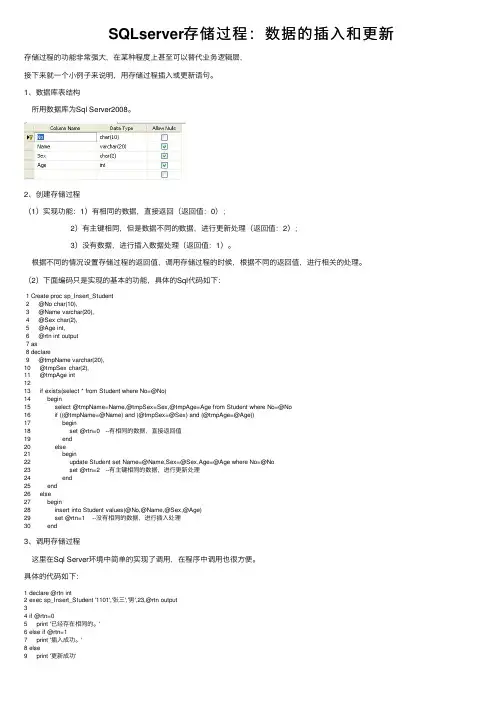
1、数据库表结构所⽤数据库为Sql Server2008。
2、创建存储过程(1)实现功能:1)有相同的数据,直接返回(返回值:0); 2)有主键相同,但是数据不同的数据,进⾏更新处理(返回值:2); 3)没有数据,进⾏插⼊数据处理(返回值:1)。
根据不同的情况设置存储过程的返回值,调⽤存储过程的时候,根据不同的返回值,进⾏相关的处理。
(2)下⾯编码只是实现的基本的功能,具体的Sql代码如下:1 Create proc sp_Insert_Student2 @No char(10),3 @Name varchar(20),4 @Sex char(2),5 @Age int,6 @rtn int output7 as8 declare9 @tmpName varchar(20),10 @tmpSex char(2),11 @tmpAge int1213 if exists(select * from Student where No=@No)14 begin15 select @tmpName=Name,@tmpSex=Sex,@tmpAge=Age from Student where No=@No16 if ((@tmpName=@Name) and (@tmpSex=@Sex) and (@tmpAge=@Age))17 begin18 set @rtn=0 --有相同的数据,直接返回值19 end20 else21 begin22 update Student set Name=@Name,Sex=@Sex,Age=@Age where No=@No23 set @rtn=2 --有主键相同的数据,进⾏更新处理24 end25 end26 else27 begin28 insert into Student values(@No,@Name,@Sex,@Age)29 set @rtn=1 --没有相同的数据,进⾏插⼊处理30 end3、调⽤存储过程这⾥在Sql Server环境中简单的实现了调⽤,在程序中调⽤也很⽅便。
delphi sql修改语句实例
delphi sql修改语句实例Delphi是一种流行的编程语言,常用于开发Windows平台下的应用程序。
在Delphi中,可以使用SQL语句来操作数据库。
SQL语句可以用于查询、插入、更新和删除数据。
本文将以Delphi的SQL修改语句为例,列举一些常见的用法和实例。
1. 更新单个字段的值在Delphi中,可以使用UPDATE语句来更新数据库表中的记录。
以下是一个示例:```delphiprocedure UpdateNameByID(ID: Integer; NewName: string); varSQLQuery: TSQLQuery;beginSQLQuery := TSQLQuery.Create(nil);trySQLQuery.SQL.Text := 'UPDATE MyTable SET Name = :NewName WHERE ID = :ID';SQLQuery.ParamByName('NewName').AsString := NewName;SQLQuery.ParamByName('ID').AsInteger := ID;SQLQuery.ExecSQL;finallySQLQuery.Free;end;end;```2. 更新多个字段的值如果要更新多个字段的值,可以在UPDATE语句中同时指定多个字段。
以下是一个示例:```delphiprocedure UpdateInfoByID(ID: Integer; NewName: string; NewAge: Integer);varSQLQuery: TSQLQuery;beginSQLQuery := TSQLQuery.Create(nil);trySQLQuery.SQL.Text := 'UPDATE MyTable SET Name = :NewName, Age = :NewAge WHERE ID = :ID';SQLQuery.ParamByName('NewName').AsString := NewName;SQLQuery.ParamByName('NewAge').AsInteger := NewAge;SQLQuery.ExecSQL;finallySQLQuery.Free;end;end;```3. 更新日期字段的值如果要更新日期字段的值,可以使用日期函数和参数化查询。
Delphi-ADOQuery连接数据库的查询、插入、删除、修改
Delphi-ADOQuery连接数据库的查询、插入、删除、修改//查询记录procedure TForm1.Button1Click(Sender: TObject);beginADOQuery.Close;ADOQuery.SQL.Clear;ADOQuery.SQL.Add('select * from YourTABLE where 查询条件');ADOQuery.Open;//插入记录procedure TForm1.Button2Click(Sender: TObject);beginADOQuery.Close;ADOQuery.SQL.Clear;ADOQuery.SQL.Text:='insert into YourTABLE(字段1,字段2) values(:字段1,:字段2)'; // ADOQuery.SQL.Add('insert into YourTABLE values(:字段1)');ADOQuery.Parameters.ParamByName('字段1').Value:=trim(Edit1.Text); ADOQuery.Parameters.ParamByName('字段2').Value:=trim(Edit2.Text); ADOQuery.ExecSQL;end;//删除记录procedure TForm1.Button3Click(Sender: TObject);beginADOQuery.Close;ADOQuery.SQL.Clear;ADOQuery.SQL.Text:='Delete from YourTABLE where 字段3=:字段3';//这里没有添加where的条件判断,实际使用时,注意添加判断// ADOQuery.SQL.Add('Delete from NEW_TABLE where 字段3=:字段3'); ADOQuery.Parameters.ParamByName('字段3').Value:=trim(Edit3.Text); ADOQuery.ExecSQL;//删除记录也可用DeleteRecords()函数procedure DeleteRecords(AffectRecords: TAffectRecords = arAll);这个函数有一个参数:AffectRecords可以取如下的值:1、arCurrent :删除当前记录2、arFiltered :删除符合Filter过滤后的所有记录(如果你使用Filter过滤的话)3、arAll :删除所有记录4、arAllChapters :Delete affects all chapters(ADO chapters)//修改记录procedure TForm1.Button4Click(Sender: TObject);beginADOQuery.Close;ADOQuery.SQL.Clear;ADOQuery.SQL.Text:='Update YourTABLE SET 字段4=:字段4';//这里没有添加where的条件判断,实际使用时,注意添加判断// ADOQuery.SQL.Add('Update YourTABLE SET 字段4=:字段4');ADOQuery.Parameters.ParamByName('字段4').Value:=trim(Edit4.Text);ADOQuery.ExecSQL;//即时更新插入、删除、修改后的记录在上面插入、删除、修改的语句后添加如下代码即可:ADOQuery.Close;ADOQuery.SQL.Add('select * from YourTABLE where 查询条件');ADOQuery.Open;//使用ADOQuery时注意:1、如果你需要更改数据,query.requestlive必须为true2、如果有输入参数的时候,容易出错,通常的错法是这样:比如:“WHERE abc = : abc”改正如下:“WHERE abc=:abc”就是说=:前后都不能留空格。
delphi的sql控件用法
delphi的sql控件用法在 Delphi 中,处理 SQL 查询的主要控件是 `TSQLQuery` 和 `TSQLTable`。
以下是如何使用这些控件的一些基本步骤和示例。
使用 TSQLQuery 控件1. 创建 TSQLQuery 控件:在 Delphi 的设计视图中,从工具箱拖动一个`TSQLQuery` 控件到窗体上。
2. 设置数据库连接:设置 `TSQLQuery` 的 `DatabaseName` 属性为你的数据库名。
3. 编写 SQL 查询:在 `TSQLQuery` 的 `SQL` 属性中编写你的 SQL 查询语句。
4. 执行查询:调用 `ExecSQL` 方法来执行查询。
5. 处理结果:你可以使用 `FetchAll` 或 `Fetch` 方法来获取查询结果。
示例:```pascalprocedure ;begin:= 'SELECT FROM MyTable';;ShowMessage(['Column1'].AsString); // 显示 MyTable 的 Column1 列的值end;```使用 TSQLTable 控件`TSQLTable` 控件提供了一个更高级的方式来处理数据库表。
它会自动为你处理大部分的 SQL 操作,包括查询、插入、更新和删除。
1. 创建 TSQLTable 控件:从工具箱拖动一个 `TSQLTable` 到窗体上。
2. 设置数据库连接:设置 `TSQLTable` 的 `DatabaseName` 属性为你的数据库名。
3. 加载表:调用 `LoadFromDataSet` 方法来从数据库加载数据。
4. 操作数据:你可以直接修改 `TSQLTable` 中的数据,然后调用 `Post` 方法来保存更改。
示例:```pascalprocedure ;begin(SQLQuery1); // SQLQuery1 是你的 TSQLQuery 控件end;procedure ;begin; // 所有在 SQLTable1 中的更改都会被保存到数据库中end;```注意事项在执行任何数据库操作之前,确保你已经正确地设置了数据库连接。
SQLServer中的XML数据进行insert、update、delete
SQLServer中的XML数据进⾏insert、update、deleteSQL Server 2005/2008增加了对XML数据的⽀持,同时也新增了⼏种操作XML的⽅法,本⽂主要以SQL Server 2008为例介绍如何对XML数据进⾏insert、update、delete。
SQL Server中新增加了XML.Modify()⽅法,分别为xml.modify(insert),xml.modify(delete),xml.modify(replace)对应XML的插⼊,删除和修改操作。
本⽂以下⾯XML为例,对三种DML进⾏说明:declare @XMLVar XML;SET @XMLVar= '<catalog><book category="ITPro"><title>Windows Step By Step</title><author>Bill Zack</author><price>49.99</price></book><book category="Developer"><title>Developing ADO .NET</title><author>Andrew Brust</author><price>39.93</price></book><book category="ITPro"><title>Windows Cluster Server</title><author>Stephen Forte</author><price>59.99</price></book></catalog>'1.XML.Modify(Insert)语句介绍A.利⽤as first,at last,before,after四个参数将元素插⼊指定的位置set @XMLVar.modify('insert <first name="at first" /> as first into (/catalog[1]/book[1])')set @XMLVar.modify('insert <last name="at last"/> as last into (/catalog[1]/book[1])')set @XMLVar.modify('insert <before name="before"/> before (/catalog[1]/book[1]/author[1])')set @XMLVar.modify('insert <after name="after"/> after (/catalog[1]/book[1]/author[1])')SELECT @XMLVar.query('/catalog[1]/book[1]');结果集为:1: <book category="ITPro">2: <first name="at first" />3: <title>Windows Step By Step</title>4: <before name="before" />5: <author>Bill Zack</author>6: <after name="after" />7: <price>49.99</price>8: <last name="at last" />9: </book>B.将多个元素插⼊⽂档中--⽅法⼀:利⽤变量进⾏插⼊DECLARE @newFeatures xml;SET @newFeatures = N'; <first>one element</first> <second>second element</second>'SET @XMLVar.modify(' )insert sql:variable("@newFeatures")into (/catalog[1]/book[1])'--⽅法⼆:直接插⼊set @XMLVar.modify(')insert (<first>one element</first>,<second>second element</second>)into (/catalog[1]/book[1]/author[1])'SELECT @XMLVar.query('/catalog[1]/book[1]');结果集为:1: <book category="ITPro">2: <title>Windows Step By Step</title>3: <author>Bill Zack4: <first>one element</first>5: <second>second element</second>6: </author>7: <price>49.99</price>8: <first>one element</first>9: <second>second element</second>10: </book>C.将属性插⼊⽂档中--使⽤变量插⼊declare @var nvarchar(10) = '变量插⼊'set @XMLVar.modify('insert (attribute var {sql:variable("@var")}))into (/catalog[1]/book[1])'--直接插⼊set @XMLVar.modify('insert (attribute name {"直接插⼊"}))into (/catalog[1]/book[1]/title[1])'--多值插⼊set @XMLVar.modify('insert (attribute Id {"多值插⼊1"},attribute name {"多值插⼊2"}) )into (/catalog[1]/book[1]/author[1])'SELECT @XMLVar.query('/catalog[1]/book[1]');结果集为:1: <book category="ITPro" var="变量插⼊">2: <title name="直接插⼊">Windows Step By Step</title>3: <author Id="多值插⼊1" name="多值插⼊2">Bill Zack</author>4: <price>49.99</price>5: </book>D.插⼊⽂本节点set @XMLVar.modify('insert text{"at first"} as first)into (/catalog[1]/book[1])'SELECT @XMLVar.query('/catalog[1]/book[1]');结果集为:1: <book category="ITPro">2: at first3: <title>Windows Step By Step</title>4: <author>Bill Zack</author>5: <price>49.99</price>6: </book>注意:插⼊本⽂同样具体 as first,as last,before,after四种选项,可以参考A中的使⽤⽅法E.插⼊注释节点set @XMLVar.modify(N'insert <!--插⼊评论-->before (/catalog[1]/book[1]/title[1])' )SELECT @XMLVar.query('/catalog[1]/book[1]');结果集为:1: <book category="ITPro">2: <!--插⼊评论-->3: <title>Windows Step By Step</title>4: <author>Bill Zack</author>5: <price>49.99</price>6: </book>注意插⼊注释节点同样具体 as first,as last,before,after四种选项,可以参考A中的使⽤⽅法F.插⼊处理指令set @XMLVar.modify('insert <?Program "Instructions.exe" ?>before (/catalog[1]/book[1]/title[1])' )SELECT @XMLVar.query('/catalog[1]/book[1]');结果集为:1: <book category="ITPro">2: <?Program "Instructions.exe" ?>3: <title>Windows Step By Step</title>4: <author>Bill Zack</author>5: <price>49.99</price>6: </book>注意插⼊处理指令同样具体 as first,as last,before,after四种选项,可以参考A中的使⽤⽅法G.根据 if 条件语句进⾏插⼊set @XMLVar.modify('insertif (/catalog[1]/book[1]/title[2]) thentext{"this is a 1 step"}else ( text{"this is a 2 step"} )into (/catalog[1]/book[1]/price[1])' )SELECT @XMLVar.query('/catalog[1]/book[1]');结果集为:1: <book category="ITPro">2: <title>Windows Step By Step</title>3: <author>Bill Zack</author>4: <price>49.99this is a 2 step</price>5: </book>2.XML.Modify(delete)语句介绍--删除属性set @XMLVar.modify('delete /catalog[1]/book[1]/@category')--删除节点set @XMLVar.modify('delete /catalog[1]/book[1]/title[1]')--删除内容set @XMLVar.modify('delete /catalog[1]/book[1]/author[1]/text()')--全部删除set @XMLVar.modify('delete /catalog[1]/book[2]')SELECT @XMLVar.query('/catalog[1]');结果集为:1: <catalog>2: <book>3: <author />4: <price>49.99</price>5: </book>6: <book category="ITPro">7: <title>Windows Cluster Server</title>8: <author>Stephen Forte</author>9: <price>59.99</price>10: </book>11: </catalog>3.XML.Modify(replace)语句介绍--替换属性set @XMLVar.modify(N'replace value of(/catalog[1]/book[1]/@category)with ("替换属性")' )--替换内容set @XMLVar.modify(N'replace value of(/catalog[1]/book[1]/author[1]/text()[1]) with("替换内容")' )--条件替换set @XMLVar.modify(N'replace value of (/catalog[1]/book[2]/@category) with(if(count(/catalog[1]/book)>4) then"条件替换1"else"条件替换2")' )SELECT @XMLVar.query('/catalog[1]'); 结果集为:1: <catalog>2: <book category="替换属性">3: <title>Windows Step By Step</title>4: <author>替换内容</author>5: <price>49.99</price>6: </book>7: <book category="条件替换2">8: <title>Developing ADO .NET</title>9: <author>Andrew Brust</author>10: <price>39.93</price>11: </book>12: <book category="ITPro">13: <title>Windows Cluster Server</title>14: <author>Stephen Forte</author>15: <price>59.99</price>16: </book>17: </catalog>。