
龟兔赛跑程序代码
package com.lzw;import java.awt.BorderLayout;import java.awt.Color;import java.awt.EventQueue;import java.awt.Font;import java.awt.Point;import java.awt.event.ActionEvent;import java.awt.event.ActionListener;import java.awt.event.KeyAdapter;import java.awt.event.KeyEvent;import javax.swing.JButton;import javax.swing.JFrame;import javax.swing.JLabel;import javax.swing.JTextArea;import javax.swing.SwingConstants;import javax.swing.JComboBox;import com.swtdesigner.SwingResourceManager;public class Run extends JFrame {private String win = "";// 胜利信息private JTextArea textArea;// 文本域组件JLabel tortoise;// 乌龟标签组件JLabel tortoise1;// 乌龟标签组件JLabel tortoise2;// 乌龟标签组件JLabel rabbit;// 兔子标签组件JLabel rabbit1;// 兔子标签组件JLabel rabbit2;// 兔子标签组件private JLabel winLabel;// 显示胜利信息的标签组件private boolean isStart = false;// 游戏是否开始的状态变量private boolean sleep = true;// 兔子是否睡过觉的状态变量private JComboBox faceCombo; //页面的组合框,用于数量的选择BackgroundPanel backgroundPanel= new BackgroundPanel() ;// 创建面板组件public static void main(String args[]) {EventQueue.invokeLater(new Runnable() {public void run() {try {Run frame = new Run();// 创建本类实例对象frame.setVisible(true);// 显示窗体} catch (Exception e) { //处理异常e.printStackTrace();}}});}/*** Create the frame*/public Run() {super();setBounds(100, 100, 500, 700);backgroundPanel.setImage(SwingResourceManager.getImage(Run.class, "background.jpg"));getContentPane().add(backgroundPanel, BorderLayout.CENTER);// 添加面板到窗体faceCombo=new JComboBox();faceCombo.setBackground(Color.GREEN);faceCombo.setEnabled(true);faceCombo.addItem("1");faceCombo.addItem("2");faceCombo.addItem("3");faceCombo.setBounds(366, 10, 122, 44);backgroundPanel.add(faceCombo);// 添加标签到面板faceCombo.addActionListener(newActionListener(){public void actionPerformed(ActionEvent event){if(faceCombo.getSelectedIndex()==1){new ItemSelect();winLabel.setText("您选中的是一号模式,请单击开始按钮进行比赛");}if(faceCombo.getSelectedIndex()==0){new ItemSelect1();winLabel.setText("您选中的是二号模式,请单击开始按钮进行比赛");}}});final JButton button = new JButton();// 创建开始按钮button.setPressedIcon(SwingResourceManager.getIcon(Run.class, "start2.png"));button.setFocusPainted(false);button.setContentAreaFilled(false);button.setBorderPainted(false);button.setIcon(SwingResourceManager.getIcon(Run.class,"start.png"));button.addActionListener(new ActionListener() {// 为按钮添加事件监听器public void actionPerformed(final ActionEvent e) {new Thread(new Time()).start();}});button.setText("开始");button.setBounds(366, 537, 143, 170);backgroundPanel.add(button);// 添加按钮到面板组件textArea = new JTextArea();textArea.setForeground(Color.GREEN);textArea.setFocusable(false);textArea.setFont(new Font("楷体", Font.BOLD, 16));textArea.setOpaque(false);textArea.setEditable(false);textArea.setLineWrap(true);textArea.setText("请先选择比赛模式");textArea.setBounds(240, 10, 122, 44);backgroundPanel.add(textArea);winLabel = new JLabel();winLabel.setForeground(Color.GREEN);winLabel.setText("比赛中.......");winLabel.setBounds(51, 10, 157, 27);backgroundPanel.add(winLabel);}/*** Create the first model*/class ItemSelect{public ItemSelect(){rabbit = new JLabel();// 创建显示兔子的标签rabbit.setHorizontalTextPosition(SwingConstants.CENTER);rabbit.setIcon(SwingResourceManager.getIcon(Run.class, "rabbit.png"));rabbit.setBounds(135, 591, 73, 73);backgroundPanel.add(rabbit);// 添加标签到面板tortoise = new JLabel();// 创建显示乌龟的标签组件tortoise.setIcon(SwingResourceManager.getIcon(Run.class, "tortoise.png"));tortoise.setText("乌龟");tortoise.setBounds(267, 591, 82, 63);backgroundPanel.add(tortoise);// 添加标签到面板}}/*** Create the second model*/class ItemSelect1{public ItemSelect1(){rabbit = new JLabel();// 创建显示兔子的标签rabbit.setHorizontalTextPosition(SwingConstants.CENTER);rabbit.setIcon(SwingResourceManager.getIcon(Run.class, "rabbit.png"));rabbit.setBounds(115, 591, 73, 73);backgroundPanel.add(rabbit);// 添加标签到面板rabbit1 = new JLabel();// 创建显示兔子的标签rabbit1.setHorizontalTextPosition(SwingConstants.CENTER);rabbit1.setIcon(SwingResourceManager.getIcon(Run.class, "rabbit.png"));rabbit1.setBounds(185, 591, 70, 73);backgroundPanel.add(rabbit1);// 添加标签到面板tortoise = new JLabel();// 创建显示乌龟的标签组件tortoise.setIcon(SwingResourceManager.getIcon(Run.class,"tortoise.png"));tortoise.setText("乌龟");tortoise.setBounds(225, 591, 82, 63);backgroundPanel.add(tortoise);// 添加标签到面板tortoise1 = new JLabel();// 创建显示乌龟的标签组件tortoise1.setIcon(SwingResourceManager.getIcon(Run.class, "tortoise.png"));tortoise1.setText("乌龟");tortoise1.setBounds(225, 591, 82, 63);backgroundPanel.add(tortoise1);// 添加标签到面板}}/*** 设置胜利者的方法,该方法是线程同步的*/private synchronized void setWin(String str) {if (win.isEmpty()) {// 如果没有设置胜利者win = str;// 设置胜利者为str参数指定角色winLabel.setText(win);isStart = false;}}/*** 比赛开始*/class Time implements Runnable{private RabbitThread rabbitThread;private TortoiseThread tortoiseThread;public void run() {rabbit.setLocation(135, 591);// 设置兔子标签的位置tortoise.setLocation(267, 591);// 设置乌龟标签的位置win = "";// 清除胜利信息winLabel.setText("比赛中.......");// 设置比赛状况信息isStart = true;sleep = true;if(faceCombo.getSelectedIndex()==1){new Thread(new RabbitThread()).start();//创建线程并开始执行线程new Thread(new TortoiseThread()).start();//创建线程并开始执行线程}if(faceCombo.getSelectedIndex()==0){new Thread(new RabbitThread()).start();//创建线程并开始执行线程new Thread(new TortoiseThread()).start();//创建线程并开始执行线程new Thread(new RabbitOneThread()).start();//创建线程并开始执行线程new Thread(new TortoiseOneThread()).start();//创建线程并开始执行线程}} }/*** 控制兔子1的线程*/class RabbitThread implements Runnable {private int SPEED ;//兔子的移动速度private boolean stop=true;private boolean awake=true;public void run() {while(stop){SPEED = (int)(Math.random()*10);try {Thread.sleep(50);} catch (InterruptedException e) {e.printStackTrace();}if(rabbit.getLocation().y > rabbit.getHeight()/2) {//如果兔子1没到终点Point point2 = rabbit.getLocation();//获取兔子1的位置rabbit.setLocation(point2.x, point2.y - SPEED);//使兔子1移动}else{setWin("兔子1胜利");stop=false;}Point point = rabbit.getLocation();Point point1 = tortoise.getLocation();if(((point.y+100)<point1.y)&&awake){rabbit.setText("睡觉");try {Thread.sleep((long)(Math.random() * 4000 + 4000));// 线程随机休眠8至12秒} catch (InterruptedException e) {e.printStackTrace();}rabbit.setText("");} }}}/*** 控制兔子2的线程*/class RabbitOneThread implements Runnable{private int SPEED ;//兔子1的移动速度private boolean stop=true;private boolean awake=true;public void run(){while(stop){SPEED = (int)(Math.random()*10);try {Thread.sleep(50);} catch (InterruptedException e) {e.printStackTrace();}if(rabbit1.getLocation().y > rabbit1.getHeight()/2) {//如果兔子2没到终点Point point2 = rabbit1.getLocation();//获取兔子2的位置rabbit1.setLocation(point2.x, point2.y - SPEED);//使兔子2移动}else{setWin("兔子2胜利");stop=false;}Point point = rabbit1.getLocation();Point point3 = tortoise1.getLocation();if(((point.y+100)<point3.y)&&awake){rabbit1.setText("睡觉");try {Thread.sleep((long) (Math.random() * 4000 + 4000));// 线程随机休眠8至12秒} catch (InterruptedException e) {e.printStackTrace();}rabbit1.setText("");}}}}/*** 控制乌龟1的线程*/class TortoiseThread implements Runnable {private int SPEED;//乌龟1的移动速度private boolean stop=true;public void run() {while(stop){SPEED = (int)(Math.random()*5);try {Thread.sleep(50);} catch (InterruptedException e) {e.printStackTrace();}if (tortoise.getLocation().y > tortoise.getHeight()/2) {//如果乌龟没到终点Point point = tortoise.getLocation();//获取乌龟的位置tortoise.setLocation(point.x, point.y - SPEED);//使乌龟移动}else{setWin("乌龟1胜利");stop=false;}} }}/*** 控制乌龟2的线程*/class TortoiseOneThread implements Runnable{private int SPEED;//乌龟1的移动速度private boolean stop=true;public void run() {if(faceCombo.getSelectedIndex()==0){while(stop){SPEED = (int)(Math.random()*5);try {Thread.sleep(50);} catch (InterruptedException e) {e.printStackTrace();}if (tortoise1.getLocation().y > tortoise1.getHeight()/2) {//如果乌龟2没到终点Point point = tortoise1.getLocation();//获取乌龟2的位置tortoise1.setLocation(point.x, point.y - SPEED);//使乌龟2移动}else{setWin("乌龟2胜利");stop=false;}}}}}}。
C++中的龟兔赛跑
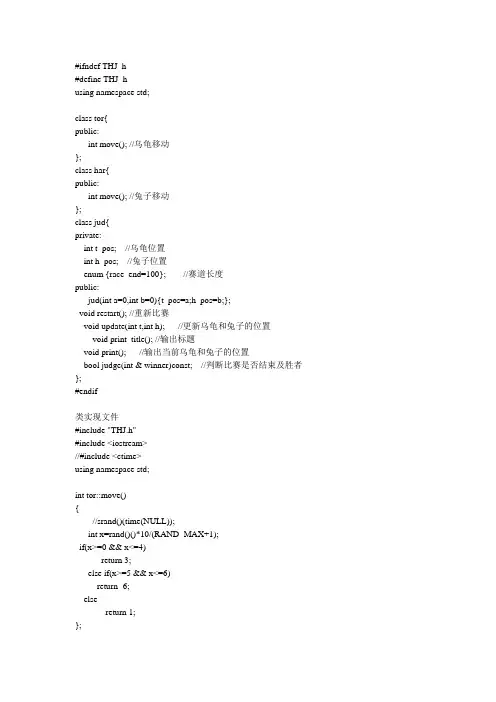
#ifndef THJ_h#define THJ_husing namespace std;class tor{public:int move(); //乌龟移动};class har{public:int move(); //兔子移动};class jud{private:int t_pos; //乌龟位置int h_pos; //兔子位置enum {race_end=100}; //赛道长度public:jud(int a=0,int b=0){t_pos=a;h_pos=b;};void restart(); //重新比赛void update(int t,int h); //更新乌龟和兔子的位置void print_title(); //输出标题void print(); //输出当前乌龟和兔子的位置bool judge(int & winner)const; //判断比赛是否结束及胜者};#endif类实现文件#include "THJ.h"#include <iostream>//#include <ctime>using namespace std;int tor::move(){//srand()(time(NULL));int x=rand()()*10/(RAND_MAX+1);if(x>=0 && x<=4)return 3;else if(x>=5 && x<=6)return -6;elsereturn 1;};int har::move(){//srand()(time(NULL));int y=rand()*10/(RAND_MAX+1);if(y>=0 && y<=1)return 0;else if(y>=2 && y<=3)return -9;else if(y==4)return 14;else if(y>=5 && y<=7)return 3;elsereturn -2;};void jud::restart(){t_pos=0;h_pos=0;};void jud::update(int t,int h){t_pos+=t;h_pos+=h;};void jud::print_title(){cout<<"\t乌龟\t兔子"<<endl;cout<<"\t=======\t======="<<endl;};void jud::print(){cout<<"\t"<<t_pos<<"米\t"<<h_pos<<"米\n"; };bool jud::judge(int & winner)const{if(t_pos>=race_end || h_pos>=race_end){if(t_pos>h_pos)winner=0;else if(t_pos<h_pos)winner=1;else if(t_pos==h_pos)winner=2;return true;}elsereturn false;};主程序#include "THJ.h"#include <iostream>#include <ctime>using namespace std;int main0() //龟兔赛跑模拟{srand(time(NULL));tor tor;har har;jud jud;int winner;jud.print_title();while(!jud.judge(winner)){jud.update(tor.move(),har.move());jud.print();}switch(winner){case 0:cout<<"**********乌龟赢啦!**********\n\n";break;case 1:cout<<"**********兔子赢啦!**********\n\n";break;case 2:cout<<"**********平局!**********\n\n";break;}return 0;}。
龟兔赛跑java代码 -回复
龟兔赛跑java代码-回复“龟兔赛跑”是一则经典的寓言故事,它讲述了一只乌龟和一只兔子之间的竞争。
这个故事中,乌龟和兔子各自代表着不同的特点和策略。
在这篇文章中,我们将一步一步地解析“龟兔赛跑”的Java代码,帮助读者了解这个故事并学习如何使用Java语言来实现它。
首先,我们需要定义两个类:乌龟类(Turtle)和兔子类(Rabbit)。
乌龟类和兔子类分别代表了乌龟和兔子的特点和行为。
javapublic class Turtle {private int position;private int speed;public Turtle(int speed) {this.position = 0;this.speed = speed;}public void move() {this.position += this.speed;}public int getPosition() {return this.position;}}public class Rabbit {private int position;private int speed;public Rabbit(int speed) {this.position = 0;this.speed = speed;}public void move() {this.position += this.speed;}public int getPosition() {return this.position;}在代码中,乌龟类和兔子类都有一个私有的属性position表示它们的位置,以及一个私有的属性speed表示它们的速度。
构造方法用于初始化乌龟和兔子的速度。
move()方法被定义在乌龟类和兔子类中,用来改变它们的位置。
当调用move()方法时,乌龟和兔子的位置会根据它们的速度进行相应的改变。
getPosition()方法被定义在乌龟类和兔子类中,用于返回它们当前的位置。
龟兔赛跑java代码
龟兔赛跑java代码```javaimport java.util.Random;public class TortoiseAndHareRace {public static void main(String[] args) {// 生成随机数种子Random random = new Random();// 比赛距离int raceDistance = 100;// 兔子的速度int rabbitSpeed = 10;// 乌龟的速度int tortoiseSpeed = 2;// 模拟比赛过程Tortoise tortoise = new Tortoise(tortoiseSpeed);Rabbit rabbit = new Rabbit(rabbitSpeed, raceDistance, random);while (tortoise.getDistanceTraveled() < raceDistance && rabbit.getDistanceTraveled() < raceDistance) {System.out.println("兔子跑了 " + rabbit.getDistanceTraveled() + " 米,乌龟跑了 " + tortoise.getDistanceTraveled() + " 米。
");// 让兔子和乌龟继续跑tortoise.run();rabbit.run();}// 输出比赛结果if (tortoise.getDistanceTraveled() == raceDistance) {System.out.println("乌龟到达终点线,赢得比赛!");} else if (rabbit.getDistanceTraveled() == raceDistance) {System.out.println("兔子到达终点线,赢得比赛!");} else {System.out.println("兔子和乌龟都没有到达终点线。
龟兔赛跑游戏程序模块分析
龟兔赛跑游戏程序模块分析:游戏程序第一层主函数模块样式:main(){ int hare = 0, tortoise = 0, timer = 0; //timer是计时器,从0开始计时while (hare < RACE_END && tortoise < RACE_END){ tortoise += 乌龟根据他这一时刻的行为移动的距离;hare += 兔子根据他这一时刻的行为移动的距离;输出当前计时和兔子乌龟的位置;++timer;}if (hare > tortoise) cout << "\n hare wins!";else cout << "\n tortoise wins!";}抽取函数模块:乌龟在这一秒的移动距离:int move_tortoise();兔子在这一秒的移动距离:int move_hare();输出当前计时和兔子与乌龟的位置void print_position(int timer, int tortoise, int hare);由功能分成三个模块(分类模块):主模块移动模块move_tortoisemove_hare()输出模块print_position程序代码://文件:Random.h//随机函数库的头文件#ifndef _random_h#define _random_h//函数:RandomInit//用法:RandomInit()//作用:此函数初始化随机数种子void RandomInit();//函数:RandomInteger//用法:n = RandomInteger(low, high)//作用:此函数返回一个low到high之间的随机数,包括low和high int RandomInteger(int low, int high);#endif//文件:Random.cpp//该文件实现了Random库#include <cstdlib>#include <ctime>#include "Random.h"//函数:RandomInit//该函数取当前系统时间作为随机数发生器的种子void RandomInit(){srand(time(NULL));}// 函数:RandomInteger// 该函数将0到RAND_MAX的区间的划分成high - low + 1 个// 子区间。
龟兔赛跑程序代码
Public i As Integer, m As Integer, n As Integer, k As Integer, j As IntegerPrivate Sub b2_Click()MsgBox "初次尝试,欢迎多多指教!", 48, "关于龟兔赛跑"End SubPrivate Sub HScroll1_Change()Text3.Text = HScroll1.V alueEnd SubPrivate Sub p5_Click()Label1.Caption = "预备"Text1.Text = "0:00:00"Text2.Text = "0:00:00"Timer2.Enabled = FalseTimer3.Enabled = Falsen = 0k = 0p3.Left = 1680p4.Left = 1680i = 1Timer1.Enabled = TrueEnd SubPrivate Sub a1_Click()p5_ClickEnd SubPrivate Sub a2_Click()EndEnd SubPrivate Sub b1_Click()Form3.ShowEnd SubPrivate Sub p5_KeyDown(KeyCode As Integer, Shift As Integer)j = HScroll1.V alueStatic blin1 As BooleanStatic blin2 As BooleanIf KeyCode = vbKeyA Or KeyCode = vbKeyS ThenIf i < 8 ThenText2.Text = "抢跑"MsgBox "兔选手,你抢跑了!", 16, "犯规" Text2.Text = "0:00:00"Text1.Text = "0:00:00"n = 0k = 0i = 1Exit SubEnd IfEnd IfIf blin1 = False And i = 8 ThenIf KeyCode = vbKeyA Thenp3.Left = p3.Left + jblin1 = Not blin1blin2 = Not blin2End IfEnd IfIf blin2 = True And i = 8 ThenIf KeyCode = vbKeyS Thenp3.Left = p3.Left + jblin2 = Not blin2blin1 = Not blin1End IfEnd IfStatic blin3 As BooleanStatic blin4 As BooleanIf KeyCode = 186 Or KeyCode = 222 ThenIf i < 8 ThenText2.Text = "抢跑"MsgBox "龟选手,你抢跑了!", 16, "犯规"i = 1Text2.Text = "0:00:00"n = 0k = 0Exit SubEnd IfEnd IfIf blin3 = False And i = 8 ThenIf KeyCode = 186 Thenp4.Left = p4.Left + jblin3 = Not blin3blin4 = Not blin4End IfIf blin4 = True And i = 8 ThenIf KeyCode = 222 Thenp4.Left = p4.Left + jblin4 = Not blin4blin3 = Not blin3End IfEnd IfIf p3.Left >= p1.Width - p3.Width + 1680 ThenTimer3.Enabled = Falsep3.Left = p1.Width - p3.Width + 1680End IfIf p4.Left >= p2.Width - p4.Width + 1680 ThenTimer2.Enabled = Falsep4.Left = p2.Width - p4.Width + 1680End IfIf p3.Left >= p1.Width - p3.Width + 1680 And p4.Left >= p2.Width - p4.Width + 1680 ThenIf k = n ThenMsgBox "和局!", 48Label1.Visible = FalseTimer2.Enabled = FalseTimer3.Enabled = Falsek = 0n = 0Text1.Text = "0:00:00"Text2.Text = "0:00:00"p3.Left = 1680p4.Left = 1680End IfIf n > k ThenMsgBox "龟选手,你赢了!", 48Label1.Visible = FalseTimer2.Enabled = FalseTimer3.Enabled = Falsek = 0n = 0Text1.Text = "0:00:00"Text2.Text = "0:00:00"p3.Left = 1680p4.Left = 1680If k > n ThenMsgBox "兔选手,你赢了!", 48Label1.Visible = FalseTimer2.Enabled = FalseTimer3.Enabled = Falsek = 0n = 0Text1.Text = "0:00:00"Text2.Text = "0:00:00"p3.Left = 1680p4.Left = 1680End IfEnd IfEnd SubPrivate Sub Timer1_Timer()Label1.Visible = Not Label1.Visiblei = i + 1If i = 8 ThenLabel1.Caption = "开始"Label1.Visible = TrueTimer2.Enabled = TrueTimer3.Enabled = TrueTimer1.Enabled = FalseEnd IfEnd SubPrivate Sub Timer3_Timer()n = n + 1n0 = n Mod 60n1 = (n \ 60) Mod 60n2 = ((n \ 60) \ 60) Mod 60Text1.Text = Right(("0" & CStr(n2)), 2) & ":" & Right(("0" + CStr(n1)), 2) & ":" & Right("0" & CStr(n0), 2)End SubPrivate Sub Timer2_Timer()k = k + 1k0 = k Mod 60k2 = ((k \ 60) \ 60) Mod 60Text2.Text = Right(("0" & CStr(k2)), 2) & ":" & Right(("0" + CStr(k1)), 2) & ":" & Right("0" & CStr(k0), 2)End Sub。
java编程
龟兔赛跑问题用线程模拟龟兔赛跑问题。
即,兔子每次跳两步或者打瞌睡,乌龟每秒走一步。
路程为10步。
public class TortoiseHareRace {public static void main(String[] args) throws InterruptedException{ boolean[]flags={true,false};int totalStep=10;int tortoiseStep=0;int hareStep=0;System.out.println("龟兔赛跑开始。
");while (tortoiseStep<totalStep&&hareStep<totalStep) {Thread.sleep(1000);tortoiseStep++;System.out.printf("乌龟跑了%d步。
%n",tortoiseStep);boolean isHareSleep= flags[((int)(Math.random()*10))%2];if(isHareSleep){System.out.println("兔子睡着了zzzz");}else{hareStep+=2;System.out.printf("兔子跑了%d步....%n",hareStep);}}}}生产者消费者问题编写一个生产者消费者程序,生产者在生产了一个整数后,必须等待消费者访问处理该整数后才能生产下一个数。
生产者将顺序生产整数1~10,消费者在消费到最后一个整数10时将结束运行。
【基本思路】建立一个共享区域类,该类中有两个方法,一个用于设置共享整数值,一个用于获取共享整数值,通过一个布尔变量来控制共享整数的设置与获取的交替进行。
在主程序中首先创建该类的一个共享对象,然后将该共享对象分别传递给生产者线程和消费者线程。
龟兔赛跑(动态规划)
龟兔赛跑(动态规划)本题和数塔差不多找出所有到当前位置的⽅案,然后取⽤时最短的如图include<stdio.h>includeusing namespace std;const int inf=0x3f3f3f3f;int main(){int N;double L,C,T,VR,VT1,VT2;while(~scanf("%lf%d%lf%lf%lf%lf%lf",&L,&N,&C,&T,&VR,&VT1,&VT2)){double a[105];double dp[105]= {0};for(int i=1; i<=N; i++)scanf("%lf",&a[i]);a[0]=0;a[N+1]=L;for(int i=1; i<=N+1; i++)//到达终点时的最短距离所以是N+1{double min2=inf,t;for(int j=0; j<i; j++)//所有到达i位置的⽅案{double jToi_L=a[i]-a[j];if(jToi_L>C)//距离⼤于C肯定要步⾏的t=C/VT1+(jToi_L-C)/VT2;else t=jToi_L/VT1;if(j!=0)//充电所需的时间t+=T;min2=min(min2,t+dp[j]);t+dp[j]=从j到达i位置最少的时间+从原点到达j位置的最短时间}dp[i]=min2;}if(dp[N+1]>(L/VR))printf("Good job,rabbit!\n");else printf("What a pity rabbit!\n");}return 0;}注意数据类型(错了两次)。
vb龟兔赛跑游戏开发
题目:龟兔赛跑游戏开发1.题目介绍:编写一款龟兔赛跑游戏,两个用户通过键盘控制比赛对象(龟和兔)进行赛跑比赛,谁最早跑到终点谁就获胜。
知识点:键盘事件处理;图片使用;Timer定时器控件;菜单使用2.功能要求:(1)程序参考界面如图1所示,开始时“龟”和“兔”分别位于两条跑道的起点。
使用鼠标单击“狐狸”(裁判)按钮,该按钮右面闪烁3次“预备”字样,然后显示“开始”进入比赛状态。
图1 主界面(2)赛跑开始后,用户1轮流按“a”和“s”键,用户2轮流按“;”和“‘”(单引号)键,分别使龟兔沿着跑道向右前进。
每按两次键才能使图标移动一次,按键越快,相应的图标就跑的越快。
计时牌显示各自所用时间,如图2所示。
图2 游戏过程中当两个动物都到达终点时,显示谁是胜者,如图3所示。
游戏过程中,通过“游戏速度”滚动条可调节动物每前进一步的距离。
图3 显示胜利者(3)游戏在进入预备状态之前,按键是不能使两个动物移动的;在“预备”按钮状态时(即在起跑之前),若按键移动动物程序认为是抢跑,显示如4所示的信息,必须重新开始游戏。
图4 显示“抢跑”信息(4)程序使用了图5所示的菜单。
选择“开局”命令使程序全部归位并重新开始。
“自述文件”菜单命令用“记事本”程序打开并显示说明文件(Readme.txt)。
图5 菜单3.难点与提示(1)“龟”和“兔”的图标可以通过Image图像控件来显示,“跑道”可由PictureBox图片框控件担当。
Image控件在PictureBox控件上移动产生运动效果。
(2)程序需要处理KeyDown等键盘事件。
因为多个控件具有KeyDown事件,必须使用SetFocus方法和LostFocus事件将输入焦点锁定在某个控件上,编写这个控件的KeyDown事件过程即可。
(3)可以使用Shell函数调用记事本程序显示Readme.txt文件。
4.更上一层楼参考程序中两个用户的按键是互不干扰的,即只要用户1连续按了“a”和“s”键,“兔”就会前进一步。
python乌龟赛跑代码
Python乌龟赛跑代码引言赛跑是一项古老且广受欢迎的活动,不仅仅是体育运动,还是一种很好的竞争方式。
在现代,我们可以使用编程语言来模拟各种比赛,包括乌龟赛跑。
本文将介绍如何使用Python编写乌龟赛跑代码,并展示一些有趣的功能。
准备工作在开始编写乌龟赛跑代码之前,我们需要事先安装Python,并确保安装了turtle模块。
turtle模块是Python的一个标准模块,用于绘制图形。
如果您还没有安装turtle模块,可以使用以下命令在终端中进行安装:pip install turtle安装完成后,我们就可以开始编写乌龟赛跑代码了。
创建赛道在乌龟赛跑中,我们首先需要创建一个赛道。
赛道是一个矩形的区域,乌龟将在其中进行比赛。
以下是创建赛道的代码:import turtle# 创建赛道def create_track():track = turtle.Turtle()track.speed(0)track.penup()track.goto(-200, -100)track.pendown()track.forward(400)track.left(90)track.forward(200)track.left(90)track.forward(400)track.left(90)track.forward(200)track.left(90)track.hideturtle()create_track()上述代码中使用了turtle模块提供的绘制图形的函数来创建赛道。
通过调整参数,我们可以自定义赛道的大小和位置。
创建乌龟下一步是创建比赛中的乌龟。
我们可以创建多个乌龟,并为每个乌龟指定不同的颜色和起始位置。
以下是创建乌龟的代码:import turtle# 创建乌龟def create_turtle(color, y):turtle = turtle.Turtle()turtle.shape("turtle")turtle.color(color)turtle.penup()turtle.goto(-200, y)turtle.pendown()return turtleturtle1 = create_turtle("red", 50)turtle2 = create_turtle("blue", 0)通过调用create_turtle函数,我们可以创建具有不同颜色和起始位置的乌龟。
java 龟兔赛跑
/** RabbitTortoiseThrea.java** Created on __DATE__, __TIME__*/package Thread;import Thread.TuZi;import Thread.WuGui;/**** @author __USER__*/public class RabbitTortoiseThrea extends javax.swing.JFrame {/** Creates new form RabbitTortoiseThrea */public RabbitTortoiseThrea() {initComponents();}/** This method is called from within the constructor to* initialize the form.* WARNING: Do NOT modify this code. The content of this method is* always regenerated by the Form Editor.*///GEN-BEGIN:initComponents// <editor-fold defaultstate="collapsed" desc="Generated Code">private void initComponents() {jLabel1 = new javax.swing.JLabel();jLabel2 = new javax.swing.JLabel();jLabel3 = new javax.swing.JLabel();jProgressBarRabbit = new javax.swing.JProgressBar();jProgressBarTortoise = new javax.swing.JProgressBar();jButton1 = new javax.swing.JButton();setDefaultCloseOperation(javax.swing.WindowConstants.EXIT_ON_CLOSE);jLabel1.setText("\u9f9f\u5154\u8d5b\u8dd1");jLabel2.setText("\u5154\u5b50");jLabel3.setText("\u4e4c\u9f9f");jProgressBarRabbit.setBackground(new java.awt.Color(255, 255, 255)); jProgressBarRabbit.addAncestorListener(new javax.swing.event.AncestorListener() { public void ancestorMoved(javax.swing.event.AncestorEvent evt) {}public void ancestorAdded(javax.swing.event.AncestorEvent evt) {jProgressBarRabbitAncestorAdded(evt);}public void ancestorRemoved(javax.swing.event.AncestorEvent evt) {}});jProgressBarTortoise.addAncestorListener(new javax.swing.event.AncestorListener() { public void ancestorMoved(javax.swing.event.AncestorEvent evt) {}public void ancestorAdded(javax.swing.event.AncestorEvent evt) {jProgressBarTortoiseAncestorAdded(evt);}public void ancestorRemoved(javax.swing.event.AncestorEvent evt) {}});jButton1.setText("\u5f00\u59cb\u6bd4\u8d5b");jButton1.addActionListener(new java.awt.event.ActionListener() { public void actionPerformed(java.awt.event.ActionEvent evt) { jButton1ActionPerformed(evt);}});javax.swing.GroupLayout layout = new javax.swing.GroupLayout(getContentPane());getContentPane().setLayout(layout);layout.setHorizontalGroup(layout.createParallelGroup(javax.swing.GroupLayout.Alignment.LEADING).addGroup(layout.createSequentialGroup().addGroup(layout.createParallelGroup(javax.swing.GroupLayout.Alignment.LEADING).addGroup(layout.createSequentialGroup().addGap(21,21,21).addGroup(layout.createParallelGroup(javax.swing.GroupLayout.Alignment.TRAILING).addComponent(jLabel2).addComponent(jLabel3)).addGap(18,18).addGroup(layout.createParallelGroup(javax.swing.GroupLayout.Alignment.LEADING,false).addComponent(jProgressBarRabbit,javax.swing.GroupLayout.DEFAULT_SIZE,javax.swing.GroupLayout.DEFAULT_SIZE,Short.MAX_VALUE).addComponent(jProgressBarTortoise,javax.swing.GroupLayout.DEFAULT_SIZE,288,Short.MAX_VALUE))).addGroup(layout .createSequentialGroup().addGap(155,155).addComponent(jButton1)).addGroup(layout.createSequentialGroup().addGap(176,176,176).addComponent(jLabel1))).addContainerGap(63, Short.MAX_VALUE)));layout.setVerticalGroup(layout.createParallelGroup(javax.swing.GroupLayout.Alignment.LEADING).addGroup(layout.createSequentialGroup().addGap(45, 45, 45).addComponent(jLabel1).addGap(47, 47, 47).addGroup(layout.createParallelGroup(javax.swing.GroupLayout.Alignment.LEADING).addComponent(jLabel2).addComponent( jProgressBarRabbit,javax.swing.GroupLayout.PREFERRED_SIZE,javax.swing.GroupLayout.DEFAULT_SIZE,javax.swing.GroupLayout.PREFERRED_SIZE)).addGap(58, 58, 58).addGroup(layout.createParallelGroup(javax.swing.GroupLayout.Alignment.TRAILING).addComponent(jLabel3).addComponent( jProgressBarTortoise,javax.swing.GroupLayout.PREFERRED_SIZE,javax.swing.GroupLayout.DEFAULT_SIZE,javax.swing.GroupLayout.PREFERRED_SIZE)).addGap(53, 53, 53).addComponent(jButton1).addGap(52, 52, 52)));pack();}// </editor-fold>//GEN-END:initComponentsprivate void jProgressBarRabbitAncestorAdded(javax.swing.event.AncestorEvent evt) {jProgressBarRabbit.setVisible(true);}private void jProgressBarTortoiseAncestorAdded(javax.swing.event.AncestorEvent evt) {jProgressBarTortoise.setVisible(true);}private void jButton1ActionPerformed(java.awt.event.ActionEvent evt) { TuZi tuZi = new TuZi(jProgressBarRabbit);Thread tuziThread = new Thread(tuZi);WuGui wuGui = new WuGui(jProgressBarTortoise);Thread wuguiThread = new Thread(wuGui);tuziThread.start();wuguiThread.start();}/*** @param args the command line arguments*/public static void main(String args[]) {java.awt.EventQueue.invokeLater(new Runnable() {public void run() {new RabbitTortoiseThrea().setVisible(true);}});}//GEN-BEGIN:variables// Variables declaration - do not modifyprivate javax.swing.JButton jButton1;private javax.swing.JLabel jLabel1;private javax.swing.JLabel jLabel2;private javax.swing.JLabel jLabel3;private javax.swing.JProgressBar jProgressBarRabbit;private javax.swing.JProgressBar jProgressBarTortoise;// End of variables declaration//GEN-END:variables}。