
希曼顿产品手册
日本岛电数字调节器
SRS11A SRS12A SRS13A SRS14A 系列
日本岛电数字调节器
订货选型表 :
SRS11A SRS12A SRS13A SRS14A 系列
基本性能 :
● 多种输入和量程范围,4 种安装尺寸 ● 超薄机身 (62mm - 65mm) ,节省安装空间 ● SV 设定 : 3 点 ● PID 值 : 3 组 ● 2- 调节输出,可用于加热与制冷 ● 可编程 32 步 ( 选件 ) ● (1-4 曲线 , 32-8 步 ) ● 支持 RS-485 接口 ( 选件 ) ● ( 主 - 从功能 , Modbus/Shimaden 协议 ) ● 加热器断线 / 加热器回路报警 : 单相 / 三相 ● 多种选件适合不同用途
PAD37-T、PAC15P 、PAC35P/C、PAC16P-T、PAC36P-T、PAC03I、ZAC10-I/P、SW03A 、 XCT1、SW03-6L
公司名称:希曼顿(北京)科技有限公司
地 址:北京市中关村上地信科技园上奥世纪大厦 B 座 17 层
联系人:高艳龙 专线:010-62611201 手机:13716122959
H3340ZN H3400Z H3500Z H3600Z H3800Z U 型 H330ZU H350ZU H370ZU H3100ZU S312ZU S325ZU S340ZU
电力调整器(调功调压器)
三相 C 系列 功率调控器 PAC30D 三相 D 系列 功率调控器 PAD37 PAD36 单相 D 系列 功率调控器 PAD27 PAD26 可控硅模块 MTX/MFX56A MTX/MFX90A MTX/MFX120A MTX/MFX180A
PAC15P、PAC16P、PAC01A、PAC03I、PAC30、ZAC29C、ZAC28U 固态继电器:普通型: S203ZL/W 、S310ZK 、S340ZK 工业级增强型:H375ZF/K、H3100ZF/K、H3200Z、H3300ZD、H3340ZN、H3500Z 可控硅模块:MTX56A 、MTX90A、MTX120A、MTX180A、MTX250A、MTX350A 可控硅触发器、周波控制器/触发板单元: PAD36-T、PAD26-T、PAD15-T、PAD27-T、
现主要产品有工业级交流固态继电器、电力调整器(调功 / 调压器)、可控硅模块、可控硅触 发电路板(器)、高校、科研院所用温控实验设备控制电源等。
目前产品已经发展到台湾地区以及国外(印度、巴基斯坦、墨西哥、德国等)。公司自主开发 的现代工厂控制软件平台,使系统更加智能,方便,稳定可靠。
我们公司将不断开发新产品,以满足客户需要; 用杰出的服务与技术,促进海内外市场的发展; 用挡不住的挑战精神,实现希曼顿在温控领域的未来; 从前、现在和将来,无论在那里,希曼顿始终在做温控。 我们真诚欢迎各界朋友来公司参观、考察、洽谈合作,愿与国内外各界朋友进行真诚广泛的技 术交流、贸易和长期的合作。
目录
1. SRS11A SRS12A SRS13A SRS14A 系列 PID 调节器简介选型.................... 2 2. SR1/SR3/SR4 系列 PID 调节简介选型........................................... 4 3. SR90 系列 PID 调节器简介选型.................................................. 6 4. SR80 系列 PID 调节器简介选型.................................................. 10 5. SR253 系列 PID 调节器简介选型................................................. 14 6. SR23 系列 PID 调节器简介选型.................................................. 16 7. FP93 系列可编程 PID 调节器简介选型............................................ 18 8. MR13 系列可编程 PID 调节器简介选型........................................... 20 9. FP23 系列可编程 PID 调节器简介选型............................................ 22 10. SD16A&KR16 高性能智能数显表简介........................................... 24 11.PAD27 系列单相晶闸管功率调整器简介选型....................................... 26 12.PAD26 系列单相晶闸管功率调整器简介选型....................................... 29 13.PAC16P 系列单相电力调整器简介选型........................................... 33 14.PAC15P 系列单相电力调整器简介选型........................................... 35 15.PAC30D 系列三相晶闸管功率调整器简介选型..................................... 36 16.PAD37 系列三相晶闸管功率调整器简介选型....................................... 39 17.PAD36 系列三相晶闸管功率调整器简介选型....................................... 42 18.PAC03I 系列三相电力调整器简介选型............................................ 46 19.PAC35P 系列三相电力调整器简介选型........................................... 47 20. 工业级交流固态继电器......................................................... 48 21. 可控硅模块................................................................... 61 22. 可控硅触发类................................................................. 65 23. 配套散热器................................................................... 67 24. 记录仪....................................................................... 68 25. 桌面温控单元................................................................. 71
传真:010-62611203 E-mail:1426319824@ 网址:
公司简介
希曼顿(北京)科技有限公司位于“上风上水上海淀” 的中关村高科技上地信息产业区,地理 位置优越,人员配备齐全,是集科研,工贸、服务一体化的新型科技企业,专业从事工业智能温控 领域系统产品研发,生产,销售,技术服务,运营代理、设备维护改造及增值服务,可为用户提供 从咨询、策划、设计到安装、调试、维护工业温控领域一体化服务企业。
认证
达标
2
公司网址: 订购热线:010-62611201/62611202/62611203
ห้องสมุดไป่ตู้
可选附件 :
名称 CT CT 端子防护罩
代码 QCC01 QCC02 QCR007
30A (CTL-6-S) 50A (CTL-12-S36-8) 用于SRS13, SRS14
说明
希曼顿(北京)科技有限公司位于北京市中关村科技园区,是从事温度控 制最早的企业,在行业内有较高知名度和影响力,
公司主要经营:希曼顿固态继电器/单相/三相功率调整器、电力调整器/可 控硅模块、可控硅触发器/触发板单元、周波控制器、功率扩展器、无纸记录仪、 桌面温控单元;
日本岛电(SHIMADEN)温控仪表的品牌推广,产品销售及技术服务。 我公司严格控制原材料采购,引进国际上先进的设备和工厂管理模式,产品 的生产/测试严格按照工艺流程执行,注重产品的每个工艺环节,保证每一个出 厂产品的质量。 公司秉承“顾客至上,锐意进取”的经营理念,坚持“客户第一”的原则 为广大客户提供优质的服务。欢迎惠顾!
MTX/MFX250A MTX/MFX350A MTX/MFX500A 配套散热单元 B20 B30 B50 B60 B80 B100 B140S B200S B300S B316S B400S 可控硅、固态触发板(器) ZAC10 SW03A SW03-6L PAC15P PAC16P PAC36P
PAC03I PAC35P XCT1 无纸记录仪 SR150 SR150C 实验室温控单元 DSS
日本岛电 SHIMADEN 中国独家代理 日本 SHIMADEN 岛电仪表 程序控制仪表 FP23 FP93 SRS10 MR13( 三回路 ) 定值控制仪表 SR1/3/4 SR90 SRS10 斜率控制仪表 SR80 SR23 SR253
测量范围代码:
SR1 / SR3 / SR4 系列
4
公司网址: 订购热线:010-62611201/62611202/62611203
公司网址: 订购热线:010-62611201/62611202/62611203
公司网址: 订购热线:010-62611201/62611202/62611203
Holman产品安装和操作手册说明书

These symbols are intended to alert theuser to the presence of important operatingand maintenance instructions in the manualaccompanying the appliance.NOTICEUsing any part other than genuine Holman factory supplied parts relieves the manufacturer of all liability.Holman reserves the right to change specifications and product design without notice. Such revisions do not entitle the buyer to corresponding changes, improvements, additions or replacements for previously purchased equipment.Due to periodic changes in designs, methods, procedures, policies and regulations, the specifications contained in this sheet are subject to change without notice. While Holman Manufacturing exercises good faith efforts to provide information that is accurate, we are not responsible for errors or omissions in information provided or conclusions reached as a result of using the specifications. By using the information provided, the user assumes all risks in connection with such use.GENERAL SAFETY INFORMATIONThis equipment is designed and sold for commercial use only by personnel trained and experienced in its operation and is not sold for consumer use in and around the home nor for use directly by the general public in food service locations.Before using your new equipment, read and understand all the instructions & labels associated with the unit prior to putting it into operation. Make sure all people associated with its use understand the units operation & safety before they use the unit.All shipping containers should be checked for freight damage both visible and concealed. This unit has been tested and carefully packaged to insure delivery of your unit in perfect condition. If equipment is received in damaged condition, either apparent or concealed, a claim must be made with the delivering carrier. Concealed damage or loss - if damage or loss is not apparent until after equipment is unpacked, a request for inspection of concealed damage must be made with carrier within 15 days. Be certain to retain all contents plus external and internal packaging materials for inspection. The carrier will make an inspection and will supply necessary claim forms.GENERAL INSTALLATION INFORMATIONThe unit was shipped fully assembled and ready to plug into a standard outlet specified for its voltage and amp draw. If improper electrical supply is determined, contact a qualified electrician prior to using the unit. Removal and replacement of the power cord and plug will void the warranty. For assistance, contact your local authorized service agent for service or required maintenance. Level unit using the adjustable feet under the unit (approximately 1/2" adjustment).Before using the unit for the first time, wipe down the exterior with a damp cloth.Allow enough space around the toaster for adequate ventilation. Do not operate the unit without the crumb tray properly positioned. Overheating and poor toasting may occur. Read all labels on the unit and follow their instructions.MAINTENANCE AND REPAIRSContact the factory, a service representative or a local service company for service or required maintenance. Go to /scripts/manuals.aspx to find a service agent near you. Replacement cord sets must be purchased from Star Manufacturing International, Inc. or our authorized agents. Should you need any assistance regarding the operation or maintenance of any Holman equipment; write, phone, fax or e-mail our service department. In all correspondence mention the model number and the serial number of your unit, along with the voltage.Business Hours: 8 am to 4:30 p.m. Central Standard Time Telephone:(877) 242-0270Fax:(314) 781-2714E-mail:***********************************************************Website: Mailing Address: Star International Holdings Inc., Company10 Sunnen DriveSt. Louis, MO 63143U.S.A.MODELIRCS2-SBKConveyor ToastersElectronic ControlsIL27072M-Z17824, Rev. A 12/19/2013 CAUTIONELECTRICAL CONNECTIONBefore making any electrical connection to this unit, check that the power supply is adequate for the voltage, amperage and requirements stated on the rating plate. A wiring diagram is included in the Installation & Operations manual, which can be downloaded at /scripts/manuals.aspx .Disconnect the unit from the power source before installing or removing any parts.Be absolutely sure that the ground connection for the receptacle is properly wired. Do not connect equipment to power without proper ground connections. Improper grounding may result in personal injury or fatality.DO NOT CUT OR REMOVE THIS PLUG OR GROUNDING PRONG FROM THE PLUG.CONNECT/PLUG UNIT INTO DEDICATED A.C. LINE ONLY SPECIFIED ON THE DATAPLATE OF THE UNIT.CERTAIN SURFACES ARE EXTREMELY HOT DURING OPERATION AND CARE SHOULDBE TAKEN WHILE USING THIS UNIT.DO NOT IMMERSE OR LET THE UNIT STANDIN WATER.DO NOT HOSE DOWN THE UNIT OR THE TABLE/COUNTER IF THE UNIT IS ON THETABLE/COUNTER.KEEP AWAY FROM RUNNING WATER.INSTALLATION REQUIREMENTS1. Space: 16”x24”x18” (width x depth x height) inSpecialty Board of Breakfast Toaster Cart2. Electricity: 208/240 Volts, 30 Amps, NEMA L6-30RRecepticaleNOTE: Ensure to clean the toaster properly before using it for the first time. Refer to the Cleaning Procedure document for cleaning instructions.CAUTION WARNINGThe Holman IRCS conveyor toaster comes with pre-programmed factory default settings for CROISSANT, MUFFIN .Factory default settings are as follow:POWER SAVER SWITCHThere are three Power Saver modes:ON: Unit is in pre-programmed power saving setting.OFF: Power Saver mode is turned off.AUTO ON: Power Saver turns on when there has been no activityfor a programmed length of time.The operator may adjust the level of power reduction for the saver mode. (Note: conveyor may move slowly when in saver mode.)Two buttons (+) and (-) are used when increasing or decreasing the value of each programmable setting.A red LED light located at the lower portion of the control panel label will indicate if the value for top heat, bottom heat or conveyor speed is being adjusted.NEMA L6-30RWARNING WARNING WARNINGWARNINGCERTAIN SURFACES ARE EXTREMELY HOTDURING OPERATION AND CARE SHOULD BE TAKEN WHILE USING THIS UNIT.START UPWhen the toaster has been plugged into a suitable outlet and power supply, the word OFF will be displayed on the L.E.D. read out.A. Press the ON/OFF button once to turn on the toaster. The toaster will now enter into pre-heat and “PREHT” will be displayed (the elements will begin to glow but the conveyor and fan motor will not turn on).B. After one minute, the fan motor will turn on and the conveyor will begin turning at the previously saved setting (for initial start up, the drive motor will operate at the factory default setting).C. After 24 minutes, the display will show the last used programselection i.e. (for initial startup, CROIS, MUFFIN, will be the last program selected).DAILY OPERATIONCheck the power cord to insure that it is plugged into a proper outlet.Press the ON/OFF button once to turn the toaster on. Press the button a second time to turn the toaster off.NOTE: When the toaster is turned off, the fan and conveyor motors will continue to run for five minutes. The words COOL and DOWN will be alternately displayed during that time. After five minutes, the word OFF will be displayed until the ON/OFF button is pressed again.Once the toaster has been pre-heated, the menu buttons can be pressed to change to CROIS, MUFFIN, T3, T4.Menu buttons T5 & T6 are cheese melting features, when these buttons are pressed, the conveyor will stop and the display will count down. When finished, the conveyor will reverse for 10 seconds.OPERATING HINTS AND SAFETYIMPORTANT: If “HIGH TEMP” shows on the display1. Turn off the toaster and allow it to fully cool down.2. Inspect the fan inlet on the bottom of the toasterand remove anyting blocking the cooling fan inlet.3. Press the red high temperaure limit reset button onthe back of the toaster. (Note: There is one reset on each side). (Note: the toaster must be fully cool in order for the limit switch to reset).4. Turn on the toaster and check for proper operation.5. If cleaning the cooling fan inlet does not correctthe problem, contact the factory or an authorized service agency for required maintenance.Disconnect power to the unit with the ON/OFF button at the end of each day of operation.Do not leave the unit in operation without an attendant.Do not leave the unit at high temperature when not in use or during idle periods. This will cause food particles and grease film to carbonize.The cooling fan will continue to run until the toaster has completely cooled. If the toaster MUST be moved after using, allow the cooling fan to turn OFF before unplugging.CAUTION PROGRAMMING A. CONVEYOR SPEED (temporary setting)The conveyor speed is programmable with a range from 1 to 99 with1 being the slowest and 99 being the fastest. Each menu item can have independent conveyor speed settings.B. PROGRAMMING VALUES FOR MENU ITEMSTo make a program change to the top & bottom elements, or conveyor speed, you must first be in the menu item you want changed. Example: to change the programmed conveyor speed for croissants, the display must read CROIS . To change the programmed conveyorspeed for MUFFIN, the display must read MUFFIN and so on foreach menu item.1) Select the menu item you want to change i.e. CROIS, MUFFIN, T3, T4. 2) Press and hold both ( + ) AND ( - ) buttons for 3 seconds untilthe display goes blank, release the buttons and the display will show three characters for the menu item elected and the last two characters for the current value setting, i.e. CROIS, MUFFIN, T3, T4. The red L.E.D. light for upper front element at the bottom of the label will flash.3) Press the ( + ) or ( - ) buttons to increase or decrease thesetting for the upper element.4) Press the button for the menu button again and the red L.E.D.for the up lower element will flash.5) Press the ( + ) or ( - ) buttons to increase or decrease thesetting for the lower element. 6) Press the button for the menu button again and the red L.E.D.for the conveyor speed will flash.7) Press the ( + ) or ( - ) buttons to increase or decrease thesetting for the conveyor speed.8) Button T5 & T6 are cheese melting functions program. Theseare the same as above, but set a cheese melting time in seconds instead of conveyor speed.9) To skip one feature setting with out making any changes,press the menu item button one time and the red L.E.D. light for the next item will now flash.10) To change the POWER SAVER values press the SAVERbutton or to save your new setting(s), and exit the program mode press the menu button.11) The last two characters in the display will show MN forminutes.12) The first three characters will be numerical to represent thetime setting.13) When set to “OFF” the Saver button will be disabled duringoperation. The PowerSaver can be set to “OFF” or using the ( + ) or ( - ) set the time from 15 to 480 minutes.14) Press the SAVER button to change the power reduction usingthe ( + ) or ( - ) buttons to increase or decrease the setting.15) Press the POWER SAVER button to save changes and toexit.CLEANINGPreventive maintenance for your Holman toaster consists of the following recommended cleaning procedures. To keep your toaster in its top operating condition, these steps should be performed on a daily or weekly basis as required.SuppliesKAY® QSR Oven CleanerKAY® QSR Heavy Duty Multi-Purpose Sink Detergent (dispensed use solution)KAY® Sink Sanitizer (use solution prepared at the sink)No Scratch Pad Red ClothDaily Procedure:1. Turn toaster off, conveyor will continue to run until cooleddown (approx. 5-10 minutes)2. Immediately spray the oven cleaner onto the No ScratchPad and scrub the conveyor chain while it is still warm and moving.NOTE: DO NOT SPRAY directly onto the conveyor belt or into the cooking chamber. Overspray onto the heating elements can damage or shorten the life of the elements.3. Wash the No Scratch pad at the 3 compartment sink and thensoak with Multi-Purpose Sink Detergent. Ring the pad out so that it is only damp and continue to scrub the conveyor belt while it’s still moving. 4.Rinse the No Scratch pad at the 3 compartment sink to remove all detergent and then soak with clean warm water. Ring the pad out so that it is only damp and continue to scrub the conveyor belt while it still moving.5. Wipe the conveyor belt with a clean red cloth dampened withsanitizer solution while it is still moving. Allow to air dry.6. Rinse the No Scratch pad at the 3 compartment sink and thensoak with clean warm water. Ring the pad out so that it is only damp and wipe exterior areas of the toaster.7. Remove interior crumb tray and bottom catch tray and taketo the three compartment sink. Spray the pieces with oven cleaner and allow to sit on the drain board for a minimum of five minutes.8. Wash, Rinse and Sanitize removable pieces and allow to airdry before sliding the trays back into the unit.9. Unit is now ready to turn ON for warm up and use.DO NOT IMMERSE THE UNIT IN WATER OR LETTHE UNIT STAND IN WATER.DO NOT USE A NON-STICK SPRAY ON THE CONVEYOR BELT, IT WILL CAUSE A STICKYBUILD-UP AND INCREASE STICKING.DO NOT HOSE DOWN THE UNIT OR THETABLE/COUNTER IF THE UNIT IS ON THETABLE/COUNTER.KEEP AWAY FROM RUNNING WATER.WARNING WARNINGWARNING CAUTION STAR INTERNATIONAL HOLDINGS INC. COMPANY Star - Holman - Lang - Wells - Bloomfield - Toastmaster10 Sunnen Drive, St. Louis, MO 63143 U.S.A.(314) OPERATION PROCEDURESUsed to toast croissants and english muffinsTo Turn unit ON1. Ensure toaster is plugged in2. Press ON/OFF burron on each control panel.Screen will display “PREHT” for 25 minutes. DO NOT toast any product while the screen displays “PREHT”3. Select ‘CROIS” on the control panel and“MUFIN” on the other.4. Toast product in corresponding belt. Eg.croissants must only be toasted on the “CROIS” belt.To Turn unit OFF1. Ensure there is no product in the toastingchamber2. Press ON/OFF button on each control panel.Screen will shuffle “COOL” and “DOWN” for 10 minutes.NOTE: belts will continue to move for the duration of the cool-down time. Use this time to clean the toaster.ROUTINELY CHECKEntering Programming ModeNOTE: Ensure the toaster is ONNOTE: Changes to the same product must be repeated for each belt.1. Select product2. Press and hold up and down arrows at the sametime. You will enter programming mode.3. Use the up and down arrows to select thedesired top heat.4. Press product button on control5. Use the up and down arrows to select desiredbottom heat.6. Press product button on control7. Usse the top and down arrows to select desiredconveyor speed8. Press product button on control 2-3 times untilyou exit programming mode.NOTE: Changes in belt speed will be madeimmediately. Changes in top/bottom heat will take time to adjust depending on the specifics of the changeIRCS-2-SB2M-Z17508120V 240V 240V 120VO T 2 L 2 M 2 F 2 O T 1 H B 2 H T 2HB1 HT1L1 F1 M1120V 240V 240V 120VOT2 L2 M2 F2 OT1 HB2 HT2H B 1 H T 1L 1 F 1 M 1CFIFWHTBLKGND 15A15A10108914151611WHTRED BLK11814912133512121312344588991114141516OTOTFSRRCMRRCMMCMCFS FAN SWITCH (TSTAT)OT OVER TEMP (TSTAT)IF IMPINGEMENT FAN CF COOLING FANM MOTOR CAPACITOR CM CONVEYOR MOTOR RR REVERSING RELAYBLK REDWHT2M -Z 17824: S p l i t C o n v e y o r T o a s t e r , I R C S 2-S B KSK2709Rev. a 12/19/13MODEL: IRCS2-SBK:Split Electronic Conveyor ToasterDecember 19, 2013, Rev ASTAR INTERNATIONAL HOLDINGS INC. COMPANY Star - Holman - Lang - Wells - Bloomfield - Toastmaster10 Sunnen Drive, St. Louis, MO 63143 U.S.A.(314) 678-6303。
固态继电器说明书

中国电力模块工艺制造的大功率 SSR,标称电流已达 500A,并采用铜瓷键合(DCB)第三代新技术, 无论是感性负载还是阻性负载,电压电流冲击及产品可靠性指标已达到际先进水平。
Tc=80℃ 1 周波浪涌电 流 Isurge A
300 500 800 1000 120 250 400
漏电流 380Vac < 7mA
同上
输入 DC 电压 电流
mA 4~32 10~30
同上 同上
介质耐压 VISOVDC:输入对输出>2000;输出对底板>2000 * 380VAC 测量 主要为并联 RC 回路的漏电流 工作电流为底板工作温度不超过 80℃
<12mA
<12mA <12mA
冷却 条件
风冷
风冷
风冷 风冷 风冷 风冷 风冷 风冷 风冷 风冷
风冷
风冷 风冷
6
2.3 U 系列(欧式风格)固态继电器
U 系列固态继电器采用了安全防护一体化的设计。 外形美观大方,两只反并联的晶闸管不仅提高了 dV/dT 等指标,更因为双 SCR 管芯的散热面积大, 所以具有工作电流大,耐浪涌冲击,可靠性高的特 点。此外,内置的抑制变频器干扰的大容量阻容吸 收器(RC 回路),独特的强力电力端子和配套的 DIN 导轨散热器,突出了产品的设计风格。
三.触发方式说明 ............................................................................................................. 8 四.安装及应用................................................................................................................. 9 五.故障原因及排除 ....................................................................................................... 10
NexStorDC操作手册(中文)

NexStorDC操作手册(中文)目录第1章NEXSTORDC的基本操作 (5)1.1N EX S TOR DC的安装 (5)1.2存储池 (8)1.2.1基本概念 (8)1.2.2基本配置流程 (8)1.3识别物理设备 (8)1.4新建存储池 (10)1.5设置存储池 (12)1.6TVM透明卷管理 (13)1.6.1新建存储池 (13)1.6.2设置存储池 (14)1.6.3管理磁盘设备 (14)1.7新建存储卷 (15)1.7.1基本概念 (15)1.7.2操作如下 (15)第2章实现IP SAN 功能 (17)2.1基本概念 (17)2.1.1IP SAN (17)2.1.2通道 (17)2.2新建I SCSI连接 (17)2.3新建存储应用服务器 (17)2.4新建通道 (18)2.5映射卷 (20)2.5.1基本配置流程 (20)2.5.2映射卷的操作步骤如下 (20)2.6客户端扫描磁盘 (21)第3章实现FC SAN功能 (26)3.1新建存储应用服务器 (26)3.2新建通道 (26)3.3映射卷 (27)3.4客户端设置 (28)第4章实现SNAPSHOT功能 (29)4.1基本概念 (29)4.2基本配置流程 (29)4.3操作如下 (29)4.3.1新建快照 (29)4.3.2激活快照 (30)4.3.3CI操作 (31)4.3.4分离快照 (32)4.3.5删除快照 (32)4.3.6映射卷 (32)第5章实现REPLICATOR功能 (33)5.1基本概念 (33)5.2基本配置流程 (33)5.3操作如下 (33)5.3.1新建备份应用服务器 (33)5.3.2R EPLICATOR客户端的操作 (34)第6章实现CDP功能 (35)6.1基本概念 (35)6.2基本配置流程 (35)6.2.1服务端配置流程 (35)6.2.2客户端配置流程 (35)6.3CDP操作如下 (36)6.3.1服务端新建CDP快照 (36)6.3.2客户端新建CDP快照 (39)6.4删除快照 (39)6.5快照记录 (39)6.6快照恢复 (40)6.7新建回滚 (40)6.8删除回滚 (41)第7章实现DR(DISASTER RECOVERY)容灾功能 (43)7.1基本概念 (43)7.1.1DR (43)7.1.2备份模式 (43)7.2基本配置流程 (43)7.3操作如下 (43)7.3.1添加服务器 (43)7.3.2设置备份模式 (45)7.3.3新建备份组 (46)7.3.4删除备份组 (47)7.3.5备份状态 (47)7.3.6初始化 (48)7.3.7停止初始化 (48)7.3.8备份目标卷CDP快照 (48)7.3.9数据恢复 (49)第8章HA(HIGH AVAILABILITY)高可用性功能 (50)8.1基本概念 (50)8.2基本配置流程 (50)8.3操作如下 (50)8.3.1添加HA服务器 (50)8.3.2互建通道 (51)8.3.3新建镜像 (52)8.3.4镜像卷初始化 (53)8.3.5停止初始化 (55)第9章内部镜像(LUNMIRROR) (56)9.1基本概念 (56)9.2基本配置流程 (56)9.3操作说明 (56)第10章NAS (59)10.1基本概念 (59)10.2基本配置流程 (59)10.3操作如下 (59)10.3.1安装SFU (59)10.3.2新建存储池 (61)10.3.3设置存储池 (62)10.3.4新建卷 (64)10.3.5配置卷组 (65)10.3.6新建NAS (67)10.3.7删除NAS (68)10.3.8设置NAS共享属性 (69)10.3.9W INDOWS 平台客户端访问 (70)10.3.10U NIX 平台客户端访问 (71)第11章附录 (73)I SCSI INITIATOR设置 (73)1.M ICROSOFT I SCSI INITIATOR设置 (73)2.AIX ISCSI INITIATOR设置 (77)3.O PEN S OLARIS I SCSI INITIATOR设置(32B,64B一样) (78)4. LINUX ISCSI INITIATOR设置 (79)MPIO (81)1.安装MPIO (81)2.MPIO使用 (82)3.MPIO切换失败解疑 (83)第12章FAQ(常见问题解答) (86)12.1N EX S TOR DC专业术语 (86)12.2I SCSI连接注意事项 (87)12.3N EX S TOR DC注意事项 (87)12.4客户端R EPLICATOR注意事项 (89)12.5安装程序系统跳出的提示说明 (89)12.6CDP回滚注意事项 (90)12.7HA功能注意点 (90)第1章NexStorDC的基本操作1.1 NexStorDC的安装NexStorDC的安装非常方便简单,您只需要依据软件提示对话框点击即可,具体的步骤为:(1)双击运行安装程序。
诺希尔Xitanium LED驱动器数据手册说明书
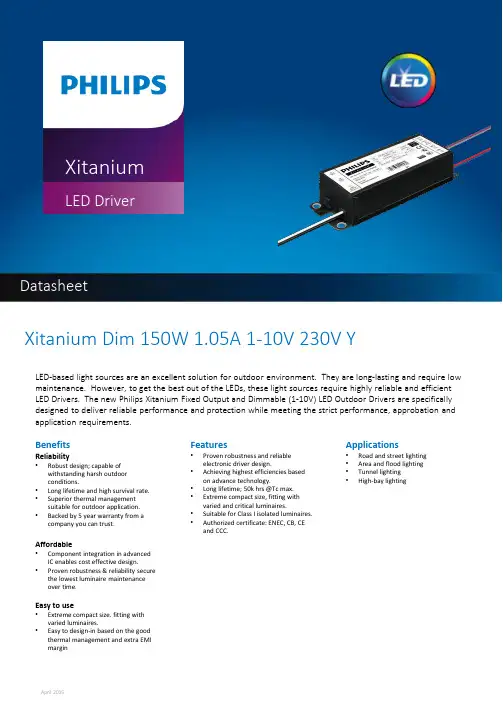
XitaniumLED DriverDatasheetXitanium Dim 150W 1.05A 1-10V 230V YLED-based light sources are an excellent solution for outdoor environment. They are long-lasting and require low maintenance. However, to get the best out of the LEDs, these light sources require highly reliable and efficient LED Drivers. The new Philips Xitanium Fixed Output and Dimmable (1-10V) LED Outdoor Drivers are specifically designed to deliver reliable performance and protection while meeting the strict performance, approbation and application requirements.BenefitsReliability•Robust design; capable ofwithstanding harsh outdoorconditions.•Long lifetime and high survival rate.•Superior thermal managementsuitable for outdoor application.•Backed by 5 year warranty from a company you can trust. Affordable•Component integration in advanced IC enables cost effective design.•Proven robustness & reliability secure the lowest luminaire maintenanceover time.Easy to use•Extreme compact size. fitting with varied luminaires.•Easy to design-in based on the good thermal management and extra EMImargin Features•Proven robustness and reliableelectronic driver design.•Achieving highest efficiencies basedon advance technology.•Long lifetime; 50k hrs@Tc max.•Extreme compact size, fitting withvaried and critical luminaires.•Suitable for Class I isolated luminaires.•Authorized certificate: ENEC, CB, CEand CCC.Applications•Road and street lighting•Area and flood lighting•Tunnel lighting•High-bay lightingElectrical Input DataSpecification item Value Unit ConditionNominal Input Voltage220…240VacInput Voltage AC202…254Vac Performance rangeNominal Input Frequency50…60HzInput Frequency AC47…63Hz Maximum permissible rangeNominal Input Current0.76…0.69A220V…240V at full loadMaximum Input Current0.83A At202VNominal Input Power165W At 230V at full loadPower Factor≥0.95At 230V at full loadTotal Harmonic Distortion≤10%At 230V at full loadEfficiency92%At 230V at full loadElectrical Output DataSpecification item Value Unit ConditionRegulation Method Constant CurrentOutput Voltage62…142VdcOutput Voltage Max220Vdc Peak voltage at open circuitOutput Current1050…105mA Performance rangeOutput Current Tolerance±5%At max. output currentOutput Current Ripple LF5%Ripple = peak / average, at<1kHzOutput Power150W At full loadGalvanic Isolation Yes Basic; 2U+1000VElectrical Data Control InputSpecification item Value Unit ConditionControl Method1-10VDigital Interface N/A According 2.0 specificationsMains Control N/A Can be configured via MultiOneTime-based Integrated Control N/A Can be configured via MultiOne Dimming Range10-100%Wiring & ConnectionsSpecification item Value Unit ConditionInput Wire Size0.75mm²2-wire18AWG; 600V/105C rating or higher Output Wire Size0.75mm²2-wire 18AWG; 600V/105C rating or higher Input& Output Wire Length270 ±30mm Out of enclosureControl Wire Size N/A mm N/AControl Wire Length N/A mm N/ACE IsolationBasic Isolation: 2U+1000 V Input Wires Output Wires ChassisInput Wires N/A Basic BasicOutput Wires Basic N/A BasicChassis Basic Basic N/AOperational Temperature and HumiditySpecification item Value Unit ConditionAmbient Temperature-40…+55°CTcase Maximum80°C Measured at Tc-pointTcase Life70°C Measured at Tc-pointTcase Cut-Off85°C Power to LEDs is reducedStorage Temperature and HumiditySpecification item Value Unit ConditionAmbient Temperature-40…+55°CLifetimeSpecification item Value Unit ConditionLifetime100,000Hours At Tcase Life; Survival rate = 90% Programmable FeaturesSpecification item Value Remark ConditionAdjustable Output Current (AOC)N/A Default Output Current = xxx mA See Design-In GuideLED Module Temperature Derating(MTP)N/AConstant Lumen Output (CLO)N/ADC Emergency Dimming (DCEmDIM)N/ACorridor Mode N/AEnergy Metering N/ADiagnostics N/AFeaturesSpecification item Value Remark ConditionOpen Circuit Protection YesShort Circuit Protection Yes Automatic RecoveryOver Power Protection Yes Automatic RecoveryHot Wiring N/ASuitable for fixtures with Protection Class Class ICertificates and StandardsSpecification item ValueApproval Marks CE / CCC / ENEC/ CBIngress Protection Rating NAInrush CurrentSpecification item Value Unit ConditionInrush Current Ipeak46A At 230VacInrush Current Twidth440µs At 230Vac, measured at 50% Ipeak Drivers per MCB 16A Type B≤11pcsEarth Leakage CurrentSpecification item Value Unit ConditionTypical Leakage Current≤0.7mApk Meets IEC60598; LED module not included Surge CapabilitySpecification item Value Unit ConditionMains Surge Capability Differential Mode4KV L-N,2OhmMains Surge Capability Common Mode4KV L/N-GND,2OhmDimensionsSpecification item Value Unit ConditionLength overall168mmWidth overall60mmHeight overall38mmMounting Holes Distance153mmMounting Holes Width43mmMounting Holes Size5mm For M4 with max head diameter of 10mm Weight586gDimensions(in mm unless, otherwise specified)Logistical DataSpecification item ValueProduct Name Xitanium Dim 150W 1.05A 1-10V 230V Y Logistics Code 12NC9290 014 01780Pieces per Box12Operating windowEfficiency (Tcase = 70°C)GraphsPower Factor (Tcase = 70°C)8081828384858687888990919293946080100120140160180200220E f f i c i e n c yOutput Voltage202Vac230Vac 254VacEfficiency VS output voltage0.80.820.840.860.880.90.920.940.960.981406080100120140160P FOutput PowerPower Factor VS Output PowerTotal Harmonic Distortion (Tcase = 70°C)Output Current vs TcaseLifetime vs Tcase•Failure rate information based upon MTTF modeling: 90% survival at end of life @ Tcase <=80°C•Failure rate information based upon field call rate data: <0.01% per 1K hour @ Tcase <=80°C©2015 Koninklijke Philips Electronics N.Y.All rights reserved. Reproduction in whole or in part is prohibited without the prior written consent of the copyright owner. The informationpresented in this document does not form part of any quotation or contract, is believed to be accurate and reliable and may be changed without notice. No liability will be accepted by the publisher for any consequence of its use. Publication thereof does not convey nor imply any license under patent-or other industrial or intellectual property rights. Data subject to change.Date of release: April 30, 20151-10V dimming Curve1-10V dimming Curve。
希曼顿PAC01A电力调整器操作手册说明书

希曼顿PAC01A电力调整器操作手册斯坦恩贝格(北京)电子有限公司Starnberg (Beijing) Electronics Co.,Ltd一.型号定义图19:PAC01A 系列产品型号定义二. 产品系列三. 主要技术参数四. LED 状态灯显示及故障判断型号纯阻负载电流(A ) 安装孔距尺寸(mm)外形图 冷却方式 PAC01A--40-- 40 160×70 见图L 自然冷却*PAC01A--60-- 60 PAC01A--80-- 80 198×70 见图MPAC01A--120--120 PAC01A--150--150260×65见图N风冷自动控制信号 4~20mA,接收阻抗500Ω~1.5K输入风机电源220V AC 50HZ 调节输出分辨力 0.1%外部电压调整 10K 带刻度盘电位器 调整范围 0~100% 。
输出报警输出 光电隔离OC 门输出,隔离电压1500V (5~24VDC 的外供电源)。
缓起、缓停起停开关控制缓启动、缓停时间均固定为15秒。
无起停开关时第一次上电自动缓启动 急停与自动缓起动 运行过程中瞬间缺相急停(〈20ms),加电后自动缓起动(三缺一相时被取消) 保护超温保护 散热器温度高于80℃禁止输出并报警, 解除:故障排除后,重新上电。
安装环境 壁挂式垂直安装、通风良好、不受日光直射或热辐射、无腐蚀性、无可燃性 高度湿度 高温高湿以及海拔大于1000米,应降额使用,环境相对湿度: 90% 使用 环境温度-10℃~+55℃感性负载必须使用外部起停开关和加热器断线报警HB 功能(如是感性负载,订货时需特别声明)状态1 蓝色灯闪3次 首次上电的测试指示 状态2 红蓝灯交替闪烁 散热器80℃超温报警状态3 红灯闪烁 选件:加热器断线报警; 电源故障(含快熔)报警状态4 蓝色灯直亮 调压方式正常运行 状态5 蓝色灯通断 调功方式正常运行(选件) 状态6 蓝灯固定频率闪 起停开关的待机态 无输出 状态7无显示,不工作无4~20mA 仪表信号PAC01A ----U01:过零调功,周期2秒 0:无1:有加热器断线报警0:无此功能负载电流负载电源和同步电压 1:110VAC±10% 50HZ ±8% 2:220VAC±10% 50HZ ±8% 3:380VAC±10% 50HZ ±8%单相电力调整器五. 接线及应用5.1 基本运行及电压限制、外部起停、XK4、及用户专用程序开关接线图20:基本运行接线图21:自动、外部起停、及用户专用程序开关接线图图22:电压限制、外部起停、及用户专用程序开关接线图注意:要求调压工作方式时,PH同步电压端必须与负载严格相位,需要什么功能再接相应配线。
岛电仪表选型手册

6
日本岛电 SR253 1/1000℃高分辨率、高性能、高精度 0.1 级 PID 调节器 CE
■ SR253 是日本岛电高精度 SR25 PID 调节器的换代产品。具有五位显示,0.1(千度以上也带小数点)和 0.001(铂 电阻 0.000~50.000 量程)的高分辨率和 1/8000 的调节分辩力。带有超大 LCD 显示屏,同时显示四排数据。 新功能包括:采用了岛电专利的无超调专家 PID 新算法,提高了仪表抗超调欠调,抑制扰动能力;PID 参数 可自动跟随设定区的区域 PID 算法;防止加工材料超温的自整定点限制;外给定控制参与调节输出运算, 实现负载的反馈控制;双输出室温点调节转换功能等。作为高精度仪表,可广泛用于半导体制造,仪表计 量,传感器标定,环境试验设备,石油化工,冶金等领域。
0~10V DC,输入阻抗:500KΩ min
标准配置(非隔离)
4~20mA DC,输入阻抗:250Ω
1~5V DC,输入阻抗:500KΩ min
非隔离
4~20mA DC,输入阻抗:250Ω
1~5V DC,输入阻抗:500KΩ min
0~10V DC,输入阻抗:500K断线报警-30A
31 加热器断线报警-30A
仅当输出类型为 Y、P 时才能
32 加热器断线报警-50A
使用
0
无
6. 模拟变送输出 1
3
0~10mV DC,输出阻抗:10Ω
4
4~20mA DC,负载阻抗:300Ω max
6
0~10V DC,负载电流:2mA max
0
无
7. 模拟变送输出 2
3
0~10mV DC,输出阻抗:10Ω
0无
7.模拟变送输出 2 传感器电源提供
Lexium32产品手册
灵感源自简单
新世代伺服系列
灵感源自简单
“简单是终极的复杂。”
莱昂纳多•达•芬奇 (1452–1519)
Lexium 32,新世代伺服,业界最好的产品之一。 Lexium 32 拥有最好的性能、丰富的功能以及强大的功率。但我们希望带给您 更多。 在对 Lexium 32 进行设计和工程化时,我们抱持着这样的理念:即使最高性 能的伺服驱动解决方案也应该尽可能简单。因此我们对大量使用案例以及设 备生命周期的每一阶段进行了分析。 因此我们达到了前所未有的复杂程度 – 简单。 Lexium 32 伺服驱动器的全部功能和性能可以轻松管理,让您和您的客户远离 繁杂。 请随我们来了解 Lexium 32 如何简化您作为设备制造商的任务,看看史上最伟 大的工程师之一——莱昂纳多•达•芬奇的理念如何在这里再次获得印证。
以顶级的性能指标和出色的电机控制,提高您设备的生产率。高度紧凑的电机和 驱动器,减少了设备的体积。
简化的工程设计、安装和调试
更简单、更经济,让您的设备更快地投入运行。
开放的运动控制集成
Lexium 32支持多种标准化的运动控制接口。 通信板和编码器选件可以让 Lexium 32 解决方案适应您的自动化体系结构。充分发 挥现有设备的潜力。
• 在出现硬件问题时,连接新的驱动器,只需将存储卡插入槽中,让 新驱动器读取克隆的参数,并确认。
• 在以太网/IP 环境中,“故障设备更换”(FDR) 功能允许替换设备 从服务器读取其参数。诸如远程诊断等附加功能可以为操作提供更 多方便。
最后,Lexium 32 的智能细分以及与施耐德电气自动化方案的一致性 可确保很大一部分零件为标准化,且可以在整个平台上以一贯方式 使用。这样可以方便您的整体零件物流,并大幅度提高备件库存管 理的简便性。
PAC03I三相电力调整器操作手册
450
H3450P 固态继电器,平均电流最大 220A
500
H3500P 固态继电器,平均电流最大 250A
N无
C 过流保护功能,适用于硅碳棒、变压器负载
N无
F 状态扩展功能,配希曼顿 XDR
U00
调功选件,具体见表
1 厂内安装
1 厂内调试
5
2. 产品系列
型号
PAC03I-B160PAC03I-B227PAC03I-B301PAC03I-B361PAC03I-B401PAC03I-CS600-
PAC03I 系列三相电力调整器(说明书中简称 PAC03I 整机)由 PAC03I 触发板、PAC03I 专用散热器、风机、外 壳等组成。核心部分使用 PAC03I 控制板;散热系统采用高效散热器、低噪音风机。整机电流容量从 40A 到 500A 有多个等级。
该电力调整器可与带0~5V、0~10V或4~20mA等的智能PID调节器或PLC配套使用,也可独立使用手动功能。PAC03I 电力调整器的负载类型可以是三相阻性负载、感性负载及变压器负载;负载方式可以是星形中心接地负载、星形 中心不接地负载、三角形负载。PAC03I可广泛应用于工业电炉的加热控制、冶金、化工、纺织机械等领域。
150
H3150PE 固态继电器,平均电流最大 60A
N无
C 过流保护功能,适用于硅碳棒、变压器负载
N无
F 状态扩展功能,配希曼顿 XDR
U00
调功选件,具体见表
1 厂内安装
1 厂内调试
3-1 散热器 3-2 模块
3-3 过流保护
3-4 状态扩展
B227
自然散热,每相最大散热电流为 100A, 具体尺寸见图 17-B
Simton IPX 快速配置手册
4.1 登录 WEB 配置页面 .................................................................................................................. 3 4.2 IPX 本地化配置 .............................................................................................................................. 4 4.3 基本语音功能配置 ..................................................................................................................... 4 4.4 接入互联网配置 ......................................................................................................................... 5 4.5 运营商 VOIP 账号配置.............................................................................................................. 5 4.6 企业组网配置 ............................................................................................................................. 6
希曼顿 SR23 系列数字调节器 使用手册 (1-输入)说明书
SR23 系列 数字调节器使用手册1-输入MSR023-E01-BJan, 2006SHIMADEN CO., LTD.感谢您购买Shimaden SR23系列数字调节器。
检查发出的产品是您购买的正确的型号。
在您阅读并完全理解本说明书内容之前请不要开始操作本产品。
希曼顿(北京)科技有限公司 010-62611201北京)科技有限公司010-62611201希曼顿(i要求确认这份说明书送到此仪器的最终用户。
当操作SR23等系列的时候,将这份说明书保留在工作现场。
序言这份说明书描述了基本功能和怎样使用“1-输入:1-输出/2-输出”SR23系列调节器。
关于“2-输入:1-输出/2-输出”和“伺服输出”的细节参见另外的手册。
这个手册对于SR23系列的接线,安装,操作和日常维护具有重要意义。
这个手册描述了储运,安装和配线的操作步骤。
当使用此仪器时,您应该时刻遵循这个手册上的指令。
关于安全措施和对其他设备或装置潜在危害,用以下标题表示增加的说明。
安全措施 SR23系列数字调节器是为控制一般工业设备的温度,湿度及其他物理量设计的。
不能以任何方式用于对安全,健康和工作环境产生负面影响的工作场合。
当使用时,您应时刻提供足够和有效的安全措施。
在没有采取适当安全措施的情况报告下使用此仪器,不能保证本说明书的明示或暗示时有效的。
在开始使用此仪器前,将它安装在控制面板或相似的设备内,避免触摸端子。
不要打开机壳和用手或导体触摸线路板或机壳内部。
使用者绝不要修理或更改此仪器。
如果这么做可能会引起由电击导致的死亡或严重身体伤害的事故。
希曼顿(北京)科技有限公司 010-62611201ii 为避免因此仪器的故障而损害连接的外围仪器,设备和它本身,在使用前必须采取安全措施,例如,保险丝的正确安装或过热保护装置的安装。
在没有采取正确安全措施而导致事故的情况下使用,不保证说明书的明示或暗示是有效的。
.粘贴在本仪器外壳上的片状警告标志警告你当仪器通电时不要触碰带电部分。