
python基础教程pdf
Python学习路线图一、Python学习的四个阶段➢第一阶段该阶段首先通过介绍不同领域的三种操作系统,操作系统的发展简史以及Linux系统的文件目录结构让大家对Linux系统有一个简单的认识,同时知道为什么要学习Linux命令。
然后我们会正式学习Linux命令1. 文件和目录命令:ls,cd,touch,mkdir,rm2. 拷贝和移动命令:tree,cp,mv3. 文件内容命令:cat,more,grep4. 远程管理命令:ifconfig,ping,SSH的工作方式简介以及ssh命令5. 用户权限及用户管理命令:chmod,chgrp,useradd,passwd,userdel6. 软件安装及压缩命令:apt简介及命令,tar,gzip压缩命令,bzip2压缩命令7. vim的基本使用➢第二阶段该阶段我们正式进入Python这门语言的学习,首先通过了解Python语言的起源,Python语言的设计目标,Python语言的设计哲学,Python语言的优缺点和面向对象的基本概念,以及Python语言的执行方式,还有Python集成开发环境PyCharm的使用为我们接下来的学习做铺垫。
然后我们会学习int,string,float三种简单的变量类型,变量间的计算,变量的输入输出,if判断语句,while循环语句,for循环语句,break和continue 的使用,函数的基本使用,模块的使用,列表,元组,字典三种高级变量,字符串的常用操作。
接下来我们会通过一个名片管理系统的案例,把这一阶段的知识进行一个串联。
在学习名片管理系统时,首先我们会学习怎么去搭建这一系统的框架,然后我们会分别实现新增名片,显示全部名片,查询名片,删除名片,修改名片这些功能。
最后我们会学习语法的进阶内容,全局变量,局部变量,可变数据类型和不可变数据类型以及函数返回多个值,函数的缺省参数,多值参数,递归的基本使用。
➢第三阶段该阶段我们会学习面向对象(OOP)这一重要的编程思想,首先学习的知识点有类和对象的基本概念,dir函数,self的作用,初始化方法__init__,内置函数__str__,__del__,单继承,方法重写,私有属性和方法,多继承,多态,类属性,静态方法。
然后我们还会学习单例模式这一设计模式,异常的捕获,异常的抛出,from import局部导入,from import导入同名工具, from import导入所有工具,包的使用,制作模块,pip的使用以及文件的相关操作。
➢第四阶段该阶段是项目演练阶段,我们会带领大家通过使用之前学习过的知识开发飞机大战这一经典游戏,项目中分别有游戏窗口,图像绘制,游戏循环,事件监听,精灵和精灵组以及创建敌机,创建英雄和发射子弹,碰撞检测等模块。
二、Python的可发展方向目前Python应用最多的是:Python开发、Web开发、后端开发、爬虫开发、大数据分析、人工智能等6大方向。
这6大方向也是Python语言目前在市场上提供工作岗位最多也是最有发展的方向,大家可以根据自身的情况,来选择适合自己的方向着重去学习,从而得到更好的发展。
三、python学习路线图➢python语言基础(1)Python3入门,数据类型,字符串(2)判断/循环语句,函数,命名空间,作用域(3)类与对象,继承,多态(4)tkinter界面编程(5)文件与异常,数据处理简介(6)Pygame实战飞机大战,2048➢python语言高级(1)Python常见第三方库与网络编程(2)Python正则表达式(3)邮箱爬虫,文件遍历,金融数据爬虫,多线程爬虫(4)Python线程、进程(5)Python MySQL数据库,协程,jython➢python全栈工程师前端(1) HTML(2) HTML5(3) CSS(4) CSS3(5) 网页界面设计实战(6) javaScript(7) jquerry(8) jquerry EasyUI, Mobile简介,photoshop(9) Bootstrap➢python全栈工程师后端(1) Django入门(2) Django高级(3) Django实战➢python全栈工程师后端高级(1) Flask开发原理(2) Flask开发项目实践(3) Tornado开发原理(4) Tornado开发项目实践➢Linux基础(1) 文件处理命令(2) 权限管理命令(3) 帮助命令(4) 文件搜索命令(5) 压缩解压命令(6) 命令使用技巧(7) VIM使用(8) 软件包管理(9) 用户和用户组管理(10) Linux Shell开发➢Linux运维自动化开发(1) Python开发Linux运维(2) Linux运维报警工具开发(3) Linux运维报警安全审计开发(4) Linux业务质量报表工具开发(5) Kali安全检测工具检测(6) Kali 密码破解实战➢python数据分析(1) numpy数据处理(2) pandas数据分析(3) matplotlib数据可视化(4) scipy数据统计分析(5) python 金融数据分析➢python大数据(1) Hadoop HDFS(2) python Hadoop MapReduce(3) python Spark core(4) python Spark SQL(5) python Spark MLlib➢python机器学习(1) 机器学习基础知识简介(2) KNN算法(3) 线性回归(4) 逻辑斯蒂回归算法(5) 决策树算法(6) 朴素贝叶斯算法(7) 支持向量机(8) 聚类k-means算法四、Python学习案例假设我们有这么一项任务:简单测试局域网中的电脑是否连通.这些电脑的ip范围从192.168.0.101到192.168.0.200.思路:用shell编程.(Linux通常是bash而Windows是批处理脚本).例如,在Windows上用ping ip 的命令依次测试各个机器并得到控制台输出.由于ping通的时候控制台文本通常是"Reply from ... " 而不通的时候文本是"time out ... " ,所以,在结果中进行字符串查找,即可知道该机器是否连通.实现:Java代码如下:String cmd="cmd.exe ping ";String ipprefix="192.168.10.";int begin=101;int end=200;Process p=null;for(int i=begin;i<end;i++){p= Runtime.getRuntime().exec(cmd+i);String line = null;BufferedReader reader = new BufferedReader(new InputStreamReader(p.getInpu tStream()));while((line = reader.readLine()) != null){//Handling line , may logs it.}reader.close();p.destroy();}这段代码运行得很好,问题是为了运行这段代码,你还需要做一些额外的工作.这些额外的工作包括:●编写一个类文件●编写一个main方法●将之编译成字节代码●由于字节代码不能直接运行,你需要再写个小小的bat或者bash脚本来运行.当然,用C/C++同样能完成这项工作.但C/C++不是跨平台语言.在这个足够简单的例子中也许看不出C/C++和Java实现的区别,但在一些更为复杂的场景,比如要将连通与否的信息记录到网络数据库.由于Linux和Windows的网络接口实现方式不同,你不得不写两个函数的版本.用Java就没有这样的顾虑.同样的工作用Python实现如下:import subprocesscmd="cmd.exe"begin=101end=200while begin<end:p=subprocess.Popen(cmd,shell=True,stdout=subprocess.PIPE,stdin=subprocess.PIPE,stderr=subprocess.PIPE)p.stdin.write("ping 192.168.1."+str(begin)+"\n")p.stdin.close()p.wait()print "execution result: %s"%p.stdout.read()对比Java,Python的实现更为简洁,你编写的时间更快.你不需要写main函数,并且这个程序保存之后可以直接运行.另外,和Java一样,Python也是跨平台的.有经验的C/Java程序员可能会争论说用C/Java写会比Python写得快.这个观点见仁见智.我的想法是当你同时掌握Java和Python之后,你会发现用Python写这类程序的速度会比Java快上许多.例如操作本地文件时你仅需要一行代码而不需要Java 的许多流包装类.各种语言有其天然的适合的应用范围.用Python处理一些简短程序类似与操作系统的交互编程工作最省时省力.Python应用场合足够简单的任务,例如一些shell编程.如果你喜欢用Python设计大型商业网站或者设计复杂的游戏,悉听尊便.2 快速入门2.1 Hello world安装完Python之后(我本机的版本是2.5.4),打开IDLE(Python GUI) , 该程序是Python语言解释器,你写的语句能够立即运行.我们写下一句著名的程序语句:print "Hello,world!"并按回车.你就能看到这句被K&R引入到程序世界的名言.在解释器中选择"File"--"New Window" 或快捷键Ctrl+N , 打开一个新的编辑器.写下如下语句:print "Hello,world!"raw_input("Press enter key to close this window");保存为a.py文件.按F5,你就可以看到程序的运行结果了.这是Python的第二种运行方式.找到你保存的a.py文件,双击.也可以看到程序结果.Python的程序能够直接运行,对比Java,这是一个优势.2.2 国际化支持我们换一种方式来问候世界.新建一个编辑器并写如下代码:print "欢迎来到奥运中国!"raw_input("Press enter key to close this window");在你保存代码的时候,Python会提示你是否改变文件的字符集,结果如下:# -*- coding: cp936 -*-print "欢迎来到奥运中国!"raw_input("Press enter key to close this window");将该字符集改为我们更熟悉的形式:# -*- coding: GBK -*-print "欢迎来到奥运中国!" # 使用中文的例子raw_input("Press enter key to close this window");程序一样运行良好.2.3 方便易用的计算器用微软附带的计算器来计数实在太麻烦了.打开Python解释器,直接进行计算:a=100.0b=201.1c=2343print (a+b+c)/c2.4 字符串,ASCII和UNICODE可以如下打印出预定义输出格式的字符串:print """Usage: thingy [OPTIONS]-h Display this usage message-H hostname Hostname to connect to """字符串是怎么访问的?请看这个例子:word="abcdefg"a=word[2]print "a is: "+ab=word[1:3]print "b is: "+b # index 1 and 2 elements of word.c=word[:2]print "c is: "+c # index 0 and 1 elements of word.d=word[0:]print "d is: "+d # All elements of word.e=word[:2]+word[2:]print "e is: "+e # All elements of word.f=word[-1]print "f is: "+f # The last elements of word.g=word[-4:-2]print "g is: "+g # index 3 and 4 elements of word.h=word[-2:]print "h is: "+h # The last two elements.i=word[:-2]print "i is: "+i # Everything except the last two charactersl=len(word)print "Length of word is: "+ str(l)请注意ASCII和UNICODE字符串的区别:print "Input your Chinese name:"s=raw_input("Press enter to be continued");print "Your name is : " +s;l=len(s)print "Length of your Chinese name in asc codes is:"+str(l);a=unicode(s,"GBK")l=len(a)print "I'm sorry we should use unicode char!Characters number of your Chinese \ name in unicode is:"+str(l);2.5 使用List类似Java里的List,这是一种方便易用的数据类型:word=['a','b','c','d','e','f','g']a=word[2]print "a is: "+ab=word[1:3]print "b is: "print b # index 1 and 2 elements of word.c=word[:2]print "c is: "print c # index 0 and 1 elements of word.d=word[0:]print "d is: "print d # All elements of word.e=word[:2]+word[2:]print "e is: "print e # All elements of word.f=word[-1]print "f is: "print f # The last elements of word.g=word[-4:-2]print "g is: "print g # index 3 and 4 elements of word.h=word[-2:]print "h is: "print h # The last two elements.i=word[:-2]print "i is: "print i # Everything except the last two characters l=len(word)print "Length of word is: "+ str(l)print "Adds new element"word.append('h')print word2.6 条件和循环语句# Multi-way decisionx=int(raw_input("Please enter an integer:"))if x<0:x=0print "Negative changed to zero"elif x==0:print "Zero"else:print "More"# Loops Lista = ['cat', 'window', 'defenestrate']for x in a:print x, len(x)2.7 如何定义函数# Define and invoke function.def sum(a,b):return a+bfunc = sumr = func(5,6)print r# Defines function with default argument def add(a,b=2):return a+br=add(1)print rr=add(1,5)print r并且,介绍一个方便好用的函数:# The range() functiona =range(5,10)print aa = range(-2,-7)print aa = range(-7,-2)print aa = range(-2,-11,-3) # The 3rd parameter stands for stepprint a2.8 文件I/Ospath="D:/download/baa.txt"f=open(spath,"w") # Opens file for writing.Creates this file doesn't exist.f.write("First line 1.\n")f.writelines("First line 2.")f.close()f=open(spath,"r") # Opens file for readingfor line in f:print linef.close()2.9 异常处理s=raw_input("Input your age:")if s =="":raise Exception("Input must no be empty.")try:i=int(s)except ValueError:print "Could not convert data to an integer."except:print "Unknown exception!"else: # It is useful for code that must be executed if the try clause does not raise an exceptionprint "You are %d" % i," years old"finally: # Clean up actionprint "Goodbye!"2.10 类和继承class Base:def __init__(self):self.data = []def add(self, x):self.data.append(x)def addtwice(self, x):self.add(x)self.add(x)# Child extends Baseclass Child(Base):def plus(self,a,b):return a+boChild =Child()oChild.add("str1")print oChild.dataprint oChild.plus(2,3)2.11 包机制每一个.py文件称为一个module,module之间可以互相导入.请参看以下例子: # a.pydef add_func(a,b):return a+b# b.pyfrom a import add_func # Also can be : import aprint "Import add_func from module a"print "Result of 1 plus 2 is: "print add_func(1,2) # If using "import a" , then here should be "a.add_func"module可以定义在包里面.Python定义包的方式稍微有点古怪,假设我们有一个parent文件夹,该文件夹有一个child子文件夹.child中有一个module a.py . 如何让Python知道这个文件层次结构?很简单,每个目录都放一个名为_init_.py 的文件.该文件内容可以为空.这个层次结构如下所示:parent--__init_.py--child-- __init_.py--a.pyb.py那么Python如何找到我们定义的module?在标准包sys中,path属性记录了Python的包路径.你可以将之打印出来:import sysprint sys.path通常我们可以将module的包路径放到环境变量PYTHONPATH中,该环境变量会自动添加到sys.path属性.另一种方便的方法是编程中直接指定我们的module路径到sys.path 中:import syssys.path.append('D:\\download')from parent.child.a import add_funcprint sys.pathprint "Import add_func from module a"print "Result of 1 plus 2 is: "print add_func(1,2)总结你会发现这个教程相当的简单.许多Python特性在代码中以隐含方式提出,这些特性包括:Python不需要显式声明数据类型,关键字说明,字符串函数的解释等等.我认为一个熟练的程序员应该对这些概念相当了解,这样在你挤出宝贵的一小时阅读这篇短短的教程之后,你能够通过已有知识的迁移类比尽快熟悉Python,然后尽快能用它开始编程.。
python教程百度云资源
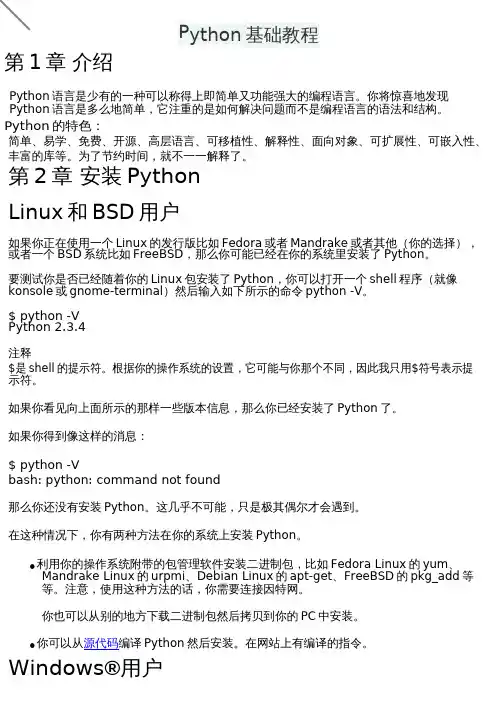
提示 对于 Python 来说,程序、脚本或者软件都是指同一个东西。
获取帮助
如果你需要某个 Python 函数或语句的快速信息帮助,那么你可以使用内建的 help 功能。尤 其在你使用带提示符的命令行的时候,它十分有用。比如,运行 help(str)——这会显示 str 类的帮 助。str 类用于保存你的程序使用的各种文本(字符串)。类将在后面面向对象编程的章节详 细解释。
我们能够用 echo 命令来显示 PATH 变量,用$给变量名加前缀以向 shell 表示我们需要这个 变量的值。我们看到/home/swaroop/bin 是 PATH 变量中的目录之一。swaroop 是我的系 统中使用的用户名。通常,在你的系统中也会有一个相似的目录。你也可以把你选择的目录 添加到 PATH 变量中去——这可以通过运行 PATH=$PATH:/home/swaroop/mydir 完成, 其中“/home/swaroop/ mydir”是我想要添加到 PATH 变量中的目录。
概括
对于 Linux 系统,很可能你已经在你的系统里安装了 Python。否则,你可以通过你的发行 版附带的包管理软件安装 Python。对于 Windows 系统,安装 Python 就是下载安装程序然 后双击它那么简单。从现在起,我们将假设你已经在你的系统里安装了 Python。
第 3 章 最初的步骤 简介
输出
$ python helloworld.py Hello World 如果你得到的输出与上面所示的一样,那么恭喜!——你已经成功地运行了你的第一个 Python 程序。
Guru99 Python 编程教程(PDF)说明书

1) Explain what is Model-View-Controller?MVC is a software architecture pattern for developing web application. It is handled by three objects Model-View-Controller.2) Mention what does Model-View-Controller represent in an MVC application?In an MVC model,•Model- It represents the application data domain. In other words applications business logic is contained within the model and is responsible for maintaining data •View- It represents the user interface, with which the end users communicates. In short all the user interface logic is contained within the VIEW•Controller- It is the controller that answers to user actions. Based on the user actions, the respective controller responds within the model and choose a view to render that display the user interface. The user input logic is contained with-in the controller3) Explain in which assembly is the MVC framework is defined?The MVC framework is defined in System.Web.Mvc.4) List out few different return types of a controller action method?•View Result•Javascript Result•Redirect Result•Json Result•Content Result5) Mention what is the difference between adding routes, to a webform application and an MVC application?To add routes to a webform application, we can use MapPageRoute() method of the RouteCollection class, where adding routes to an MVC application, you can use MapRoute() method.6) Mention what are the two ways to add constraints to a route?The two methods to add constraints to a route is•Use regular expressions•Use an object that implements IRouteConstraint Interface7) Mention what is the advantages of MVC?•MVC segregates your project into a different segment, and it becomes easy for developers to work on•It is easy to edit or change some part of your project that makes project less development and maintenance cost•MVC makes your project more systematic8) Mention what “beforFilter()”,“beforeRender” and “afterFilter” functions do in Controller?•beforeFilter():This function is run before every action in the controller. It’s the right place to check for an active session or inspect user permissions.•beforeRender(): This function is called after controller action logic, but before the view is rendered. This function is not often used, but may be required If you are calling render() manually before the end of a given action•afterFilter(): This function is called after every controller action, and after rendering is done. It is the last controller method to run9) Explain the role of components Presentation, Abstraction and Control in MVC?•Presentation: It is the visual representation of a specific abstraction within the application •Abstraction: It is the business domain functionality within the application•Control: It is a component that keeps consistency between the abstraction within the system and their presentation to the user in addition to communicating with other controls within the system10) Mention the advantages and disadvantages of MVC model?Advantages Disadvantages•It represents clear separation between business logic andpresentation logic•Each MVC object has different responsibilities•The development progresses in parallel•Easy to manage and maintain •All classes and object areindependent of each other •The model pattern is littlecomplex•Inefficiency of data access in view•With modern user interface, it is difficult to use MVC•You need multiple programmers for parallel development •Multiple technologies knowledge is required11) Explain the role of “ActionFilters” in MVC?In MVC “ ActionFilters” help you to execute logic while MVC action is executed or its executing.12) Explain what are the steps for the execution of an MVC project?The steps for the execution of an MVC project includes•Receive first request for the application•Performs routing•Creates MVC request handler•Create Controller•Execute Controller•Invoke action•Execute Result13) Explain what is routing? What are the three segments for routing is important? Routing helps you to decide a URL structure and map the URL with the Controller.The three segments that are important for routing is•ControllerName•ActionMethodName•Parameter14) Explain how routing is done in MVC pattern?There is a group of routes called the RouteCollection, which consists of registered routes in the application. The RegisterRoutes method records the routes in this collection. A route defines a URL pattern and a handler to use if the request matches the pattern. The first parameter to the MapRoute method is the name of the route. The second parameter will be the pattern to which the URL matches. The third parameter might be the default values for the placeholders if they are not determined.15) Explain using hyperlink how you can navigate from one view to other view?By using “ActionLink” method as shown in the below code. The below code will make a simple URL which help to navigate to the “Home” controller and invoke the “GotoHome” action. Collapse / Copy Code<%= Html.ActionLink(“Home”, “Gotohome”) %>16) Mention how can maintain session in MVC?Session can be maintained in MVC by three ways tempdata, viewdata, and viewbag.17) Mention what is the difference between Temp data, View, and View Bag?•Temp data: It helps to maintain data when you shift from one controller to other controller.•View data: It helps to maintain data when you move from controller to view•View Bag: It’s a dynamic wrapper around view data18) What is partial view in MVC?Partial view in MVC renders a portion of view content. It is helpful in reducing code duplication. In simple terms, partial view allows to render a view within the parent view.19) Explain how you can implement Ajax in MVC?In Ajax, MVC can be implemented in two ways•Ajax libraries•Jquery20) Mention what is the differe nce between “ActionResult” and “ViewResult” ?“ActionResult” is an abstract class while “ViewResult” is derived from “AbstractResult”class. “ActionResult” has a number of derived classes like “JsonResult”, “FileStreamResult” and “ViewResult” .“ActionResult” is best if you are deriving different types of view dynamically.21) Explain how you can send the result back in JSON format in MVC?In order to send the result back in JSON format in MVC, you can use “JSONRESULT” class.22) Explain what is the difference between View and Partial View?View Partial View•It contains the layout page •Before any view is rendered, viewstart page is rendered•View might have markup tags like body, html, head, title, meta etc.•View is not lightweight ascompare to Partial View • It does not contain the layout page•Partial view does not verify for a viewstart.cshtml. We cannot putcommon code for a partial viewwithin the viewStart.cshtml.page •Partial view is designed specially to render within the view and just because of that it does not consist any mark up•We can pass a regular view to the RenderPartial method23) List out the types of result in MVC?In MVC, there are t welve types of results in MVC where “ActionResult” class is the main class while the 11 are their sub-types•ViewResult•PartialViewResult•EmptyResult•RedirectResult•RedirectToRouteResult•JsonResult•JavaScriptResult•ContentResult•FileContentResult•FileStreamResult•FilePathResult24) Mention what is the importance of NonActionAttribute?All public methods of a controller class are treated as the action method if you want to prevent this default method then you have to assign the public method with NonActionAttribute. 25) Mention what is the use of the default route {resource}.axd/{*pathinfo} ?This default route prevents request for a web resource file such as Webresource.axd or ScriptResource.axd from being passed to the controller.26) Mention the order of the filters that get executed, if the multiple filters are implemented? The filter order would be like•Authorization filters•Action filters•Response filters•Exception filters27) Mention what filters are executed in the end?In the end “Exception Filters” are executed.28) Mention what are the file extensions for razor views?For razor views the file extensions are•.cshtml: If C# is the programming language•.vbhtml: If VB is the programming language29) Mention what are the two ways for adding constraints to a route?Two methods for adding constraints to route is•Using regular expressions•Using an object that implements IRouteConstraint interface30) Mention two instances where routing is not implemented or required?Two instance where routing is not required are•When a physical file is found that matches the URL pattern•When routing is disabled for a URL pattern31) Mention what are main benefits of using MVC?There are two key benefits of using MVC•As the code is moved behind a separate class file, you can use the code to a great extent •As behind code is simply moved class, it is possible to automate UI testing. This gives an opportunity to automate manual testing and write unit tests.Guru99 Provides FREE ONLINE TUTORIAL on Various courses likeJava MIS MongoDB BigData CassandraWeb Services SQLite JSP Informatica AccountingSAP Training Python Excel ASP Net HBase ProjectTest Management Business Analyst Ethical Hacking PMP ManagementLive Project SoapUI Photoshop Manual Testing Mobile TestingData Warehouse R Tutorial Tableau DevOps AWSJenkins Agile Testing RPA JUnitSoftware EngineeringSelenium CCNA AngularJS NodeJS PLSQL。
下载和安装Pywin32_Python基础教程_[共2页]
![下载和安装Pywin32_Python基础教程_[共2页]](https://360docs-1393072327.cos.ap-beijing.myqcloud.com/855192105fbfc77da369b192.webp)
第1章 Python概述71.2.3 Python语言的基本语法本节介绍Python语言的基本语法,这些都是日后编写Python程序需要了解和注意的。
1.Python语句Python程序由Python语句组成,通常一行编写一个语句。
例如:print('Hello,')print('I am Python')Python语句可以没有结束符,不像C或C#那样在语句后面必须有分号(;)表示结束。
当然,Python程序中也可以根据习惯在语句后面使用分号(;)。
也可以把多个语句写在一行,此时就要在语句后面加上分号(;)表示结束。
【例1-2】把多个语句写在一行的例子。
print('Hello,'); print('I am Python');2.缩进缩进指在代码行前面添加空格或按Tab键,这样做可以使程序更有层次、更有结构感,从而使程序更易读。
在Python程序中,缩进不是任意的。
平级的语句行(代码块)的缩进必须相同。
【例1-3】语句缩进的例子。
print('Hello,');print('I am Python');运行这段程序的结果如下:File "例1-3.py", line 2print('I am Python');^ndentationError: unexpected indent从输出的错误信息中可以看到,unexpected indent表明缩进格式不对。
因为第2行语句的开始有1个空格。
可见Python的语法是很严谨的。
1.2.4 下载和安装Pywin32Python是跨平台的编程语言,兼容很多平台。
本书内容基于Windows平台,Pywin32是Windows平台下的Python扩展库,提供了很多与Windows系统操作相关的模块。
本书后面介绍的一些功能和实例就是基于Pywin32的。
python基础教程第4版pdf
python基础教程第4版pdf《Python基础教程第4版》是由Python语言的重要参考书籍之一。
该教程旨在帮助初学者快速入门Python,并通过一系列深入浅出的示例,让读者掌握Python语言的基本语法、数据类型、流程控制、函数、模块、文件操作等核心知识。
本书共分为13章,涵盖了Python基础知识的方方面面。
首先,在《Python基础教程第4版》的第一章中,作者简要介绍了Python的历史背景、安装过程和开发环境配置,帮助读者快速上手。
接着,第二章详细介绍了Python的基本语法规则,包括变量、数据类型、运算符及表达式等。
读者可以通过大量的示例代码,深入理解Python的语法特点。
在第三章到第六章中,作者详细介绍了Python的流程控制结构,包括条件语句、循环语句和异常处理。
其中,作者通过丰富的示例代码和练习题,帮助读者巩固对流程控制的理解,并培养解决实际问题的思维能力。
在第七章到第十一章中,作者介绍了Python的函数、模块、文件操作等重要概念和技术。
通过深入讲解函数的定义、传参和返回值,模块的导入和使用,以及文件的读写和处理等内容,作者帮助读者逐步掌握Python的高级功能。
在最后两章中,作者分别介绍了Python的面向对象编程和GUI编程的基础知识。
通过实践项目,读者可以了解如何使用Python创建面向对象的程序和图形界面应用,进一步拓展自己的技能。
总之,《Python基础教程第4版》是一本循序渐进、内容全面的Python入门教材。
不仅适合编程初学者,也适合已有编程经验的读者深入学习Python。
通过逐章的学习和实践,读者可以快速掌握Python语言的基本知识,为后续深入学习和项目开发打下坚实的基础。
参考资料:《Python基础教程第4版》 (Mark Lutz)。
python基础教程pdf

跨界融合
大数据和人工智能将与各行业进行跨界融合,推动产业升级和转 型。
技术创新
随着技术的不断创新,大数据和人工智能将会有更多的应用场景 和突破。
python在大数据与人工智能中的应用
1 2 3
数据分析
Python可以用来处理海量数据,进行数据清洗 、统计分析、可视化等操作,为决策提供支持。
爬虫开发基础
爬虫工具选择
Scrapy和BeautifulSoup是常用的Python爬 虫库,根据项目需求选择合适的工具。
网站爬取与分析
学习如何爬取网站数据、解析HTML和CSS 选择器等。
数据存储与处理
讲解如何将爬取的数据存储到数据库或文件 中,并进行数据处理和分析。
数据挖掘与分析基础
数据预处理
04
python实战案例
web开发基础
Web框架选择
Django和Flask是主流的Python Web框架,各有其特点和优势, 根据项目需求选择合适的框架。
视图与URL设计
学习如何设计Web页面的URL和编写视图函数,实现网页的动态效 果。
表单处理与用户认证
讲解如何处理表单数据、实现用户认证和权限控制。
01
学习如何对数据进行清洗、去重、特征提取等预处理操作,提
高数据质量。
挖掘算法选择
02
KNN、决策树、朴素贝叶斯等是常用的分类和聚类算法,根据
需求选择合适的算法。
可视化与报告生成
03
讲解如何将挖掘结果进行可视化呈现,生成报告和分析结果。
05
python发展方向与前景
大数据与人工智能的发展趋势
python算法教程pdf
python算法教程pdf
Python算法教程是一本介绍Python编程语言中常用算法的教材。
本教程旨在帮助读者了解算法的基本概念和原理,并通过编写Python代码来实现这些算法。
首先,本教程将介绍算法的基础知识,包括算法的定义、性质和分类。
读者将了解算法的作用和重要性,并明白不同类型的算法适用于不同的问题。
接下来,本教程将介绍常见的算法设计技巧,包括贪心法、分治法、动态规划和回溯法等。
每个算法设计技巧都将以具体的例子来说明,并给出相应的Python代码实现。
然后,本教程将介绍常见的基本算法,包括排序算法、搜索算法和图算法等。
读者将学习如何使用Python编程语言来实现这些算法,并了解它们的时间复杂度和空间复杂度。
最后,本教程将介绍高级算法和数据结构,如最小生成树、最短路径和动态数据结构等。
这些算法和数据结构将更加复杂和高级,但是仍然可以使用Python编程语言来实现。
总的来说,本教程通过简单明了的语言和实例来讲解算法的基本概念和原理,通过编写Python代码来实现算法,帮助读者深入理解和掌握算法。
无论是对Python编程语言初学者还是对算法感兴趣的读者来说,本教程都是一本很好的学习资料。
读者可以通过阅读本教程来提高自己的编程技能和算法思维,为以后的编程学习和实践打下坚实的基础。
综上所述,Python算法教程是一本很好的学习资料,可以帮助读者了解算法的基本概念和原理,并通过编写Python代码来实现这些算法。
希望读者能够通过学习本教程来提高自己的编程技能和算法思维。
python基础教程pdf
python基础教程pdf1-3天内容:为Linux基础命令4-13天内容:为Python基础教程14-15 天内容:为飞机大战项目演练第一阶段(1-3天):该阶段首先通过介绍不同领域的三种操作系统,操作系统的发展简史以及Linux系统的文件目录结构让大家对Linux系统有一个简单的认识,同时知道为什么要学习Linux命令。
然后我们会正式学习Linux 命令1. 文件和目录命令:ls,cd,touch,mkdir,rm2. 拷贝和移动命令:tree,cp,mv3. 文件内容命令:cat,more,grep4. 远程管理命令:ifconfig,ping,SSH的工作方式简介以及ssh命令5. 用户权限及用户管理命令:chmod,chgrp,useradd,passwd,userdel6. 软件安装及压缩命令:apt简介及命令,tar,gzip压缩命令,bzip2压缩命令7. vim的基本使用第二阶段(4-10天)该阶段我们正式进入Python这门语言的学习,首先通过了解Python 语言的起源,Python语言的设计目标,Python语言的设计哲学,Python语言的优缺点和面向对象的基本概念,以及Python语言的执行方式,还有Python集成开发环境PyCharm的使用为我们接下来的学习做铺垫。
然后我们会学习int,string,float三种简单的变量类型,变量间的计算,变量的输入输出,if判断语句,while循环语句,for循环语句,break和continue的使用,函数的基本使用,模块的使用,列表,元组,字典三种高级变量,字符串的常用操作。
接下来我们会通过一个名片管理系统的案例,把这一阶段的知识进行一个串联。
在学习名片管理系统时,首先我们会学习怎么去搭建这一系统的框架,然后我们会分别实现新增名片,显示全部名片,查询名片,删除名片,修改名片这些功能。
最后我们会学习语法的进阶内容,全局变量,局部变量,可变数据类型和不可变数据类型以及函数返回多个值,函数的缺省参数,多值参数,递归的基本使用。
写给程序员的python教程 pdf
写给程序员的python教程尊敬的程序员们,我们都知道Python语言已经成为了当今世界上最流行的语言之一。
无论你是一个新手还是一个有经验的开发人员,Python都是一个灵活性强、易于学习且非常流行的语言。
在此,我将向您介绍基本的Python编程概念和实践,帮助您掌握这个语言并开始编写真正的Python程序。
基础知识Python是一种解释型的脚本语言,使用它你只需要安装Python解释器,然后你就可以在命令行窗口或者编译器中输入代码并运行了。
Python的编写方式清晰简单,因此在开发过程中完全没有问题。
首先,你需要学习Python的基础知识,包括:-变量:在Python中,变量是程序的基本构建块。
可以用变量存储数字、文本或其它数据类型。
比如:name="John"。
-数据类型:Python有几种内置的数据类型,包括:整数、浮点数、字符串、列表、元组、字典和布尔值。
这些类型非常灵活,让程序员可以在程序中高效地处理各种数据。
-条件语句:有时我们需要使用条件语句来判断在某个条件下程序该执行哪些操作。
在Python中,你可以使用if语句来实现这个目的。
-循环语句:循环语句是Python语言中最主要的结构之一,在Python中,你可以使用for和while语句实现循环。
-函数:在Python中创建函数可以将代码和业务逻辑结构化,使其更易于维护和改进。
基本语法规则-Python语句中不需要分号来结束一个语句,Python程序使用缩进来组织代码块。
-Python中的注释和其它语言一样,可以用来说明代码的作用。
Python的注释以#开头。
-Python中的循环和条件语句的语法与C语言类似,但是Python 的缩进结构很重要,因为它定义了代码块。
-在Python中,变量名区分大小写,因此Name和name是不同的变量名。
语句和表达式语句是Python语言的基本构建块。
与其它语言类似,Python语句可以包含变量、数学运算符、函数调用等。
(完整版)python教程(可编辑修改word版)
Python 基础教程Python 是一种解释型、面向对象、动态数据类型的高级程序设计语言。
Python 由Guido van Rossum 于1989 年底发明,第一个公开发行版发行于1991 年。
像Perl 语言一样, Python 源代码同样遵循GPL(GNU General Public License)协议。
现在开始学习Python!Python IDE(集成开发环境)介绍Python 3.X 版本的教程Python 在线工具谁适合阅读本教程?本教程适合想从零开始学习Python 编程语言的开发人员。
当然本教程也会对一些模块进行深入,让你更好的了解Python 的应用。
学习本教程前你需要了解在继续本教程之前,你应该了解一些基本的计算机编程术语。
如果你学习过PHP,ASP 等编程语言,将有助于你更快的了解Python 编程。
执行Python 程序对于大多数程序语言,第一个入门编程代码便是"Hello World!",以下代码为使用Python 输出"Hello World!":#!/usr/bin/pythonprint "Hello, World!";python 3.0+版本已经把print 作为一个内置函数,正确输出"Hello World!"代码如下:Python 简介Python 是一个高层次的结合了解释性、编译性、互动性和面向对象的脚本语言。
Python 的设计具有很强的可读性,相比其他语言经常使用英文关键字,其他语言的一些标点符号,它具有比其他语言更有特色语法结构。
•Python 是一种解释型语言:这意味着开发过程中没有了编译这个环节。
类似于PHP 和Perl 语言。
•Python 是交互式语言:这意味着,您可以在一个Python 提示符,直接互动执行写你的程序。
•Python 是面向对象语言: 这意味着Python 支持面向对象的风格或代码封装在对象的编程技术。
python基础教程pdf
python基础教程pdfPython基础教程PDF概述Python是一种高级编程语言,具有简单易学、可读性强的特点,适用于各种编程任务。
本文档旨在为初学者和那些希望巩固基础知识的人提供一个全面的Python基础教程。
本教程将从Python的历史背景开始,逐步引导读者了解Python的基本语法、数据类型、控制流程、函数和模块等方面的知识。
最后,读者还将了解到如何使用Python进行文件处理和异常处理。
第一章:Python概述1.1 Python的历史1.2 Python的优势和应用领域第二章:Python的安装和环境配置2.1 Windows平台下的Python安装2.2 MacOS平台下的Python安装2.3 Linux平台下的Python安装2.4 PyCharm的安装和配置第三章:Python的基本语法3.1 注释和代码格式化3.2 变量和数据类型3.3 运算符和表达式3.4 输入和输出第四章:Python的控制流程4.1 条件语句4.2 循环语句4.3 跳出循环和循环控制第五章:Python的数据类型5.1 数字类型5.2 字符串类型5.3 列表类型5.4 元组类型5.5 字典类型5.6 集合类型第六章:Python的函数和模块6.1 函数的定义和调用6.2 函数的参数传递6.3 匿名函数和递归函数6.4 模块的导入和使用第七章:Python的文件处理7.1 打开、读取和写入文件7.2 文件的定位和操作7.3 文件的关闭和异常处理第八章:Python的异常处理8.1 异常的基本概念8.2 异常的处理方法8.3 异常的常见类型第九章:常用的Python库和工具9.1 Numpy库的使用9.2 Pandas库的使用9.3 Matplotlib库的使用9.4 Scikit-learn库的使用9.5 Pytest的使用总结本文档提供了一个全面而系统的Python基础教程,适合没有编程经验或者希望加强基本知识的读者学习。