
SpringMVC向页面传递参数的4种方式
SpringMVC向页面传递参数的4种方式
1、使用HttpServletRequest和Session 然后setAttribute(),就和Servlet 中一样
request.setAttribute(“user”,user_data);
2、使用ModelAndView对象
@RequestMapping("/login.do")
publicModelAndView login(String name,String pass)
{
User user = userService.login(name,pwd);
Map<String,Object> data = new HashMap<String,Object>();
data.put("user",user);
return newModelAndView("success",data);
}
3、使用ModelMap对象
ModelMap数据会利用HttpServletRequest的Attribute传值到success.jsp中
@RequestMapping("/login.do")
public String login(String name,String pass ,ModelMapmodelMap)
{
User user =userService.login(name,pwd);
modelMap.addAttribute("user",user);
modelMap.put("name",name);
return "success";
}
Session存储,可以利用HttpServletReequest的getSession()方法
@RequestMapping("/login.do")
Public String login (String name,Stringpwd,ModelMapmodel,HttpServletRequest request) {
User user = serService.login(name,pwd);
HttpSession session = request.getSession();
session.setAttribute("user",user);
model.addAttribute("user",user);
return "success";
}
4、使用@ModelAttribute注解
@ModelAttribute数据会利用HttpServletRequest的Attribute传值到success.jsp中@RequestMapping("/login.do")
public String login(@ModelAttribute("user") User user)
{
return "success";
}
@ModelAttribute("name")
public String getName()
{
return name;
}
Spring MVC 默认采用的是转发来定位视图,如果要使用重定向,可以如下操作
A、使用RedirectView
publicModelAndView login()
{
RedirectView view = new RedirectView("regirst.do");
return newModelAndView(view);
}
B、使用redirect:前缀
public String login()
{
return "redirect:regirst.do";
}。
SpringMVC(十)--通过表单序列化传递参数

SpringMVC(⼗)--通过表单序列化传递参数通过表单序列化传递参数就是将表单数据转化成字符串传递到后台,序列化之后参数请求变成这种模式param1=value1&¶m2=value2,下⾯⽤代码实现。
1、创建表单<%@ page language="java" contentType="text/html; charset=UTF-8"pageEncoding="UTF-8"%><!DOCTYPE html PUBLIC "-//W3C//DTD HTML 4.01 Transitional//EN" "/TR/html4/loose.dtd"><html><head><meta http-equiv="Content-Type" content="text/html; charset=UTF-8"><%String root = request.getContextPath();String basePath = request.getScheme() + "://" + request.getServerName() + ":" + request.getServerPort()+ root + "/";%><script type="text/javascript"src="<%=basePath%>jslib/jquery-1.8.3.min.js"></script><script type="text/javascript" src="<%=basePath%>jslib/jquery.form.js"></script><script type="text/javascript" src="<%=basePath%>js/param.js"></script><link href="<%=basePath%>css/param.css" type="text/css" rel="stylesheet"><title>Insert title here</title></head><body><div class="param"><div class="simple public"><!--表单序列化传递参数 --><div class="public formSerial"><p style="text-align: center;">表单序列化传递参数</p><form id="formSerialForm"><table id="formSerialTable"><tr><td>id:</td><td><input type="text" name="id" value=""></td></tr><tr><td>名称:</td><td><input type="text" name="name" value=""></td></tr><tr><td></td><td style="text-align: right;"><input type="button"value="提交" id="setFormSerialParam"></td></tr></table></form></div></div></body></html>页⾯效果图如下:2、绑定提交请求事件$(function() {/* 表单序列化⽅式传递数据 */$("#setFormSerialParam").click(function() {$.ajax({url : "./formSerial",type : "POST",/* 将form数据序列化之后传给后台,数据将以id=**&&name=** 的⽅式传递 */data : $("#formSerialForm").serialize(),success : function(data) {(data.stringList);}});});});上⾯红⾊加粗的部分就是表单的序列化。
基于springmvc之常用注解,操作传入参数
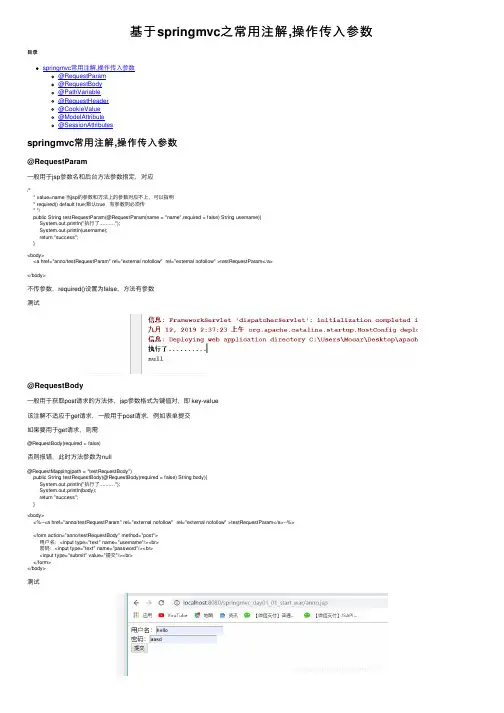
基于springmvc之常⽤注解,操作传⼊参数⽬录springmvc常⽤注解,操作传⼊参数@RequestParam@RequestBody@PathVariable@RequestHeader@CookieValue@ModelAttribute@SessionAttributesspringmvc常⽤注解,操作传⼊参数@RequestParam⼀般⽤于jsp参数名和后台⽅法参数指定,对应/** value=name 当jsp的参数和⽅法上的参数对应不上,可以指明* required() default true;默认true 有参数则必须传* */public String testRequestParam(@RequestParam(name = "name",required = false) String username){System.out.println("执⾏了..........");System.out.println(username);return "success";}<body><a href="anno/testRequestParam" rel="external nofollow" rel="external nofollow" >testRequestParam</a></body>不传参数,required()设置为false,⽅法有参数测试@RequestBody⼀般⽤于获取post请求的⽅法体,jsp参数格式为键值对,即 key-value该注解不适应于get请求,⼀般⽤于post请求,例如表单提交如果要⽤于get请求,则需@RequestBody(required = false)否则报错,此时⽅法参数为null@RequestMapping(path = "testRequestBody")public String testRequestBody(@RequestBody(required = false) String body){System.out.println("执⾏了..........");System.out.println(body);return "success";}<body><%--<a href="anno/testRequestParam" rel="external nofollow" rel="external nofollow" >testRequestParam</a>--%><form action="anno/testRequestBody" method="post">⽤户名:<input type="text" name="username"/><br>密码:<input type="text" name="password"/><br><input type="submit" value="提交"/><br></form></body>测试@PathVariableURL的占位符,restful风格,传参格式 url地址后/10restful请求⽅式: get,post,put 配合注解@RequestMapping设置请求⽅式@RequestMapping(path = "testPathVariable/{sid}",method = RequestMethod.GET)@RequestMapping(path = "testPathVariable/{sid}",method = RequestMethod.GET)/** {sid}表⽰URL的占位符* boolean required() default true;默认参数必须传* */public String testPathVariable(@PathVariable("sid") String id){System.out.println("执⾏了..........");System.out.println(id);return "success";}<a href="anno/testPathVariable/10" rel="external nofollow" >testPathVariable</a>可以下载postman客户端,模拟发送不同的请求⽅式测试:@RequestHeader获取请求头的某些属性值如浏览器类型、版本等不常⽤@RequestMapping(path = "testRequestHeader",method = RequestMethod.GET)/*获取请求头的某些属性值如浏览器类型、版本等*/public String testRequestHeader(@RequestHeader(value = "Accept") String head){ System.out.println("执⾏了..........");System.out.println(head);return "success";}<a href="anno/testRequestHeader" rel="external nofollow" >testRequestHeader</a>@CookieValue获取JSESSIONID的值@RequestMapping(path = "testCookieValue",method = RequestMethod.GET)public String testCookieValue(@CookieValue(value = "JSESSIONID") String JSESSIONID){System.out.println("执⾏了..........");System.out.println(JSESSIONID);return "success";}<a href="anno/testCookieValue" rel="external nofollow" >testCookieValue</a><br>@ModelAttribute⽤于封装的数据不全补全数据,或者检查封装数据等场景可作⽤于⽅法和参数修饰⽅法,⽅法⼊参需和控制器⽅法同参类型,该⽅法优先于控制器之前执⾏,且分类有返回值和⽆返回值有返回值,则该⽅法的返回值和控制器的⼊参相同相同⽆返回值,则该⽅法的参数除了和控制器的⼊参相同外,还需加⼀个map类型参数map<string,objct>例⼦:注解修饰的⽅法有返回值写法@RequestMapping(path = "testModelAttribute")public String testModelAttribute(User user){System.out.println("执⾏了..........");System.out.println(user);return "success";}@ModelAttribute//修饰⽅法,该⽅法优先于控制器之前执⾏public User showUser(User user){/*模拟jsp传的user封装数据不全,通过名字查询数据库对应的信息返回全的user对象*/user.setBirthday(new Date());return user;}<form action="anno/testModelAttribute" method="post">⽤户名:<input type="text" name="uname"/><br>年龄:<input type="text" name="age"/><br><input type="submit" value="提交"/><br></form>注解修饰的⽅法⽆返回值写法@RequestMapping(path = "testModelAttribute")public String testModelAttribute(@ModelAttribute("key") User user){System.out.println("执⾏了..........");System.out.println(user);return "success";}@ModelAttribute//修饰⽅法,该⽅法优先于控制器之前执⾏public void showUser(User user, Map<String,User> userMap){/*模拟jsp传的user封装数据不全,通过名字查询数据库对应的信息返回全的user对象*/user.setBirthday(new Date());userMap.put("key",user);}测试@SessionAttributes注解只能作⽤于类,⽤于存取数据到session域对象中,实现⽅法数据共享实现⽅式:从request域对象中复制数据到session域中/*** @Date 2019/9/12 2:05* by mocar*/@Controller@RequestMapping(path = "/anno")@SessionAttributes(names = {"msg"})//从request域对象中复制到session域对象public class annoController {@RequestMapping("/setRequest")//存⼊public String setRequest(ModelMap modelMap){System.out.println("setRequest......");modelMap.addAttribute("msg","test");//往Request域对象存值return "success";}@RequestMapping("/getSession")//获取public String getSession(ModelMap modelMap){System.out.println("getSession.......");Object msg = modelMap.get("msg");System.out.println(msg.toString());return "success";}@RequestMapping("/delSession")//删除public String delSession(SessionStatus sessionStatus,ModelMap modelMap){System.out.println("delSession.......");sessionStatus.setComplete();Object msg = modelMap.get("msg");System.out.println(msg.toString());return "success";}}jsp:<br><a href="anno/setRequest" rel="external nofollow" >setRequest</a><br><a href="anno/getSession" rel="external nofollow" >getSession</a><br><a href="anno/delSession" rel="external nofollow" >delSession</a><br>success.jsp 设置不忽略EL表达式,显⽰session域数据<%--Created by IntelliJ IDEA.User: MocarDate: 2019/9/11Time: 4:34To change this template use File | Settings | File Templates.--%><%@ page contentType="text/html;charset=UTF-8" language="java" isELIgnored="false" %> <html><head><title>快速⼊门</title></head><body><h3>success</h3>${sessionScope}</body></html>setsessiongetsessiondelsession以上为个⼈经验,希望能给⼤家⼀个参考,也希望⼤家多多⽀持。
springmvc页面传值的方法,有5种。

springmvc页⾯传值的⽅法,有5种。
springmvc 传值,有5种⽅法,(这篇⽂章为转载),1.request获取值:@RequestMapping("/request.action")public String request(HttpServletRequest request){String value= (String) request.getAttribute("value");String val=request.getParameter("value");return "index";}request的getAttribute和getParameter有什么区别呢?getAttribute:取得是setAttribute设定的值,session范围的值,可以设置为object,对象,字符串;getAttribute获取的值是web容器内部的,是具有转发关系的web组件之间共享的值;⽤于服务端重定向getParameter:取得是从web的form表单的post/get,或者url传过来的值,只能是String字符串;getParameter获取的值是web端传到服务端的,是获取http提交过来的数据;⽤于客户端重定向。
2.使⽤路径变量@PathVariable绑定页⾯url路径的参数,⽤于进⾏页⾯跳转@Controllerpublic class BaseController {@RequestMapping("/goUrl/{folder}/{file}")public String goUrl(@PathVariable String folder,@PathVariable String file){return folder+"/"+file;}}3.通过@RequestParam绑定页⾯传来的参数,效果跟String id=request.getParameter(“id”)是⼀样的:@RequestMapping("/test.action")public void test(@RequestParam("id") String id){System.out.println("id:"+id);}4.⾃动注⼊,实体类属性有setter,getter⽅法,前端form表单的name对应实体的属性名,后台直接可以通过该实体类⾃动把参数绑定到类的属性。
SpringMVC参数传递和接收的几种方式

SpringMVC参数传递和接收的⼏种⽅式普通传参测试项⽬:SpringBoot2.0。
不使⽤ form 表单传参,后端不需要指定 consumes 。
使⽤ Postman 进⾏测试。
@PathVariable只能接收 URL 路径⾥的参数。
@RequestParam只能接收 URL 问号后跟着的参数,不管是 GET 还是 POST,虽然⼀般只有 GET 请求才会在 URL 后边跟参数,问号?后⾯的部分,使⽤& 区分参数。
http://localhost:8080/api/user/login/test?username=2222222&pass=333333333@RequestParam("username")String username,@RequestParam("pass")String pass@RequestBody只能接收请求体中的参数,也就是只能是 POST 请求才有请求体,GET 请求没有请求体,请求体分两种情况参数(1)使⽤String接收⽐如前端参数在请求体中传的是 username=185********&pass=12345,Content type 为 text/plain;charset=UTF-8则后台接收到的 param 即为 username=185********&pass=12345 格式@RequestBody String param(2)使⽤封装的 bean 或者 JSONObject 接收(常⽤)前端必须使⽤ JSON 格式的数据,Content-Type 必须为 application/json,请求体中参数为 {"username":"185********","pass":"12345"} @RequestBody User user@RequestBody JSONObject jsonObject测试代码@PostMapping("/login/test")public ResultBuilder userLogin1(@RequestHeader(Constants.ACCEPT_VERSION)String version,@RequestHeader(Constants.ACCESS_TOKEN)String token,@RequestParam("username")String username,@RequestParam("pass")String pass,@RequestBody User user){logger.debug("username======" + username);logger.debug("pass======" + pass);logger.debug("user---username==" + user.getUsername());logger.debug("user---pass==" + user.getPass());return new ResultBuilder(StatusCode.SUCCESS);}FORM表单传参测试项⽬:SpringBoot2.0GET⽅式前端表单传参<form action="http://localhost:8080/test" method="get"><input type="text" name="username"/><input type="text" name="password"/><input type="submit" value="Submit"/></form>后端参数接收,因为 form 表单使⽤ get ⽅法的时候,Content type 的值默认为空。
页面传递参数的方法

页面传递参数的方法页面传递参数的方法在我们日常的开发中是非常常见的。
当用户在页面上提交表单、点击链接或者执行其他操作时,我们需要将相关的参数传递给服务器端进行处理。
下面将介绍几种常见的页面传递参数的方法。
1. GET方法:GET方法是最常见也是最简单的一种传递参数的方式。
它通过URL的查询字符串来传递参数。
查询字符串是指URL中问号(?)后面的部分,参数名和参数值用等号(=)连接,多个参数之间使用&符号分隔。
例如,GET方法的特点是参数会显示在URL中,因此可以直接通过修改URL的方式修改参数。
此外,GET方法对传递的参数有长度限制(通常为2048字节),对于较大的参数不适用。
2. POST方法:POST方法通过HTTP请求的消息体来传递参数。
参数不会显示在URL中,因此相对于GET方法更加安全。
POST方法没有参数长度限制。
在使用POST方法传递参数时,通常需要借助表单来提交数据。
我们可以在HTML表单中定义多个input元素,通过设置其name属性来指定参数名称,用户在提交表单后,参数将会被封装到请求的消息体中。
3. 请求头:除了通过URL和消息体传递参数,我们还可以通过设置请求头来传递参数。
请求头是指HTTP请求中的一些元数据,比如Content-Type、User-Agent等。
我们可以通过自定义请求头来传递参数。
但需要注意的是,自定义请求头的使用涉及到HTTP协议规范,需要在服务端和客户端都进行相应的配置和解析。
4. Cookie:Cookie是一种在浏览器端保存数据的机制,可以用来传递参数。
在服务器端设置Cookie时,会将Cookie发送给浏览器,并存储在浏览器中。
在下一次请求同一个网站时,浏览器会自动将Cookie发送给服务器。
通过设置Cookie,我们可以在多个页面间传递参数。
但需要注意的是,Cookie 有大小限制(通常为4KB),如果需要传递较大的参数,可能会出现截断的情况。
ASP.NETMVC程序传值方式:ViewData,ViewBag,TempData和Se。。。

最后创建一个强类型的TempData主要是用在需要在多个Acions或者页面重定向时共享传递数据时使用。
五、Session
Session也是 MVC传递值得一种方式,和TempData不同的,用户整个回话期中Session都不会过期。 Session在同一用户会话过程中的所用请求中有效,比如,页面刷新。 Session中的值也需要进行类型转换和非空检查。
11
12 return RedictToAction("DisplayCustomer2");
13 }
public ActionView DisplayCustomer2 {
Customer customer = TempData["OneCustomer"] as Customer;
return View(customer ); }
下面,我们来透过一个例子来演示一下如何在两个Action方法中传递数据。
首先创建一个Model类,如下
1 public class Customer 2{ 3 public int Id { get; set; } 4 public string Code { get; set; } 5 public double Amount { get; set; } 6}
然后在Controller中加入如下代码:
1 public ActionView DisplayCustomer1
2{
3 Customer customer = new Customer
4{
5
Id = 1001,
6
Code = "100101",
7
Amount = 100
页面之间传递参数的几种方法
页面之间传递参数的几种方法在开发网站和应用程序时,页面之间传递参数是一种非常常见的需求。
页面之间传递参数可以实现不同页面之间的数据共享和交互,方便用户在不同页面之间进行操作。
本文将介绍几种常用的页面之间传递参数的方法。
1. URL 参数URL 参数是最基本的一种传递参数的方法。
通过在 URL 中添加参数,可以在不同页面之间传递数据。
例如,假设我们有一个用户列表页面,点击某个用户的链接后,希望在用户详情页面中展示对应用户的详细信息。
可以在用户链接的 URL 中添加用户的 ID 参数,如/user/detail?id=123,然后在用户详情页面中读取这个参数进行相应的处理。
URL 参数的优点是简单易用,适用于传递少量简单的参数,例如 ID、页码等。
但是对于复杂的参数,URL 参数的长度有限制,不适合传递大量数据。
2. 表单提交表单提交是另一种常见的传递参数的方法。
通过在表单中添加隐藏字段或者通过表单元素的值来传递参数。
例如,假设我们有一个搜索页面,用户在搜索框中输入关键词后,点击搜索按钮将关键词传递给搜索结果页面。
可以将关键词作为隐藏字段或者作为表单元素的值,在表单提交时一同传递给搜索结果页面。
表单提交的优点是传递参数方便,适用于传递复杂的参数和大量数据。
但是需要注意的是,表单提交会导致页面的刷新,不适合在不同页面之间进行动态交互。
3. CookieCookie 是一种在客户端存储数据的机制,也可以用来传递参数。
通过将参数存储在 Cookie 中,在不同页面之间进行传递。
例如,假设我们有一个购物车功能,在用户添加商品到购物车时,可以将购物车的相关信息存储在 Cookie 中,在不同页面中读取和使用这些信息。
Cookie 的优点是方便,可以存储较多的数据,并且可以在客户端保持持久性。
但是,由于 Cookie 存储在客户端,因此存在安全性的考虑,不能存储敏感信息。
4. SessionSession 是在服务器端存储用户状态的机制,也可以用来传递参数。
SpringMvcController请求传参方式总结
SpringMvcController请求传参⽅式总结1. 请求的值绑定在request中⽅法参数中使⽤request,通过request.getParameter("参数名")的⽅式获取参数参数拼接在url后⾯,以Get⽅式传参GET url= http://localhost:8080/geturlp?name=zhangsan或者以POST的表单提交的⽅式 x-www-form-urlencodedPOST url=http://localhost:8080/geturlpcurl -d "name=zhangsan" http://localhost:8080/geturlp1 @RequestMapping(value = "/geturlp")2 @ResponseBody3public String getParameterOfBasic(HttpServletRequest request){4 String name = request.getParameter("name");5return name;6 }2.简单类型参数和RequestParam注解如果请求参数和Controller⽅法的形参同名,可以直接接收(这种⽅式包含2个⽅式,以get请求的参数形式和POST的表单类型[x-www-form-urlencoded])GET url=http://localhost:8080/getdefaultParam?username=zhangsan&password=1223或者POST url=http://localhost:8080/getdefaultParamcurl -d "username=zhangsan&password=1223"1 @RequestMapping(value = "/getdefaultParam")2 @ResponseBody3public String getdefaultParam(String username,String password){4return username +":" + password;5 }如果请求参数和Controller⽅法的形参不同名,可以使⽤@RequestParam注解贴在形参前,设置对应的参数名称@RequestParam不能传递空值,如果需要传递空值,可以设置默认值defaultValue或者required=falsGET url=http://localhost:8080/getParam?username=zhangsan&password=123123或者POST url=http://localhost:8080/getParamcurl -d "username=zhangsan&password=123123"1 @RequestMapping(value = "/getParam")2 @ResponseBody3public String getParam(@RequestParam(value = "username",required = false) String name,4 @RequestParam(value = "password",defaultValue = "12312312") String pwd){5return name +":" + pwd;6 }3. 对象传参此时能够⾃动把参数封装到形参的对象上注意:1. 请求参数必须和对象的属性同名2. 此时对象会直接放⼊request作⽤域中,名称为类型⾸字母⼩写3. @ModelAttribute设置请求参数绑定到对象中并传到视图页⾯,设置key值GET url=http://localhost:8080/getObj?name=zhangsan&age=12&score=12或者POST url=http://localhost:8090/mbank/test/param/getObjcurl -d "name=zhangsan&age=12&score=12" http://localhost:8090/mbank/test/param/getObj1 @RequestMapping(value = "/getObj")2 @ResponseBody3public String getObjBindObj(Student student){4return student.toString();5 }1 @RequestMapping(value = "/getObj")2 @ResponseBody3public String getObjBindObj(@ModelAttribute("stu") Student student){4return student.toString();5 }如果前端使⽤json的格式传递数据,则可以使⽤注解@RequestBody注意:1. header中content-type:application/json2. body中使⽤json传递数据1 @Data2 @ToString3class Student{4private String name;5private int age;6private String score;7 }89 @RequestMapping(value = "/getObj")10 @ResponseBody11public String getObjBindObj(@RequestBody Student student){12return student.toString();13 }4. 数组和List集合类型参数注意:直接摘抄,没有做实验当前台页⾯传来的参数是参数名相同,参数值不同的多个参数时,可以直接封装到⽅法的数组类型的形参中,也可以直接封装到对象的集合属性中。
springMVC学习五参数传递(包括restful风格)
springMVC学习五参数传递(包括restful风格)(⼀)SpringMVC Controller接受参数的⽅式(1)前端传递的参数,在springMVC的controller中使⽤基本数据类型或者String 类型进⾏接受在前端有⼀个form表单,需要传递姓名和年龄,在controller可以采⽤基本数据类型或者String进⾏接受,<form action="demo" method="post">名字:<input type="text" name="name"/><br/>年龄:<input type="text" name="age"/><br/><input type="submit" value="提交"/><br/></form>此时值需要接受参数的名称和传递的参数名称⼀致就⾏fun01(String name,int age)@Controllerpublic class DemoController {@RequestMapping("/demo")public String fun01(String name,int age) {//字符串的返回值代表代表要跳转的页⾯System.out.println(name);System.out.println(age);System.out.println("指定了demo");//返回值最好写全路径,全路径就是以"/"开头的路径,否则就是相对路径,//相对路径就是以相对当前⽅法的映射路径,例如如果返回值是"main.jsp",是相对路径,最后的绝对路径是//"demo/main.jsp"return "/main.jsp";}}(2)前端传递的参数,在springMVC的controller中使⽤类类型进⾏接受(⾛get/set⽅法)此时需要类类型的属性名称与前端传递参数的参数名称⼀致@Controllerpublic class DemoController {@RequestMapping("/demo")public String fun01(People peo) {//字符串的返回值代表代表要跳转的页⾯System.out.println(peo.getName());System.out.println(peo.getAge());System.out.println("指定了demo");//返回值最好写全路径,全路径就是以"/"开头的路径,否则就是相对路径,//相对路径就是以相对当前⽅法的映射路径,例如如果返回值是"main.jsp",是相对路径,最后的绝对路径是//"demo/main.jsp"return "/main.jsp";}}(3)前端传递的参数,在springMVC的controller中使⽤HttpServletRequest进⾏接受@Controllerpublic class DemoController {@RequestMapping("/demo")public String fun01(HttpServletRequest req) {//字符串的返回值代表代表要跳转的页⾯System.out.println("指定了demo");//返回值最好写全路径,全路径就是以"/"开头的路径,否则就是相对路径,//相对路径就是以相对当前⽅法的映射路径,例如如果返回值是"main.jsp",是相对路径,最后的绝对路径是//"demo/main.jsp"System.out.println(req.getParameter("name"));System.out.println(req.getParameter("age"));return "/main.jsp";}}(4)前端传递的参数,在springMVC的controller中同时使⽤上述三中⽅法进⾏接受@Controllerpublic class DemoController {@RequestMapping("/demo")public String fun01(People peo, String name,int age,HttpServletRequest req) {//字符串的返回值代表代表要跳转的页⾯System.out.println(name);System.out.println(age);System.out.println(peo.getName());System.out.println(peo.getAge());System.out.println("指定了demo");//返回值最好写全路径,全路径就是以"/"开头的路径,否则就是相对路径,//相对路径就是以相对当前⽅法的映射路径,例如如果返回值是"main.jsp",是相对路径,最后的绝对路径是//"demo/main.jsp"System.out.println(req.getParameter("name"));System.out.println(req.getParameter("age"));return "/main.jsp";}}(⼆)@RequestParam()注解(1)如果请求参数名和⽅法参数名不对,使⽤value属性@RequestMapping("demo")public String demo(@RequestParam(value="name1") String name,@RequestParam(value="age1")int age){System.out.println("执⾏ demo"+" "+name+""+age);return "main.jsp";}(2)如果接受参数是基本类型,且接受参数类型与null⽆法进⾏兼容,此时可以采⽤包装类型或者采⽤默认值,使⽤defaultValue属性@RequestMapping("page")public String page(@RequestParam(defaultValue="2")int pageSize,@RequestParam(defaultValue="1") int pageNumber){ System.out.println(pageSize+" "+pageNumber); return "main.jsp";}(3)如果强制要求必须有某个参数,使⽤required属性@RequestMapping("demo2")public String demo2(@RequestParam(required=true) String name){ System.out.println("name 是 SQL 的查询条件,必须要传递 name 参数"+name); return "main.jsp";}(4)传递List类型的参数使⽤value属性,因为在前端传递过来的list都会放⼊⼀个参数名称中,只要把这个参数名称和⼀个List类型变量进⾏绑定@RequestMapping("demo5")public String demo5(String name,int age,@RequestParam("hover")List<String> abc){ System.out.println(name+" "+age+" "+abc); return "main.jsp";}(5)请求参数中对象.属性格式jsp中的代码如下<input type="text" name=""/><input type="text" name="peo.age"/>此时需要创建⼀个类,类中要有⼀个属性是peo,且这个属性的类型必须是包含name,age这个两个属性的类,两个类都要有get/set⽅法,Demo类型public class Demo {private People peo;public People getPeo() {return peo;}public void setPeo(People peo) {this.peo = peo;}@Overridepublic String toString() {return "Demo [peo=" + peo + "]";}}People 类型public class People {private String name;private Integer age;public String getName() {return name;}public void setName(String name) { = name;}public Integer getAge() {return age;}public void setAge(Integer age) {this.age = age;}@Overridepublic String toString() {return "People [name=" + name + ", age=" + age + "]";}}controller 的接受参数@RequestMapping("demo6")public String demo6(Demo demo){ System.out.println(demo); return "main.jsp";}(三) restful风格的参数⾸先请求参数的格式⼀定的要求,⽼的⽅式是<a href="demo8?name=张三&age=23">跳转</a>,⽽restful格式是:<a href="demo8/123/abc">跳转</a>在控制器中:在@RequestMapping 中⼀定要和请求格式对应{名称} 中名称⾃定义名称@PathVariable 获取@RequestMapping 中内容,默认按照⽅法参数名称去寻找. @RequestMapping("demo8/{id1}/{name}")public String demo8(@PathVariable String name,@PathVariable("id1") int age){ System.out.println(name +" "+age); return "/main.jsp";}。
SpringMVC之ModelAndView的用法(转)
SpringMVC之ModelAndView的⽤法(转)(⼀)使⽤ModelAndView类⽤来存储处理完后的结果数据,以及显⽰该数据的视图。
从名字上看ModelAndView中的Model代表模型,View代表视图,这个名字就很好地解释了该类的作⽤。
业务处理器调⽤模型层处理完⽤户请求后,把结果数据存储在该类的model属性中,把要返回的视图信息存储在该类的view属性中,然后让该ModelAndView返回该Spring MVC框架。
框架通过调⽤配置⽂件中定义的视图解析器,对该对象进⾏解析,最后把结果数据显⽰在指定的页⾯上。
具体作⽤:1、返回指定页⾯ModelAndView构造⽅法可以指定返回的页⾯名称,也可以通过setViewName()⽅法跳转到指定的页⾯ ,2、返回所需数值使⽤addObject()设置需要返回的值,addObject()有⼏个不同参数的⽅法,可以默认和指定返回对象的名字。
1、【其源码】:熟悉⼀个类的⽤法,最好从其源码⼊⼿。
public class ModelAndView {/** View instance or view name String */private Object view //该属性⽤来存储返回的视图信息/** Model Map */private ModelMap model;//<span style="color: rgb(0, 130, 0); font-family: Consolas, 'Courier New', Courier, mono, serif; line-height: 18px;">该属性⽤来存储处理后的结果数据</span> /*** Indicates whether or not this instance has been cleared with a call to {@link #clear()}.*/private boolean cleared = false;/*** Default constructor for bean-style usage: populating bean* properties instead of passing in constructor arguments.* @see #setView(View)* @see #setViewName(String)*/public ModelAndView() {}/*** Convenient constructor when there is no model data to expose.* Can also be used in conjunction with <code>addObject</code>.* @param viewName name of the View to render, to be resolved* by the DispatcherServlet's ViewResolver* @see #addObject*/public ModelAndView(String viewName) {this.view = viewName;}/*** Convenient constructor when there is no model data to expose.* Can also be used in conjunction with <code>addObject</code>.* @param view View object to render* @see #addObject*/public ModelAndView(View view) {this.view = view;}/*** Creates new ModelAndView given a view name and a model.* @param viewName name of the View to render, to be resolved* by the DispatcherServlet's ViewResolver* @param model Map of model names (Strings) to model objects* (Objects). Model entries may not be <code>null</code>, but the* model Map may be <code>null</code> if there is no model data.*/public ModelAndView(String viewName, Map<String, ?> model) {this.view = viewName;if (model != null) {getModelMap().addAllAttributes(model);}}/*** Creates new ModelAndView given a View object and a model.* <emphasis>Note: the supplied model data is copied into the internal* storage of this class. You should not consider to modify the supplied* Map after supplying it to this class</emphasis>* @param view View object to render* @param model Map of model names (Strings) to model objects* (Objects). Model entries may not be <code>null</code>, but the* model Map may be <code>null</code> if there is no model data.*/public ModelAndView(View view, Map<String, ?> model) {this.view = view;if (model != null) {getModelMap().addAllAttributes(model);}}/*** Convenient constructor to take a single model object.* @param viewName name of the View to render, to be resolved* by the DispatcherServlet's ViewResolver* @param modelName name of the single entry in the model* @param modelObject the single model object*/public ModelAndView(String viewName, String modelName, Object modelObject) { this.view = viewName;addObject(modelName, modelObject);}/*** Convenient constructor to take a single model object.* @param view View object to render* @param modelName name of the single entry in the model* @param modelObject the single model object*/public ModelAndView(View view, String modelName, Object modelObject) { this.view = view;addObject(modelName, modelObject);}/*** Set a view name for this ModelAndView, to be resolved by the* DispatcherServlet via a ViewResolver. Will override any* pre-existing view name or View.*/public void setViewName(String viewName) {this.view = viewName;}/*** Return the view name to be resolved by the DispatcherServlet* via a ViewResolver, or <code>null</code> if we are using a View object.*/public String getViewName() {return (this.view instanceof String ? (String) this.view : null);}/*** Set a View object for this ModelAndView. Will override any* pre-existing view name or View.*/public void setView(View view) {this.view = view;}/*** Return the View object, or <code>null</code> if we are using a view name* to be resolved by the DispatcherServlet via a ViewResolver.*/public View getView() {return (this.view instanceof View ? (View) this.view : null);}/*** Indicate whether or not this <code>ModelAndView</code> has a view, either* as a view name or as a direct {@link View} instance.*/public boolean hasView() {return (this.view != null);}/*** Return whether we use a view reference, i.e. <code>true</code>* if the view has been specified via a name to be resolved by the* DispatcherServlet via a ViewResolver.*/public boolean isReference() {return (this.view instanceof String);}/*** Return the model map. May return <code>null</code>.* Called by DispatcherServlet for evaluation of the model.*/protected Map<String, Object> getModelInternal() {return this.model;/*** Return the underlying <code>ModelMap</code> instance (never <code>null</code>). */public ModelMap getModelMap() {if (this.model == null) {this.model = new ModelMap();}return this.model;}/*** Return the model map. Never returns <code>null</code>.* To be called by application code for modifying the model.*/public Map<String, Object> getModel() {return getModelMap();}/*** Add an attribute to the model.* @param attributeName name of the object to add to the model* @param attributeValue object to add to the model (never <code>null</code>)* @see ModelMap#addAttribute(String, Object)* @see #getModelMap()*/public ModelAndView addObject(String attributeName, Object attributeValue) {getModelMap().addAttribute(attributeName, attributeValue);return this;}/*** Add an attribute to the model using parameter name generation.* @param attributeValue the object to add to the model (never <code>null</code>)* @see ModelMap#addAttribute(Object)* @see #getModelMap()*/public ModelAndView addObject(Object attributeValue) {getModelMap().addAttribute(attributeValue);return this;}/*** Add all attributes contained in the provided Map to the model.* @param modelMap a Map of attributeName -> attributeValue pairs* @see ModelMap#addAllAttributes(Map)* @see #getModelMap()*/public ModelAndView addAllObjects(Map<String, ?> modelMap) {getModelMap().addAllAttributes(modelMap);return this;}/*** Clear the state of this ModelAndView object.* The object will be empty afterwards.* <p>Can be used to suppress rendering of a given ModelAndView object* in the <code>postHandle</code> method of a HandlerInterceptor.* @see #isEmpty()* @see HandlerInterceptor#postHandle*/public void clear() {this.view = null;this.model = null;this.cleared = true;}/*** Return whether this ModelAndView object is empty,* i.e. whether it does not hold any view and does not contain a model.*/public boolean isEmpty() {return (this.view == null && CollectionUtils.isEmpty(this.model));}/*** Return whether this ModelAndView object is empty as a result of a call to {@link #clear} * i.e. whether it does not hold any view and does not contain a model.* <p>Returns <code>false</code> if any additional state was added to the instance* <strong>after</strong> the call to {@link #clear}.* @see #clear()*/public boolean wasCleared() {return (this.cleared && isEmpty());}* Return diagnostic information about this model and view.*/@Overridepublic String toString() {StringBuilder sb = new StringBuilder("ModelAndView: ");if (isReference()) {sb.append("reference to view with name '").append(this.view).append("'");}else {sb.append("materialized View is [").append(this.view).append(']');}sb.append("; model is ").append(this.model);return sb.toString();}在源码中有7个构造函数,如何⽤?是⼀个重点。