
富士通推出ScanSnapS510彩色双面图像扫描仪
富士通推出ScanSnap S510彩色双面图像扫描仪
富士通最新推出的ScanSnap S510双面彩色扫描仪,是ScanSnap家族的新成员。
其外形新颖简洁,操作简单易用,可扫描并自动识别纸张文档和名片,是商务办公的理想之选。
使用这部高速双面彩色扫描仪,只须按一个键,便能迅速将大量纸张文件作双面同时扫描,读取后的数据会自动以PDF文档格式保存,毫不费力便能将纸张文件数字式处理。
并可通过多款捆绑的软件,识别图像信息,生成可编辑数据,导入到其它软件。
因此用户无须再为堆积办公桌上的各类纸张及文件而烦恼。
安装简易,“一键式”操作,任何人士都能使用
ScanSnap S510有别于一般的扫描仪,它无须透过计算机作繁复的事前设定。
只要按键一下,便能即时进行扫描。
即使是没有使用扫描仪经验的用户,都能应付自如。
加上它的外形轻巧简洁,可轻易置于办公桌面,无须为特别寻找地方放置而烦恼。
高节能的新颖设计
ScanSnap S510的自动送纸器(Automatic Document Feeder)为开合式,在不使用设备时可把它关合,不但令机身简洁,更可防止尘埃进入设备内部。
更独特之处是自动送纸器的开合与电源的开关相连,打开时会自动通电,关合时电源便切断,有效地节省电源。
可扫描多种大小的纸张
ScanSnap 可扫描A4,B5,A5,B6,A6,名片,Letter,Legal,以及使用Career Sheet (注:扫描A3、B4尺寸的纸张通过折叠后放入Career Sheet选件,通过扫描仪扫进电脑后,合成为一幅图像。
)来扫描其它尺寸不规则的文件,包括杂志剪报、产品彩页、手写笔记等。
因此,几乎可以将日常工作上所接触的纸张文件全部数字化,大大节省了在文件管理、购置储存用品、以及传真通信上的成本,是不可多得的办公室工具。
超高速度:每分钟扫描18张A4双面纸张
ScanSnap每次可连续扫描50张纸张,以每分钟扫描18张A4双面纸张的高速度,即使是大量的文件纸张也可迅速完成扫描,是平板式扫描仪无可比拟的。
自动区分彩色黑白图像及删除空白页
ScanSnap 能自动将彩色文档从黑白文档区分出来,以压缩形式保存,有效利用存储空间。
此外,即使扫描文档中混杂了单面及双面的文档,扫描仪会自动将空白页删除,省却事后删除的工夫,令扫描流程更加顺畅。
自动纠偏功能
ScanSnap fi-5110EOX的一项崭新技术,就是能将扫描时倾斜了的图像(±5。
)自动修正,让你可以获取理想的扫描效果。
采用sRGB国际标准,重现原稿真实色彩
ScanSnap S510采用sRGB国际标准,因此扫描图像的色彩与原稿色彩的差异极小。
在“精细模式”下,彩色分辨率更高达600dpi,故此能以极高的清晰度重现原稿的色彩。
PDF文件查找精确:
ScanSnap采用了世界顶尖技术的彩色字符识别技术,提高了OCR识别的精确度。
绑定了多种软件:
Adobe Acrobat 8.0 标准版
Adobe Acrobat 8.0 Standard软件是创建并共享安全可靠的Adobe PDF 文档的最简单的途径。
凭借 Acrobat 8.0 软件,用户可以浏览、打印并搜索 Adobe PDF 文件,创建来自任何打印应用软件的PDF 文档,管理来自 Microsoft Outlook、Internet Explorer、Access、Microsoft Office 以及 Publisher(仅Windows)的专业内容、加密保护文档,将若干应用文件合成单一的PDF文档并借助分类和过滤工具组织不同评论家的评论。
还可以根PDF文件的特点,将多个PDF文件分组管理。
CardMinder V3.1
CardMinder V3.1是拥有7国语言识别功能的强大名片管理软件。
它能用图像显示用户名片,并将用户信息导出Outlook,OutlookExpress,Excel中管理,从而利用名片信息快速搜索名片。
ABBYY FineReader 3.0
拥有方便易用的“快捷菜单”功能。
绑定了世界顶尖技术的OCR引擎,直接生成可编辑的图像,并导入至Word / Excel/Power Point;还可将扫描后的图像作为邮件附件发送。
ScanSnap Organizer V3.1
ScanSnap Organizer V3.1可以将扫描产生的PDF和jpg格式的图片以缩略图显示,并使用关键字查找PDF图片。
还可以以后台工作模式进行OCR识别,自动处理图像数据。
总结
ScanSnap是一部既简洁易用,又有先进功能的办公室扫描仪。
它让您轻易地将办公室的纸张文件数字化,使您能更灵活管理、共享、及保护文档资料,同时也能为您节省成本及办公室空间,是不可多得的新一代办公室工具。
产品规格 * 产品名称
ScanSnap S510 扫描仪类型
ADF(自动送纸器),双面扫描 扫描模式
彩色/黑白/彩色黑白自动检测 图像传感器
彩色CCD ×2 光源
白色冷阴极荧光灯 黑白
300/400/600/1200dpi(通过驱动增加) 输出分辨率 彩色
150/200/300/600dpi 彩色150dpi ,黑白300dpi 标准模式
单面,双面,18页/分,36面/分 彩色200dpi ,黑白400dpi 普通模式 单面,双面,12页/分,24面/分 彩色300dpi ,黑白600dpi 优化模式
单面,双面,6页/分,12面/分 彩色600dpi ,黑白1200dpi
扫描速度
(A4纵向) 精细模式 单面,双面,0.6页/分,1.2面/分
A4,A5,A6,B5,B6,名片,letter,legal 或自定义大小(可设置10
种纸张类型;最大216×360mm,最小50.8×50.8mm)/自动
识别纸张大小
扫描范围 使用“Carrier Sheet ” (文件护套)不仅可扫描以上列举
的纸张,也可扫描A3,B4,Double letter 和相片。
纸重(厚度) 52g/m²-127g/m²
纸张容量 50张(A4,80g/m²)
接口 USB2.0/USB1.1
背景
白色 输出文档格式 PDF ,JPEG
驱动程序 ScanSnap 专用驱动程序(不支持TWAIN/ISIS™) 电源要求 100-240V 交流电
电源功耗 操作状态:≤28W ;待机状态:≤6W
操作环境 温度:5℃-35℃,相对湿度:20%-80%
体积 284(W)×157(D)×158 (H) mm
重量 2.7kg
* 产品的详细规格请参阅产品彩页或操作指南。
扫描扫描仪:ScanSnap S1100i 说明书

Intelligent automated features Like all ScanSnap scanners the S1100i features a powerful set of automated image processing functions including auto color detection, crop & deskew, and blank page removal.Scans plastic cards and other various document types*In addition to standard paper types, the S1100i can scan plastic cards like driver’s license or embossed cards. *Card type ISO 7810, ID-1 format = 86 x 54 mm (supports embossed cards)Wi-FiUpgrade to business class.Scans to a greater range of mobile devices Like all ScanSnap scanners, the S1100i supports wireless scanning to an iOS or Android mobile device via the ScanSnap Connect mobile application*.Speedy “One Touch” scanning The USB powered S1100i can scan a color document in less than 7.5 seconds*Generate Microsoft ® Word, Excel ® and PowerPoint ® fi les ABBYY FineReader for ScanSnap lets you scan and convert paperdocuments into Word ®, Excel ® and PowerPoint ® files.Only Microsoft® Word and Excel® are available for Mac OS. Generated images and text may vary from the original.*Single-side color A4 document scanned at 300 dpi.*Requires compatible PC or Mac computer and a Wi-Fi connection to mobile device. ScanSnap Connect Application is available as a free download from the Apple App Store for iOS and Google Play for Android.New features for quick digitizationDual scanScan two small sized documents, such asbusiness cards or receipts at the same time.Simply insert documents continuously toreduce your scanning time.Automatically stitch together a two-page spreadEven charts and diagrams larger than A4 can be scanned. Just fold it in half,scan both sides and the S1100i will automatically stitch it back together.NEW ScanSnap Receipt TM• Organize receiptsManage all your receipts in one place• Extract information Easily extract data from receipts • Effi cient tax fi lingExport to CSVScan there! ScanSnap FolderScan to virtually any application or web service thatcan open, insert or attach a PDF or JPEG fi le fromyour Windows ® computer.➲➲➲➲*Quick Menufor Windows ®shown Organize business cards Use the included CardMinder software for Mac and PC to scan, store, and edit business card information and export data into applications like Address Book, Excel, and Salesforce.Continuous Document Feeding (CDF)The Continuous Document Feeding function allows you to insert pages one after another by detecting when a sheet enters and exits.Easily synchronize documents to the cloudS1100i provides users a convenient way to scan directly to yourexisting Evernote, Dropbox, Google Docs, SugarSync andSalesforce accounts.*Fast and fl exible Quick Menu The Quick Menu for PC and Mac automatically pops up after scanning to provide you a variety of ways to be immediately productive with your scans.It can be customized to display just your favorites, present a recommendation,and even display custom profi les.Two selectable paper pathsStraight pathMost suitable for scanning post cards, businesscards, plastic cards, and thick stock paper.*This applies to standard ISO 7810 ID-1 card types.U-turn pathMost suitable for scanning common offi ce paper-work especially in tight or cluttered environment.*Wi-Fi connection required. Service fees may apply.Set your document face-upinto the S1100i and pushthe Scan button.The S1100i proceeds to scan the front side.The page exits from the top of the scanner when paper path is set to U-turn.Re-insert the page without pressing the Scan button to scan the other side.After you fi nish scanning,press the Scan button to save fi le.。
录入设备 滚筒式扫描仪简介11-15

富士通FI-4340C扫描仪类型 ADF(自动送纸器) 双面彩色扫描﹢FB(平板) 图像传感器 彩色CCD(电荷藕合器件)×2 光源 白色氙气荧光灯 光学分辨率 600dpi 输出分辨率 黑白(1位) 50-600dpi(以1dpi增量进行变化) 灰度(8位) 彩色(24位) 扫描速度(A4,纵向) ADF 150dpi富士通 FI-5110EOX2详细说明: 速度(每分钟、纵向进纸):15PPM、30IPM/A4/200DPI ;只输出PDF、JPG 当今,商务变得越来越信息化了。
因此,在各企业中都推崇通过IT手段来实现“信息化”。
但实际上在许多企业内部还是使用原始的文档,而没有使用IT手段有效利用信息。
大多数的企业都需要处理大量纸型文档,他们希望能够解决将文档“一元化”管理,消减“保管费用”,提高“检索性能”等各类问题。
富士通 FI-5110C扫描仪类型 ADF(自动送纸器) 双面彩色扫描 图像传感器 彩色CCD图像传感器×2 光源 白色冷阴极荧光灯 光学分辨率 600dpi 输出分辨率 黑白(1位) 50-600dpi 灰度(8位) 彩色(24位) 扫描速度 (A4,纵向) 150dpi富士6250 扫描仪具体参数 原稿类型 透射/反射 扫描滚筒尺寸 大号 510 mm × 635 mm 小号 510 mm × 317.5 mm 最大原稿尺寸 510 mm × 635 mm 分 辩 率 4 - 49.9L/mm 光 源 疝气灯 密度范围 最高 0.01 - 3.9 D 滚筒转数 最高 1388 rpm 放大倍数 20% - 3000% 调整单位 0.1%FB2080E技术参数: ☆ 类 型:高速零边距平台式 ☆ 扫描元件:CCD ☆ 光 源:冷阴极U型灯管设计 ☆ 扫描范围:A4全幅无盲区 ☆ 光学分辨率:1200 x 600 dpi ☆ 色彩位数:24 bit彩色 ☆ 传输接口:USB2.0 ☆ 定位角度:精准120° ☆ 扫描速度:8页/分钟SmartLF 彩色大幅面扫描仪Colortrac SmartLF彩色扫描仪 技术指标 技术指标 4080c 4080e 真彩色 真彩色 插值分辨率(dpi) 2400 2400 光学分辨率(dpi) 400 400 扫描速度1 真彩色 2.13 cm/s (0.84”/s) 8.53 cm/s (3.36”/s) 灰度/黑白 25.6 cm/s (10.1”/s) 25.6 cm/s (10.1”/s) 扫描模式 1600万色真彩(24位) 256级灰度(8位) 黑白(1位) 色彩空间 标准/线性 原始数据真彩色 彩色图像处理 Gamma、亮度、黑白点调整 扫描宽度mm 1016 (40in) 扫描长度 不限 进纸宽度mm 1118 (44in) 介质厚度 20mm (0.8in) 扫描精度 2 ±0.1%±1个像素扫描模式 双面扫描 扫描速度 黑白200dpi 单面43ppm (页/分) 双面76ipm(影像/分) (信纸尺寸,纵向) 彩色150dpi 19ppm(单面) 34ipm(双面) 分辨率 (平板或ADF) 黑白、灰度100 ~ 600dpi(点/英寸),彩色(配用 VRS):100-400dpi,光学600DPI 输出选项 黑白,灰度(8位),彩色(24位 ) 影像增强 VRS 含自动裁切,纠正歪斜,自动亮度调节,自动对比度控制 文件尺寸 ADF 2.0 x 2.8 in. (50.8 x 70 mm) to 8.5 x 14 in. (216 x 356 mm), Up to 8.5 x 25 in. (216 x 635 mm)*Sidekick 1400Sidekick 1200DI扫描模式 双面扫描 扫描速度 黑白200dpi 单面23ppm (页/分) 双面42ipm(影像/分) (信纸尺寸,纵向) 彩色150dpi 10ppm(单面) 18ipm(双面) 分辨率 (平板或ADF) 黑白、灰度100 ~ 600dpi(点/英寸),彩色(配用 VRS):100-400dpi, 光学600DPI 输出选项 黑白,灰度(8位),彩色(24位 )ScanSnap S500高速、体积小、简单、便利 > 独有一键扫描概念,只要您的电脑操作系统处于开启状态,只需将整份文件放入扫描仪,按下扫描仪上扫描按钮,文件将自动扫描成一份多页PDF文件。
Fujitsu Image Scanner SP-1120 SP-1125 SP-1130 基础 S

FUJITSU Image Scanner SP-1120/SP-1125/SP-1130Basic SP Series model for professional useChoice of scanning speed: 20, 25, 30 ppm/ 40, 50, 60 ipm (A4, color, duplex, 200/300 dpi) 50 sheets capacityDuty cycle of (3,000/4,000/4,500) sheets per day (SP-1120/SP-1125/SP-1130) Supports card scanningA simple operation panel with only 2 buttons (Scan/Stop and Power)■ SP-1120/SP-1125/SP-1130 Features■Trademarks■SP-1120/SP-1125/SP-1130 Technical Specifications* ABBYY and FineReader are trademarks of ABBYY Software, Ltd. which may be registered in some jurisdictions.* ISIS is a registered trademark of EMC Corporation in the United States.* Microsoft, Windows, Windows Server and Windows Vista are either registered trademarks or trademarks of Microsoft Corporation in the United States and/or other countries.* NewSoft, Presto! and PageManager are either registered trademarks or trademarks of NewSoft Technology Corp.* Other company names and product names are the registered trademarks or trademarks of the respective companies.Fujitsu India Private Limited■Consumablesst n e m m o C r e b m u n s t r a P n o i t p i r c s e D Roller set•Brake roller •Pick rollerPA03708-0001Lifetime: Every 100,000 sheets or one year.Safety PrecautionsPFU Limited, a Fujitsu company, has determined that this product meets the ENERGY STAR® guidelines for energy efficiency. ENERGY STAR® is a registered trademark of the United States.•Be sure to carefully read all safety precautions prior to using this product and use this device as instructed. •Do not place this device in wet, moist, steamy, dusty or oily areas. Using this product under such conditions may result in electrical shock, fire or damage to this product.•Be sure to limit the use of this product to listed power ratings.Specifications are subject to change without notice.SP-1120/SP-1125/SP-1130DescriptionWindows® 10 (32-bit/64-bit), Windows® 8.1/8 (32-bit/64-bit), Windows® 7 (32-bit/64-bit), Windows Vista® (32-bit/64-bit),Windows Server® 2016 (64-bit), Windows Server® 2012 R2 (64-bit), Windows Server® 2012 (64-bit), Windows Server® 2008 R2 (64-bit), Windows Server® 2008 (32-bit/64-bit), Linux (Ubuntu 16.04/14.04)Supported operating systemsR, G, B LED x 2 (front x 1, back x 1)Light source50 sheets (A4: 80 g/m 2 or 20 lb)Paper chute capacity (A4 Portrait)*6White (Hardware, scanned background is gray)Background colors 600 dpiOptical resolution48-bit (Internal), 24-bit (External)Bit Depth Duty Cycle USB 2.0PaperStream IP for SP Series (TWAIN/TWAIN x64/ISIS), WIA Driver InterfaceType BConnector shapeSingle line CMOS-CIS x 2 (front x 1, back x 1)Image sensor type Simplex / Duplex, Color / Grayscale / Monochrome Scanning modes ADF (Automatic Document Feeder)Scanner type 50 to 209 g/m 2 (0.06 to 0.26 mm)A8 size: 127 to 209 g/m 2 (0.15 to 0.26 mm)Paper Paper weight (Thickness)Scanning speed (A4 Portrait)ISO7810 ID-1 type compliant (0.76 mm or less, embossed plastic cards with total thickness of 1.24 mm or less)Plastic cardMonochrome *5Grayscale*4Color *4Output resolutionMonochrome (1-bit)Driver Image Scanner Driver for Linux *11Driver NoneApplication Application 50 to 600 dpi (adjustable by 1 dpi increments), 1,200 dpi (driver)*8 Grayscale (8-bit)Color (24-bit)AC 100 to 240 V ±10%Power requirementsImage processing functions *1Operating: 18 W or lessSleep mode: 1.6 W or lessAuto standby (OFF) mode: 0.4 W or less Software Operation Panel, Error Recovery Guide, PaperStream Capture Lite *12, Presto!™ PageManager™, ABBYY™ FineReader™ Sprint, ScannerCentral Admin Agent Power consumption 2.5 kg298 x 135 x 133 mm (11.7 x 5.3 x 5.2 in.)Temperature: 5 to 35 °C (41 to 95 °F)Relative humidity: 20 to 80% (Non-condensing)Weight Windows LinuxOperating environmentDimensions: Width x Depth x Height *10ENERGY STAR® and RoHS Environmental compliance AC adapter, USB cable, Setup DVD-ROMIncluded items Included software / drivers■Efficiency gains with sophisticated software•PaperStream IP - Automatically creates the most suitable image data for hassle-free scanningThe PaperSteam IP driver, which supports TWAIN/ISIS, saves the hassle of fine tuning the document for the OCR process. It not only automatically detects the document size, single / double sided and rotation, but also automatically converts the images into exceptionally clean images, accelerating OCR even when scanning wrinkled or soiled documents or documents with a background pattern.•PaperStream Capture Lite *1– Realizes batch capturing and works smoothly with business workflowBy configuring and saving batch-profile settings in advance, PaperStream Capture Lite will immensely improve the productivity of the capturing operation within the business workflow. This is the lite version of "PaperStream Capture", the renowned batch capturing software made for the "fi Series".•ABBYY™ FineReader™ Sprint *2– Creates searchable files from your paper documents, allowing you at a later date to find your information easierThe scanned data can be converted to searchable PDF or office documents such as Microsoft® Word to be utilized in day to day work tasks. The OCR processing is able to handle 190 languages, which means it is an especially valuable feature in a mixed-language environment.■Ideal for desktop placement •Compact designThe scanner is compact in size, so it canbe used at the desk or at reception where space is limited. Even with its compact size, it is equipped with a brake roller to accurately separate each page, and a n ultra-sonic sensor to accurately detect multifeed, so the user can scan without worrying about potential problems.•20/25/30 ppm scanning speed modelThe scanner helps users finish scanning tasks in a short time without stress, with i ts 20/25/30 ppm (A4 color, duplex 200/300 dpi) performance. The automatic document f eeder (ADF) holds up to 50 sheets *3 at a time, and the scanning speed is maintained even at 300 dpi.•Support plastic card scanningThe scanner is able to handle various documents from thin to thick paper(50-209 g/m 2), as well as plastic cards *4 for various tasks and applications. In the case of over-the-counter services, application forms and plastic ID cards can be scanned at the same time to avoid customers waiting.■Simple and easy-to-use designThe simple and easy-to-use design can minimize the scanning procedures and reduce human-error. The SP-1120 has a simple operation panel with only 2 buttons (Scan / Stop and Power), and after presetting the bundled Presto!™ PageManager™*5, only one push of the scan button is necessary to store document image data instantly.Operation panel298mm135mm175mm 7m 133mm3m Image emphasis, Error diffusion, Dither, Dynamic threshold (iDTC), Static threshold, Advanced DTC, SDTC, De-Screen, Dropout color (Red, Green, Blue, White, None, Saturation, Custom), Automatic color detection, Multi image output, Blank page detection, sRGB output, Split image, Vertical streaks reduction, Edge filler, Automatic page size detection* This does not apply for Linux driver. Please refer to "User's Guide" on the web site of the company for more information. (/sp-11xx/)*2 Capable of scanning documents that exceed Legal sheets in length. However, the scanning of documents that exceed 863 mm (34 in.) in length will be limited to 200 dpi or less.*3 Actual scanning speeds are affected by data transmission and software processing times.*4 I ndicated speeds are from using JPEG compression.*5 Indicated speeds are from using TIFF CCITT Group 4 compression.*6 Maximum capacity varies, depending upon paper weight.*7 Selectable maximum density may vary depending on the length of scanned document.*8 When scanning at high resolution (over 600 dpi), some limitations apply to the size of the document that could be scanned, depending on system environment.*9 This duty cycle is applicable in India and will be supported by Fujitsu India.*10 Excluding the ADF paper chute and Stacker.*11 *12 Functions equivalent to those offered by PaperStream IP may not be available with the Image Scanner Driver for Linux and WIA Driver. Visit the website of the company for download information.*1 It can be downloaded on the web site if not included.*2 OCR application developed by ABBYY Ltd.*3 The user can feed additional documents during scanning.*4 Plastic cards compatible with ISO7810 with a thickness of 0.76 mm or less (Embossed plastic cards with total thickness of 1.24 mm or less). One landscape card scanning at a time.*5 Image data management/editing application developed by NewSoft Technology Corporation.*3A8 Portrait / Landscape (52 x 74 mm)216 x 3,048 mm (8.5 x 120 in.)A4 Portrait (210 x 297 mm) or Legal (8.5 x 14 in.) or 8.5 x 34 in. (216 x 863 mm)Minimum *1Document sizeMaximumLong page scanning (Maximum)*1 *2Ultrasonic multifeed defection sensor x 1Multifeed detection*1 *7(200 dpi/300 dpi) SP-1120 SP-1125 SP-1130Simplex: 20 ppm Simplex: 25 ppm Simplex: 30 ppm Duplex: 40 ipm Duplex: 50 ipm Duplex: 60 ipm(3,000/4,000/4,500) sheets per day (SP-1120/SP-1125/SP-1130)9*In order to avail extended warranty or AMC, please write to ***********************.com.*11。
扫描斯纳普S1300i肖像色双面扫描器 для PC和Mac说明书
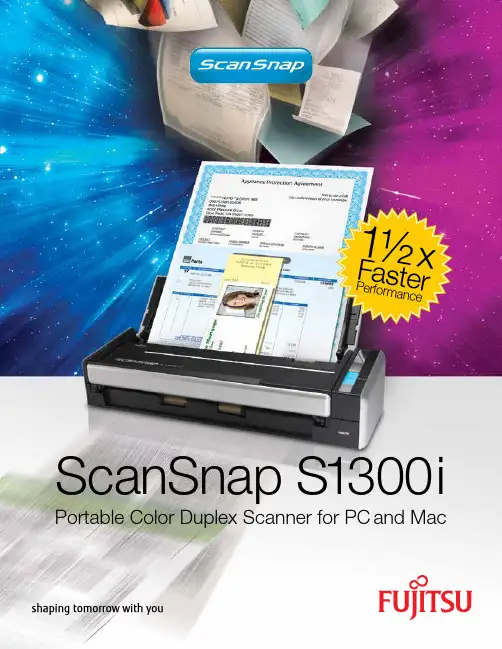
ScanSnap S1300iPortable Color Duplex Scanner for PC and Mac1½ x F a s te rP e r f o r ma n c eScanSnap Organizer 4.1 allows PC users aconvenient way to store, manage, and view PDFand JPEG files as well as perform post-scan editing,keyword entry, and searchable PDF conversion.CardMinder 4.1 provides PC users a fast way tocapture both sides of a business card, extract theinformation automatically, and export it to Outlook,Act!, and other contact management software.Auto De-skew & OrientationAuto Paper Size DetectionAuto Quality FunctionColor, Grayscale, & MonochromeIncreases resolution toBest on small documents(A6 or smaller)Auto Color DetectionFrom 2”x 2” to Legal (and 34inches in single sheet mode)Straightens crooked documents andhelps rotate upside-down onesScan to Functions allows Mac users a flexible wayto manage their PDF, Searchable PDF, and JPEG files.Operators can save content to a folder, a network folder,iPhoto, and even directly to their iDisk account.Cardiris provides Mac users a convenient way to scantheir business cards and export the contact informationdirectly to Address Book or Entourage.Auto Keyword FunctionUse a standard highlighter pen on B & Wdocuments to create searchable keywordsScanSnap Quick Menu for Mac/scansnapThe portable ScanSnap S1300i provides PC and Mac users the tools to be productive and paperless…anywhere.ScanSnap Quick Menu for PC*Rack2-Filer 5.0 license is provided with ScanSnap S1300i Deluxe Bundle only (Part: PA03643-B015).Features for PC Features for MacScanSnap Automatic FeaturesNEW Scan to DropboxEasily store and share your documentsby scanning them to Dropbox.NEW Scan to SmartPhones and TabletsLike all scanners of theScanSnap series, theS1300i supports wirelessscanning to iPad and iPhonedevices via the mobile app ScanSnapConnect Application, which now comesin a version for select Android™ smartphonesand tablets.Scan to ExcelScan to ExcelScan to WordABBYY FineReaderfor ScanSnapprovides users one-button scanning directlyto editable MicrosoftWord and Excel files.NEW ScanSnap FolderScan ‘outside-the-box’into virtually any application orcloud service from a PC (forWindows®).Scan to CloudLike all current ScanSnap models, theS1300i can scan to cloud services Evernote,Google Docs™, Salesforce CRM, SugarSyncand SharePoint Online (for Windows®,limited version support).11 mm© 2014 Fujitsu Computer Products of America, Inc. All rights reserved. Fujitsu and the Fujitsu logo are registered trademarks of Fujitsu Limited. As an ENERGY STAR Partner, Fujitsu Ltd. has determined that this product meets the ENERGY STAR guidelines for energy efficiency. ENERGY STAR is a U.S. registered trademark. Microsoft and Windows are either registered trademarks or trademarks of Microsoft Corporation in the United States and/or other countries. Word and Excel are the products of Microsoft Corporation in the United States. Apple, Apple logo, Mac, Mac OS, and iPhoto are trademarks of Apple Inc. Adobe, the Adobe logo, Acrobat and Adobe Reader are either registered trademarks or trademarks of Adobe Systems Incorporated. ISIS is a registered trademark of EMC Corporation in the United States. Intel, Pentium, and Intel Core are either registered trademarks or trademarks of Intel Corporation in the United States and other countries. PowerPC is a trademark of International Business Machines Corporation in the United States, other countries, or both. ScanSnap and ScanSnap logo are the trademarks of PFU LIMITED. ABBYY, FineReader and ABBYY FineReader for ScanSnap™ 4.1 are trademarks of ABBYY Software House. Other products and company names appearing in this brochure are the registered trademarks of the respective companies. All statements herein are valid only in the U.S. for U.S. residents, are based on normal operating conditions, are provided for informational purposes only, and are not intended to create any implied warranty of merchantability or fitness for a particular purpose. Fujitsu Computer Products of America, Inc. reserves the right to modify at any time without prior notice these statements, our products, their performance specifications, availability, price and warranty, post-warranty and service programs. DS39600113scanned in “Best Mode”, while other documents are scanned in “Better Mode”. 3: Excellent 1200 dpi resolution for Black & White provided by interpolation. 4: When using the USB bus power cable, the personal computer must have two USB ports: one for power feeding, the other for USB cable connection. 5: ScanSnap 1300i is capable of scanning documents that exceed A4 size in length. ScanSnap S1300i supports the scanning of longer documents in all modes except in “Excellent Mode”. 6: Maximum capacity varies depending upon paper weight. 7: When chute is closed.ports Windows ® 7, Windows Vista ® and Windows ® XP . Search functionality for Windows ® 200 professional is only supported by Adobe ® Acrobat ® 7.0 and Adobe Acrobat 8. 13: For use with Service Pack 1 or higher 14: For use with Service pack 3 or higher. Compatible with Windows ® XP Professional / Home Edition. 15: Scanning speed may drop if recommended CPU, memory capacity and USB 1.1 requirements are not met. 16: Microsoft .NET framework 3.5 SP1 will be installed (requires 500 MB of disk space) together with either ScanSnap Manager or ScanSnap Organizer for systems that do not have .NET Framework 3.5 SP1 installed. 17: ScanSnap operates on both USB 2.0 and USB 3.0 without any difference in performance. *System requirements may change depending on the duration of support and the support policy of the companies that make 20: Mac OS X v10.5.8 recommended. 21: Scanning speed may drop if recommended CPU, memory capacity and USB 1.1。
Fujitsu ScanSnap iX100 无线扫描仪说明书

The incredibly fast completely wirelessbattery powered mobile scanner.Built-in GI microprocessor A dual-core CPU-mounted “GI” processor performs the intelligent image enhancement responsible forgreat looking images with dramaticallyfaster results and more sophisticatedconnectivity:• Image processing: Automatic correctionsand image output• Supports Wi-Fi: 2.4GHz, WPS (Wi-Fi Protected Setup), Wireless LAN(IEEE802.11b/g/n)Intelligent automated featuresLike all ScanSnap scanners the iX100 features a powerful set ofautomated image processing functions including auto colordetection, crop & deskew, and blank page removal.Wireless scanning anywhere, anytimeThe ScanSnap iX100 can automatically detect your Wi-Fi networkat home, in the office or on the go. With Direct Connect mode youcan scan wirelessly beyond your network.At home At the office On the roadiX100, the world’s fastest battery poweredScanSnap. Scan a color documentin 5.2 seconds.*ScanSnap ReceiptTMScanSnap Receipt allows users to easilyscan and extract information fromreceipts, and export the data into CSVfor easy tax filing. ScanSnap Receiptalso supports multiple languages andcurrencies.**Scan there! ScanSnap FolderScan to virtually any application or web service thatcan open, insert or attach a PDF or JPEG file fromyour Windows ® computer. Set your document face-upinto the iX100 and pushthe Scan button.The iX100 proceeds to scan the front side.The page exits from the top of the scanner when paper path is set to U-turn.Re-insert the page without pressing the Scan button to scan the other side.After you finish scanning, press the Scan button to save file.➲➲➲➲*Quick Menu for Windows ® shown Organize business cards Use the included CardMinder software for Mac and PC to scan, store, and edit business card information and export data into applicationslike Address Book, Excel, and Salesforce.Continuous Document Feeding (CDF)The Continuous Document Feeding function allows you to insert pages one after another by detecting when a sheet enters and exits.Easily synchronize documents to the cloud iX100 provides users a convenient way to send scanned documents directly to your existing Evernote, Dropbox, Google Docs, SugarSyncand Salesforce accounts.*ScanSnap SyncQuickly and easily synchronize your documents between ScanSnap Organizer and the ScanSnap Connect Application using ScanSnap Sync. ScanSnap Sync automatically synchronizes scanned documents between your computer and mobile device, giving you more flexibility to manage your scanned data.New features for quick digitizationDual scanScan two small sized documents, suchas business cards or receipts at the sametime. Simply insert documents continuouslyto reduce your scanning time.Automatically stitch togethera two-page spreadEven charts and diagrams larger than A4can be scanned. Just fold it in half, scan both sides and the iX100 will auto-matically stitch it back together.® Word, Excel ® and ® files *This applies to standard ISO 7810 ID-1 card types.*Internet connection required. Service fees may apply. **Supported languages: English, Spanish, French, German, Italian, Russian. Supported currency’s: USD (United States Dollar), CAD (Canadian Dollar), GBP (Great Britain Pound), EUR (Euro), RUB (Russian ruble), AUD (Australian dollar)。
富士通图像扫描器FI-6670说明书
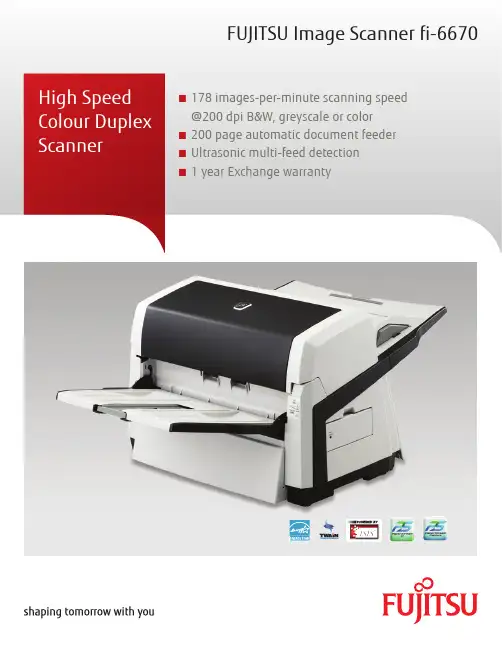
FUJITSU Image Scanner fi-6670■ 178 images-per-minute scanning speed@200 dpi B&W, greyscale or color■ 200 page automatic document feeder■ Ultrasonic multi-feed detection■ 1 year Exchange warrantyFujitsu and the Fujitsu logo are trademarks or registered trademarks of Fujitsu Limited. ABBYY™ FineReader™ Engine ©2011 ABBYY. OCR by ABBYY, ABBYY and FineReader are trademarks of ABBYY. Adobe, Acrobat are either registered trademarks or tradenames of Adobe Systems Incorporated in Canada and/or other countries. Evernote is a registered trademark or trademark of Evernote Corporation. Google, Google Docs, Android and Google Play are registered trademarks or trademarks of Google Inc. Intel, Pentium, and Intel Core are registered trademarks or trademarks of Intel Corporation in Canada and other countries. ISIS® is a registered trademark of EMC Corporation in Canada. Mac, Mac OS, OS X, iPad, iPhone and App Store are trademarks of Apple Inc. Microsoft, Windows, Windows Vista, Excel, PowerPoint, SharePoint and Internet Explorer are either registered trademarks or trademarks of Microsoft Corporation in Canada and/or other countries. Word is the product of Microsoft Corporation in Canada. Salesforce and Salesforce CRM are registered trademarks or trademarks of , inc. in Canada and other countries. ScanSnap, ScanSnap logo, ScanSnap Manager, ScanSnap Organizer, CardMinder and Rack2-Filer are registered trademarks or trademarks of PFU LIMITED in Japan. Wi-Fi and Wi-Fi Protected Setup are trademarks of Wi-Fi Alliance. Other company names and product names are the registered trademarks or trademarks of the respective companies.The statements provided herein are for informational purposes only and may be amended or altered by Fujitsu Canada, Inc. without notice or liability. Product description data represents Fujitsu design objectives and is provided for comparative purposes; actual results may vary based on a variety of factors. Specifications are subject to change without notice.Copyright ©2014 Fujitsu Canada, Inc. All rights reserved. FCI_14.0159FUJITSU Canada, InC.155 University Avenue, Suite 1600 Toronto, Ontario M5H 3B7 Telephone: 1-800-263-8716 Website: http://www.fujitsu.ca Haveaquestion?Emailusat:*********************.com/ca/en1) CGA board does not support Microsoft Windows 64 bit versions 2) Actual scanning speeds are affected by data transmission and software processing times 3) JPEG compressed figures 4) Maximum capacity varies, depending upon paper weight 5) You cannot use both SCSI and USB 2.0/1.1 interfaces at the same time 6) You cannot connect multiple computers to the scanner using each type of interface cables at the same time 7) Excluding the ADF paper chute and stacker 8) PFU Limited, a Fujitsu company, has determined that this product meets RoHS requirements (2005/95/EC) 9) The fi-6670 is capable of scanning the following documents that exceed A3 in length:- Documents not exceeding 863 mm (34”) in length at resolutions between 201 dpi and 400 dpi, and documents not exceeding 3048 mm (120”) in length at resolutions between 50 dpi and 200 dpi with TWAIN and ISIS™ (Long paper scanning does not support resolutions that exceed 400 dpi.)- Documents not exceeding 863 mm (34”) in length at resolutions of 300 dpi or lower with VRSSpeedy and versatileTransform your paper documents into useful electronic data in a flash with the Fujitsu fi-6670 production scanner. Image processing is made easy, with the ability tocontinuously scan 200 sheet documents containing paper of different weights, quality and sizes. The fi-6670 can even scan paper up to 3 m long enabling digitization of electrocardiograms, instrumental data readings and other long documents.“Intelligent” functions/design for efficient operationThe ability to adapt to different paper types is the key to a true batch document scanner. The fi-6670 comes loaded with features allowing the scanner to work autonomously. ■Intelligent multi-feed functionThe intelligent multi-feed function simplifiespre-scanning preparation and improves efficiency by identifying documents that tend to trigger false multi-feed alerts, such as documents with photos or sticky notes attached. ■Straight paper pathThe straight paper path virtually eliminates paper jams while permitting a greater diversity of paper types. ■dust resistant sealed optical unitsThe sealed optical units in the fi-6670 ensure that image quality is maintained, even in the most demanding environments such as factories and warehouses.PaperStream IP – produce high quality image processing PaperStream IP is the scanner driver for fi Series which is compatible with the TWAIN and ISIS standards. With its advanced image processing, various documents can be automatically and easily converted into image files suitable for OCR (Optical character recognition).PaperStream Capture – enhanced batch scanningPaperStream Capture is an application to scan and manage the scanned images using fi Series scanners. Whether it is adjusting the scanning settings or performing batch scanning, you can complete the tasks easily with the user-friendly UI. With the seamless linkage with PaperStream IP, you can perform high quality image processing and batch scanning at the same time.The fi-6670CGA version has the optional Kofax VRS accelerator board installed.FUJITSU Image Scanner fi-6670。
富士通fi-6130z fi-6230Z 高速文档图像扫描仪 产品手册
Win XPWinServer2003/ 2008Win Vista Win 7“一键式”按钮操作,简单方便。
扫描速度达40ppm/80ipm(A4纵向,200dpi)。
多种 “智能”功能,节省人力、物力和时间。
可进行扫描后打印(选件),方便归档和查找。
绑定ScandAll PRO 应用软件,满足多种图像处理需求。
增强型的工作分隔功能,令您的文件归档更方便高效。
一次扫描3张不同的塑料卡片,并对薄纸扫描进行纸张保护。
可在同一地点,利用网络扫描仪,对多台fi-6130Z/fi-6230Z 进行管理。
富士通6130Z /高速文档图像扫描仪6230Zfi-6130Zfi-6230Z富士通产品咨询热线:800 830 679040ppm/80ipm自动纠偏智能多页进纸检测自动检查纸张大小自动检查彩色/黑白集中管理异地扫描仪同类产品中,性价比更高●彩色/灰度/黑白:40ppm/80ipm(A4,200dpi),30ppm/60ipm(A4,300dpi)。
●“一键式”按钮操作,连续扫描50张不同厚度和尺寸的混合文档。
●一次可扫描3张塑料卡片,包括浮字卡。
集中管理异地扫描仪●在同一地点对多台图像扫描仪和网络扫描仪进行安装和操作的集中管理功能,有效削减了费用成本。
具备多种“智能”功能,扫描更高效●智能多页进纸检测,更人性化,方便准确。
在多页检测功能打开时,实现贴有票据的纸张顺利通过,而正 常发生重张的纸张又能被扫描仪捕捉到,从而正确发出报警或 暂停扫描。
●纸张保护功能,防止纸张在扫描过程中被损坏。
●自动删除图像中的打孔区域。
●自动识别彩色/黑白,自动识别大小,自动纠偏功能。
●自动裁剪功能:可扫描附有标签的纸张。
绑定了ScandAll PRO软件,提供强大的图像处理功能●图像浏览、文件归档同步进行。
●进行插入/删除等缩略图管理操作。
●输出多流图像。
●通过条码来实现图像的分隔归档。
可识别出条码信息,实现以条码信息来命名分割文件夹的归档 方法。
富士通ScanSnap iX500 快速入门指南说明书
ScanSnap iX500 Quick Setup GuideThe Fujitsu ScanSnap iX500 is a high speed duplex scanner, meaning it scans both the front and back of a document or photo at the same time at a rate of about 1 page every 1 to 2 seconds. It's ideal for digitizing all of your family photos and important documents.Setting up the Fujitsu ScanSnap scanning station1: Turn on the laptop (for longer projects connect the power)2: Plug the power cable into Fujitsu ScanSanp iX5003: Plug the USB cable into the laptop then into the Fujitsu ScanSnap4: Open the Fujitsu ScanSnap by lifting the top lid, this will become the paper feed (should hold 50 sheets of paper or 25 photos) Pull the next lid down, this will become a paper catch. This step isn't necessary especially if you have thicker photos.5: Once the laptop is turned on and the Fujitsu ScanSnap is connected to it you are ready to start scanning.Start scanning documents and photos with the Fujitsu Scansnap iX5001: Spread the paper guide all the way to the edges of the page feeder if they are not already there.2: Place documents or photos in the page feeder. A very helpful hint is to place the documents so the back of the page is facing you and upside down in the page feeder, this will save you some work after the pages are scanned.3: Move the paper guide to fit snuggly next to the paper in the tray.4: Press the Scan button on the Fujitsu ScanSnap iX500 (it should be lit in blue)5: The documents or photos will start scanning.While the documents or photos are scanning a window will appear on the laptop.When the documents or photos are finished scanning an "All Applications" window appears on the screen of the laptop.Here is where you choose what kind of file your document or photo will save as.Documents to PDFIf you have a document and you want to save it as a PDF click on "Scan to Folder"The "Scan to Folder" window appears and gives you some options.1: File Name; this allows you to name your PDF. The default name is todays date and a sequential number.2: Save in; this gives you the option to choose where to save the file to. The default is to the documents folder on the desktop.3: Click Save to save the document(s). Click "OK" when the "files were saved successfully." message appears.4: Open the "Documents-Shortcut" on the desktop and you should see a PDF with the file name given to your scan.Photos to image fileIf you have a photo and want to save it as an image file click on "Scan to Picture Folder"The "Scan to Picture Folder" window appears and gives you some options.1: File Name; this allows you to name you photos. The default name is todays date and a sequential number.2: Save in; this gives you the option to choose where to save the file to. The default is the pictures folder on the desktop.3: Click Save to save the picture(s). Click "OK" when the "Files were saved successfully." message appears.4: Open the "Pictures-Shortcut" on the desktop and open the ScanSnap folder. You will see all of your photos that you scanned. You will also notice you have the front and back of every picture. If the scanner didn't detect any writing on the back of a photo it might not include it in the folder.TroubleshootingIf you encounter a jam a message will appear on the screen of the laptop. Open the scanner by pulling on the little button above the blue light towards you.Once the lid is open you will be able to remove the document or photo that caused the jam. Close the cover; reinsert the document of photo that caused the jam and try scanning again by clicking on "Continue Scanning" on the screen.TipsTo save time scanning, sort all of your photos by size before scanning.Remember to place the document or photo backwards and upside down to save you from having to rotate them later.。
扫描纸 ScanSnap 用户指南说明书
Specifications are subject to change without notice.Be sure to carefully read all safety precautions prior to using this product and use this device as instructed.For more ScanSnap related information, visit our website at :Do not place this device in wet, moist, steamy, dusty or oily areas. Using this product under such conditions may result in electrical shock, fire or damage to this product.Safety Precautions*1 Available only when connecting to a computer. *2 Scanning speeds may vary due to the system environment used.*3 Scans will be made in "Best mode" if shorter sides are less than 105 mm and in "Better mode" if not. *4 A3 scans are possible with use of A3 carrier sheets. *5 Available in all modes except for "Excellent mode". *6 Indicated specifications apply when using ScanSnap Home. *7 Maximum capacity varies, depending upon paper weight. *8 Some computers do not recognize the ScanSnap when it is connected to a USB 3.2 Gen1/3.0 port. In this case, please use a USB 2.0 cable. *9 Availability of 5 GHz Wi-Fi may vary depending on region. *10 Access Point Connect Mode requires a Wi-Fi access point or router. *11 5 GHz Wi-Fi is not available with Direct Connect Mode. *12 Excluding the stacker and other external attachments.*1 The ScanSnap device may not work if the connected computer does not meet these requirements. *2 The ScanSnap device also operates with Apple Silicon-based Mac computers. Please visit the ScanSnap website for latest support information. *3 Scanning speeds may drop if the recommended CPU, memory capacity and USB 1.1 requirements are not met. *Compatibility may differ depending on software versions. Please visit the ScanSnap website for latest information on driver and application support. *The system requirements may change depending on the support policies of the above system and third-party software.*1 ScanSnap scanners do not run with Windows® 10 ARM-based PCs.*2 Operate Windows in desktop mode. *3 The ScanSnap device may not work if the connected computer does not meet these requirements. *4 Scanning speeds may drop if the recommended CPU, memory capacity and USB 1.1 requirements are not met. *5 Indicated disk capacity requirements apply when downloading ScanSnap Home. *6 .NET Framework 4.7 or later must be installed. If it is not installed, it is installed with ScanSnap Home. Up to 4.5 GB of disk space is required for the installation.*Please refer to the ScanSnap website for the latest support information of the driver and applications. Compatibility may differ depending on the software's version. *The system requirements may change depending on the support policies of the above system and third-party software.iX1600 (White/Black)Product name Scanner type Scanning color modeScanning speed *(A4 portrait)Document sizeADF (Automatic Document Feeder)/Manual Feed, Duplex Color, Grayscale, Monochrome,Automatic (Color/Grayscale/Monochrome * detection)Color CIS x 2 (Front x 1, Back x 1)3 Color LED (Red/Green/Blue)Image sensor Light source600 dpiOptical resolutionSimplex/Duplex: 40 ppmSimplex/Duplex: 40 ppm(Color/Grayscale: 150 dpi, Monochrome: 300 dpi)Simplex/Duplex: 40 ppm(Color/Grayscale: 200 dpi, Monochrome: 400 dpi)Simplex/Duplex: 40 ppm(Color/Grayscale: 300 dpi, Monochrome: 600 dpi)Simplex/Duplex: 10 ppm(Color/Grayscale: 600 dpi, Monochrome: 1,200 dpi)Auto mode (Default)*Normal modeBetter mode Best mode Operating systemsHardware requirements *Intel Celeron 1.8 GHz (2core) or higher(Recommended: Intel Core™ i5 2.5 GHz or higher)2 GB or more (Recommended: 4 GB or more)1,024 x 768 pixels or more3.8 GB or more of free hard disk spaceCPU *Memory capacity *Display resolution Disk capacity **Excellent mode *Minimum: 50.8 x 50.8 mm (2 x 2 in.)Maximum: 216 x 360 mm (8.5 x 14.17 in.) A3, B4,279 x 432 mm (11 x 17 in.)3,000 mm (863 mm in 32-bit) Smart Device: 863 mm (Duplex), 1,726 mm (Simplex)40 to 209 g/m (11 to 56 lb)A8 size or less: 128 to 209 g/m (34 to 56 lb)Cards: 0.76 mm or less (Compliant with the ISO7810 ID-1 type)(Includes embossed cards in landscape orientation)Normal scan *Manual scan Long paper scanning *Paper weight (Thickness)50 sheets (A4, 80 g/m or 20 lb)ADF capacity *InterfaceWi-Fi InterfaceUSB 3.2 Gen1x1 / USB 2.0 / USB 1.1(Connector Type: Type-B)*IEEE802.11a/b/g/nFrequency band: 2.4 GHz *USBWi-FiAccess Point Connect Mode (Infrastructure mode)*Direct Connect Mode (Ad-hoc mode)*4.3 in. color TFT touch screen AC 100 to 240 V , 50/60 Hz 17 W or less 1.5 W or less 1.6 W or lessOperating Sleep mode(USB connected)Sleep mode(Wi-Fi connected)LCDPower requirementPowerconsumptionOverlap detection (Ultrasonic sensor), Length detection ScanSnap Home (ScanSnap specific driver) •Windows : Does not support TWAIN/ISIS™ •macOS: Does not support TWAINMultifeed detection DriverT emperature: 5 to 35 °C (41 to 95 °F)Relative humidity: 20 to 80% (Non-condensing) Operation environment 292 x 161 x 152 mm (11.5 x 6.3 x 6.0 in.) 3.4 kg (7.5 lb)Dimensions (W x D x H)*Device weightENERGY STAR /RoHSEnvironmental compliance General SpecificationsScanSnap iX1600 System Requirements•Windows®Operating systemsHardwarerequirements *Intel Core i5 1.4 GHz or higher(Recommended: Core i5 2.5 GHz or higher)2 GB or more (Recommended: 8 GB or more)1,024 x 768 pixels or more2.0 GB or more of free hard disk spaceCPU **Memory capacity * Display resolution Disk capacity•Mac*1 ScanSnap Home installation requires a computer and Internet. Activation is also necessary for software use. Please visit the company website for download information. https:///g-support/en. *2 ScanSnap Manager V7.1 and later is required. *3 Please refer to the included license certificate to download the software. *4 Kofax Power PDF is not included with the iX1400.Kofax Power PDF Standard **Kofax Power PDF Standard for Mac **ScanSnap Home * ScanSnap Manager *Windows MacABBYY FineReader for ScanSnap™•Software*1 Although ScanSnap Carrier Sheets have a listed lifespan of 500 scans, the lifespan may vary with usage. ScanSnap Carrier sheets are intended to scan paper documents with weights of 127 g/m or less. They also support the scanning of folded documents that are as large as 216 x 297 mm.Carrier Sheets *DescriptionPhoto Carrier Sheets ScanSnap BagPart number RemarksPA03360-0013 PA03770-0015PA03951-0651Contains 5 sheets supporting photographs and various document sizesFor ScanSnap iX1600, iX1400, iX1500, iX500, iX100, S1100i ScanSnap Home Additional License (1 License)PA43404-B043 1 additional license for ScanSnap HomeContains 3 sheets supporting photographs(E-size, L-size, King-size), postcards, and business cards Stores the ScanSnap iX1600, iX1400, iX1500, iX500 and accessoriesOptions*1 These recommended lifetimes are for 80 g/m (20 lb) A4 sized documents. Therefore, appropriate replacement lifetimes may vary for other document types.Roller Set Description Cleaner F1Cleaning Wipe Part number RemarksPA03656-0001PA03950-0352PA03950-0419Lifetime: Every 200,000 sheets or one year *(For ScanSnap iX1600, iX1400, iX1500 or iX500)100 ml bottleFor use on the Brake roller and Pick roller 24 packetsFor use on the Brake roller and Pick roller Cleaning PaperCA99501-001210 sheetsUse this non-woven sheet with Cleaner F1Consumables*It is recommended to use original or approved accessories for consumables, options and cleaning kits, specially designed for your device. Device failures, troubles and damages arising from use of OEM or 3rd Party accessories may render your warranty invalid and incur charges for repair even during the warranty period.©2021 PFU Limited Printed in some country 2021.01 U-208 SZX 50SPFU Limited, a Fujitsu company, has determined that this product meets the ENERGY STAR ® guidelines for energy efficiency. ENERGY STAR ® is a registered trademark of the United States.This scanner is designed to digitize materials that can be reproduced lawfully, in accordance with applicable copyright regulations and other laws. ScanSnap users are responsible for how they use this scanner. It is imperative that ScanSnap users comply with all applicable local rules and laws, including, without limitation, copyright laws when using this scanner.*ABBYY™ FineReader™ Engine © ABBYY. OCR by ABBYY. ABBYY and FineReader are trademarks of ABBYY Software, Ltd. which may be registered in some jurisdictions. *Intel, Pentium, and Intel Core are trademarks or registered trademarks of Intel Corporation or its subsidiaries in the U.S. and/or other countries. *ISIS™ is a trademark of Open Text. *Mac, macOS, and the Mac logo are trademarks of Apple Inc. *Kofax and Power PDF are trademarks or registered trademarks of Kofax Limited in the United States and other countries. *ScanSnap, the ScanSnap logo and ScanSnap Home are registered trademarks or trademarks of PFU Limited in Japan. *Other company names and product names are the trademarks or registered trademarks of the respective companies.Accessories•Safety Precautions •AC Cable •AC Adapter •USB Cable •Receipt GuideUltimate efficiencyand flexibility.Windows®11 (64-bit), Windows 10 (32-bit / 64-bit)**, Windows 8.1 (32-bit / 64-bit)*, Windows 7 (32-bit / 64-bit)macOS High Sierra 10.13 or laterEase into a whole new world of digitalization and unlocking seamless flow of information ScanSnap Home – All-in-one software to optimize your productivityEase into a whole new world of digitalization and unlocking se ScanSnap Home – All-in-one software to optimize your p ScanSnap iX1600 –Evolved flagship model of the ScanSnap seriesA software specially designed for ScanSnap scanners,assisting users to easily manage, edit, and utilize various types of scanned data.Combining all your favorite functions,it allows users to organize your documents,receipts, business cards, photos and much more all in one application.A brand new experience to digitize, augment, organize, and share information to fuel your business growth and innovation with the fastest model in the ScanSnap Series.Able to load up 50 sheets at a time and scan at a speedy 40 pages per minute, the iX1600 produces superior, high-quality images. Simply open the document chute, and ScanSnap is ready to go. Fast start-up and stable feeding performance provide you with a peace of mind while you carry out your tasks.Name files fasterFind files easilyScanSnap Home uses the text, found onyour scanned documents to identify file names.Accuracy is heightened with increased use.Finding documents can never be easier. ScanSnap Home comes with functions tore-organize and perform searches on document types using folders, tags, and keywords.Optimized user experience Scan anywhere, whenever you want - Connects via Wi-Fi. Works without a computer. - Scans on any smart device or popular cloud service 1, desktop or document management application.Intuitive and ideal for team sharingThe iX1600 comes equipped with a 4.3-inch touch screen, providing an easy to use interface with simple icons and intuitive user experience. Keeping documents in order is a breeze, whether at the office or home. Select which device youwould like to scan to, and share between multiplemembers and devices anytime.1 Available services vary by region.g seamless flow of informationur productivity DocumentsQuickly find that recipe or meeting agenda that you stored last week with easy tagging features.ReceiptsKeep track of your spending habits eachmonth so that you can check back whenever you desire.Easy to install, configure and start.Just for anyone - Personal, SOHO, Remote Office/Work from home,Small businesses, New to ScanSnap, New to scanning.Available in black and white, choose the color you want based on your preference.Business CardsScanSnap Home’s intelligent auto correction makes managing business card contacts a simple and seamless process with less manual work for you. Organize your contacts with powerful search features.SatisfactionCan be used in conjunction with ScanSnap Manager software.Stress-free usabilityScan receipts and much moreScan larger-sized documents, like A3 documents, envelopes, and much more, with Manual Scan Mode 2. Effortlessly scan small documents with the Receipt Guide. No need to be concerned about fixing receipts and business cards that tend to curl or skew.Reliable and intelligentWith professional grade feeding technology and ultrasonic sensors, iX1600 handles multi-page documents with ease and can additionally detect and alert the user of multi-feeding errors. A host of intelligent automatic image processing functions enables users to scan confidently without adjusting settings.Ease into a whole new world of digitalization and unlocking seamless flow of information ScanSnap Home – All-in-one software to optimize your productivity Brake Roller2 Manual Scan Mode is available when using ScanSnap Home.。
富士通ix500怎么双面扫描?富士通扫描仪设置扫描双面的技巧
富士通 ix500怎么双面扫描?富士通扫描仪设置扫描双面 的ቤተ መጻሕፍቲ ባይዱ巧
富士通扫描仪怎么设置扫描双面呢?双面扫描可以节省很多纸张,下面我们就拉看看详细的设置过程。 打开富士通扫描仪软件,点击左上角的SCAN图标
在弹出的界面中点击右上角的铅笔图标
最后找到扫描面选项,在下拉列表选择双面即可
以上就是富士通扫描仪设置扫描双面的技巧 ,希望大家喜欢,请继续关注。