
外研版七年级英语上册Module 7 Computers 教案
4. You write it in the box.
5. Put the paper first and then click “print”.
4. Play the 3rd time, andpause after each phrase, asking the students to repeat, and then do Activity 6.
2. Choose the document again, ask the students to say how to do it with the teacher.
3. Ask students to do pair work, then check.
学生小组讨论。以小组为单位,自由选择喜欢的文件,初步运用所学的知识,用英语简单的表述如何用电脑操作。
Write the words they go with.
1. the mouse/ the keyboard
2the homework/ a name for a document
3.the document
4.the document
1. Listening.
2. Reading.
3. Act it out.
Play the recording for them to number the words, then check with the partner.
Keys: 1. screen 2. keyboard 4. mouse
Label the parts of the computer.
1. Learn the new words about computer.
9. Check together.
10. Find thewords from the box in the conversation. Write the words they go with in Activity 7.
11. Check
together.
Step 5 Language points
3. Play the recording again, then check ct 2. connect 3. turn on
1. Complete the sentences with the word and expression.
2. Check together.
first意为“首先”, next意为“其次”,finally意为“最后”。我们常用First, ... Next, ... Finally, ...来说明活动的顺序。
Step 6 Pronunciation and speaking
语音训练,纠正学生的发音。
1. Play the recording once without stopping.
Step 4 Listen, read and write
1.提供新的语言环境,通过听力感受要学内容。
2.小组讨论能解决层次问题并增强学生的合作能力。
1. Play the recording to number the instructions as you hear them.
Keys: a. 2 b.5 c. 1 d. 3 e. 4
4. Ask the students to practice the sounds in pairs.
1. Listen to the recording.
2. Repeat after the recording.
3. Practice the sounds in pairs.
Step 7 Work in pairs
3.Howdo you save the document? (How怎样)
4.Wheredo you write its name? (Where什么地方)
5.Whatdo you do next?
(What什么)
6.Howdo you print it?
(How怎样)
7.Whendo you get up every day? (When什么时候)
4. Number the instructions in Activity 4 as you hear them.
5. Check together.
6. Answer the questions in Activity.
7. Check together.
8. Complete the sentences with the words from the box in Activity 6.
2. Play the recording again and stop at the end of each line. Ask the whole class to repeat.
3. Play the recording again and stop at the end of each line. Ask individual students to repeat.
Module7 Computers
Unit 1 How do I write my homework on the computer?
课型
Listening and speaking
教材分析
本模块以电脑为主题。该单元则是以对话的形式谈论如何用电脑完成作业,让学生能听说有关电脑方面的基本词汇,并就电脑的操作使用进行简单的问答。内容既接近生活又能激发学生学习的兴趣。
语言知识目标
1.Key vocabulary: keyboard, mouse ( pl. mice ), screen, connect, turn, turn on, learn, document, click, use, save, box, finally, print, paper
2.Key structures: wh-question in Present simple imperative sentences.
2.Prompt students to explore new knowledge autonomously.
3.Through experiencing, participation and practice, encourage students to be cooperative and learn from each other.
语言技能目标
1.To understand conversations about how to use a computer
2.To learn how to give instructions
情感态度目标
1.Raise students’ interest to learn English and get to know more knowledge about computers in English.
5. Pair work and check the answer together.
Keys: 1. learn 2. Save
3. paper 4. print
5. Finally
6. Find the words from the box in the conversation.
WriteWrite the words they go with.
让学生掌握重点单词或短语。
1. connect
connect作动词,意为“连接”,常与介词to搭配使用。connect ... to ...意为“把……与……接通;连接起来”。如:
Please connect the screen to the computer.
2. First, ... Next, ... Finally, ...
2. Listen and number the words as they hear them.
3. Label the parts of the computer.
Step 3
Activity 3
1. Use pictures to teach the word and phrase
2. Ask the students to complete the sentences with the word and expression they learned.
Step 8 Grammar
学生初步学习一般现在时的特殊疑问句
特殊疑问句=特殊疑问词(What, Where, When, Which, Who, How …) +一般疑问句
1.Howdo you open a new document? (How怎样)
2.Wheredo you write your homework? (Where什么地方)
the words they go with.
7. Pair work and check the answer together.
学生初步认识新单词和词组,并能结合所学知识拓展应用词组use the mouse/ keyboard /printer… click: click the mouse /document…
8.Whois your English teacher? (Who谁)
Step 9 Exercises
A.重要短语:
1.把……连接…… 2.打开电脑3.在电脑上4.建立一个新文件
5.使用鼠标6.使用键盘7.点击新文件8.写下你的作业
9.保存文件10.放一些纸到那里11.打印文件12.关上电脑
Keys:1. connect…to… 2. switch on/ turn on the computer 3. on the computer 4. open a new document 5. use the mouse 6. use the keyboard 7. click the new document 8. write your homework 9. save the document 10. put some paper in there 11. print the document 12. turn off the computer
七年级英语上册Module7ComputersUnit2Whendoyouuseacomputer教案(新版)外研版
Book 1 Module7 Computers一、教学内容:Unit2 When do you use a computer?二、课型:Reading and writing三、教学目标:1、能够正确使用下列单词和词组: share, Australia, company, customer,Internet, check,plan, ticket, movie, search for, information, send, cinema, visit.2、能够读懂介绍自己和他人使用电脑情况的短文。
3、能够正确使用特殊疑问词when, how等。
4、通过阅读他人对电脑的使用情况,从而正确认识如何合理使用电脑和网络。
四、教学重难点:1、能够读懂介绍自己和他人使用电脑情况的三篇短文,并能在阅读中找出每个作者的相关细节信息,完成任务。
(重点)2、能够正确使用特殊疑问词。
(难点)五、教学准备:课堂整体运用任务型教学模式以及阅读课“四个阶段”教学模式。
本课指导学生通过阅读获取信息,培养学生阅读技能。
在教学过程中,采用多媒体手段辅助教学,利用各种图片和习题任务贯穿整个教学过程。
因此,本节课需准备:PPT课件、挂图、录音机、课堂练习表格、奖品of music andRead Paragr。
点。
go on the Interne t达标训练题一、单项选择()1. _______the radiol. I ‘d like to listen to the weather report over it.A.Turn offB. Turn onC. Turn outD. Turn down()2. -- do you write e-mails to your parents?-- Once a week..A. How oftenB. How longC. How soonD. Wher e()3. Jack usually his homework after dinner?A. writesB. doC. takeD. buys()4. I have got to tell you.A. two piece of informationB. two piece of informationsC. two pieces of informatio nD. two piece of informations()5. What do on the weekend?A. usually he doesB. does he usuallyC. does usually heD. he usually does二.按要求完成句子1. He helps you to buy tickets.(变否定句)2. She likes listening to the music. (变一般疑问句并做否定回答)3. You can write the name on the box. (对划线部分提问)4. My sister goes to school by bus. (对划线部分提问)5. Lily gets up at six. (对划线部分提问)。
外研版七年级英语上册第七模块教案
9. Call back the answers from the whole class.
10.Ask the students tomatch the words and expression in Column A with those in Column B.
5. Phrases:buy tickets, check email, go on the Internet, make travel plans, play games, share a computer, talk to customers, search for information, watch movies, work for a company
3. Introduce the new words.
4.Ask the students toReadthe new words.
5.Play the recording.
6. Ask the students to readthroughthe passage.
7.Read the passageagainandmatch the questions with the people who answer themin Activity 1.
4. Key vocabularies:customer, Australia, game, share, company, often, Internet, check, train, travel, plan, ticket, music, movie, night, search, information, email, send, sometimes, visit, cinema, clothes
外研版-英语-七上-外研版Module7 Computers 1单元 教学教案
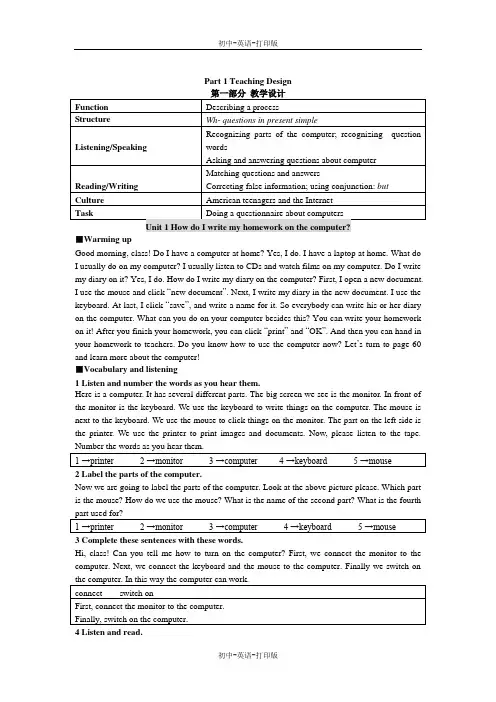
Part 1 Teaching Design■Warming upGood morning, class! Do I have a computer at home? Yes, I do. I have a laptop at home. What do I usually do on my computer? I usually listen to CDs and watch films on my computer. Do I write my diary on it? Yes, I do. How do I write my diary on the computer? First, I open a new document. I use the mouse and click “new document ”. Next, I write my diary in the new document. I use the keyboard. At last, I click “save ”, and write a name for it. So everybody can write his or her diary on the computer. What can you do on your computer besides this? You can write your homework on it! After you finish your homework, you can click “print ” and “OK ”. And then you can hand in your homework to teachers. Do you know how to use the computer now? Let ’s turn to page 60 and learn more about the computer!■Vocabulary and listening1 Listen and number the words as you hear them.Here is a computer. It has several different parts. The big screen we see is the monitor. In front of the monitor is the keyboard. We use the keyboard to write things on the computer. The mouse is next to the keyboard. We use the mouse to click things on the monitor. The part on the left side is the printer. We use the printer to printimages and documents. Now, please listen to the tape.2 Label the parts of the computer.Now we are going to label the parts of the computer. Look at the above picture please. Which part is the mouse? How do we use the mouse? What is the name of the second part? What is the fourth 3 Complete these sentences with these words.Hi, class! Can you tell me how to turn on the computer? First, we connect the monitor to the computer. Next, we connect the keyboard and the mouse to the computer. Finally we switch on 4 Listen and read.Now we are going to listen and read.Lingling and Daming are talking about how to write the homework on the computer. Lingling doesn’t know how to do it. She asks Daming questions of writing the homework on the computer. Daming answers to her questions. Listen carefully.Now let’s go on to read the dialogue. While reading try to cut(断句)/ the sentences into parts, blacken(涂黑)the predicates, shade(加影)the connectives and underline(划线)the expressions. Now write all the expressions in your Expression Book.5 Find these words in the dialogue. Write the words they go with.There are six verbs in the box below. We can find these words in the dialogue in Activity 4. Do you know how to use these words after reading the dialogue? First, find these words in the dialogue yourself. Second, make new sentences with these words. For example, I save my new document. I use the keyboard to write my diary. I open the document. I use the mouse to click print and OK. I use the mouse to draw a picture in the new document. I use the printer to print my6 Number the instructions in the correct order.Hello, class! I would like you to write today’s English homework on your computer. Do you know how to write the homework on the computer now? What do you need to do first? Of course, you need to switch on the computer first. What do you need to do next? You should open a new document for your homework. What is the third step? You write your homework in the new document. How do you save the document? You use the mouse and click save. Do you print your homework? Yes, you do. You need to click print and OK to print the document. Number the7 Answer the questions.These are some questions about the conversation we learn. Now please answer them yourself. Use■Pronunciation and Speaking8 Listen and repeat.On page 61 there is one sound and one word. You are going to listen and repeat. Pay attention to the sound on the left and blackened part the word.//swit ch9 Listen and repeat the questions.There are five sentences here. Listen to the tape and repeat the questions. Make sentences like these by yourself. Say as many sentences as you can. Now I give you some examples. What’s the printer? What’s the polar bear? What do you do at weekends? What does he do on Sunday? How do I open a new document? How does a washing machine work? Where is the zoo? Where is the monitor? Where do we write our homework? Where do you go swimming?1 How do I write my homework on the computer?2 What’s the mouse?3 What do I do next?4 Where do I write the name?5 Where’s the printer?10 Work in pairs.Test your partner about computers.Work with your partner. Ask each other questions about computers. Try to think of as many as questions as possible. Use the word where, what and how. When you answer the questions, please try to make your answers complete.---What’s this? ---I t’s the keyboard.---How do you save a new document? ---I click “save”.---Where do you write the name of the document? ---I write it in the box.---What’s that? ---It’s the printer.---How do you print a document? ---I use the mouse and click “print” and “OK”.。
外研版英语七年级上册M7-3《Computers》教学设计
外研版英语七年级上册M7-3《Computers》教学设计一. 教材分析《英语七年级上册M7-3 computers》这篇课文主要介绍了计算机的发展历程、计算机的组成部分以及计算机在日常生活中的应用。
文章内容贴近学生的生活,能够激发学生对计算机的兴趣,同时培养学生的英语阅读能力。
本节课的教学内容主要包括学习计算机的组成部分(如CPU、keyboard、mouse等)和计算机的应用(如play games、listen to music等)。
二. 学情分析七年级的学生对计算机有浓厚的兴趣,大部分学生在生活中已经接触过计算机,并对计算机有一定的了解。
然而,学生的英语水平参差不齐,部分学生可能对英语阅读感到困难。
因此,在教学过程中,需要关注学生的个体差异,尽量用简单易懂的语言进行教学,并鼓励学生积极参与课堂活动。
三. 教学目标1.知识目标:学生能够掌握计算机的组成部分(如CPU、keyboard、mouse等)和计算机的应用(如play games、listen to music等);2.能力目标:学生能够用英语简单介绍计算机的组成部分和应用;3.情感目标:培养学生对计算机的兴趣,提高学生学习英语的积极性。
四. 教学重难点1.重点:计算机的组成部分和应用;2.难点:计算机零部件的英文表达和计算机应用的英语描述。
五. 教学方法1.任务型教学法:通过设定具体任务,让学生在完成任务的过程中学习英语,提高学生的实践能力;2.情境教学法:创设生活情境,让学生在真实情境中学习英语,提高学生的语言运用能力;3.游戏教学法:运用游戏活动,激发学生的学习兴趣,提高学生的参与度。
六. 教学准备1.准备计算机相关图片和视频,用于课堂展示;2.准备计算机零部件和应用的英文单词卡片,用于教学;3.准备计算机相关话题的练习题,用于巩固所学知识。
七. 教学过程1.导入(5分钟)利用图片和视频展示计算机的发展历程,引导学生谈论计算机的相关话题,激发学生的学习兴趣。
七年级英语上Module7 Computers Unit1 教学设计

七年级英语上册(外研版)Module7 Computers Unit1教学设计与反思《初中英语教学设计与案例分析》中要求的基本水平是:1、清晰确定课时目标,能够依据教学内容和学生情况确定符合课标要求的教学目标,能够依据教材分析和学情分析确定符合课标要求的教学目标,能够依据教材分析和学情分析以及二者之间的密切联系确定符合课标要求的教学目标。
2、科学表述三维目标,能够准确选择行为动词表述三维目标,逻辑严谨,能够恰当表述具有可操作性的三维目标,能够将三维目标实行有机整合,使其具有可测评性。
下面是我对七年级英语上册(外研版)Module10 Unit1的教学设计,对如何将国培中的理念融入课堂教学作如下探讨:一、教材分析本课的内容取自外研版新标准初一英语上册第10模块第1单元。
本模块以电脑为话题而展开。
从理解电脑的各部分到如何利用电脑完成作业,最后通过采访实录的形式介绍世界各地的人们使用电脑的情况。
整个内容新颖,贴近学生的生活,对学生有很强的吸引力,容易激发他们的学习兴趣。
通过学习能协助学生开阔眼界,丰富电脑方面的知识,并提升他们的使用水平。
本人所执教的是第1单元的内容,主要是理解电脑的各个部分,以及如何使用电脑来写作业。
所以,我在教学中,以教材内容为依据,结合学生已有的知识储备实行激活,灵活组织教学,充分调动学生的积极性,展开听说读写的活动。
二、学情分析我所教学的对象是初一学生(以中等生为主),对英语普遍感兴趣,但有很大的不稳定性,好奇心强,求知欲旺盛,他们学习英语既感到好奇又担忧,希望能得到他人的肯定。
所以我在教学活动中尽量让他们参与到活动中来,有更多的机会来说英语,减少他们的恐惧感,通过学生间的合作学习,降低他们的学习难度,使他们体验到成功的喜悦。
提升他们综合使用语言的水平,使各层次的学生都有所收获。
三、教学目标1、语言知识目标:学习本课时涉及并要求使用的新单词与短语,和使用与表达特殊疑问句。
2、语言技能目标:能使用相关电脑方面的词汇及特殊疑问句实行听说读写活动,并能简单描述使用电脑写作业的步骤。
外研版英语七年级上册M7-1《Computers》教学设计
外研版英语七年级上册M7-1《Computers》教学设计一. 教材分析《Computers》是外研版英语七年级上册Module 7的一篇课文,主要介绍了计算机的发展历程、计算机的组成部分以及计算机在日常生活中的应用。
本节课的主要内容有:计算机的英文名称、计算机的组成部分(如CPU、keyboard、mouse 等)、计算机的用途(如play games、listen to music等)。
本节课的学习旨在让学生掌握计算机的基本词汇和句型,提高学生的听说读写能力。
二. 学情分析七年级的学生已经具备了一定的英语基础,对学习新知识充满热情。
但部分学生可能对计算机知识了解不多,因此需要在教学中给予适当的引导。
在语言能力方面,学生已经能够进行简单的日常交流,但需要在听说读写方面进一步提高。
三. 教学目标1.知识目标:–能够正确拼读和书写计算机相关词汇,如computer、CPU、keyboard、mouse等。
–能够理解并运用目标句型介绍计算机的组成部分和用途。
2.能力目标:–能够流利地朗读课文,提高语音语调的准确性。
–能够在日常生活中运用所学知识进行简单的交流。
3.情感目标:–培养学生对计算机的兴趣,提高学生学习英语的积极性。
四. 教学重难点•计算机相关词汇的掌握。
•目标句型的运用。
•计算机词汇的准确理解。
•目标句型的灵活运用。
五. 教学方法1.任务型教学法:通过完成各种任务,激发学生的学习兴趣,提高学生的参与度。
2.情境教学法:创设生活情境,让学生在实际情境中学习英语。
3.交际法:引导学生进行小组讨论,培养学生的交际能力。
六. 教学准备1.准备计算机相关词汇的图片和卡片。
2.准备课文的音频材料。
3.准备计算机组件的实物或图片。
4.准备相关话题的讨论题目。
七. 教学过程1.导入(5分钟)–利用图片或实物引入计算机主题,引导学生谈论计算机的相关知识。
–教师提问,学生回答,活跃课堂气氛。
2.呈现(10分钟)–展示课文图片,引导学生预测课文内容。
七年级上英语外研版 Computers教学设计
七年级上英语外研版 Computers教学设计七年级上英语外研版 Computers教学设计一、教材分析本课以电脑为话题,围绕Da ming与 Lingling 的对话展开活动,内容涉及如何使用电脑完成作业、世界不同的地方的人们对电脑的使用程度等,既贴近生活,又开阔学生视野。
在本模块的教学中,应充分利用学生在电脑方面的知识来促进英语学习,鼓励他们有效地利用电脑来学习。
二、学情分析初三学生具备一定的捕捉信息的能力,有了表达的欲望。
通过前面几个模块的学习,以具备一定的知识基础,这为本节课学习过程的顺利开展创造了较好的条件。
三、学习目标 1、熟练掌握学过的词汇。
2、能够描述怎样使用电脑。
3、一般现在时(当主语不是第三人称单数形式)的一般疑问句及其否定句。
4、一般现在时的特殊疑问句。
四、学习重点难点 1、掌握电脑方面的基本词汇,How to use computer ? 2、读懂含有一般现在时的句子,掌握一般现在时的特殊疑问句和答句。
五、教学策略本模块三个单元,我根据每个单元的不同特点进行复习,遵循听说领先、读写跟上的教学原则,训练学生听力;突出实践能力并训练书面表达;适当增加阅读材料。
目的是培养学生自主学习,合作交流,创新探究的学习品质。
六、教具准备多媒体录音机自制图片七、教学设计课前延伸、检测效果一、复习词汇:课前要求复习词汇、短语,要求“四会” 二、课前朗读:大声朗读本单元所学过的单词、短语及重点句型以巩固复习效果。
三、课前检测:英译汉(记得合上课本哟!) 1、switch on 2、 five kilos a day 3、stay healthy 4、save the document 5、downlond music from the Internet 6、at the weekend 设计意图:既考察前面没复习过的知识,又对预习情况进行检测。
促进学生课后养成良好的自我复习、预习的好习惯。
Module7Computers-(教案)2022秋七年级上册初一英语外研版(安徽)
3.成果展示:每个小组将向全班展示他们的讨论成果和实验操作的结果。
(四)学生小组讨论(用时10分钟)
1.讨论主题:学生将围绕“电脑在日常生活中的应用”这一主题展开讨论。他们将被鼓励提出自己的观点和想法,并与其他小组成员进行交流。
2.引导与启发:在讨论过程中,我将作为一个引导者,帮助学生发现问题、分析问题并解决问题。我会提出一些开放性的问题来启发他们的思考。
-能够分析电脑配置与用户需求之间的关系。
-能够提出自己对电脑使用的看法和建议。
3.文化意识:通过了解电脑在日常生活和学习中的应用,增强学生对科技文化的认识,提高跨文化交际的意识。
-了解电脑在国内外教育和生活中的不同应用。
-认识到科技发展对文化交流的重要性。
4.学习能力:通过自主、合作、探究的学习方式,培养学生自主解决问题的能力和团队协作精神。
(二)新课讲授(用时10分钟)
1.理论介绍:首先,我们要了解电脑的基本概念。电脑是一种可以执行复杂任务的电子设备,它由硬件和软件组成。电脑在现代生活中扮演着极其重要的角色,无论是学习还是工作都离不开它。
2.案例分析:接下来,我们来看一个具体的案例。这个案例展示了如何根据不同需求选择合适的电脑,以及电脑如何帮助我们解决问题。
-听力理解的细节:在听力练习中,学生可能会在理解具体问题描述上遇到困难,如区分不同的电脑故障和解决方案。
-写作的逻辑结构:在撰写电子邮件时,学生可能不知道如何组织语言,清晰地描述问题和请求帮助。
-口语表达的流畅性:在讨论和角色扮演活动中,学生可能会在流利表达自己的观点和需求时遇到挑战。
Module7Unit1(2) 教案-外研版七年级英语上册
教材及年级名称外研社七年级(上)模块名称Module7 Computer教材分析1.话题背景计算机是现代信息技术的代表,已经影响到我们生活和工作的方方面面。
从话题上来说,计算机相关的话题很贴近生活,七年级的学生对此话题应该很感兴趣,但对其缺乏感性的认识,尤其是名称和指令。
通过本模块的学习, 学生不仅能了解适合中学生应用需求的基本操作,同时还可以了解计算机的发展史。
本模块除了呈现与计算机相关的语言知识外,还涉及到如何正确使用计算机,正确使用网络。
这对学生的学习和生活有一定的指导意义。
2.知识背景本模块的语法项目是一般现在时的特殊疑问句。
基于以前的学习,学生对于特殊疑问句的使用有一定的了解。
本模块将对这些知识进行系统的学习,有了之前的基础,本模块的知识应该不难掌握。
在教学中可组织学生利用这一语法知识进行问答,让他们了解彼此使用计算机的情况,这也正是本模块任务的基本内容。
学情分析从话题上来说,计算机相关的话题很贴近生活,七年级的学生对此话题应该很感兴趣,,因此学生在学习用英语表达利用电脑做事的短语和句子时,会更有主动性和积极性。
但对其缺乏感性的认识,尤其是名称和指令。
从语法知识的角度来说,学生对于特殊疑问句的使用有一定的了解。
加之上一个模块语法练习的是一般现在时的一般疑问句,有了这些内容的铺垫,本模块的知识应该不难掌握。
模块教学目标从听、说、读、写四个方面来说,要求听懂与电脑操作相关的连续指令;能在听力材料中辨认与电脑相关的信息;能听懂有关电脑操作的简单询问;能简单描述或介绍电脑的相关操作;能够读懂介绍电脑的短文大意;能简单表述计算机的用途。
3.文化意识与情感态度:了解不同国家和地区的人们使用电脑的情况,通过学习与电脑有关的词汇和操作提高学生对英语学习的兴趣,并且促进学生适应时代的发展。
教学重点及难点重点是掌握有关电脑的词汇和短语。
利用电脑做家庭作业的步骤。
掌握一般现在时的特殊疑问句。
难点是了解一个过程所涉及的询问及陈述、建议,在列举时使用顺序标志词并能在实际生活当中使用。
外研版七年级上册英语 Module 7 Computers教案教学设计3课时
Module 7 ComputersUnit 1 How do I write my homework on the computer?教学目标【知识与技能】1. 掌握下列单词和短语:keyboard, mouse ( pl. mice ), screen,connect, turn, turn on,learn, document, click, use, save, box, finally, print, paper2. 能听懂怎样使用电脑的对话。
3. 掌握怎样给出使用说明。
【情感、态度与价值观】提高学生学习英语的兴趣,使学生了解更多关于电脑的知识,激励学生自主探索新知识。
通过实践、参与、练习,鼓励学生学会互相合作。
教学重难点【教学重点】1. 能听懂与电脑操作相关的连续的指令。
2. 能掌握行为动词一般现在时的特殊疑问句及其回答. 并能运用一般现在时来询问如何做某事、在什么地方做某事等。
【教学难点】1. 能听懂与电脑操作相关的连续的指令。
2. 能掌握行为动词一般现在时的特殊疑问句及其回答. 并能运用一般现在时来询问如何做某事、在什么地方做某事等。
教学过程Step 1 Warming-up1.Free talk:(1)Show some pictures and ask Ss like these:What is this?Do you often use a computer?What do you often do on the computer?(2)Show more pictures and let Ss talk about them, try to use the sentences with “What/ how/ where/when...”Step 2 Pre-task1. Show some pictures and things to get the students to say out the new words.anize the students to read the new words together.3.Ask the Ss to describe the picture and try to use the words in the box.(Activity 1)Step 3 While-taskTask 1:Listening(1) Play the tape, ask students to listen and number the words as the students hear them. (Activity)(2) Ask the students to label the parts of the computer according to the computer in the classroom. (Activity 2). (3) Ask one student to connedct the screen to the computer. T: Do you know how to do before you use the computer? Let’s do it together. (Activity3)(4) Organize the students to check their answers.Task 2: Reading(1) Organize the students to read the conversation with thevideo.(2) Ask the Ss to work with their groups to read the conversation.(3) Have a competition: Read the dialogue in groups and choose the best group.Task 3: Solve the language points(1) Organize students to come to the blackboard and show out some difficult language points that they found.(2) Help the students to solve the difficult points.Task 4: Retell the dialogue(1) Ask students to complete the passage.(Activity 5)(2)Ask two of the students to retell the dialogue.Step 4 Post-task(1)Ask students talk about what your school will be like in ten years.A: We will study at home and only go to school for sports and games.B: Well, this is good, but I’ll miss my teachers and friends.(2). Have the Ss act out their new dialogues.(3).Ask students to do someExercises and then check.Step 5 Summary1.Get the students to sum up the language points.T: What have we learned today?Ss:……2.Let the students to choose the best team in this lesson. Keys: 1. many 2. countries3. such4. dangerous5. plants6. different7. tall8. plants9. bamboo 10. panda’s HomeworkMake dialogues with partners to talk about how to write homework on the computer.教学反思Module 7 ComputersUnit 2 When do you use a computer?教学目标【知识与技能】1. 掌握下列单词和短语:share, Australia, company, customer,Internet, check, plan,ticket, movie, search for, information, send, cinema, visit, buy tickets, check email, goon the Internet, make travel plans, play games, share a computer, talk to customers,search for information, watch movies, work for a company2. 能够读懂介绍自己和他人使用电脑情况的短文。