
HY-MS系列交流不间断电源系统使用说明书
6接上负载,将LCD显示器切换至POWER(%)百分比显示,如果显示值>100%,表示过载,请去除不重要的负载,使POWER(%)百分比显示<100%。
2.日常开关机操作程序:
日常使用中如欲开机或关机,请依下列方法操作:
⑴UPS日常关机时,按下位于前面板UPS开关机循环按键即可关机。此时UPS处于旁路状态,输出由市电供电且电池处于充电状态。
⑵UPS日常开机时,按下UPS开关机循环按键即可激活。
3.长时间不用开关机操作程序:
⑴如超过10天不使用UPS时,请先按下位于前面板UPS开关机循环按键关机后,再将位于前面板的所有电源开关,往下扳为OFF。
●智能风扇转速控制:散热风扇转速可根据负载状况自动调整,从而有效延长风扇寿命,提高系统可靠性。
●合理的风道分离设计:控制部分和功率部分设计为分离的风道,系统即使在极为恶劣的环境下长期运行,控制部分也不易积尘,确保UPS系统高可靠性、长寿命运行。
●完善的历史事件追溯能力:每个不正常状况发生的资料和时间都将储存在UPS里,便于用户掌握UPS在任何时段发生的任何状况,具备良好的历史事件追溯能力。即使在无电源的情况下,储存在UPS中的记录也不会被清除。
HY-MS系列
交流不间断电源
使用说明书
北京华园经纬机电技术有限公司
重 要 提 示
感谢您使用北京华园经纬机电技术有限公司的产品。本说明书能让您很轻易的操作及维护本系统。为使本系统能正常发挥既有的功能,请注意下列事项:
1)请仔细阅读本说明书,并按照说明书的规定调整、测试和操作。如有随机资料,请以随机资料为准。
告警
市电异常
1次/4秒
直流断电
1次/1秒
电池即将耗尽
1次/1秒
过载
连续鸣叫
系统故障
连续鸣叫
通讯
RS-232/干接点
支持鼎坚UPSilon 2000监控软件/ NetAgent固定IP网络监控软件/干接点
环境
工作温度
0-40 degree C; 32-104 degree F
相对湿度
20-95%不冷凝
噪音
< 50dB
订货说明
1、订货时请注明装置的容量、电源交流输入电压、电源直流输入电压、输出电压、装置数量。
如:
装置容量8KVA
电源交流输入电压AC220V
电源直流输入电压DC220V
交流不间断电源系统在整流输入侧及逆变输出测均加入隔离变和滤波器;采用两段式锁相回路及自动跟踪技术完全兼容发电机;采用DSP控制技术和IGBT组件以保证UPS输出为纯正的标准的交流电源。
3.定功率功能:
保证能够适用于任何类型的负载。
4.系统过载自动转旁路功能:
负载超过额定容量时在一定时限内自动转由旁路输出,负载恢复到额定容量内时自动转由逆变输出,用于防止过载对系统功率器件造成损坏。
1依先后顺序将无熔丝断路器交流输入开关、直流输入开关、输出开关往上扳为ON处。
2按下UPS开关机循环按键,市电指示灯,LCD液晶显示器,旁路指示灯均亮起。如下图。
3约20秒后,逆变器指示灯亮起,旁路指示灯熄灭,表示UPS正常运转。如下图。
4切断UPS市电输入电源,市电指示灯熄灭,LCD显示市电断电,电池正常,由UPS逆变器供电输出,如下图。UPS每隔1秒发出鸣叫声,表示UPS目前是使用电池组供电运转。
输出电压:1P2W220VAC;
电压稳定度:±1%;
频率:50Hz;
频率稳定度:±0.5%无市电时;
瞬时响应:±3%空载到满载5周内;
波形:正弦波、谐波总失真率<3%在0-100%线性负载;
过载能力:120%~150%超过60秒转由市电输出,>150%1秒转市电输出;
功率因数:0.8-1置后;
波峰因数:3:1;
电磁兼容标准EN50091
UPS设备标准GB7620
放射及安全标准FCC CLASSA、CE
EMC/EMI传导EN50091
EMC/EMI辐射EN50091 CLASSA
EMC/EMI谐波电流IEC1000
抗干扰性EN61000 LevelⅢ、Ⅳ
八、使用说明:
㈠.主机操作说明
下面以5KVA规格系列UPS为例简要说明主机操作过程,具体操作请按随机供货的主机说明书介绍进行。
1.操作程序:
⑴开机前准备工作:
为使UPS能正常无误运转,开机前请确认下列事项。
1确认主机后所有开关全部置于OFF处。
2对安装地点,再确认一次。
3用手摇动输入电源线,看看是否有松动情形,如有则再锁紧。
4负载不接。
5用电表检查输入电压是否合乎UPS所需。
⑵第一次开机操作程序:
在确认上列事项无误后,请依下列方法开机:
●无市电下冷启动功能:特殊的电路设计确保主机可在无市电输入情况下通过直流蓄电池组紧急启动UPS,且无大浪涌电流产生。
●中文LCD液晶显示界面:界面美观大方、操作简便实用、拥有多种语言可供选择。
●维修旁路开关误操作保护:无程序式的操作限制,操作简便,即使误操作闭合维修旁路开关也不会损坏UPS,使人性化操作成为可能,避免人为因素损坏UPS。
十一、订货需知:
1.请您根据型号规格说明填写定货型号。
2.请您对输入电源提前指出和明确。
3.对系统屏体尺寸结构、颜色及其它特殊要求的,也请您提前指出,以免造成不必要的麻烦,影响您的安装进度。
4.如单独采购主机,请您按照提供给您的附录中的标准技术参数表选型。
5.我们提供的系统组屏标准为PK-10型。
串机使用的系统原理框图
九、装置外形及接线:
HY-MS-10KVA、HY-MS-8KVA外形尺寸
HY-MS-6KVA、HY-MS-5KVA外形尺寸
HY-MS-3KVA、HY-MS-2KVA外形尺寸
HY-MS-1KVA外形尺寸
DB9通讯接口
故障报警干接点接线端子图
装置主回路端子图
十、注意事项:
1.使用前请您先自己阅读并理解随机供货技术资料内容,再行操作使用。
2)遵照指示步骤,依法操作。
3)机器搬运时应小心轻放。
4)电源请依照说明施工。
5)为避免触电造成人员伤害及机器损坏,请勿打开机盖。
6)避免超负载使用,以免造成UPS故障。
7)妥存说明书,作为日后参考。
8)请保持UPS干净清洁。
一、概述:
HY-MS系列采用的工业型数字化电力专用智能超隔离在线式UPS交流不间断电源是针对中国电网特点,为中国大型发电厂、大型变电站所专业设计。除采用双DSP多CPU并联高速运算的先进控制和IGBT等高可靠的开关组件外,同时具备软硬件全面兼容冗余;全中文LCD显示界面;输入输出超隔离;超宽交流输入电压范围;超强的保护功能,丰富的UPS报警界面和接口等特点。
●完全兼容发电机技术:两段式锁相回路自动跟踪完全兼容发电机。
●内建独立双组静态开关计:即使一组故障,另一组仍然能够正常运行,静态开关采用超高压(1600V)设计,较高的设计安全系数以确保在极其恶劣的条件下仍然能够安全运行。
●三相输入中点浮接、脱落保护计:主机采用专利电路设计可有效避免市电输入中点脱落对系统及负载造成的危害,确保供电系统稳定安全。
2.对于单机系统,无论是否带检修开关,启机时主机激活操作放在最后进行;停机时主机关闭操作放在最初进行。
3.对于并机或串机系统,请您严格按照我方提供的操作说明进行。
4.对于主机逆变器的输出,您应视旁路输出与逆变器输出、双机逆变器分别的输出为不同的电源,电位、电角、频率存在偏差,对系统的操作顺序一定要严谨。
5.静态快速切换功能:
保证旁路、逆变输出及切换时的快速性,真正实现交流不间断供电。
6.保护功能:
电池低压自动关机,断路器保护;过载保护;短路保护(限流自动关机,保险丝及断路器);故障保护(故障或内部过热,转由旁路工作,报警)。
7.通讯功能:
RS-232或干接点,支持鼎坚RUPSII UPSilon2000监控软件/NETAGENGT固定IP网络监控软件/干接点。
●极高的输出品质和极强的过载能力:即使输出短路也不会造成UPS的损坏。
●即插即用模块化设计:极大地提高维护、维修的便捷性,大幅缩短平均故障维修时间(MTTR<0.5小时)。
●输入、输出超隔离设计:有效对抗杂讯、雷击、浪涌电流的冲击,彻底解决接地零地电压等电网系统问题,防止系统产生的谐波对电网造成污染,确保用电设备的安全。
电池放电时限流自动关机,市电正常时保险丝及开关
故障
故障或内部过热,转旁路工作,报警,自动叫修服务
电磁抗扰/兼容
EN50091-2 Approved
显示
液晶显示
中文显示屏,LOGO,UPS状态,输出/输入电压,输出/输入频率,电池电压,负载功率,历史资料
LED显示
市电输入指示灯(绿色),UPS输出指示灯(绿色),电池欠压指示灯(黄色)旁路指示灯(黄色),UPS故障指示灯(红色),过载(黄色)
⑶周围空气温度:-5℃~+40℃。
⑷在40℃时空气温度不超过50%,在较低温度时允许有较高的相对湿度,在20℃时不超过90%。
⑸使用场所机械振动振幅不大于0.05mm,频率不大于600次/分。
⑹安装倾斜度与铅垂线相关不大于5°。
⑺周围介质无爆炸危险,无导电尘埃与腐蚀性气体。
五、原理:
六、主要功能:
1.主机面板指示及说明:
另外本系统在功能设计、结构设计上考虑的更全面更合理,具备卓越的性能指标,真正为集中式供电的通信系统、监控系统、网络管理中心等提供高智能、高可靠性、高稳定性、高效率的不间断电源产品。
二、特点:
●采用DSP及IGBT等先进的控制技术及开关组件:有效提高系统稳定度、大幅提升系统效率。
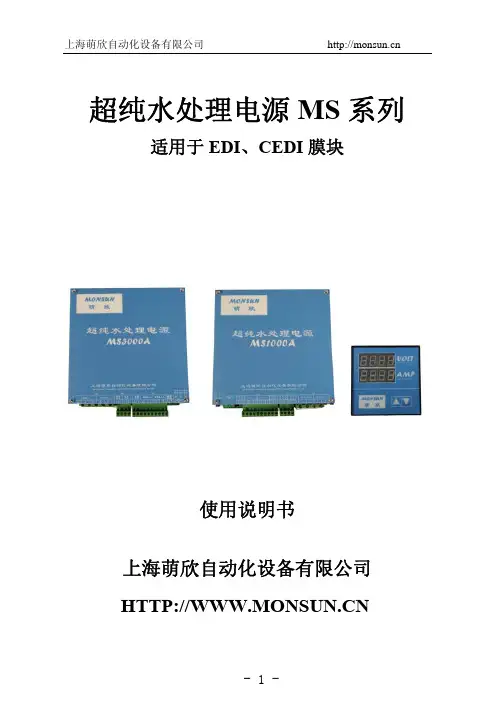
MS3000A电源说明书
功耗:
空载约 10W
过载能力:
150%额定电流,时间小于 30 秒
调节电流:
0~100%线性设定
过电流保护: 80~150%可调
启动、关断方式: 软起动,软关断
结构方式:
单元式
工作方式:
连续式
冷却方式:
自然冷却
三、 安装要求:
a、装置应垂直安装在立体箱内或机器的框架上,以便冷却空
气自下而上自然流通,且电源接线端朝向底部。
缘,且各根导线与大地绝缘良好,否则装置将被损坏! 2) 控制信号导线避免接近电力电缆和强电回路的导线,
最好用屏蔽线,否则可能造成装置损坏! 3) 装置电源进线侧必须安装快速熔断器,熔断器的额定电
流为负载电流的 2~3 倍。 4. 检查装置上的选择开关 S1 是否拨在合适的位置。
1) S1 选择 V 侧,装置为恒压系统。 2) S1 选择 I 侧,装置为恒流系统。 二、轻载实验:
- 10 -
上海萌欣自动化设备有限公司
二、 选择开关、电位器功能说明表:
代号 标号
功能
说明
S1 S1
恒流/恒压选 择开关
向左拨至 I 侧,装置为恒流系 统;向右拨至 V 侧,装置为恒 压系统。
三、 各测试点参数:
代号
标号 测量值
说明
-JP2:3
N10
-10VDC 电源,静态值
如果 EDI 模块没水,会损坏 EDI 模块。必须在电源装置进
线交流侧前端加交流接触器,用交流接触器线圈启停控制
电源装置起停。
四、应用范围:
MS1000A 直流控制器是专门针对水处理行业超纯水系
统的 EDI、CEDI 及其他水处理模块特性而设计开发的配
三相(10-15KVA)静态无中断电源系统说明书
PART 1 GENERAL
1.01 SCOPE A. The Contractor shall furnish and install a three-phase continuous duty, online, double conversion, solid-state uninterruptible power system, hereafter referred to as the UPS. The UPS shall operate in conjunction with the existing building electrical system to provide power conditioning, back-up and distribution for critical electrical loads. The UPS shall consist of, as required by the project, the UPS module, battery cabinet(s), and accessory cabinet(s) for transformers, maintenance bypass, parallel tie, and distribution applications, and other features as described in this specification.
MS中文简体使用手册(INFORM面板)-192321061007001
目录重要安全注意事项 (3)1.禁止事项 (3)2.使用注意事项 (4)第1章产品介绍 (5)1.1 MS系列一般特性说明 (5)1.2 MS系列特殊功能说明 (5)第2章面板及背板功能说明 (6)2.1 面板指示说明 (6)2.2 背板功能说明 (8)2.3 通讯接口 (11)第3章安装及操作说明 (12)3.1 UPS拆装 (12)3.2 选择适当安装位置 (12)3.3 安装与操作测试 (13)3.4 储存注意事项 (13)3.5 SNMP 扩充槽 (14)第4章UPS工作状态说明 (16)4.1 市电正常时UPS工作回路 (16)4.2 市电异常UPS工作回路 (17)4.3 过载时 (17)4.4 逆变器故障时UPS工作回路 (18)4.5 逆变器温度过高时 (18)4.6 逆变器电流异常及其输出电压异常时 (18)第5章基本故障排除 (19)5.1 系统方块图 (19)5.2 故障判定及排除 (19)5.3 保存养护 (20)第6章软件安装 (21)6.1 硬件安装 (21)6.2 软件安装(安装完毕后请重新启动系统) (21)第7章附录 (23)7.1 规格表 (23)重要安全注意事项1. 禁止事项1. 本产品非本公司或授权经销商之技术人员,请勿擅自开启机壳,否则您的保证将会失效,且有触电的危险。
2. 产品内所有零件皆经检查及合乎高标准规格,未经授权之经销商或检定合格专业人员及使用者,请勿自行修护及更换零件。
3. UPS本体的上方禁止放置花瓶或装水容器,花瓶或装水容器倾倒会导致水份进入机器内,容易产生触电、UPS内部损坏之危险。
4. 本产品禁止使用于有火花、烟雾、瓦斯等现象之环境,以免导致跳火(ARC)、受伤、火灾之危险。
2. 使用注意事项1. 本产品的使用环境及保存方法,对产品的使用寿命,及故障发生有绝对的影响。
因此,请特别注意避免下列工作环境使用:a. 避免在使用说明书内所记载以外(温度0-40O C,相对湿度30-90%),之高温、低温、潮湿场所使用。
HY-MS系列交流不间断电源系统使用说明书
●内建独立双组静态开关计:即使一组故障,另一组仍然能够正常运行,静态开关采用超高压(1600V)设计,较高的设计安全系数以确保在极其恶劣的条件下仍然能够安全运行。
●三相输入中点浮接、脱落保护计:主机采用专利电路设计可有效避免市电输入中点脱落对系统及负载造成的危害,确保供电系统稳定安全。
交流不间断电源系统在整流输入侧及逆变输出测均加入隔离变和滤波器;采用两段式锁相回路及自动跟踪技术完全兼容发电机;采用DSP控制技术和IGBT组件以保证UPS输出为纯正的标准的交流电源。
3.定功率功能:
保证能够适用于任何类型的负载。
4.系统过载自动转旁路功能:
负载超过额定容量时在一定时限内自动转由旁路输出,负载恢复到额定容量内时自动转由逆变输出,用于防止过载对系统功率器件造成损坏。
输出电压:1P2W220VAC;
电压稳定度:±1%;
频率:50Hz;
频率稳定度:±0.5%无市电时;
瞬时响应:±3%空载到满载5周内;
波形:正弦波、谐波总失真率<3%在0-100%线性负载;
过载能力:120%~150%超过60秒转由市电输出,>150%1秒转市电输出;
功率因数:0.8-1置后;
波峰因数:3:1;
功率因率
0.8-1, lag(落后)
波峰因数
3:1(指输出电流波形之波峰值/有效值)
效率
AC to AC >85%
逆变器
20KHz PWM模式
转换时间
AC Fault Zero(市电停电时零转换时间)
保护
直流
低电压自动关机
过载
110~150%超过60秒转旁路由市电供电,降低负载后自动转回UPS供电
交流不间断电源(UPS)设备操作说明书

第1页共2页
仪器名称
交流不间断电源(UPS)
设备功能
提供不间断电源
文件编号
仪器型号
MTT-60KVA/MTS-20KVA
厂商
柏克
版本
B0
核准
审核
制作
断电源(UPS)
设备功能
提供不间断电源
文件编号
仪器型号
MTT-60KVA/MTS-20KVA
二﹑注意事项﹕
1.当UPS需要移动或重新配线时﹐必须保证UPS完全停机。市电输入﹑电池输入的空气开关断开。否则输出的可能有电﹐有触电的危险。
2.液体或其它外来物体绝对不允许进入电源机箱内。
3.保持进/排气孔的通畅。进/排气孔的通风不畅会导致UPS内部的温度升高﹐使机器中元器件的寿命缩短。
4.在带电的情况下﹐不能去排出尘土﹐不得用湿的毛巾去擦除污垢。
5.万一周围起火﹐请使用干粉灭火器﹐若使用液体灭火器会有触电危险。
6.“维修开关”处已贴上封条﹐该断路器为不断电进行有线维护设计。正常时禁止闭合。禁止撕毁封条﹐使用维修开关请按正确的流程否则会造成UPS故障或中断输出。
核准
审核
制作
日期
厂商
柏克
版本
B0
一﹑操作步骤﹕
1.打开旁路开关(向上)
2.打开整流开关(向上)
3.等电池低压灯熄灭后,打上电池开关。UPS在无任何报警状态指示时﹐会自动转入正常工作。并打开输出开关。(注﹕UPS在接通电源10秒内没有合上整流开关会出现相序错误的报警信息﹐MTT系列UPS这时请按一下“F1”消出报警信息。MTS﹑MS系列UPS这时请按一下“设置键”消出报警信息﹐同时执行以上的UPS启动程序。)
不间断电源使用说明(一)

不间断电源使用说明(一)不间断电源使用说明一、产品简介•不间断电源是一种电气设备,它能在电网供电中断时提供稳定的电能,以保护设备免受电力波动的影响。
二、使用注意事项1.安全性–在使用不间断电源时,务必确保设备接地良好,以避免电击风险。
–避免与水源接触,防止发生漏电事故。
2.环境–不间断电源应放置在通风良好的地方,远离潮湿和高温环境,以延长设备寿命。
–避免阳光直射,保持设备表面干净。
3.接线–接线前务必关闭不间断电源开关,并确保电源线插头与设备接口连接牢固。
–不要长时间拉扯电源线,避免引起短路或线松动。
4.负载–不间断电源具有一定的输出功率限制,请确保接入的设备不超过其额定负载。
–长时间超负荷使用可能导致不间断电源过热或损坏。
三、工作状态指示•不间断电源通常具有LED指示灯,用以显示设备的工作状态。
•常见指示灯含义:–电池状态:绿灯表示正常,红灯表示需要更换电池。
–市电状态:绿灯表示正常供电,红灯表示市电中断。
–故障状态:黄灯表示设备故障,应及时联系维修人员。
四、故障排除•在使用过程中,如果发生以下情况,请按以下步骤进行故障排查:1.电源无法开启:–检查电源线是否接触牢固,插头和插座是否正常工作。
–检查电池是否已完全充电。
–如仍无法解决,请联系维修人员。
2.设备无法正常工作:–检查负载是否超过不间断电源额定负载。
–检查市电是否正常供电,电源是否处于市电模式。
–如仍无法解决,请联系维修人员。
五、维护保养1.定期检查–建议定期检查不间断电源的电池状态,确保其正常工作。
–定期清洁设备表面,保持通风良好。
2.电池更换–根据不间断电源使用说明书,定期更换电池,以确保电源持续稳定供电。
六、免责声明•我们对于用户在使用不间断电源过程中可能发生的人身伤害、财产损失等情况,不承担任何责任。
•用户在使用前,请仔细阅读本说明书并按照要求操作,以保障安全。
以上就是不间断电源使用说明,希望对您有所帮助!如有任何问题,请随时联系我们。
HYS 3-20kVA1说明书
HYS-45kVA 消防设备应急电源使用说明书武汉帕沃电源设备制造有限公司一、前言承蒙您选用HYS系列FEPS消防设备应急电源。
在使用FEPS消防设备应急电源前请详细阅读本使用说明书,以便正确使用FEPS消防设备应急电源,充分发挥其功能,并确保安全。
请永久保存此说明书,以便日后保养、维护、检修时使用。
FEPS消防设备应急电源乃电气类产品,为了您的安全,请务必由专业电气工程人员安装、调试。
若有疑虑,请联络本公司各地办事处或代理商恰询,我们的专业人员乐于为您服务。
本说明书如有变动,恕不另行通知。
二、 FEPS概述FEPS消防设备应急电源是专门为消防设备和专用负荷或照明用电而设计。
在交流电网正常时,由交流电网经过本设备内互投装置直接给负载供电,同时本设备内充电器给电池组进行智能充电。
当交流电网断电或电网电压低于±25%额定值时,本设备将立即投切至逆变输出供电,由电池组备用电经过逆变,继续给负载提供正弦波交流电。
当电网电压正常后,本设备将恢复至电网供电。
为适应消防应急时对电源的需求,本设备设有手动故障复位开关、电池组欠压保护强制应急开关。
三、 HYS型系列FEPS主要电气性能容量45kVA充电器输入市电AC380V±25% 50Hz+2% 充电电压DC4272V充电电流1-5 A充电方式均充、浮充自动切换蓄电池电池种类铅酸免维护电池额定电压DC372V备用时间 90min(可以根据需要配备蓄电池) 充电时间≤24h应急逆变输出电压AC380V±3% 50Hz±2.5Hz 输出波形正弦波THD≤5%(阻性)过载能力120% 声光报警、150% 切断输出保护功能过载、开路、欠压(可解除)保护应急切换<5S(重要场所小于0.25S)工作环境 噪 音应急时≤50dB 相对湿度 0~90% 不结露 环境温度 -25℃~40℃ 海拔高度<2500m四、 HYS 型系列FEPS 产品特点1. 数字芯片(DSP )32位微处理器控制,SPWM 调制技术,功能齐全2. 进口IPM 智能功率模块,输出平衡、稳定。
最新逆变器说明全厂不间断电源精品版
2020年逆变器说明全厂不间断电源精品版OYAMA使用说明书USER’S MANUAL INVERTER POWER SUPPLY目录使用手册第1页1.简介1.1.概述1.2.注意事项2.外形结构2.1 1KVA INV外观.2.2 2、3KVA INV外观2.3 5、6KVA INV外观(2﹑3KVA INV标机外观)2.4 8KVA-20KVA INV外观3、INV的放置3.1.搬运或移动3.2.放置4、INV的安装及接线4.1.注意事项4.2.单机INV安装4.2.1 1KVA INV4.2.2 2KVA以上INV4.3.备份INV安装4.4三相INV安装4.5动力配件选择4.5.1配线选择4.5.2空气开关选择5.INV的选择5.1控制及指示装置5.2操作程序5.2.1第一次开机5.2.2存放步骤5.2.3关机程序5.2.4开机程序5.2.5断电情况6.状况处理6.1运转指示6.2异常处理程序7.INV工作原理7.1正常7.2断电7.3备用电源供电7.4 备份INV运作7.4.1正常工作7.4.2备机工作8.INV及电池之保养8.1INV之保养8.2电池之保养9.通信介面说明10.电气规范10.1单相电气规范10.2三相电气规范1.简介1.1概述本系列INV针对办公室自动化,电脑化之需求,考虑到安置空间之大小及位置,以及所产生杂音对办公人员造成之干扰问题而设计.体积小,低杂音,高稳定度及容量操作为设计重点,并维护本公司产品一贯之精致品质及优异功能.本系列INV最大之特点是采用最新IGBT组成功率单元,并配备专用IGBT驱动芯片及特殊设计之控制电路.故此,配备本公司INV必能使您的精密电气设备发挥最大之效果.1.2注意事项为使INV能正常发挥既有之功能,请注意下列事项:1.在使用前务必阅此说明书.2.必须依照说明书之指示安装.3.遵照指示步骤,依次操作.4.避免超载使用,以免造成INV故障.5.请保持INV之干净与整洁.6.机器若有异常现象,请依异常处理程序处理.7.请妥存本说明书,作为日后参考.8.合格电器安装,维修人员安装维修.9.安装机器时,请最好有两人在现场.10.依照安全规范施工.11.为避免触电造成人员伤害及机器损坏,请勿打开机盖.外形结构使用手册第4页2.1 1KVA INV外观2.2 2、排外形结构使用手册第5页2.3 5、6KVA INV外观(2、3KVA INV外观)2.4 8KVA INV ~ 15KVA INV外形结构使用手册第6页2.4 20KVA以上 INV外观3.INV的放置3.1搬运或移动1.请先将所有按线拆除2.小心轻放,严禁碰撞3.请勿倒置移动.3.2放置1.请勿置于不平或倾斜之处.(图五)2.请将INV置于通风良好的地方,背面及两侧至少离壁10公分,使进﹑出排气孔保持通畅。
UPS(不间断电源)安装和维护说明说明书
InventorySafety and General InformationInspect the package contents upon receipt. Notify the carrier and dealer if there is any damage.SAVE THESE INSTRUCTIONS - This manual contains important instructions that should be followed during installation and maintenance of the UPS and batteries. Failure to follow these instructions can result in equipment damage.UPS• This unit is designed for low power devices less than 50 Watts. When the UPS is on battery,the unit will shut down automatically to protect itself once the load on the UPS is greater than 50Watts.• This UPS is intended for indoor use only.• Do not operate this UPS in direct sunlight, in contact with fluids, or where there is excessivedust or humidity.• Be sure the air vents on the UPS are not blocked. Allow adequate space for properventilation.• The battery typically lasts for three to five years. Environmental factors impact battery life.Elevated ambient temperatures, poor quality AC power, and frequent short duration discharges will shorten battery life.• Connect the UPS power cable directly to a wall outlet.Mobile Power Pack (battery)• Do not short circuit this device. To avoid short circuit, keep the device away from any metalobjects (e.g., hair clips and keys).• It is normal that the battery will feel warm during heavy use.• Use this device as instructed to avoid electric shock; do not disassemble.• This unit is not user repairable; contact APC for tech support related issues.• Do not heat this device or throw it into a fire.• Do not drop or place the unit under a heavy object.• Keep this device away from high temperature, wet, or dusty environments.• During normal usage keep the device out in the open to allow excess heat to dissipate.• Charge M12USWH for 2.5 hours before initial use.• Keep the USB output port and micro-USB input port clean and free of obstruction.Getting StartedConnect the BatteryRemove all plastic films. With the USB ports positioned at the bottom, insert the mobile battery pack into the main unit.When the battery is inserted one LED will illuminate moving from the bottom to the top to confirm that the battery has been inserted properly.Using the UPSPress the POWER button located in frontof the UPS. The POWER button LED will illuminate and a single short beep will be audible to indicate that the UPS is turning on.The UPS provides surge protection and battery backup to low power equipment like modems, gateways, routers, cordless phone base units and V oIP base units.Note that high power devices like PCs or monitors may overload the UPS during a blackout. It is recommended that only low power devices be connected.Rotating OutletsBoth outlets can be rotated 90° and 45° to minimize adapter plug interference.USB charging portsThe three USB ports provide a total of 4.4A of DC power, and willprovide power even when the unit is on battery.Fast charging is available at the 2.4A USB port. This port integrates SmartCharging technology to maximize output according to the smartphone or tablet detected.Surge Only ModeThe battery can be removed and the UPS will continue to provide surge protection for the connected AC devices. When the battery is removed the POWER button LED will illuminate amber. In this mode the USB port will continue to provide charging power for smartphones and other USB devices.Mobile Power PackWhen removed from the UPS the battery can be used as a mobile power pack to charge devices in a mobile environment.To turn on the battery press the POWER button on the battery. The LEDs will illuminate to show battery capacity. After 20 seconds the unit will enter a power saving mode if it is not charging a device or being charged. If the unit is charging a device or being charged, after 20 seconds the LEDs will dim down to 10% brightness. Pressing the POWER button at any time will cause the LEDs to illuminate at 100% brightness for 20 seconds.Battery Charge and Capacity Information• Charge battery in the UPS for 2.5 hours prior to initial use. The battery will charge whetherthe UPS is on or off as long as there is AC power to the UPS.• Do not expect full battery runtime capability during the initial charge period.• To charge the battery using the micro-USB input, connect the battery to any USB chargingport. When separate from the UPS, battery charging is slower. When charging the battery using the USB port on a PC, the LEDs will flash more slowly to indicate slower rate of charge.• UPS runtime information is available on the APC Web site, .Mobile Power Pack Status IndicatorsUPS Status IndicatorsWall Mount Installation•Vertical installation, use 4 screws 15/16” (100 mm) in diame-ter. (Screws are not provided.)•Install the stabilizer feet using the 4 slots at the ends of each row of ventilation holes as seen in the figure below.•Orient the UPS to the desired location. Mount screws directly into stabi-lizer feet starting with the bottom pair.Capacity indicator LEDs UPS connector Mobile power pack (battery)Mobile Power Pack POWER buttonRotating outletsPower cordUSB cable Stabilizer feet (4 pcs)User Manual from the UPS and the battery.Plug the power cord into the back of the unit.Install the stabilizer feet using the 4 slots at the ends of each row of ventila-tion holesEventPOWER Button LED Audible Indicator On On Battery The LED flashes green.Not applicable Surge Only ModeThe LED illuminates amber.Not applicableLow Battery alarmThe UPS is supplying battery power and the battery is near a total discharge state.The LED illuminates green and flashes rapidly.The UPS emits 2 short beeps every 30 seconds.Replace BatteryThe battery is worn or needs to be replaced.The LED illuminates red only.None Overload ShutdownWhile on battery power an overloadcondition has occurred in one or more of the battery backup outlets while the UPS is operating on battery power.None Constant toneUSB Detected FaultAn error has occurred in the USB charger on the UPS.The LED alternatelyilluminates green / amber.None© 2015 APC by Schneider Electric. APC, the APC logo, and Back-UPS are owned by Schneider Electric Industries S.A.S., or their affiliated companies. All other trademarks are property of their respective owners.EN 990-966901/2015Voltage Sensitivity Adjustment (optional) The UPS detects and reacts to line voltage distortions by transferring to battery backup power to protect connected equipment. In situations where either the UPS or the connected equipment is too sensitive for the input voltage level it is necessary to adjust the transfer voltage.1.Connect the UPS to a wall outlet but make sure it is off.2.Press and hold the POWER button. After 10 seconds the POWER button LED will illuminatealternately green-red to indicate that the UPS is in Program mode.3.After releasing the POWER button the POWER button LED will illuminate either green,amber, or red to indicate the current sensitivity level. Press the POWER button to changesensitivity. Refer to the table below for an explanation of the sensitivity setting and transfervoltage sensitivity level that corresponds to each LED color.4.To exit Program mode wait five seconds and all LED indicators will extinguish. Programmode is no longer active.Mute Low Battery AlarmFollow the instructions below to adjust the audio setting of the UPS to enable or disable low battery alarm. To change the setting make sure the UPS is on.Make sure the unit is on. Press and hold the POWER button. Releasing the POWER button after hearing the 3rd short beep will toggle the low battery alarm mute function. The UPS will emit a short double beep to confirm that the low battery alarm has been disabled. If the UPS emits a 1- second beep it indicates that the low battery alarm is audible.Note: The default setting of the low battery alarm is audible.UPS SpecificationsMobile Power Pack (battery) SpecificationsReplace BatteryDeliver the used battery to a recycling facility.Replace the used battery with an APC by Schneider Electric approved battery.Replacement batteries can be ordered through the APC by Schneider Electric Website, . Battery replacement part for UPS BGE50ML is M12USWH. WarrantySchneider Electric IT (SEIT) warrants its products to be free from defects in materials andworkmanship for a period of three (3) years from the date of purchase. SE IT obligation under this warranty is limited to repairing or replacing, at its sole discretion, any such defective products. This warranty does not apply to battery wear from use, equipment that has been damaged by accident, negligence or misapplication or has been altered or modified in any way. SEIT standard procedure is to replace the original unit with a factory reconditioned unit. Customers who must have the original unit back due to the assignment of asset tags and set depreciation schedules must declare such a need at first contact with an SEIT Technical Support representative. SEIT will ship the replacement unit once the defective unit has been received by the repair department, or cross ship upon the receipt of a valid credit card number. The customer pays for shipping the unit to SEIT.SEIT pays ground freight transportation costs to ship the replacement unit to the customer. For full warranty information refer to .TroubleshootingServiceIf the unit requires service, do not return it to the dealer. Follow these steps:1.Review the Troubleshooting section of the manual to eliminate common problems.2.If the problem persists, contact Schneider Electric IT (SEIT) Customer Support through theAPC by Schneider Electric Web site, .a.Note the model number and serial number and the date of purchase.b.Call SEIT Customer Support and a technician will attempt to solve the problem over thephone. If this is not possible, the technician will issue a Returned Material AuthorizationNumber (RMA#).c.If the unit is under warranty, the repairs are free.d.Service procedures and returns may vary internationally. Refer to the APC by SchneiderElectric Web site for country specific instructions.3.Pack the unit in the original packaging whenever possible to avoid damage in transit. Neveruse foam beads for packaging. Damage sustained in transit is not covered under warranty.4.Always DISCONNECT THE UPS BATTERIES before shipping. The United StatesDepartment of Transportation (DOT), and the International Air Transport Association(IATA) regulations require that UPS batteries be disconnected before shipping. Theinternal batteries may remain in the UPS.5.Write the RMA# provided by Customer Support on the outside of the package.6.Return the unit by insured, pre-paid carrier to the address provided by Customer Support APC by Schneider Electric IT Customer Support WorldwideFor country specific customer support, go to the APC by Schneider Electric Web site,.EMC ComplianceThis device complies with part 15 of the FCC rules. Operation is subject to the following two conditions: (1) This device may not cause harmful interference, and (2) This device must accept any interference received, including interference that may cause undesired operation.This UPS is certified to comply with California Battery Charger System regulations. Formore information go to/site/recycle/index.cfm/energy-efficiency/cec-battery-charger/LED Flashes SensitivitySettingInput Voltage Range(AC Operation)Recommended UseGreen LOW88 Vac to 142 Vac Use this setting with equipment that is less sensitive to fluctuations in voltage or waveform distortions.Red MEDIUM92 Vac to 139 Vac Factory default setting. Use this setting undernormal conditions.Amber HIGH96 Vac to 136 Vac Use this setting when connected equipment issensitive to voltage and waveform fluctuations.AC Input V oltage120 Vac NominalFrequency50/60 Hz + 3Hz auto-sensingBrownout Transfer92 Vac TypicalOver-voltage Transfer139 Vac TypicalProtection Resettable circuit breakerSurge Protection Computer gradeAC Output UPS Capacity 84 V A, 50 WTotal Amperage (AC outlets)0.7 AV oltage - On Battery115 Vac ± 8%Frequency - On Battery50/60 Hz + 1Transfer Time 6 ms Typical, 10 ms maximumUSB Output Output Current 1.0AOutput V oltage5VCharger Compatibility USB Battery Charging Specification 1.2Physical Net Weight 1.7 lb (0.8 kg)DimensionsLength x Width x Height 7.7 in x 7.0 in x 2.1 in (19.6 cm x 17.8 cm x 5.4 cm)Operating Temperature32º F to 104º F (0º C to 40º C) Storage Temperature5º F to 113º F (–15º C to 45º C) Operating Relative Humidity0 to 95% non-condensing humidity Operating Elevation0 to 10,000 ft (0 to 3000 m)Cord Lengths Power Cord59.0 in (150.0 cm) USB Cord11.0 in (27.9 cm)Type Lithium-ion batteryCapacity11400mAhRating41.2 WhInput current (Maximum)micro-USB: 2.1ARated input voltage5V dcOutput current USB1: 2.4A, USB2: 1.0AOutput voltage5VCapacity indicator light 5 level LEDsCapacity indicator brightness levels50% in the UPS. As mobile power pack 100% afterpressing the POWER button. 10% after 20 secondswhen charging a device or being charged. Charging time 2.5 hours (UPS), 8 hours (micro-USB) Dimensions (L x W x H) 5.1 x 2.9 x 0.9 in (13.0 x 7.4 x 2.2 cm)Weight0.6 lb (267g)Operating temperature32°F- 104°F (0°C- 40°C)Smart Charging (2.4A port only)Maximum output depends on the client device.Problem and Possible Cause SolutionThe UPS will not turn onThe UPS has not been turned on.Press the POWER button.The UPS is not connected to AC power,there is no AC power available at the walloutlet, or the AC power is experiencing abrownout or over voltage condition.Make sure the battery has been inserted into the UPSwhen attempting to turn on the UPS without AC power.In the event that the UPS receives no AC power and thebattery is connected, a cold-start can be initiated. Pressand hold the POWER button until the UPS emits twobeeps.The UPS is on, the POWER button illuminated redThe battery is worn or needs repair..Contact Schneider Electric IT (SEIT) Technical Supportfor more in depth troubleshooting..Connected equipment loses powerA UPS overload condition has occurred.Remove all nonessential equipment connected to theoutlets. Reconnect equipment to the UPS, one device at atime.The battery is completely discharged.Connect the UPS to AC power to allow the battery torecharge.The UPS may require service.Contact Schneider Electric IT (SEIT) Technical Supportfor more in depth troubleshooting.The UPS has an inadequate battery runtimeThe battery is not fully charged.The battery is near the end of useful lifeand should be replaced.Leave the UPS connected to AC power for 2.5 hourswhile the battery charges to full capacity.As a battery ages, the runtime capability decreases.Contact APC by Schneider Electric at the Web site, to order replacement batteries.USB charging is slowCharging a device using the UPS's USBcharger is slower than the device's originalUSB chargerThe amount of power a device draws depends on itscompatibility with the USB Battery ChargingSpecification 1.2. Compatible devices can draw morepower than devices that are less compatible. For devicesthat can charge using input greater than 1A make sure thatthe device is connected to the 2.4A USB charging port. USB charging stops and the POWER button LED alternately illuminates green / amberThe USB port on the UPS is overloaded orhas encountered an error.Disconnect device from the USB port on the UPS. USBcharging will resume when the LED turns green. ContactSEIT Technical Support if the LED continues to alternategreen / amber.USB charging stops and the battery pack capacity indicators LEDs all flash simultaneously One or two USB ports on the mobile powerpack is overloaded or has encountered anerror.Disconnect device(s) from the USB port(s) on the mobilepower pack. When the mobile power pack is not pairedwith the UPS the power pack will enter safe mode if theUSB error has not been resolved within 30 seconds. Battery charging is slowThe charging time of battery variesdepending on the charging connection.Charge the battery inside the UPS for best results. Usingthe micro-USB port to charge the battery will requiremore time. The speed is also dependent on the type ofUSB charger. Some USB chargers support 1A and othersup to 2.4A. More powerful chargers will reduce the timerequired. USB ports on a PC can also charge the batterybut older PCs only support 500mA which will result ineven more time to charge.。
3进3出在线式不间断电源使用说明书
3进3出在线式不间断电源(10~200KVA)V1.2目录1. 产品介绍 (1)1.1 简介 (1)1.2 基本组成 (1)1.3 工作模式 (1)1.4 产品概览 (5)2. 注意事项 (6)2.1 常用标志说明 (6)2.2 安全事项说明 (7)3. 机柜安装 (9)3.1 安装环境要求 (9)3.2 卸货开箱 (10)4. 电气安装 (12)4.1 电源端口 (12)4.2 通讯端口 (16)5. 调试 (19)5.1 开机步骤 (19)5.2 关机步骤 (19)5.3 维修旁路使用步骤 (20)6. 人机界面 (21)6.1 控制面板 (21)6.2 液晶屏显示说明 (22)6.3 功能菜单操作说明 (24)7. 使用维护指南 (41)7.1 系统维护 (41)7.2 电池维护 (41)8. 故障诊断及处理 (42)8.1 警告代码说明 (42)8.2 故障代码说明 (43)9. 单机电气规格 (45)10. 并机安装指导 (48)10.1 概述 (48)10.2 并机安装 (48)10.3 并机设置及LCD显示 (53)10.4 并机规格 (53)10.5 并机故障诊断及处理 (54)1.产品介绍1.1简介本系列UPS是一款纯正弦波输出的双变换在线式不间断电源系统,为重要负载提供不受电网干扰、稳压、稳频的电力供应的电源设备。
当市电掉电后,UPS将电池能量逆变输出到负载,实现不间断输出。
本系列UPS采用输出隔离变压器的高频双变换结构和先进的全数字控制技术,实现稳定、干净、不间断电源输出。
同时还提供多样化的通讯方案,及友好的人机界面,方便用户对机器进行设置及监控。
通讯部分提供MODBUS,RS232以及可扩展的智能插槽。
1.2基本组成本系列UPS系统主要由整流模块和逆变模块组成交流到直流再到交流的双变换电路、静态旁路、维修旁路、电池充放电回路等几个主要的模块组成。
市电与旁路通过反向并联的可控硅作为切换开关来进行切换。