
nport串口服务器调试说明
n p o r t串口服务器调试
说明
公司标准化编码 [QQX96QT-XQQB89Q8-NQQJ6Q8-MQM9N]
现场调试NPORT5232
1.将电脑连入NPORT5232的网络,点击search,将会收到网络上的所有NPORT5232,根据MAC地址确定将要调试的设备。
2.双击要调试的设备。
Network是用来设置设备的IP地址,要修改必须勾选Modify ,才能操作。
Serial是用来修改485口的波特率等参数。
Operating Mode 是用来调试485口的工作模式:
TCP模式,用于以太网网络传输报文。
一般第一个485口设定4001端口,第二个485设定为4002端口。
REAL模式,将485映射到电脑,虚拟成电脑的COM口。
我们一般都在REAL模式下发送报文,以调试485总线设备(如扶梯,西门子PLC等)
点击“COM Mapping”
再点击“Add”,添加我们需要映射的Nport5232,注意,我们映射的端口必须被改为REAL模式才行。
然后点击“Apply”,选择没有占用的端口,即可(相当于电脑有了COM3,COM4等端口)。
如果端口映射不了,请关闭防火墙或杀毒软件,重新安装Nport软件。
经过如上设置,我们就可以用串口调试工具发送和接收报文了。
串口调试工具Commix?用法:双击:Commix
再在报文发送框内填写报文。
Port:设定电脑将要通讯的COM口。
(可以是Nport5232映射的端口)
输入16进制的报文,点击,Send
次窗口会显示485总线上的发送和接。
Nport串口服务器说明书

文件级别:文件编号:MOXA Nport 5630 设备使用说明书1.0版编制:汤浩校核:喻鹏、谭华审定:批准:长沙华能自控集团有限公司一、简介MOXA Nport 5600系列产品是一种和后台电脑用网络连接的串口服务器。
NPort 5600 系列多个不同的后台电脑可以共同分享1个Nport 5600设备二、Nport 5600通信线制作Nport 5600 系列串口接线引脚引脚号RS232 RS422 / 4线RS485 2线RS4851 DSR2 RTS3 GND TXD+4 TXD TXD-5 RXD RXD- DATA-6 DCD RXD+ DATA+7 CTS GND GND8 DTR三、Nport 5600设置面板和按钮说明灯:LED 灯-灯颜色-含义LED灯颜色含义准备灯红正在启动中,长期则是有错误绿正常1-8/16通信信号灯正在接收数据绿正在发送数据按键:键名称- 含义MENU菜单键∧上翻键∨下翻键SEL选择键先在NPORT 5600上把NPORT 5600的IP设置好,具体操作方法如Menu(主选单) → NetWork Setting → IP Address →设置为192.168.X.X→ NetMask →设置为255.255.255.0四、后台电脑设置在后台电脑中安装好Nport 5600的驱动程,安装完毕后在开始菜单中选择程序,然后再选择刚安装好的NPort Administration Suite NPort Administrator打开后选择Broadcast Search (自动查找在网络内的Nport )配置Nport 5600设置PORTx 端口的通信方式Com Mapping (串口映射)也就是把NPORT 的PORTx 映射为电脑中的COM到此设置完毕,点击中的Apply应用刚才的设置。
后台软件中的串口的COM MAPPING中的COM PORT应相对应。
Nport5630串口服务器说明书

文件级别:文件编号:MOXA Nport5630设备使用说明书1.0版编制:汤浩校核:喻鹏、谭华审定:批准:长沙华能自控集团有限公司一、简介MOXANport5600系列产品就是一种与后台电脑用网络连接得串口服务器。
NPort 5600系列ﻫ多个不同得后台电脑可以共同分享1个Nport5600设备二、Nport5600通信线制作Nport 5600 系列串口接线引脚引脚号RS232 RS422/ 4线RS485 2线RS4851 DSR2 RTS3GNDTXD+4TXD TXD-5 RXD RXD-DATA—6 DCD RXD+ DATA+7 CTS GND GND8DTR三、Nport 5600设置面板与按钮说明灯:LED灯-灯颜色-含义LED灯颜色含义准备灯红正在启动中,长期则就是有错误绿正常1—8/16通信信号灯正在接收数据绿正在发送数据按键:键名称—含义MENU菜单键∧上翻键∨下翻键SEL选择键先在NPORT5600上把NPORT5600得IP设置好,具体操作方法如Menu(主选单)→NetWork Setting → IP Address →设置为192、168、X、X→NetMask→设置为255、255、255、0四、后台电脑设置在后台电脑中安装好Nport5600得驱动程,安装完毕后在开始菜单中选择程序,然后再选择刚安装好得NPort Administration Suite→ NPortAdministrator打开后选择BroadcastSearch(自动查找在网络内得Nport)配置Nport 5600设置PORTx 端口得通信方式Mapping (串口映射)也就就是把NPORT得PORTx映射为电脑中得到此设置完毕,点击中得Apply应用刚才得设置。
后台软件中得串口得MAPPING中得PORT应相对应.后台软件中得其它设置请参阅MTC得帮助文件。
Moxa NPort 5100A 串口到网络设备服务器说明书
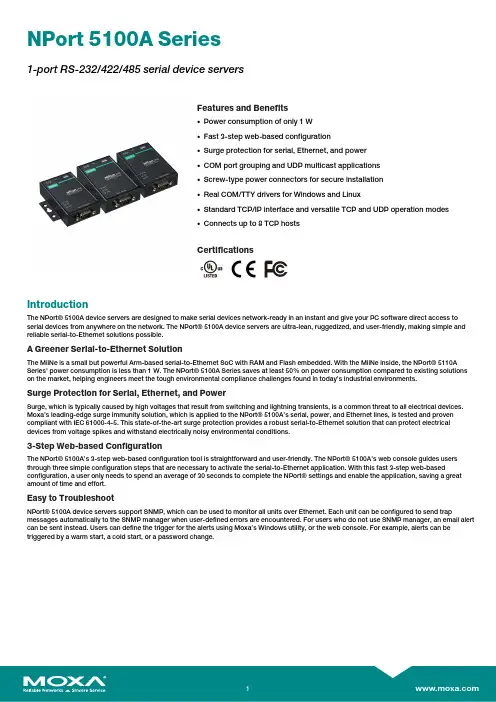
NPort5100A Series1-port RS-232/422/485serial device serversFeatures and Benefits•Power consumption of only1W•Fast3-step web-based configuration•Surge protection for serial,Ethernet,and power•COM port grouping and UDP multicast applications•Screw-type power connectors for secure installation•Real COM/TTY drivers for Windows and Linux•Standard TCP/IP interface and versatile TCP and UDP operation modes•Connects up to8TCP hostsCertificationsIntroductionThe NPort®5100A device servers are designed to make serial devices network-ready in an instant and give your PC software direct access to serial devices from anywhere on the network.The NPort®5100A device servers are ultra-lean,ruggedized,and user-friendly,making simple and reliable serial-to-Ethernet solutions possible.A Greener Serial-to-Ethernet SolutionThe MiiNe is a small but powerful Arm-based serial-to-Ethernet SoC with RAM and Flash embedded.With the MiiNe inside,the NPort®5110A Series'power consumption is less than1W.The NPort®5100A Series saves at least50%on power consumption compared to existing solutions on the market,helping engineers meet the tough environmental compliance challenges found in today’s industrial environments.Surge Protection for Serial,Ethernet,and PowerSurge,which is typically caused by high voltages that result from switching and lightning transients,is a common threat to all electrical devices. Moxa’s leading-edge surge immunity solution,which is applied to the NPort®5100A’s serial,power,and Ethernet lines,is tested and proven compliant with IEC61000-4-5.This state-of-the-art surge protection provides a robust serial-to-Ethernet solution that can protect electrical devices from voltage spikes and withstand electrically noisy environmental conditions.3-Step Web-based ConfigurationThe NPort®5100A’s3-step web-based configuration tool is straightforward and user-friendly.The NPort®5100A’s web console guides users through three simple configuration steps that are necessary to activate the serial-to-Ethernet application.With this fast3-step web-based configuration,a user only needs to spend an average of30seconds to complete the NPort®settings and enable the application,saving a great amount of time and effort.Easy to TroubleshootNPort®5100A device servers support SNMP,which can be used to monitor all units over Ethernet.Each unit can be configured to send trap messages automatically to the SNMP manager when user-defined errors are encountered.For users who do not use SNMP manager,an email alert can be sent ers can define the trigger for the alerts using Moxa’s Windows utility,or the web console.For example,alerts can be triggered by a warm start,a cold start,or a password change.AppearanceSpecificationsEthernet Interface10/100BaseT(X)Ports(RJ45connector)1Magnetic Isolation Protection 1.5kV(built-in)Ethernet Software FeaturesConfiguration Options Windows Utility,Serial Console,Telnet Console,Web Console(HTTP/HTTPS) Management DHCP Client,ARP,BOOTP,DNS,HTTP,HTTPS,ICMP,IPv4,LLDP,SMTP,SNMPv1/v2c,TCP/IP,Telnet,UDPFilter IGMP v1/v2Windows Real COM Drivers Windows95/98/ME/NT/2000,Windows XP/2003/Vista/2008/7/8/8.1/10(x86/x64),Windows2008R2/2012/2012R2(x64),Windows Embedded CE5.0/6.0,Windows XPEmbeddedLinux Real TTY Drivers Kernel versions:2.4.x,2.6.x,3.x,4.x,and5.xFixed TTY Drivers SCO UNIX,SCO OpenServer,UnixWare7,QNX4.25,QNX6,Solaris10,FreeBSD,AIX5.x,HP-UX11i,Mac OS XAndroid API Android3.1.x and laterMIB RFC1213,RFC1317Serial InterfaceConnector DB9maleNo.of Ports1Serial Standards NPort5110A:RS-232NPort5130A:RS-422,RS-485NPort5150A:RS-232,RS-422,RS-485Operation Modes Disabled,Ethernet Modem,Pair Connection,Real COM,Reverse Telnet,RFC2217,TCPClient,TCP Server,UDPBaudrate Supports standard baudrates(unit=bps):50,75,110,134,150,300,600,1200,1800,2400,4800,7200,9600,19200,38400,57600,115200,230.4k,460.8k,921.6kData Bits5,6,7,8Stop Bits1,1.5,2Parity None,Even,Odd,Space,MarkFlow Control RTS/CTS(RS-232only),DTR/DSR(RS-232only),XON/XOFFPull High/Low Resistor for RS-4851kilo-ohm,150kilo-ohmsRS-485Data Direction Control ADDC®(automatic data direction control)Terminator for RS-485120ohmsSerial SignalsRS-232TxD,RxD,RTS,CTS,DTR,DSR,DCD,GNDRS-422Tx+,Tx-,Rx+,Rx-,GNDRS-485-4w Tx+,Tx-,Rx+,Rx-,GNDRS-485-2w Data+,Data-,GNDPower ParametersNo.of Power Inputs1Input Current NPort5110A:82.5mA@12VDCNPort5130A:89.1mA@12VDCNPort5150A:92.4mA@12VDCInput Voltage12to48VDCSource of Input Power Power input jackReliabilityAutomatic Reboot Trigger Built-in WDTPhysical CharacteristicsHousing MetalDimensions(with ears)75.2x80x22mm(2.96x3.15x0.87in)Dimensions(without ears)52x80x22mm(2.05x3.15x0.87in)Weight340g(0.75lb)Installation Desktop,DIN-rail mounting(with optional kit),Wall mountingEnvironmental LimitsOperating Temperature Standard Models:0to60°C(32to140°F)Wide Temp.Models:-40to75°C(-40to167°F)Storage Temperature(package included)-40to75°C(-40to167°F)Ambient Relative Humidity5to95%(non-condensing)Standards and CertificationsEMC EN55032/24EMI CISPR32,FCC Part15B Class AEMS IEC61000-4-2ESD:Contact:6kV;Air:8kVIEC61000-4-3RS:80MHz to1GHz:10V/mIEC61000-4-4EFT:Power:2kV;Signal:1kVIEC61000-4-5Surge:Power:2kV;Signal:0.5kVIEC61000-4-6CS:150kHz to80MHz:10V/m;Signal:10V/mIEC61000-4-8PFMFIEC61000-4-11DIPsSafety UL60950-1DeclarationGreen Product RoHS,CRoHS,WEEEMTBFTime2,231,530hrsStandards Telcordia(Bellcore)Standard TR/SRWarrantyWarranty Period5yearsDetails See /warrantyPackage ContentsDevice1x NPort5100A Series device serverPower Supply1x power adapter,suitable for your region(standard temp.models only) Documentation1x quick installation guide1x warranty cardDimensionsNPort5110A NPort5150ANPort5130AOrdering InformationModel NameOperating Temp.Baudrate Serial Standards No.of Serial Ports Input Current Input Voltage NPort 5110A 0to 60°C 50bps to 921.6kbpsRS-232182.5mA @12VDC 12-48VDC NPort 5110A-T -40to 75°C 50bps to 921.6kbpsRS-232182.5mA @12VDC 12-48VDC NPort 5130A 0to 60°C 50bps to 921.6kbps RS-422/485189.1mA @12VDC 12-48VDCNPort5130A-T-40to75°C 50bps to921.6kbpsRS-422/485189.1mA@12VDC12-48VDCNPort5150A0to60°C 50bps to921.6kbpsRS-232/422/485192.4mA@12VDC12-48VDCNPort5150A-T-40to75°C 50bps to921.6kbpsRS-232/422/485192.4mA@12VDC12-48VDCAccessories(sold separately)CablesCBL-F9M9-150DB9female to DB9male serial cable,1.5mCBL-F9M9-20DB9female to DB9male serial cable,20cmConnectorsADP-RJ458P-DB9F DB9female to RJ45connectorMini DB9F-to-TB DB9female to terminal block connectorDIN-Rail Mounting KitsDK35A DIN-rail mounting kit,35mmPower AdaptersPWR-12050-WPAU-S1Locking barrel plug,12VDC,0.5A,100to240VAC,Australia(AU)plug,0to40°C operatingtemperaturePWR-12050-WPCN-S1Locking barrel plug,12VDC,0.5A,100to240VAC,China(CN)plug,0to40°C operating temperature PWR-12050-WPEU-S1Locking barrel plug,12VDC,0.5A,100to240VAC,Continental Europe(EU)plug,0to40°C operatingtemperaturePWR-12050-WPUK-S1Locking barrel plug,12VDC,0.5A,100to240VAC,United Kingdom(UK)plug,0to40°C operatingtemperaturePWR-12050-WPUSJP-S1Locking barrel plug,12VDC,0.5A,100to240VAC,United States/Japan(US/JP)plug,0to40°Coperating temperaturePWR-12150-AU-SA-T Locking barrel plug,12VDC,1.5A,100to240VAC,Australia(AU)plug,-40to75°C operatingtemperatureApplicable Models:NPort5110A-TNPort5130A-TNPort5150A-TPWR-12150-CN-SA-T Locking barrel plug,12VDC,1.5A,100to240VAC,China(CN)plug,-40to75°C operatingtemperatureApplicable Models:NPort5110A-TNPort5130A-TNPort5150A-TPWR-12150-EU-SA-T Locking barrel plug,12VDC,1.5A,100to240VAC,Continental Europe(EU)plug,-40to75°Coperating temperatureApplicable Models:NPort5110A-TNPort5130A-TNPort5150A-TPWR-12150-UK-SA-T Locking barrel plug,12VDC,1.5A,100to240VAC,United Kingdom(UK)plug,-40to75°C operatingtemperatureApplicable Models:NPort5110A-TNPort5130A-TNPort5150A-TPWR-12150-USJP-SA-T Locking barrel plug,12VDC1.5A,100to240VAC,United States/Japan(US/JP)plug,-40to75°Coperating temperatureApplicable Models:NPort5110A-TNPort5130A-TNPort5150A-TPower CordsCBL-PJ21NOPEN-BK-30Locking barrel plug to bare-wire cable©Moxa Inc.All rights reserved.Updated Mar04,2020.This document and any portion thereof may not be reproduced or used in any manner whatsoever without the express written permission of Moxa Inc.Product specifications subject to change without notice.Visit our website for the most up-to-date product information.。
Nport5630串口服务器使用说明
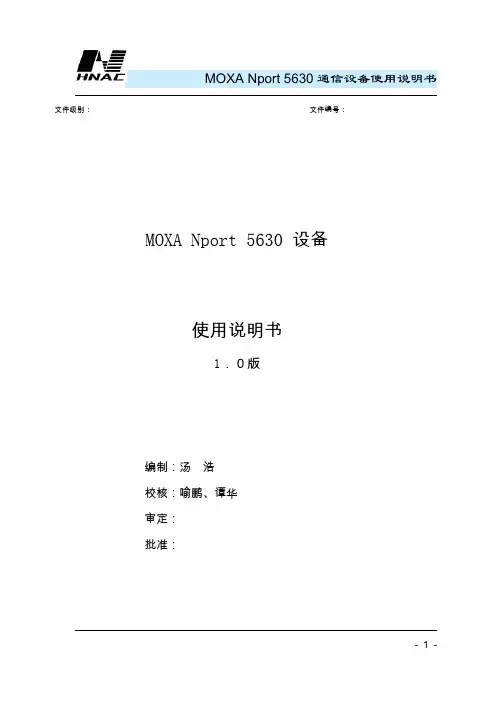
MOXA Nport 5630通信设备使用说明书文件级别:文件编号:MOXA Nport 5630 设备使用说明书1.0版编制:汤浩校核:喻鹏、谭华审定:批准:MOXA Nport 5630通信设备使用说明书长沙华能自控集团有限公司一、简介MOXA Nport 5600系列产品是一种和后台电脑用网络连接的串口服务器。
NPort 5600 系列多个不同的后台电脑可以共同分享1个Nport 5600设备MOXA Nport 5630通信设备使用说明书二、Nport 5600通信线制作Nport 5600 系列串口接线引脚引脚号RS232 RS422 / 4线RS485 2线RS4851 DSR2 RTS3 GND TXD+4 TXD TXD-5 RXD RXD- DATA-6 DCD RXD+ DATA+7 CTS GND GND8 DTRMOXA Nport 5630通信设备使用说明书三、Nport 5600设置面板和按钮说明灯:LED 灯-灯颜色-含义LED灯颜色含义准备灯红正在启动中,长期则是有错误MOXA Nport 5630通信设备使用说明书按键:先在NPORT 5600上把NPORT 5600的IP设置好,具体操作方法如Menu(主选单) → NetWork Setting → IP Address →设置为192.168.X.X→ NetMask →设置为255.255.255.0四、后台电脑设置在后台电脑中安装好Nport 5600的驱动程,安装完毕后在开始菜单中选择程序,然后再选择刚安装好的NPort Administration Suite→ NPort Administrator打开后选择Broadcast Search (自动查找在网络内的Nport )MOXA Nport 5630通信设备使用说明书配置Nport 5600设置PORTx 端口的通信方式MOXA Nport 5630通信设备使用说明书Com Mapping (串口映射)也就是把NPORT 的PORTx 映射为电脑中的COMMOXA Nport 5630通信设备使用说明书。
Moxa NPort 5100A 1-Port 串口设备服务器说明书

NPort5100A Series1-port RS-232/422/485serial device servers with serial surge protectionFeatures and Benefits•Power consumption of only1W•Fast3-step web-based configuration•Surge protection for serial,Ethernet,and power•COM port grouping and UDP multicast applications•Screw-type power connectors for secure installation•Real COM and TTY drivers for Windows,Linux,and macOS•Standard TCP/IP interface and versatile TCP and UDP operation modes•Connects up to8TCP hostsCertificationsIntroductionThe NPort®5100A device servers are designed to make serial devices network-ready in an instant and give your PC software direct access to serial devices from anywhere on the network.The NPort®5100A device servers are ultra-lean,ruggedized,and user-friendly,making simple and reliable serial-to-Ethernet solutions possible.A Greener Serial-to-Ethernet SolutionThe MiiNe is a small but powerful Arm-based serial-to-Ethernet SoC with RAM and Flash embedded.With the MiiNe inside,the NPort®5110A Series'power consumption is less than1W.The NPort®5100A Series saves at least50%on power consumption compared to existing solutions on the market,helping engineers meet the tough environmental compliance challenges found in today’s industrial environments.Surge Protection for Serial,Ethernet,and PowerSurge,which is typically caused by high voltages that result from switching and lightning transients,is a common threat to all electrical devices. Moxa’s leading-edge surge immunity solution,which is applied to the NPort®5100A’s serial,power,and Ethernet lines,is tested and proven compliant with IEC61000-4-5.This state-of-the-art surge protection provides a robust serial-to-Ethernet solution that can protect electrical devices from voltage spikes and withstand electrically noisy environmental conditions.3-Step Web-based ConfigurationThe NPort®5100A’s3-step web-based configuration tool is straightforward and user-friendly.The NPort®5100A’s web console guides users through three simple configuration steps that are necessary to activate the serial-to-Ethernet application.With this fast3-step web-based configuration,a user only needs to spend an average of30seconds to complete the NPort®settings and enable the application,saving a great amount of time and effort.Easy to TroubleshootNPort®5100A device servers support SNMP,which can be used to monitor all units over Ethernet.Each unit can be configured to send trap messages automatically to the SNMP manager when user-defined errors are encountered.For users who do not use SNMP manager,an email alert can be sent ers can define the trigger for the alerts using Moxa’s Windows utility,or the web console.For example,alerts can be triggered by a warm start,a cold start,or a password change.AppearanceSpecificationsEthernet Interface10/100BaseT(X)Ports(RJ45connector)1Magnetic Isolation Protection 1.5kV(built-in)Ethernet Software FeaturesConfiguration Options Windows Utility,Web Console(HTTP/HTTPS),Device Search Utility(DSU),MCC Tool,Telnet Console,Serial Console(NPort5110A/5150A models only)Management DHCP Client,ARP,BOOTP,DNS,HTTP,HTTPS,ICMP,IPv4,LLDP,SNTP,SMTP,SNMPv1/v2c,TCP/IP,Telnet,UDPFilter IGMP v1/v2Windows Real COM Drivers Windows95/98/ME/NT/2000,Windows XP/2003/Vista/2008/7/8/8.1/10/11(x86/x64),Windows2008R2/2012/2012R2/2016/2019(x64),Windows Server2022,WindowsEmbedded CE5.0/6.0,Windows XP EmbeddedLinux Real TTY Drivers Kernel versions:2.4.x,2.6.x,3.x,4.x,and5.xFixed TTY Drivers macOS10.12,macOS10.13,macOS10.14,macOS10.15,SCO UNIX,SCO OpenServer,UnixWare7,QNX4.25,QNX6,Solaris10,FreeBSD,AIX5.x,HP-UX11i,Mac OS X Android API Android3.1.x and laterMIB RFC1213,RFC1317Security FunctionsAuthentication Local databaseEncryption HTTPS,AES-128,SHA-1,RSA-1024,SHA-256Security Protocols HTTPS(TLS1.2)Serial InterfaceConnector DB9maleNo.of Ports1Serial Standards NPort5110A:RS-232NPort5130A:RS-422,RS-485NPort5150A:RS-232,RS-422,RS-485Operation Modes Disabled,Ethernet Modem,Pair Connection,Real COM,Reverse Telnet,RFC2217,TCPClient,TCP Server,UDPBaudrate Supports standard baudrates(unit=bps):50,75,110,134,150,300,600,1200,1800,2400,4800,7200,9600,19200,38400,57600,115200,230.4k,460.8k,921.6kData Bits5,6,7,8Stop Bits1,1.5,2Parity None,Even,Odd,Space,MarkFlow Control RTS/CTS(RS-232only),DTR/DSR(RS-232only),XON/XOFFPull High/Low Resistor for RS-4851kilo-ohm,150kilo-ohmsRS-485Data Direction Control NPort5150A/5150A-T/5130A/5130A-T:ADDC(automatic data direction control) Terminator for RS-485120ohmsSerial SignalsRS-232TxD,RxD,RTS,CTS,DTR,DSR,DCD,GNDRS-422Tx+,Tx-,Rx+,Rx-,GNDRS-485-4w Tx+,Tx-,Rx+,Rx-,GNDRS-485-2w Data+,Data-,GNDPower ParametersNo.of Power Inputs1Input Current NPort5110A:82.5mA@12VDCNPort5130A:89.1mA@12VDCNPort5150A:92.4mA@12VDCInput Voltage12to48VDCSource of Input Power Power input jackReliabilityAutomatic Reboot Trigger Built-in WDTPhysical CharacteristicsHousing MetalDimensions(with ears)75.2x80x22mm(2.96x3.15x0.87in)Dimensions(without ears)52x80x22mm(2.05x3.15x0.87in)Weight340g(0.75lb)Installation Desktop,DIN-rail mounting(with optional kit),Wall mountingEnvironmental LimitsOperating Temperature Standard Models:0to60°C(32to140°F)Wide Temp.Models:-40to75°C(-40to167°F)Storage Temperature(package included)-40to75°C(-40to167°F)Ambient Relative Humidity5to95%(non-condensing)Standards and CertificationsEMC EN55032/35EMI CISPR32,FCC Part15B Class AEMS IEC61000-4-2ESD:Contact:6kV;Air:8kVIEC61000-4-3RS:80MHz to1GHz:10V/mIEC61000-4-4EFT:Power:2kV;Signal:1kVIEC61000-4-5Surge:Power:2kV;Signal:0.5kVIEC61000-4-6CS:150kHz to80MHz:10V/m;Signal:10V/mIEC61000-4-8PFMFIEC61000-4-11Safety UL60950-1DeclarationGreen Product RoHS,CRoHS,WEEEMTBFTime2,231,530hrsStandards Telcordia(Bellcore)Standard TR/SRWarrantyWarranty Period5yearsDetails See /warrantyPackage ContentsDevice1x NPort5100A Series device serverPower Supply1x power adapter,suitable for your region(standard temp.models only) Documentation1x quick installation guide1x warranty cardDimensionsNPort5110A NPort5150ANPort5130AOrdering InformationModel NameOperating Temp.Baudrate Serial Standards No.of Serial Ports Input Current Input Voltage NPort 5110A 0to 60°C 50bps to 921.6kbpsRS-232182.5mA @12VDC 12-48VDC NPort 5110A-T -40to 75°C 50bps to 921.6kbpsRS-232182.5mA @12VDC 12-48VDC NPort 5130A 0to 60°C 50bps to 921.6kbps RS-422/485189.1mA @12VDC 12-48VDCNPort5130A-T-40to75°C 50bps to921.6kbpsRS-422/485189.1mA@12VDC12-48VDCNPort5150A0to60°C 50bps to921.6kbpsRS-232/422/485192.4mA@12VDC12-48VDCNPort5150A-T-40to75°C 50bps to921.6kbpsRS-232/422/485192.4mA@12VDC12-48VDCAccessories(sold separately)CablesCBL-F9M9-20DB9female to DB9male serial cable,20cmCBL-F9M9-150DB9female to DB9male serial cable,1.5mConnectorsADP-RJ458P-DB9F DB9female to RJ45connectorMini DB9F-to-TB DB9female to terminal block connectorDIN-Rail Mounting KitsDK35A DIN-rail mounting kit,35mmPower AdaptersPWR-12050-WPAU-S1Locking barrel plug,12VDC,0.5A,100to240VAC,Australia(AU)plug,0to40°C operatingtemperaturePWR-12050-WPCN-S1Locking barrel plug,12VDC,0.5A,100to240VAC,China(CN)plug,0to40°C operating temperature PWR-12050-WPEU-S1Locking barrel plug,12VDC,0.5A,100to240VAC,Continental Europe(EU)plug,0to40°C operatingtemperaturePWR-12050-WPUK-S1Locking barrel plug,12VDC,0.5A,100to240VAC,United Kingdom(UK)plug,0to40°C operatingtemperaturePWR-12050-WPUSJP-S1Locking barrel plug,12VDC,0.5A,100to240VAC,United States/Japan(US/JP)plug,0to40°Coperating temperaturePWR-12150-AU-SA-T Locking barrel plug,12VDC,1.5A,100to240VAC,Australia(AU)plug,-40to75°C operatingtemperatureApplicable Models:NPort5110A-TNPort5130A-TNPort5150A-TPWR-12150-CN-SA-T Locking barrel plug,12VDC,1.5A,100to240VAC,China(CN)plug,-40to75°C operatingtemperatureApplicable Models:NPort5110A-TNPort5130A-TNPort5150A-TPWR-12150-EU-SA-T Locking barrel plug,12VDC,1.5A,100to240VAC,Continental Europe(EU)plug,-40to75°Coperating temperatureApplicable Models:NPort5110A-TNPort5130A-TNPort5150A-TPWR-12150-UK-SA-T Locking barrel plug,12VDC,1.5A,100to240VAC,United Kingdom(UK)plug,-40to75°C operatingtemperatureApplicable Models:NPort5110A-TNPort5130A-TNPort5150A-TPWR-12150-USJP-SA-T Locking barrel plug,12VDC1.5A,100to240VAC,United States/Japan(US/JP)plug,-40to75°Coperating temperatureApplicable Models:NPort5110A-TNPort5130A-TNPort5150A-TPower CordsCBL-PJ21NOPEN-BK-30Locking barrel plug to bare-wire cable©Moxa Inc.All rights reserved.Updated Apr26,2022.This document and any portion thereof may not be reproduced or used in any manner whatsoever without the express written permission of Moxa Inc.Product specifications subject to change without notice.Visit our website for the most up-to-date product information.。
莫萨NPort P5150A系列1口RS-232 422 485PoE串口设备服务器说明书

NPort P5150A Series1-port RS-232/422/485PoE serial device serversFeatures and Benefits•IEEE802.3af-compliant PoE power device equipment•Speedy3-step web-based configuration•Surge protection for serial,Ethernet,and power•COM port grouping and UDP multicast applications•Screw-type power connectors for secure installation•Real COM/TTY drivers for Windows and Linux•Standard TCP/IP interface and versatile TCP and UDP operation modesCertificationsIntroductionNPort®P5150A device servers are designed to make serial devices network-ready in an instant.It is a power device and is IEEE802.3af compliant, so it can be powered by a PoE PSE device without an additional power e the NPort®P5150A device servers to give your PC software direct access to serial devices from anywhere on the network.The NPort®P5150A device servers are ultra-lean,ruggedized,and user-friendly, making simple and reliable serial-to-Ethernet solutions possible.Surge Protection for Serial,Ethernet,and PowerSurge,which is typically caused by high voltages that result from switching and lightning transients,is a common threat to all electrical devices. Moxa’s leading-edge surge immunity solution,which is applied to the NPort®P5150A’s serial,power,and Ethernet lines,is tested and proven compliant with IEC61000-4-5.This state-of-the-art surge protection provides a robust serial-to-Ethernet solution that can protect electrical devices from voltage spikes and withstand electrically noisy environmental conditions.3-Step Web-Based ConfigurationThe NPort®P5150A’s3-step web-based configuration tool is straightforward and user-friendly.The NPort®P5150A’s web console guides users through3simple configuration steps that are necessary to activate the serial-to-Ethernet application.With this speedy3-step web-based configuration,a user only needs to spend an average of30seconds to complete the NPort®settings and enable the application,saving a great amount of time and effort.Easy to TroubleshootNPort®P5150A device servers support SNMP,which can be used to monitor all units over Ethernet.Each unit can be configured to send trap messages automatically to the SNMP manager when user-defined errors are encountered.For users who do not use SNMP manager,an email alert can be sent ers can define the trigger for the alerts using Moxa’s Windows utility,or the web console.For example,alerts can be triggered by a warm start,a cold start,or a password change.AppearanceSpecificationsEthernet Interface10/100BaseT(X)Ports(RJ45connector)1Magnetic Isolation Protection 1.5kV(built-in)Standards PoE(IEEE802.3af)Ethernet Software FeaturesConfiguration Options Windows Utility,Serial Console,Telnet Console,Web Console(HTTP)Management DHCP Client,IPv4,SMTP,SNMPv1,Telnet,DNS,HTTP,ARP,BOOTP,UDP,TCP/IP,ICMPFilter IGMP v1/v2Windows Real COM Drivers Windows95/98/ME/NT/2000,Windows XP/2003/Vista/2008/7/8/8.1/10(x86/x64),Windows2008R2/2012/2012R2(x64),Windows Embedded CE5.0/6.0,Windows XPEmbeddedFixed TTY Drivers SCO UNIX,SCO OpenServer,UnixWare7,QNX4.25,QNX6,Solaris10,FreeBSD,AIX5.x,HP-UX11i,Mac OS XLinux Real TTY Drivers Kernel version:2.4.x,2.6.x,3.x,4.xAndroid API Android3.1.x and laterMIB RFC1213,RFC1317Serial InterfaceConnector DB9maleNo.of Ports1Serial Standards RS-232,RS-422,RS-485Operation Modes Disabled,Ethernet Modem,Pair Connection,Real COM,Reverse Telnet,RFC2217,TCPClient,TCP Server,UDPBaudrate Supports standard baudrates(unit=bps):50,75,110,134,150,300,600,1200,1800,2400,4800,7200,9600,19200,38400,57600,115200,230.4k,460.8k,921.6kData Bits5,6,7,8Stop Bits1,1.5,2Parity None,Even,Odd,Space,MarkFlow Control RTS/CTS,DTR/DSR,XON/XOFFPull High/Low Resistor for RS-4851kilo-ohm,150kilo-ohmsRS-485Data Direction Control ADDC®(automatic data direction control)Serial SignalsRS-232TxD,RxD,RTS,CTS,DTR,DSR,DCD,GNDRS-422Tx+,Tx-,Rx+,Rx-,GNDRS-485-4w Tx+,Tx-,Rx+,Rx-,GNDRS-485-2w Data+,Data-,GNDPower ParametersInput Current DC Jack I/P:125mA@12VDCPoE I/P:180mA@48VDCInput Voltage12to48VDC(supplied by power adapter),48VDC(supplied by PoE) No.of Power Inputs1Source of Input Power Power input jackPoEPhysical CharacteristicsHousing MetalDimensions(with ears)100x111x26mm(3.94x4.37x1.02in)Dimensions(without ears)77x111x26mm(3.03x4.37x1.02in)Weight300g(0.66lb)Environmental LimitsOperating Temperature NPort P5150A:0to60°C(32to140°F)NPort P5150A-T:-40to75°C(-40to167°F)Storage Temperature(package included)-40to75°C(-40to167°F)Ambient Relative Humidity5to95%(non-condensing)Standards and CertificationsEMC EN55032/24EMI CISPR32,FCC Part15B Class AEMS IEC61000-4-2ESD:Contact:4kV;Air:8kVIEC61000-4-3RS:80MHz to1GHz:3V/mIEC61000-4-4EFT:Power:2kV;Signal:1kVIEC61000-4-5Surge:Power:2kV;Signal:1kVIEC61000-4-6CS:150kHz to80MHz:3V/m;Signal:3V/mIEC61000-4-8PFMFIEC61000-4-11DIPsSafety UL60950-1MTBFTime2,231,530hrsStandards Telcordia(Bellcore)Standard TR/SRWarrantyWarranty Period5yearsDetails See /warrantyPackage ContentsDevice1x NPort P5150A Series device serverDocumentation1x document and software CD1x quick installation guide1x warranty cardDimensionsOrdering InformationModel Name Operating Temp.Baudrate Serial Standards No.of Serial Ports Input VoltageNPort P5150A0to60°C50bps to921.6kbps RS-232/422/485112-48VDC by power adapter or48VDC by PoENPort P5150A-T-40to75°C50bps to921.6kbps RS-232/422/485112-48VDC by power adapter or48VDC by PoEAccessories(sold separately)CablesCBL-F9M9-150DB9female to DB9male serial cable,1.5m CBL-F9M9-20DB9female to DB9male serial cable,20cm ConnectorsADP-RJ458P-DB9F DB9female to RJ45connectorMini DB9F-to-TB DB9female to terminal block connectorDIN-Rail Mounting KitsDK35A DIN-rail mounting kit,35mmPower AdaptersPWR-12050-WPAU-S1Locking barrel plug,12VDC,0.5A,100-240VAC,Australia(AU)plug,0to40°C operating temperature PWR-12050-WPCN-S1Locking barrel plug,12VDC,0.5A,100-240VAC,China(CN)plug,0to40°C operating temperature PWR-12050-WPEU-S1Locking barrel plug,12VDC,0.5A,100-240VAC,Continental Europe(EU)plug,0to40°C operatingtemperaturePWR-12050-WPUK-S1Locking barrel plug,12VDC,0.5A,100-240VAC,United Kingdom(UK)plug,0to40°C operatingtemperaturePWR-12050-WPUSJP-S1Locking barrel plug,12VDC,0.5A,100-240VAC,United States/Japan(US/JP)plug,0to40°Coperating temperaturePWR-12150-AU-SA-T Locking barrel plug,12VDC,1.5A,100-240VAC,Australia(AU)plug,-40to75°C operatingtemperatureApplicable Models:NPort P5150A-TPWR-12150-CN-SA-T Locking barrel plug,12VDC,1.5A,100-240VAC,China(CN)plug,-40to75°C operating temperatureApplicable Models:NPort P5150A-TPWR-12150-EU-SA-T Locking barrel plug,12VDC,1.5A,100-240VAC,Continental Europe(EU)plug,-40to75°C operatingtemperatureApplicable Models:NPort P5150A-TPWR-12150-UK-SA-T Locking barrel plug,12VDC,1.5A,100-240VAC,United Kingdom(UK)plug,-40to75°C operatingtemperatureApplicable Models:NPort P5150A-TPWR-12150-USJP-SA-T Locking barrel plug,12VDC1.5A,100-240VAC,United States/Japan(US/JP)plug,-40to75°Coperating temperatureApplicable Models:NPort P5150A-TPower WiringCBL-PJ21NOPEN-BK-30Locking barrel plug to bare-wire cable©Moxa Inc.All rights reserved.Updated Apr10,2019.This document and any portion thereof may not be reproduced or used in any manner whatsoever without the express written permission of Moxa Inc.Product specifications subject to change without notice.Visit our website for the most up-to-date product information.。
Moxa NPort 5000AI-M12 铁路串口设备服务器说明书
NPort5000AI-M12系列鐵路1、2和4埠RS-232/422/485串列裝置伺服器特色與優點•快速的3步驟網頁式配置•COM連接埠分組和UDP多播應用•用於Windows和Linux的Real COM/TTY驅動程式•標準TCP/IP介面及通用TCP和UDP操作模式•符合EN50121-4標準•符合所有EN50155規範強制性測試項目1•M12連接器和IP40金屬外殼•串列訊號的2kV隔離認證簡介NPort®5000AI-M12串列裝置伺服器能夠讓串列裝置立即聯網,並提供從網路上隨處直接存取串列裝置的能力。
此外,NPort5000AI-M12符合EN 50121-4和EN50155的所有強制性部分,涵蓋操作溫度、電源輸入電壓、突波、ESD和震動,適用於運作環境中有許多震動的軌道和軌旁應用。
3步驟網頁式配置NPort5000AI-M12的3步驟網頁式配置工具簡單明瞭且方便使用。
NPort5000AI-M12的網路主控台引導使用者透過三個簡單的配置步驟來啟動串列轉乙太網路應用。
透過這種快速的3步驟網頁式配置,使用者平均只需要30秒即可完成NPort設定和啟用應用程式,達到節省大量時間和精力的效果。
輕鬆排除故障NPort5000AI-M12裝置伺服器支援SNMP,可用於透過乙太網路監控所有裝置。
各個裝置都可以配置為在遇到使用者定義的錯誤時自動向SNMP管理器傳送陷阱訊息。
對於不使用SNMP管理器的使用者,可以改為傳送電子郵件警示。
使用者可以使用Moxa的Windows公用程式或Web主控台定義警示的觸發條件。
例如,警示可以由暖開機、冷開機或密碼變更觸發。
規格Ethernet Interface110/100BaseT(X)Ports(M12D-coded4-pin femaleconnector)Ethernet Software FeaturesConfiguration Options Telnet Console,Web Console(HTTP/HTTPS),Windows UtilityManagement ARP,BOOTP,DHCP Client,DNS,HTTP,HTTPS,ICMP,IPv4,LLDP,SMTP,SNMPv1/v2c,TCP/IP,Telnet,UDPFilter IGMP v1/v2Windows Real COM Drivers Windows95/98/ME/NT/2000,Windows XP/2003/Vista/2008/7/8/8.1/10(x86/x64),Windows2008R2/2012/2012R2(x64),Windows Embedded CE5.0/6.0,Windows XPEmbeddedLinux Real TTY Drivers Kernel versions:2.4.x,2.6.x,3.x,4.x,and5.x1.此產品適用於符合EN50155標準所定義的所有軌道車輛應用。
nport串口服务器调试说明
现场调试NPORT5232
1.将电脑连入NPORT5232的网络,点击search,将会收到网络上的所有NPORT5232,根据MAC地址确定将要调试的设备。
2.双击要调试的设备。
Network是用来设置设备的IP地址,要修改必须勾选Modify ,才能操作。
Serial是用来修改485口的波特率等参数。
Operating Mode 是用来调试485口的工作模式:
TCP模式,用于以太网网络传输报文。
一般第一个485口设定4001端口,第二个485设定为4002端口。
REAL模式,将485映射到电脑,虚拟成电脑的COM口。
我们一般都在REAL模式下发送报文,以调试485总线设备(如扶梯,西门子PLC等)点击“COM Mapping”
再点击“Add”,添加我们需要映射的Nport5232,注意,我们映射的端口必须被改为REAL 模式才行。
然后点击“Apply”,选择没有占用的端口,即可(相当于电脑有了COM3,COM4等端口)。
如果端口映射不了,请关闭防火墙或杀毒软件,重新安装Nport软件。
经过如上设置,我们就可以用串口调试工具发送和接收报文了。
串口调试工具Commix 用法:
双击:Commix
设定好后点击“Open Port”再在报文发送框内填写报文。
Port:设定电脑将要通讯的COM口。
(可以是Nport5232映射的端口)
输入16进制的报文,点击,Send
次窗口会显示485总线上的发送和接收的信。
NPORT5610串口服务器使用说明
NPORT5610串口服务器使用说明NPORT5610串口服务器是一种能够将串口设备连接到网络的设备。
它提供了一种简单和可靠的方法来远程访问和管理串口设备,并实现了串口设备的自动化控制和监控。
下面将详细介绍NPORT5610串口服务器的使用说明,包括设备的设置和配置、基本操作和常见问题解答。
1.设备的设置和配置:a.硬件安装:将NPORT5610串口服务器插入到电源插座,并使用一个以太网电缆将其与网络连接起来。
b. IP 地址设置:通过串口或以太网口(Telnet 或基于 Web 的界面)连接到 NPORT 5610,然后使用设备的默认 IP 地址登录到设备管理界面。
在界面中,您可以设置设备的 IP 地址、子网掩码和网关地址。
c.串口设置:在设备管理界面中,您可以配置每个串口的参数,如波特率、数据位、停止位和奇偶校验位。
还可以选择是启用流控制、启用XON/XOFF流控制还是启用DSR/CTS流控制。
d.访问控制设置:在设备管理界面中,您可以设置访问控制列表,限制哪些IP地址可以访问NPORT5610。
这有助于保护设备免受未经授权的访问。
2.基本操作:a.连接到串口设备:使用一个串口线连接NPORT5610的串口端口和目标串口设备。
确保串口线的接口与目标设备的接口类型匹配。
b.连接到网络:将NPORT5610插入到电源插座,并使用一个以太网电缆将其连接到网络中的一个可用端口。
c. 远程访问和管理:在电脑上打开一个终端软件(如 Tera Term、PuTTY等),通过指定 NPORT 5610 的 IP 地址和串口设置进行远程访问和管理。
3.常见问题解答:a.无法连接到设备:确保NPORT5610的电源和网络连接正常,并检查IP地址、子网掩码和网关地址的设置是否正确。
b.串口通讯故障:如果无法与目标串口设备进行通讯,请检查串口设备的设置是否正确,并确保串口线的接口匹配。
c.访问控制配置:如果希望限制特定IP地址访问设备,请确保设置了正确的访问控制列表,并且IP地址没有被阻止。
MOXA NPort5110系列串口转换器 配置说明书
NPort口5110系列串口转换器配置说明书一、硬件设备NPort5110,二、线缆连接NPort5110的串口和串口设备相连(DB9连接头2、3交叉)NPort5110的net口和网络相连(NPort5110和计算机直连用交叉线,和交换机连用直通线)三、硬件设置NPort5110端的网络设置如下:打开IE浏览器,在地址栏中输入http://192.168.127.254即可进入moxa模块的配置页面。
(注:192.168.127.254 为moxa NPort5110的默认IP地址,必须保证当前计算机的IP是192.168.127.*号段)NPort5110的IP地址,与图7中“Remote IP”一致备注:1)本公司出厂的NPort 5110的初始IP地址为:192.168.1.* (2<*<255)。
2)若按下NPort 5110端部的“Reset Button”将其复位后,此时,NPort 5110的初始IP地址为:192.168.127.254备注:1)本公司出厂的NPort 5110的初始密码为:newu ,用户可在步骤四中进行更改。
2)若按下NPort 5110端部的“Reset Button”将其复位后,此时,NPort 5110没有设置密码,故用户不用输入“Old password”,只需输入后面两项即可。
计算机的“232 to Lan.exe ”串口端的设置如下:附录:网线接法双绞线有两种接法:EIA/TIA 568B标准和EIA/TIA 568A标准。
1)T568A线序:1 2 3 4 5 6 7 8绿白绿橙白蓝蓝白橙棕白棕2)T568B线序:1 2 3 4 5 6 7 8橙白橙绿白蓝蓝白绿棕白棕直通线:两头都按T568B线序标准连接。
交叉线:一头按T568A线序连接,一头按T568B线序连接。