
奥图码Optoma ML500投影仪说明书
眼睛安全性警告請避免一直直視或面對投影機的光線。
盡量以背部面對光線。
建議使用指示筆或雷射指標筆,以避免使用者必須進入光線區。
若是在教室使用投影機,學生被要求指出螢幕上的某物時,請適時地留意學生。
為降低電源消耗,可利用百葉窗,減少周遭光源。
21 21211211212適用於影像及21211 21 26子功能表項目影像功能表按下/// 選擇要存取的功能表,然後按下進入功能表畫面。
mini-USB Office音樂功能表Travel runner.avi runner.avisummer.avi unfair.aviLove song.mp3Goodbye.mp3影像功能表1/2相片功能表Of fice 檢視器功能表USBtravel.doc 128 KB 165 KB143 KB 1,211 KB ..mini-USB 功能表設定功能表Travelrunner.avi runner.avisummer.avi unfair.avi資料來源圖示按下即可切換記憶體來源:內建記憶體 » SD 記憶卡 » USB 隨身碟。
內建記憶體USB 隨身碟 (支援 FAT 32 式)SD 記憶卡返回圖示反白此圖示,然後按下返回上一個畫面。
首頁功能表子功能表7<備註>顯示的畫面須視上一步選擇的資料來源而定,可能會有所不同。
Travel runner.avi runner.avisummer.avi unfair.avi影像播放模式 (請參閱第 8 頁)開始播放Travel runner.avi runner.avisummer.avi unfair.avimini-USB OfficeTravel runner.avirunner.avisummer.avi unfair.aviTravel runner.avi runner.avisummer.avi unfair.avi變更資料來源Travel runner.avi runner.avisummer.avi unfair.avi變更資料來源變更資料來源首頁功能表返回首頁功能表重複播放全部重複播放重複播放一首mini-USB Officemini-USB Office首頁功能表2. 進入「設定」功能表5. 選擇選項 4. 選擇設定媒體播放控制增加音量 + 倒轉降低音量+ 快轉+ 暫停 + 上一個影像短片 +播放+下一個影像短片音樂播放模式 (請參閱第10頁)<備註>顯示的畫面須視上一步選擇的資料來源而定,可能會有所不同。
Love song.mp3Goodbye.mp3Love song.mp3Goodbye.mp3Love song.mp3Goodbye.mp3Love song.mp3Goodbye.mp3mini-USBOffice變更資料來源變更資料來源變更資料來源mini-USB OfficeLove song.mp3Goodbye.mp3首頁功能表5. 播放檔案返回首頁功能表媒體播放控制增加音量 + 播放降低音量+ 上一首曲目 +暫停+下一首曲目全部重複播放mini-USB Officemini-USB Office首頁功能表2. 進入「設定」功能表6. 選擇選項 5. 選擇設定 4. 進入「音樂設定」功能表全螢幕模式下的投影片放映(請參閱第12頁)<備註>顯示的畫面須視上一步選擇的資料來源而定,可能會有所不同。
1/21/21/2mini-USBOffice變更資料來源變更資料來源變更資料來源mini-USB Office1/2首頁功能表1/25. 預覽檔案返回首頁功能表計時器計時器:2 秒間隔計時器:5 秒間隔mini-USB Officemini-USB Office首頁功能表進入「設定」功能表3. 選擇「投影片放映」6. 選擇選項 5. 選擇設定 4. 進入「投影片放映」功能表媒體播放控制增加音量 + 投影片放映開啟降低音量+投影片放映關閉Report檢視模式 (請參閱第14頁)travel.doc128 KB 165 KB143 KB 1,211 KB ..travel.doc128 KB 165 KB143 KB 1,211 KB ..travel.doc128 KB 165 KB143 KB1,211 KB ..mini-USBOffice變更資料來源變更資料來源mini-USB Officetravel.doc128 KB 165 KB143 KB 1,211 KB ..變更資料來源travel.doc128 KB 165 KB143 KB 1,211 KB ..首頁功能表5. 檢視檔案返回首頁功能表媒體播放控制上一頁放大/縮小頁面下一頁進入進階功能表模式媒體播放控制 (進階功能表模式)上一頁向左移下一頁退出進階功能表模或ReportReport選擇偏好的功能表語言:西班牙語葡萄牙語 (巴西)德語義大利語俄語波蘭語荷蘭語瑞典語希臘語繁體中文簡體中文韓語日語進階功能表模式全螢幕檢視mini-USB Officemini-USB Office選擇項目首頁功能表確認選擇6. 選擇語言5. 進入「語言」功能表 4. 進入「系統」功能表mini-USB Officemini-USB Office首頁功能表6. 進入「資訊」功能表 5. 選擇「資訊」 4. 進入「系統」功能表7. 檢視投影機資訊是mini-USB Office選擇項目mini-USB Officemini-USB Office首頁功能表6. 進入「恢復原廠設定」功能表5. 選擇「恢復原廠設定」 4. 進入「系統」功能表7. 確認恢復原廠設定8. 稍候完成<備註>若 SD 記憶卡內無更新檔案,將• 會出現「未找到新韌體」訊息。
請勿在升級過程中,觸碰任一鍵• 可能需要一段時間 才能完成升級。
mini-USB Officemini-USB Officemini-USB Office選擇項目首頁功能表返回否是首頁功能表6. 進入「升級」功能表 5. 選擇「升級」 4. 進入「系統」功能表7. 8. 稍候完成USBmini-USB Officemini-USB OfficeUSBUSB首頁功能表完成資料傳輸時,請拔下USB 線或按下退出 PC 模式。
按下 退出 USB 顯示模式。
USBmini-USB Officemini-USB OfficePrepare DOUSB...首頁功能表5. 檢視 PC 顯示器 4. 連接 PC 顯示器2. 進入「mini-USB 」功能表3. 選擇「資料傳輸」5. 連接 PC 顯示器 4. 進入「資料傳輸」模式6. 開始傳輸資料19螢幕功能表畫面功能表設定功能表AutoSource選項功能表色彩模式 (明亮 / PC / 電影 / 圖片 / 使用者)色調 (0~100)子功能表選項Gamma0~2BrilliantColor TM0~10色溫低 / 中 / 高色彩空間自動 / RGB / YUB輸入HDMI / VGA / 複合 /S-Video / SD_CARD /USB_A / 迷你 USB_B牆面色彩 (白色 / 淺黃 / 淺藍 / 粉紅 / 深色設定)調整設定亮度 (0~100)調整設定對比 (0~100)銳利度 (0~100)飽和度 (0~100)GammaBrilliantColor™進階確認選擇/設定2.進入子功能表4.確認設定長寬比 (自動 / 4:3 / 16:9 / 16:10)自動壁掛安裝 (自動/前桌面/前反轉)調整設定全畫面 (關閉/開啟)數位變焦 (0~100)自動梯形修正 (關閉/開啟)垂直梯形修正 (-40~40)確認選擇/設定2.進入子功能表4.確認設定位置 (前桌面/後桌面)功能表位置 (左上/右上/居中/左下/右下)調整設定訊號靜音 (關閉/開啟)音量 (0~100)語言 (英語 / 義大利語 / 波蘭語 / 韓語 / 德語 / 西班牙語 / 俄語 / 繁體中文 / 土耳其語 / 法語 / 葡萄牙語 / 瑞典語 / 日語 / 簡體中文)進階確認 選擇/設定2. 進入子功能表4. 確認設定3D (關閉/開啟)3DAutoSourceAutoSource來源自動偵測 (關閉/開啟)風扇模式 (關閉/開啟)資訊Software Version隱藏資訊 (關閉/開啟)調整設定背景色彩 (黑色/藍色)LED 設定進階確認選擇/設定2.進入子功能表4.確認設定。
奥图码IS5003D投影机

家庭影院兰兰童。
茎;蔓?—j、:≯。
—曳羔三墨0}二7./。
;簟。
曩善:.p!毒乇.“、一二/。
:i.r、羔二_备三薹j!}=o-一—_i}兰:鼍三:__琦呈_三j苗二2写o t=t2.—]器拦擗耀格~脚I S5003D投影机●主《日—造.二⑧,\D nl t l●i i≈H:T1065"W X G A D M D≈R●*#率W X G A O#自亮&:28001m●≈m度:3∞0j1●i i色#:10734目Ⅳ自C10bi t)●投*‰*:F/25—267,f=2186—240m m:11x手自镕&埘*●投*R目【目自线l:273I。
一359"{16t O I●&*%寓10—12m●投*&:155—17.1【投*∞*屏幕£&l●#m#Ⅲ§1±406●i}格《16:1D,目窖4:3&16:90m S■m^镕口:H D M I×1.V G A I yFbpr/R G wS C A R Tl x1.S—vI d∞x1.e m‰m x'.☆#p■^x1.i体,#m×1.V G A#mC**■#m)×1.M i ni R S232拉目《口×1.I R接收*I t方Ⅱ前R l x2e*$*2W%■*x1●均匀度:85%●n№#括:185w目换E^敲健n№●n№寿命:4C00hI#m#R1/30C O hI葛壳#女l●龋定电Ⅱ:A C输^100—240V.50/60H z●■音标一l28dB【#m#t l(T B D l●体R I H xW xD}:286r a m×192m m x97m i ni净t23kg\/如果把‘阿凡选)比作一块投向家用3D市场的石于.鄂么这块5子在平板电视机这个池子里激起的水花似乎要远大干家用投影机。
全高清的平板电视在商场里已经有不少型号销售.而3D投髟机,到现在覆还只涌试过两台720p的。
奥图码投影仪说明书
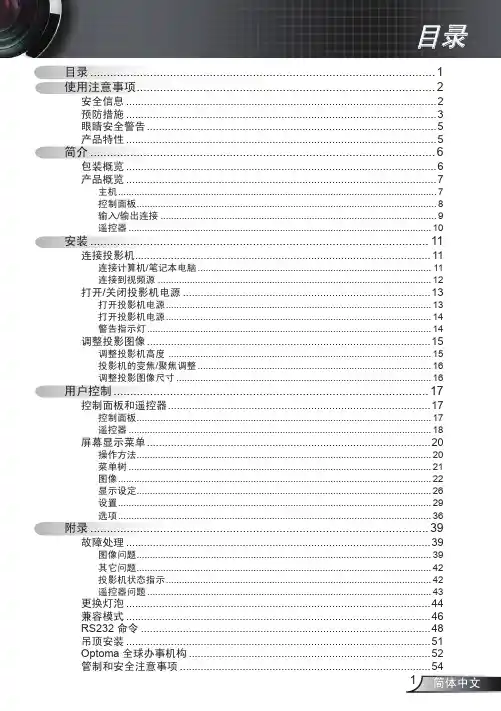
目录12预防措施 (3)眼睛安全警告 (5)6包装概览 (6)产品概览 (7)主机 (7)控制面板 (8)输入/输出连接 (9)101111连接计算机/笔记本电脑 (11)连接到视频源 (12)打开/关闭投影机电源 (13)打开投影机电源 (13)打开投影机电源 (14)警告指示灯 (14)调整投影图像 (15)调整投影机高度 (15)投影机的变焦/聚焦调整 (16)1617控制面板 (17)遥控器 (18)屏幕显示菜单 (20)操作方法 (20)菜单树 (21)图像 (22)显示设定 (26)设置 (29)选项 (36)附录 (39)故障处理 (39)图像问题 (39)其它问题 (42)投影机状态指示 (42)遥控器问题 (43)更换灯泡 (44)兼容模式 (46)RS232 命令 (48)吊顶安装 (51)Optoma 全球办事机构 (52)管制和安全注意事项 (54)使用注意事项安全信息等边三角形内带箭头的电闪符号旨在警示:用户产品内部有未绝缘的“危险电压”,存在人员触电危险。
等边三角形内的惊叹号符号旨在警示用户:注意设备上标注的重要操作和维护维修文字说明。
警告:为降低火灾或电击风险,不要让本设备遭受雨淋或受潮。
机壳内存在危险高电压。
不要打开机壳。
应委托专业人士进行维修。
此 B 级数字设备符合“加拿大干扰成因设备条例”的所有要求。
1. 不要阻塞任何通风口。
为防止投影机过热以保证其可靠进行,建议将投影机安装在通风良好的位置。
例如,不要将投影机放置在杂乱的咖啡桌、沙发、床等上面。
不要将投影机放置在空气流通不畅的狭小空间内,如书柜或壁橱中。
2. 不要在靠近水的地方或潮湿的地方使用本投影机。
为降低火灾和/或触电危险,切勿使本投影机遭受雨淋或受潮。
3. 不要安装在热源附近,如散热器、加热器、火炉或其它产生热量的设备(如放大器)。
4. 清洁时使用干布。
5. 仅使用制造商指定的连接件/附件。
6. 如果本机已物理损坏或者使用不慎,请勿继续使用本机。
Optoma 投影机 说明书
更換燈泡......................................................................................................... 40 相容性模式..................................................................................................... 41 天花板倒吊安裝.............................................................................................. 42 Optoma 全球分公司........................................................................................ 43
奥图码投影仪hd21使用说明书

奥图码投影仪hd21使用说明书
一、产品概述
奥图码投影仪HD21是一款高性能的便携式投影仪,具有高清晰度、高亮度、高对比度和多种连接方式等特点。
它适用于商务演示、教育培训、家庭影院等多种场合。
二、产品特点
高清晰度、采用DLP技术,支持1080P分辨率,显示效果清晰细腻。
高亮度、配备3600流明的高亮度灯泡,在明亮的环境下也能呈现清晰画面。
高对比度、拥有
5000、1的高对比度,使图像更加鲜明生动。
多种连接方式、支持USB、HDMI、VGA等多种接口,方便用户连接各种设备。
便携轻巧、整机重量仅为1.2kg,便于携带和移动。
三、使用方法
开机前准备、将电源线插入电源插座,同时将投影仪与电脑或其他设备连接好。
开机操作、按下电源开关按钮,投影仪即可进入待机状态。
再次按下
电源开关按钮,即可启动投影仪。
调整画面、通过遥控器或投影仪本身的功能键,可以调整画面的大小、位置、亮度等参数,以达到最佳显示效果。
关闭投影仪、在使用完毕后,先按下电源开关按钮关闭投影仪,然后拔掉电源线。
四、注意事项
本产品只适用于室内使用,禁止在室外或潮湿环境下使用。
在清洁投影镜头时,请先关闭投影仪并拔掉电源线,然后用干净柔软的布轻轻擦拭。
不要使用化学溶剂或水直接清洗。
在连接设备时,请确保设备的输出信号与投影仪的输入信号匹配。
如果不确定可以使用什么接口连接,请参考产品说明书或咨询售后服务人员。
五、常见问题解答。
Optoma投影仪产品系列 - 2019年春季说明书

Optoma projector range Spring 2019The clear choice for projectionWhether displaying graphics and data in the office or at home watching live sports and movies, Optoma projectors produce a bright, well balanced and true to life colour reproduction. This is essential for reaching the optimum image quality of any big screen media, whether neatly encased in a compact and portable projector or as a permanently installed display device.Ultra short throw Short throw Desktop / Install Mobile Ultra mobileUltra mobile LED HomeDocument cameras Screens AccessoriesUltra short throw Ultra short throwEH320USTi EH320UST EH319USTiEH330UST W320USTi W320UST W319USTieW319USTirW319USTireW319USTiUltra short throwW330USTX320USTiX320USTX330USTUltra short throwEH460STEH415STEH200STShort throwZW310STeW460STW318STeW308STeShort throwZX310STe X318STe X308STe Desktop / InstallWU470WU416DU400EH512 WUXGA (1920 x 1200)Short throwDesktop / InstallEH470EH461EH416 1080p (1920 x 1080)1080p (1920 x 1080)Desktop / InstallDH401EH400+W461W416WXGA (1280 x 800)Desktop / InstallW402W400+W355Desktop / InstallW354X600X461X416XGA (1024 x 768)XGA (1024 x 768)MobileDesktop / Install MobileX402X400+WU337WU335WU334EH400EH345EH343EH337EH335MobileEH334DH350W400W345MobileW344W341W340MobileW335eW334eDW318eX400MobileMobileX345X344X343eXGA (1024 x 768)XGA (1024 x 768)XGA (1024 x 768)X342e DX318e S343e S342eXGA (1024 x 768)XGA (1024 x 768)SVGA (800 x 600)SVGA (800 x 600) MobileDS318eS334eDS317eSVGA (800 x 600)MobileMobileS331DS348S322eDS315eLH200WXGA (1280 x 800)XGA (1024 x 768)Ultra mobileUltra mobile LEDLH160ML1050ST+ML1050STML750STUltra mobile LEDUltra mobile LEDModel nameML750eML330LV130Resolution WXGA (1280 x 800)WXGA (1280 x 800)WSGA (800 x 480)Aspect ratio 16:10 native, 16:9 / 4:3 compatible 16:10 native, 16:9 / 4:3 compatible 16:9 native, 4:3 compatible Brightness¹700 LED brightness §500 LED brightness §300 LED brightness §Contrast15,000:120,000:1100,000:1Lamp life (max hrs)³20,000 (LED life)20,000 (LED life)30,000 (LED life)Noise level (typical)²30dB 34dB 36dB Weight (kg)0.380.460.4Dimensions (W x D x H mm)105 x 106 x 39157 x 122 x 35108 x 126 x 36Throw ratio 1.5:1 1.2:1 1.1:1Zoom type FixedFixedFixedImage size (native)0.43 - 2.54m (17" - 100") diagonal 16:100.25 - 3.05m (10" - 120") diagonal 16:100.64 - 2.03m (25" - 80") diagonal 16:9Keystone correction ±40° vertical ±40° vertical (auto)±40° vertical Offset 100%100%100%Lens shift ---Connections HDMI + MHL v1.0, Universal I/O - VGA / Audio out 3.5mm, microSD card slot, USB-A reader/wireless HDMI + MHL, AV in, Audio out 3.5mm,SPDIF, microSD card slot, 2x USB-A reader, RJ45HDMI + MHL, Audio out 3.5mm, USB-A Power Speaker (W)121.5Optional wireless WUSB / QuickCastBuilt in WiFi and Bluetooth / QuickCastHDCast ProBag ✓✓✓FeaturesNative office viewer, Media player, 1.5GB memory, LED light source, optional wireless presentingAuto v.keystone, android 4.4 KitKat, LED light source, Built in WiFi and BluetoothBuilt in batteryHomeOptoma’s home range has something for everyone – from a dedicated home cinema room to a brightly-lit living space. Our home entertainment projectors can be viewed without dimming the lights, so are perfect for watching TV, films, live sports or playing action-packed games with family and friends.UHZ65UHD65UHD60HomeUHD51AUHD51ALVeUHD370XUHD51HomeUHD40UHD300XUHL55HomeHZ45USTHZ40USTHD35USTHD31USTHomeGT1080DarbeeGT1080eGT1070XeHomeHD39DarbeeHD29DarbeeHD29HHD27LVHomeHD27e HD144X HD143XHome* Specification is to be confirmed and is subject to change.H116ST H116H184X Home* Specification is to be confirmed and is subject to change.Model nameDS-3084PWCDS-3100PMG+DS-3120PMG+Format 4:34:34:3Gain111Screen materialMatte white Matte white Matte white Viewing size (W x H mm)1710 x 12802030 x 15202340 x 1755Diagonal viewing (inch)84100120Black border R & L (mm)405047Black border bottom (mm)356045Black border top (mm)808080Weight (kg)8.9611.1313.6Case dimensions (W x D x H mm)1910 x 112 x 86 (including brackets)2250 x 112 x 86 (including brackets)2554 x 112 x 86 (including brackets)Manual pull downScreensModel nameDS-9120MGADS-1095PMG+DS-1109PMG+Format 16:916:1016:10Gain111Screen materialMatte white Matte white Matte white Viewing size (W x H mm)2030 x 12692030 x 12692340 x 1463Diagonal viewing (inch)9595109Black border R & L (mm)505047Black border bottom (mm)606040Black border top (mm)300300300Weight (kg)11.311.313.38Case dimensions (W x D x H mm)2250 x 112 x 86 (including brackets)2250 x 112 x 86 (including brackets)2554 x 112 x 86 (including brackets)Manual pull downDS-9072PWCDS-9084PMG+DS-9092PWCDS-9106MGA16:916:916:916:91111Matte white Matte white Matte white Matte white 1594 x 8971860 x 10452030 x 11452340 x 132072849210650505047553560453003003003008.969.9211.313.381814 x 112 x 86 (including brackets)2080 x 112 x 86 (including brackets)2250 x 112 x 86 (including brackets)2554 x112 x 86Manual pull downDS-1123PMG+DE-9120ETTDE-9106ETTDE-3100EGA16:1016:916:94:31111Matte white PS series flexible fabric, matte white PS series flexible fabric, matte white Matte white 2656 x 16602346 x 13202656 x 16602030 x 15201231061231005080805040555555300400400802018.420.712.52920 x 118 x 1322843 x 142 x 1523158 x 142 x 1522280 x 108 x 113Tab tensionElectricManual pull downModel nameDP-3072MWLDP-3084MWLDP-9046MWLFormat 4:34:316:9Gain111Screen materialMatte white Matte white Matte white Viewing size (W x H mm)1463 x 10971707 x 12801016 x 572Diagonal viewing (inch)728446Black border R & L (mm)353525Black border bottom (mm)680800210Black border top (mm)252520Weight (kg)5.636.332.8Case dimensions (W x D x H mm)1620 x 115 x 1151867 x 115 x 1151124 x 140 x 84Manual pull upModel nameDE-3120EGADE-9092EGADE-9106EGAFormat 4:316:916:9Gain111Screen materialMatte white Matte white Matte white Viewing size (W x H mm)2400 x 18002030 x 11452340 x 1320Diagonal viewing (inch)12092106Black border R & L (mm)505050Black border bottom (mm)555555Black border top (mm)80300300Weight (kg)14.812.2714.2Case dimensions (W x D x H mm)2650 x 108 x 1132280 x 108 x 1132590 x 108 x 113ElectricScreensDE-9120EGADE-1095EGADE-1109EGADE-1123EGA16:916:1016:1016:101111Matte white Matte white Matte white Matte white 2656 x 14942030 x 12692340 x 14632340 x 17551209510912350504750555050503003003003001612.2714.2162983 x 108 x 1132280 x 108 x 1132590 x 108 x 1132906 x 108 x 113ElectricDP-1082MWLDP-1095MWLManual pull upFixed frameModel nameDC350DC450DC550Resolution XGA, 720XGA, UXGA, 720 and 1080 support XGA, UXGA, 720 and 1080 support Camera 5MP13MP8MPZoom5x optical, 8x digital 17x optical, 8x digital 17x optical, 8x digital SD card support ✓✓✓Video recording ✓ (via USB or SD card)✓ (via USB or SD card)✓ (via USB or SD card)Microscope adaptors ✓✓✓Connections VGA out, VGA , power over USBVGA in/out, HDMI in/outVGA in/out, HDMI in/outSmartDC Software support Windows 7, 8, 8.1, 10 and Apple OSX 10.7 or aboveSoftware support Windows 7, 8, 8.1, 10 and Apple OSX 10.7 or aboveSoftware support Windows 7, 8, 8.1, 10 and Apple OSX 10.7 or aboveFeaturesImage rotation, mirror, freeze, compare, built-in mic, built-in speaker, VESA Mounting supportedImage rotation, mirror, freeze, compare, built-in mic, built-in speaker, VESA Mounting supportedImage rotation, mirror, freeze, compare, built-in mic, built-in speaker, VESA Mounting supportedDocument camerasDocument camerasDC455AccessoriesOptoma accessories to help you make the most of your projection experience.Ceiling mountOCM818B-RU / OCM818W-RU Ceiling mountOCM815B / OCM815WUST mountOWM3000ST mountOWM300STUniversal flush ceiling mount – available in black and white.Universal pole ceiling mount – available in black and white, with extension pole.Compact wall mount with vertical adjustment and adjustable mounting plate for easy installation. Designed for the Optoma ultra short throw projector range.Compact telescopic wall mount with vertical adjustment and adjustable mounting plate for easy installation. Designed for Optoma shortthrow projectors.Table mountOTM2000Wall mount adapterEWMA2000Universal carry bagSP .8EF08GC01Carry bag LSP .72801GC01Project directly onto a table top for a large interactive display with this easy installation table mount. Designed for the Optoma 320UST / 319UST ultra short throw projector range.Upgrade your Epson BrightLink, BrightLink Pro and PowerLite ultra short throw projector with an Optoma 320UST / 319UST projector. Compatible with Epson projector mounts (ELPMB28 / ELPMB43).Lightweight, durable and comes with a strap. Compatible with most Optoma projectors.Lightweight, durable and comes with a strap. Compatible with GT5000+ / GT5500+ Optoma projectors.For a full list of accessories and compatible products visit AccessoriesQuickCast bundleQuickCast starter kitQuickCast cradleQuickCast transmitterAccessoriesFor a full list of accessories and compatible products visit Wireless HDMIWireless USB adapterHDCast ProOptoma has a full range of LED displays.To see the range please visitGlossary4K4K Ultra HD provides four times as many pixels as Full HD 1080p. That’s 8.3 million on screen pixels (3840 x 2160) bringing greater realism to everyscene with thrilling detail, colour and contrast.Full 3DFull 3D projectors can display true 3D content from almost any 3D source, including 3D Blu-ray players, 3D broadcasting and the latest generationgames consoles.Media playerA handy integrated media player means you can use the projector as a stand-alone device, retrieving content from the internal memory,USB stick or a memory card.WUXGAWUXGA projectors have a native display of 1920x1200 pixels with an aspect ratioof 16:10. This format has proved highly popular in commercial and business environments.LEDLamp free LED projectors are more energy-efficient than lamp based projectors and havea much longer life span (up to 20,000 hours).TouchBeam interactive technologyOptoma’s finger-touch technology allows severalpeople to work simultaneously on the projected screen without using a pen. TouchBeam makes it easy to open documents or web browsers and draw, annotate, zoomand rotate images on the projected image.Full HD 1080p1080p resolution gives you sharp and detailed images from HD content without downscaling or compression; perfect for watching Blu-ray movies, HD broadcasting and playing video games.Eco +Eco + technology brings together high contrast, improved lamp life and energy saving features that are easy to use while reducing powerconsumption.Built-in batteryA built-in rechargeable battery provides cable-free projection time and a quick and easy setup – perfect for impromptu meetings or movies nights. It can also beused to charge a mobile device.HD ReadyHD Ready projectors can display 720p/1080i High Definition pictures. You’ll still see a big improvement from 720p/1080i HD pictures, though you won’t see every last detail fromsources such as Blu-ray (1080p) discs.24 frames per second (FPS)Most movies are shot at 24 frames per second(fps). Optoma projectors can accept high definition sources at 24 fps to display moviesexactly as the director intended.DARBEEDarbee’s acclaimed Visual Presence™ patented technology further enhances Optoma projection technology and adds more depth and realismdelivering a clearer sharper picture.HDR compatibleCapable of receiving and displaying HDR meta data, Optoma HDR compatible projectors allow you to see far more detail and texture for lifelikeimages with a greater sense of depth.Android™With built in Android you can download popular apps such as Netflix and YouTube.Amazon Alexa voice controlAlexa voice control enables a quick and easy setup for a movie or gaming session as users can switch inputs, launch content, adjust the volume and more with their voice. Note: Voice control is not supported in every country.Copyright © 2019, Optoma and its logo is a registered trademark of Optoma Corporation. Optoma Europe Ltd is the licensee of the registered trademark. All other product names and company names used herein are for identification purposes only and may be trademarks or registered trademarks of their respective owners. DLP , BrilliantColor™ and the DLP logo are registered trademarks of T exas Instruments. Crestron , the Crestron and RoomView logo are registered trademarks of Crestron Electronics, Inc. MHL, Mobile High-Definition Link and the MHL logo are trademarks or registered trademarks of the MHL, LLC. Lamp based projectors brightness and lifetime will vary depending on selected projector mode, environmental conditions and usage. As is common with all lamp based projectors, brightness will decrease over the lamp lifetime. LED projectors do not have a replaceable lamp and the brightness does not decay significantly over the product lifetime. ²The quoted noise level is based on testing and will vary according to operational use and environmental conditions. ³T ypical lamp life achieved through testing will vary according to operational use and environmental conditions. The quoted LED brightness rating is based on the perceived equivalent ANSI lumen brightness when compared to a standard lamp projector . The LED brightness rating takes into account the Helmholtz–Kohlrausch (HK) effect on the perceived brightness of colours. Lamp life hours is based on a daily cycle that reflects projector usage in a typical education environment. Errors and omissions excepted, all specifications are subject to change without notice. All images are for representation purposes only and may be simulated.ResolutionA projector’s native resolution is the number of pixels that it has available to create an image. The greater the resolution of a projector, the greater the detail and sharpness of the projected image.BrightnessBrightness is the light output of the projector. The brightness rating (ANSI lumen or LED brightness) is a measurement of the lightenergy being generated by the projector itself.ContrastContrast is the difference between the brightest and darkest parts in an image. A high contrast is particularly important for home projectors as it produces a picture with a deeper black level and clearly defined shadow detail.Aspect ratioA projector’s aspect ratio refers to the ratio between its width and height. For example, a 4:3 display produces an image that is more square, where a 16:9 ratio produces an image that is more rectangular in shape. The most common video projector aspect ratios are 4:3 (XGA and SXGA), 16:10 (WXGA and WUXGA) and 16:9 (standard HDTV , 1080p).Throw ratioThrow ratio is the ratio between the projection distance and image width. For example, a throw ratio of 2:1 means to achieve every unit of screen width requires 2 units of projection distance. Normally quoted as a range as most projectors have a zoom facility.Keystone correctionKeystone correction is performed digitally before the image passes through the lens. It can be used to manipulate the projected image vertically and/or horizontally so that you can get it as close to an even rectangle as possible.Lens shiftLens shift gives you the ability to move the projected image up or down and leftor right, while keeping the projector stationary. This makes it easier to position the projector in your room and enables a wider range of screen size options.PureMotionUsing sophisticated frame-interpolation technology, advanced motion control processing eliminates motion blurringor image judder, even in high-speed action sequences.DynamicBlackThis feature gives more depth to your image by smoothly adjusting the lamp output, based on the brightness information of each frame; to create a stunning high contrast ratio. Bright scenes appear crisp and clear, while dark scenes remain detailed with deep blacks and exceptional light and shade detail.Key definitionsAll Optoma projectors use DLP ® technology, pioneered by Texas Instruments. This technology uses millions of mirrors to produce high quality images and ensures the projectors do not suffer colour degradation over time.For more information on DLP visit/projectortechnology/DLPV05-17/01/19。
优顶马ML50 DLP迷你投影仪商品说明说明书

ML50DLP® ProjectorUltra PortablePC-lessPresentations“PC-free” viewing from an ultra portable, lightweight projectorPlay back Presentations, Documents, Videos and Photos without a PCClose to A5 size at only 1.1kg – easily slips into yourlaptop caseEnvironmentally friendly LED technology – No replacement lamps requiredDo you ever get tired of carrying a laptop into everymeeting? Do you wish you could cut down on cables and setup time; getting straight to business? Let the ML50 ultra-slim portable projector set you free with its extensive built-in multimedia players. Now you can present whenever you want and wherever you are!With built-in speakers and up to an impressive 150” display, allows presentations without the need for a laptop, and in many cases without a projection screen. Weighing a mere 1.14kg and smaller than the average paper-back, the remote controllable ML50 is the perfect travel companion.With native support for Microsoft Office™ and Adobe PDF files you can view them directly from the on-board memory, a MicroSD card or a USB memory stick – without the need to convert them. The ML50 also supports all the popular video and music formats so you can watch your favourite movie. Alternatively, easily connect the ML50 to your laptop, netbook, iPhone ®, iPad2®, Blackberry ® Presenter or tablet PC using the Mini-HDMI, VGA, USB display and AV inputs for ultimate flexibility.Using the latest “Lamp-free” LED technology the ML50 has exceptional colour fidelity, reliability and longevity.Combined with the extraordinary life of LEDs approximately 20,000 hours, you can be sure that your presentations will be clear and bright for many years to come.When you’ve finished work for the day, the ML50 is the perfect way to sit back and relax. Watch a movie or share your favourite photos and video with colleagues, friends and family; It’ll even connect to your games console so everyone can join in the fun.3D Ready HD Ready720p HD Ready720p 3DReadyOptoma Europe Ltd.42 Caxton Way, Watford Business Park, Watford, Hertfordshire, UK. WD18 8QZ 1Brightness will vary depending on selected projector mode, environmental conditions and usage. 2Typical LED life achieved through testing. Will vary according to operational use and environmental conditions. Copyright © 2011, Optoma Europe Ltd. Microsoft PowerPoint ®, Excel ®, and Word ®, are registered trademarks of Microsoft Corporation. iPad ® is a registered trademark of Apple Inc. All other product names and company names used herein are for identification purposes only and may be trademarks or registeredtrademarks of their respective owners. Errors and omissions excepted, all specifications are subject to change without notice. DLP ®, BrilliantColor™ and the DLP logo are registered trademarks of Texas Instruments. Some images may be simulated.ML50ML50 SpEcificatiOnSNative Resolution WXGA 1280 x 800 Brightness 1 500 ANSI Lumens (LED) Contrast 3000:1Noise Level 29dBLED Life 220,000 hours Projections Lens F/1.5, f=13.92mm, FixedThrow Ratio1.4:1 (Projection Distance:Image Width) Projection Distance 0.5 - 5.5mImage Size0.43 - 4.57m (17” - 180”) Diagonal 16:10Display TechnologySingle 0.45” WXGA DMD chip DLP ® Technology by Texas InstrumentsWeight / Dimensions (W x D x H) 1.14 kg / 220 x 170 x 43mm Remote Control Full function remote with, multimedia control and directsource selectingINPUTS HDMI connector (Audio supported)15 Pin D-Sub VGA Component via adaptor S-Video 4 Pin Mini Din Composite RCASD Card slot (for mutimedia) USB-A (for mutimedia)mini-USB (for USB Display & data transfer) Audio IN - 3.5mm jackAudio 2W Speaker Aspect Ratio 16:10 Native, 4:3 & 16:9 Compatible Auto Image Adjust ± 40 Degrees Vertical On Screen Display 13 Languages: English, German, French, Italian, Spanish,Portuguese, Polish, Dutch, Russian, Finnish, Swedish, Greek, TurkishVideo Compatibility PAL SECAM 576i/p, NTSC 480i/p, HD 720p/1080i/1080p Multimedia Compatibility Document - Microsoft PowerPoint ® (ppt, pptx), Word ®(doc, docx), Excel ® (xls, xlsx), Adobe (pdf) Video - avi, mov, mp4, 3gp, ts, wmv, mkv, rm Photo - Jpeg, bmpMusic - mp3, acc, wma, ogg, wavUniformity 80% Displayable Colours 1.07 billion Horizontal Scan Rate 49.64kHz Vertical Scan Rate 50 – 120Hz Power Supply 100 - 240V, 50 - 60Hz Power Consumption 120W Maximum, Standby Mode <1WOperating ConditionsOperating: 5 - 35˚C, 85% Humidity (Max), 2500m Altitude (Max)Security Kensington ™ Lock Port Standard Accessories AC Power Cord, VGA Cable, mini-USB Cable, Carry Bag,Full Function Card Remote (Inc.Battery), Quick Start Guide, Warranty CardRoHS Compliant Warranty Warranty may vary by country. Please see or ask your local supplier for details3D Support 800x600@120Hz - frame sequential1024x768@120Hz - frame sequential3D Viewing Requires Optoma DLP ® Link ™ active shutter glasses– sold separately3D Compatibility The 3D features of Optoma projectors can only be usedwith compatible 3D content. Typical applications include use with 3D educational or 3D design and modelling systems. Support for 3D TV broadcast systems, (SKY in the UK), Blu-ray 3D™ and 3D games from the Sony ® PS3 or Microsoft ® Xbox 360 may be possible in future using additional hardware. See website for updates.EaSy tO uSE rEMOtE cOntrOLML50 remote control1 Power2 AV Mute3 Menu4 Display Mode5 Menu Navigation6 Aspect Ratio7 Volume Control8 Direct source selectionML50 connections9 SD Card Slot (up to 32GB)10 USB-A (multimedia)11 HDMI (Audio supported)12 VGA (Component via adapter)13 S-Video14 Composite Video 15 Audio In16 Mini-USB (Display & Data transfer)17 Kensington™ LockV1- 23/11/112Projection Distance (m)Max. Horizontal Image Size (m)Vertical Image Size (m)Max Diagonal Image Size (m)Max Diagonal Image Size (inch)Max. Image Offset (m)0.501.502.503.504.505.500.361.071.792.503.213.930.220.671.121.562.012.460.421.262.112.953.794.6316.5849.7482.91116.07149.23182.390.010.030.060.080.100.12For guide purposes onlyWhen projecting a 16:9/4:3 image the image sizes, screen width, height and offset information will differ from the above.Exceptional connectivity / Multiple terminals910131415111216171367584。
奥图码3D投影机IS500
奥 图码 继 首 次 推 出 3 D商 务 投 影 机 E 3 W5 6之 后 .前 不 久 又推 出 了 3 D家 庭 影 院 投 影机 I 5 0 这 是 一 款 针 对 家 庭 设 计 S0 的 70 2 p和 宽 屏 高 画 质 投 影 机 外 观 上 延 续 H 7 S简 洁 时 尚 D0
G L5 A 一 5定 位 于 H — n ie d级 .整 体 采 用 玻 璃 切 割 材 质 .集 科 技 和 高 雅 于 一 身 .菱 形 的 设 计 让 其看 上 去如 钻石 一般 .通过 透 明 的外 壳 . 音 箱 内部 元 件 一 览 无 遗 .散 发着 高 贵 典 雅 的 气 息 .灯 光 射 入
件 商 店 寻 找 自 己喜 欢 的 应
用 程 序 下 载
Go ge V 延 续 了 o l T
T V是 一 个 “ 乐 中心 ” 娱 .用 户 可 以搜 索 电 视频 道 和 网站 .并 录制 电视 节 目 据 悉 .G o l T o g V将 以 A dod 21平 台 为 基 e n ri .
款 好 的 音 箱 除 了拥 有 优 秀 的 音 质 表 现
Hama / ad n GL 一 5 的 频 响 范 围 为 r nK r o 5
外 .外 观 同 样 起 着 至 关 重 要 的 作 用 .H r n ama/ K ro ( 曼 卡 顿 ) 推 出 的 钻 石 音 箱 G A一 5 ad n 哈 L 5
后 经 多 层 折 射 .会 变得 灿 烂 夺 目 Hara / ad nGL 5 rn nK r o A一 5箱
有 b— m i a D设 计 的 电 子 分 频 式 1 0 数 码 放 大 0W 器 . 推 动 A lsA t L中 低 音 单 元 和 C a MMD 高 音 单 元 .A l t s和 C MD 都 是 h r a /ad n 发 a M am nk r o 研 的独 有 单 元 ,C D 单 元 提 供 准 确 高 质 素 的 中 、高 频 .A ls MM t a A L则 负 责 发 出 强 劲 的低 音 ,两 个 单 元 分 工 ,使 高 、 中 、低 音 都 发 挥 得 淋 漓尽 致 .音 色 细腻 动人 .使 得 整 体 音 乐 表 现 力
Optoma W365 WXGA 投影仪用户手册说明书
CONNECTIVITY (May require optional accessories)Bright WXGA projectionW365illuminated rooms.The integrated PC-free file and image viewer provides direct viewing of office documents, PDFs, images and presentations from any USB storage device – simply plug it into the Optoma W365. USB display mode makes mirroring Android and iOS devices by connecting a USB cable while network display enables up to four PCs to connect simultaneously to the projector via wired networking for greater screen sharing flexibility.A 15 watt internal speaker fills the room with immersive audio that elevates media content and presentations projected with the Optoma W365. A robust arsenal of inputs including 2 HDMI (one with MHL), VGA-in, VGA-out, composite video and RJ-45 enablesconnectivity to a wide range of devices including PC, Mac, Blu-ray players and various set-top box media players. A 10,000-hour lamp life enables many years of use with minimal maintenance.Bright WXGA projection - W365OPTICAL/TECHNICAL SPECIFICATIONSDisplay TechnologySingle 0.55” DMD S450, DC3 chip, DLP® Technology by Texas Instruments Color Wheel RYGCWB Native Resolution WXGA (1280x800)Maximum Resolution WUXGA (1920x1200)Brightness 3600 ANSI lumensContrast Ratio 22,000:1Displayable Colors 1.07 billionLamp Life and Type* 10,000/6000/5000 (Dynamic/ECO/Bright) - 195W Projection Method Front, rear, ceiling mount, table topKeystone Correction ± 20° vertical / ± 20° horizontal with four corner andauto keystone Keystone Distortion ±0.5% max Uniformity 80%Offset 112% (%±5%)Aspect Ratio 16:10 (native), 4:3, 16:9 and LBX compatible Throw Ratio 1.56 - 1.71 (±5%)Projection Distance 3.6’ - 36.32’ (no zoom)Image Size 29.8” - 300.6”Projection Lens F=2.41 ~2.53, f=21.85 ~ 24mm manual Optical Zoom 1.1x Digital Zoom 0.8 - 2.0Audio 15WNoise Level 29dB/31dB (ECO/Bright)Remote Control Full size remoteOperating Temperature 41–104°F (5–40°C), 85% max humidityPower Supply AC input 100 - 240V, 50 - 60 Hz, auto-switching Power Consumption 267W typical (Bright mode), 294W max (Bright mode),207W typical (Eco+ mode), 228W max (Eco+ mode)High Altitude Operating temp @ sea level up to 10000 feet = 23F (max); must manually switch to high altitude mode @3600 feet & above (using OSD)COMPATIBILITY SPECIFICATIONSWireless Screen Mirror Screen mirroring for PC, Mac, and Android usingHDCast Pro app (requires optional Wi-Fi adapter)USB Display Screen mirroring of Android and iOS device usingLightning or USB cablePC Free USB Media Player and Supports viewing of office documents, PDFs and Office Document Viewer images via USB storage devices PC Free USB Media Player JPEG, GIF, BMPImage formatsPC Free Office Document and Word documents (.doc, .docx), Excel spreadsheets PDF Viewer formats (.xls, .xlsx), PowerPoint presentations (.ppt, .pptx),Adobe Acrobat files (.pdf)Computer Compatibility FHD, HD, XGA, UXGA, SXGA, XGA, SVGA, VGA, Mac Video Input Compatibility PAL (B, D, G, H, I, M, N, 576i/p), NTSC (M, 4.43/3.58 MHz,480i/p), SECAM (B, D, G, K, K1, L) HD (1080i, 720p)3D Compatibility † S ide-by-side:1080i50 / 60, 720p50 / 60Frame-pack: XGA24, 720p50 / 60 Over-under: XGA24, 720p50 / 60Vertical Scan Rate 15 - 91kHzHorizontal Scan Rate25 - 85Hz (120Hz for 3D)User Controls Complete on-screen menu adjustment in 26languages I/O Connection Ports2xHDMI (with MHL), VGA-in, VGA-out, composite video, audio-in (3.5mm), audio-out (3.5mm), RJ-45, 1x USB (for optional Wi-Fi adapter), 1x USB (USB reader and USBpower), USB-B mini (service), 12V trigger (3.5mm), RS-232C Loop Through (Audio)YesPHYSICAL SPECIFICATIONSSecurity Security bar, Kensington lock, password protection Weight5.51 lbs.Dimensions (W x H x D)11.73” x 9.05” x 3.79”3-year Optoma Express Service, 1-year on lamp W365 projector, AC power cord, remote control, carrying case, batteries for remote, multilingual CD-ROM user’s manual, quick start card, and warranty card Universal ceiling mount, DLP®Link™ 3D glasses, WUSB (Wi-Fi adapter for HDCast Pro Lamp: BL-FP195C DLP® Link™ 3D glasses: ZD302 adapter for HDCast Pro features)Copyright © 2018 Optoma Technology, Inc. DLP ® and the DLP logo are registered trademarks of Texas Instruments ™. All other trademarks are the property of their respective owners. All specifications subject to change at any time. 01022018†3D content can be viewed with DLP Link active shutter 3D glasses when projector is used with a compatible 3D player. Please visit for more information.*Light source life is dependent upon many factors, including brightness mode, display mode, usage, environmental conditions and more. Light source brightness can decrease over time.167892345101112。
Optoma ZH403 Compact高亮度激光投影仪说明书
ZH403Compact high brightness laser projectorBright Full HD 1080p DuraCore laser projector - 4000 ANSI lumensVersatile - 1.3x zoom, 360-degree and portrait projectionUltimate Control - Crestron, Extron, AMX, PJ-Link and Telnet LAN commands30,000 hours maintenance-free laser light sourceThe ZH403 is a compact Full HD 1080p DuraCore laser projector. Designed for maintenance free, continuous operation it can be installed in virtually any orientation. Its small and lightweight footprint, 1.3x zoom combined with 360-degree and portrait projection make it a breeze to install.This feature packed projector is 4K and HDR compatible, has a built-in speaker and its laser technology delivers up to 30,000 hours maintenance-free laser light source. For ultimate control, the projector comes with RJ45 connection allowing you to monitor and control your network in multiple rooms.Geared for medium-sized exhibition venues, events, tradeshows or meeting rooms, it maintains excellent image quality as brightness and colour saturation is preserved for longer compared to lamp systems.SpecificationsDisplay/imageDisplay technology DLPResolution1080p Full HD (1920x1080)Brightness4,000 lumensContrast ratio300,000:1Native aspect ratio16:9Aspect ratio - compatible4:3+/-40°Keystone correction -vertical1073.4Displayable colours(millions)Horizontal scan rate15.375 ~ 91.146 KhzVertical scan rate50 ~ 85 Hz (120Hz for 3D)HzUniformity85%Screen size0.71m ~ 7.63m (28" ~ 300.3") diagonalLamp infoLight source type LaserLASER life30,000 hoursOpticalThrow ratio 1.21:1 ~ 1.59:1Projection distance (m)1m - 7.9mZoom 1.3Zoom type ManualFocal length (mm)12.81 ~ 16.74Native offset110%ConnectivityConnections Inputs 1 x HDMI 2.0, 1 x HDMI 1.4a 3D support, 1 x VGA(YPbPr/RGB), 1 x Audio 3.5mmOutputs 1 x Audio 3.5mm, 1 x USB-A power 1.5AControl 1 x RS232, 1 x RJ45, 1 x micro USB serviceGeneralNoise level (typical)30dBPC compatibility UHD, FHD, UXGA, SXGA, WXGA, HD, XGA, SVGA, VGA,Mac2D compatibility NTSC M/J, 3.58MHz, 4.43MHz PAL B/D/G/H/I/M/N,4,43MHz SECAM B/D/G/K/K1/L, 4.25/4.4MHz 480i/p,576i/p, 720p(50/60Hz), 1080i(50/60Hz), 1080p(50/60Hz)3D compatibility Side-by-Side:1080i50 / 60, 720p50 / 60 Frame-pack:1080p24, 720p50 / 60 Over-Under: 1080p24, 720p50 / 603D Full 3DSecurity Security bar, Kensington Lock, Password protected interfaceIP rating IP6XOSD / display languages25 languages: Arabic, Czech, Danish, Dutch, English, Farsi,Finnish, French, German, Greek, Hungarian, Indonesian,Italian, Japanese, Norwegian, Polish, Portuguese, Romanian,Russian, Chinese (simplified), Spanish, Swedish, Chinese(traditional), Turkish, Vietnamese24/7 operation YesOperating conditions5°C ~ 40°C, Max. Humidity 85%, Max. Altitude 3000mRemote control Data remote with laser and mouse functionSpeaker count1Watts per speaker10WIn the box AC power cordRemote control2x AAA batteriesBasic user manualOptional wireless models HDCast ProNetworkingLAN - control YesPowerPower supply100V ~ 240V, 50-60Hz<0.5WPower consumption(standby)Power consumption (min)206WPower consumption (max)269WWeight and dimensionsNet weight 5.5kg337 x 265 x 122.5Dimensions (W x D x H)mmCopyright © 2018, Optoma and its logo is a registered trademark of Optoma Corporation. Optoma Europe Ltd is the licensee of the registered trademark. All other product names and company names used herein are for identification purposes only and may be trademarks or registered trademarks of their respective owners.Errors and omissions excepted, all specifications are subject to change without notice.Allimages are for representation purposes only and may be simulated. 23012020015248。
OPTOMA ML550 DLP 投影机 — 用户手册说明书
版权本出版物(包括所有照片、插图和软件)受国际版权法保护,保留所有权利。
未经作者书面许可,不得复制本手册及其中包含的任何资料。
© 版权所有 2016年免责声明本文档中的信息如有更改,恕不另行通知。
制造商对本手册中的内容不作任何说明或担保,并明确否认对任何特定用途进行暗示的适销性或合理性担保。
制造商保留修订本出版物的权利,并有权在未通知任何人有关修订和变更的情况下,对此处内容做不定期更改。
商标识别Kensington 为 ACCO 商标公司的在美国的注册商标,在世界各国具有注册证书和未决申请。
HDMI、HDMI标识、以及High-Definition Multimedia Interface是HDMI Licensing LLC在美国和其它国家(地区)的商标或注册商标。
MHL、MHL标识、以及Mobile High-Definition Link是MHL Licensing LLC的商标或注册商标。
本手册中使用的所有产品名称皆为其各自持有者的财产,并已得到认可。
版本:1DLP 投影机 — 用户手册重要安全信息重要说明:强烈建议您在使用投影机之前仔细阅读本章。
这些安全和使用说明可确保您常年都能安全地使用投影机。
请保留此手册,以供将来参考。
使用的符号设备和手册中使用的警告符号用于警告您注意危险情况。
本手册中使用的下列文本框用于提醒您注意重要信息。
注意:提供有关当前主题的其它信息。
重要说明:提供不应忽视的其它信息。
小心:提醒您注意可能会损坏设备的情况。
警告:提醒您注意可能会损坏设备、造成危险或引起人身伤害的情况。
整本手册中,部件名和OSD 菜单中的项目都用粗体表示,如下例所示:“按遥控器上的菜单按钮打开主菜单。
”常规安全信息不要打开设备外壳。
除投影灯以外,设备中没有用户可以维修的部件。
如需维修,请与合格的维修人员联系。
请遵照本手册和设备外壳上的所有警告和告诫执行操作。
投影灯的亮度极高。
为避免伤害眼睛,请不要在投影灯亮时直视镜头。