
answer 实验六
实验六实验名称:管道通信实验目的:1.掌握管道的通信原理与过程2.可以使用管道实现进程间通信实验时间6学时预备知识:1.概念管道有两种类型:无名管道和有名管道。
无名管道没有名字,也从来不在文件系统中出现,只是和内存中的一个索引节点相关联的两个文件描述符,该索引节点指向指向内存中的一个物理块。
写进程向管道写入数据时,字节被复制到共享数据页面中,读进程从管道读出数据时,字节从共享页面中读出。
无名管道是半双工的,数据只能在一个方向传送,而且只能在相关的、有共同祖先的的进程之间使用。
有(命)名管道(FIFO)可以为两个不相关的进程提供通信。
它不是临时对象,是文件系统中的一个实体,可以用mknod和mkfifo创建。
在写进程使用之前,必须让读进程先打开管道,任何读进程从中读取之前必须有写进程向其写入数据。
FIFO有一个路径与之关联,故无亲缘关系的进程可以访问同一个FIFO。
2.无名管道工作原理无名管道由单个进程创建,但很少在单个进程内使用。
其典型用途是在一个父进程和子进程之间通信。
首先由一个进程创建一个管道后调用fork派生一个自身的拷贝,如图1:然后,父进程关闭该管道的读出端,子进程关闭同一管道的写入端,这样就在父子进程间提供了一个单项数据流,如图2。
当需要一个双向数据流时,必须建立两个管道,每个方向一个,实际步骤如下: 1. 创建管道1(fd1[0]和fd1[1])和管道2(fd2[0]和fd2[1]) 2. fork()3. 父进程关闭管道1的读出端fd1[0] 4. 父进程关闭管道2的写入端fd2[1] 5. 子进程关闭管道1的写入端fd1[1] 6. 子进程关闭管道2的读出端fd2[0] 管道布局如图3: 道读写分别使用read和write系统调用,其中读取字节数不应大于PIPE_BUF(<limits.h>中定义,主要是为了保证原子操作),因此通常定义缓冲区大小为PIPE_BUF。
管道使用完后要关闭(close)。
3.基本命令2.1 $command1 | command2将command1的标准输出作为command2的标准输入。
3.2mknod 创建块、字符或管道文件3.3mkfifo 创建一个命名管道(FIFO)4.系统调用4.1 pipe(建立管道)表头文件#include<unistd.h>定义函数int pipe(int filedes[2]);函数说明pipe()会建立管道,并将文件描述词由参数filedes数组返回。
filedes[0]为管道里的读取端,filedes[1]则为管道的写入端。
返回值若成功则返回零,否则返回-1,错误原因存于errno中。
错误代码EMFILE 进程已用完文件描述词最大量。
ENFILE 系统已无文件描述词可用。
EFAULT 参数filedes数组地址不合法。
4.2 mkfifo(建立具名管道)表头文件#include<sys/types.h>#include<sys/stat.h>定义函数int mkfifo(const char * pathname,mode_t mode);函数说明mkfifo()会依参数pathname建立特殊的FIFO文件,该文件必须不存在,而参数mode为该文件的权限(mode&~umask),因此umask值也会影响到FIFO文件的权限。
mkfifo()建立的FIFO文件其他进程都可以用读写一般文件的方式存取。
当使用open()来打开FIFO文件时,O_NONBLOCK旗标会有影响1、当使用O_NONBLOCK 旗标时,打开FIFO 文件来读取的操作会立刻返回,但是若还没有其他进程打开FIFO 文件来读取,则写入的操作会返回ENXIO 错误代码。
2、没有使用O_NONBLOCK 旗标时,打开FIFO 来读取的操作会等到其他进程打开FIFO文件来写入才正常返回。
同样地,打开FIFO文件来写入的操作会等到其他进程打开FIFO 文件来读取后才正常返回。
返回值若成功则返回0,否则返回-1,错误原因存于errno中。
错误代码EACCESS 参数pathname所指定的目录路径无可执行的权限EEXIST 参数pathname所指定的文件已存在。
ENAMETOOLONG 参数pathname的路径名称太长。
ENOENT 参数pathname包含的目录不存在ENOSPC 文件系统的剩余空间不足ENOTDIR 参数pathname路径中的目录存在但却非真正的目录。
EROFS 参数pathname指定的文件存在于只读文件系统内。
4.3 open(打开文件)表头文件#include<sys/types.h>#include<sys/stat.h>#include<fcntl.h>定义函数int open( const char * pathname, int flags);int open( const char * pathname,int flags, mode_t mode);函数说明参数pathname 指向欲打开的文件路径字符串。
下列是参数flags 所能使用的旗标:O_RDONL Y 以只读方式打开文件O_WRONL Y 以只写方式打开文件O_RDWR 以可读写方式打开文件。
上述三种旗标是互斥的,也就是不可同时使用,但可与下列的旗标利用OR(|)运算符组合。
O_CREAT 若欲打开的文件不存在则自动建立该文件。
O_EXCL 如果O_CREAT 也被设置,此指令会去检查文件是否存在。
文件若不存在则建立该文件,否则将导致打开文件错误。
此外,若O_CREAT与O_EXCL同时设置,并且欲打开的文件为符号连接,则会打开文件失败。
返回值若所有欲核查的权限都通过了检查则返回0 值,表示成功,只要有一个权限被禁止则返回-1。
错误代码EEXIST 参数pathname 所指的文件已存在,却使用了O_CREAT和O_EXCL 旗标。
EACCESS 参数pathname所指的文件不符合所要求测试的权限。
EROFS 欲测试写入权限的文件存在于只读文件系统内。
EFAULT 参数pathname指针超出可存取内存空间。
EINV AL 参数mode 不正确。
ENAMETOOLONG 参数pathname太长。
ENOTDIR 参数pathname不是目录。
ENOMEM 核心内存不足。
ELOOP 参数pathname有过多符号连接问题。
EIO I/O 存取错误。
4.4 close(关闭文件)表头文件#include<unistd.h>定义函数int close(int fd);函数说明当使用完文件后若已不再需要则可使用close()关闭该文件,二close()会让数据写回磁盘,并释放该文件所占用的资源。
参数fd为先前由open()或creat()所返回的文件描述词。
返回值若文件顺利关闭则返回0,发生错误时返回-1。
错误代码EBADF 参数fd 非有效的文件描述词或该文件已关闭。
4.5 read(由已打开的文件读取数据)表头文件#include<unistd.h>定义函数ssize_t read(int fd,void * buf ,size_t count);函数说明read()会把参数fd 所指的文件传送count个字节到buf指针所指的内存中。
若参数count为0,则read()不会有作用并返回0。
返回值为实际读取到的字节数,如果返回0,表示已到达文件尾或是无可读取的数据,此外文件读写位置会随读取到的字节移动。
错误代码EINTR 此调用被信号所中断。
EAGAIN 当使用不可阻断I/O 时(O_NONBLOCK),若无数据可读取则返回此值。
EBADF 参数fd 非有效的文件描述词,或该文件已关闭。
4.6 write(将数据写入已打开的文件内)表头文件#include<unistd.h>定义函数ssize_t write (int fd,const void * buf,size_t count);函数说明write()会把参数buf所指的内存写入count个字节到参数fd所指的文件内。
当然,文件读写位置也会随之移动。
返回值如果顺利write()会返回实际写入的字节数。
当有错误发生时则返回-1,错误代码存入errno中。
错误代码EINTR 此调用被信号所中断。
EAGAIN 当使用不可阻断I/O 时(O_NONBLOCK),若无数据可读取则返回此值。
EADF 参数fd非有效的文件描述词,或该文件已关闭。
4.7 unlink(删除文件)表头文件#include<unistd.h>定义函数int unlink(const char * pathname);函数说明unlink()会删除参数pathname指定的文件。
如果该文件名为最后连接点,但有其他进程打开了此文件,则在所有关于此文件的文件描述词皆关闭后才会删除。
如果参数pathname为一符号连接,则此连接会被删除。
返回值成功则返回0,失败返回-1,错误原因存于errno错误代码EROFS 文件存在于只读文件系统内EFAULT 参数pathname指针超出可存取内存空间ENAMETOOLONG 参数pathname太长ENOMEM 核心内存不足ELOOP 参数pathname 有过多符号连接问题EIO I/O 存取错误5.标准库函数5.1 popen(建立管道I/O)表头文件#include<stdio.h>定义函数FILE * popen( const char * command,const char * type);函数说明popen()会调用fork()产生子进程,然后从子进程中调用/bin/sh -c来执行参数command的指令。
参数type可使用“r”代表读取,“w”代表写入。
依照此type值,popen()会建立管道连到子进程的标准输出设备或标准输入设备,然后返回一个文件指针。
随后进程便可利用此文件指针来读取子进程的输出设备或是写入到子进程的标准输入设备中。
此外,所有使用文件指针(FILE*)操作的函数也都可以使用,除了fclose()以外。
返回值若成功则返回文件指针,否则返回NULL,错误原因存于errno中。
错误代码EINV AL参数type不合法。
5.2 pclose(关闭管道I/O)表头文件#include<stdio.h>定义函数int pclose(FILE * stream);函数说明pclose()用来关闭由popen所建立的管道及文件指针。
参数stream为先前由popen()所返回的文件指针。
《程序设计与问题求解》实验指导书

编译无错误后,可进行连接生成可执行文件(.exe),这时选择“编译”下拉菜单中的“构件 eg1-1.exe” 选项。“编译”窗口出现信息说明编译连接成功,并生成以源文件名为名字的可执行文件(eg1-1.exe)。
for (i=1;i<=100;i++) {
sum+=i; } printf("sum=%d\n",sum); }
2. 分析并修改下面程序错误,使之能够正常运行。
错误代码如下: 该程序用于求从 1 到 100 的整数和。 #include <stdio.h> void main() {
int i=1; int sum=0;
2).简单的计算器 用 switch 语句编程设计一个简单的计算器程序,要求根据用户从键盘输入的表达式:
操作数 1 运算符 op 操作数 2 计算表达式的值,指定的算术运算符为加(+)、减(-)、乘(*)、除(/)。 编程要求:程序能进行浮点数的算术运算,有用户输入输出提示信息。 提示:因为除法中的除数不能为 0,因此关键在于如何比较浮点变量 data2 和常数 0 是否相等。作为整型 变量跟 0 的比较,简单的==就可以解决。而浮点型等实型变量需要用
if (a==b)
a++;
b++;
printf("a=%d,b=%d",a,b);
}
a=6*/
3.编写程序实现以下功能
1).身高预测 每个做父母的都关心自己孩子成人后的身高,据有关生理卫生知识与数理统计分析表明,影响小孩成
web实验报告

本科实验报告课程名称:Web程序设计实验项目:HTML语言实验地点:逸夫楼303专业班级:学号:学生姓名:指导教师:2013年12月13日一、实验目的和要求1.掌握常用的HTML语言标记;2.利用文本编辑器建立HTML文档,制作简单网页。
二、实验内容和原理1.在文本编辑器“记事本”中输入如下的HTML代码程序,以文件名sy1.html保存,并在浏览器中运行。
(请仔细阅读下列程序语句,理解每条语句的作用)源程序清单如下:<html><head><title>Example</title></head><body bgcolor="#00DDFF"><h1><B><I><FONT COLOR="#FF00FF"><MARQUEE BGCOLOR= "#FFFF00" direction=left behavior=alternate>welcome toyou</MARQUEE></FONT></I></B></h1><hr><h2 align=center><FONT COLOR="#0000FF">A simple HTML document</FONT></h2><EM>Welcome to the world of HTML</EM><p>This is a simple HTML document.It is to give you an outline of how to write HTML file and how the<b> markup tags</b> work in the <I>HTML</I> file</p><p>Following is three chapters<ul><li>This is the chapter one</li><li><A HREF="#item">This is the chapter two</A></li><li>This is the chapter three</li></ul></p><hr><p><A NAME="item">Following is items of the chapter two</A> </p><table border=2 bgcolor=gray width="40%"><tr><th>item</th><th>content</th></tr><tr><td>item 1</td><td>font</td></tr><tr><td>item 2</td><td>table</td></tr><tr><td>item 3</td><td>form</td></tr></table><hr><p>1<p>2<p>3<p>4<p>5<p>6<p>7<p><B><I><FONT COLOR=BLUE SIZE=4>End of the example document </FONT></I></B> </p></body></html>2.编写一个能输出如图所示界面的HTML文件。
机器人三级实操抢答器设计

机器人三级实操抢答器设计一、前言机器人技术的发展已经越来越成熟,越来越多的人开始关注和学习机器人技术。
在机器人领域,抢答器是一个非常有用的工具,它能够帮助我们进行快速准确的抢答。
本文将介绍如何设计一个机器人三级实操抢答器。
二、材料准备1. Arduino UNO开发板2. 16×2字符液晶显示屏3. 红色LED灯4. 5V蜂鸣器5. 8个按键(4个作为答案选项,3个作为控制键,1个作为重置键)6. 杜邦线若干三、电路设计1. 将Arduino UNO开发板连接到计算机上,并打开Arduino IDE。
2. 将LCD显示屏与Arduino UNO开发板连接。
将LCD的VSS引脚连接到GND引脚上,将LCD的VDD引脚连接到+5V引脚上,将LCD的VO引脚连接到可变电阻上,再将可变电阻另一端连接到GND 引脚上。
将LCD的RS、RW和E引脚分别连接到Arduino UNO开发板的数字引脚12、11和10上。
将LCD的D4、D5、D6和D7引脚分别连接到Arduino UNO开发板的数字引脚5、4、3和2上。
3. 将红色LED灯与Arduino UNO开发板连接。
将LED的正极连接到数字引脚8上,将LED的负极连接到GND引脚上。
4. 将5V蜂鸣器与Arduino UNO开发板连接。
将蜂鸣器的正极连接到数字引脚9上,将蜂鸣器的负极连接到GND引脚上。
5. 将8个按键与Arduino UNO开发板连接。
将4个答案选项按键分别连接到数字引脚A0-A3上,将3个控制键分别连接到数字引脚A4-A6上,将重置键连接到数字引脚A7上。
四、程序设计1. 打开Arduino IDE,并新建一个工程。
2. 编写程序代码。
程序主要包括初始化LCD屏幕、初始化按键、显示题目和答案选项、检测用户输入并判断是否正确等功能。
具体实现方式可以参考以下代码:#include <LiquidCrystal.h>LiquidCrystal lcd(12, 11, 10, 5, 4, 3, 2);int answerPin[4] = {A0,A1,A2,A3};int controlPin[3] = {A4,A5,A6};int resetPin = A7;int answer[4] = {0,0,0,0};int correctAnswer = 0;int userAnswer = 0;int score = 0;void setup() {lcd.begin(16, 2);pinMode(resetPin, INPUT_PULLUP);for(int i=0; i<4; i++){pinMode(answerPin[i], INPUT_PULLUP); answer[i] = digitalRead(answerPin[i]); }for(int i=0; i<3; i++){pinMode(controlPin[i], INPUT_PULLUP); }randomSeed(analogRead(0));}void loop() {lcd.clear();int a = random(10)+1;int b = random(10)+1;correctAnswer = a + b;lcd.setCursor(3,0);lcd.print(a);lcd.setCursor(5,0);lcd.print("+");lcd.setCursor(7,0);lcd.print(b);for(int i=0; i<4; i++){if(answer[i] == correctAnswer){answer[i] += random(-2,3); //随机生成答案选项 }}for(int i=0; i<4; i++){int positionX = (i%2)*8;int positionY = (i/2)*2+1;lcd.setCursor(positionX,positionY);lcd.print(i+1);lcd.setCursor(positionX+2,positionY); lcd.print(":");lcd.setCursor(positionX+4,positionY); if(answer[i]==correctAnswer){lcd.print(correctAnswer); //正确答案 }else{lcd.print(answer[i]); //错误答案}}while(1){for(int i=0; i<4; i++){if(digitalRead(answerPin[i])==LOW){ userAnswer = answer[i];break;}}if(userAnswer!=0){break;}}if(userAnswer==correctAnswer){ score++;lcd.setCursor(0,0);lcd.print("Correct!");digitalWrite(8,HIGH);tone(9, 2000, 500);delay(1000);digitalWrite(8,LOW);}else{lcd.setCursor(0,0);lcd.print("Wrong! ");lcd.setCursor(7,0);lcd.print(correctAnswer);delay(2000);}for(int i=0; i<4; i++){answer[i] = digitalRead(answerPin[i]);}userAnswer = 0;while(digitalRead(resetPin)==HIGH){}}五、实验结果通过上述电路和程序设计,我们可以成功制作出一个机器人三级实操抢答器。
面向对象程序设计上机
面向对象程序设计实验指导书实验一:C++开发环境、简单程序设计的实验(一)C++开发环境应用入门(1学时)1、实验目的(1)了解C++开发工具的特点(2)熟悉C++开发环境(3)学习用C++编写标准的C++程序2、实验任务使用C++来建立一个非图形化的标准C++程序,编译、运行下例程序:#include <iostream.h>void main(void){cout<<”Hello!\n”;cout<<”Welcome to C++!\n”;}3、实验步骤(1)启动Visual C++开发环境(2)创建一个项目A)单击File菜单中的New选项,显示示新建对话框B)选择Win32 Console Application(VC++)。
C)选择项目所在路径及输入项目的名称D)依次按‘下一步’直至完成为止。
(3)至此,C++已经建立好工程相关的文件(请不要随意更改其自动生成的文件),在生成的main 函数中写入必要的内容即可。
(4)对于VC,请继续下面的步骤:A)建立C++源程序文件a)选选菜单命令Project|Add to Project|New,弹出New对话框b)在New对话框的Files选项卡中选择C++ Source File,并填入文件名称,单击OK按钮,完成新建C++源程序文件B)编辑C++源程序文件a)在文件编辑窗口中输入代码b)完成后,选择菜单File|Save保存这个文件C)建立并运行可执行程序a)选择菜单命令Build,建立可执行程序如果你正确输入了源程序,此时便成功地生成了可执行程序。
如果程序有语法错误,则屏幕下方的状态窗口中会显示错误信息,根据这些错误信息对源程序进行修改后,重新选择菜单命令Build建立可执行程序。
b)选择菜单命令Run,运行程序,观察屏幕显示内容。
D)关闭工作空间选择菜单命令File|Colse WorkSpace关闭工作空间。
集美大学思科网络技术上级实验题目及答案翻译
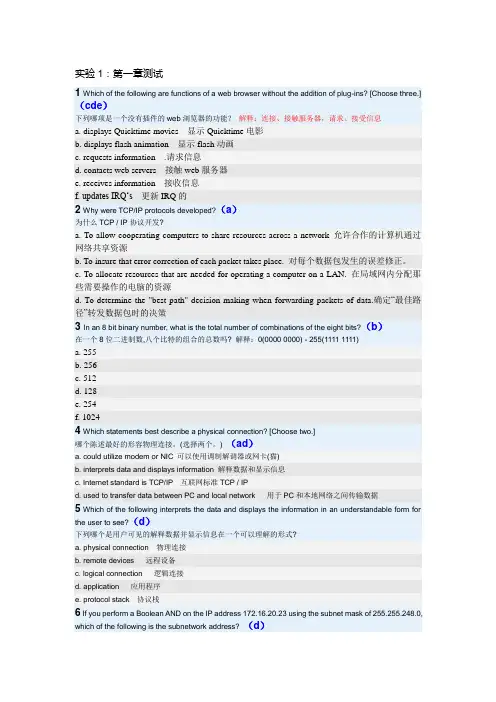
实验1:第一章测试1 Which of the following are functions of a web browser without the addition of plug-ins? [Choose three.](cde)下列哪项是一个没有插件的web浏览器的功能?解释:连接、接触服务器,请求、接受信息a. displays Quicktime movies 显示Quicktime电影b. displays flash animation 显示flash动画c. requests information .请求信息d. contacts web servers 接触web服务器e. receives information 接收信息f. updates IRQ…s更新IRQ的2 Why were TCP/IP protocols developed?(a)为什么TCP / IP协议开发?a. To allow cooperating computers to share resources across a network 允许合作的计算机通过网络共享资源b. To insure that error correction of each packet takes place. 对每个数据包发生的误差修正。
c. To allocate resources that are needed for operating a computer on a LAN. 在局域网内分配那些需要操作的电脑的资源d. To determine the "best path" decision making when forwarding packets of data.确定“最佳路径”转发数据包时的决策3 In an 8 bit binary number, what is the total number of combinations of the eight bits?(b)在一个8位二进制数,八个比特的组合的总数吗? 解释:0(0000 0000) - 255(1111 1111)a. 255b. 256c. 512d. 128e. 254f. 10244 Which statements best describe a physical connection? [Choose two.]哪个陈述最好的形容物理连接。
实验八 图形用户界面与对话框

实验八图形用户界面与对话框1.实验目的1、学会处理ActionEvent事件2、学会使用布局类3、学习焦点、鼠标和键盘事件4、学习使用输入和消息对话框2.实验内容1、根据附录里的源代码,按照注释要求,完成代码填空,使程序能够运行得出结果。
1) 实验1算术测试2) 实验2布局与日历3) 实验3华容道4) 实验4字体对话框5) 实验5计算平方根6) 实验6简易计算器2、设计编写程序完成以下任务。
1)修改实验1的代码,再增加“小学生”级别,并增加测试乘、除法的功能。
2)编写一个应用程序,用户可以在一个文本框里输入数字字符,按Enter 键后将数字放入一个文本区。
当输入的数字大于1000时,弹出一个有模式的对话框,提示用户数字已经大于1000,是否继续将该数字放入文本区。
3)编写应用程序,有一个标题为“移动”的窗口,窗口布局为null,在窗口中有两个按钮,单击一个按钮让另一个按钮移动。
4)仿照操作系统中的简易计算机,自行设计一个能进行加减乘除运算的计算器。
需要考虑先进性乘除运算再进行加减运算。
3.实验步骤略4.评分标准1.A——内容功能完善,编程风格好,人机接口界面好;2.B——内容功能完善,编程风格良好,人机接口界面良好;3.C——完成必做内容;4.D——能完成必做内容;5.E——未按时完成必做内容,或者抄袭(雷同者全部为E).参照书上实验按模版要求,将【代码】替换为Java程序代码,编写好完整的程序文档,最后运行得到的相关文件,把实验所得文件一起打包上交。
(压缩包的文件名为:学号后三位和名字开头字母,如109zhh.RAR|ZIP)附录:实验1 算术测试模板代码Teacher.javaimport java.util.Random;import java.awt.event.*;import javax.swing.*;public class Teacher implements ActionListener{int numberOne,numberTwo;String operator=" ";boolean isRight;Random random;int maxInteger;JTextField textOne,textTwo,textResult;JLabel operatorLabel,message;Teacher(){random=new Random();}public void setMaxInteger(int n){maxInteger=n;}public void actionPerformed(ActionEvent e){String str=e.getActionCommand();if(str.equals("getProblem")){numberOne=random.nextInt(maxInteger)+1;numberTwo=random.nextInt(maxInteger)+1;double d=Math.random();if(d>=0.5){operator="+";}else{operator="-";}textOne.setText(""+numberOne);textTwo.setText(""+numberTwo);operatorLabel.setText(operator);message.setText("请回答");textResult.setText(null);}else if(str.equals("answer")){String answer=textResult.getText();try{int result=Integer.parseInt(answer);if(operator.equals("+")){if(result==numberOne+numberTwo){message.setText("你回答正确");}else{message.setText("你回答错误");}}else if(operator.equals("-")){if(result==numberOne-numberTwo){message.setText("你回答正确");}else{message.setText("你回答错误");}}}catch(NumberFormatException ex){message.setText("请输入数字字符");}}}public void setJTextField(JTextField...t){textOne =t[0];textTwo =t[1];textResult =t[2];}public void setJLabel(bel){operatorLabel=label[0];message=label[1];}}ComputerFrame.javaimport java.awt.*;import java.awt.event.*;import javax.swing.*;public class ComputerFrame extends JFrame{JMenuBar menubar;JMenu choiceGrade;JMenuItem grade1,grade2;JTextField textOne,textTwo,textResult;JButton getProblem,giveAnswer;JLabel operatorLabel,message;Teacher teacherZhang;ComputerFrame(){teacherZhang=new Teacher();teacherZhang.setMaxInteger(20);setLayout(new FlowLayout());menubar=new JMenuBar();choiceGrade=new JMenu("选择级别");grade1=new JMenuItem("幼儿级别");grade2=new JMenuItem("儿童级别");grade1.addActionListener(new ActionListener(){public void actionPerformed(ActionEvent e){teacherZhang.setMaxInteger(10);}});grade2.addActionListener(new ActionListener(){public void actionPerformed(ActionEvent e){teacherZhang.setMaxInteger(50);}});choiceGrade.add(grade1);choiceGrade.add(grade2);menubar.add(choiceGrade);setJMenuBar(menubar);//【代码1】//创建textOne,其可见字符长是5textTwo=new JTextField(5);textResult=new JTextField(5);operatorLabel=new JLabel("+");operatorLabel.setFont(new Font("Arial",Font.BOLD,20));message=new JLabel("你还没有回答呢");getProblem=new JButton("获取题目");giveAnswer=new JButton("确认答案");add(getProblem);add(textOne);add(operatorLabel);add(textTwo);add(new Label("="));add(textResult);add(giveAnswer);add(message);textResult.requestFocus();textOne.setEditable(false);textTwo.setEditable(false);getProblem.setActionCommand("getProblem");textResult.setActionCommand("answer");giveAnswer.setActionCommand("answer");teacherZhang.setJTextField(textOne,textTwo,textResult);teacherZhang.setJLabel(operatorLabel,message);//【代码2】//将teacherZhang注册为getProblem的ActionEvent事件监视器//【代码3】//将teacherZhang注册为giveAnswer的ActionEvent事件监视器//【代码4】//将teacherZhang注册为textResult的ActionEvent事件监视器setVisible(true);validate();setDefaultCloseOperation(DISPOSE_ON_CLOSE);}}MainClass.javapublic class MainClass {public static void main(String[] args) {ComputerFrame frame;frame=new ComputerFrame();frame.setTitle("算术测试");frame.setBounds(100,100,650,180);}}实验2 布局与日历模板代码CalendarBean.javaimport java.util.Calendar;public class CalendarBean {String [] day;int year=2008,month=0;public int getYear() {return year;}public void setYear(int year) {this.year = year;}public int getMonth() {return month;}public void setMonth(int month) {this.month = month;}public String [] getCalendar() {String [] a=new String[42];Calendar 日历=Calendar.getInstance();日历.set(year,month-1,1);int 星期几=日历.get(Calendar.DAY_OF_WEEK)-1;int day=0;if(month==1||month==3||month==5||month==7||month==8||month==10||month==12) day=31;if(month==4||month==6||month==9||month==11)day=30;if(month==2) {if(((year%4==0)&&(year%100!=0))||(year%400==0))day=29;elseday=28;}for(int i=星期几,n=1;i<星期几+day;i++) {a[i]=String.valueOf(n) ;n++;}return a;}}CalendarFrame.javaimport java.awt.event.*;import javax.swing.*;import javax.swing.border.*;import java.awt.*;import java.util.*;public class CalendarFrame extends JFrame implements ActionListener {JLabel labelDay[]=new JLabel[42];JButton titleName[]=new JButton[7];String name[]={"日","一","二","三","四","五","六"};JButton nextMonth,previousMonth;CalendarBean calendar;JLabel showMessage=new JLabel("",JLabel.CENTER);int year=2011,month=2;public CalendarFrame(){JPanel pCenter=new JPanel();//【代码1】//将pCenter的布局设置为7行7列的GridLayout布局.for(int i=0;i<7;i++){titleName[i]=new JButton(name[i]);titleName[i].setBorder(new SoftBevelBorder(BevelBorder.RAISED));//【代码2】//pCenter中添加组件titleName[i]}for(int i=0;i<42;i++){labelDay[i]=new JLabel("",JLabel.CENTER);labelDay[i].setBorder(new SoftBevelBorder(BevelBorder.LOWERED));//【代码3】//pCenter中添加组件labelDay[i]}calendar=new CalendarBean();nextMonth=new JButton("下月");previousMonth=new JButton("上月");nextMonth.addActionListener(this);previousMonth.addActionListener(this);JPanel pNoth=new JPanel(),pSouth=new JPanel();pNoth.add(previousMonth);pNoth.add(nextMonth);pSouth.add(showMessage);//【代码4】//将窗口pCenter添加到中央区域//【代码5】//将窗口pNoth添加到北面区域//【代码6】//将窗口pSouth添加到南面区域setYearAndMonth(year,month);setDefaultCloseOperation(DISPOSE_ON_CLOSE);}public void setYearAndMonth(int y,int m){calendar.setYear(y);calendar.setMonth(m);String day[]= calendar.getCalendar();for(int i=0;i<42;i++){labelDay[i].setText(day[i]);}showMessage.setText("日历:"+calendar.getYear()+"年"+calendar.month+"月"); }public void actionPerformed(ActionEvent e) {if(e.getSource()==nextMonth){month=month+1;if(month>12){month=1;}calendar.setMonth(month);String day[]=calendar.getCalendar();for(int i=0;i<42;i++){labelDay[i].setText(day[i]);}}else if(e.getSource()==previousMonth){month=month-1;if(month<1){month=12;}calendar.setMonth(month);String day[]=calendar.getCalendar();for(int i=0;i<42;i++){labelDay[i].setText(day[i]);}}showMessage.setText("日历:"+calendar.getYear()+"年"+calendar.month+"月");}}CalendarMainClass.javapublic class CalendarMainClass {public static void main(String[] args) {CalendarFrame frame=new CalendarFrame();frame.setBounds(100,100,360,300);frame.setVisible(true);frame.setYearAndMonth(2013,5);}}实验3 华容道模板代码MainClassHRR.javapublic class MainClassHRR {public static void main(String[] args) {{ Hua_Rong_Road HRR=new Hua_Rong_Road();}}}Person.javaimport java.awt.event.*;import java.awt.*;import javax.swing.*;public class Person extends JButton implements FocusListener {int number;Color c=new Color(255,245,170);Font font=new Font("宋体",Font.BOLD,12);Person(int number,String s){ super(s);setBackground(c);setFont(font);this.number=number;c=getBackground();addFocusListener(this);}public void focusGained(FocusEvent e){ setBackground(Color.red);}public void focusLost(FocusEvent e){ setBackground(c);}}Hua_Rong_Road.javaimport java.awt.event.*;import java.awt.*;import javax.swing.*;public class Hua_Rong_Road extends JFrame implements MouseListener,KeyListener, ActionListener {Person person[]=new Person[10];JButton left,right,above,below;JButton restart=new JButton("重新开始");public Hua_Rong_Road(){ init();setBounds(100,100,320,360);setVisible(true);setDefaultCloseOperation(DISPOSE_ON_CLOSE);validate();}public void init(){ setLayout(null);add(restart);restart.setBounds(100,320,120,25);restart.addActionListener(this);String name[]={"曹操","关羽","张","刘","周","黄","兵","兵","兵","兵"};for(int k=0;k<name.length;k++){ person[k]=new Person(k,name[k]);person[k].addMouseListener(this);person[k].addKeyListener(this);add(person[k]);}person[0].setBounds(104,54,100,100);person[1].setBounds(104,154,100,50);person[2].setBounds(54, 154,50,100);person[3].setBounds(204,154,50,100);person[4].setBounds(54, 54, 50,100);person[5].setBounds(204, 54, 50,100);person[6].setBounds(54,254,50,50);person[7].setBounds(204,254,50,50);person[8].setBounds(104,204,50,50);person[9].setBounds(154,204,50,50);person[9].requestFocus();left=new JButton(); right=new JButton();above=new JButton(); below=new JButton();add(left); add(right);add(above); add(below);left.setBounds(49,49,5,260);right.setBounds(254,49,5,260);above.setBounds(49,49,210,5);below.setBounds(49,304,210,5);validate();}public void keyTyped(KeyEvent e){}public void keyReleased(KeyEvent e){}public void keyPressed(KeyEvent e){ Person man=(Person)e.getSource();if(e.getKeyCode()==KeyEvent.VK_DOWN){ go(man,below);}if(e.getKeyCode()==KeyEvent.VK_UP){ go(man,above);}if(e.getKeyCode()==KeyEvent.VK_LEFT){ go(man,left);}if(e.getKeyCode()==KeyEvent.VK_RIGHT){ go(man,right);}}public void mousePressed(MouseEvent e){ Person man=(Person)e.getSource();int x=-1,y=-1;x=e.getX();y=e.getY();int w=man.getBounds().width;int h=man.getBounds().height;if(y>h/2){ go(man,below);}if(y<h/2){ go(man,above);}if(x<w/2){ go(man,left);}if(x>w/2){ go(man,right);}}public void mouseReleased(MouseEvent e) {}public void mouseEntered(MouseEvent e) {}public void mouseExited(MouseEvent e) {}public void mouseClicked(MouseEvent e) {}public void go(Person man,JButton direction){ boolean move=true;Rectangle manRect=man.getBounds();int x=man.getBounds().x;int y=man.getBounds().y;if(direction==below)y=y+50;else if(direction==above)y=y-50;else if(direction==left)x=x-50;else if(direction==right)x=x+50;manRect.setLocation(x,y);Rectangle directionRect=direction.getBounds();for(int k=0;k<10;k++){ Rectangle personRect=person[k].getBounds();if((manRect.intersects(personRect))&&(man.number!=k)){ move=false;}}if(manRect.intersects(directionRect)){ move=false;}if(move==true){ man.setLocation(x,y);}}public void actionPerformed(ActionEvent e){ dispose();new Hua_Rong_Road();}}实验4 字体对话框模板代码FontFamilyNames.javaimport java.awt.GraphicsEnvironment;public class FontFamilyNames{ String allFontName[];public String [] getFontName(){ GraphicsEnvironment ge=GraphicsEnvironment.getLocalGraphicsEnvironment();allFontName=ge.getAvailableFontFamilyNames();return allFontName;}}FontDialog.javaimport java.awt.event.*;import java.awt.*;import javax.swing.*;public class FontDialog extends JDialog implements ItemListener,ActionListener{ FontFamilyNames fontFamilyNames;int fontSize=38;String fontName;JComboBox fontSizeList,fontNameList;JLabel label;Font font;JButton yes,cancel;static int YES=1,NO=0;int state=-1;FontDialog(Frame f){super(f);setTitle("字体");font=new Font("宋体",Font.PLAIN,12);fontFamilyNames=new FontFamilyNames();//【代码1】//当前对话框调用setModal(boolean b)设置为有模式yes=new JButton("Yes");cancel=new JButton("cancel");yes.addActionListener(this);cancel.addActionListener(this);label=new JLabel("hello,奥运",JLabel.CENTER);fontSizeList=new JComboBox();fontNameList=new JComboBox();String name[]=fontFamilyNames.getFontName();fontNameList.addItem("字体");for(int k=0;k<name.length;k++){ fontNameList.addItem(name[k]);}fontSizeList.addItem("大小");for(int k=8;k<72;k=k+2){ fontSizeList.addItem(new Integer(k));}fontNameList.addItemListener(this);fontSizeList.addItemListener(this);JPanel pNorth=new JPanel();pNorth.add(fontNameList);pNorth.add(fontSizeList);add(pNorth,BorderLayout.NORTH);add(label,BorderLayout.CENTER);JPanel pSouth=new JPanel();pSouth.add(yes);pSouth.add(cancel);add(pSouth,BorderLayout.SOUTH);setBounds(100,100,280,170);setDefaultCloseOperation(DISPOSE_ON_CLOSE);validate();}public void itemStateChanged(ItemEvent e){if(e.getSource()==fontNameList){fontName=(String)fontNameList.getSelectedItem();font=new Font(fontName,Font.PLAIN,fontSize); }else if(e.getSource()==fontSizeList){Integer m=(Integer)fontSizeList.getSelectedItem();fontSize=m.intValue();font=new Font(fontName,Font.PLAIN,fontSize); }label.setFont(font);label.repaint();validate();}public void actionPerformed(ActionEvent e){ if(e.getSource()==yes){ state=YES;//【代码2】//对话框设置为不可见}else if(e.getSource()==cancel){ state=NO;//【代码3】//对话框设置为不可见}}public int getState(){ return state;}public Font getFont(){ return font;}}FrameHaveDialog.javaimport java.awt.event.*;import java.awt.*;import javax.swing.*;public class FrameHaveDialog extends JFrame implements ActionListener{ JTextArea text;JButton buttonFont;FrameHaveDialog(){ buttonFont=new JButton("设置字体");text=new JTextArea("Java面向对象程序设计");buttonFont.addActionListener(this);add(buttonFont,BorderLayout.NORTH);add(text);setBounds(60,60,300,300);setVisible(true);validate();setDefaultCloseOperation(DISPOSE_ON_CLOSE);}public void actionPerformed(ActionEvent e){ if(e.getSource()==buttonFont){ FontDialog dialog=new FontDialog(this);//【代码4】//创建对话框dialog.setVisible(true);//【代码5】//对话框设置为可见//【代码6】//对话框设置设置标题为“字体对话框”if(dialog.getState()==FontDialog.YES){ text.setFont(dialog.getFont());text.repaint();}if(dialog.getState()==FontDialog.NO){ text.repaint();}}}}FontDialogMainClass.javapublic class FontDialogMainClass{ public static void main(String args[]){ FrameHaveDialog win=new FrameHaveDialog();}}实验5 计算平方根模板代码InputNumber.javaimport javax.swing.*;public class InputNumber {public static void main(String[] args) {double result=0;boolean inputComplete=false;while(inputComplete==false){String str=//【代码1】//弹出输入对话框try{result=Double.parseDouble(str);if(result>=0){inputComplete=true;}}catch(NumberFormatException exp){//【代码2】//弹出消息对话框inputComplete=false;}}double sqrtRoot=Math.sqrt(result);System.out.println(result+"平方根:"+sqrtRoot);}}实验6 简易计算器模板代码UserFrm.javaimport java.awt.*;import java.awt.event.*;public class UserFrm extends Frame implements ActionListener {private MenuBar jmb = new MenuBar();private MenuItem item = new MenuItem("退出");public static Font font = new Font("宋体", 1, 16);public UserFrm(String title) throws HeadlessException {super(title);//【代码1】//设置该Frame位置与大小,具体值为(100, 100, 250, 200)setVisible(true);Menu menu = new Menu("文件");menu.add(item);item.setFont(font);Panel panelNorth = new Panel();//【代码2】//把panelNorth加入窗体的北区add(new Caculator(), BorderLayout.CENTER);item.addActionListener(this);jmb.add(menu);jmb.setFont(font);setMenuBar(jmb);//【代码3】//用匿名类的方式设计完成窗体关闭的监听和实现关闭的方法validate();}public void actionPerformed(ActionEvent e) {Object o = e.getSource();if (o == item)System.exit(1);}public static void main(String[] args) {new UserFrm("用户界面");}}class Caculator extends Panel implements ActionListener, KeyListener {private TextField tf = new TextField("");private float x = 0;private float y = 0;private int code = 0;private boolean enable;private boolean first;private String str = "";public Caculator() {setLayout(new BorderLayout());enable = true;first = true;add(tf, BorderLayout.NORTH);Panel panel = new Panel();//【代码4】//把panel设置为GridLayout布局Button btn = null;//【代码5】//创建btn并把标题设为1;把btn加入panel中;设置该按钮的字体格式为UserFrm.font;设置输入确认监听;设置键盘输入监听//【代码6】//创建btn并把标题设为2;把btn加入panel中;设置该按钮的字体格式为UserFrm.font;设置输入确认监听;设置键盘输入监听//【代码7】//创建btn并把标题设为3;把btn加入panel中;设置该按钮的字体格式为UserFrm.font;设置输入确认监听;设置键盘输入监听//【代码8】//创建btn并把标题设为+;把btn加入panel中;设置该按钮的字体格式为UserFrm.font;设置输入确认监听;设置键盘输入监听//【代码9】//创建btn并把标题设为4;把btn加入panel中;设置该按钮的字体格式为UserFrm.font;设置输入确认监听;设置键盘输入监听//【代码10】//创建btn并把标题设为5;把btn加入panel中;设置该按钮的字体格式为UserFrm.font;设置输入确认监听;设置键盘输入监听//【代码11】//创建btn并把标题设为6;把btn加入panel中;设置该按钮的字体格式为UserFrm.font;设置输入确认监听;设置键盘输入监听//【代码12】//创建btn并把标题设为-;把btn加入panel中;设置该按钮的字体格式为UserFrm.font;设置输入确认监听;设置键盘输入监听//【代码13】//创建btn并把标题设为7;把btn加入panel中;设置该按钮的字体格式为UserFrm.font;设置输入确认监听;设置键盘输入监听//【代码14】//创建btn并把标题设为8;把btn加入panel中;设置该按钮的字体格式为UserFrm.font;设置输入确认监听;设置键盘输入监听///【代码15】//创建btn并把标题设为9;把btn加入panel中;设置该按钮的字体格式为UserFrm.font;设置输入确认监听;设置键盘输入监听//【代码16】//创建btn并把标题设为*;把btn加入panel中;设置该按钮的字体格式为UserFrm.font;设置输入确认监听;设置键盘输入监听//【代码17】//创建btn并把标题设为0;把btn加入panel中;设置该按钮的字体格式为UserFrm.font;设置输入确认监听;设置键盘输入监听//【代码18】//创建btn并把标题设为.;把btn加入panel中;设置该按钮的字体格式为UserFrm.font;设置输入确认监听;设置键盘输入监听//【代码19】//创建btn并把标题设为/;把btn加入panel中;设置该按钮的字体格式为UserFrm.font;设置输入确认监听;设置键盘输入监听btn = new Button("/");panel.add(btn);btn.setFont(UserFrm.font);btn.addActionListener(this);btn.addKeyListener(this);//【代码20】//把panel加入Caculator的中部区域中}public void actionPerformed(ActionEvent e) {if (e.getActionCommand() == "+") {//【代码21】//把文本框里的数字转成浮点型,赋给xcode = 0;this.tf.setText("");}if (e.getActionCommand() == "-") {//【代码21】//把文本框里的数字转成浮点型,赋给xcode = 1;this.tf.setText("");}if (e.getActionCommand() == "*") {//【代码21】//把文本框里的数字转成浮点型,赋给xcode = 2;this.tf.setText("");}if (e.getActionCommand() == "/") {x = Float.parseFloat(tf.getText());code = 3;this.tf.setText("");}if (e.getActionCommand() != "+" && e.getActionCommand() != "-"&& e.getActionCommand() != "*" && e.getActionCommand() != "/"&& e.getActionCommand() != "=") {if (enable) {if (first) {tf.setText(e.getActionCommand());first = false;} else {tf.setText(tf.getText() + e.getActionCommand());}}else {tf.setText(e.getActionCommand());enable = true;}}if (e.getActionCommand() == "=") {switch (code) {case 0://【代码22】//完成两个数的加法运算tf.setText(Float.toString(y));enable = false;break;case 1://【代码23】//完成两个数的减法运算tf.setText(Float.toString(y));enable = false;break;case 2://【代码24】//完成两个数的乘法运算tf.setText(Float.toString(y));enable = false;break;case 3://【代码25】//完成两个数的除法运算tf.setText(Float.toString(y));enable = false;break;}}}public void keyPressed(KeyEvent e) {if (e.getKeyChar() == '+') {x = Float.parseFloat(tf.getText());code = 0;this.tf.setText("");}if (e.getKeyChar() == '-') {x = Float.parseFloat(tf.getText());code = 1;this.tf.setText("");}if (e.getKeyChar() == '*') {x = Float.parseFloat(tf.getText());code = 2;this.tf.setText("");}if (e.getKeyChar() == '/') {x = Float.parseFloat(tf.getText());code = 3;this.tf.setText("");}if (【代码26】) {//判断用键盘输入的数字是否为0-9以及.号,其中的一个。
MATLAB实验
MATLAB实验一:MATLAB语言基本概念实验实验目的:1. 熟悉MATLAB语言及使用环境;2.掌握MATLAB的常用命令;3.掌握MATLAB的工作空间的使用;4.掌握MATLAB的获得帮助的途径。
5.掌握科学计算的有关方法,熟悉MATLAB语言及其在科学计算中的运用;6.掌握MATLAB的命令运行方式和M文件运行方式;7.掌握矩阵在MATLAB中的运用。
实验方案分析及设计:本次实验主要目的是了解MATLAB的使用环境,以及常用的一些命令的使用;了解矩阵在MATLAB实验中的具体运用,以及相关的一些符号命令的使用。
实验器材:电脑一台,MATLAB软件实验步骤:打开MATLAB程序,将实验内容中的题目依次输入MATLAB中,运行得到并记录结果,最后再对所得结果进行验证。
实验内容及要求:1.熟悉MATLAB的菜单和快捷键的功能2.熟悉MATLAB的命令窗口的使用3.熟悉常用指令的使用format clc clear help lookfor who whos 4.熟悉命令历史窗口的使用5. 熟悉MATLAB工作空间的功能将工作空间中的变量保存为M文件,并提取该文件中的变量6.熟悉MATLAB获取帮助的途径将所有plot开头的函数列出来,并详细给出plotfis函数的使用方法1. 输入 A=[7 1 5;2 5 6;3 1 5],B=[1 1 1; 2 2 2;3 3 3],在命令窗口中执行下列表达式,掌握其含义:A(2, 3) A(:,2) A(3,:) A(:,1:2:3)A(:,3).*B(:,2) A(:,3)*B(2,:) A*BA.*BA^2 A.^2 B/A B./AA=[7 1 5;2 5 6;3 1 5]7 1 52 5 63 1 5>> B=[1 1 1; 2 2 2;3 3 3]1 1 12 2 23 3 3>> A(2, 3)6>> A(:,2)151>> A(3,:)3 1 5>> A(:,1:2:3)7 52 63 5>> A(:,3).*B(:,2)51215>> A(:,3)*B(2,:)10 10 1012 12 1210 10 10>> A*B24 24 2430 30 3020 20 20>> A.*B7 1 54 10 129 3 15>> A^266 17 6642 33 7038 13 46>> A.^249 1 254 25 369 1 25>> B/A0.1842 0.2105 -0.23680.3684 0.4211 -0.47370.5526 0.6316 -0.7105>> B./A0.1429 1.0000 0.20001.0000 0.4000 0.33331.0000 3.0000 0.60002.输入 C=1:2:20,则 C (i )表示什么?其中 i=1,2,3, (10)1到19差为2,i 代表公差3. 试用 help 命令理解下面程序各指令的含义:cleart =0:0.001:2*pi;subplot(2,2,1);polar(t, 1+cos(t))subplot(2,2,2);plot(cos(t).^3,sin(t).^3)subplot(2,2,3);polar(t,abs(sin(t).*cos(t)))subplot(2,2,4);polar(t,(cos(2*t)).^0.5)4计算矩阵⎥⎥⎥⎦⎤⎢⎢⎢⎣⎡897473535与⎥⎥⎥⎦⎤⎢⎢⎢⎣⎡638976242之和。
C语言程序设计习题库
34-计算函数 (2)612-程序设计C 实验一题目一最简单的C程序 (3)80-程序设计C 实验二题目二计算n! (4)288-程序设计C 实验三题目八统计出现最多次的字母 (5)277-程序设计C 实验二题目五统计二进制数中的1的个数 (6)276-程序设计C 实验二题目四简单的计算器 (7)35-成绩的等级 (8)26-翻转数的和 (9)33-三个数的最大值 (10)37-利润提成 (11)39-字符个数 (11)42-平方和与倒数和 (13)46-自由落体 (14)56-Hamming Distance (15)77-程序设计C 实验二题目一计算员工周工资 (16)189-素数判定 (17)318-进制变换 (18)489-平方和与立方和 (19)563-平方和与立方和 (20)606-Sum (21)190-游程编码 (22)160-C++测试一 (23)320-鸡兔同笼 (24)203-Jack's problem (25)619-蟠桃记 (26)279-程序设计C 实验二题目七人数统计 (27)278-程序设计C 实验二题目六计分规则 (28)148-陶陶摘苹果 (29)171-字符串的倒序 (30)86-杨辉三角形 (31)34-计算函数Description有一个函数y={ x x<1| 2x-1 1<=x<10\ 3x-11 x>=10写一段程序,输入x,输出yInput一个整数xOutput一个整数ySample Input14Sample Output31Hint使用函数Source612-程序设计C 实验一题目一最简单的C程序Description请使用C编写一个程序输出下面这个话"Welcome to the OnlineJudge of Southwest University of Science and Technology!"Loco提示: 请养成输出完后换行的习惯,否则视为Presentation Error,不清楚如何换行的同学可以询问同学或者老师Input没有输入Output输出题目中要求的语句.Sample InputSample OutputWelcome to the OnlineJudge of Southwest University of Science and Technology! Hint这个题目非常简单,是让大家熟悉C编译器和本平台的.1、按照1.2.4、1.2.5节操作步骤创建第一个应用:(1)编辑你的第一个C源程序(2)保存你的源文件(3)编译、连接得到可执行程序(4)改正源程序中的错误(5)运行你的第一个程序2、你可以有三种方式运行你的程序:(1)在VC++6.0开发环境中运行程序选择Build|Execute hello.exe(或者Ctrl+F5),在开发环境中执行你的程序。
大学体验英语综合教程3习题(答案)Unit7
⼤学体验英语综合教程3习题(答案)Unit7Unit 3> Famous Brand NamesLead-inAnswer: 4 3 6 2 1 5Passage AThink About It:1. What is a bathtub battleship referred to as in this passage?Answer: A bathtub battleship is a toy battleship made of Ivory Soap that children play with in a bathtub.2. Why is Ivory Soap so popular among Americans?Answer: It is pure and it floats.3. How did Proctor & Gamble succeed in promoting Ivory Soap?Answer: It took advantage of a successful nationwide advertising campaign.Read and think(⼆)、Ivory Soap1、About the brand name:Answer: The brand name was lifted from “out of ivory palaces”, a phrase found in the Bible.2、About the company:Answer: * In 1837, two immigrants named William Proctor and James Gamble founded the company.* For decades Proctor & Gamble produced candles and soap.* It took more than twenty years for sales to top one million dollars.3、Does the author generally encourage students to join clubs and societies? Why? Answer: 1) The quality of the product: safe, mild, and pure. And it floats.2) The profitability of the product:* Ivory Soap has earned billions of dollars for the company.* Annual sales of the products under the Proctor & Gamble umbrella, including Ivory Soap exceed thirty billion dollars.3) The popularity of the product:* When it comes to washing out the mouth of naughty children nothing beats Ivory Soap.* At least half a dozen generations of Americans have gotten themselves clean with Ivory.* So many hands, faces, and baby bottoms have been washed with Ivory that their numbers beat the imagination.* Generations of little boys have converted bars of Ivory Soap into bathtub battleships.(三)、Answer: 1. the introduction of its floating soap, an enormous new factory in a place called Ivorydale, Annual sales, billions of dollars,2. safe, mild, and pure, solid and spotless, American institution, Washington Monument, respected, Congress, American history(四)、Answer: advertising, brand, promoted, proved, popular, expression, global, immigrantsRead and complete(五)、1. France has already pledged billions of dollars in aid next year. Answer: France has already pledged billions of dollars in aid next year.法国已经保证明年提供数⼗亿美元的援助。
社会心理学的一些经典实验(配图)
选择性群体感知Selective Group Perception - They Saw a Game:A Case Study by Hastorf and Cantril人们积极地对接收到的刺激进行加工,有选择地关注这一刺激的一些方面,而忽略另一些方面。
而且,他们用自己关注的方面来欺骗自己的认知。
选择性感知的影响在Hastorf和Cantril(1954)的一个研究中被很好地展现了出来。
他们的研究涉及普林斯顿和达特茅斯两校间的一场激烈而粗暴的橄榄球赛(达特茅斯印第安人队与普林斯顿老虎队1951年的比赛,最终普林斯顿获胜。
比赛中双方都有运动员受伤)。
比赛一周后,研究者让两校的心理学学生填了一份关于比赛中犯规行为的问卷。
表1 两校学生对问题1的回答(“你认为是哪一队挑起了粗暴的比赛?”)表2 两校学生对问题2的回答(“你认为这场比赛是公平干净的还是无谓的作为对比,研究者又让另外两组分别来自两校的学生看了关于比赛的影片。
这些学生们都被要求去观察犯规情况。
学生们都看了电影,但普林斯顿的学生“发现”的达特茅斯球员的犯规次数是达特茅斯学生“发现”的2倍。
Hastorf和Cantril在他们的论文“They Saw a Game:A Case Study”(1954)中总结,这场球赛“实际上是很多场球赛。
每一个视角对于特定的人与其他视角对于其他人一样,都是‘真实’的”(Hastorf & Cantril,1954)。
在这个研究之中,被试的感知因为他们所属的社会群体而动摇了。
对两个学校的成员以及与他们无关的中立者,比赛都具有不同的意义。
更进一步的说,即使对同一个学校的成员而言,比赛也可能具有不同的意义,比如对于球队队员和他们的Fans。
这些发现显示出每个人不同的“价值”在形成感知中起到的重要作用。
“In brief, the data here indicate that there is no such 'thing' as a 'game' existing 'out there' in its own right which people merely 'observe.' The game 'exists' for a person and is experienced by him only insofar as certain happenings have significances in terms of his purpose.”——Hastorf & Cantril,1954 最强大的社会影响往往是最不明显的——它们已经深深植根如我们日常的行为模式。