
KOX逆变电源使用手册
2.4.1电力专用逆变电源(220VDC)主要技术参数
型 号
KOX500B
KOX1000B
KOX2000B
直流输入
额定电压
220VDC
额定电流
2.3A
4.6A
9A
电压范围
183~280VDC
交流输入
相 数
单相(火线、零线、地线)频源自率50Hz± 5%电压范围
220VAC(178~248VAC)
另外,本产品在搬运时请注意安全,以免伤害到您的身体。
第 二 章 产 品 简 介
2.1产品外观
本图仅供参考,请以实物为准。
表2.1机箱外形尺寸表单位:㎜
卧式结构
立式结构
W1
W2
W3
H1
H2
H3
L
W
H
L
500VA
483
442
467
133
133
88.9
430
200
345
420
1000VA
483
442
467
2.2 型号说明……………………………………………………………………………………………………6
2.3 工作原理……………………………………………………………………………………………………6
2.4 主要技术参数………………………………………………………………………………………………9
2.5 保护功能……………………………………………………………………………………………………11
a、当交流输入和直流输入都正常时,由交流输入经过隔离、整流、滤波后,逆变成纯正的交流电,通过转换开关向负载提供电源(即交流逆变供电);
b、当交流输入正常,出现直流输入异常、过载以及逆变故障等情况时,由交流输入经过隔离后,通过转换开关向负载提供电源(即旁路供电);
c、当交流输入异常,直流输入正常时,由直流经过隔离、滤波后,逆变成纯正的交流电,通过转换开关向负载提供电源(即直流逆变供电);
频 率
50Hz± 1%
波形失真率
≤ 3%
动态响应
5%(0%~100%负载)
峰值系数(CF)
3:1
功率因数
0.75
过载能力
超载跳旁路
逆变效率
90%(80%负载)
连续运行时间
可长时间连续运行
报 警
蜂鸣器声音报警和LED指示灯报警
切换时间
交流与直流
0ms
逆变与旁路
5ms
绝缘强度
1500 VAC, 1min(输入和输出)
工作状态说明:
a、当交流输入和直流输入都正常时,由交流输入通过转换开关向负载提供电源(即交流供电);
b、当交流输入异常,直流输入正常时,由直流经过隔离、滤波后,逆变成纯正的交流电,通过转换开关向负载提供电源(即直流逆变供电);
3、在线式工作方式:(如KOX2000BW3、KOX2000CW3等)
工作状态说明:
4.1 常见故障的原因及处理方法………………………………………………………………………………17
第五章 维护保养和售后服务……………………………………………………………………………………17
5.1 维护保养……………………………………………………………………………………………………17
5.2 售后服务……………………………………………………………………………………………………17
● 完全隔离型逆变技术,输出无噪音正弦交流电压
● 逆变单元采用先进的SPWM技术,波形纯净
● 独有的动态电流环控制技术确保逆变器可靠运行
● 过负载能力强,能承受计算机满负载开机
● 大功率旁路开关,过载时可由旁路供电
● 具有输入过、欠压,输出过、欠压,过温、短路等保护功能
● 逆变器前面板有LED显示方式,状态一目了然
1.3储存环境……………………………………………………………………………………………………5
1.4 搬运…………………………………………………………………………………………………………5
第二章 产品简介…………………………………………………………………………………………………5
2.1 产品外观……………………………………………………………………………………………………5
400W
750W
1500W
额定电压
220VAC单相(火线、零线)
电压精度
220VAC± 2%
频 率
50Hz± 1%
波形失真率
≤3%
动态响应
5%(0%~100%负载)
峰值系数(CF)
3:1
功率因数
0.75
过载能力
超载跳旁路
逆变效率
90%(80%负载)
连续运行时间
可长时间连续运行
报 警
蜂鸣器声音报警和LED指示灯报警
46±2VDC
110VDC
92±3VDC
104±3VDC
220VDC
183±3VDC
210±3VDC
交流输入
220VAC
175±3VAC
188±3VAC
250±3VAC
238±3VAC
●交流输出过载保护
当交流输出电流值高于设定的过载保护点时,机器将根据过载的程度延时1~60秒后关闭逆变,自动转为交流旁路供电;当交流输出电流值低于设定的过载保护点时,机器将自动启动逆变供电;
1.3储存环境
本产品在存放时应注意以下事项,以避免可能遭受的不良影响。
◎置于无尘垢和干燥通风的场所
◎环境温度:-20℃~60℃
◎环境相对湿度:30%~90% 且无水珠凝结现象
◎远离腐蚀性气体、液体等
◎长期不用的电源,每隔半年应通电运行一次
1.4搬运
本产品在搬运过程中,应避免强烈振动、摔跌、磕碰;严禁将包装箱倒置;开箱搬运时切勿遗失附件及使用说明书、保修卡等。
●交流输入过压保护
当交流输入电压幅值高于设定的高压保护点时,机器将在内部切断交流输入,自动转为直流逆变供电;当交流输入电压幅值低于设定的高压回滞点时,机器将自动转为交流输入供电;
●直流输入欠压保护
当直流输入电压幅值低于设定的低压保护点时,机器将立即关闭逆变,自动转为交流旁路供电;当直流输入电压幅值高于设定的低压回滞点时,机器将自动启动逆变供电;
(500VA~2000VA)
感谢您选择KOX电源!
尊敬的用户:
首先感谢您选用KOX系列正弦波逆变电源,从现在开始我们将成为朋友!
我们非常高兴向您提供这一系列逆变电源产品,希望它在未来的岁月里为您提供方便、可靠的服务,保证您的设备安全运作。
为了您的安全和更好的使用该系列逆变电源,请您在安装使用前务必仔细阅读此使用手册!
●可配RS232接口远程监视
1.1 注意事项:
本使用手册提供给用户安装调试、操作使用及故障诊断等有关注意事项,务请妥善保管,并请您在使用本产品前仔细阅读本使用手册。
◆ 在仔细阅读理解本说明手册并能正确使用之前,请不要安装、操作、维护或检查逆变电源。
◆ 遵从产品及附带的印刷品中标示的警告事项及说明。
◆ 接线前必须先断开前级电源。
★注:逆变电源在欠压、过压保护后,必须恢复至回滞点以上时,才能再次启动。设置回滞电压是为了防止避免系统在保护点附近震荡。当逆变电源首次开机时,如果输入电压正好处于保护点和回滞点之间时,机器将处于保护状态并显示欠压。保护点和回滞点如下表所示:
额定输入电压
保护点
恢复工作点
直流输入
48VDC
42±2VDC
切换时间
交流与直流
0ms
逆变与旁路
5ms
绝缘强度
1500 VAC, 1min(输入和输出)
噪 声
45db(正面1米)
冷却方式
风扇强制风冷
2.4.3通信专用逆变电源(48VDC)主要技术参数
型 号
KOX500A
KOX1000A
KOX2000A
直流输入
额定电压
48VDC
额定电流
11A
21A
42A
电压范围
133
133
88.9
430
200
345
420
2000VA
483
442
467
178
176
101.6
430
200
345
420
2.2型号说明
KOX□□□□□□□
机器工作类型1 纯逆变式
2 后备式
3在线式
机箱结构类型W卧式(标准机架式)
L立式
直流输入电压等级 A 48V
B 220V
C 110V
额定容量(VA)
KOX1000C
KOX2000C
直流输入
额定电压
110VDC
额定电流
4.6A
9A
18A
电压范围
92~180VDC
交流输入
相 数
单相(火线、零线、地线)
频 率
50Hz± 5%
电压范围
220VAC(178~248VAC)
额定电流
2.3A
4.6A
9A
逆变输出
额定容量
500VA
1000VA
2000VA
额定功率
公司产品代号
2.3工作原理
1、纯逆变式工作方式:(如KOX2000BW1、KOX2000CW1等)
工作状态说明:
a、直流输入正常时,由直流经过隔离、滤波后,逆变成纯正的交流电,向负载提供电源(即直流逆变供电);
b、当直流输入异常或机器出现过载、过温、大电流冲击及内部故障等情况时,机器自动保护关机;
2、后备式工作方式:(如KOX2000BW2、KOX2000CW2等)
并联逆变电源系统-技术手册V2.1

6.3 系统安装 ...................................................... 37 第七章 系统操作 ....................................................... 40
7.1 系统新开通操作 ................................................ 40 7.2 系统关闭操作 ................................................... 45 7.3 逆变模块保护切换操作 ........................................... 45 7.4 系统在线扩容操作 ............................................... 45 第八章 故障处理 ....................................................... 47 8.1 静态旁路模块故障处理 ........................................... 47 8.2 逆变模块故障处理 ............................................... 49 第九章 维护 ........................................................... 51 9.1 正确保养 ....................................................... 51 9.2 日常维护 ....................................................... 51 第十章 设备选型及定货指南 ............................................. 52 第十一章 与 UPS 供电方案比较 ........................................... 53 11.1 高频开关直流电源+模块并联逆变电源 ............................ 53 11.2 高频开关直流电源+UPS 电源 ..................................... 53 11.3 两种供电解决方案比较 ......................................... 54 附录一 系统电气连接图 ................................................. 55 附录二 干接点协议 ..................................................... 56 附录三 通信协议 ....................................................... 57
Parker XT IX PCA 电源站用户手册说明书

CONTENTS
Trademark Information
Important User Information
Safety Information
CONTENTS
CE Statement of Compliance
FCC Statement of Compliance
Headless Unit, Basic Installation Steps – Panel Mounting
1. 2.
3.
Parker XT/IX/PCA PowerStation User Manual
Touchscreen Units, Basic Installation Steps – Panel Mounting
1. 2.
SYSTEM INSTALLATION AND CONFIGURATION
3. 4.
Parker XT/IX/PCA PowerStation User Manual
Attaching Cables
Ethernet Communication Cables
SYSTEM INSTALLATION AND CONFIGURATION
HDMI Digital Video Output Port (Headless Unit Only)
Parker XT/IX/PCA PowerStation User Manual
SD Card
PRODUCT OVERVIEW
Solid State Drive (SSD)
Installation/Removal of SSD Module
Creating a New Project
Parker XT/IX/PCA PowerStation User Manual
深圳市科奥信电源技术 KOX220S48(20) 高频开关直流变换器 说明书

KOX220S48(20)高频开关直流变换器使用说明书深圳市科奥信电源技术有限公司目录1、概述 12、主要特点 13、工作原理 14、主要技术参数 25、前面板说明 36、后面板说明37、操作规程及一般维护 48、注意事项 6一、 概述KOX220S48(20)高频开关电源是专为各种通信电子设备等设计的高品质二次电源。
它采用国际最先进的电流模式PWM 技术和最稳定可靠的电路拓扑结构。
整机具有效率高、抗干扰能力强、输入电压范围宽、稳压精度高、保护功能完善的特点。
主要技术指标远高于部颁标准。
出厂前所有电源均经过严格检测并老化72小时,确保了该产品的可靠性。
模块采用立式机箱结构。
可多台并机组成N+1电源系统。
二、 主要特点电网适应能力强 90—160Vdc 稳压精度高 0.5% 输出杂音纹波小 0.5mV 保护功能强 输入保险管熔断保护输入高压保护 输入低压保护输出功率限制保护 输出过流、短路保护输出过压保护温度过高保护效率高 ≥86%三、工作原理电源模块工作原理方框图DC OUTPUT四、主要技术参数测试项目测量条件MIN TYP MAX 单位输入电压范围输出53.5V/20A 200 220 360 Vdc 输入电流输入220Vdc,输出53.5V/20A 8 Adc 开机浪涌输入220Vdc,输出53.5V/20A 15 Adc 输出电压范围输入220Vdc,连续可调40 53.5 58 Vdc 输出电流输入220Vdc,输出53.5V 15 Adc 输出限流点输入220Vdc 20.0 21.0 22.0 Adc 负载调整率输入220 Vdc,输出5%~100%满载0.3 %电网调整率输入200~360 Vdc输出53.5V/20A0.1 %电话衡重杂音输入220 Vdc, 输出满载300~3400HZ2 mV蜂一峰值杂音输入220 Vdc, 输出满载0~20MHZ200 mV宽频杂音输入220 Vdc, 输出满载3.4~150KHZ0.15~30MHZ5020mVmV离散杂音输入220 Vdc, 输出满载3.4~150KHZ150~200KHZ200~500 KHZ0.5~30MHZ5321mVmVmVmV效率输入220 Vdc, 输出满载86 %动态响应20%~100%阶跃负载200~360 Vdc阶跃电网100100usus 过压保护, 关断输出358 360 362 Vdc输入过压保护电网正常, 人工恢复输出348 350 352 Vdc过压保护, 关断输出58.0 58.1 58.2 Vdc 输出过压保护人工恢复输出 Vdc 工作温度40℃以上为50%满载-10 +45 ℃存储温度-40 +85 ℃MTBF 100,000 小时重量 8.0 Kg 外形尺寸宽×高×深118×250×368 mm五、前面板说明图1:前面板图前面板符号意义说明:1. 运行绿灯亮,表示整机工作。
KODAK 便携式电源站 ppS100 用户手册说明书

KODAKuser manualplease read this manual carefully before operating the product.please keep this manual with you for further reference.1. Set includeS 3i on 42.i ntroduct3. Safety inStructionS 5i on 94. tranSportat5. Get to know your kodak ppS100 10i nG 116. charG6.1. what it can power 11 6.2. diGital indicator 116.3. charGinG via mainS power Supply 127. technical SpecificationS 128. uSinG the kodak ppS100 13i nG 149. troubleShoot10. frequently aSked queStionS (faq) 1511. StoraGe and downtime maintenance 1612. Service life of lithium ion batterieS 1613. diSpoSal and recyclinG 1714. warranty and cuStomer Service 183Remark: we strongly recommend using standard car power inverter for a better user experience.423congratulations on purchasing kodak portable power Station ppS100 a plug-and-play power supply for outdoor use. with 84 watt-hours of stored energy, you can keep appliances, or electronic devices running.the kodak ppS100 portable power Station is designed to keep you powered up outdoor in your rvduring emergencies or power outages.Note the following points while reading through this instruction manual:• this manual was prepared with care and to the best of our knowledge.contact us should you have any questions relating to the product.• this manual may not be copied or duplicated, except for personal use.Disclaimer• our company cannot be held liable for damages caused by fire, earthquake, use by a third party, otheraccidents, intentional misconduct on the part of the customer, abuse or other abnormal conditions.• do not repair any damage to the ac plug or power supply on your own.• the warranty covers all terms and conditions of the warranty. contents that are not specified in thewarranty terms and conditions are beyond our responsibility.• our company assumes no liability for damages caused by incorrect use or non-compliance with thisinstruction manual.• this instruction manual, as well as other language versions can be downloaded as a pdf file on ourwebsite: .• Intended use: the kodak portable power Station ppS100 unit is intended as a power supply for elec-tronic devices with a maximum power consumption of 100 w. our product is not suitable to be usedwith equipment that relates to one‘s own personal safety or which relies heavily on electricity, suchas medical devices, equipment for nuclear facilities, the manufacture of air and spacecraft, etc. wetherefore assume no liability for accidents involving personal safety, fires or machine failures causedby using our product with the aforementioned devices.4observe these instructions to ensure safe usage.Explanation of symbols• Serious injuries include blindness, burns, electric shock, fractures, poisoning, etc., which can lead tocomplications, hospitalization or permanent treatment.• Injuries include burns, electric shock, etc., which do not lead to hospitalization or permanent treat-ment.• Property damage: includes buildings, belongings and pets, etc.this device complies with part 15 of the fcc rules. operation is subject to the followingtwo c onditions: (1) t his d evice m ay n ot c ause h armful i nterference, a nd (2) t his d evice m ustaccept any interference received, including interference that may cause undesiredoperation.5Do NOT disassemble, repair or modify the unit or the battery.doing so may result in electric shock, fire, etc.Do NOT place the unit close to or in a fire or expose it to heat. Keep out of direct sunlight.doing so may result in fire or injuries.Do NOT charge, use or store the unit in a bathroom or in an area exposed to rain or moisture.doing so may result in electric shock, fire, etc.Only use the output socket to power external devices. Never connect the output to mains power under any circumstances.connecting to the mains may lead to electric shock, injuries or fire.Do NOT touch the unit or the plug-in points if your hands are wet.doing so may result in electric shock.Do NOT connect any metallic objects to the AC input or output.doing so may result in electric shock, fire, etc.Do NOT rub your eyes if fluid from inside the unit should get in your eyes.if this should occur, flush eyes with water and seek medical attention immediately.this can lead to blindness.Do NOT dispose the unit together with household waste.follow the local law to dispose the unit.Do NOT use any inappropriate power cords.doing so may result in electric shock, fire, etc.Do NOT operate the unit above the specified input voltage.doing so may result in electric shock, fire, etc.Do NOT use the unit if it is not functioning correctly.doing so may result in electric shock, fire, damage to the unit, etc.Do NOT move the unit if it is recharging or in use.doing so may result in electric shock, damage to the unit or other injuries.6Use and store the unit only in a clean and dry environment. Do not use and store in dusty and wet environment.failure to do so may result in a short circuit, smoke or fire if metal dust or small metallic parts come in contact with the connections.Check the unit prior to every use. Do not use the unit if it is damaged, broken.if you notice that the unit has any damage or cracks, is broken, or has other abnormalities, do not cont-inue to use the unit and contact your dealer or our customer service center.Do not use the unit if the power cord is damaged or broken.Keep the unit away from children. Do NOT let children use the power supply unit.doing so may result in an accident or injuries. this unit must not be used by children. the unit and its connection cables must be kept out of reach of children. children must not play with the unit.this unit may only be used by persons with reduced physical, sensory or mental capabilities or lack of experience and knowledge if they are monitored or have been instructed in how to safely use the unitand understand the resulting risks.Keep this product away from pets.Do NOT use or store the unit in an area or environment with high temperature.doing so may cause the unit to deform or overheat.Should fluid from inside of the unit come in contact with your skin or clothing, wash the affectedareas with tap water.contact with the fluid may result in injuries.In a storm, unplug the power cord from the socket.a storm may result in an overcurrent coming from the socket, resulting in overheating, fire or other acci-dents.Do NOT charge the unit via power supply systems that operate outside of 100-240V.that may otherwise result in overheating, fire, etc.Do NOT place the unit on its side or upside down while in use or storage.doing so may result in leakage or cause the unit to overheat leading to other accidents.7if rust, peculiar odors, overheating or other abnormal circumstances are observed, stop using the unit immediately and contact the dealer or our customer service center.The unit complies with all legal requirements for transport of dangerous goods.the capacity of the lithium battery pack in the unit exceeds 80 wh.based on international standards: if this unit is to be sent by airplane, it must be transported in accordan-ce with iata standard packaging. iata instructions and labelling requirements and the relevant declara-tions must be completed.Make sure that the unit is properly secured when transporting it in a motor vehicle.failure to do so may result in damage to the unit, electric shock, overheating, fire and other accidents.Only charge and use the unit within an ambient temperature of 0 to 40 °C (32 - 104 °F).operating the unit above or below this temperature range may result in overheating or reduced perfor-mance.Switch the unit off immediately if it has accidentally fallen, was dropped or was exposed to vibra-tions.to prevent accidents, please contact the dealer or our customer service center to have the unit checked and repaired.Carefully read the instructions for the electric devices that you intend to connect to your power supply unit.Make sure that the device you are connecting is switched off before you connect it.a device starting up suddenly may lead to accidents or injuries.if the protective function is activated and the output of the device is switched off, disconnect the electric devices from the power output. Switch the unit off in case of non-use/storage in order to prevent electric shock and the battery from discharging unnecessarily, etc.891. Carry the unit with both hands.2. Placing the unit on a stable surface.3. Transporting the device.10220V 85W AC OutputFans utType-C port(input/output)USB OutputDigital IndicatorON/OFF Button QC3.0 OutputREMARKS1. press the button to turn on the digital indicator.2. press and hold the button for 2 seconds to turn ac outlet on/off.3. dc ports charge the devices automatically..4. we strongly recommend using standard car power inverter for a better user experience.11before use or storage, plug your kodak ppS100 into the wall until it is fully charged. if the display shows less than 20% capacity, plug it into a power source, like an ac outlet or a solar panel as soon as possible....and many morethe lcd display indicates the percentage of total charge remaining in your kodak ppS100.6.1. WHAT IT CAN POWER digital indicator 5w light ~13 hrs iphone 7~7 recharges Gaming console ~3 recharges 12“ macbook ~1.2 recharges 6.2. DIGITAL INDICATOR12use the uSb wall charger provided and plug your kodak ppS100 into any outlet.when the digital indicators displays 100, the kodak ppS100 is fully charged. this takes about 7 hours.7. TECHNICAL SPECIFICATIONSTrack the remaining batteypress the power button once to check the battery level from lcd display. to ensure you never run out of power, please recharge kodak ppS100 before use or storage. highly recommend to recharge kodakppS100 at least once every 3 month.Recharge your KODAK PPS100use the ac adapter and uSb c cable provided to recharge your kodak ppS100.Charge your devicescharge your mobile phone, tablet, console etc. from the uSb port.(qualcomm® quick charge™ 3.0 just for compatible devices)How to use AC outlet• press and hold the button for 2 seconds to activate the ac socket.• plug your ac appliance into the kodak ppS100‘s ac socket to power your the laptop, outdoor lights, etc.• press and hold the button for 2 seconds to turn off ac power.What to power from KODAK PPS100• uSb: Smart phones, tablets, e-readers, digital cameras, mp3-players, etc.• ac: laptops, Small applicances etc.• REMARKS: the power consumption of your device will determine the length of time that your ko-dak ppS100 will be able to supply it with power.How to use KODAK PPS1001. press the button to turn on the digital indicator2. press and hold the button for 2 seconds to turn ac outlet on/off3. dc ports charge the devices automaticallyBest-use strategy• when recharging devices with kodak ppS100, you should take note of the digital indicator.• if you plug in devices that have a high power requrement, the charge level of kodak ppS100 can drop quickly and you will not be able to extract the entire 84wh of energy.• on the other hand, if you’re charging devices that draw power more slowly(tablet or smartphone), you will be able to extract close to the full 84wh from kodak ppS100. if yor’re experiencing shorterren times, you can check the device’s power requirement.13Appropriate temperature usage• Charge protection: kodak ppS100 can charge your device when the ambient temperature is bet-ween 0 - 40°c. outside this temperature range, the system automatically stops charging but willrestart once the temperature is back inside the acceptable range.• Discharge protection: kodak ppS100 can power your devices when the ambient temperature is between 0 - 40 °c. outside this temperature range the system automatically stops charging yourdevice but will restart once the temperature is back inside the acceptable range.9. TROUBLESHOOTINGIf your devices are not recharging as they should using KODAK PPS100 follow these steps:1. ensure the device has been switched on and the led is showing the percentage of remaining charge.2. check the battery display. if it is at 20% or below, recharge your kodak ppS100.3. verify your device is suitable for use with the kodak ppS100.a. all kodak ppS100 output ports have their own max. power. check the kodak ppS100’s technicalspecifications to ensure your device is compatible.b. Some devices with rechargeable batteries, like laptops and tablets, may draw more power when inuse. in these cases, power down your device and recharge it.What should I do if the unit gets wet?immediately turn off the unit and wait until you are certain that it is completely dry before turning it backon. if you are unsure about when it is safe to turn it back on, please contact after sales service.141. What type of battery is in my KODAK PPS100?kodak ppS100 contains a 84wh lithium ion battery pack. lithium ion batteries are much smaller andlighter than normal lead-acid batteries and also can be cycled many more times.2. How do I know if my KODAK PPS100 is charged?to check the charge level of your kodak ppS100, refer to the digital indicator display. the number yousee on the display indicates the percentage of total charge remaining. press the power button to viewthis display. kodak ppS100 can be used until it is empty but we recommend to recharge when the levelis below 20%.3. Can I charge the KODAK PPS100 while supplying power at the same time?yes and no. the ac output supports simultaneous charging and discharging. please note, however, thatthis only makes sense with a remaining battery capacity of more than 10%. the uSb ports will not workwhile the device is charging.4. Can I take my KODAK PPS100 on a plane?yes, it is possible to carry the kodak ppS100 in your hand luggage. but please always check the individual restrictions of your airline. however, keeping the kodak ppS100 in the checked baggage is not permittedfor safety reasons as it contains lithium ion batteries.151. Charging to maximum capacityfully charge the power supply unit prior to long-term storage. charge the power supply unit at least onceevery three months and store the power supply unit only in a dry and dust-free environment which is outof reach of children. Suitable storage temperature: -20 to 40°c (-4 - 104 °f). keep out of direct sunlight.make sure that the unit rests on a stable surface.2. System shutdownif the system shuts down automatically because of lower battery capacity, please recharge it.3. Cleaningwipe away any dirt using a damp cloth.4. Failurefailure to maintain your kodak ppS100 by following these steps can result in battery damage which willvoid the product warranty.12. SERVICE LIFE OF LITHIUM ION BATTERIESCharge, supply current between 0 and 40°C (32 - 104 °F). Store between -20 and 40°C (-4 - 104 °F).using the battery at temperatures outside the lower and upper limits reduces the battery‘s running time.Do not connect a continuous load of more than 100 W.the unit‘s output stops automatically in case of overloading, since it reduces the running time of thebattery.Do not continue to charge the battery after it has charged completely.pay attention to the indicated capacity. do not charge the battery once it has been fully charged or thecharging process has been concluded. otherwise the service life of the lithium battery may be reduced.Switch off the unit if it is not being used.unnecessary power consumption also reduces the running time of the lithium battery.Fully charge the battery prior to placing it in storage.fully charge the power supply unit prior to lengthy periods of non-use for storage and recharge the unitat least once a year. after prolonged storage, it may be necessary to charge and discharge the batteryseveral times in order to reach full capacity.1617Lithium ion battery as soon as the end of the battery‘s service life is reached, the entire lithium ionbattery can be recycled. do not open or disassemble the unit.Electric device old electric devices may not be disposed together with normal household waste. according to the directive 2012/19/eu, the device must be disposed of in a controlled manner at the end of its service life. the recyclable materials contained in the unit shall be sent to recycling to reduce the burden on the environment.this unit contains lithium ion batteries. these are hazardous materials and are subject to specific trans-port and handling regulations. lithium ion batteries may ignite or explode if handled incorrectly.for the safe disposal of the unit, contact a collection point or your local municipality for more information and indicate that the unit contains lithium batteries.Package the product package consists of recyclable materials. dispose of these in an environmentally friendly manner and sort the materials in the provided collection systems.REPAIR TERMS AND CONDITIONS1. in the case of device failure which can be attributed to poor workmanship, please take the original sales receipt with purchase date (invoice, etc.) to the retail store. in case of normal use, the power supply unit will be repaired or replaced free of charge within the two year warranty period. in additi-on to that, the customer must bear any shipping charges that may occur.2. the repair is not free of charge in the following cases, even within the warranty period.• a warranty card or certificate or sales receipt with purchase date (invoice, etc.) is not presented.• the equipment failure was caused by improper use (including use that does not comply with the instructions set forth in the manual).• defects were caused by improper repairs, modifications, disassembly, etc.• equipment failure was caused by careless operation (dropping/falling/impact/contact with fluids/ deposits - on the inside or outside of the machine) or improper maintenance (mildew, dust, etc.).• damage was caused by use of unit for purposes other than intended (charged and recharged more than 300 times, etc.)• equipment failure occurred due to external influences, such as power supply or other electric devices and/or damage during inspection or repair.• faults that can be attributed to causes that are not cited above are beyond our scope of respon-sibility.3. note that we do not assume any liability for consequential damages (foreseeable damages, psy-chological damages, etc.).Contact distributor for technical support/customer service1819GBT GMBH© 2019 Gbt Gmbhan Gut nazareth 18a, 52353 düren, Germany | phone: 02421 / 20856-0the kodak trademark, logo and trade dress are used under license from kodak. qualcomm is a trademark of qualcomm incorporated, registered in theunited States and other countries. quick charge is a trademark of qualcomm incorporated. all information contained in this document is subject to change without notice.。
逆变器使用说明书
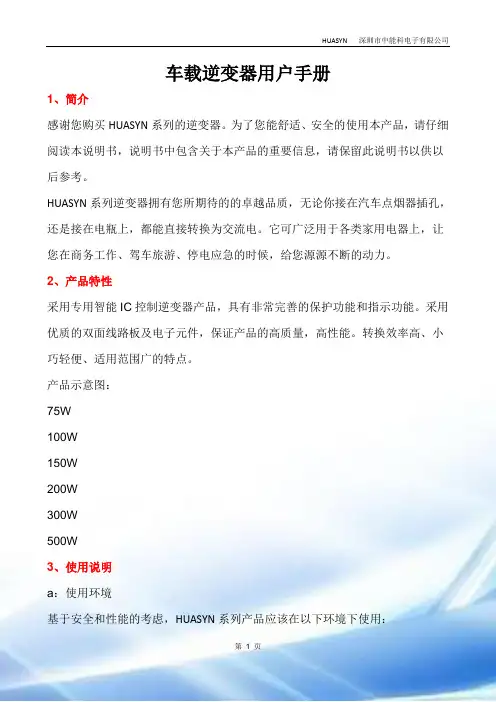
车载逆变器用户手册1、简介感谢您购买HUASYN系列的逆变器。
为了您能舒适、安全的使用本产品,请仔细阅读本说明书,说明书中包含关于本产品的重要信息,请保留此说明书以供以后参考。
HUASYN系列逆变器拥有您所期待的的卓越品质,无论你接在汽车点烟器插孔,还是接在电瓶上,都能直接转换为交流电。
它可广泛用于各类家用电器上,让您在商务工作、驾车旅游、停电应急的时候,给您源源不断的动力。
2、产品特性采用专用智能IC控制逆变器产品,具有非常完善的保护功能和指示功能。
采用优质的双面线路板及电子元件,保证产品的高质量,高性能。
转换效率高、小巧轻便、适用范围广的特点。
产品示意图:75W100W150W200W300W500W3、使用说明a:使用环境基于安全和性能的考虑,HUASYN系列产品应该在以下环境下使用:干燥:不能浸水或淋雨阴凉:环境温度应该在0℃到40℃之间通风:保持壳体上方5CM内无异物,其它端面通风良好,确认风扇不会在工作过程中不会发生阻塞或障碍(适用于有带风扇的产品),以便防止出现通风不良的情况。
b:操作方法1、确定所使用的电器功率应小于所使用的逆变器的额定输出功率。
2、当使用设备输出功率小于200W时,将逆变器开关置于关闭位置,然后雪茄头紧密地插入车内点烟器插口,确保雪茄头良好接触。
3、当使用设备输出功率大于200W时,必须通过鳄鱼夹线使用,引线的太阳端子接至逆变器接线柱,颜色应该匹配,引线端为红色的接逆变器上的红色接线柱,引线端为黑色的接逆变器的黑色接线柱;另外一端的鳄鱼夹连接所使用过的电瓶,红色鳄鱼夹接“+”级,黑色鳄鱼夹接“﹣”级)。
4、输入端接好后,打开开关,逆变器指示灯将发亮,表示已经有交流电输出,逆变器便可以开始正常工作。
5、将需要使用的电器插入的逆变器的输出端AC插座或USB接口充电,根据你所使用的设备选择。
6、开启你的电器开关,HUASYN逆变器便可以给你带来源源不断的交流电能。
4、产品规格HUASYN系列逆变器型号电气特性输入电压12V 24V 输出电压220V 110V 输出频率50Hz 60Hz 额定功率峰值功率使用温度输出波形改良型正弦波转换效率保护功能物理特征尺寸(mm)重量(g)(产品参数标准如有变动,以本公司为准,怒不另行通知)5、保护功能本系列逆变器具有多重保护功能,能够给你带来更多保障。
正弦波逆变电源用户手册(完整)Word版

用户手册正弦波逆变电源(220VDC 0.5KVA~3 KVA)合肥尚源电气科技有限公司目录第一章序言 (1)1.1注意事项 (1)1.2产品执行标准 (2)1.3开箱、存放和搬运 (2)1.3.1开箱 (2)1.3.2 存放 (3)1.3.3搬运 (3)第二章产品简介 (4)2.1 主要技术指标 (4)2.2 工作环境 (5)2.3原理框图 (5)2.4 运行方式 (5)2.4.1 交直流互备运行模式 (5)2.4.2 在线运行模式 (6)2.4.3 主备运行模式 (6)第三章逆变电源的保护功能 (7)3.1 保护类别与动作状态 (8)3.2 过、欠压保护与返回参数 (8)第四章安装运行 (9)4.1 安装准备 (9)4.1.1 负载配置指导 (9)4.1.2 主回路推荐配线 (9)4.2 安装 (10)4.2.1 卧式逆变电源外形及安装尺寸图 (10)4.2.2后面板接线端子定义 (10)4.2.3后面板通讯及报警端子定义 (11)4.2.4线图 (12)4.3 运行 (12)4.3.1 面板及菜单说明 (12)4.3.2 开机 (13)4.3.3 各键功能 (13)4.3.4 菜单介绍 (13)4.3.5 监控通讯 (15)4.3.6 注意事项 (16)第五章显示异常信息及处理方法 (18)5.1 常见故障现象和处理方法 (18)5.2 过载或短路保护的恢复 (18)5.3 更换风扇 (19)第六章维护保养与维修服务 (20)6.1 维护保养 (20)第一章序言SYN系列逆变电源是采用DSP控制的新一代产品。
在原有产品的基础上,新型逆变电源增加了液晶显示、标准RS-232/485通讯接口、在线灵活设定旁路优先或逆变优先工作模式、上位机遥控、遥信和遥测等功能。
采用三菱公司最新IPM模块和进口高效率变压器,整机体积、重量进一步减小。
在有直流屏的发电厂、电力系统和通信机房等场所,采用逆变电源与采用常规不间断电源(UPS)相比,前者有以下优点:▲避免蓄电池的重复投资,减少系统的维护,降低系统运行成本;▲由于直流屏通常采用阀控式密封电池,电池的浮充寿命可长达15年,因此采用直流动力加逆变电源,其供电可靠性和寿命大大提高;▲由于直流电池屏容量均较大,因此采用逆变电源供电时,在市电断电后可提供较长的交流供电时间。
CTEK 蓄电池充电器 MXS 7.0 使用说明书
用户手册CTEK 蓄电池充电器 MXS 7.0适用于所有类型的铅酸蓄电池全自动5 年 质保12V 7A34可供使用该表显示完全放电的蓄电池充到 80% 容量的预计所需时间。
充电模式按下 MODE (模式)按钮,即可完成设置。
大约两秒钟后,充电器激活所选的模式。
下次连接充电器时,会重新启动所选模式。
出错指示灯当出错指示灯亮起时,请检查以下项目:1. 充电器的正极是否连接至蓄电池的正极?2. 充电器是否连接至 12V 蓄电池?3. 电池夹是否短路?4. 充电是在还是状态中断的?按下 MODE (模式)按钮,即可重新起动充电器。
如果充电仍被中断,则蓄电池... ...被严重硫化,可能需要更换。
...充不进电,可能需要更换。
...无法存电,可能需要更换。
警告!电池充电器上的防火花功能在 SUPPLY (供电)模式中被禁用。
步骤 1 去硫化探测已被硫化的蓄电池。
用脉冲电流和电压,消除蓄电池铅板上的硫酸盐,恢复电池容量。
步骤 2 软启动测试蓄电池能否被充电。
该步骤可避免向有故障的蓄电池充电。
步骤 3 快速充电用最大电流充至电池容量的 80% 左右。
步骤 4 平充电流逐渐递减,充到蓄电池的 100% 容量。
步骤 5 分析测试蓄电池是否能够保存电量。
无法存电的蓄电池可能需要更换。
步骤 6 活化选择 Recond(活化)模式,在充电过程中加入活化步骤。
在活化步骤中,充电电压提高,会在蓄电池中出现可控的析气现象。
析气可混合蓄电池内的硫酸,恢复电池容量。
步骤 7 浮充在恒压下充电,使蓄电池电压保持在最大值。
步骤 8 脉冲对蓄电池进行补偿充电,使其容量达到 95-100%。
充电器监测蓄电池电压,并在必要时发出一个充电脉冲,以保证蓄电池完全充满。
充电模式5充电器型号MXS 7.0型号编码1053额定交流电压220-240VAC, 50-60Hz充电电压NORMAL 14.4V,AGM 充电 14.7V,RECOND 15.8V,SUPPLY 13.6V起动电压 2.0V充电电流最大 7.2A交流输入电流 1.2A rms(在最大充电电流下)反向漏电流*<1Ah/月纹波**<4%环境温度-20°C 至 +50°C,高温下输出功率自动调低充电器类型 8 步骤全自动充电周期电池类型全部类型的 12V 铅酸蓄电池(WET, MF, Ca/Ca, AGM, GEL)电池容量14-150Ah,可至 225Ah作补偿充电尺寸191 x 89 x 48mm(长 x 宽 x 高)防护等级IP65重量0.8kg*)反向漏电流指充电器未接上交流电源时,充电器泄漏蓄电池的电流。
高频式逆变电源说明书
1.3 与电池相关操作的安全防范
1. 如果皮肤、衣物上沾染了电池的酸液,请立即用肥皂和清水清洗。如果酸液 溅入眼睛请立即用冷水冲洗至少 20 分钟并及时就诊。
2. 不要在电池或引擎附近吸烟或制造明火。 3. 不要将金属工具放置于电池上,产生的火花或短路可引发爆炸。 4. 当操作铅酸蓄电池时不要佩戴戒指、手镯、项链、手表等金属饰品,与蓄电
z 具备智能型无人值守功能,在出现直流电压过高或过低、市电掉电等关断输出 后,直流电压或市电恢复正常,电源自动恢复输出,尤其适用于无人值守的通 讯基站;
压。一般红色线接电池组的正极,黑色线接电池组的负极。 务请注意按规定的“+”和“—”极性接入直流母线。 ◆ 安装电池组时,一定要按电池安装说明规定的连接方法和 顺序连接,接线一定要锁紧。禁止将电池的正、负极短路, 禁止同时接触电池的任两接线柱或连接导线的裸露端,否 则可能会导致电池损坏或发生人身伤害。 ◆ 请注意:即使断开市电,逆变电源的内部仍可能有危及人 身安全的高电压。
逆变电源说明书
电力专用WT-5000DB/DC220V 正弦波逆变电源说明书珠海瓦特电力设备有限公司注意事项1、请确认所购机器机型及机号,并详细填写用户资料表中各项内容,以便我公司提供即时的服务;2、请不要自行打开机箱,否则我公司将不承担保修事宜;3、必须按照说明书要求安装使用;4、请妥善保存好说明书,作为日后参阅;5、正弦波逆变电源在使用过程中有一定的发热量属正常现象,但要保持安装环境的通风散热、干净清洁,特别不能堵塞通风孔。
一、概述正弦波逆变电源是电力控制系统新一代的专用电源,它主要针对电力控制系统的特点和要求设计制造,适合电力控制系统对供电设备高质量、高可靠性的要求,满足电力控制系统中电脑等终端设备的需求。
随着信息网络技术日新月异的发展和普及,已经广泛应用于电信、航空航天、银行证券交易、金融管理、办公自动化、工业自动控制、医疗卫生、军事科研等各个领域,程控交换和数字传输的综合运用,促进了网络数字化,国际互联网的兴起,标志着现代社会进入信息化的时代。
因此,电力控制系统中信息处理的安全、稳定、准确、连续极为重要,信息的破坏和丢失往往会造成经济损失甚至产生严重的后果。
正弦波逆变电源的应用消除了直接使用市电和小型UPS电源供电所产生的不利因素,根本上避免了由于市电不稳、供电中断、杂音干扰和雷电侵入等可能造成的危害。
配备正弦波逆变电源是电力控制系统能够安全、可靠运行的最佳保障。
二、性能本电源属于直流/交流转换电源,采用SPWM技术,输出纯正弦波,具有瞬态响应好、波形失真小、输出电压稳定等特点,并同时具有极佳的EMI指标。
本电源设有直流输入过、欠压保护,直流输入极性接反保护,交流输出过电压、过功率、短路保护,机内过热保护等一系列保护措施,使电源的各项性能指标和可靠性具有足够的技术保证。
三、使用范围本电源针对电力控制系统的特点设计制造,以满足系统中电脑等终端设备的供电需求,主要应用于:1、各类数字通信设备的后台管理设备,包括终端设备、监控设备、计费设备等。
GEI1-5K逆变电源说明书A4版
目录前言第一篇GEI─05K/1K/2K/3K使用说明书一、简介1.1主要特点---------------------------------------------------------11.2注意事项 --------------------------------------------------------11.3系统概述 --------------------------------------------------------21.4系统框图---------------------------------------------------------21.5原理描述---------------------------------------------------------3二、安全使用2.1敬告用户---------------------------------------------------------42.2执行标准---------------------------------------------------------4三、外观3.1外型结构与功能说明-----------------------------------------------53.2前面板示意图-----------------------------------------------------63.3后面板示意图-----------------------------------------------------7四、安装4.1拆包与检验------------------------------------------------------ 84.2安装开孔尺寸-----------------------------------------------------84.3放置要求---------------------------------------------------------8五、接线及操作程序5.1接线-------------------------------------------------------------95.2开机前准备-------------------------------------------------------105.3设备操作程序-----------------------------------------------------10六、状态输出及保护报警6.1状态输出(选配件)-----------------------------------------------116.2保护功能---------------------------------------------------------116.3过载及故障告警---------------------------------------------------11七、订货须知--------------------------------------------------------12八、服务保证--------------------------------------------------------12九、技术性能指标---------------------------------------------------13目录第二篇GEI─5K使用说明书一、简介1.1主要特点---------------------------------------------------------141.2注意事项 --------------------------------------------------------141.3系统框图及描述 --------------------------------------------------15二、外型结构及功能说明2.1电源设备立体示意图-----------------------------------------------162.2前面板示意图及功能说明-------------------------------------------172.3后面板示意图及功能说明-------------------------------------------192.4 GEI-5K卧式机箱开孔示意图----------------------------------------21三、安装及接线方法3.1安装注意事项-----------------------------------------------------213.2 GEI-5K卧式机箱接线方法------------------------------------------223.3 GEI-5K立式机箱接线方法------------------------------------------23四、操作程序4.1开机前准备-------------------------------------------------------244.2第一次开机操作程序-----------------------------------------------244.3日常开关机操作程序-----------------------------------------------26五、状况处理5.1符号代表意义如下-------------------------------------------------265.2设备运转状况显示及不正常时之处理方式-----------------------------26六、通讯界面说明--------------------------------------------------34七、订货须知-------------------------------------------------------35八、服务保证-------------------------------------------------------35九、技术指标-------------------------------------------------------36前言衷心感谢您选用我公司所生产的电源产品,希望我们的产品能使您满意。