
TV板详细说明书(图文)
今日家电家电..电脑一站式维修服务电脑一站式维修服务中心中心地址地址::广东省佛山市禅城区金华路2-4号4号铺电话号铺电话::07570757--8331010383310103 QQ:874033425 546550203 Email:fs-today@专业维修各类家电专业维修各类家电..电脑电脑,,出售三星工装出售三星工装、、液晶编程器液晶编程器 专修液晶专修液晶鼎科2221 3.3B 2221 3.3B TV 板详细说明书详细说明书((图文图文))2221V3.3B 系列接口图三、2221 V1.X/V3.0/V3.1/V3.3B/V4.1和5221V4.X 驱动板各接口的引脚定义 2221 V3.0/V3.1板的结构尺寸及信号定义皆相同板的结构尺寸及信号定义皆相同。
下图为2221 V 2221 V11.X 系列接口定义图系列接口定义图(The signal (The signal (The signal interface definition of 2221 V1 interface definition of 2221 V1 interface definition of 2221 V1..X )2221V3.3B 接口说明CN1 15PIN D-SUB VGA 输入CN2 12PIN 2.0MM 间距 VGA 输入CN3 TTL 信号输出 0.5MM 间距 50PIN FFC 座. 可点AU 20寸 CN4 LVDS 信号输出 双通道LVDS CN5 TTL 信号输出 杜邦2.0插针 CN6 程序烧录口CN7 遥控接收头接口 CN9 高压条接口CN10 13PIN 2.0MM 间距按键板和遥控接口 CN11 6PIN 按键板接口 CN12 RCA 头 CVBS 输入 CN13 S-VIDEO 输入CN14 CVBS/S-VIDEO 2.0MM 间距输入接口 CN15 S-VIDEO2/AUDEO 输入接口 CN16 DC 输入接口 3.5MMCN17 DC 输入接口 4PIN 2.0间距 CN18 扩展电源接口CN19 RCA 头 DVD 声音 R 输入 CN20 RCA 头 DVD 声音 L 输入 CN21 PC 声音输入接口 CN22 耳机输出 CN23 喇叭输出CN24 DVD/PC 声音输入接口 2.0MM 插座 U14 TV RF 信号输入JP1 程序烧录跳线,烧录程序时要插上,烧录完毕后拔下 JP2 屏电压选择 12V / 18V JP3 屏电压选择 3.3V / 5VCN30 屏参选择跳线.改变该组跳线的连接方式 ,可改变支持屏的种类.2221 V3.3B 2221 V3.3B 屏参设置方法屏参设置方法屏参设置方法: 改变CN30上面4组跳帽的连接方法,可更改软件所对应的屏参.具体见下表: “×” 表示断开 “√” 表示短路所对应屏分辩率和接口所对应屏分辩率和接口格式格式 1-2 3-4 5-6 7-8 烧录屏参模式× × × × 640X480 TTL 6bit √ × × × 640X480 LVDS 6bit × √ × × 800x600 TTL 6bit √ √ × × 800X600 TTL 8bit × × √ × 800X600 1LVDS 6bit √ × √ × 1024X768 TTL 8bit × √ √ × 1024X768 1LVDS 6bit √ √ √ ×1024X768 2LVDS 6bit √× × √1280x1024 2LVDS 8bit × √× √1280X768 1LVDS 8bit √√× √1280X800 1LVDS 6bit × × √√1400X1050 2LVDS 6bit √× √√1400X900 TTL 6bit × √√√1600X1200 2LVDS 8bit √√√√(A) PC VGA接口包括两个接口,一个是标准的15针VGA D-Sub母头输入,另一个是2.0mm的13-Pin单排插座制作带良好屏蔽的连接电脑主机的VGA信号电缆(最好不超过3 米)或转接板时注意对应的连接关系,用转接板时驱动板和转接板之间的电缆尽量选用75 ohm阻抗的电缆(不要太长)。
(C)对某些有PC DVI数字接口的机型(如5221v4x),要用带良好屏蔽的连接电脑主机的DVI VGA信号电缆(最好不超过5 米)或转接板时注意对应的连接关系,用转接板时驱动板和转接板之间的电缆尽量选用100 ohm阻抗的电缆(不要太长)。
(D)S-Video和AV(CVBS)插座当本机连接到VCD/DVD/VCR/DTV等视频输出设备时,优先选择S-Video接口(因为S-Video比CVBS有更好的显示效果),此时对应的声音输入接到板上的两个RCA接口(左/右声道),然后可通过内部功放放大,喇叭便可发声,当然也可再从耳机接口输出连到外置的有源喇叭或耳机。
(E)对某些有Y/Pb/Pr输入口的机型,当有高清晰数字电视输入或DVD输入时,三个Y/Pb/Pr输入的RCA口直接连到板上Y/Pb/Pr口,而对应的声音输入则连到PC VGA的声音输入口。
(F)对于所有的声音输入口,要注意区分是PC VGA/(Y/Pb/Pr),S-Video/CVBS是两个不同的输入通道。
PC VGA/(Y/Pb/Pr)是用一个双通道立体声插口,而Video是用两个分离的RCA插口分别接左/右声道。
(G)、接LCD的插座(a)、接普通TTL 接口的LCD 插座描述当接8-bit LCD 时,板上R/G/B 7,6,…,1,0对应LCD接口的R/G/B 7,6,…,1,0;掉不用。
(b)接LVDS 接口的LCD 插座描述当接8-bit LCD 时,板上A/BTX +/-3, ...,0对应LCD接口的A/BTX +/-3, 0当接6-bit LCD 时,板上A/BTX +/2, …,0对应LCD接口的A/BTX +/-2,..,0,板上的A/BTX+/-3丢掉不用。
当接单像素LVDS的LCD时,用板上的ATX+/-3, 0当接双像素LVDS的LCD时,用板上的A/BTX+/-3, 0(H)接高压板(Inverter)的插座描述注意所接的高压板是用PWM调节亮度还是固定高压板的输出亮度,此与板上的硬件有关。
(I) 接按键板插座的描述按键板上的LED灯选用双色共阴,阴及接地(GND)。
每一按键的定义请参考鼎科公司的按键板设计。
(J) 选择LCD 工作电压的跳帽(插针)描述注意选择正确的LCD的逻辑工作电压,过高可能烧坏LCD。
(K)选择合适的IR红外线接收头,线过长(超过20 CM)有可能会产生误操作。
(L)喇叭选用 1.5 ~ 2 W/ 4 ohm的喇叭为佳,具体需要测试四、OSD 菜单操作介绍(一)为方便操作,建议客户首选使用遥控器进行OSD菜单操作。
现对遥控器各键做一个简单的介绍:电源开关(POWER):使用此键来打开或关闭电视。
但是并没有彻底关掉系统内的所有电源,仅仅是进入挂起(省电)状态。
静音(MUTE):关闭或打开喇叭的声音。
图像(IMAGE):选择图像色彩的艳丽程度。
显示(CALL):显示当前的信号源名称及相关信息。
回看(RE-LOAD):回到上一次的电视频道。
信号源(MODE):弹出输入信号源的选择菜单。
频道号(-/--):设置频道号为10以下或以上的快捷输入方式.菜单(MENU):弹出OSD菜单供选择.确认(OK):确认本次菜单的操作.0-9:电视频道号的选择.):使用此键用于从左边OSD顶层菜单跳到并选择右边其对应的子菜<、>:〈音量-〉(VOL-〈音量+〉(VOL+:)、〈音量单,或在有数值(参数)的某些菜单项中用于增大数值,比如说音量增加。
同时也是在无OSD菜单状态下做为音量调节菜单弹出的快捷键。
):使用此键用于在子菜单项之间向下移动(亮显)菜单条。
同时也是在∧、∨:〈频道-〉(CH-〈频道-〉(CH-:)、〈频道无OSD菜单状态下做为电视频道调节菜单弹出的快捷键。
(二)本驱动板的OSD菜单按键一般分两种规格,具体做按键板及连线时请参考前面的示意图时:(A)、7键操作:〈开/关〉(ON/OFF),〈菜单〉(MENU),〈音量-〉(VOL-),〈音量+〉(VOL+),〈频道-〉(CH-), 〈频道+〉(CH+),〈信号源〉(PC/AV)(B)、5键操作:〈开/关〉(ON/OFF),〈菜单〉(MENU),〈音量-〉(VOL-),〈音量+〉(VOL+),〈频道〉(CH)一般常用的是7键操作,每个键的作用如下:〈开/关〉/(ON/OFF):使用此键来打开或关闭电视,仅仅是进入挂起(省电)状态。
是选择/弹出)所激活的菜单项的下一层菜单。
此操作具有循环性。
另外,由于此按键还相当于〈选择〉键,所退出菜单也由它来完成。
〈音量-〉(VOL-):使用此键用于从左边OSD顶层菜单跳到并选择右边其对应的子菜单,或在有数值(参数)的某些菜单项中用于减小数值,比如说音量增加减小。
同时也是在无OSD菜单状态下做为音量调节菜单弹出的快捷键。
):使用此键用于从左边OSD顶层菜单跳到并选择右边其对应的子菜单,或在有数值(参数)〈音量+〉(VOL+:的某些菜单项中用于增大数值,比如说音量增加。
同时也是在无OSD菜单状态下做为音量调节菜单弹出的快捷键。
):使用此键用于在子菜单项之间向下移动(亮显)菜单条。
同时也是在无OSD菜单状态下做为〈频道-〉(CH-:电视频道调节菜单弹出的快捷键。
〈频道+〉(CH+:):使用此键用于在子菜单项之间向上移动(亮显)菜单条。
同时也是在无OSD菜单状态下做为电视频道调节菜单弹出的快捷键。
):使用此键用于在PC/AV/TV等所有输入信号源之间做快速切换〉(PC/AV:信号源〉〈信号源LED灯:有信号输入且正常显示时为绿色,无信号输入或不能正常显示时为橙色或红色。
(三)下面是详细的OSD 菜单介绍:〉/(MENU)键,弹出菜单,左边顶层菜单中的各父菜单介绍:菜单〉〈菜单在信号输入下按下〈1、为亮度(Brightness)、对比度(Contrast)、饱和度(Saturation)、清晰度(Sharpness)、色调(Hue)〈音量-〉(VOL-)键则进行具体的各子菜单项的确认并调节值的〈音量+〉(VOL+)或〈各菜单项的父菜单,按下〈〈频道+〉(CH+)键则在各子菜单项之间移动(亮显)到所希望选择的菜单。
Hisense FHD TV快速设置指南说明书
Help Hisense improve the environment by reducing paper waste.For detailed instructions and feature descriptions,access the full User Manual for your TV online.Before using the TV, please read this guide carefully and keep it for future reference.© 2019 Hisense Company Ltd. All Rights Reserved.All material in this Quick Start Guide is the property of Hisense Com pany Ltd. and its subsidiaries, and is protected under the laws of US, CANADA, MEXICO and International copyright and/or other intellectual property laws. Reproduction or transmission of the materials, in whole or in part, in any manner, electronic, print, or otherwise, without the prior written consent of the Hisense Company Ltd. is a violation of Hisense Company Ltd. rights under the aforementioned laws.No part of this publication may be stored, reproduced, transmitted or distributed, in whole or in part, in any manner, electronic or otherwise, whether or not for a charge or other or no consideration, without the prior written permission of Hisense Company Ltd.Requests for permission to store, reproduce, transmit or distribute materials may be made to one of the following addresses:Hisense, and any and all other Hisense product names, logos, slogans or marks are registered trademarks of Hisense Company Ltd. and its subsidiaries. All other trademarks are the property of their respective holders.USA:Hisense USA Corporation 7310 McGinnis Ferry Road Suwanee, GA 30024MEXICO:Hisense Mexico S. de R.L. de C.V.Blvd. Miguel de Cervantes Saavedra No 301Torre Norte Piso 2, Col. Ampliación Granada Miguel Hidalgo, Ciudad de México, C.P. 11520CANADA:Hisense Canada Co., Ltd, 2283 Argentia Road, Unit 16Mississauga, ON, Canada, L5N 5Z2Subscriptions or other payments may be required to access content through some applications. Some or all of the included or downloaded application services in this Hisense device may not function depending on the Internet connection, local limitations of included applications or other reasons outside of Hisense’s control. HISENSE EXPRESSLY DISCLAIMS RESPONSIBILITY FOR ANY APPLICATION SERVICE FROM FUNCTIONING AT ANY TIME, FOR CONTENT IN ANY APPLICATION SERVICE, FOR DISRUPTIONS OF SERVICE, LOCAL OR REGIONAL LIMITATIONS, WARRANTIES OF TITLE, NO INFRINGEMENT, AND FOR IMPLIED WARRANTIES OF MERCHANTABILITY OR FITNESS FOR A PARTICULAR PURPOSE. By purchasing this device, you accept such Disclaimer without any claim on Hisense at any time.Copyright statementDisclaimerThis Quick Setup Guide supports the following models: 40H3F 40H3F1 40H3000F 40H3050F 40H3070F 40F300040F3030 40F3050 40F3070 40F3090 40H3509Table of ContentsRegister Your TV! (2)Packaged Contents (3)Buttons and Ports on the TV (4)Attach the TV Stand or Wall Mount Bracket (5)Connect Devices to your TV (7)Buttons on your TV Remote (9)Begin Using your Remote (10)Power on the TV (11)Complete the Setup Wizard (12)Begin to Enjoy your TV (12)Feature TV Text to Speech functionalities (13)Product Specifications (14)Quick Problem-Solving Tips (16)Certification and Compliance (17)Register Your TV!Congratulations on the purchase of your new TV! This Quick Setup Guide will walk you through a few easy steps to set up your TV. For detailed instructions, access the User Manual on the support pages listed below.Because we value your business, we want to keep you in the know of 'all things Hisense'. Using your mobile phone, scan the Registration page QR code to register your TV. Depending on the make and model of your phone, you may need to download a QR code scanning app.http://www.hisense-http://www.hisense-canada.Disclaimer: This Quick Setup Guide is intended as a general guideline to help you set up your TV. Images throughout this document are for illustrative purposes only and may differ from the actual product.Packaged ContentsYour package in which you purchased your new TV contains the following items:TV Quick Setup Guide (this document) Important Safety Information and Warranty Card Remote Control2 AAA batteries A left and right leg that forms the TV stand4 screws (M4x25)IMPORTANT:To prevent accidentally discarding items that came with your TV, be sure to check ALL of the foam in the carton box.Please check foam for accessories before discarding.Veuillez vérifier la mousse pour qu'il n'y ait pas d'accessoires avant de la jeter.Antes de desechar la espuma,asegúrese de retirar todos los accesorios.Required tools and devicesPhillips screwdriver (not included) to secure the TV standHDMI and other types of cables (not included) to connect external devices to the TVWall mount bracket (not included) if you prefer to mount the TV to the wallButtons and Ports on the TVTV Side View ArrayBack View of the TVSTEP 1. Attach the TV Stand or Wall Mount Bracket (not included)Attach the TV Stand (For steps to attach the wall mount see page 6)CAUTION:Be sure to disconnect the A/C power cord before installing a stand or Wall-Mount brackets.The LED display is very fragile and must be protected at all times when installing the legs that form the stand. Be sure to protect the TV screen from getting scratched or damaged by any hard objects. In addition, DO NOT exert pressure on the front of the TV at any time because it could crack.To attach the left and right leg that forms the stand:1.Carefully place your TV face down on a soft, flat surface to prevent damage to the TV or scratching to the screen.2.Remove the 2 legs from the foam and then insert the legs into the bottom slots of the TV.e the screws that came inside the carton with your TV to secure each leg tightly.Screws:M4x25Attach the Wall Mount Bracket (not included)Before you begin the third-party manufacturer instructions, be sure to do the following things:1. Place the TV face down on a clean, safe and cushioned surface.2. Remove the TV stand if you already attached it.3. Place the spacers (not included) in the corresponding bracket holes.CAUTION:• When you attach the mount, be sure to use the spacers (provided by the third-party manufacturer) between the TV and the bracket.• To prevent internal damage to the TV and ensure it is mounted securely, be sure to use fixing screws (not provided) that are 8.0 - 10.0 mm in length when measured from the attaching surface of the mounting hook.Rear cover of the TVWall mount bracketFollow instructions provided with the Wall mount bracket.To com plete the installation, please contact the wall-mount manufacturer or the retailer from which you purchased the TV. The selected screws are 8.0 - 10.0 mm in length when measured from the attaching surface of the rear cover. The diameter and length of the screws differ depending on the Wall mount bracket model.NOTE: The diameter and length of the screws differ depending on the wall mount bracket model.Buttons on your TV RemoteBUTTON DESCRIPTIONPower on / offINPUT Change TV input sourceMENU The button for the Settings menu Number Enter Channels / Input numbersDash button / Select a digital sub-channel CH LIST Display the channel listMUTE Mute and restore soundLAST Go to the previous channelVOL Volume (up/down)CH Channel (up/down)LIVE TV Enter the Live TV►/ ◄ / ▼ / ▲ D-pad (up/down/left/right navigation buttons) / Press Up display the Info menuOK Confirmation button/Display the channel list BACK Return to the previous place in the menu EXIT Exit the applicationMEDIA Enter the Media playerBUTTON DESCRIPTIONMTS Set the audio language (Multi Track Sound)CC Turn Closed Caption On/OffNRTChoose to leave the Video description featureOn or Off (Narration)FAV LIST /ADD/ERASE /FAV + / FAV -Favorite program controlling buttons/ / // /Media content control function buttons PICTURE Select picture mode buttonSOUND Select sound mode buttonASPECT Zoom buttonSLEEP Sleep timer button(Red / Green /Yellow / Blue)Special function buttons(Not available)NOTE: The buttons are only for reference, actual remote may vary in appearance.STEP 3. Begin Using your Remote1. Slide the back cover to open the battery com partment of the remote control.Insert the batteries Press and pull itPress the cover2. Insert two AAA size batteries. Make sure to match the (+) and (-) ends of the batteries with the (+) and ( - ) ends indicated in the battery compartment.3. Replace the battery compartment cover.Important Information about the remote and batteries:• Discard batteries in a designated disposal area. Do not throw them into a fire.• Remove old batteries immediately to prevent them from leaking into the battery compartment.• If you do not intend to use the remote control for a long time, then remove the batteries.• Battery chemicals can cause a rash. If the batteries leak, clean the battery compartment with a cloth. If chemicals touch your skin then wash it immediately.• Do not mix old and new batteries.• Do not mix alkaline, standard (carbon-zinc) or rechargeable (NiCd, NiMH, etc.) batteries.• Do not continue using the remote if it gets warm or hot.Call our Support Center immediately on the support website.Remote Control Range InformationThe remote control can work at a distance of up to 26 feet in front of the TV set.It can work at a 30 degree horizontal or vertical angle.Program Your Universal Cable or Satellite Remote Control to Operate Your New Television (only for USA)If you would like to program your other household remote controls to your new television, please refer to the User's Manual supplied by your Cable or Satellite provider. The Cable or Satellite providers' User's Manuals should include instructions on how to program their remote to your television.A list of codes for the most common Cable and Satellite providers are listed below. Use the code that is associated with your Cable or Satellite provider (if applicable).DIRECTV ......0178,10178, 10019, 10748, 11314, 11660, 11710, 11780, 12049, 10171, 11204, 11326, 11517, 11564, 11641, 11963, 12002, 12183Time Warner Cable ......386,0178, 10178, 400, 450, 461, 456, 0748, 1463, 0463, 10463Comcast ......0178,10178, 10463, 11463, 10748, 11314, 11660, 10171, 11204, 11326, 11517, 11641, 11780, 11785, 11892, 11963, 12002Cox Communications ......0178,10178, 1326, 1463Dish Network ......505,627, 538, 720, 659If the code associated with your Cable or Satellite provider is not listed, does not work or you cannot locate the instructions to program your remote, call your local Cable or Satellite provider's customer service center.Press the the Setup Wiz-ard begins by prompting you to choose your Language , Coun-try , and Use Mode .If your Cable or Satellite provider does not have a code available, please contact us at one of the phone numbers on Page 2.Using Your Cable Set-top Box or Satellite Receiver Remote as a ‘Universal’ RemoteIf you prefer to use your Cable Set-top Box or Satellite Receiver Remote as a ‘Universal Remote’, then visit the Support page to view a list of the codes.STEP 5. Complete the Setup WizardAfter the splash screen that shows the logo appears, begin theSetup WizardCONGRATULATIONS! You are done with setup.Press the OK confirmation button on your remote if you are fine with the selections that appear on the screen. Otherwise, navigate to the back arrow on the screen to change your selection.STEP 6. Begin to Enjoy your TVYour TV is easy to use and brag-worthy!Now that you’ve completed the Setup Wizard, the Home screen is your starting point for navigating the TV. Gone are the days where your TV only provides one way for you to be entertained. This showpiece provides you the convenience of watching a program on a live channel, accessing Video on Demand to watch a movie and many other entertainment options.Enjoy your new TV!Feature TV Text to Speech functionalitiesText-to-Speech (TTS) and Video Description can help you to navigate the menus on the screen and hear an audio description of rel-evant programs.Text-to-Speech can convert written text into voice text to help visually impaired people listen to the information they are unable to read. In addition,the Video Descri ption has an audio narration added to certain programs that will describe the main visual elements which visually impaired users may not be able to see.Follow the steps below to enable the functions:1.Press MENU to open the main menu.2.Next,select Accessibility to enter the Accessibility Menu.3.Select Menu Audio or Video Description to turn the Menu Audio or Video Description 'On'or 'Off'.When Menu Audio is turned On, then the contents of each menu displayed can be broadcasted out.When Video Description is turned On, then you can hear the introduction of relevant programs.https:///hisense-feature-tv-ttsProduct SpecificationsDisclaimer: All products, product specifications, and data are subject to change without notice to improve reliability, function, design or other aspects.Quick Problem-Solving TipsWhen you experience an issue with your TV, turn it off and on again. If this does not resolve the problem,then refer to the ti ps below. If the problem is still not resolved, then contact us at one of the phone numbers on Page 2.Certification and ComplianceFCC NoticeThis device has been tested and found to com ply with the limits for a Class B digital device pursuant to Part 15 of the FCC Rules. These limits are designed to provide reasonable protection against harmful interference in a residential installation. This device generates,uses,and can radiate radio frequency energy and, if not installed and used in accordance with instructions, may cause harmful interference to radio communications. However, there is no guarantee that interference will not occur in a particular installation. If this device does cause harmful interference to radio or television reception,which can be determined by turning the device off and on, the user is encouraged to try to correct the interference by one or more of the following measures:Reorient or relocate the receiving antenna.Increase the separation between the device and receiver.Connect the device into an outlet on a circuit different from that to which the receiver is connected.Consult the dealer or an experienced radio/TV technician for help.NOTE: The manufacturer is not responsible for any radio or TV interference caused by unauthorized modifications to this equipment. Such modifications could void the user’s authority to operate the equipment.Declaration of ConformityTrade Name: HISENSEModel: 40H3F/40H3F1/40H3000F/40H3050F/40H3070F/40F3000/ 40F3030/40F3050/40F3070/40F3090/40H3509Responsible Party: Hisense USA CorporationAddress: 7310 McGinnis Ferry Road,Suwanee,GA 30024Telephone Number: 678-318-9060This device com plies with Part 15 of the FCC Rules. Operation is subject to the following two conditions: (1) this device may not cause harmful interference,and (2) this device must accept any interference received,including interference that may cause undesired operation.18Manufactured under license from Dolby Laboratories. Dolby, Dolby Audio, and the double-D symbol are trademarks of Dolby Laboratories.©2019. All rights reserved. Hisense and the Hisense logo are registered trademarks of Hisense. Other brand and product names are registered trademarks of their respective owners.Environmental ProtectionThis mark indicates that this product should not be disposed together with other domestic garbage, to avoid damage to the environment or human health due to the disposal of uncontrolled waste. Recycle it responsibly for promoting the sustainable reuse of material resources. To return your used device, please use the return systems available in your location or contact the vendor where you purchased your product they could take this product for recycling and protection of the environment.The terms HDMI and HDMI High-Definition Multimedia Interface, and the HDMI Logo are trademarks or registered trademarks of HDMI Licensing Administrator, Inc. in the United States and other countries.For DTS patents, see . Manufactured under license from DTS Licensing Limited. DTS, the Symbol, DTS and the Symbol together, and DTS Studio Sound are registered trademarks and/or trademarks of DTS, Inc. in the United States and/or other countries. © DTS, Inc. All Rights Reserved.。
Philips 7000系列55英寸4K超高清Android TV说明书
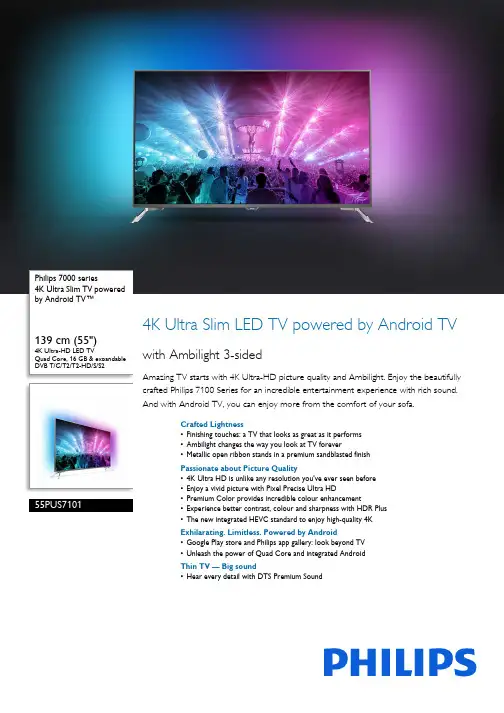
Philips 7000 series4K Ultra Slim TV powered by Android TV™139 cm (55")4K Ultra-HD LED TVQuad Core, 16 GB & expandable DVB T/C/T2/T2-HD/S/S255PUS71014K Ultra Slim LED TV powered by Android TV with Ambilight 3-sidedAmazing TV starts with 4K Ultra-HD picture quality and Ambilight. Enjoy the beautifully crafted Philips 7100 Series for an incredible entertainment experience with rich sound. And with Android TV, you can enjoy more from the comfort of your sofa.Crafted Lightness•Finishing touches: a TV that looks as great as it performs•Ambilight changes the way you look at TV forever•Metallic open ribbon stands in a premium sandblasted finishPassionate about Picture Quality•4K Ultra HD is unlike any resolution you've ever seen before•Enjoy a vivid picture with Pixel Precise Ultra HD•Premium Color provides incredible colour enhancement•Experience better contrast, colour and sharpness with HDR Plus•The new integrated HEVC standard to enjoy high-quality 4KExhilarating. Limitless. Powered by Android•Google Play store and Philips app gallery: look beyond TV•Unleash the power of Quad Core and integrated AndroidThin TV — Big sound•Hear every detail with DTS Premium SoundHighlights4K Ultra HDUltra HD TV has four times the resolution of a conventional Full HD TV. With over 8 million pixels and our unique Ultra Resolution Upscaling technology, you'll experience the best possible picture quality. The higher the quality of your original content, the better images and resolution you will be able to experience. Enjoy improved sharpness,increased depth perception, superior contrast, smooth natural motion and flawless details.Ambilight 3-sidedYou've created a home that's more than just a house, so why not choose a TV that is warm and inviting too? Philips unique Ambilight technology makes your screen muchwider—and your viewing experience more immersive—by emitting an extra wide glow from three-sides of your TV screen onto the surrounding walls. Colour, vibrancy andexcitement move beyond the screen and into your living room to bring you a viewing experience beyond the ordinary.Authentic materialsYour home represents your style. Ourdesigners chose subtle, sophisticated colours and quality finishes like polished chrome to create a TV design that blends seamlessly with your interior.DTS Premium SoundGreat TV speakers demand a powerfulprocessing engine that preserves the purity of the original audio content. DTS Premium Suite is designed to deliver the experienceconsumers have come to expect from high-end sound processing: immersive surround with deep, rich bass and crystal-clear dialogue that'sdelivered at maximum volume levels andwithout any fluctuations, clipping or distortion.TV ContentThe Google Play store and Philips app gallery go beyond traditional TV programming to bring you a big online collection of films, TV, music, apps and games. 16 GB of expandable memory means there's plenty of room to store all your favourite content and to install more apps.Metallic open ribbon standsExperience the beautiful design of these open ribbon stands. Their slim legs have beenperfectly shaped for a clean, architectural look combined with just the right amount of curvature. And with a unique dark chrome finish, they'll keep you enthralled with their elegance.Pixel Precise Ultra HDThe beauty of 4K Ultra-HD TV is in savouring every detail. Philips' Pixel Precise Ultra-HD engine converts any input picture into stunning UHD resolution on your screen. Enjoy a smooth yet sharp moving image andexceptional contrast. Discover deeper blacks, whiter whites, vivid colours and natural skin tones – every time, and from any source.Premium ColorPhilips Premium Color combines a wide colour gamut panel enhanced by 85% with 4-trillion-colour processing. With so much more colour resolution and brilliant saturated colours, you'll forget you're looking at a screen at all.Quad Core + AndroidPhilips Quad Core processor meets the power of Android to deliver an exciting gaming experience. And with Android on your TV you'll navigate, launch apps and play videos in a way that is super fast, super intuitive and super fun.High Dynamic Range PlusHigh Dynamic Range Plus is a new video standard. It redefines in-home entertainment through advances in contrast and colour. Enjoy a sensory experience that captures the original richness and liveliness, yet accurately reflects the content creator's intent. The end result? Brighter highlights, greater contrast, a broaderrange of colours and detail like never before.Ambilight•Ambilight Features: Built-in Ambilight+hue, Ambilight Music, Game Mode, Wall colour adaptive, Lounge mode•Ambilight Version: 3 sidedPicture/Display•Aspect ratio: 16:9•Diagonal screen size (inch): 55 inch •Diagonal screen size (metric): 139 cm •Display: 4K Ultra HD LED•Panel resolution: 3840 x 2160•Brightness: 400 cd/m²•Picture engine: Pixel Precise Ultra HD•Picture enhancement: Micro Dimming Pro, UltraResolution, Perfect Natural Motion•Peak Luminance ratio: 65 %Supported Display Resolution•Computer inputs on HDMI 1/2: up to 4K UHD3840 x 2160 @60 Hz•Computer inputs on HDMI 3/4: up to 4K UHD3840 x 2160 @30 Hz, up to FHD1920 x 1080 @60 Hz•Video inputs on HDMI 1/2: up to 4K UHD 3840 x2160 @60 Hz•Video inputs on HDMI 3/4: up to FHD1920 x 1080 @60 Hz, up to 4K UHD3840 x 2160 @30 HzTuner/Reception/Transmission•Digital TV: DVB-T/T2/T2-HD/C/S/S2•Video Playback: NTSC, PAL, SECAM•MPEG Support: MPEG2, MPEG4•TV Programme guide*: 8-day ElectronicProgramme GuideIssue date 2023-10-02 Version: 13.0.1EAN: 87 18863 00825 6© 2023 Koninklijke Philips N.V.All Rights reserved.Specifications are subject to change without notice. Trademarks are the property of Koninklijke Philips N.V. or their respective owners.•Signal strength indication•Teletext: 1000 page Hypertext•HEVC supportAndroid TV•OS: Android™ 6.0 (Marshmallow)•Pre-installed apps: Google Play Movies*, Google Play Music*, Google Search, YouTube •Memory size (Flash): 16 GB*, extendable via USB storageSmart TV Features•User Interaction: MultiRoom client and server, SimplyShare•Interactive TV:HbbTV•Programme: Pause TV, USB recording*•SmartTV apps*: Online video stores, Open Internet browser, Social TV, TV on demand, YouTube•Ease of Installation: Auto detect Philips devices, Device connection wizard, Network installation wizard, Settings assistant wizard•Ease of Use: One-stop smart menu button, On-screen user manual•Firmware upgradeable: Firmware auto upgrade wizard, Firmware upgradeable via USB, Online firmware upgrade•Screen Format Adjustments: Basic - Fill Screen, Fit to screen, Advance - Shift, Zoom, stretch •Philips TV Remote app*: Apps, Channels, Control, NowOnTV, TV Guide, Video On Demand •Remote Control: with KeyboardMultimedia Applications•Video Playback Formats: Containers: AVI, MKV, H264/MPEG-4 AVC, MPEG-1, MPEG-2, MPEG-4, WMV9/VC1, HEVC (H.265)•Music Playback Formats: AAC, MP3, WAV, WMA (v2 up to v9.2), WMA-PRO (v9 and v10)•Subtitles Formats Support: .SRT, .SUB, .TXT, .SMI •Picture Playback Formats: JPEGProcessing•Processing Power: Quad CoreSound•Output power (RMS): 30 W•Sound Enhancement: DTS Premium Sound, Clear Sound, Smart Sound•Sound Features: Triple ring technology Connectivity•Number of HDMI connections: 4•HDMI features: 4K, Audio Return Channel•Number of components in (YPbPr): 1•EasyLink (HDMI-CEC): Remote control pass-through, System audio control, System standby,One touch play•Number of scarts(RGB/CVBS):1•Number of USBs: 3•Wireless connection: Dual Band, Wi-Fi 802.11ac2 x 2 integrated•Other connections: Antenna IEC75, CommonInterface Plus (CI+), Ethernet-LAN RJ-45, Digitalaudio out (optical), Audio L/R in, Audio in (DVI),Headphone out, Service connector, SatelliteConnector•HDCP 2.2: Yes on HDMI1, Yes on HDMI2Power•Mains power: AC 220 - 240 V 50/60 Hz•Ambient temperature: 5°C to 35°C•Standby power consumption: <0.3•Energy Label Class: A•EU Energy Label power: 97 W•Power Saving Features: Auto switch-off timer,Light sensor, Picture mute (for radio)•Off mode power consumption: 0.3•Annual energy consumption: 141 kW·h•Presence of lead: Yes*•Mercury content: 0 mgAccessories•Included accessories: Remote Control, 2 x AABatteries, Tabletop stand, Power cord, Quick startguide, Legal and safety brochureDimensions•Set Width: 1233 mm•Set Height: 723 mm•Set Depth: 62 mm•Product weight: 18.7 kg•Set width (with stand): 1233 mm•Set height (with stand): 788 mm•Set depth (with stand): 223 mm•Product weight (+stand): 19.4 kg•Box width: 1330 mm•Box height: 850 mm•Box depth: 160 mm•Weight incl. Packaging: 23.9 kg•Wall-mount compatible: 200 x 200 mm•TV stand width distance: 1234.3 mm*EPG and actual visibility (up to 8 days) is country- and operator-dependent.*Android App offerings vary per country. For more details please visityour local Google Play Store.*Energy consumption in kWh per year based on the powerconsumption of the television operating 4 hours per day for 365days. The actual energy consumption will depend on how thetelevision is used.*Cloud Gaming offering depends on game providers.*The TV supports DVB reception for 'Free to air' broadcast. SpecificDVB operators may not be supported. An up to date list can befound in the FAQ section of the Philips support website. For someoperators Conditional Access and subscription are required.Contact your operator for more information.*(Philips) only compatible with specific Philips player device.*Google Cast functionality is subject to Google Cast Ready apps anddevices. For more details, please visit the Google Cast product page.*Philips TV Remote app and related functionalities vary per TV model,operator and country, as well as smart device model and OS. Formore details please visit: /TVRemoteapp.*Smart TV app availability varies per TV model and country. For moredetails please visit: /smarttv.*USB recording for digital channels only, recordings may be limited bybroadcast copy protection (CI+). Country and channel restrictionsmay apply.。
诺基亚Nokia 5330 Mobile TV版用户手册说明书

Nokia 5330 Mobile TV Edition 用戶指南45按鍵和組件5插入 SIM 卡和電池6插入及取出記憶卡6為電池充電7天線8配件89關於本裝置9系統服務10保密碼10將裝置開機和關機10待機模式 11觸控音樂鍵12瀏覽功能表13鎖定按鍵13未安裝 SIM 卡時的功能 13航空操作模式1314基本設定14撥打電話21文字與訊息24Nokia Messaging 即時訊息28Nokia Messaging 郵件2931拍攝影像31錄製影片31相機和影片設定31多媒體資料32列印影像33記憶卡3333聆聽音樂33網際網路 36應用程式和遊戲3839關於行動電視39首次啟動39選擇頻道或節目40變更音訊輸出40電子節目表 (EPG)40申請頻道40行動電視設定41在變更 SIM 卡後存取行動電視41 2目錄(此服務開通時間需依當地主管機關確認為主)鬧鐘43日曆43待辦事項43農曆43備註44計算機44倒數計時器44碼錶44字典4545支援45My Nokia46下載內容46使用您的電腦更新軟體46還原原廠設定4646節省能源46回收47深入了解47Nokia 47關於配件的實用提示47電池4748目錄3請閱讀下列簡明的使用原則。
違反這些規定可能會導致危險或觸法。
有關更進一步的詳細資訊,請參閱本《用戶指南》。
安全開機在禁止使用無線電話,或者使用無線電話可能會造成干擾或危險的地方,請勿啟動本裝置。
行車安全第一請遵循所有當地法律。
行車途中務必專心駕駛,不要分心做其他事情。
行車安全為首要顧慮。
干擾所有的無線裝置都可能會受到干擾,並影響其效能。
在限制的區域請關機請遵守所有相關限制。
在飛機上、接近醫療儀器、加油站、化學物質或爆破區域,請關閉本裝置。
使用合格的維修服務唯有合格的服務人員,才能安裝或維修本產品。
配件與電池請只使用經過認可的配件與電池。
請勿連接不相容的產品。
防水功能您的裝置無法防水。
請保持乾燥。
华数tv说明书
华数tv说明书在主屏上,电影、电视剧、大片、栏目、教育等重要点播等内容,确认后即可观看。
开机后机顶盒直接进入主屏界面,且光标自动停留在直播栏上,按确认键即可进入直播频道。
如果光标未停留在直播栏上,可以按遥控器上下左右键把光标移到直播栏上,点击确认可进入直播频道。
也可直接按切换键进入直播频道。
如果用户是在观看点播节目时,要切换到直播频道,则必须将点播退出以后才能切换,“见四—3,如何退出点播”。
1、看高清直播进入直播状态后,可直接输入500频道号,即可观看CCTV5+频道。
其他高清频道输入相应的频道号即可收看,频道表详见微信公众号二级菜单内的频道表。
2、看付费频道如果您订购了付费频道,可以直接输入相应的频道号收看。
四、看互动点播1、看影视剧点播如果正在观看直播频道,可以按切换键进入主屏。
以点播电视剧为例,移动遥控器上下左右键,点击进入主屏的“电视剧”栏,按确认键即可进入电视剧栏目,如下图如点播《麻雀》,移动光标至麻雀的图片,然后按确认键进入该剧的点播界面上下左右移动光标选择要看的剧集。
2、看电视回放在主屏,移动遥控器上下左右键,将光标移动至“回放”栏,按确认键即可进入回放页面,如下图将光标移动到想看的频道,确认后即可进入该频道的回看。
如看浙江卫视,将光标移至“浙江卫视”按确认键进入浙江卫视的回放界面。
将光标移至您所想要看的日期和节目,按确认键即可进入回放内容。
热剧回放:热剧回放版块中收集了各个省级卫视台前一天播放的最新电视连续剧,用户进入该板块即可尽情追剧。
点播方式与电视剧点播相似。
3、如何退出点播电视在点播状态时,是无法更换节目或者观看直播频道的,需要进行退出操作,按返回键电视画面会弹出,“确定”“取消”对话框,移动光标至“确定”,按确认即可。
4、看“历史”记录在各点播屏的右上角有:搜索、收藏、历史、积分、三务公开的字段条,点击“历史”这栏,屏幕会弹出您近期所观看的所有节目,点击您想继续观看的节目,即可观看,而无需再到点播栏目中重新寻找。
TV菜单功能说明

DVB-S 自动搜台选项菜单 Satelite 选择卫星,可以左右键选择, 也可以按OK键进入卫星列表选择 Channel Type 频道类型选择,加密 还是免费节目,加密需要用CI卡解密 Service Type 节目类型,DTV,
Radio, data Scan Mode 搜台类型,分为 AUTO 自动(按照默认频道表搜索),Blind Scan(盲搜,按照起始频点固定步长搜 索),Network(按照网络标志搜索), Preset (按照用户预制频道表搜索) Unicable在单栋建筑物通过一根同轴 电缆将卫星信号分发到各个房间,同时支 持多个用户功能
预约刻录菜单 设置刻录开始和结束的时间段 MODE 刻录模式选择,分为自动识 别(根据节目信息内容自动匹配时间), 每天,每周,单次
节目信息菜单,简要介 绍节目内容和信息
预约刻录和预约观看节目列表信息菜 单
预约观看节目设置 设置时间 模式设置 分为单次,每天, 每周
刻录播放操作菜单,播放,暂停,快进,快退,上一个,下一个,停止功能
淡调节,此项DVI 和PC通道不支持
Aspect Ratio 画面显示比例模式选择
TINT AV和TV通道专用功能,只 Noise Rudection 降噪功能,调整时
针对NTSC(60HZ场频)信号,这是 可以在ATV 弱信号变化比较大
NTSC制信号特性决定的,调整时用色 Dynamic CR 动态背光调整,根据输
DVB-S手动搜台菜单 Satellite 卫星选择,可以按左右键选择, 也可以按OK键进入卫星列表选择 TransPonder 卫星转发器,接收地面信号 转换放大后再发回地面,内容是节目信息的集 合包,包含频点,符号率,信号极化方----天 线辐射时形成的电场强度的方向; Unicable 一根信号线连接多个高频头的 功能; Network Scan 是否按照查找NETWORK 的标记搜台 Scan Mode 分为加密,免费和全部 Service Type 节目类型,DTV ,
TVFE9说明书V11(第5版)

491*
552*
624*
704*
792
835
920
1050
制动单元
需外置制动单元
防护等级
IP20
冷却方式
强制风冷
*备注:TVFE9−4900G及以上产品标准外置直流电抗器
TVFE9−4□□□P三相380V变转矩/轻载应用
功率(kW)
1.5
2.2
4.0
5.5
7.5
11
15
18.5
22
30
37
45
本系列变频器是在严格的质量管理体系下生产的,如果变频器的故障可能会导致重大事故或损失,则需要设置冗余或旁路等安全措施,以防万一。
到货检验
注意
若发现变频器受损或缺少零部件则不可安装,否则可能发生事故。
安装
注意
搬运、安装时,请托住产品底部,不能只拿住外壳,以防砸伤脚或摔坏变频器。
变频器要安装于金属等阻燃物上,远离易燃物体,远离热源。
允许
电压
范围
323V~528V;电压不平衡度:≤3%;允许频率波动:±5%
额定
电流(A)
3.5
6.2
9.2
14.9
21.5
27.9
39
50.3
60
69.3
86
104
124
150
201
制动单元
标准内置
需外置制动单元
防护等级
IP20
冷却方式
自冷
强制风冷
功率(kW)
90
110
132
160
185
200
220
TVFE9系列变频器
使用说明书(V1.1)
Hisense A6 Series 4K Ultra HD Smart TV 产品说明书
inchesWith four times more pixels (8.3 million) than standard high-definition TV’s, the Hisense A6Series 4K Ultra HD Smart TV is built to deliver bright colors and rich contrast. HDR* technology maximizes brightness, the UHD Upscaler brings lower resolution content as close to 4K as possible, and Motion Rate 120 keeps up with the fastest sports, movies and 4K gaming. This series also comes with tons of built-in apps via the Hisense Smart Platform (VIDAA OS), making it easier than ever to personalize your entertainment experience.more clear, more defined4K UltraHDDelivers more than four times the resolution of a regular 1080p high-definition screen. Along with over 8.3 million pixels, inside you’ll find a powerful full array LED backlight at work creating a sharper, more colorful picture.Gaming ModeEnjoy a better gaming experience. In Game Mode, input lag is significantly improved, so your commands from the controller are virtually instantaneous on the screen.Vidaa OSOpen a world of content through Hisense’s Vidaa OS smart platform. With hundreds of apps at your disposal, getting to your favorite TV show, movie, or game is simple and intuitive.Dolby Vision ™HDR and HDR10*Dolby Vision HDR and HDR10 transforms your TV into an entertainment powerhouse. The image technology fromcinemas, now brought together in the home, provide amazing realism that you'll see, hear, and feel like never before.Works with AlexaQuickly access entertainment and control your TV with an Alexa device that you already own. With the touch of your or a simple voice command, turn on and off the TV, change channels, and much more.Motion Rate 120Don’t struggle to keep your eye on the ball—enjoy fast-paced sports, movies and 4K gaming without the lag. Featuring Motion Rate image processing technology, the A6 series keeps the thrills coming by making it easy to follow fast-moving action.*HDR viewing experience will vary by model, content availability and internet connection.DTS® Virtual:X ™DTS Virtual:X bridges the gap between the DTS:X codec and the reality of so many consumers’ homes, allowing you to enjoy multi -dimensional sound regardless of room size, layout, or speaker configuration.DIMENSIONS/WEIGHTTV Dimensions (without the stand)44.0×25.4×2.9 inches (with the stand)44.0×27.9×8.9 inches TV Stand Width38.0×8.9 inch TV Weight (with the stand)22 lbsCarton Dimensions (WxHxD)49.2×30.6×5.4 inches Shipping Weight 30.6 lbDISPLAYActual Screen Size (Diagonal)50 in Screen Class 50 in Screen Type LCDT Y P E OF T V Smart TV Yes App Store Yes PICTURE QUALITY Screen Resolution 3840x2160Local Dimming No 4K Upscale Yes Motion Rate 120Aspect Ratio 16:9HDR*Yes (Dolby Vision HDR)Backlight Type Source Full Array LED AUDIOAudio Output Power (Watts)8Wx2LANGUAGES On-screen Display English/French/Spanish POWERPower Consumption 130W Standby Consumption <0.5WPower Supply (Voltage/Hz)AC 120V / 60HzCONNECTIVITY Wi-Fi Built In Yes (802.11ac 2.4GHz/5GHz)Bluetooth®No PORTS HDMI3 (2.0b inputs)Ethernet (LAN)Yes USB 2.02RF Antenna1RCA Composite Video Input 1L/R Audio Input for Composite1OTHER FEATURES Noise Reduction Digital Noise Reduction Parental Control Yes Closed CaptionYesSleep Timer Yes Works with Alexa YesAudio Enhancement DTS Virtual:X,WALL MOUNT VESA 200×300 / M6ACCESSORIES RemoteYesQuick Start Guide and/or User Manual Quick Start Guide is in the box/User Manual is available online Power Cable YesWARRANTY/UPC Warranty 1 yearUPC Code888143010977T E C H N IC AL S P E C IF IC AT ION SDigital Audio Output 1 Optical Earphone/Audio Output 1All product, product specifications, and data are subject to change without notice to improve reliability, function, design or otherwise. ©2020Hisense USA, All rights reservedHisense USA Corporation7310 McGinnis Ferry Road, Suwanee, GA,30024 1-888-935-8880*HDR viewing experience will vary by model, content availability and internet connection.inches。
Hisense U6H Series Google TV 电视说明书
The entertainment you love, with a little help from Google. Google TV™ brings together movies, shows, and more from across your apps and subscriptions and organizes them just for you. Discover new things to watch with recommendations based on what you watch and what interests you. Ask Google to find movies and shows, answer questions, control smart home devices, and more, with your voice. And with the Google TV app you can watch what you want, anytime, anywhere.U78H offers an action-packedviewing experience with the Ultra Motion on a native 120hz panel. Ultra Motion brings smooth clarity and motion settings that support fast-action gaming, sports, and movies. The Hisense U78H expands your gaming experience to an unprecedented level with Game Mode Pro - making commands from the controller almost instantaneous on the screen, recognizing gaming sequences, and automatically optimizing display settings for a top-notch experience, through ultra-high-speed HDMI ports. Auto Low Latency Mode (ALLM) and120hznative refresh rate delivers fluid gameplay - giving players instant response times with minimal motion blur and halo effect. With picture quality at the top of consumers’ priority list for a new TV, the U78H delivers premium upgrades that offer a well-rounded package, not just for gamers, but for everyone in the home. IMAX enhanced, Filmmaker Mode, Dolby Vision IQ, HDR 10/10+/adaptive, Quantum Dot Colour, VRR, and FreeSync Premium bring the perfect 4K experience to the screen - no matter what you're watching. Premium audio enhancements such as Dolby Atmos, eARC and WiSA deliver immersive audio, completing your entertainment package.7Model 55U 78HinchesQuantum DotWith 1 billion+ shades, Hisense Quantum Dot ULED TV displays true lifelike colours and reproduce a larger colour palette with beautiful gradation, elevating the overall picture quality to a remarkable level with authentic colour, brilliant contrast, clear motion, and distinct details.ULEDHisense proprietary ULED technology meets stunning quantum dot (QLED) colour to bring you detailed, exquisite and lifelike images through Hisense's state-of-the-art LED backlight control and colour management technologies that work with a set of picture-enhancing algorithms. ULED Technology elevates the overall picture quality to a remarkable level with authentic colour, brilliant contrast, clear motion, and distinct details.Hi View EngineThe brains behind the operation, the Hisense Hi-View Engine powers to enhance the picture quality scene-by-scene. The algorithm simulates the neural network, intelligently optimizing the picture through deep-learning for an adaptive and brilliant viewing experience.Dolby Vision™ • Dolby Atmos®See and hear what you’ve been missing. Connect more deeply to the shows and movies you love when you watch them in Dolby. Dolby builds a deeper connection to the stories and characters you love and take your entertainment to new heights when you stream your favorite shows and the best movies.Full Array Local Dimming ProWith 10 years of expertise in local dimming, Hisense TV manages individual areas of backlight from edge to edge, presenting richer and more intense blacks with astonishing highlights. It translates to notable and sharp picture quality with incredible HDR effect.120Hz Ultra Motion Sports ModeThe native 120Hz refresh rate and Sports Mode remove “noise" using a dynamic algorithm tailored to moving objects, so it creates a truly vibrant, crystal-clear sports scene. It also enhances surround sound effects, delivering a full, lifelike crowd sound, while the commentator stays clear and focused.High Speed HDMI portsHigher resolutions, higher frame rates and more bandwidth are just a few of the things that allow gamers to take advantage of new graphics features on new generation gaming consoles. Game at 4K up to 120 fps, with speeds up to 48gbps. The high speed HDMI ports on the U78H offers support for eARC, giving you a more simplified connection between your TV and sound system. Ambi e nt Light AdaptiveBy adjusting the contrast and brightness automatically, the TV turns your space into a dramatic cinema that you can enjoy to its full extent at any time of the day.IMAX EnhancedMeans your TV meets strict performance standards across viewing mode, resolution, colour, brightness, contrast, and sonic fidelity. Defined by a certification committee of IMAX, DTS and Hollywood’s leading technical specialists, IMAX Enhanced certified TVs deliver IMAX signature picture and DTS immersive sound from your own home.Voice RemoteWith the voice remote, you can open apps, adjust the volume, and search for your favorite shows using your voice. Just press theGoogle Assistant button on your remote to talk to Google. watch?” Even get answers on screen, control smart home devices, and more. Press the Google Assistant button on the remote to get started.*Google TV is the name of this device's software experience and a trademark of Google LLC. Google and Chromecast built-in are trademarks of Google LLC. *TV Casting optimized for selected services only.HDR* viewing experience will vary by model, content availability and internet connection.TV Dimensions (without the stand)48.3×28.2×3.5 inch (with the stand)48.3×30.6×10.1 inch TV Stand Width 36.2×10.1 inch TV Weight(without the stand)32.4 lb (with the stand)33.1 lbCarton Dimensions (WxHxD)53.5×32.2×6.4inch Shipping Weight 44.1 lbD IS P L AYActual Screen Size (Diagonal)55’’Screen Class 55’’Screen Type LED backlight LCD TVT Y P E OF T V Smart TV Yes, Google TVApp Store Yes (Google Play store)PICTURE QUALITY Response Time (ms) 6.5ms Screen Resolution 4K Local Dimming Zones 72Peaking Brightness (typical)1000 nit Quantum Dot Wide Color Gamut Yes Motion Rate 480Static Contrast Ratio 4000:1HDR* compatibility types Yes (Dolby Vision/Dolby Vision IQ/HDR10/HDR10+/HDR10+ Adaptive/HLG)Display Color Depth 1.07G / 8bit+FRC processing Backlight Type SourceFULL ARRAY with Local Dimming IMAC Enhanced / FilmMaker Mode YesAUDIOAudio Output Power (Watts)10W x 2Dolby Atmos YesEqualizer Yes (5 BAND)LANGUAGES On-screen Display Eng/Fre/Spa POWERPower Consumption 240W Standby Consumption 0.5WPower Supply (Voltage/Hz)AC 120V,50/60Hz CONNECTIVITY Wi-Fi Built In 802.11 acDual band (2.4/5 GHz)Bluetooth® Yes PORTSHDMI 2.1 with specified features 4 (2 x 2.1 + 2 x 2.0)HDMI eARC & CEC Yes Ethernet (LAN)YesTECHNICAL SPECIFICATIONSOTHER FEATURES Noise Reduction Digital Noise Reduction Parental Control Yes Closed Caption Yes Sleep TimerYesVRR (Variable Refresh Rate)Yes (48-120Hz)ALLM (Auto Low-Latency Mode)Yes Google Assistant (Built-in)Yes Works with Alexa Yes Chromecast YesWeb BrowserYes (Google Play store)Hands Free Voice ControlYesUltra Smooth Motion (MEMC)Yes 4K Upscale YesWALL MOUNT VESA VESA Standard (300*200) M6ACCESSORIES Voice Remote 1Remote Battery2Quick Start Guide and/or User ManualEnglish/Spanish/FrenchPower Cable 1WARRANTY/UPC Warranty 1 Y ear (at-home)UPC Code888143013787USB 2.02 (1 x 3.0 + 1 x 2.0)RF Antenna1Digital Audio Output 1 Optical Earphone/Audio Output1inches7Model 55U 78H*Google TV is the name of this device's software experience and a trademark of Google LLC. Google and Chromecast built-in are trademarks of Google LLC.*TV Casting optimized for selected services only.HDR* viewing experience will vary by model, content availability and internet connection.All product, product specifications, and data are subject to change without notice to improve reliability, function, design or otherwise. ©2022 Hisense Canada, All rights reserved.Hisense Canada Co., Ltd 2283 Argentia Rd, Suite 16Mississauga ON L5N 5Z2 1-855-344-7367DIMENSIONS/WEIGHTSleep Timer Yes。
液晶万能驱动板HDVX9-CS V29 TV板的说明书
HDVX9-CS-V29 液晶电视驱动板
Ø CON8 (2 X 20PIN/2.0mm双列排针):LVDS接口
脚序号
1 2 3 4 5 6 7 8 9 10 11 12 13 14 15 16 17 18 19 20 21 22 23 24 25 26 27 28 29 30
定义
VCC VCC VCC GND GND GND TXA0M TXA0P TXA1M TXA1P TXA2M TXA2P GND GND TXACKM TXACKP TXA3M TXA3P TXB0M TXB0P TXB1M TXB1P TXB2M TXB2P GND GND TXBCKM TXBCKP TXB3M TXB3P
描述
屏供电 屏供电 屏供电 地 地 地 LVDS奇数线对0 负极 LVDS奇数线对0 正极 LVDS奇数线对1 负极 LVDS奇数线对1 正极 LVDS奇数线对2 负极 LVDS奇数线对2 正极 地 地 LVDS奇数线时钟 负极 LVDS奇数线时钟 正极 LVDS奇数线对3 负极 LVDS奇数线对3 正极 LVDS偶数线对0 负极 LVDS偶数线对0 正极 LVDS偶数线对1 负极 LVDS偶数线对1 正极 LVDS偶数线对2 负极 LVDS偶数线对2 正极 地 地 LVDS偶数线时钟 负极 LVDS偶数线时钟 正极 LVDS偶数线对3 负极 LVDS偶数线对3 正极
脚序号 1 2 3 4 5 6 7 8 9 10 11 12 13 14
定义 K7 CHCH+ MENU TV/AV VOLVOL+ GND LED-G LED-R STB GND IR-IN +5V-S
未定义 节目减 节目加 菜单 信源 音量减 音量加 地 指示灯_绿 指示灯_红 电源 地 遥控接收输入 接收供电
Philips 5000系列75英寸Android TV产品说明书
Philips5000 series Android TV75" Android TV 4K UHD 2160p ChromecastBuilt-in Google Assistant 75PFL5704Watch what you love, control it with your voice 4K UltraHD Android TVThe Philips Android TV brings great content to you, so you can spend less time browsing and more time watching. Just pick from the personalized recommendations from Google Play, YouTube, Netflix, and other apps directly on your TV screen.Google Assistant — Do more with your voice•Play your favorite content and control your TV volume•Plan your day, learn about the weather, traffic, and more•Control your compatible smart home devicesAndroid TV makes it easy to get more from your TV•Choose from 5000+ apps on the Google Play store•Wirelessly connect your headphones with Bluetooth built-in•Chromecast — Put your small screen on your big screen•400,000+ movies and show from across streaming servicesEnjoy the beauty of 4K Ultra HD•HDR10 supported — See more of that the director intended•Bright 4K LED TV with vibrant HDR pictureHighlightsAndroid TVAndroid TV makes it easier to get more from your TV. Choose from 400,000+ movies and shows from across streaming services. Ask Google to control your TV, getrecommendations of what to watch, dim the lights, and more with your voice.4K UltraHD4K Ultra HD is four times the resolution of Full HD, bringing your viewing experience to a whole new level. Combining it with our High Dynamic Range (HDR) technology delivers more detail and captivating colors to enhance your visual experience. Deeper blacks,brighter whites, and more vivid colors brings your entertainment closer to reality.High Dynamic RangeYour Philips TV is primed to get the most out of the HDR10 video format. Whether it's a must-watch series or the new blockbuster,shadows will be deeper. Bright surfaces will shine. Colors will be truer.Google PlayGoogle Play is your entertainment unbound. Download all your favorite music, movies, TV shows, and games all in one place. Choose from 5000+ apps on the Google Play Store and enjoy them with easy access from your personally customized Android TV home screen.Chromecast Built-inPut your small screen on your big screen. Simply use your mobile device to cast your favorite shows, movies, music, sports, games, and more on your TV.BluetoothWith Bluetooth technology built-in, you can connect your headphones wirelessly to enjoy your favorite programs without disturbing others. Soundbars with Bluetooth connectivitypair easily, so you can ditch the extra cables for a simply cleaner setup.Smart Home DevicesUse your voice to create the perfect viewing environment. Control smart home devices throughout your home. Adjust room temperature, lighting, or control other connected devices.*¹Hey GooglePress the Google Assistant button on your remote to do more on your TV with your voice. Ask Google to search for the latest blockbuster, stream shows, or openmultiplayer games. Have it dim the lights by connecting compatible smart home devices. Manage tasks and see your calendar. Or ask it questions and see the answers on your TV.Google AssistantBefore you take off, learn more about the weather, traffic and what?fs on your calendar,all with the power of your voice.Issue date 2023-11-03 Version: 7.3.1UPC: 6 09585 25252 3© 2023 Koninklijke Philips N.V.All Rights reserved.Specifications are subject to change without notice. Trademarks are the property of Koninklijke Philips N.V. or their respective owners.SpecificationsPicture/Display•Aspect ratio: Widescreen(16:9)•Contrast ratio (typical): 1000:1•Response time (typical): 9.5 ms•Diagonal screen size (inch): 75 inch •Diagonal screen size (metric): 190.5 cm •Backlight: LED•Panel resolution: 3840x2160p•Picture enhancement: Digital Noise Reduction, MPEG artifact reduction, Dynamic contrast, HDR10•Visible screen diagonal (inch): 74.5 inch •Display screen type: LCD UltraHD Display •Viewing angle: 178º (H) / 178º (V) Supported Display Resolution •Computer formats: 640 x 480, 60Hz, 720 x 480, 60Hz, 800 x 600, 60Hz, 1024 x 768, 60Hz, 1280 x 768, 60Hz, 1280 x 1024, 60Hz, 1360 x 768, 60Hz, 1440 x 900, 60Hz, 1400 x 1050, 60Hz, 1680 x 1050, 60Hz, 1920 x 1080, 60Hz, 3840 x 2160, 60Hz, 4096 x 2160, 60Hz•Video formats: 480i, 60Hz, 480p, 60Hz, 720p,60Hz, 1080i, 60Hz, 1080p, 24, 30, 60Hz, 2160p, 24, 30, 60HzSound•Equalizer: 5-bands•Output power (RMS): 2 x 10W•Sound System: Stereo, SAP, Dolby Audio Loudspeakers•Built-in speakers: 2Convenience•Child Protection: Child Lock+Parental Control •Clock: Sleep Timer•Ease of Use: Picture style, Sound style, Auto Volume Leveling•Remote Control: TV•Screen Format Adjustments: 4:3, Widescreen, Full •Program: Pause LiveTV, USB Recording* Multimedia Applications•Multimedia connections: USB Storage Device •Playback Formats: H.264/MPEG-4 AVC, H.265/ HEVC, MPEG2, MPEG4*Tuner/Reception/Transmission•Aerial Input: 75 ohm F-type•TV system: ATSC, NTSC•Video Playback:NTSC•Tuner bands: UHF, VHFConnectivity•Number of HDMI connections: 3•Wireless connection: Wireless LAN (802.11acMIMO)•Other connections: Digital audio out (optical),CVBS+Audio L/R in, Headphone out, Ethernet•HDMI features: 4K, Audio Return Channel (HDMI2)•EasyLink (HDMI-CEC): One touch play, Powerstatus, System info (menu language), Remotecontrol pass-through, System audio control,System standby•Bluetooth version: 4.2•HDCP2.2: Yes on all HDMI•Number of USBs: 1Power•Mains power: 120V/60Hz•Power consumption: 340 W•Standby power consumption: < 0.5W•Ambient temperature: 5°C to 40°C (41°F to104°F)Dimensions•Product weight (lb): 57.54 lb•Box height (inch): 45.3 inch•Box width (inch): 73.8 inch•Box depth (inch): 9.8 inch•Wall mount compatible: 400 x 200 mm•Set Width (inch): 65.9 inch•Set Height (inch): 37.6 inch•Set Depth (inch): 3 inch•Set width (with stand) (inch): 65.9 inch•Set depth (with stand) (inch): 11.4 inch•Set height (with stand) (inch): 40.4 inch•Product weight (+stand) (lb): 58.42 lb•Weight incl. Packaging (lb): 81.79 lb•Stand width (inch): 56.4 inchAccessories•Included accessories: Quick start guide, Cautionsheet, Safety warranty sheet, Remote Control,Batteries for remote control, Table top stand,Screws•Power cord: 59 inchAndroid TV Services•OS: Android Oreo*Google, Android TV, Chromecast built-in and other marks aretrademarks of Google LLC*Netflix streaming membership required. See /TermsOfUse*1 requires compatible smart home products*USB recording for digital channels only, recordings may be limited bybroadcast copy protection. Country and channel restrictions mayapply.*USB multimedia playback requires third-party app installation. Pleasevisit the Google Play Store for more details, including app availabilityfor your country.。