
西华大学C++实验报告5 多态和虚函数、运算符重载
.
西华大学实验报告(计算机类)
开课学院及实验室:机械工程与自动化 实验时间 : 年 月 日
一、实验目的
1. 理解虚函数的特性;
2. 理解纯虚函数和抽象类的特性;
3. 掌握用虚函数实现运行时的多态性和编写通用程序的方法;
4. 掌握用成员函数和友元函数重修运算符的方法。
二、内容与设计思想
上机实践内容:
1. 定义一个抽象类CShape ,包含纯虚函数Area ()(原来计算面积)和SetData ()(原
来重设形状大小)。
然后派生出三角形CTriangle 类、矩形CRect 类、圆CCircle 类,分别求其面积。
最后定义一个CArea 类,计算这几个形状的面积之和,个形状的数据通过CArea 类构造函数或成员函数来设置。
编程一个完整的程序。
2. 定义一个复数类CComplex ,通过重载运算符“*”和“/”,直接实现两个复数之间的
乘除运算。
编写一个完整的程序(包括测试运算符的程序部分)。
运算符“*”用成员函数实现重载,而运算符“/”用友元函数实现重载。
提示:两复数相乘的计算公式为:(a+bi)*(c+di)=(ac-bd)+ad+bc)i;
两复数相除的计算公式为:(a+bi)/(c+di)=(ac+bd)/(c*c+d*d)+(bc-ad)/(c*c+d*d)i
三、使用环境
操作系统:Windowns XP
C++环境:Visual C++ 6.0
四、核心代码及调试过程
#include<iostream>
using namespace std;
class CShape
{
public:
virtual float Area()=0;
virtual void SetData(float f1,float f2)=0;
};
class CTriangle:public CShape
{
public:
CTriangle(float h=0,float w=0)
{
H=h; W=w;}
float Area()
{
return(float)(H*W*0.5);
}
void SetData(float f1,float f2)
{
H=f1; W=f2;
}
private:
float H,W;
};
class CRect:public CShape
{
public:
CRect(float h=0,float w=0)
{
H=h; W=w;
}
float Area()
{
return(float)(H*W);
}
void SetData(float f1,float f2)
{
H=f1; W=f2;
}
private:
float H,W;
};
class CCircle:public CShape
{
public:
CCircle(float r=0)
{
R=r;
}
float Area()
{
return(float)(3.14159265*R*R);
}
void SetData(float r,float)
{
R=r;
}
private:
float R;
};
class CArea
{
public:
CArea(float triWidth,float triHeight,float rcWidth,float rcHeight,float r)
{
ppShape=new CShape *[3];
ppShape[0]=new CTriangle(triWidth,triHeight);
ppShape[1]=new CRect(rcWidth,rcHeight);
ppShape[2]=new CCircle(r);
}
~CArea()
{
for(int i=0;i<3;i++)
delete ppShape[i];
delete[]ppShape;
}
void SetShapeData(int n,float f1,float f2=0)
{
if((n>2)||(n<0))return;
ppShape[n]->SetData(f1,f2);
}
void CalAndPrint(void)
{
float fSum=0.0;
char*str[3]={"三角","矩","圆"};
for(int i=0;i<3;i++)
{
float area=ppShape[i]->Area();
cout<<str[i]<<"形的面积为:\t"<<area<<endl;
fSum+=area;
}
cout<<"总面积为:\t"<<fSum<<endl;
}
private:
CShape**ppShape;
}; void main()
{
CArea a(15,25,7,6,5.5);
a.CalAndPrint();
a.SetShapeData(0,15,25);
a.CalAndPrint();
a.SetShapeData(2,12);
a.CalAndPrint();
a.SetShapeData(1,2,6);
a.CalAndPrint();
}
//2
#include<iostream>
using namespace std;
class Complex
{ float Real, Image;
public:
Complex(float r=0,float i=0) { Real=r;Image=i;}
void Show()
{cout <<"Real="<<Real<<'\t'<<"Image="<<Image<<'\n';}
friend Complex operator *(Complex &, Complex &);
Complex operator /(Complex &);
};
Complex operator *( Complex &c1,Complex &c2)
{ Complex t;
t.Real=c1.Real * c2.Real - c1.Image * c2.Image;
t.Image = c1.Image*c2.Real +c1.Real* c2.Image;
return t;
}
Complex Complex::operator /(Complex &c)
{ Complex t;
t.Real =(Real *c.Real+ Image * c.Image)/(c.Real*c.Real+ c.Image * c.Image);
t.Image = (Image *c.Real - Real * c.Image)/(c.Real*c.Real+ c.Image * c.Image);
return t;
}
void main()
{ Complex c1(6,8),c2(4,8),c3;
cout<<"C1="; c1.Show();
cout<<"C2="; c2.Show();
c3=c1*c2;
cout<<"C3=C1*C2=";
c3.Show();
c3=c1/c2;
cout<<"C3=C1/C2=";
c3.Show();
}
五、总结
通过此次上机,我理解了纯虚函数和抽象类的特性,掌握了用虚函数实现运行时的多态性和编写通用程序,以及用成员函数和友元函数重修运算符的方法。
调试时出现了诸多问题,在同学帮助下解决了。
回答以下问题:
1.在第一题中,若基类CShape中没有纯虚函数SetData(),则编译肯定会有错误,为什么?
2.用友元函数和成员函数进行运算符重载的区别是什么?
六、附录。
C++实验3

4、熟练掌握一般运算符重载的方法。
二、多态与虚函数
1、理解静态连编和动态连编,理解多态的概念。
2、理解虚函数在类的继承层次中的作用及虚函数的引入对程序运行时,能够对使用虚函数的简单程序写出程序结果。
3、了解虚函数对多态性的支持。
4、掌握函数和纯虚函数的概念。
附录
(源程序清单,只要求有必要的关健代码,最好用图说明,一定不要有系统自动生成的代码。代码页数不能超过2页)
2.编写一个时间类Time,包含时、分、秒等数据成员,实现时间的加、减、输入和输出操作。其中加减通过重载相应运算符来实现。
#include<iostream.h>
class Time
{
private:int hour,min,s;
P 37 1.分析以下程序的错误,分析错误原因改正。
2.下面的shape类是一个表示形状的抽象类,area()为求图形面积的函数。请从shape类派生三角形类triangle和圆类circle,并给出具体的求面积函数。
#include<iostream>
Using namespace std;
Class shape
cin>>a>>b>>c;
cout<<"输入圆的半径:";
cin>>r;
triangle trian(a,b,c);
circle cir(r);
trian.disp();
cir.disp();
return 0;
}
注:实验报告一定要双面打印,模板中字体不能改动,填入的正文要求字体是小五号、宋体,行间距是单倍行距。代码可以双行排列。
C++ 实验多态性实验报告
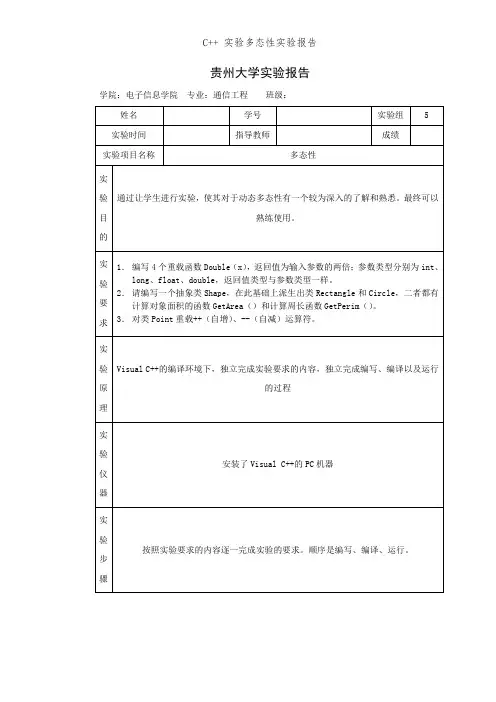
贵州大学实验报告学院:电子信息学院专业:通信工程班级:实验内容1. 编写4个重载函数Double(x),返回值为输入参数的两倍;参数类型分别为int、long、float、double,返回值类型与参数类型一样。
2.请编写一个抽象类Shape,在此基础上派生出类Rectangle和Circle,二者都有计算对象面积的函数GetArea()和计算周长函数GetPerim()。
3.对类Point重载++(自增)、--(自减)运算符。
实验数据1、代码如下:#include<iostream>using namespace std;int Double(int x);long Double(long x);float Double(float x);double Double(double x);int main(){ int myInt = 6500;cout<<Double(myInt)<<endl;long myLong = 65000;cout<<Double(myLong)<<endl;float myFloat = 6.5F;cout<<Double(myFloat)<<endl;double myDouble = 6.5e20;cout<<Double(myDouble)<<endl;}int Double(int x) { return 2*x;}long Double(long x) { return 2*x;}float Double(float x) { return 2*x;}double Double(double x) { return 2*x;}运行结果:2、代码:#include<iostream>#define PI 3.1415926;using namespace std;class Shape //抽象类的定义{public:virtual double GetArea() = 0; //纯虚函数cin >> length >> width;Rectangle rect(length, width);cout << "面积是:"<< rect.GetArea() << endl<<"周长是:"<<rect.GetPerim()<<endl; double rr;cout << "输入半径: ";cin >> rr;Circle cir(rr);cout << "面积是:"<<cir.GetArea() << endl<<"周长是:"<<cir.GetPerim()<<endl;}运行结果:3、代码如下:#include<iostream.h>class Point{public:Point(int xx,int yy):x(xx),y(yy) {}void display()const;Point &operator++();Point operator++(int);Point &operator--();Point operator--(int);private:int x,y;};void Point::display()const{cout<<"当前Point("<<x<<","<<y<<")"<<endl;}Point &Point::operator++(){x++;y++;cout<<"执行x++,y++操作!"<<endl;return *this;}Point Point::operator++(int){cout<<"执行++x,++y操作!"<<endl;return Point(++x,++y);}Point &Point::operator--(){x--;y--;cout<<"执行x--,y--操作!"<<endl; return *this;}Point Point::operator--(int){cout<<"执行--x,--y操作!"<<endl; return Point(--x,--y);}int main(){int x,y;cout<<"Input x&y:";cin>>x>>y;Point point1(x,y);point1.display();point1++;point1.display();++point1;point1.display();point1--;point1.display();--point1;point1.display();return 0;}运行结果:注:各学院可根据教学需要对以上栏木进行增减。
c++实验虚函数与多态性
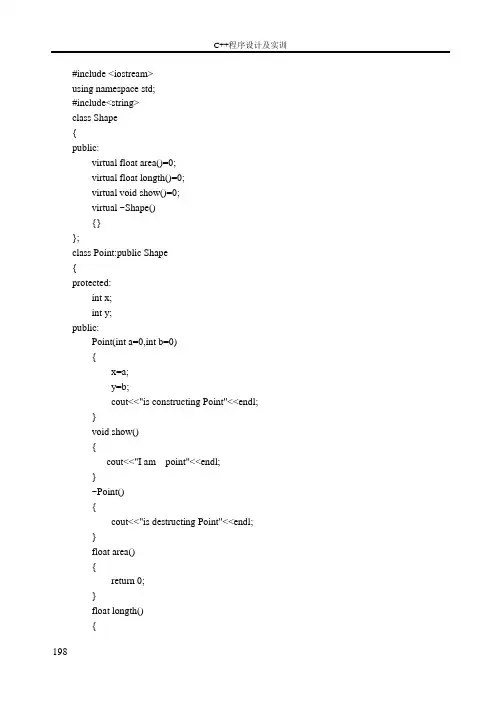
实验九:虚函数与多态性一.实验目的1.掌握动态联编的概念;2.掌握虚函数和纯虚函数的使用方法;3.掌握抽象类的使用。
二.实验内容设计一个计算图形面积的类库。
它的顶层是一个抽象类,并且提供相应的接口函数。
抽象基类Shape,派生出Point类、矩形Rectangle、正方形Square,Point类派生出圆形Circle。
要求:1、每个类有构造函数、析构函数,并有相应的输出语句,如:“正在构造圆形”2、能显示每个类的信息,如:输出“我是圆形”3、能计算面积、周长4、定义一个基类Shape类型的指针,实现动态多态5、动态创建一个圆形对象,赋值给基类Shape类型的指针变量,程序最后delete该指针,保证析构函数的正确调用(提示:虚析构函数)6、在主函数测试。
三.实验操作步骤1.输入源程序,编译、连接直到没有错误2.根据实验步骤,撰写实验报告四、实验要求1.复习教材中和实验相关的内容,提前编好程序。
2.整理上机结果,完成实验报告。
3.注意总结上机体会。
C++程序设计及实训198 #include <iostream>using namespace std;#include<string>class Shape{public:virtual float area()=0;virtual float longth()=0;virtual void show()=0;virtual ~Shape(){}};class Point:public Shape{protected:int x;int y;public:Point(int a=0,int b=0){x=a;y=b;cout<<"is constructing Point"<<endl;}void show(){cout<<"I am point"<<endl;}~Point(){cout<<"is destructing Point"<<endl;}float area(){return 0;}float longth(){实训2:简单C++程序设计return 0;}};class Rectangle:public Point{protected:int l;int w;public:Rectangle(int a=1,int b=1){l=a;w=b;cout<<"is constructing Rectangle"<<endl;}void show(){cout<<"I am Rectangle"<<endl;}float area(){return l*w;}float longth(){return 2*(l+w);}~Rectangle(){cout<<"is destructing Rectangle"<<endl;}};class Square:public Shape{protected:int r;public:Square(int a=1)199C++程序设计及实训200{r=a;cout<<"is constructing Square"<<endl;}void show(){cout<<"I am Square"<<endl;}float area(){return r*r;}float longth(){return 4*r;}~Square(){cout<<"is destructing Square"<<endl;}};class Circle:public Point{protected:int r;public:Circle(int a=1){r=a;cout<<"is constructing Circle"<<endl;}void show(){cout<<"I am Circle"<<endl;}float area(){return r*r*3.14;实训2:简单C++程序设计}float longth(){return 2*3.14*r;}~Circle(){cout<<"is destructing Circle"<<endl;}};int main(){Point a(1,1);Square b(2);Rectangle c(2,1);Shape *p=new Circle ;p->show();delete p;return 0;}{201。
C++ 实验三 运算符重载及多态与虚函数
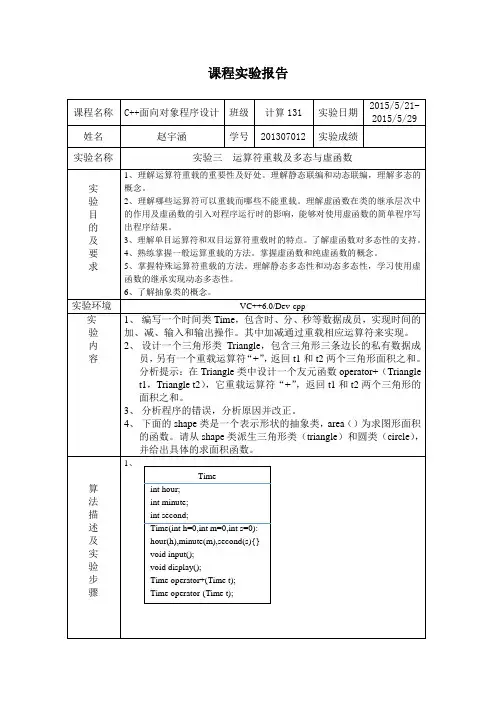
课程实验报告课程名称C++面向对象程序设计班级计算131 实验日期2015/5/21-2015/5/29姓名赵宇涵学号201307012 实验成绩实验名称实验三运算符重载及多态与虚函数实验目的及要求1、理解运算符重载的重要性及好处。
理解静态联编和动态联编,理解多态的概念。
2、理解哪些运算符可以重载而哪些不能重载。
理解虚函数在类的继承层次中的作用及虚函数的引入对程序运行时的影响,能够对使用虚函数的简单程序写出程序结果。
3、理解单目运算符和双目运算符重载时的特点。
了解虚函数对多态性的支持。
4、熟练掌握一般运算重载的方法。
掌握虚函数和纯虚函数的概念。
5、掌握特殊运算符重载的方法。
理解静态多态性和动态多态性,学习使用虚函数的继承实现动态多态性。
6、了解抽象类的概念。
实验环境VC++6.0/Dev-cpp实验内容1、编写一个时间类Time,包含时、分、秒等数据成员,实现时间的加、减、输入和输出操作。
其中加减通过重载相应运算符来实现。
2、设计一个三角形类Triangle,包含三角形三条边长的私有数据成员,另有一个重载运算符“+”,返回t1和t2两个三角形面积之和。
分析提示:在Triangle类中设计一个友元函数operator+(Triangle t1,Triangle t2),它重载运算符“+”,返回t1和t2两个三角形的面积之和。
3、分析程序的错误,分析原因并改正。
4、下面的shape类是一个表示形状的抽象类,area()为求图形面积的函数。
请从shape类派生三角形类(triangle)和圆类(circle),并给出具体的求面积函数。
算法描述及实验步骤1、Timeint hour;int minute;int second;Time(int h=0,int m=0,int s=0):hour(h),minute(m),second(s){}void input();void display();Time operator+(Time t);Time operator-(Time t);2、3、4、Trianglefloat x1;float x2;float x3;float area;Triangle(float a1=0,float a2=0,float a3=0):x1(a1),x2(a2),x3(a3){}float computeArea();friend Triangle operator+(Triangle t1,Triangle t2);void display();Aint x;A(int i){x=i;}virtual void dispa()Bint y;B(int i,int j):A(i){y=j;}void dispa()shapevirtual float area()=0; trianglefloat x1;float x2;float x3;float y;triangle(float a,float b,float c){x1=a;x2=b;x3=c;}float area()circlefloat r;float s;circle(float R){r=R;} float area()调试过程及实验结果1、2、3、4、总结此次试验内容为运算符重载及多态与虚函数。
《C 程序设计实例与操作》课件第10章 多态性、虚函数与运算符重载
t.imag=imag+c.imag;
return t;
} 则a+b为隐式调用,它等价于a.operator+(b),这是显式调用。
2.单目运算符重载作为类的成员函数
单目运算符重载作为类的成员函数时,操作数为访问该重 载运算符的对象本身的数据,也由this指针指出,因此,单目 运算符重载函数没有参数。
2.赋值运算符的重载
通常情况下,系统会自动生成一个默认的赋值运算符函数, 提供同类对象之间进行赋值的功能。但在某些特殊情况下,必 须要定义一个赋值运算符重载函数。
10.5 实现类型转换
类型转换函数用来将类类型转换为标准数据类型。
operator 类型名() { 转换语句 } 类型转换函数只能作为成员函数,不能作为友元函数,它又 称为类型转换运算符重载函数。
{}
virtual~ Point()
//定义虚析构函数
{}
virtual double CalArea() const=0;
//定义纯虚函数
};
class Rect:public Point {
//定义派生类Rect
protected:
double xcoord1,ycoord1;
public:
双目运算符重载为友元函数时,由于没有this指针,所以 操作数要通过友元函数的参数指出。
例如:
operator+(a,b); a+b;
//显式调用 //隐式调用
4.单目运算符重载作为类的友元函数
与双目运算符重载作为友元函数类似,单目运算符重载作 为友元函数时,操作数要通过友元函数的参数指出。
例如:
operator++(a); ++a;
C++程序设计实验报告-多态性

(2)定义一个车(vehiele)基类,有 Run、Stop 等成员函数,由此派生出自 行车(bicycle)类、汽车(motorcar)类,从 bicycle 和 motorcar 派生出摩托车 (motorcycle)类,它们都有 Run、Stop 等成员函数。观察虚函数的作用。 源程序代码:
class bicycle:public vehicle { public:
void run() const{cout<<"bicycle 开始运行"<<endl; void stop() const{cout<<"bicycle 停止运行"<<endl; };
class motorcar:public vehicle { public:
#include<iostream> using namespace std; class Point { public:
Point& operator++(); Point operator++(int); Point& operator--(); Point operator--(int); Point(){_x=_y=0;} int x(){return _x;} int y(){return _y;} private: int _x,_y; };
Point& Point::operator++() {
_x++; _y++; return *this; } Point Point::operator++(int) { Point temp=*this; ++ *this; return temp; } Point& Point::operator--() { _x--; _y--; return *this; } Point Point::operator--(int) { Point temp=*this; -- *this; return temp; }
C++多态与虚函数实验
南阳理工学院C++上机实验指导书(2011版)软件学院·软件工程教研室2011.3C++上机实验指导书——软件学院·软件工程教研室[2011版]目录实验1 C++编程环境实践....................... 错误!未定义书签。
实验2 基本数据类型、运算符和表达式. (2)实验3 选择和循环结构(*)............... 错误!未定义书签。
实验4 指针与引用(*) ....................... 错误!未定义书签。
实验5 函数与重载.................................. 错误!未定义书签。
实验6 类与对象 ...................................... 错误!未定义书签。
实验7 运算符重载(*) ....................... 错误!未定义书签。
实验8 继承............................................... 错误!未定义书签。
实验9 多继承(*)................................ 错误!未定义书签。
实验10 多态与虚函数 (2)注:带“*”为选做实验,建议学生课后自行完成实验10 多态与虚函数一、实验目的1.理解多态的概念2.掌握如何用虚函数实现运行时多态3.掌握如何利用抽象类二、实验内容及步骤1.设计一个图形类(Shape),由它派生出5个派生类:三角形类(Triangle)、正方形类(Square)、圆形类(Circle)、矩形类(Rectangle)、梯形类(triangle)类,利用虚函数计算图形面积,用一个函数printArea分别输出以上5者的面积。
#include<iostream>#include<iomanip>#include<cmath>using namespace std;const double PI = 3.1415926;class Shape{public:virtual double GetArea() = 0;};class Triangle : public Shape{private:double a, b, c;public:double TArea;double GetArea();};double Triangle::GetArea(){cout << "请输入三角形的三边长: ";cin >> a >> b >> c;while((a < 0) || (b < 0) || (c < 0) || (a + b <= c) || (a + c <= b) || (b + c <= a)){cout << "输入的边长小于零或输入的边长不能构成三角形!" << endl;cout << "请重新输入三角形的三边长: ";cin >> a >> b >> c;}tmp = (a + b + c) / 2.0;TArea = sqrt(tmp * (tmp - a) * (tmp - b) * (tmp - c));return TArea;}class Rectangle : public Shape{private:double length, width;public:double RArea;double GetArea();};double Rectangle::GetArea(){cout << "请输入矩形的长和宽: ";cin >> length >> width;while(length < 0 || width < 0){cout << "矩形的长和宽不能小于零!" << endl;cout << "请重新输入矩形的长和宽: ";cin >> length >> width;}RArea = length * width;return RArea;}class Circle : public Shape{private:double Radius;public:double GetArea();};double Circle::GetArea(){cout << "请输入圆的半径: ";cin >> Radius;while(Radius < 0){cout << "圆的半径不能小于零!" << endl;cout << "请重新输入圆的半径: ";cin >> Radius;}CArea = 2 * PI * Radius;return CArea;}class Square : public Shape{private:double side;public:double SArea;double GetArea();};double Square::GetArea(){cout << "请输入正方形的边长: ";cin >> side;while(side < 0){cout << "正方形的边长不能小于零!" << endl;cout << "请重输入正方形的边长: ";cin >> side;}SArea = side * side;return SArea;}class triangle : public Shape{private:double UpBase, DownBase , Higth;public:double TArea;double GetArea();};double triangle::GetArea(){cout << "请输入梯形的上底,下底和高: ";cin >> UpBase >> DownBase >> Higth;while(UpBase < 0 || DownBase < 0 || Higth < 0){cout << "梯形的上底,下底和高不能小于零!" << endl;cout << "请重新输入梯形的上底,下底和高: ";cin >> UpBase >> DownBase >> Higth;}TArea = (UpBase + DownBase)* Higth / 2.0;return TArea;}void PrintArea(){Triangle myTri;Square mysqu;Circle mycir;Rectangle myrec;triangle mytri;cout << fixed << setprecision(2) << "三角形的面积: " << myTri.GetArea() << endl;cout << fixed << setprecision(2) << "正方形的面积: " << mysqu.GetArea() << endl;cout << fixed << setprecision(2) << "圆形的面积: " << mycir.GetArea() << endl;cout << fixed << setprecision(2) << "矩形的面积: " << myrec.GetArea() << endl;cout << fixed << setprecision(2) << "梯形的面积: " << mytri.GetArea() << endl;}int main(void){PrintArea();return 0;2.定义一个教师类,由教师类派生出讲师、副教授、教授类。
多态和虚函数、运算符重载
(3)单击标准工作栏的Save按钮,将文件保存到指定地点,并命名。
(4)编译运行。
3、输入并运行程序Ex_Complex的具体步骤如下。
(1) 选择“文件” “关闭工作区间”,关闭原来的项目。
(2) 单击标准工具栏上的“New Text File”按钮,在新打开的文档窗口中输入下列程序代码:#include<iostream.h>class CComplex{public:CComplex(double r=0,double i=0){realPart=r;imagePart=i;}void print(){cout<<"该复数实部="<<realPart<<",虚部="<<imagePart<<endl;}CComplex operator*(CComplex &b);//成员函数重载运算符*friend CComplex operator/(CComplex &a,CComplex &b);友元函数重载运算符private:五、分析与体会:1、象程序设计多态性是面向对象程序设计的重要特征之一,他与封装性和继承性构成了面向对的三大特征。
所谓多态性,是指不同类型的对象接受相同的消息是产生不同的行为。
这里的消息主要是指对类的成员函数的调用,而不同的行为是指成员函数的不同实现。
如:函数重载就是多态的典型例子。
2、此程序中定义了一个抽象类CShape,包含纯虚函数Area和SetData,Area用于计算各个形状的面积,SetData用于重设各个形状的大小。
程序代码中虚函数Area和SetData是通过在基类函数的前面加上virtual关键字来实现的。
程序中ppShape是定义的基类CShape的指针,通过语句ppShape[0]=newTriangle(triWidth,triHeight);ppShape[1]=new(rcWidth,rcHeight); ppShape[2]=new CCircle(r);是将ppShape[0]、ppShape[1]和ppShape[2]分别获得对派生类CTriangle、CRect和CCircle的成员函数的调用,因而语句ppShape[n]->SetData(f1,f2);根据n值的不同调用不同的形状类的area函数,例。
多态性和虚函数 实验报告
淮海工学院计算机科学系实验报告书课程名:《 C++程序设计(二)》题目:多态性和虚函数班级:学号:姓名:1、实验内容或题目(1)声明二维坐标类作为基类派生圆的类,把派生类圆作为基类,派生圆柱体类。
其中,基类二维坐标类有成员数据:x、y坐标值;有成员函数:构造函数实现对基类成员数据的初始化、输出的成员函数,要求输出坐标位置。
派生类圆类有新增成员数据:半径(R);有成员函数:构造函数实现对成员数据的初始化、计算圆面积的成员函数、输出半径的成员函数。
派生圆柱体类新增数据有高(H);新增成员函数有:构造函数、计算圆柱体体积的函数和输出所有成员的函数。
请完成程序代码的编写、调试。
(2)教材393页7-8题。
(3)教材416页1、4、5题。
2、实验目的与要求(1)理解继承与派生的概念(2)掌握通过继承派生出一个新的类的方法(3)了解多态性的概念(4)了解虚函数的作用与使用方法3、实验步骤与源程序⑴实验步骤先定义一个基类point,及其成员函数,然后以public的继承方式定义子类circle,再定义一个派生类cylinder,最后在main主函数中定义类对象,调用函数实现其功能。
先定义一个基类A及其重载的构造函数,然后以Public派生出子类B,再定义其构造函数,最后在main主函数中定义类对象,调用成员函数实现其功能。
⑵源代码1.#include <iostream.h>class Point{public:Point(float=0,float=0);void setPoint(float,float);float getX() const {return x;}float getY() const {return y;}friend ostream & operator<<(ostream &,const Point &); protected:float x,y;};Point::Point(float a,float b){x=a;y=b;}void Point::setPoint(float a,float b){x=a;y=b;}ostream & operator<<(ostream &output,const Point &p){cout<<"["<<p.x<<","<<p.y<<"]"<<endl;return output;}class Circle:public Point{public:Circle(float x=0,float y=0,float r=0);void setRadius(float);float getRadius() const;float area () const;friend ostream &operator<<(ostream &,const Circle &); protected:float radius;};Circle::Circle(float a,float b,float r):Point(a,b),radius(r){}void Circle::setRadius(float r){radius=r;}float Circle::getRadius() const {return radius;}float Circle::area() const{return 3.14159*radius*radius;}ostream &operator<<(ostream &output,const Circle &c){cout<<"Center=["<<c.x<<","<<c.y<<"], r="<<c.radius<<", area="<<c.area()<<endl;return output;}class Cylinder:public Circle{public:Cylinder (float x=0,float y=0,float r=0,float h=0);void setHeight(float);float getHeight() const;float area() const;float volume() const;friend ostream& operator<<(ostream&,const Cylinder&);protected:float height;};Cylinder::Cylinder(float a,float b,float r,float h):Circle(a,b,r),height(h){}void Cylinder::setHeight(float h){height=h;}float Cylinder::getHeight() const {return height;}float Cylinder::area() const{return 2*Circle::area()+2*3.14159*radius*height;}float Cylinder::volume() const{return Circle::area()*height;}ostream &operator<<(ostream &output,const Cylinder& cy){cout<<"Center=["<<cy.x<<","<<cy.y<<"], r="<<cy.radius<<", h="<<cy.height <<"\narea="<<cy.area()<<", volume="<<cy.volume()<<endl;return output;}int main(){Cylinder cy1(3.5,6.4,5.2,10);cout<<"\noriginal cylinder:\nx="<<cy1.getX()<<", y="<<cy1.getY()<<", r=" <<cy1.getRadius()<<", h="<<cy1.getHeight()<<"\narea="<<cy1.area()<<", volume="<<cy1.volume()<<endl;cy1.setHeight(15);cy1.setRadius(7.5);cy1.setPoint(5,5);cout<<"\nnew cylinder:\n"<<cy1;Point &pRef=cy1;cout<<"\npRef as a point:"<<pRef;Circle &cRef=cy1;cout<<"\ncRef as a Circle:"<<cRef;return 0;}2.(1)#include <iostream>using namespace std;class A{public:A(){a=0;b=0;}A(int i){a=i;b=0;}A(int i,int j){a=i;b=j;}void display(){cout<<"a="<<a<<" b="<<b;} private:int a;int b;};class B : public A{public:B(){c=0;}B(int i):A(i){c=0;}B(int i,int j):A(i,j){c=0;}B(int i,int j,int k):A(i,j){c=k;}void display1(){display();cout<<" c="<<c<<endl;}private:int c;};int main(){B b1;B b2(1);B b3(1,3);B b4(1,3,5);b1.display1();b2.display1();b3.display1();b4.display1();return 0;}(2)#include <iostream>using namespace std;class A{public:A(){cout<<"constructing A "<<endl;} ~A(){cout<<"destructing A "<<endl;} };class B : public A{public:B(){cout<<"constructing B "<<endl;} ~B(){cout<<"destructing B "<<endl;} };class C : public B{public:C(){cout<<"constructing C "<<endl;}~C(){cout<<"destructing C "<<endl;}};int main(){C c1;return 0;}3.(1)//Point.hclass Point{public:Point(float=0,float=0);void setPoint(float,float);float getX() const {return x;}float getY() const {return y;}friend ostream & operator<<(ostream &,const Point &); protected:float x,y;}//Point.cppPoint::Point(float a,float b){x=a;y=b;}void Point::setPoint(float a,float b){x=a;y=b;}ostream & operator<<(ostream &output,const Point &p){output<<"["<<p.x<<","<<p.y<<"]"<<endl;return output;}//Circle.h#include "point.h"class Circle:public Point{public:Circle(float x=0,float y=0,float r=0);void setRadius(float);float getRadius() const;float area () const;friend ostream &operator<<(ostream &,const Circle &);protected:float radius;};//Circle.cppCircle::Circle(float a,float b,float r):Point(a,b),radius(r){}void Circle::setRadius(float r){radius=r;}float Circle::getRadius() const {return radius;}float Circle::area() const{return 3.14159*radius*radius;}ostream &operator<<(ostream &output,const Circle &c){output<<"Center=["<<c.x<<","<<c.y<<"], r="<<c.radius<<", area="<<c.area()<<endl;return output;}//Cylinder.h#include "circle.h"class Cylinder:public Circle{public:Cylinder (float x=0,float y=0,float r=0,float h=0);void setHeight(float);float getHeight() const;float area() const;float volume() const;friend ostream& operator<<(ostream&,const Cylinder&);protected:float height;};//Cylinder.cppCylinder::Cylinder(float a,float b,float r,float h):Circle(a,b,r),height(h){}void Cylinder::setHeight(float h){height=h;}float Cylinder::getHeight() const {return height;}float Cylinder::area() const{ return 2*Circle::area()+2*3.14159*radius*height;}float Cylinder::volume() const{return Circle::area()*height;}ostream &operator<<(ostream &output,const Cylinder& cy){output<<"Center=["<<cy.x<<","<<cy.y<<"], r="<<cy.radius<<", h="<<cy.height<<"\narea="<<cy.area()<<", volume="<<cy.volume()<<endl;return output;}//main.cpp#include <iostream.h>#include "cylinder.h"#include "point.cpp"#include "circle.cpp"#include "cylinder.cpp"int main(){Cylinder cy1(3.5,6.4,5.2,10);cout<<"\noriginal cylinder:\nx="<<cy1.getX()<<", y="<<cy1.getY()<<", r=" <<cy1.getRadius()<<", h="<<cy1.getHeight()<<"\narea="<<cy1.area()<<", volume="<<cy1.volume()<<endl;cy1.setHeight(15);cy1.setRadius(7.5);cy1.setPoint(5,5);cout<<"\nnew cylinder:\n"<<cy1;Point &pRef=cy1;cout<<"\npRef as a point:"<<pRef;Circle &cRef=cy1;cout<<"\ncRef as a Circle:"<<cRef;return 0;}(2)#include <iostream>using namespace std;class Shape{public:virtual double area() const =0;class Circle:public Shape{public:Circle(double r):radius(r){} virtual double area() const {return 3.14159*radius*radius;}; protected:double radius;};class Rectangle:public Shape{public:Rectangle(double w,double h):width(w),height(h){} virtual double area() const {return width*height;} protected:double width,height; };class Triangle:public Shape{public:Triangle(double w,double h):width(w),height(h){} virtual double area() const {return 0.5*width*height;} protected:double width,height; };void printArea(const Shape &s)cout<<s.area()<<endl;} int main(){Circle circle(12.6);cout<<"area of circle =";printArea(circle);Rectangle rectangle(4.5,8.4);cout<<"area of rectangle =";printArea(rectangle);Triangle triangle(4.5,8.4);cout<<"area of triangle =";printArea(triangle);return 0;}(3)#include <iostream>using namespace std;class Shape{public:virtual double area() const =0;};class Circle:public Shape{public:Circle(double r):radius(r){}virtual double area() const {return 3.14159*radius*radius;}; protected:double radius;class Square:public Shape{public:Square(double s):side(s){}virtual double area() const {return side*side;}protected:double side;};class Rectangle:public Shape{public:Rectangle(double w,double h):width(w),height(h){}virtual double area() const {return width*height;}protected:double width,height; };class Trapezoid:public Shape{public:Trapezoid(double t,double b,double h):top(t),bottom(t),height(h){} virtual double area() const {return 0.5*(top+bottom)*height;} protected:double top,bottom,height;};class Triangle:public Shapepublic:Triangle(double w,double h):width(w),height(h){}virtual double area() const {return 0.5*width*height;} protected:double width,height;};int main(){Circle circle(12.6);Square square(3.5);Rectangle rectangle(4.5,8.4);Trapezoid trapezoid(2.0,4.5,3.2);Triangle triangle(4.5,8.4);Shape *pt[5]={&circle,&square,&rectangle,&trapezoid,&triangle};double areas=0.0;for(int i=0;i<5;i++){areas=areas+pt[i]->area();}cout<<"totol of all areas="<<areas<<endl;return 0;}4、测试数据与实验结果(可以抓图粘贴)5、结果分析与实验体会继承时,子类对基类的访问属性,基类的私有成员无论以何种方式继承在子类中都是不可访问的,唯有调用基类中的成员函数方可访问其私有变量。
[C++]运算符重载实验报告
+operator+(const COMPLEX &other): COMPLEX+operator-(const COMPLEX &other) : COMPLEX+operator-(): COMPLEX+operator=(const COMPLEX &other) : COMPLEX运行结果2. 程序的类结构图为:Tx,y:int+T(int a,int b)+&operator<<(ostream &os,T &a):friend ostream运行结果3. 程序的类结构图为:Shape+Area():virtual double const+PrintShapeName():virtual void const +Print():virtual void constPointx,y:int+Point(int=0,int=0)+SetPoint(int a,int b):void+GetX():int const+GetY():int const+PointShapeName():virtual void const +Print():virtual void constCircleradius:double+Circle(int x=0,int y=0,double r=0.0) +SetRadius(double r):void+GetRadius():double const+Area():virtual double const+Print():virtual void const+PrintShapeName():virtual void const 运行结果{cout<<'['<<x_size<<","<<y_size<<']'<<", "<<'['<<i_size<<","<<j_size<<']'; }int main(){Circle1 circle(0.0,0.0,3.0);circle.area();circle.perimeter();circle.print();cout<<"\n";Square1 square(0.0,0.0,3.0,3.0);square.area();square.perimeter();square.print();cout<<"\n";cout<<"圆的面积为:"<<circle.area()<<endl;cout<<"圆的周长为:"<<circle.perimeter()<<endl;cout<<"圆的圆心坐标和半径为:";circle.print();cout<<"\n\n";cout<<"正方形的面积为:"<<square.area()<<endl;cout<<"正方形的周长为:"<<square.perimeter()<<endl;cout<<"正方形的中心坐标和一个顶点坐标分别为:";square.print();cout<<"\n";return 0;}运行结果【实例编程】运行结果。