
虹光AGW3000E扫描仪产品规格书(含控标参数)20151217
一,针对该项目的原厂销售授权和原厂售后服务承诺函。
二,建议标书中加入:生产厂ቤተ መጻሕፍቲ ባይዱ需具有如下知识产权(可以作为加分项)
虹光可以用来控标的知识产权有如下:
(1),可连接至投影装置以显示扫描影象的扫描装置的国家知识产权
(2),具有定位扫描起始点的图象扫描装置的国家知识产权
(3),自动图像处理设备及其进纸装置的国家知识产权
(4),具可收合的纸张承载序的自动进纸装置的国家知识产权
(5),可更换摩擦轮组的自动走纸器,国家知识产权局
(6),扫描装置及其光学模块的国家知识产权
(7),扫描方法的国家知识产权
(8),具有混合式发光二极管光源的扫描装置及其应用的国家知识产权
备注:以上红色字体(包含第一页扫描仪技术规格部分内容)都是可以做为控标参数。
Datalogic 激光扫描仪和光幕用户手册说明书

Safety devices are essential for a safe work environment. They can be used in various configurations to monitor safety zones where access is limited. Only one safety device (laser scanner or light curtains) can be connected to Vention’s Safety Module at a time. If you need to interface N number of safety devices to MachineMotion V2, you will need N number of safety modules (daisy-chained). Please refer to the User Manual for more information about the connections.
To set parameters, select Configuration to access a drop-down menu. For each item on the drop-down menu, enter the desired values in the appropriate fields (highlighted in yellow). More details are provided for each parameter below.
Maximum safe zone: 5.5 m radius. Maximum warning zone: 40 m radius. Detection angle: 275o. Total/partial dynamic muting available. Zone switching (bank switching) available.
中文操作手册ELCOMAT3000双轴电子自准直仦

12
13 14 14 15 16 17 17 17 17 17 17 18 18 19 19 20 22 23 23
5、测量技巧
5.1、测量准备 5.1.1、通过激光快速找准附件或找像棱体找准自准直仪 5.1.2、测量步骤
24
24 24 25
6、技术数据
6.1、自准直测头 6.2、控制器 6.3、电源供应 6.4、红外遥控器 6.5、反射镜(需另外订购)
详细资料请访问: 光学检测中文网: 或直接垂询: 北京宝御德科技有限公司 地址:北京海淀区增光路 27 号增光佳苑 2 号楼 1 座 2105 室 邮编:100048 电话:010 68469835/36 传真:010 68467228 网站: Email: sales@
26
26 26 27 27 28 3
MÖLLER-WEDEL OPTICAL GmbH Rosengarten 10, D-22880 Wedel, Germany 6.6、选件 6.7、备件
中国独家代理及技术支持:北京宝御德科技有限公司 电话: 010 68469835/36 传真:68467228 sales@ 28 29
29 29 29 29
29 30 32 33 34 36 37 37 38 40 42 43
4
MÖLLER-WEDEL OPTICAL Gmmany
中国独家代理及技术支持:北京宝御德科技有限公司 电话: 010 68469835/36 传真:68467228 sales@
7、维护和小心 8、保修 9、自准直仪 PC 附件 10、备选附件(光学、机械)
10.1、自准直仪找像棱体(订货号:221 031) 10.2、激光快速找准附件(订货号:219 757) 10.3、双轴可调底座(订货号:223 056) 10.4、双轴可调底座(订货号:223 024) 10.5、反射镜 10.6、五面棱镜,带工装(订货号:221 015 及 221 018) 10.7、底座,用于带工装的五面棱镜(订货号:221 023) 10.8、底座,用于带工装的五面棱镜(订货号:221 024) 10.9、多面棱镜 附录 1、文本协议类型介绍 附录 2、角度测量符号约定 附录 3、重启控制器
Agilent E4406A 矢量信号分析仪商品说明书

1981Agilent E4406AVector Signal AnalyzerAccuracyS p e e d2Fast and accurate measurements To stay competitive, wireless equipment manufacturers need flexible test equipment capable of testing different formats with little change in set-up. The Agilent E4406A vector signal analyzer (VSA) is the perfect fit, offering the best combination of speed and accuracy for making one-button,standards-based measurements.2.5G and 3G formatsFor engineers developing next-generation wireless components and systems, the E4406A provides W-CDMA, cdma2000,1xEV-DO and EDGE/GSM formats. Using one-button measurements, engineers can quickly verify conformance to these new formats. As the standards have evolved, we have continued to enhance existing measurement personalities, and add new ones. The modular architecture of the E4406A makes it simple for you to upgrade and be ready for the latest standards.You develop the wireless future…Easy to useMulti-format3…we provide the signal analysis.An investment for your future The number of wireless technologies deployed around the world is growing and the demand for any particular format can change quickly. The E4406A offers format and frequency flexibility.Comprehensive signal analysis Speeding up production means being ready to manufacture anything and lose no time doing it. The E4406A easily adapts to virtually any popular format:•W-CDMA •cdma2000•1xEV-DO •cdmaOne •EDGE •GSM •NADC •PDC •iDEN •Spectrum •Waveform“We have decreased the (transmitter power calibration)test time by 25%.”–T est Systems Designer4Built for speed…Fast standards-based measurements As a wireless system or componentmanufacturer, you are under pressure to increase throughput while minimizing capital investments. Long test times can severely limit your manufacturing throughput, so we designed the E4406A.Since its introduction, progressive enhancements to the E4406A ensure its performance keeps pace with the ever-increasing need for speed.Today's E4406A is faster than ever. For example, the W-CDMA adjacent channel power ratio (ACPR) measurement is now nearly eight times faster than it used to be.Output radio frequency spectrum (ORFS) is two times faster, W-CDMA code domain power (CDP) is five times faster, and other measurements have improved as well.The E4406A transmitter power calibration uses time record data and built-in algorithms to provide complete transmitter level calibration with incredible speed – with all the accuracy you expect from the affordably-priced E4406A.In addition to high-speed throughput and accuracy in the manufacturing environment,the E4406A is designed to allow research and development engineers to quickly obtain results with minimal keystrokes.The E4406A delivers a logical user interface and a wealth of quick “one button” measurments, enabling designers to quickly try multiple test without getting bogged down in crypitic menus. The E4406A interface provides the edge needed to expediently evaluate new designs and successfully meet the demands of today's competitive environment.Base station transceiver suite of testsTypical spectrum analyzerNow even faster…without giving up accuracy.Fast spectrum measurementsThe E4406A features pre-configured, one-button measurements for many cellular standards and can also be used for narrowband spectrum measurements. Manufacturers can expect to make inter-modulation distortion and other amplitude measurements up to three times faster using the E4406A. AccuracyYou don’t need to reduce measurementspeed to get accurate results. Superiorabsolute level accuracy of ±0.6 dB(±0.4 dB typical) provides unmatchedperformance and minimizes test uncertainty.Combined with a linearity of ±0.25 dBover a 76 dB range, the E4406A is astate-of-the-art measurement tool.Absolute level accuracyNarrow span spectrum measurement over GPIB E4406A VSA spectrum analyzer25 updates/second Typicalspectrumanalyzer56The E4406A VSA…Focused applications including EDGE, GSM,W-CDMA, cdma2000, 1xEV-DO, cdmaOne,and NADC as well as narrow-span spectrum and waveform analysisBaseband measurements with balanced/unbalanced multiple impedance inputsLarge,high-resolution, color display makes viewing multiple traces easyZoomfeature allows users to display selected measurement windowsAutomatic alignment ensures accurate measurement resultsOne-button,standards-based measurements7…comprehensive signal analysis.High-speed LAN, parallel, and GPIB ports provide speed and flexibility whenIntuitive key strokesBuilt-in floppy disk drive provides PC compatibility and data archivingManufacturing8Standards complianceIn manufacturing, you need straightforward pass/fail verification of critical specifications.With built-in test limits you don ’t have to keep track of every standard. The E4406A performs tests to the requirements of current industry standards with free, easy-to-install, firmware updates.Speed and throughputIn the world of high-speed manufacturing every millisecond counts. Identify your throughput restrictions and if measurement speed is creating a bottleneck, consider the significant speed advantage of the E4406A.Transmitter and receiver testingIn combination with the Agilent E4438C ESG vector signal generator, the E4406A offers base station receiver and transmitter testing for major 2G, 2.5G, and 3G wireless formats.The E4406A combined with an E4438C is a test solution that provides the required flexibility, without compromising accuracy, for maximum throughput in base station production with the ability to migrate to new formats.Designed for manufacturing…Development9Verify next-generation designs For R&D engineers developing next-generation wireless components and systems, the E4406A is a low-cost tool that quickly verifies conformance. Your investment is secure because the E4406A has a modular architecture – making it easy to upgrade to the latest standards.Characterize using leading test methodsDigital modulation presents new challenges to amplifier manufacturers.Designers need effective methods to quickly characterize digital signals. The E4406A ’s complementary cumulative-distribution function (CCDF) is useful for determining a signal ’s power statistics,revealing the power peaks relative to the average power for assessing linearity requirements.Flexible power measurements Multicarrier power amplifier (MCPA)designers are faced with new measurement challenges. Designers must characterize intermodulation distortion at many frequency offsets and evaluate the effects of different modulation formats over a wide dynamic range. The E4406A features a fully-configurable ACP measurement that can test up to five frequency offsets and be optimized for dynamic range or speed.…and product development.10GSM with EDGE (Option 202)The EDGE measurement personality performs the latest standards-based measurements, including:•Error vector magnitude (EVM)•Multi-slot power versus time (PvT)•ORFS •IQ offset•Channel plans for 400, 800, 900, 1800, 1900 MHz•GSM measurements from Option BAH The EVM measurement features a unique algorithm to simultaneously display the EVM numerical results and the EDGE constellation diagram using the industry-specified measurement filter.GSM (Option BAH)The GSM measurement personality lets you quickly perform measurements to the latest ETSI standards:•Mean transmitter carrier power •Multi-slot PvT •ORFS•Phase and frequency error (PFER)•IQ offset•Transmitter band spurious•Channel plans for 400, 700, 800, 900, 1800, 1900 MHzThe personality features easy channel and timeslot selections, configurable PvT masks,and a typical ORFS dynamic range of 90 dB.NADC and PDC (Option BAE)Both the North American Digital Cellular (NADC) and Personal Digital Cellular (PDC)measurement personalities are included in this option. The NADC measurements are structured according to the IS-136 TDMA standard. Measurements included in this option are:•ACP •EVM•Occupied bandwidth (for PDC)The personalities feature base station and mobile radio mode set-ups, as well as sync word search capability.iDEN (Option HN1)The iDEN measurement personality performs measurements to the Motorola iDEN specialized mobile radio format. •Occupied bandwidth (OBW)•ACPR•Transmitter bit error rate (BER)TDMA measurement personalities…11W-CDMA (Option BAF)The complexity of W-CDMA demands the flexibility and depth of demodulation capability provided by this personality.Perform the following measurements on the HPSK uplink or downlink QPSK signals:•Code domain •QPSK EVM•Modulation accuracy (composite rho and EVM)•Channel power•Adjacent channel power leakage ratio (ACLR)•Power control •PvT•Intermodulation distortion •Multicarrier power•Spectrum emission mask •OBW •CCDFThis personality has the ability toautomatically determine active channels,to synchronize with any W-CDMA channel,to display code domain power in a multi-rate view, and to demodulate down to the symbol level. Variable capture intervals and pre-defined test models enable the user to perform fast, accurate measurements for manufacturing or in-depth analysis for R&D.cdma2000 (Option B78)The cdma2000 measurement personality offers the logical upgrade path from IS-95 to IS-2000 testing. Measurements support the forward and reverse links.•Code domain •QPSK EVM•Modulation accuracy (composite rho and EVM)•Channel power •ACPR•Intermodulation distortion •Spectrum emission mask •OBW •CCDFAdvanced code domain analysis algorithms display Walch codes for either Hadamard or OVSF coding schemes in a multi-rate view. Other capability includes code domain power error, symbol EVM,symbol power versus time, active channel identification, variable PN offset, quasi-orthogonal functions and demodulated symbol bit displays after de-spreading.… and CDMA measurement personalities.12Expanding measurement potential…cdmaOne (Option BAC)Built on Agilent ’s pioneering efforts in CDMA measurement techniques,this personality provides quick and easy measurement set-ups for the TIA/EIA-95, J-STD-008,IS-97D, and IS-98D band classes:•Modulation accuracy (rho)•Code domain •Channel power •ACPR•Close-in spuriousAlong with the world ’s fastest ACPR measurements, this personality features PN (pseudo-noise sequence) search, time offset, and carrier feed-through analysis.1xEV-DO (Option 204)With digital demodulation analysis, the 1xEV-DO measurement personality provides the most comprehensive, easy-to-use,1xEV-DO measurement solution available in an analyzer. This personality, which performs measurements for both forward link and reverse link signals, provides key transmitter measurements for analyzing systems based on the 3GPP2 and TIA/EIA/IS-856 standards.Forward link•Channel power•Power versus time mask •Spurious emissions and ACP •Intermodulation distortion •OBW•Code domain•Modulation accuracy (composite rho)•QPSK EVM•Power statistics (CCDF)Reverse link •Code domain•Modulation accuracy (composite rho)For forward link, the PvT mask and spurious emissions/ACP measurements support both the idle slot (burst signal) and active slot (full power signal). With the auto-burst search function, you can see the standard-based time mask for the 1xEV-DO idle slot in PvT. Code domain, modulation accuracy (composite rho), and QPSK EVM can also measure for each channel ’s Pilot, MAC, and Data in QPSK/8PSK/16QAM. Designed with flexibility in mind, this personality supports the unique 1xEV-DO forward link signals ’feature of time divisions multiplex (TDM). For reverse link, code domain, and modulation accuracy provide powerful modulation analysis functions for transmitter tests.13IQ inputs (Option B7C)Capitalize on the E4406A ’s demodulation capabilities by extending the measurement range to baseband. The baseband IQ input option enables engineers to measure the complete signal path of a receiver or transmitter and directly compare signals both before and after frequency conversion and IQ (de)modulation.Ideally suited for R&D engineers and manufacturing environments, this option allows measurement of baseband I and Q signals in either balanced or unbalanced systems. Input configurations include 50-ohm unbalanced, 600-ohm balanced, and 1-Mohm balanced or unbalanced –enabling a variety of systems to be directly tested without cumbersome and error-inducing conversion networks.Applicable in-band 3GPP W-CDMA,cdma2000, EDGE/GSM, and Basic mode measurements are supported via RF and IQ inputs, enabling engineers to track down signal degradation both before and after RF/IF conversion.Additional features include auto calibration of input signals, variable dc offsets and a dc to 5-MHz input frequency range (10 MHz in I + jQ mode)....tailored to user requirements.14E4406A VSA/89601Asoftware combinationThe standards-based, one-button test capabilities of the E4406A can be expanded with the flexible digital demodulation and analysis capabilities of the Agilent 89601A PC software. This teaming provides fast and accurate data acquisition with powerful,flexible modulation analysis tools for, both common and evolving communications standards.The 89601A vector signal analysis software is the heart of the Agilent 89600 series of vector signal analyzers. This software provides flexible tools for demodulating and analyzing even the most advanced digital modulations, whether or not they are contained in an established standard. Features include variable block size signal acquisition with user-selectable pulse search and synch words, and a user-con-trollable adaptive equalizer. Filter types include cosine (raised and square-root raised), Gaussian, and low-pass – all with configurable alpha/BT. Supported modula-tion formats for both continuous and burst carriers include FSK (2, 4, 8, and 16 level),BPSK, QPSK, OQPSK, DQPSK, p/4DQPSK,8PSK, QAM (16 to 256 level), VSB (8 and 16 level), EDGE, and MSK.The software also provides signal capture and analysis features, such as the capability to download signal capture files for playback through signal generators,and display high-speed spectrograms.The 89601A software runs on a PC connected to the E4406A, via LAN or GPIB,and provides hardware control and results displays along with modulation analysis.Coupling speed and power…15/find/vsa…with Agilent’s tradition of excellence.Service and supportThe speed and accuracy of the E4406A VSA is only a small part of what you get from Agilent. We strive to provide complete solutions that go beyond our customers ’expectations. Only Agilent offers the depth and breadth of enhancements, software, services, connectivity, accessibility, and support to help you reach your measurement objectives. For more information on the E4406A VSA, including product and application literature, visit our Web site at /find/vsaPre-sales service• rentals, leasing, and financing • application engineering services Post-sales service• standard 3-year global warranty • Worldwide Call Center and Service Center support network • one-year calibration intervals • firmware upgrades downloadable from the Web PC connectivity • 10 baseT LAN port • floppy disk drive • GPIB interface• VXI Plug and Play driversPeripheral and product interfaces • parallel printer port • printer support • VGA monitor output• Agilent E4438C ESG vector signal generator•Agilent 89601A vector signal analysis softwareTraining and access to information • on-site user training • factory service training• Web-based support of frequently asked questions• manuals on CD-ROM and on the Web Software• programming examples on CD-ROM • SCPI (Standard Commands for Programmable Instruments)• PC-based performance verification and adjustment softwareOrdering Array informationE4406A vector signal analyzerModel DescriptionE4406A7 MHz to 4 GHzOption DescriptionDigital Demodulation MeasurementsE4406A-202EDGE with GSM measurementpersonalityE4406A-2041xEV-DO measurementpersonalityE4406A-B78cdma2000 measurementpersonalityE4406A-BAC cdmaOne measurementpersonalityE4406A-BAE NADC, PDC measurementpersonalityE4406A-BAF W-CDMA measurementpersonalityE4406A-BAH GSM measurement personality E4406A-HN1IDEN measurementpersonalityInputs and outputsE4406A-300321.4 MHz IF outputBBIQE4406A-B7C I/Q inputsCalibration documentationE4406A-UK6Commercial calibrationcertificate with test data AccessoriesE4406A-1CM Rack mount kitE4406A-1CN Handle kitE4406A-1CP Rack mount and handle kitE4406A-1CR Rack slide kit* Includes English manual set.。
微扫三-以太网CAT安全激光扫描仪操作指南说明书
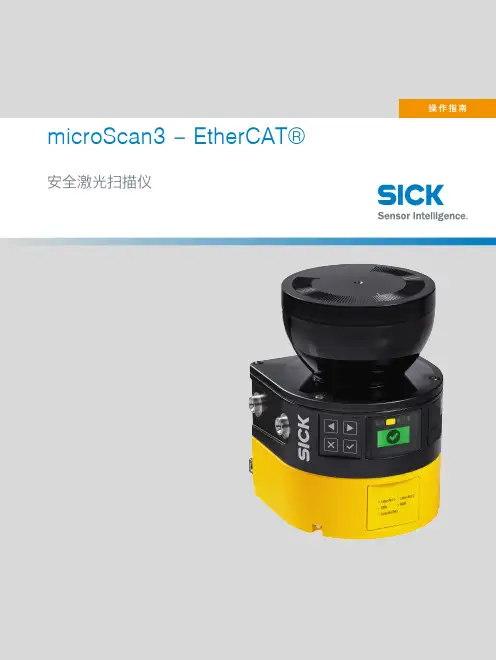
microScan3 – EtherCAT®安全激光扫描仪所述产品microScan3 – EtherCAT®制造商SICK AGErwin-Sick-Str.179183 Waldkirch, Germany德国法律信息本文档受版权保护。
其中涉及到的一切权利归西克公司所有。
只允许在版权法的范围内复制本文档的全部或部分内容。
未经西克公司的明确书面许可,不允许对文档进行修改、删减或翻译。
本文档所提及的商标为其各自所有者的资产。
© 西克公司版权所有。
EtherCAT®与Safety over EtherCAT® 是由德国倍福自动化有限公司( BeckhoffAutomation GmbH )授权许可的注册商标和获得专利保 护的技术。
原始文档本文档为西克股份公司的原始文档。
2操作指南 | microScan3 – EtherCAT®8025226/1L9Q/2023-08-14 | SICK如有更改,恕不另行通知内容内容1关于本文档的 (8)1.1本文件的功能 (8)1.2适用范围 (8)1.3本操作指南的目标群体 (8)1.4更多信息 (8)1.5图标和文档规范 (9)2安全信息 (10)2.1基本安全提示 (10)2.2规定用途 (11)2.3不当使用 (11)2.4网络安全 (12)2.5合格的安全人员 (12)3产品说明 (13)3.1通过 SICK Product ID 标识产品 (13)3.2设备概览 (13)3.3结构和功能 (14)3.4产品特性 (15)3.4.1变型 (15)3.4.2接口 (16)3.4.3系统插头 (16)3.4.4区域类型 (16)3.4.5区域组 (19)3.4.6监控情况 (20)3.4.7同步监控 (21)3.5应用示例 (22)4项目 (24)4.1机器制造商 (24)4.2机器的运营商 (24)4.3设计 (24)4.3.1防止干扰 (25)4.3.2避免无保护区域 (26)4.3.3安全激光扫描仪的响应时间 (28)4.3.4参考轮廓监控 (28)4.3.5监控情况切换的时间点 (30)4.3.6危险区域保护 (31)4.3.7危险点保护 (37)4.3.8访问保护 (40)4.3.9动态危险区域保护 (42)4.3.10窄巷道中的移动防护 (47)4.4与电气控制系统的连接 (54)4.4.1电磁兼容性 (54)8025226/1L9Q/2023-08-14 | SICK操作指南 | microScan3 – EtherCAT®3如有更改,恕不另行通知内容4.4.2电压供给 (55)4.4.3USB 接口 (55)4.4.4EtherCAT (55)4.4.5以太网 (55)4.4.6重启联锁 (55)4.5集成到网络 (59)4.5.1网络服务和端口 (59)4.5.2将安全激光扫描仪集成到网络 (59)4.5.3配置控制器 (59)4.5.4可用数据 (60)4.6检查方案 (62)4.6.1调试中和特殊情况下的检查规划 (62)4.6.2定期检查的规划 (62)4.6.3检查提示 (63)5装配 (66)5.1安全性 (66)5.2拆封 (66)5.3安装流程 (66)5.3.1更改系统插件位置 (68)5.3.2直接安装 (69)6电气安装 (71)6.1安全性 (71)6.2接口概览 (71)6.2.1microScan3 – EtherCAT® (71)6.3接口配置 (72)6.3.1电压供给 (XD1) (72)6.3.2备用 FE 接口 (72)6.3.3用于 EtherCAT 的网络接口 (XF1, XF2) 和用于数据输出、配置和诊断的以太网 (XF3) (72)7系统配置 (74)7.1交货状态 (74)7.2Safety Designer 配置软件 (74)7.2.1安装 Safety Designer (74)7.2.2项目 (74)7.2.3用户界面 (75)7.2.4用户组 (76)7.2.5设定 (77)7.2.6配置 (77)7.2.7联网 (78)7.3概览 (79)7.3.1功能范围 (80)7.4网络设置 (82)7.4.1EtherCAT (82)4操作指南 | microScan3 – EtherCAT®8025226/1L9Q/2023-08-14 | SICK如有更改,恕不另行通知内容7.4.2以太网 (83)7.5时间同步 (84)7.6读取配置 (84)7.7识别 (85)7.8协议设置 (86)7.8.1EtherCAT FSoE 配置 (86)7.9应用 (87)7.10监控平面 (88)7.10.1监控范围的参数 (88)7.10.2安全激光扫描仪的参数 (91)7.11轮廓参考区域 (92)7.12区域 (93)7.12.1使用区域编辑器 (94)7.12.2创建区域组模型 (97)7.12.3导入和导出区域组和区域 (97)7.12.4背景图片 (98)7.12.5区域编辑器的设置 (99)7.12.6借助坐标编辑区域 (99)7.12.7绘入无法监控的区域 (101)7.12.8定义全局几何形状 (101)7.12.9建议区域 (102)7.13输入和输出 (104)7.14监控事件 (105)7.14.1针对监控情况表格的设置 (106)7.14.2监控情况设置 (106)7.14.3输入条件 (106)7.14.4关断路径 (106)7.14.5分配区域组 (107)7.14.6分配确定的关断行为 (107)7.14.7导入和导出监控事件表格 (108)7.15模拟 (109)7.16数据输出 (110)7.17传输 (111)7.18启动和停止安全功能 (112)7.19EtherCAT 概览 (113)7.20报告 (114)7.21服务 (115)7.21.1设备重启 (115)7.21.2出厂设置 (115)7.21.3管理密码 (115)7.21.4访问管理 (116)7.21.5光学镜头罩调整 (117)7.21.6比较配置 (117)8调试 (119)8.1安全 (119)8025226/1L9Q/2023-08-14 | SICK操作指南 | microScan3 – EtherCAT®5如有更改,恕不另行通知内容8.2校准 (119)8.3接通 (120)8.4在调试和发生变化时检查 (121)9操作 (122)9.1安全性 (122)9.2定期检查 (122)9.3显示元件 (122)9.3.1LED状态 (122)9.3.2网络 LED (123)9.3.3利用显示屏的状态显示 (124)10维护 (128)10.1安全性 (128)10.2定期清洁 (128)10.3更换光学镜头罩 (129)10.4更换安全激光扫描仪 (131)10.4.1更换不带系统插件的安全激光扫描仪 (131)10.4.2完整更换安全激光扫描仪 (132)10.5更换系统插头 (132)10.6定期检查 (133)11故障排除 (134)11.1安全 (134)11.2利用显示屏的详细诊断 (134)11.3显示屏上的故障显示 (135)11.4利用 Safety Designer 诊断 (137)11.4.1数据记录器 (138)11.4.2事件历史 (139)11.4.3消息历史 (141)11.4.4EtherCAT 状态 (142)11.5使用控制器诊断 (142)12停机 (143)12.1废物处理 (143)13技术数据 (144)13.1变型概览 (144)13.2版本号和功能范围 (144)13.3数据表 (145)13.3.1microScan3 – EtherCAT® (145)13.4响应时间 (151)13.5扫描范围 (152)13.6网络中的数据交换 (156)13.6.1过程数据的详细信息 (156)13.6.2服务数据对象 (SDO) (162)13.7尺寸图 (170)6操作指南 | microScan3 – EtherCAT®8025226/1L9Q/2023-08-14 | SICK如有更改,恕不另行通知内容14订购信息 (172)14.1供货范围 (172)14.2订购信息 (172)15备件 (173)15.1不带系统插件的安全激光扫描仪 (173)15.2系统插头 (173)15.3更多备件 (173)16附件 (174)16.1用于碰撞保护的配件 (174)16.2其他配件 (174)17术语表 (175)18附件 (178)18.1合规性和证书 (178)18.1.1符合歐盟聲明 (178)18.1.2符合英國聲明 (178)18.2关于标准的注意事项 (178)18.3初次试运行和试运行核对表 (180)18.4保护设备不受相邻系统影响的安装方式 (180)19图片目录 (184)20表格目录 (186)8025226/1L9Q/2023-08-14 | SICK操作指南 | microScan3 – EtherCAT®7如有更改,恕不另行通知1 关于本文档的1关于本文档的1.1本文件的功能本操作指南中包含了安全激光扫描仪生命周期中必需的各项信息。
虹光 高速文件扫描仪 说明书

高速文件扫描仪使用手册Regulatory model: DT-0603H商标本文中其它厂牌和产品名称皆为各相关厂商之商标或注册商标。
版权所有翻印必究保证本书内容若有更动,虹光公司将不另行通知。
虹光公司对本档内容不做任何保证,包括(并不限于) 对某项特殊目的之适用性的隐含保证。
对因此造成之错误,或因装修、效能或本品使用上造成的不固定或严重损害,虹光公司不负任何责任。
警告使用者:这是甲类的信息产品,在居住的环境中使用时,可能会造成射频干扰,在这种情况下,使用者会被要求采取某些适当的对策。
2目录1.简介 (5)2.安装扫描仪 (6)2.1扫描仪锁定装置之解除 (7)2.2进纸匣的安装 (8)2.3安装软件 (9)2.4连接电线 (9)3.完成第一次扫描 (11)3.1文件的放置 (11)3.2从应用软件 (TWAIN) 中扫描影像 (13)4.使用「扫描仪属性」对话框 (16)4.1「扫描仪属性」对话框上的按键 (17)4.2「影像」卷标 (19)4.3「压缩」标签 (30)4.4「滤色」标签 (32)4.5「纸张」标签 (35)4.6「选项」卷标 (43)4.7「设定」标签 (48)4.8「信息」卷标 (51)5.ISIS 界面之操作 (53)6.使用扫描仪按键 (54)6.1安装 BUTTON MANAGER (55)6.2先检查按键的设定 (55)6.3预设的按键设定 (57)6.4执行按键扫描 (58)36.5从平台执行连续扫描 (59)7.维护方法 (61)7.1清理扫描仪玻璃镜片 (61)7.2保养自动进纸装置的方法 (62)7.3更换自动进纸垫片 (63)8.排除错误指南 (64)8.1常见问题之答复 (64)9.技术服务 (65)10.产品规格 (66)451. 简介首先恭喜您拥有一台完美的虹光 A3 高速文件扫描仪。
虹光公司是一家开发高性能文件及影像扫描仪的国际公司。
本产品除了可以扫描印刷品和一般的黑白或彩色照片外,最大的特色就是可以扫描A3 大尺寸的文件,适合大尺寸图建档需求者,是一个性能卓越的专业级扫描仪。
虹光 彩色影像扫描仪 说明书

彩色影像扫描仪使用手册商标Microsoft 是微软公司的美国注册商标。
Windows 和MS-DOS 是微软公司的美国注册商标。
IBM, PC, AT, XT 是国际商务机器公司的注册商标。
本文中其它厂牌和产品名称皆为各相关厂商的商标或注册商标。
专利版权所有,未经虹光公司授权,不得将本文内容以任何形式复制、改编、或翻译成任何文字。
本产品扫描的题材,受政府法律及复制权等其它法规的保护,客户应遵守相关法令。
保证本书内容若有更动,虹光公司将不另行通知。
虹光公司对本文件内容不做任何保证,包括(并不限于)对某项特殊目的的适用性的隐含保证。
对因此造成的错误,或因装修、效能或本品使用上造成的不固定或严重损害,虹光 公司不负任何责任。
iiAVA6 使用手册FCC 无线频率数干扰声明本设备经探测证实符合 B 级数位的设备规格及 FCC 15 节规格。
这些规格旨在防范在住宅区中可能造成的不良干扰。
若未遵照使用手册中的指示安装及使用本设备,所生成、使用及散发的无线电频率可能会干扰无线电通信。
特殊安装作业也可能造成不良干扰。
若经证明(关闭本设备后再打开)本设备对收音机或电视之接收会造成不良干扰,客户可以按下列方式调整:* 调整接收天线。
* 增加本设备与接收器间的距离。
* 将本设备改用不同的电源插座,使本设备与接收器处于不同的分支电路。
* 洽询经销商或有经验的收音机及电视技师。
注意事项:本设备如有任何未经制造厂商认可的更改或修改,本设备的访问权将视为无效。
iii基本系统需求WindowsIBM PC Pentium III 600 以上兼容之个人计算机微软 Windows 98/Windows 2000/Windows XP100 MB安装用磁盘空间128 MB RAM万用串行端口 Hi-Speed USB 2.0 (兼容于 USB 1.1) VGA 显示器与 Microsoft 窗口兼容之鼠标光驱ivAVA6 使用手册目 录1.简 介....................................................................................................1-12.安装软件..............................................................................................2-12.1开始安装软件..........................................................................2-13.安装扫描仪..........................................................................................3-13.1安装前须知..............................................................................3-1 R EMOVI.......................................................................................3-23.2打开扫描仪锁定装置..............................................................3-23.3连接电源..................................................................................3-33.4连接上计算机..........................................................................3-44.完成第一次扫描..................................................................................4-14.1如何放置文件..........................................................................4-14.2从应用软件(TWAIN)中扫描影像........................................4-25.编辑你的影像......................................................................................5-15.1使用基本功能..........................................................................5-15.2使用高级功能........................................................................5-105.3使用其它工具........................................................................5-166.按键功能..............................................................................................6-16.1将按键设定进行个人化..........................................................6-16.2按键功能..................................................................................6-37.技术服务..............................................................................................7-18.产品规格..............................................................................................8-1vAVA6 User’s Manual 1. 简 介首先恭喜您拥有一台完美的虹光 AVA6文件扫描仪。
E-Vision系列 WXGA 6000, WXGA 7000 XGA 6000, XGA 7000
E-Vision系列WXGA 6000, WXGA 7000 XGA 6000, XGA 7000高亮度数字投影机DP (Digital Projection)Digital Projection 公司总部,地址:Greenside Way, Middleton, Manchester M24 1XX, UK. 英国注册号:2207264电话:+44 (0) 161 947 3300传真:+44 (0) 161 684 7674电子邮箱:****************************.uk网址:Digital Projection中国办事处北京中国北京市朝阳区小营路19号财富嘉园C座1202室电话:(86*************传真:(86*************上海中国上海市中山西路1800号兆丰环球大厦4楼B座电话:(86*************传真:(86*************广州中国广州市河区体育西路101号维多利广场A座2105室电话:(86*************传真:(86*************电子邮箱:************************.cn网址:重要信息目录用户手册中指示标识 (3)合格声明 (4)电子和物理规格 (5)注意事项 (5)安装指示 (6)操作指示 (7)遵循国际标准 (7)RF interference (7)噪音 (7)欧洲废弃电气和电子设备(WEEE)指令 (7)用户手册包括投影机操作、连接、安装的完整信息,详细内容参看CD光盘。
指示标志警告用电警告:如果不严格按照说明操作会出现电击危险。
警告:如果不严格按照说明操作会出现身心伤害或损害到机器。
注意注意:您应该阅读的重要信息。
未经通知规格不得变更。
合格声明认证指令2004/108EC电磁兼容性指令.2006/95/EC低压设备指令.认证产品大屏幕数字投影机此认证首次应用于:E-Vision WXGA 600 2011年12月E-Vision WXGA 7000 2011年12月E-Vision XGA 600 2011年12月E-Vision XGA 7000 2011年12月认证详情产品不仅符合以上EU指令,还符合以下标准:EN 55022: 2006+ A1:2007 -信息技术设备无线电干扰特性限值和测量方法;EN 55024: 1998+ A1:2001+ A2:2003 -信息技术设备抗干扰特性限值和测量方法;EN 60950-1: 2006/A11:2009 -包括电子商务设备在内的信息技术设备安全的详尽说明。
Clogging Indicator Series AE 电子 视觉电子型号指示器说明书
+49 (0)6205 2094-0 +49 (0)6205 2094-40phone faxFriedensstrasse 41, 68804 Altlussheim, Germany e-mail url********************/filtration3. Spare parts:item qty. designation dimension article-no. type1 1 O-ring 14 x2 304342 (NBR)304722 (FPM) versions 30 - 802 1 O-ring 22 x 2 304708 (NBR)304721 (FPM)3 1 line adapter 312492 versions 30 and 401 line adapterwith LED 24V315012versions 70 and 801 line adapterwith LED 120VDIN 43650-designA/ISO4400 315010 version 501 line adapterwith LED 110 (230V)332235 version 624. Symbols:hydraulic-electrical symbol connection configuration for LEDversions versions versions version version versions30 and 40 50 and 62 70 and 80 50 62 70 and 80p1 = measure connection supplyp2 = measure connection output5. Description:The AE 30 and AE 40 pollution indicators are electrical differential pressure indicators.The AE 50 to AE 80 pollution indicators are combined optical and electrical differential pressure indicators. These differential pressure indicators can be fitted to all pressure filters (p ≤ 6000 PSI stainless steel, p ≤ 3200 PSI aluminium) for which there is a corresponding assignment on the relevant dimension drawing. As the degree of pollution of the filter element rises, so the difference between the entry pressure p1 and the exit pressure p2 of the filter increases.Depending on this pressure difference and irrespective of the operating pressure, in the pollution indicators:- AE 30 and AE 40, two electrical signals (contact maker/contact breaker) are triggered- AE 50 and AE 62, two electrical signals (contact maker/contact breaker) are triggered and one optical signal is formed- AE 70 and AE 80, two electrical signals (contact maker/contact breaker) are triggered and two optical signals are formed.A metering piston subjected to the entry and exit pressure moves against a metering spring according to the pressure differential. Depending onthe path, a permanent magnet integrated in the metering piston activates a reed contact (electromagnetic switch) and triggers the electrical signal. The electrical and optical indication is effected as a digital signal at the given switching pressure. Versions 50 to 80 of the pollution indicator are fitted with additional LED displays. The optical LED signal becomes visible according to the selected version in the translucent cover plate of the line box on the pollution indicator.In the pollution indicators- AE 50 and AE 62, the red LED signals that the filter element needs to be changed- AE 70 and AE 80, the green LED signals the normal operating state (filter element not yet polluted to an unacceptable level), while the red LED signals that the filter element needs to be changed.The clogging indicators meet protection class 2 according to DIN EN 61140.6. Operating instructions:Normally filters are supplied with mounted clogging indicator. When retrofitting - the filter is to be discharged of the operating pressure.- dismantling the screw plug out of the bare hole which is foreseen for the clogging indicator- screw in the clogging indicator into the bare hole (starting torque 74 lb.-ft. stainless steel, starting torque 59 lb.-ft. aluminium)It is necessary to make sure the availability and the right positioning of sealing parts- O-ring 22 x 2 and- O-ring 14 x 2as well as a dirt-free mounting. The electrical contacts are to be connected according to the graphical symbol shown on the type plate of the clogging indicator.7. Maintenance:The device is maintenance-free, however, note that no cleaning fluids and solvents get on the transparent cap of the optical indicator.US 1615 Q。
光电比色计(说明书上)
Spectroquant® Photometer NOVA60/60A
便携式多参数分光光度计
操作说明书中欣大厦 40 楼 T/F:021-32224788/62479680
Merck Chemicals (Shanghai) Co.,Ltd
3.1 取样 ..........................................................................................................................................................................9 3.2 初始测试 ..................................................................................................................................................................9 3.3 稀释 ..........................................................................................................................................................................9 3.4 过滤 ........................................................................................................................................................................10 3.5 均质 ........................................................................................................................................................................10 3.6 消解 ........................................................................................................................................................................10
DataMan
DataMan®300系列快速参考指南2019/03/22预防措施激光,不要直视激光束:2级激光产品。
不遵守这些指示可能导致严l注意—使用任何非此处指定的控件、调节装置或者操作程序,均可能导致有害的辐射泄漏。
l不要尝试保养或修理本产品—应将它退回Cognex进行保养。
l不允许任何非Cognex公司的人员保养、修理或调节本产品。
l除本文档中所述情况外,不要尝试打开或改装本设备。
l不要将激光直接照射或反射到人或反射体。
l如果设备损坏,盖子或密封件丢失或受损时,不要操作本设备。
l仅当所有接口都连上电缆或用密封盖屏蔽时,才能确保IP保护。
本激光产品在整个操作过程中按2类产品设计。
波长650纳米激光功率等级<1mW光束直径<3毫米(孔径)发散度< 1.5毫拉德产品概览1激光瞄准器2照明LED簇3外部照明安装点4安装孔(M3X5毫米)5触发按钮6电源7训练状态8读取/未读取指示灯9网络10错误11峰值计12调谐按钮13以太网14外部灯控制15电源、I/O和RS232DataMan 300配件镜头选件和镜头盖带锁定的10.3毫米M12镜头(DM300-LENS-10)和带锁定的10.3毫米IRM12镜头(DM300-LENS-10-IR)液体镜头模块和带扳手的预对焦10.3毫米或10.3毫米IR M12镜头(DM300-LENS-10LL)、(DM300-LENS-10LL-IR)19毫米液体镜头模块(DM300-LENS-19LL)带锁定的16毫米M12镜头(DM300-LENS-16)24毫米F6液体镜头模块(DM360-LENS-24LL)带镜头垫片和六角扳手的25毫米M12镜头(DM300-LENS-25)(也需要扩展套件)扩展套件(DM300-EXT)DM500C 型镜头盖(DM500-CMTLC-000)(与HPIA 配套使用)DM500镜头盖扩展器(DM500-LNSEXT-000)蓝色(CKR-BP470)、红色(CKR-BP635)、绿色(CKR-BP525)、橙色(CKR-BP590)带通滤波器透明镜头盖(DM300-CLCOV)带白色LED 照明的透明镜头盖(DM300-CLCOV-WHI)通过IEC 62471风险组豁免级标准带红色LED 照明(DM300-DLCOV-RE)、带蓝色LED 照明(DM300-DLCOV-BL)、带红外线LED 照明(DM300-DLCOV-IR)的散射镜头盖,带红色LED 照明(DM300-PLCOV-RE)的偏振镜头盖通过IEC 62471风险组豁免级标准外部灯(红色LED)和大功率照明环形灯(CLRR-R7030G1CLR)背照灯(CLRB-F100100G1)同轴(DOAL)灯(CLRO-K5050G1)聚光灯(CLRS-P14G1)暗场灯(CLRD-D120G1)其他*xx可能是美国、欧洲、英国或日本。