
扫雷游戏设计代码(VB完善版)
扫雷游戏VB设计实现最终界面如下:显然只需完成三个窗体的设计即可,具体设计界面和代码如下:一、主窗体(form10)设计界面:主窗体(form10)的代码:Dim d(11, 11) As IntegerDim k As IntegerDim v(100) As Integer '定义全局变量'Private Sub Command1_Click(Index As Integer)Timer1.Enabled = True '当点击任意一个命令按钮时(即开始游戏),则启动计时器' i = Index \ 10 + 1j = Index Mod 10 + 1 '将二维数组的元素与命令按钮一一对应'If d(i, j) = 1 Then '判断是否点到地雷'Timer1.Enabled = False '关闭计时器,游戏结束'For i = 1 To 10For j = 1 To 10n = 10 * (i - 1)m = j - 1If d(i, j) = 1 ThenCommand1.Item(m + n).Picture = LoadPicture(App.Path & "\2.jpg") '在按钮上显示地雷图片'End IfForm1.Show '弹出子窗体1(判断输赢)'Next jNext iElseIf v(Index) = Index + 1 Then '判断是否插上红旗或是问号图片'Command1.Item(Index).Picture = LoadPicture() '清除图片'Command1.Item(Index).Caption = f(i, j) '调用函数,显示周围地雷数'Command1.Item(Index).Enabled = False '将按钮设为不可用'Label7.Caption = Val(Label7.Caption) + 1v(Index) = 0End Ifh = s(i, j) '调用函数,显示周围的情况(边界)'For Y = 0 To 99If v(Y) = Y + 1 ThenCommand1.Item(Y).Enabled = True '如果是按钮插上了红旗则将按钮设置为可用'End IfNext YEnd IfFor k = 0 To 99If Command1.Item(k).Enabled = False Thenp = p + 1 '统计扫过的按钮个数'If p = 90 ThenFor Y = 0 To 100v(Y) = 0Next Y '将数组v的元素重新置0(此步目的为实现重玩而设)'Form2.Show '如果等于90个则结束游戏,弹出子窗体2(赢了)'End IfEnd IfNext kEnd SubPrivate Sub Command1_MouseUp(Index As Integer, Button As Integer, Shift As Integer, X As Single, Y As Single)If Button = 2 Then '右击鼠标'If v(Index) <> Index + 1 Then '判断是否已插上红旗'Command1.Item(Index).Picture = LoadPicture(App.Path & "\1.jpg") '插上红旗'v(Index) = Index + 1 '给数组元素赋值,以此实现按钮图片的切换或显示状态'Label7.Caption = Val(Label7.Caption) - 1 '在标签7中显示插上的红旗个数'ElseCommand1.Item(Index).Picture = LoadPicture(App.Path & "\3.jpg") '将问号图片替换红旗'Label7.Caption = Val(Label7.Caption) + 1v(Index) = 0End IfEnd IfFor i = 1 To 10For j = 1 To 10If d(i, j) = 1 Thenn = 10 * (i - 1)m = j - 1If v(m + n) = m + n + 1 Then c = c + 1If c = 10 ThenFor Y = 0 To 100v(Y) = 0Next Y '将数组v的元素重新置0(此步目的为实现重玩而设)'Form2.Show '如果等于90个则结束游戏,弹出子窗体2(赢了)'End IfEnd IfNext jNext iEnd SubPrivate Sub Form_Load()k = 0For i = 1 To 10For j = 1 To 10d(i, j) = 0 '将数组元素置0'Next jNext iDo While n <> 10Randomizei = Int(10 * Rnd + 1)j = Int(10 * Rnd + 1)If d(i, j) = 0 Then d(i, j) = 1: n = n + d(i, j) '产生十个随机数,即相当于十个地雷'Loopbel7.Caption = 10bel2.Caption = 0bel3.Caption = 0End SubFunction f(i, j) '定义一个函数求一个区域周围地雷的个数'f = f + d(i - 1, j - 1) + d(i - 1, j) + d(i - 1, j + 1) + d(i, j - 1)f = f + d(i, j + 1) + d(i + 1, j - 1) + d(i + 1, j) + d(i + 1, j + 1)End FunctionFunction s(i, j) '定义一个函数显示点击区域周围的情况(即边界)' For Y = 0 To 100If v(Y) = Y + 1 ThenCommand1.Item(Y).Enabled = False '如插上了红旗,则将按钮先设为不可用'End IfNext YIf f(i, j) <> 0 Then '函数嵌套,调用函数判断周围是否无地雷'n = 10 * (i - 1)m = j - 1Command1.Item(m + n).Picture = LoadPicture()Command1.Item(n + m).Caption = f(i, j)Command1.Item(n + m).Enabled = False '清除图片,显示地雷数,设置按钮不可用'ElseFor a = i - 1 To i + 1For b = j - 1 To j + 1If a <> 0 And b <> 11 And a <> 11 And b <> 0 Thenn = 10 * (a - 1)m = b - 1If Command1.Item(n + m).Enabled = True ThenCommand1.Item(m + n).Picture = LoadPicture()Command1.Item(n + m).Caption = f(a, b)Command1.Item(n + m).Enabled = False '清除图片,显示地雷数,设置按钮不可用'h = s(a, b) '调用函数本身,即实现递归'End IfEnd IfNext bNext aEnd IfEnd FunctionPrivate Sub Timer1_Timer() '设计一个计时器'Label2.Caption = Val(Label2.Caption) + 1Label3.Caption = Val(Label2.Caption) \ 60 + Val(Label3.Caption) Label2.Caption = Val(Label2.Caption) Mod 60End Sub二、子窗体一(form1)界面如下:子窗体一(form1)的代码:Private Sub Command1_Click()Unload Form10Unload form1Form10.ShowEnd SubPrivate Sub Command2_Click()Unload Form10Unload form1End SubPrivate Sub Command3_Click()For i = 0 To 99mand1.Item(i).Picture = LoadPicture() mand1.Item(i).Caption = ""mand1.Item(i).Enabled = TrueNext ibel7.Caption = 10bel2.Caption = 0bel3.Caption = 0Unload form1End Sub三、子窗体(form2)界面如下:子窗体二(form2)的代码:Private Sub Command1_Click() Unload Form10Form10.ShowUnload form2End SubPrivate Sub Command2_Click() Unload Form10Unload form2End SubPrivate Sub Command3_Click() For i = 0 To 99mand1.Item(i).Picture = LoadPicture()mand1.Item(i).Caption = ""mand1.Item(i).Enabled = TrueNext iUnload form2bel7.Caption = 10bel2.Caption = 0bel3.Caption = 0End Sub注释:共三个窗体(这里是form10、form1、form2)、三个标签(这里是label2、label3、label7)设计时,根据具体的情况对应修改即可。
vb扫雷代码

ScaleHeight = 3060
ScaleWidth = 4620
StartUpPosition = 3 '窗口缺省
Begin monDialog CommonDialog1
End
Begin VB.Menu cls
Caption = "清空榜单"
End
End
End
Attribute VB_Name = "Form1"
Attribute VB_GlobalNameSpace = False
Dim lin As Integer '记录上一次游戏情况的容器
Dim zong As Integer '格子数量,从0开始计算
Dim lei As Integer '雷的数量
Dim shu As Integer '一行格子的数量
Dim heng As Integer '一列格子的数量
Left = 840
Picture = "扫雷.frx":0000
Style = 1 'Graphical
TabIndex = 1
TabStop = 0 'False
Weight = 700
Underline = 0 'False
Italic = 0 'False
Strikethrough = 0 'False
EndProperty
ForeColor = &H00FF0000&
Height = 375
VB课程设计报告——扫雷游戏

VB课程设计报告-------扫雷游戏马学清1008260132 指导老师:张小兵一、题目介绍在计算机逐步渗入社会生活各个层面的今天,计算机已经成为人们日常生活的一分,越来越多的人使用计算机办公、娱乐等等。
扫雷游戏是Windows操作系统自带的一款小游戏,在过去的几年里,Windows操作系统历经数次换代更新,变得越来越庞大、复杂,功能也越来越强大,但是这款小游戏依然保持原来的容貌,可见这款小游戏受到越来越多人的喜爱。
我利用Turbo C编写了与它功能相仿的扫雷游戏,寓学于乐。
程序功能二、程序功能程序的功能是随机生成地雷数,通过鼠标操作玩游戏,不接受键盘,按任意键结束程序。
单击屏幕上的“开始”按钮可以重新开始游戏。
所有地雷标出后胜利,当鼠标左键单击到地雷时失败。
三、程序设计目的1.培养综合运用所学知识独立完成课题的能力。
2.更深入地理解和掌握该课程中的有关基本概念,程序设计思想和方法。
3.提高对工作认真负责、一丝不苟,对同学团结友爱,协作攻关的基本素质。
4.培养勇于探索、严谨推理、实事求是、有错必改,用实践来检验理论,全方位考虑问题等科学技术人员应具有的素质。
5.培养从资料文献、科学实验中获得知识的能力,提高从别人经验中找到解决问题的新途径的悟性,初步培养工程意识和创新能力。
6.对掌握知识的深度、运用理论去处理问题的能力、实验能力、课程设计能力、书面及口头表达能力进行考核四、游戏规则设计10×10格区域,单击鼠标后,在此格中显示的数字,则表示它周围就有几个空格内含有的地雷数,周围没有地雷的显示空白,则不能再单击了。
如果是地雷,则游戏结束。
如果判断是地雷,可以单击鼠标右键标出,显示红色,要取消红旗标志则再单击鼠标右键,当所有地雷都标出,每个空格都处理过,那么游戏就胜利结束。
五、程序源代码'级别Private Sub Form_Load() '默认初级dengji = 1Call nandu(dengji)End SubPrivate Sub zidingyi_Click() '自定义类型Load Form2Form2.ShowEnd SubPrivate Sub again_Click() '重新开始Call nandu(dengji)End SubPrivate Sub chuji_Click() '1级dengji = 1Call nandu(dengji)End SubPrivate Sub zhongji_Click() '2级dengji = 2Call nandu(dengji)End SubPrivate Sub gaoji_Click() '3级dengji = 3Call nandu(dengji)End SubPrivate Sub tuichu_Click() '退出Unload MeEnd SubPrivate Sub bang_Click() '显示英雄榜Load Form3Form3.ShowEnd SubPrivate Sub about_Click() '显示关于扫雷Load Form4Form4.ShowEnd SubPrivate Sub Timer1_Timer() '处理计时器If time < 999 Thentime = time + 1stime1 = Format(time, "000")heng = Pic1.Width - (4 + 13) - 13 - 13 '时间处理For i = 1 To 3stime2 = Mid(stime1, i, 1)Pic1.PaintPicture Clip1.GraphicCell(11 - Val(stime2)), heng, 4heng = heng + 13Nextshijian(dengji) = timeEnd IfIf time = 999 Then '游戏失败MsgBox "你输了", 0, "失败"End IfEnd SubPublic Sub nandu(dengji)'调用主程序Dim s As IntegerOpen App.Path & "mingzi" For Random As 1For s = 1 To 3Get 1, s, yuanshijian(s)NextClose 1Pic1.Picture = LoadPicture() '清空计时器和记雷显示器Pic2.Picture = LoadPicture()Pic2.Enabled = TrueTimer1.Enabled = Falseq = 0mousedown = FalseIf dengji = 1 Then '判断等级hang = 9: lie = 9: chulei = 9ElseIf dengji = 2 Thenhang = 16: lie = 16: chulei = 39ElseIf dengji = 3 Thenhang = 30: lie = 30: chulie = 99ElseIf dengji = 4 Thenhang = dingh: lie = dingl: chulei = dingleiEnd IfReDim fankai(hang - 1, lie - 1) '重定义行列数ReDim lei(hang - 1, lie - 1)ReDim jilu(hang - 1, lie - 1)With Pic2.Height = 16 * hang + 3.Width = 16 * lie + 4.Left = 1 * 8.Top = 6 * 8End WithWith Pic1.Height = 8 * 4.Width = 16 * lie + 4.Left = 1 * 8.Top = 1 * 8End WithForm1.Width = 30 * Screen.TwipsPerPixelX + 16 * Screen.TwipsPerPixelX * lie '确定窗体高宽度Form1.Height = 100 * Screen.TwipsPerPixelY + 13 * Screen.TwipsPerPixelY + 16 * Screen.TwipsPerPixelY * hang + 100For i = 0 To lie - 1 '开始时雷区For j = 0 To hang - 1Pic2.PaintPicture Clip3.GraphicCell(0), i * 16, j * 16NextNextDo While k < chulei '布雷m = Int(Rnd * hang)n = Int(Rnd * lie)If lei(m, n) <> 1 Thenlei(m, n) = 1k = k + 1End IfLoopPic1.PaintPicture Clip1.GraphicCell(11 - k \ 100), 4, 4 '雷数Pic1.PaintPicture Clip1.GraphicCell(11 - (k Mod 100) \ 10), 4 + 13, 4Pic1.PaintPicture Clip1.GraphicCell(11 - (k Mod 10)), 4 + 26, 4Pic1.PaintPicture Clip1.GraphicCell(11), Pic1.Width - (4 + 13), 4 '时间Pic1.PaintPicture Clip1.GraphicCell(11), Pic1.Width - (4 + 26), 4Pic1.PaintPicture Clip1.GraphicCell(11), Pic1.Width - (4 + 13 * 3), 4Pic1.PaintPicture Clip1.GraphicCell(11), 4, 4Pic1.PaintPicture Clip2.GraphicCell(4), Pic1.Width / 2 - 12, 4 '显示笑脸End Sub'图片框1的MouseDown事件Private Sub Pic1_MouseDown(Button As Integer, Shift As Integer, X As Single, Y As Single)If X >= Pic1.Width / 2 - 12 And X <= Pic1.Width / 2 + 12 And Y >= 4 And Y <= 24 + 4 Then Pic1.PaintPicture Clip2.GraphicCell(0), Pic1.Width / 2 - 12, 4End IfEnd Sub'图片框1的MouseUp事件Private Sub Pic1_MouseUp(Button As Integer, Shift As Integer, X As Single, Y As Single)If X >= Pic1.Width / 2 - 12 And X <= Pic1.Width / 2 + 12 And Y >= 4 And Y <= 24 + 4 Then time = 0Call nandu(dengji)End IfEnd Sub'图片框的MouseDown事件Private Sub Pic2_MouseDown(Button As Integer, Shift As Integer, X As Single, Y As Single) Static intq As Integerk = chuleimouseup = Falsei = X \ 16: j = Y \ 16If fankai(i, j) = False ThenIf Button = 1 Then '左键mousedown = TruePic1.PaintPicture Clip2.GraphicCell(3), Pic1.Width / 2 - 12, 4If jilu(i, j) <> 1 And jilu(i, j) <> -1 ThenPic2.PaintPicture Clip3.GraphicCell(15), i * 16, j * 16ElseIf b = -1 ThenPic2.PaintPicture Clip3.GraphicCell(6), i * 16, j * 16End IfElseIf Button = 2 Then '右键jilu(i, j) = jilu(i, j) + 1Pic2.PaintPicture Clip3.GraphicCell(jilu(i, j)), i * 16, j * 16If jilu(i, j) \ 2 = 1 Then jilu(i, j) = -1If jilu(i, j) = 1 Then intq = intq + 1If intq < 9 ThenPic1.PaintPicture Clip1.GraphicCell(11 - (k Mod 10) + intq), 4 + 26, 4 '画小旗ElseIf intq < 99 ThenFor intc = 0 To 9Pic1.PaintPicture Clip1.GraphicCell(11 - (k Mod 10) + intq), 4 + 26, 4 '雷数减少Next intcPic1.PaintPicture Clip1.GraphicCell(11 - (k Mod 100) \ 10 + intq), 4 + 13, 4 End IfIf jilu(i, j) = 1 And lei(i, j) = 1 Thenq = q + 1ElseIf jilu(i, j) = -1 Thenq = q - 1End IfIf q = chulei Then Call shengliEnd IfEnd IfEnd Sub'图片框2的MouseUp事件Private Sub Pic2_MouseUp(Button As Integer, Shift As Integer, X As Single, Y As Single) mousedown = FalseIf Timer1.Enabled = False Then Timer1.Enabled = Truei = X \ 16: j = Y \ 16If Button = 1 ThenIf i >= 0 And i < hang And j >= 0 And j < lie ThenPic1.PaintPicture Clip2.GraphicCell(4), Pic1.Width / 2 - 12, 4If fankai(i, j) = False ThenIf jilu(i, j) <> 1 ThenIf lei(i, j) = 1 ThenCall jieshu(i, j)MsgBox "你输了", 0, "失败"ElseIf panduan(i, j) = 0 ThenCall fan(i, j)ElseIf panduan(i, j) <> 0 ThenPic2.PaintPicture Clip3.GraphicCell(15 - panduan(i, j)), i * 16, j * 16 '显示周围相邻雷的数量q = q + 1fankai(i, j) = TrueEnd IfEnd IfEnd IfEnd IfIf q = hang * lie - chulei Then Call shengliEnd IfEnd Sub'图片框2的MouseMove事件Private Sub Pic2_MouseMove(Button As Integer, Shift As Integer, X As Single, Y As Single)If mousedown = False ThenExit SubEnd Ifm = X \ 16: n = Y \ 16Call yidong(m, n)End Sub'通用过程:移动Private Sub yidong(m, n)If m >= 0 And m < hang And n >= 0 And n < lie ThenIf fankai(m, n) = False ThenIf jilu(m, n) = -1 ThenPic2.PaintPicture Clip3.GraphicCell(6), m * 16, n * 16ElseIf jilu(m, n) = 0 ThenPic2.PaintPicture Clip3.GraphicCell(15), m * 16, n * 16End IfEnd IfFor i = m - 1 To m + 1For j = n - 1 To n + 1If i >= 0 And i < hang And j >= 0 And j < lie ThenIf fankai(i, j) = False ThenIf i <> m Or j <> n ThenIf jilu(i, j) <> 1 ThenIf jilu(i, j) = 0 ThenPic2.PaintPicture Clip3.GraphicCell(0), i * 16, j * 16ElseIf jilu(i, j) = -1 ThenPic2.PaintPicture Clip3.GraphicCell(2), i * 16, j * 16End IfEnd IfEnd IfEnd IfEnd IfNextNextEnd IfEnd SubPrivate Sub jieshu(m, n)Pic2.PaintPicture Clip3.GraphicCell(3), m * 16, n * 16Pic1.PaintPicture Clip2.GraphicCell(2), Pic1.Width / 2 - 12, 4Pic2.Enabled = FalseTimer1.Enabled = FalseFor i = 0 To hang - 1For j = 0 To lie - 1If i <> m And j <> n ThenIf lei(i, j) = 1 And jilu(i, j) <> 1 ThenPic2.PaintPicture Clip3.GraphicCell(5), i * 16, j * 16ElseIf lei(i, j) <> 1 And jilu(i, j) = 1 ThenPic2.PaintPicture Clip3.GraphicCell(4), i * 16, j * 16End IfEnd IfNextNextEnd Sub'判断周围雷的数量Private Function panduan(m, n)Dim leishu As IntegerFor i = m - 1 To m + 1For j = n - 1 To n + 1If i >= 0 And i < hang And j >= 0 And j < lie ThenIf lei(i, j) = 1 Thenleishu = leishu + 1End IfEnd IfNextNextpanduan = leishuEnd Function'翻开递归Private Sub fan(m, n)Dim int1 As IntegerFor i = m - 1 To m + 1For j = n - 1 To n + 1If i >= 0 And i < hang And j >= 0 And j < lie ThenIf fankai(i, j) = False ThenIf lei(i, j) <> 1 ThenIf panduan(i, j) = 0 ThenPic2.PaintPicture Clip3.GraphicCell(15), i * 16, j * 16fankai(i, j) = Trueq = q + 1For int1 = 1 To 20 ',防止直接全部翻开Call fan(i, j) '递归:打开相邻无雷区域Next int1ElsePic2.PaintPicture Clip3.GraphicCell(15 - panduan(i, j)), i * 16, j * 16fankai(i, j) = Trueq = q + 1End IfEnd IfEnd IfEnd IfNextNextEnd Sub'成功Private Sub shengli()Pic1.PaintPicture Clip2.GraphicCell(1), Pic1.Width / 2 - 12, 4Pic2.Enabled = FalseTimer1.Enabled = FalseFor i = 0 To hang - 1For j = 0 To lie - 1If lei(i, j) = 1 And jilu(i, j) <> 1 ThenPic2.PaintPicture Clip3.GraphicCell(5), i * 16, j * 16End IfNextNextIf shijian(dengji) < yuanshijian(dengji) And dengji <> 4 Then mingzi(dengji) = InputBox("破纪录,输入姓名", "成功") Open App.Path & "mingzi" For Random As #1Put 1, dengji + 3, mingzi(dengji)Put 1, dengji, shijian(dengji)Close 1ElseMsgBox "你赢了", "0", "成功"End IfEnd SubPrivate Sub Command1_Click()dingh = Val(Text1.Text)dingl = Val(Text1.Text)dinglei = Val(Text3.Text)If Text1 <> "" And Text2 <> "" And Text3 <> "" ThenIf dinglei < dingh * dingl ThenCall Form1.nandu(4)Unload MeElseMsgBox "输入不合规范", 0, "请重新输入"End IfElseMsgBox "输入不合规范", 0, "请重新输入"End IfEnd SubPrivate Sub Command2_Click()Unload MeEnd SubPrivate Sub Command1_Click()Unload Form3End SubPrivate Sub Form_Load()Dim lab1(1 To 3) As IntegerDim lab2(1 To 3) As StringDim w As Integer, i As Integer, r As Integer, e As IntegerOpen App.Path & "mingzi" For Random As 1For i = 1 To 3Get 1, i, lab1(i)NextClose 1Open App.Path & "mingzi" For Random As 1For j = 4 To 6Get 1, j, lab2(j - 3)NextClose 1For e = 1 To 3bel4(e - 1).Caption = lab1(e)bel4(e + 2).Caption = lab2(e)NextFor r = 1 To 3yuanshijian(r) = lab1(r)NextEnd Sub六、心得体会课程设计是本科学习阶段一次非常难得的理论与实际相结合的机会,通过这次比较完整的一个程序的设计,我摆脱了单纯的理论知识学习状态,和实际设计的结合锻炼了我的综合运用所学的基础知识,解决实际问题的能力,同时也提高我查阅文献资料、对程序整体的把握等其他能力水平,而且通过对整体的掌控,对局部的取舍,以及对细节的斟酌处理,都使我的能力得到了锻炼,经验得到了丰富。
扫雷vb实现
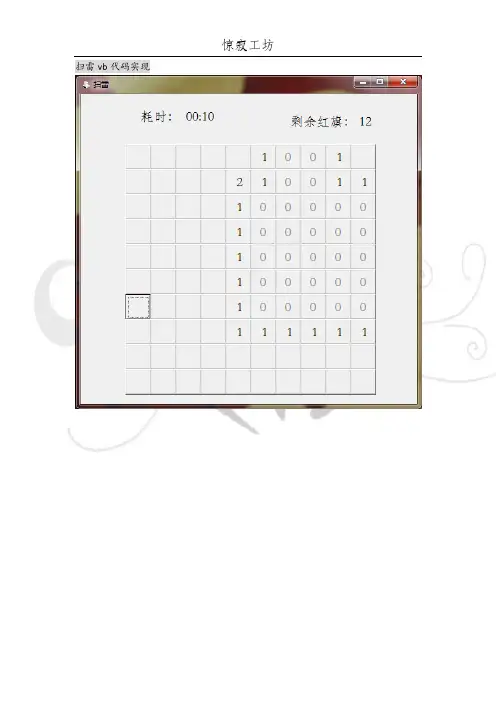
扫雷vb代码实现_____________________________________________________________‘Form1Dim L(12) As Integer '产生的地雷随机数、Public min, sec As Integer '用来计时的分、秒Public temp As Integer '储存红旗剩余数的全局变量Public result As IntegerFunction f(ByVal i As Integer, ByVal j As Integer) As Integer '对各个区域进行初始化赋值f = 0For k = 0 To 11If i = Int(L(k) / 10) And j = (L(k) Mod 10) Then f = 1NextEnd FunctionPrivate Sub Command1_MouseDown(Index As Integer, Button As Integer, Shift As Integer, X As Single, Y As Single)Dim m, n As Integerm = Int(Index / 10)n = Index Mod 10If Button = 2 Then '右击命令控件时Command1.Item(Index).Picture = LoadPicture(App.Path & "\0.jpg")If f(m, n) = 1 Then result = result - 1temp = temp - 1: Label2.Caption = "剩余红旗:" & Str(temp)If result = 0 Then Timer1.Enabled = False: Form2.Show '通向胜利的大门ElseIf Button = 1 Then '左击命令控件时If f(m, n) = 0 ThenCommand1.Item(Index).Caption = Str(sum(m, n))If sum(m, n) = 0 ThenCall disp(m, n)End IfElseCommand1.Item(Index).Picture = LoadPicture(App.Path & "\1.jpg")result = -1Timer1.Enabled = FalseFor m = 0 To 9For n = 0 To 9If f(m, n) = 1 ThenCommand1.Item(m * 10 + n).Picture = LoadPicture(App.Path & "\1.jpg")ElseCommand1.Item(m * 10 + n).Caption = Str(sum(m, n))End IfNext nNext mForm2.Show '踩到地雷的感觉如何End IfEnd IfEnd IfEnd SubPrivate Sub Form_Load() '窗口1初载时执行的动作sec = 0: min = 0: temp = 12: result = 12Label2.Caption = "剩余红旗:" & Str(temp)data '调用函数初始化地雷数据End SubFunction data() As Integer '对数据进行初始化RandomizeDim n, i, j As Integern = 12L(0) = Int(Rnd * 100)For i = 1 To n - 1L(i) = Int(Rnd * 100)For j = 0 To i - 1If L(i) = L(j) Then i = i - 1NextNextEnd FunctionFunction sum(ByVal i As Integer, ByVal j As Integer) '某一区域周围的地雷数sum = f(i - 1, j - 1) + f(i - 1, j) + f(i - 1, j + 1) + f(i, j - 1) + f(i, j + 1) + f(i + 1, j - 1) + f(i + 1, j) + f(i + 1, j + 1)End FunctionPrivate Sub Timer1_Timer() '计时sec = sec + 1If sec = 60 Then min = min + 1: sec = sec - 60Label1.Caption = "耗时:" + Format(min, "00") + ":" + Format(sec, "00") End SubFunction disp(ByVal i As Integer, ByVal j As Integer) As Integer '打通周围没有地雷的区域Command1.Item(i * 10 + j).Caption = "0"Command1.Item(i * 10 + j).Enabled = FalseIf i < 0 Or j < 0 Or i > 9 Or j > 9 Then Exit FunctionDim m, n As IntegerFor m = i - 1 To i + 1If m = i ThenFor n = j - 1 To j + 1 Step 2If m < 0 Or m > 9 Or n < 0 Or n > 9 ThenElseIf sum(m, n) = 0 And Command1.Item(m * 10 + n).Enabled <> False Thendisp m, nElseIf Command1.Item(m * 10 + n).Enabled = True Then Command1.Item(m * 10 + n).Caption = Str(sum(m, n))End IfEnd IfNextEnd IfFor n = j - 1 To j + 1If m < 0 Or m > 9 Or n < 0 Or n > 9 Thendisp = 0ElseIf Command1.Item(m * 10 + n).Enabled = False Thendisp = 0ElseIf sum(m, n) = 0 Thendisp m, nElseCommand1.Item(m * 10 + n).Caption = Str(sum(m, n))End IfEnd IfNextNextEnd Function_____________________________________________________________‘form2Private Sub Command1_Click()Unload Form1Form1.ShowUnload MeEnd SubPrivate Sub Command2_Click()Form1.temp = 12Form1.result = 12Form1.min = 0Form1.sec = 0Dim i As IntegerFor i = 0 To 99mand1.Item(i).Enabled = Truemand1.Item(i).Caption = ""mand1.Item(i).Picture = LoadPicture("")Form1.Timer1.Enabled = TrueNextUnload MeEnd SubPrivate Sub Command3_Click()Unload MeUnload Form1End SubPrivate Sub Form_Load()If Form1.result = -1 ThenLabel1.Caption = " 兔崽子你给炸死了吧" & Chr(13) + Chr(10) + "你的最终成绩是" & Str(Form1.min) & "分" & Str(Form1.sec) & "秒"ElseIf Form1.result = 0 ThenLabel1.Caption = "恭喜你顺利通过" & Chr(13) + Chr(10) + "你的最终成绩是" & Str(Form1.min) & "分" & Str(Form1.sec) & "秒"End IfEnd Sub。
扫雷游戏设计代码(VB完善版)

扫雷游戏VB设计实现最终界面如下:显然只需完成三个窗体的设计即可,具体设计界面和代码如下:一、主窗体(form10)设计界面:主窗体(form10)的代码:Dim d(11, 11) As IntegerDim k As IntegerDim v(100) As Integer '定义全局变量'Private Sub Command1_Click(Index As Integer)Timer1.Enabled = True '当点击任意一个命令按钮时(即开始游戏),则启动计时器' i = Index \ 10 + 1j = Index Mod 10 + 1 '将二维数组的元素与命令按钮一一对应'If d(i, j) = 1 Then '判断是否点到地雷'Timer1.Enabled = False '关闭计时器,游戏结束'For i = 1 To 10For j = 1 To 10n = 10 * (i - 1)m = j - 1If d(i, j) = 1 ThenCommand1.Item(m + n).Picture = LoadPicture(App.Path & "\2.jpg") '在按钮上显示地雷图片'End IfForm1.Show '弹出子窗体1(判断输赢)'Next jNext iElseIf v(Index) = Index + 1 Then '判断是否插上红旗或是问号图片'Command1.Item(Index).Picture = LoadPicture() '清除图片'Command1.Item(Index).Caption = f(i, j) '调用函数,显示周围地雷数'Command1.Item(Index).Enabled = False '将按钮设为不可用'Label7.Caption = Val(Label7.Caption) + 1v(Index) = 0End Ifh = s(i, j) '调用函数,显示周围的情况(边界)'For Y = 0 To 99If v(Y) = Y + 1 ThenCommand1.Item(Y).Enabled = True '如果是按钮插上了红旗则将按钮设置为可用'End IfNext YEnd IfFor k = 0 To 99If Command1.Item(k).Enabled = False Thenp = p + 1 '统计扫过的按钮个数'If p = 90 ThenFor Y = 0 To 100v(Y) = 0Next Y '将数组v的元素重新置0(此步目的为实现重玩而设)'Form2.Show '如果等于90个则结束游戏,弹出子窗体2(赢了)'End IfEnd IfNext kEnd SubPrivate Sub Command1_MouseUp(Index As Integer, Button As Integer, Shift As Integer, X As Single, Y As Single)If Button = 2 Then '右击鼠标'If v(Index) <> Index + 1 Then '判断是否已插上红旗'Command1.Item(Index).Picture = LoadPicture(App.Path & "\1.jpg") '插上红旗'v(Index) = Index + 1 '给数组元素赋值,以此实现按钮图片的切换或显示状态'Label7.Caption = Val(Label7.Caption) - 1 '在标签7中显示插上的红旗个数'ElseCommand1.Item(Index).Picture = LoadPicture(App.Path & "\3.jpg") '将问号图片替换红旗'Label7.Caption = Val(Label7.Caption) + 1v(Index) = 0End IfEnd IfFor i = 1 To 10For j = 1 To 10If d(i, j) = 1 Thenn = 10 * (i - 1)m = j - 1If v(m + n) = m + n + 1 Then c = c + 1If c = 10 ThenFor Y = 0 To 100v(Y) = 0Next Y '将数组v的元素重新置0(此步目的为实现重玩而设)'Form2.Show '如果等于90个则结束游戏,弹出子窗体2(赢了)'End IfEnd IfNext jNext iEnd SubPrivate Sub Form_Load()k = 0For i = 1 To 10For j = 1 To 10d(i, j) = 0 '将数组元素置0'Next jNext iDo While n <> 10Randomizei = Int(10 * Rnd + 1)j = Int(10 * Rnd + 1)If d(i, j) = 0 Then d(i, j) = 1: n = n + d(i, j) '产生十个随机数,即相当于十个地雷'Loopbel7.Caption = 10bel2.Caption = 0bel3.Caption = 0End SubFunction f(i, j) '定义一个函数求一个区域周围地雷的个数'f = f + d(i - 1, j - 1) + d(i - 1, j) + d(i - 1, j + 1) + d(i, j - 1)f = f + d(i, j + 1) + d(i + 1, j - 1) + d(i + 1, j) + d(i + 1, j + 1)End FunctionFunction s(i, j) '定义一个函数显示点击区域周围的情况(即边界)' For Y = 0 To 100If v(Y) = Y + 1 ThenCommand1.Item(Y).Enabled = False '如插上了红旗,则将按钮先设为不可用'End IfNext YIf f(i, j) <> 0 Then '函数嵌套,调用函数判断周围是否无地雷'n = 10 * (i - 1)m = j - 1Command1.Item(m + n).Picture = LoadPicture()Command1.Item(n + m).Caption = f(i, j)Command1.Item(n + m).Enabled = False '清除图片,显示地雷数,设置按钮不可用'ElseFor a = i - 1 To i + 1For b = j - 1 To j + 1If a <> 0 And b <> 11 And a <> 11 And b <> 0 Thenn = 10 * (a - 1)m = b - 1If Command1.Item(n + m).Enabled = True ThenCommand1.Item(m + n).Picture = LoadPicture()Command1.Item(n + m).Caption = f(a, b)Command1.Item(n + m).Enabled = False '清除图片,显示地雷数,设置按钮不可用'h = s(a, b) '调用函数本身,即实现递归'End IfEnd IfNext bNext aEnd IfEnd FunctionPrivate Sub Timer1_Timer() '设计一个计时器'Label2.Caption = Val(Label2.Caption) + 1Label3.Caption = Val(Label2.Caption) \ 60 + Val(Label3.Caption)Label2.Caption = Val(Label2.Caption) Mod 60End Sub二、子窗体一(form1)界面如下:子窗体一(form1)的代码:Private Sub Command1_Click()Unload Form10Unload form1Form10.ShowEnd SubPrivate Sub Command2_Click()Unload Form10Unload form1End SubPrivate Sub Command3_Click()For i = 0 To 99mand1.Item(i).Picture = LoadPicture() mand1.Item(i).Caption = ""mand1.Item(i).Enabled = TrueNext ibel7.Caption = 10bel2.Caption = 0bel3.Caption = 0Unload form1End Sub三、子窗体(form2)界面如下:子窗体二(form2)的代码:Private Sub Command1_Click()Unload Form10Form10.ShowUnload form2End SubPrivate Sub Command2_Click()Unload Form10Unload form2End SubPrivate Sub Command3_Click()For i = 0 To 99mand1.Item(i).Picture = LoadPicture()mand1.Item(i).Caption = ""mand1.Item(i).Enabled = TrueNext iUnload form2bel7.Caption = 10bel2.Caption = 0bel3.Caption = 0End Sub注释:共三个窗体(这里是form10、form1、form2)、三个标签(这里是label2、label3、label7)设计时,根据具体的情况对应修改即可。
VB扫雷小游戏编程代码

VB扫雷小游戏一.编程目的二.编程思路1.新建command_up和label_down控件2.用load加载控件3.根据雷区的X、Y、以及难度进行随机布雷。
4.统计每一个label周围雷的数量并作为label的caption。
5.在单击command的时候显示label6.在右击command的时候进行标记7.在label上左右键同时按下的时候检查已标记雷的数量与label显示的数量是否一致。
三.界面设计四.代码设计Dim Start_Time, End_TimeDim Area_X%, Area_Y%, Area%, Area_List()Dim Current_Mine%Dim Difficulty#Dim Continue_Flag%, Success_Flag%, LeftAndRight_Flag%Dim Near_ListDim Mine_CountPrivate Sub Command_End_Click()EndEnd SubPrivate Sub Delete_Item(List(), Index As Integer)Dim i%For i = LBound(List) + Index - 1 To UBound(List) - 1List(i) = List(i + 1)Next i'防止100%的困难度If UBound(List) > LBound(List) Then ReDim Preserve List(LBound(List) To UBound(List) - 1) End SubPrivate Sub Command_retry_Click()'卸载For i = 1 To AreaUnload Label_Down(i)Unload Command_Up(i)Next iCommand_Start.Caption = "开始游戏"Call Command_Start_ClickEnd SubPrivate Sub Command_Up_Click(Index As Integer)Success_Flag = 1If Continue_Flag = 1 ThenIf Timer1.Enabled = False Then Call Command_Start_ClickIf Label_Down(Index).Caption = "X" ThenSuccess_Flag = 0Continue_Flag = 0For i = 1 To AreaIf Command_Up(i).Visible = True And Command_Up(i).Caption = "X" And Label_Down(i).BackColor = vbRed Then'标记雷正确Command_Up(i).Picture = LoadPicture(App.Path + "\pictures\mine_correct.gif", , , Command_Up(i).Width, Command_Up(i).Height)Command_Up(i).Visible = TrueLabel_Down(i).Visible = TrueElseIf Command_Up(i).Visible = True And Command_Up(i).Caption = "X" And Label_Down(i).BackColor = vbGreen Then'标记雷错误Command_Up(i).Picture = LoadPicture(App.Path + "\pictures\mine_wrong.gif", , , Command_Up(i).Width, Command_Up(i).Height)Command_Up(i).Visible = TrueLabel_Down(i).Visible = TrueElseCommand_Up(i).Visible = FalseLabel_Down(i).Visible = TrueEnd IfNext iTimer1.Enabled = Falsetemp = MsgBox("Game Over !", vbOKOnly, "游戏结束")ElseIf Val(Label_Down(Index).Caption) > 0 ThenCommand_Up(Index).Visible = FalseLabel_Down(Index).Visible = TrueElse'如果等于0的话应该将周边的清零Command_Up(Index).Visible = FalseLabel_Down(Index).Visible = Truej = IndexFor i = 1 To 8'判断控件是否存在If j + Near_List(i) > 0 And j + Near_List(i) <= Area Then'判断是否相邻If Abs(Label_Down(j + Near_List(i)).Left -Label_Down(j).Left) <= Label_Down(j).Width And Abs(Label_Down(j + Near_List(i)).Top -Label_Down(j).Top) <= Label_Down(j).Height Then'判断是否有雷If Label_Down(j + Near_List(i)).BackColor = vbGreen And Command_Up(j + Near_List(i)).Visible = True ThenCall Command_Up_Click(j + Near_List(i)) '注意此处循环调用的时候一定要避免陷入死循环End IfEnd IfEnd IfNext iEnd If'检查是否游戏成功For i = 1 To AreaIf Command_Up(i).Visible = True And Label_Down(i).Caption <> "X" ThenSuccess_Flag = 0Exit ForEnd IfNext iIf Success_Flag = 1 ThenIf Continue_Flag = 1 ThenTimer1.Enabled = FalseFor i = 1 To AreaIf Command_Up(i).Visible = True And Command_Up(i).Caption = "X" And Label_Down(i).BackColor = vbRed Then'标记雷正确Command_Up(i).Picture = LoadPicture(App.Path + "\pictures\mine_correct.gif", , , Command_Up(i).Width, Command_Up(i).Height)Command_Up(i).Visible = TrueLabel_Down(i).Visible = TrueElseIf Command_Up(i).Visible = True And Command_Up(i).Caption = "X" And Label_Down(i).BackColor = vbGreen Then'标记雷错误Command_Up(i).Picture = LoadPicture(App.Path + "\pictures\mine_wrong.gif", , , Command_Up(i).Width, Command_Up(i).Height)Command_Up(i).Visible = TrueLabel_Down(i).Visible = TrueElseCommand_Up(i).Visible = FalseLabel_Down(i).Visible = TrueEnd IfNext itemp = MsgBox("恭喜,扫雷成功!" & vbCrLf & "耗时:" & Mid(Label_Time.Caption, 4) & vbCrLf & "鸣谢:平方X O(∩_∩)O~", vbOKOnly, "成功") End IfContinue_Flag = 0 '提示一次后结束,防止在调用Command_Click事件中重复提示End IfEnd IfCommand_Start.SetFocusEnd SubPrivate Sub Command_Start_Click()If Command_Start.Caption = "开始游戏" ThenCommand_Start.Caption = "重新开始"Continue_Flag = 1Timer1.Enabled = TrueDifficulty = Val(Text_Difficulty.Text) / 100Area_X = Val(Text_X.Text)Area_Y = Val(Text_Y.Text)Area = Area_X * Area_Y'初始化这里进行二次初始化的原因是如果在之前的运行中对字体进行了改变,将有可能造成此处的控件大小发生变化With Picture_show.Left = 200.Top = 200.Width = 750 * 10.Height = 750 * 10.Visible = FalseEnd WithWith Command_Up(0).Left = Picture_show.Left.Top = Picture_show.Top.Width = Picture_show.Width / 10.Height = Picture_show.Height / 10.FontSize = 1 '防止自动缩放.Visible = FalseEnd WithWith Label_Down(0).Left = Picture_show.Left.Top = Picture_show.Top.Width = Picture_show.Width / 10.Height = Picture_show.Height / 10.FontSize = 1 '防止自动缩放.Visible = FalseEnd WithWith Label_Down(0).Left = 200.Top = 200.Width = 750 * 10 / IIf(Area_X > Area_Y, Area_X, Area_Y).FontSize = 25 * (.Width / 750) '会自动缩放,必须先设置了.Height = 750 * 10 / IIf(Area_X > Area_Y, Area_X, Area_Y).Visible = FalseEnd WithWith Command_Up(0).Left = 200.Top = 200.Width = Label_Down(0).Width.Height = Label_Down(0).Height.Visible = FalseEnd WithReDim Near_List(1 To 8)Near_List(1) = 0 - 1 - Area_YNear_List(2) = 0 - 0 - Area_YNear_List(3) = 0 + 1 - Area_YNear_List(4) = 0 - 1Near_List(5) = 0 + 1Near_List(6) = 0 - 1 + Area_YNear_List(7) = 0 - 0 + Area_YNear_List(8) = 0 + 1 + Area_Y'如果在列表中有相等的元素将有可能造成统计雷的数目错误For i = 1 To 8For j = i + 1 To 8If Near_List(i) = Near_List(j) Then Near_List(i) = 0Next jNext iArea_temp = 0For Y = 1 To Area_Y'加载labelFor X = 1 To Area_XArea_temp = Area_temp + 1Load Label_Down(Area_temp)With Label_Down(Area_temp).Left = Label_Down(0).Left + Label_Down(0).Width * ((Area_temp -1) Mod Area_Y).Top = Label_Down(0).Top + Label_Down(0).Height * ((Area_temp -1) \ Area_Y).BackColor = vbGreen.Visible = False.Alignment = 2.Font = .FontBoldEnd With'加载commandLoad Command_Up(Area_temp)With Command_Up(Area_temp)'对列数求余的话就是在这一行第几个了.Left = Command_Up(0).Left + Command_Up(0).Width * ((Area_temp - 1) Mod Area_Y)'整除列数的话可以确定第几行.Top = Command_Up(0).Top + Command_Up(0).Height * ((Area_temp - 1) \ Area_Y).Visible = TrueEnd WithNext XNext YReDim Area_List(1 To Area)For i = 1 To AreaArea_List(i) = iNext i' 随即布雷RandomizeMine_Count = Val(Text_Mine_Count.Text)For i = 1 To Mine_CountCurrent_Mine = Int(Rnd * (UBound(Area_List) - LBound(Area_List) + 1) + 1) '在数组中随机一个,注意此处2个+1的必要性和准确性Label_Down(Area_List(Current_Mine)).BackColor = vbRed '将该位置标记为雷Call Delete_Item(Area_List, Current_Mine) '删除该位置,防止再次标记Next i'检查雷的数目For j = 1 To AreaIf Label_Down(j).BackColor = vbRed ThenLabel_Down(j).Caption = "X"ElseMine_Number = 0For i = 1 To 8'判断控件是否存在If j + Near_List(i) > 0 And j + Near_List(i) <= Area Then'判断是否相邻If Abs(Label_Down(j + Near_List(i)).Left -Label_Down(j).Left) <= Label_Down(j).Width And Abs(Label_Down(j + Near_List(i)).Top -Label_Down(j).Top) <= Label_Down(j).Height Then'判断是否有雷If Label_Down(j + Near_List(i)).BackColor = vbRed ThenMine_Number = Mine_Number + 1End IfEnd IfEnd IfNext iLabel_Down(j).Caption = Mine_NumberEnd IfNext jStart_Time = Now()ElseIf Command_Start.Caption = "重新开始" ThenCall Command_retry_ClickEnd IfEnd SubPrivate Sub Command_Up_MouseDown(Index As Integer, Button As Integer, Shift As Integer, X As Single, Y As Single)If Button = 2 ThenIf Command_Up(Index).Caption = "" ThenCommand_Up(Index).Caption = "X"Command_Up(Index).Picture = LoadPicture(App.Path + "\pictures\mine.gif", , , Command_Up(Index).Width, Command_Up(Index).Height)ElseIf Command_Up(Index).Caption = "X" ThenCommand_Up(Index).Caption = "?"Command_Up(Index).Picture = LoadPicture(App.Path + "\pictures\Unknown.gif", , , Command_Up(Index).Width, Command_Up(Index).Height)ElseIf Command_Up(Index).Caption = "?" ThenCommand_Up(Index).Caption = ""Command_Up(Index).Picture = LoadPicture("") End IfEnd IfEnd SubPrivate Sub Form_Load()With Picture_show.Left = 200.Top = 200.Width = 750 * 10.Height = 750 * 10.Visible = FalseEnd WithWith Command_Up(0).Left = Picture_show.Left.Top = Picture_show.Top.Width = Picture_show.Width / 10.Height = Picture_show.Height / 10.FontSize = 1 '防止自动缩放.Visible = FalseEnd WithWith Label_Down(0).Left = Picture_show.Left.Top = Picture_show.Top.Width = Picture_show.Width / 10.Height = Picture_show.Height / 10.FontSize = 1 '防止自动缩放.Visible = FalseEnd With'加载计时器Timer1.Enabled = FalseTimer1.Interval = 100'加载滚动条With HScroll_Difficulty.LargeChange = 5.SmallChange = 1.Max = 100.Min = 0.Value = 10End WithWith HScroll_Area_X.LargeChange = 5.SmallChange = 1.Max = 100.Min = 1.Value = 10End WithWith HScroll_Area_Y.LargeChange = 5.SmallChange = 1.Max = 100.Min = 1.Value = 10End WithWith HScroll_Mine_Count.LargeChange = 5.SmallChange = 1.Max = 100.Min = 0.Value = 10End With'由于很多数据不方便处理,索性让其禁用了Text_Difficulty.Enabled = FalseText_Mine_Count.Enabled = FalseText_X.Enabled = FalseText_Y.Enabled = FalseEnd SubPrivate Sub HScroll_Area_X_Change()Text_X.Text = HScroll_Area_X.ValueHScroll_Mine_Count.Max = HScroll_Area_X.Value * HScroll_Area_Y.ValueHScroll_Mine_Count.Value = HScroll_Area_X.Value * HScroll_Area_Y.Value / 100 * HScroll_Difficulty.ValueEnd SubPrivate Sub HScroll_Area_X_Scroll()Text_X.Text = HScroll_Area_X.ValueHScroll_Mine_Count.Max = HScroll_Area_X.Value * HScroll_Area_Y.ValueHScroll_Mine_Count.Value = HScroll_Area_X.Value * HScroll_Area_Y.Value / 100 * HScroll_Difficulty.ValueEnd SubPrivate Sub HScroll_Area_Y_Change()Text_Y.Text = HScroll_Area_Y.ValueHScroll_Mine_Count.Max = HScroll_Area_X.Value * HScroll_Area_Y.ValueHScroll_Mine_Count.Value = HScroll_Area_X.Value * HScroll_Area_Y.Value / 100 * HScroll_Difficulty.ValueEnd SubPrivate Sub HScroll_Area_Y_Scroll()Text_Y.Text = HScroll_Area_Y.ValueHScroll_Mine_Count.Max = HScroll_Area_X.Value * HScroll_Area_Y.ValueHScroll_Mine_Count.Value = HScroll_Area_X.Value * HScroll_Area_Y.Value / 100 * HScroll_Difficulty.ValueEnd SubPrivate Sub HScroll_Difficulty_Change()Text_Difficulty.Text = HScroll_Difficulty.ValueHScroll_Mine_Count.Value = HScroll_Area_X.Value * HScroll_Area_Y.Value / 100 * HScroll_Difficulty.ValueEnd SubPrivate Sub HScroll_Difficulty_Scroll()Text_Difficulty.Text = HScroll_Difficulty.ValueHScroll_Mine_Count.Value = HScroll_Area_X.Value * HScroll_Area_Y.Value / 100 * HScroll_Difficulty.ValueEnd SubPrivate Sub HScroll_Mine_Count_Change()Text_Mine_Count.Text = HScroll_Mine_Count.ValueHScroll_Difficulty.Value = HScroll_Mine_Count.Value / (HScroll_Area_X.Value * HScroll_Area_Y.Value) * 100End SubPrivate Sub HScroll_Mine_Count_Scroll()Text_Mine_Count.Text = HScroll_Mine_Count.ValueHScroll_Difficulty.Value = HScroll_Mine_Count.Value / (HScroll_Area_X.Value * HScroll_Area_Y.Value) * 100End SubPrivate Sub Label_Down_MouseUp(Index As Integer, Button As Integer, Shift As Integer, X As Single, Y As Single)For i = 1 To 8'判断控件是否存在If Index + Near_List(i) > 0 And Index + Near_List(i) <= Area Then'判断是否相邻If Abs(Label_Down(Index + Near_List(i)).Left -Label_Down(Index).Left) <= Label_Down(Index).Width And Abs(Label_Down(Index + Near_List(i)).Top -Label_Down(Index).Top) <= Label_Down(Index).Height Then'判断是否有标记雷If Command_Up(Index + Near_List(i)).Caption <> "X" And Command_Up(Index + Near_List(i)).Caption <> "?" ThenCommand_Up(Index + Near_List(i)).Picture = LoadPicture("")End IfEnd IfEnd IfNext iEnd SubPrivate Sub label_down_MouseDown(Index As Integer, Button As Integer, Shift As Integer, X As Single, Y As Single)If LeftAndRight_Flag + Button = 3 Then '双击完成Mine_Number = Val(Label_Down(Index).Caption)Mark_mine_number = 0For i = 1 To 8'判断控件是否存在If Index + Near_List(i) > 0 And Index + Near_List(i) <= Area Then'判断是否相邻If Abs(Label_Down(Index + Near_List(i)).Left -Label_Down(Index).Left) <= Label_Down(Index).Width And Abs(Label_Down(Index + Near_List(i)).Top -Label_Down(Index).Top) <= Label_Down(Index).Height Then'判断是否有标记雷If Command_Up(Index + Near_List(i)).Caption = "X" ThenMark_mine_number = Mark_mine_number + 1End IfEnd IfEnd IfNext iIf Val(Label_Down(Index).Caption) - Mark_mine_number <= 0 Then '已全部标出,自动点开For i = 1 To 8'判断控件是否存在If Index + Near_List(i) > 0 And Index + Near_List(i) <= Area Then'判断是否相邻If Abs(Label_Down(Index + Near_List(i)).Left -Label_Down(Index).Left) <= Label_Down(Index).Width And Abs(Label_Down(Index + Near_List(i)).Top -Label_Down(Index).Top) <= Label_Down(Index).Height Then'判断是否有标记雷If Command_Up(Index + Near_List(i)).Caption <> "X" ThenCall Command_Up_Click(Index + Near_List(i))End IfEnd IfEnd IfNext iElse '如果没有全部标注的话应该显示一下嘛For i = 1 To 8'判断控件是否存在If Index + Near_List(i) > 0 And Index + Near_List(i) <= Area Then'判断是否相邻If Abs(Label_Down(Index + Near_List(i)).Left -Label_Down(Index).Left) <= Label_Down(Index).Width And Abs(Label_Down(Index + Near_List(i)).Top -Label_Down(Index).Top) <= Label_Down(Index).Height Then'判断是否有标记雷If Command_Up(Index + Near_List(i)).Caption <> "X" ThenCommand_Up(Index + Near_List(i)).Picture = LoadPicture(App.Path + "\pictures\xia.gif", , , Command_Up(Index).Width, Command_Up(Index).Height)End IfEnd IfEnd IfNext iEnd IfElseLeftAndRight_Flag = Button'Print LeftAndRight_FlagEnd IfEnd SubPrivate Sub Timer1_Timer()LeftAndRight_Flag = 0End_Time = Now()spend_time = (End_Time - Start_Time) * 10 ^ 5Label_Time.Caption = "时间:" & Format(Int(spend_time) \ (60 * 60), "00") & ":" & Format((Int(spend_time) Mod (60 * 60)) \ 60, "00") & ":" & Format(Int(spend_time) Mod 60, "00") & "." & Format(Int((spend_time - Int(spend_time)) * 1000), "000")End Sub五.软件截图1 2 3。
利用VB开发扫雷游戏

、
初 始 化
1 .在 本 程 序 中 ,设 置 程 序 界 面 为 6X 6共 3 6个 子 区 域 ,
Fr o i= 1T 6 o3
R no i ad mz e
初 始 化 雷 的个 数
I n (0 fIt 1
R d +1 n )>8T en h
每 一 个 区 域 i按 从 左 至 右 ,从 上 至 下 标 记 ) lbl() cn ( 有 aeli和 o —
徐 勇
摘
要
本 文介 绍在 Wid w 环境 下利 用 V 6 0开发 一个 简单 的扫 雷 游戏 的方 法 。 no s B,
扫 雷 ,V 6 0 B . ,控件
关 键词
扫 雷 游 戏是 Widw 操 作 系 统 自带 的 一个 小 游 戏 ,过 去 的 no s
几 年 里 Widw 操 作 系 统 历 经 数 次换 代 , 变得 越 来 越 庞 大 、复 no s
b l qzs。
Fr o i= 2 T o 5
F r 1 L b l i . p in = ar i一 1 + a ri+ 1 o m . a e1() Ca t o r( ) r( ) + a ri+ 5 + a ri+ 6 + ar i+ 7) r( )~ r( ) r(
尝 试 着 开发 一 个 类 似 的 “ 雷 游 戏 ” ,下 面就 将 笔 者 在 教 学 过 扫
4 .用 一 个 cm a d控 件 表 示 游 戏 进 行 的 状 态 ( 始 化 按 omn 初 钮 ) 初 始 状 态 该 cm a d控 件 的 p tr 性 为 图 :平 静 的 , omn i ue属 c
路。
一
P i e ) 为 O表 示 什 么 也 没 有 , 示 红 旗 , ( d x值 n 1表 2是 问 号
VB扫雷小游戏编程代码
VB扫雷小游戏一.编程目的二.编程思路1.新建command_up和label_down控件2.用load加载控件3.根据雷区的X、Y、以及难度进行随机布雷。
4.统计每一个label周围雷的数量并作为label的caption。
5.在单击command的时候显示label6.在右击command的时候进行标记7.在label上左右键同时按下的时候检查已标记雷的数量与label显示的数量是否一致。
三.界面设计四.代码设计Dim Start_Time, End_TimeDim Area_X%, Area_Y%, Area%, Area_List()Dim Current_Mine%Dim Difficulty#Dim Continue_Flag%, Success_Flag%, LeftAndRight_Flag%Dim Near_ListDim Mine_CountPrivate Sub Command_End_Click()EndEnd SubPrivate Sub Delete_Item(List(), Index As Integer)Dim i%For i = LBound(List) + Index - 1 To UBound(List) - 1List(i) = List(i + 1)Next i'防止100%的困难度If UBound(List) > LBound(List) Then ReDim Preserve List(LBound(List) To UBound(List) - 1) End SubPrivate Sub Command_retry_Click()'卸载For i = 1 To AreaUnload Label_Down(i)Unload Command_Up(i)Next iCommand_Start.Caption = "开始游戏"Call Command_Start_ClickEnd SubPrivate Sub Command_Up_Click(Index As Integer)Success_Flag = 1If Continue_Flag = 1 ThenIf Timer1.Enabled = False Then Call Command_Start_ClickIf Label_Down(Index).Caption = "X" ThenSuccess_Flag = 0Continue_Flag = 0For i = 1 To AreaIf Command_Up(i).Visible = True And Command_Up(i).Caption = "X" And Label_Down(i).BackColor = vbRed Then'标记雷正确Command_Up(i).Picture = LoadPicture(App.Path + "\pictures\mine_correct.gif", , , Command_Up(i).Width, Command_Up(i).Height)Command_Up(i).Visible = TrueLabel_Down(i).Visible = TrueElseIf Command_Up(i).Visible = True And Command_Up(i).Caption = "X" And Label_Down(i).BackColor = vbGreen Then'标记雷错误Command_Up(i).Picture = LoadPicture(App.Path + "\pictures\mine_wrong.gif", , , Command_Up(i).Width, Command_Up(i).Height)Command_Up(i).Visible = TrueLabel_Down(i).Visible = TrueElseCommand_Up(i).Visible = FalseLabel_Down(i).Visible = TrueEnd IfNext iTimer1.Enabled = Falsetemp = MsgBox("Game Over !", vbOKOnly, "游戏结束")ElseIf Val(Label_Down(Index).Caption) > 0 ThenCommand_Up(Index).Visible = FalseLabel_Down(Index).Visible = TrueElse'如果等于0的话应该将周边的清零Command_Up(Index).Visible = FalseLabel_Down(Index).Visible = Truej = IndexFor i = 1 To 8'判断控件是否存在If j + Near_List(i) > 0 And j + Near_List(i) <= Area Then'判断是否相邻If Abs(Label_Down(j + Near_List(i)).Left -Label_Down(j).Left) <= Label_Down(j).Width And Abs(Label_Down(j + Near_List(i)).Top -Label_Down(j).Top) <= Label_Down(j).Height Then'判断是否有雷If Label_Down(j + Near_List(i)).BackColor = vbGreen And Command_Up(j + Near_List(i)).Visible = True ThenCall Command_Up_Click(j + Near_List(i)) '注意此处循环调用的时候一定要避免陷入死循环End IfEnd IfEnd IfNext iEnd If'检查是否游戏成功For i = 1 To AreaIf Command_Up(i).Visible = True And Label_Down(i).Caption <> "X" ThenSuccess_Flag = 0Exit ForEnd IfNext iIf Success_Flag = 1 ThenIf Continue_Flag = 1 ThenTimer1.Enabled = FalseFor i = 1 To AreaIf Command_Up(i).Visible = True And Command_Up(i).Caption = "X" And Label_Down(i).BackColor = vbRed Then'标记雷正确Command_Up(i).Picture = LoadPicture(App.Path + "\pictures\mine_correct.gif", , , Command_Up(i).Width, Command_Up(i).Height)Command_Up(i).Visible = TrueLabel_Down(i).Visible = TrueElseIf Command_Up(i).Visible = True And Command_Up(i).Caption = "X" And Label_Down(i).BackColor = vbGreen Then'标记雷错误Command_Up(i).Picture = LoadPicture(App.Path + "\pictures\mine_wrong.gif", , , Command_Up(i).Width, Command_Up(i).Height)Command_Up(i).Visible = TrueLabel_Down(i).Visible = TrueElseCommand_Up(i).Visible = FalseLabel_Down(i).Visible = TrueEnd IfNext itemp = MsgBox("恭喜,扫雷成功!" & vbCrLf & "耗时:" & Mid(Label_Time.Caption, 4) & vbCrLf & "鸣谢:平方X O(∩_∩)O~", vbOKOnly, "成功") End IfContinue_Flag = 0 '提示一次后结束,防止在调用Command_Click事件中重复提示End IfEnd IfCommand_Start.SetFocusEnd SubPrivate Sub Command_Start_Click()If Command_Start.Caption = "开始游戏" ThenCommand_Start.Caption = "重新开始"Continue_Flag = 1Timer1.Enabled = TrueDifficulty = Val(Text_Difficulty.Text) / 100Area_X = Val(Text_X.Text)Area_Y = Val(Text_Y.Text)Area = Area_X * Area_Y'初始化这里进行二次初始化的原因是如果在之前的运行中对字体进行了改变,将有可能造成此处的控件大小发生变化With Picture_show.Left = 200.Top = 200.Width = 750 * 10.Height = 750 * 10.Visible = FalseEnd WithWith Command_Up(0).Left = Picture_show.Left.Top = Picture_show.Top.Width = Picture_show.Width / 10.Height = Picture_show.Height / 10.FontSize = 1 '防止自动缩放.Visible = FalseEnd WithWith Label_Down(0).Left = Picture_show.Left.Top = Picture_show.Top.Width = Picture_show.Width / 10.Height = Picture_show.Height / 10.FontSize = 1 '防止自动缩放.Visible = FalseEnd WithWith Label_Down(0).Left = 200.Top = 200.Width = 750 * 10 / IIf(Area_X > Area_Y, Area_X, Area_Y).FontSize = 25 * (.Width / 750) '会自动缩放,必须先设置了.Height = 750 * 10 / IIf(Area_X > Area_Y, Area_X, Area_Y).Visible = FalseEnd WithWith Command_Up(0).Left = 200.Top = 200.Width = Label_Down(0).Width.Height = Label_Down(0).Height.Visible = FalseEnd WithReDim Near_List(1 To 8)Near_List(1) = 0 - 1 - Area_YNear_List(2) = 0 - 0 - Area_YNear_List(3) = 0 + 1 - Area_YNear_List(4) = 0 - 1Near_List(5) = 0 + 1Near_List(6) = 0 - 1 + Area_YNear_List(7) = 0 - 0 + Area_YNear_List(8) = 0 + 1 + Area_Y'如果在列表中有相等的元素将有可能造成统计雷的数目错误For i = 1 To 8For j = i + 1 To 8If Near_List(i) = Near_List(j) Then Near_List(i) = 0Next jNext iArea_temp = 0For Y = 1 To Area_Y'加载labelFor X = 1 To Area_XArea_temp = Area_temp + 1Load Label_Down(Area_temp)With Label_Down(Area_temp).Left = Label_Down(0).Left + Label_Down(0).Width * ((Area_temp -1) Mod Area_Y).Top = Label_Down(0).Top + Label_Down(0).Height * ((Area_temp -1) \ Area_Y).BackColor = vbGreen.Visible = False.Alignment = 2.Font = .FontBoldEnd With'加载commandLoad Command_Up(Area_temp)With Command_Up(Area_temp)'对列数求余的话就是在这一行第几个了.Left = Command_Up(0).Left + Command_Up(0).Width * ((Area_temp - 1) Mod Area_Y)'整除列数的话可以确定第几行.Top = Command_Up(0).Top + Command_Up(0).Height * ((Area_temp - 1) \ Area_Y).Visible = TrueEnd WithNext XNext YReDim Area_List(1 To Area)For i = 1 To AreaArea_List(i) = iNext i' 随即布雷RandomizeMine_Count = Val(Text_Mine_Count.Text)For i = 1 To Mine_CountCurrent_Mine = Int(Rnd * (UBound(Area_List) - LBound(Area_List) + 1) + 1) '在数组中随机一个,注意此处2个+1的必要性和准确性Label_Down(Area_List(Current_Mine)).BackColor = vbRed '将该位置标记为雷Call Delete_Item(Area_List, Current_Mine) '删除该位置,防止再次标记Next i'检查雷的数目For j = 1 To AreaIf Label_Down(j).BackColor = vbRed ThenLabel_Down(j).Caption = "X"ElseMine_Number = 0For i = 1 To 8'判断控件是否存在If j + Near_List(i) > 0 And j + Near_List(i) <= Area Then'判断是否相邻If Abs(Label_Down(j + Near_List(i)).Left -Label_Down(j).Left) <= Label_Down(j).Width And Abs(Label_Down(j + Near_List(i)).Top -Label_Down(j).Top) <= Label_Down(j).Height Then'判断是否有雷If Label_Down(j + Near_List(i)).BackColor = vbRed ThenMine_Number = Mine_Number + 1End IfEnd IfEnd IfNext iLabel_Down(j).Caption = Mine_NumberEnd IfNext jStart_Time = Now()ElseIf Command_Start.Caption = "重新开始" ThenCall Command_retry_ClickEnd IfEnd SubPrivate Sub Command_Up_MouseDown(Index As Integer, Button As Integer, Shift As Integer, X As Single, Y As Single)If Button = 2 ThenIf Command_Up(Index).Caption = "" ThenCommand_Up(Index).Caption = "X"Command_Up(Index).Picture = LoadPicture(App.Path + "\pictures\mine.gif", , , Command_Up(Index).Width, Command_Up(Index).Height)ElseIf Command_Up(Index).Caption = "X" ThenCommand_Up(Index).Caption = "?"Command_Up(Index).Picture = LoadPicture(App.Path + "\pictures\Unknown.gif", , , Command_Up(Index).Width, Command_Up(Index).Height)ElseIf Command_Up(Index).Caption = "?" ThenCommand_Up(Index).Caption = ""Command_Up(Index).Picture = LoadPicture("") End IfEnd IfEnd SubPrivate Sub Form_Load()With Picture_show.Left = 200.Top = 200.Width = 750 * 10.Height = 750 * 10.Visible = FalseEnd WithWith Command_Up(0).Left = Picture_show.Left.Top = Picture_show.Top.Width = Picture_show.Width / 10.Height = Picture_show.Height / 10.FontSize = 1 '防止自动缩放.Visible = FalseEnd WithWith Label_Down(0).Left = Picture_show.Left.Top = Picture_show.Top.Width = Picture_show.Width / 10.Height = Picture_show.Height / 10.FontSize = 1 '防止自动缩放.Visible = FalseEnd With'加载计时器Timer1.Enabled = FalseTimer1.Interval = 100'加载滚动条With HScroll_Difficulty.LargeChange = 5.SmallChange = 1.Max = 100.Min = 0.Value = 10End WithWith HScroll_Area_X.LargeChange = 5.SmallChange = 1.Max = 100.Min = 1.Value = 10End WithWith HScroll_Area_Y.LargeChange = 5.SmallChange = 1.Max = 100.Min = 1.Value = 10End WithWith HScroll_Mine_Count.LargeChange = 5.SmallChange = 1.Max = 100.Min = 0.Value = 10End With'由于很多数据不方便处理,索性让其禁用了Text_Difficulty.Enabled = FalseText_Mine_Count.Enabled = FalseText_X.Enabled = FalseText_Y.Enabled = FalseEnd SubPrivate Sub HScroll_Area_X_Change()Text_X.Text = HScroll_Area_X.ValueHScroll_Mine_Count.Max = HScroll_Area_X.Value * HScroll_Area_Y.ValueHScroll_Mine_Count.Value = HScroll_Area_X.Value * HScroll_Area_Y.Value / 100 * HScroll_Difficulty.ValueEnd SubPrivate Sub HScroll_Area_X_Scroll()Text_X.Text = HScroll_Area_X.ValueHScroll_Mine_Count.Max = HScroll_Area_X.Value * HScroll_Area_Y.ValueHScroll_Mine_Count.Value = HScroll_Area_X.Value * HScroll_Area_Y.Value / 100 * HScroll_Difficulty.ValueEnd SubPrivate Sub HScroll_Area_Y_Change()Text_Y.Text = HScroll_Area_Y.ValueHScroll_Mine_Count.Max = HScroll_Area_X.Value * HScroll_Area_Y.ValueHScroll_Mine_Count.Value = HScroll_Area_X.Value * HScroll_Area_Y.Value / 100 * HScroll_Difficulty.ValueEnd SubPrivate Sub HScroll_Area_Y_Scroll()Text_Y.Text = HScroll_Area_Y.ValueHScroll_Mine_Count.Max = HScroll_Area_X.Value * HScroll_Area_Y.ValueHScroll_Mine_Count.Value = HScroll_Area_X.Value * HScroll_Area_Y.Value / 100 * HScroll_Difficulty.ValueEnd SubPrivate Sub HScroll_Difficulty_Change()Text_Difficulty.Text = HScroll_Difficulty.ValueHScroll_Mine_Count.Value = HScroll_Area_X.Value * HScroll_Area_Y.Value / 100 * HScroll_Difficulty.ValueEnd SubPrivate Sub HScroll_Difficulty_Scroll()Text_Difficulty.Text = HScroll_Difficulty.ValueHScroll_Mine_Count.Value = HScroll_Area_X.Value * HScroll_Area_Y.Value / 100 * HScroll_Difficulty.ValueEnd SubPrivate Sub HScroll_Mine_Count_Change()Text_Mine_Count.Text = HScroll_Mine_Count.ValueHScroll_Difficulty.Value = HScroll_Mine_Count.Value / (HScroll_Area_X.Value * HScroll_Area_Y.Value) * 100End SubPrivate Sub HScroll_Mine_Count_Scroll()Text_Mine_Count.Text = HScroll_Mine_Count.ValueHScroll_Difficulty.Value = HScroll_Mine_Count.Value / (HScroll_Area_X.Value * HScroll_Area_Y.Value) * 100End SubPrivate Sub Label_Down_MouseUp(Index As Integer, Button As Integer, Shift As Integer, X As Single, Y As Single)For i = 1 To 8'判断控件是否存在If Index + Near_List(i) > 0 And Index + Near_List(i) <= Area Then'判断是否相邻If Abs(Label_Down(Index + Near_List(i)).Left -Label_Down(Index).Left) <= Label_Down(Index).Width And Abs(Label_Down(Index + Near_List(i)).Top -Label_Down(Index).Top) <= Label_Down(Index).Height Then'判断是否有标记雷If Command_Up(Index + Near_List(i)).Caption <> "X" And Command_Up(Index + Near_List(i)).Caption <> "?" ThenCommand_Up(Index + Near_List(i)).Picture = LoadPicture("")End IfEnd IfEnd IfNext iEnd SubPrivate Sub label_down_MouseDown(Index As Integer, Button As Integer, Shift As Integer, X As Single, Y As Single)If LeftAndRight_Flag + Button = 3 Then '双击完成Mine_Number = Val(Label_Down(Index).Caption)Mark_mine_number = 0For i = 1 To 8'判断控件是否存在If Index + Near_List(i) > 0 And Index + Near_List(i) <= Area Then'判断是否相邻If Abs(Label_Down(Index + Near_List(i)).Left -Label_Down(Index).Left) <= Label_Down(Index).Width And Abs(Label_Down(Index + Near_List(i)).Top -Label_Down(Index).Top) <= Label_Down(Index).Height Then'判断是否有标记雷If Command_Up(Index + Near_List(i)).Caption = "X" ThenMark_mine_number = Mark_mine_number + 1End IfEnd IfEnd IfNext iIf Val(Label_Down(Index).Caption) - Mark_mine_number <= 0 Then '已全部标出,自动点开For i = 1 To 8'判断控件是否存在If Index + Near_List(i) > 0 And Index + Near_List(i) <= Area Then'判断是否相邻If Abs(Label_Down(Index + Near_List(i)).Left -Label_Down(Index).Left) <= Label_Down(Index).Width And Abs(Label_Down(Index + Near_List(i)).Top -Label_Down(Index).Top) <= Label_Down(Index).Height Then'判断是否有标记雷If Command_Up(Index + Near_List(i)).Caption <> "X" ThenCall Command_Up_Click(Index + Near_List(i))End IfEnd IfEnd IfNext iElse '如果没有全部标注的话应该显示一下嘛For i = 1 To 8'判断控件是否存在If Index + Near_List(i) > 0 And Index + Near_List(i) <= Area Then'判断是否相邻If Abs(Label_Down(Index + Near_List(i)).Left -Label_Down(Index).Left) <= Label_Down(Index).Width And Abs(Label_Down(Index + Near_List(i)).Top -Label_Down(Index).Top) <= Label_Down(Index).Height Then'判断是否有标记雷If Command_Up(Index + Near_List(i)).Caption <> "X" ThenCommand_Up(Index + Near_List(i)).Picture = LoadPicture(App.Path + "\pictures\xia.gif", , , Command_Up(Index).Width, Command_Up(Index).Height)End IfEnd IfEnd IfNext iEnd IfElseLeftAndRight_Flag = Button'Print LeftAndRight_FlagEnd IfEnd SubPrivate Sub Timer1_Timer()LeftAndRight_Flag = 0End_Time = Now()spend_time = (End_Time - Start_Time) * 10 ^ 5Label_Time.Caption = "时间:" & Format(Int(spend_time) \ (60 * 60), "00") & ":" & Format((Int(spend_time) Mod (60 * 60)) \ 60, "00") & ":" & Format(Int(spend_time) Mod 60, "00") & "." & Format(Int((spend_time - Int(spend_time)) * 1000), "000")End Sub五.软件截图1 2 3。
扫雷游戏代码
扫雷游戏代码standalone; self-contained; independent; self-governed;autocephalous; indie; absolute; unattached; substantive/**/#ifndef BLOCK_H_#define BLOCK_H_#include<QLabel>class QWidget;class Block:public QLabel{Q_OBJECTpublic:explicit Block(bool mine_flag,QWidget*parent=0);void set_number(int number);void turn_over();bool is_mine()const;bool is_turn_over()const;signals:void turn_over(bool is_mine);protected:void mousePressEvent(QMouseEvent*event); private:bool mine_flag_;bool mark_flag_;bool turn_over_flag_;int number_;};#endif#include""#include<QLabel>#include<QMouseEvent>#include<QPixmap>#include<QWidget>Block::Block(bool mine_flag,QWidget*parent) :QLabel(parent){mine_flag_=mine_flag;mark_flag_=false;turn_over_flag_=false;number_=-1;setPixmap(QPixmap(":/images/"));}void Block::set_number(int number){number_=number;}void Block::turn_over(){if(!turn_over_flag_){turn_over_flag_=true;if(mine_flag_)setPixmap(QPixmap(":/images/"));elsesetPixmap(QPixmap(":/images/mine_"+QString("%1").arg(num ber_)+".png"));update();}}bool Block::is_mine()const{return mine_flag_;}bool Block::is_turn_over()const{return turn_over_flag_;}/*鼠标事件的实现*/void Block::mousePressEvent(QMouseEvent*event){if(event->button()==Qt::LeftButton){if(!turn_over_flag_&&!mark_flag_){turn_over_flag_=true;if(mine_flag_==true){setPixmap(QPixmap(":/images/"));update();emit turn_over(true);}else{setPixmap(QPixmap(":/images/mine_"+QString("%1").arg(num ber_)+".png"));update();emit turn_over(false);}}}else if(event->button()==Qt::RightButton){if(!turn_over_flag_){if(!mark_flag_){mark_flag_=true;setPixmap(QPixmap(":/images/"));}else{mark_flag_=false;setPixmap(QPixmap(":/images/"));}update();}}QLabel::mousePressEvent(event);}#ifndef BLOCK_AREA_H_#define BLOCK_AREA_H_#include""#include<QWidget>class QEvent;class QGridLayout;class QObject;class BlockArea:public QWidget{Q_OBJECTpublic:BlockArea(int row,int column,int mine_number,QWidget* parent=0);void set_block_area(int row,int column,intmine_number,int init_flag=false);signals:void game_over(bool is_win);protected:bool eventFilter(QObject*watched,QEvent*event); private slots:void slot_turn_over(bool is_mine);private:int calculate_mines(int x,int y)const;rg(easy_record_time_)),1,1);up_layout->addWidget(new QLabel(easy_record_name_),1,2);up_layout->addWidget(new QLabel(tr("Middle")),2,0);up_layout->addWidget(newQLabel(QString("%1").arg(middle_record_time_)),2,1);up_layout->addWidget(newQLabel(middle_record_name_),2,2);up_layout->addWidget(new QLabel(tr("Hard")),3,0);up_layout->addWidget(newQLabel(QString("%1").arg(hard_record_time_)),3,1);up_layout->addWidget(new QLabel(hard_record_name_),3,2);QPushButton*recount_button=newQPushButton(tr("recount"));QPushButton*close_button=new QPushButton(tr("close"));close_button->setDefault(true);connect(recount_button,SIGNAL(clicked()),&dialog,SLOT(ac cept()));connect(close_button,SIGNAL(clicked()),&dialog,SLOT(reje ct()));QHBoxLayout*bottom_layout=new QHBoxLayout;bottom_layout->addStretch();bottom_layout->addWidget(recount_button);bottom_layout->addWidget(close_button);QVBoxLayout*main_layout=new QVBoxLayout(&dialog);main_layout->addLayout(up_layout);main_layout->addLayout(bottom_layout);if()==QDialog::Accepted){easy_record_time_=middle_record_time_=hard_record_time_= g_no_record_time;easy_record_name_=middle_record_name_=hard_record_name_= g_no_record_name;}}void MainWindow::slot_show_game_toolBar(bool show){if(show)game_toolBar->show();elsegame_toolBar->hide();}void MainWindow::slot_show_statusBar(bool show){if(show)statusBar()->show();elsestatusBar()->hide();}/*游戏的设置容易、中等、困难及自定义*/void MainWindow::slot_standard(QAction*standard_action) {if(standard_action==easy_standard_action){current_standard_=0;row_=9;column_=9;mine_number_=10;}else if(standard_action==middle_standard_action){ current_standard_=1;row_=16;column_=16;mine_number_=40;}else if(standard_action==hard_standard_action){current_standard_=2;row_=16;column_=30;mine_number_=99;}else if(standard_action==custom_standard_action){ QDialog dialog;(tr("set standard"));QSpinBox*row_spinBox=new QSpinBox;row_spinBox->setRange(5,50);row_spinBox->setValue(row_);QSpinBox*column_spinBox=new QSpinBox;column_spinBox->setRange(5,50);column_spinBox->setValue(column_);QSpinBox*mine_spinBox=new QSpinBox;mine_spinBox->setValue(mine_number_);QHBoxLayout*up_layout=new QHBoxLayout;up_layout->addWidget(row_spinBox);up_layout->addWidget(column_spinBox);up_layout->addWidget(mine_spinBox);QDialogButtonBox*dialog_buttonBox=new QDialogButtonBox;dialog_buttonBox->addButton(QDialogButtonBox::Ok);dialog_buttonBox->addButton(QDialogButtonBox::Cancel);connect(dialog_buttonBox,SIGNAL(accepted()),&dialog,SLOT (accept()));connect(dialog_buttonBox,SIGNAL(rejected()),&dialog,SLOT (reject()));QHBoxLayout*bottom_layout=new QHBoxLayout;bottom_layout->addStretch();bottom_layout->addWidget(dialog_buttonBox);QVBoxLayout*main_layout=new QVBoxLayout(&dialog);main_layout->addLayout(up_layout);main_layout->addLayout(bottom_layout);if()==QDialog::Accepted)if(row_spinBox->value()*column_spinBox->value()>mine_spinBox->value()){current_standard_=3;row_=row_spinBox->value();column_=column_spinBox->value();mine_number_=mine_spinBox->value();}}slot_new_game();}/*实现帮助菜单中的关于游戏,及功能*/void MainWindow::slot_about_game(){QString introduction("<h2>"+tr("About Mine Sweepr")+"</h2>"+"<p>"+tr("This game is played by revealing squares of the grid,typically by clicking them with a mouse.If a square containing a mine is revealed,the player loses the game.Otherwise,a digit is revealed in the square,indicating the number of adjacent squares(out of the possible eight)that contain this number is zero then the square appears blank,and the surrounding squares are automatically also revealed.By using logic,the player can in many instances use this information to deduce that certain other squares are mine-free, in which case they may be safely revealed,or mine-filled,in which they can be marked as such(which is effected by right-clicking the square and indicated by a flag graphic).")+"</p>"+"<p>"+tr("This program is free software;you can redistribute it and/or under the terms of the GNU General Public License as published by the Software Foundation;either version3of the License,or(at your option)any later version.")+"</p>"+"<p>"+tr("Please see")+"<a href="+tr("for an overview of GPLv3licensing")+"</p>"+"<br>"+tr("Version:")+g_software_version+"</br>"+"<br>"+tr("Author:")+g_software_author+"</br>");QMessageBoxmessageBox(QMessageBox::Information,tr("About Mine Sweeper"),introduction,QMessageBox::Ok);();}/*游戏的判断,及所给出的提示做出判断*/void MainWindow::slot_game_over(bool is_win){();QString name;if(is_win){switch(current_standard_){case0:if(time_label->text().toInt()<easy_record_time_){name=QInputDialog::getText(this,tr("Please enter your name"),tr("You create a record.Please enter your name"));if(!()){easy_record_time_=time_label->text().toInt();easy_record_name_=name;}}elseQMessageBox::information(this,tr("Result"),tr("You win"));break;case1:if(time_label->text().toInt()<middle_record_time_){name=QInputDialog::getText(this,tr("Please enter your name"),tr("You create a record.Please enter your name"));if(!()){middle_record_time_=time_label->text().toInt();middle_record_name_=name;}}elseQMessageBox::information(this,tr("Result"),tr("You win"));break;case2:if(time_label->text().toInt()<hard_record_time_){name=QInputDialog::getText(this,tr("Please enter your name"),tr("You create a record.Please enter your name"));if(!()){hard_record_time_=time_label->text().toInt();hard_record_name_=name;}}elseQMessageBox::information(this,tr("Result"),tr("You win"));break;default:QMessageBox::information(this,tr("Result"),tr("Y ou win"));}}else{QMessageBox::information(this,tr("Result"),tr("You lose"));}}/*定时器的设置*/void MainWindow::slot_timer(){time_label->setText(QString("%1").arg()/1000));}/*关于菜单栏的设置是否显示游戏工具栏和状态栏*/void MainWindow::read_settings(){QSettings settings;("MainWindow");resize("size").toSize());move("pos").toPoint());bool show_game_toolBar=("showGameToolBar").toBool();show_game_toolBar_action->setChecked(show_game_toolBar);slot_show_game_toolBar(show_game_toolBar);bool show_statusBar=("showStatusBar").toBool();show_statusBar_action->setChecked(show_statusBar);slot_show_statusBar(show_statusBar);();("GameSetting");current_standard_=("current_standard").toInt();switch(current_standard_){case0:easy_standard_action->setChecked(true);break;case1:middle_standard_action->setChecked(true);break;case2:hard_standard_action->setChecked(true);break;case3:custom_standard_action->setChecked(true);break;default:;}row_=("row").toInt()==09:("row").toInt();column_=("column").toInt()==09:("column").toInt();mine_number_=("mine_number").toInt()==010:("mine_number" ).toInt();();("Rank");easy_record_time_=("easy_record_time").toInt()==0g_no_re cord_time:("easy_record_time").toInt();middle_record_time_=("middle_record_time").toInt()==0g_n o_record_time:("middle_record_time").toInt();hard_record_time_=("hard_record_time").toInt()==0g_no_re cord_time:("hard_record_time").toInt();easy_record_name_=("easy_record_name").toString()==""g_n o_record_name:("easy_record_name").toString();middle_record_name_=("middle_record_name").toString()==" "g_no_record_name:("middle_record_name").toString();hard_record_name_=("hard_record_name").toString()==""g_n o_record_name:("hard_record_name").toString();();}void MainWindow::write_settings(){QSettings settings;("MainWindow");("size",size());("pos",pos());("showGameToolBar",show_game_toolBar_action->isChecked());("showStatusBar",show_statusBar_action->isChecked());();("GameSetting");("current_standard",current_standard_);("row",row_);("column",column_);("mine_number",mine_number_);();("Rank");("easy_record_time",easy_record_time_);("middle_record_time",middle_record_time_);("hard_record_time",hard_record_time_);("easy_record_name",easy_record_name_);("middle_record_name",middle_record_name_);("hard_record_name",hard_record_name_);();}/*菜单栏里图片的显示*/void MainWindow::create_actions(){new_game_action=new QAction(QIcon(":/images/"),tr("New Game"),this);new_game_action->setShortcut(QKeySequence::New);connect(new_game_action,SIGNAL(triggered()),this,SLOT(sl ot_new_game()));rank_action=newQAction(QIcon(":/images/"),tr("Rank"),this);connect(rank_action,SIGNAL(triggered()),this,SLOT(slot_r ank()));exit_action=newQAction(QIcon(":/images/"),tr("Exit"),this);exit_action->setShortcut(QKeySequence::Quit);connect(exit_action,SIGNAL(triggered()),this,SLOT(close( )));show_game_toolBar_action=new QAction(tr("Show Game Tool Bar"),this);show_game_toolBar_action->setCheckable(true);connect(show_game_toolBar_action,SIGNAL(toggled(bool)),t his,SLOT(slot_show_game_toolBar(bool)));show_statusBar_action=new QAction(tr("Show Status Bar"),this);show_statusBar_action->setCheckable(true);connect(show_statusBar_action,SIGNAL(toggled(bool)),this ,SLOT(slot_show_statusBar(bool)));easy_standard_action=newQAction(QIcon(":/images/"),tr("Easy"),this);easy_standard_action->setCheckable(true);middle_standard_action=newQAction(QIcon(":/images/"),tr("Middle"),this);middle_standard_action->setCheckable(true);hard_standard_action=newQAction(QIcon(":/images/"),tr("Hard"),this);hard_standard_action->setCheckable(true);custom_standard_action=newQAction(QIcon(":/images/"),tr("Custom"),this);custom_standard_action->setCheckable(true);standard_actionGroup=new QActionGroup(this);standard_actionGroup->addAction(easy_standard_action);standard_actionGroup->addAction(middle_standard_action);standard_actionGroup->addAction(hard_standard_action);standard_actionGroup->addAction(custom_standard_action);connect(standard_actionGroup,SIGNAL(triggered(QAction*)) ,this,SLOT(slot_standard(QAction*)));about_game_action=newQAction(QIcon(":/images/"),tr("About Game"),this);connect(about_game_action,SIGNAL(triggered()),this,SLOT( slot_about_game()));about_qt_action=new QAction(QIcon(":/images/"),tr("About Qt"),this);connect(about_qt_action,SIGNAL(triggered()),qApp,SLOT(ab outQt()));}/*菜单栏的创建*/void MainWindow::create_menus(){game_menu=menuBar()->addMenu(tr("Game"));game_menu->addAction(new_game_action);game_menu->addSeparator();game_menu->addAction(rank_action);game_menu->addSeparator();game_menu->addAction(exit_action);setting_menu=menuBar()->addMenu(tr("Setting"));setting_menu->addAction(show_game_toolBar_action);setting_menu->addAction(show_statusBar_action);setting_menu->addSeparator();setting_menu->addAction(easy_standard_action);setting_menu->addAction(middle_standard_action);setting_menu->addAction(hard_standard_action);setting_menu->addAction(custom_standard_action);help_menu=menuBar()->addMenu(tr("Help"));help_menu->addAction(about_game_action);help_menu->addAction(about_qt_action);}void MainWindow::create_game_toolBar(){game_toolBar=addToolBar(tr("Game Tool Bar"));game_toolBar->setFloatable(false);game_toolBar->setMovable(false);game_toolBar->addAction(new_game_action);game_toolBar->setToolButtonStyle(Qt::ToolButtonTextBesideIcon); }void MainWindow::create_statusBar(){time_label=new QLabel;statusBar()->addPermanentWidget(time_label);statusBar()->addPermanentWidget(newQLabel(tr("second")));}#include""#include<QApplication>#include<QTranslator>int main(int argc,char*argv[]){QApplication app(argc,argv);QTranslator translator;(":/");(&translator);MainWindow window;();return();}。
VB做扫雷游戏毕业设计
编号毕业论文题目用VB实现一个简单的游戏学生姓名学号学院专业班级指导教师用VB实现一个简单的游戏摘要当前,随着计算机应用及网络的的深入普及,越来越多的政府部门、厂矿企业、学校等单位及个人都拥有了自己的计算机,计算机不仅在工作方面给人们以很大的帮助,还给人们带来了多种的娱乐享受.,操作系统自带的游戏也起到了很大的娱乐作用,而且它的开发成本小,所以小游戏的开发在这种形势下就应运而生,它的开发主要采用VC++ ,VB 等编程语言.本设计采用VB编写,VB一直以来被认为有以下优缺点:优点是上手快、开发效率高;缺点是能力有限,运行效率低.这正是有些软件把VB做为首选语言,而有些软件肯定不会用VB做的原因.而很多VC,DELPHI的程序员都认为VB里搞开发不自由.的确,简单和功能强大这两者本身就是一对矛盾.扫雷游戏是操作系统中的一个主要的益智类游戏. 用户对鼠标进行操作,单击鼠标左键为踩雷,单击鼠标左键在标记,疑问,空白三种状态中循环,同时单击鼠标左右键为踩单击点在内的周围九格内所有没有标记为已标记的所有格子.同时程序从你单击第一次时开始计时,到胜利或引爆地雷终结.结束后单击开始按钮重新开始游戏.这款游戏实现了开发人类大脑思维的目的.关键词VB,扫雷游戏Realizes a simple game with VBAbstractFront, is applied along with the calculator and network of of the thorough universality, more and more governments section, factory mineral business enterprise, school...etc. unit and individual all owned own calculator, the calculator is not only to give people in the aspects of working with the very big help, returning to people brought various amusements enjoys., the operate system also rose from the game that take very big amusement function, and it of the cost of development is small, so the development of the get-away drama under this kind of situation emerge with the tide of the times, it of main adoption in development VC++, VB etc. plait distance language.This design adoption VB plait writes, the VB hases been passing for to have since then below merit and shortcoming:The advantage is to undertakes quick, development the efficiency is high;The weakness is an ability limited, circulate the efficiency low.This exactly some softwares is used as a reason for choose the language, but some softwares is affirmative and do with the VB of VBs.And a lot of VCs, the DELPHI procedure member thinks the VB in make the development not free. Really, it is simple to is strong and big with the function this both oneself is an one rightness antinomy.The mine clearance game is an operate system inside of a grows in wisdom a game primarily. The customer proceeds the operation to the rat mark, the left key in mark in rat in single shot is for trampling the thunder, the single shot rat marks the left key in marking, question, blank three kinds of appearances circulating, the single shot rat marks or so key as to trample at the same time the single shot orders the surroundings in inside nine the marking had in spaceses are already all blanks of the marking.At the same time procedure is from you single shot first time hour starts accounting, arrive victory or set off the land mine end.Ending the single shot in empress starts pressing button restarting the game.This game realizes the purpose of the human brain in development thought.Key words:VB,The mine clearance game目录1引言 (4)2 Visual Basic概况 (5)2.1 VB简介 (5)2.2 本设计运用的技术 (5)3可行性分析 (6)4总体设计 (7)4.1设计构想 (7)4.2流程规划 (7)5详细设计 (9)5.1画面规划 (9)5.2 设计过程 (10)5.2.1 添加菜单 (10)5.2.2 自定义窗体设计 (10)5.2.3 关于窗体设计 (15)5.3 运行界面 (15)6系统测试 (17)结束语 (18)参考文献 (19)附录 (20)1引言本论文研究的是以Visual Basic 6.0为开发环境,设计并开发一款扫雷游戏,其功能类似于Windows操作系统自带的扫雷游戏。论文首先介绍了制作游戏的整体思路及整个游戏设计的流程规划,然后介绍了雷区的布置及地雷随机产生的实现方法;重点介绍了在游戏过程中各事件的处理,其中又以鼠标事件和清除未靠近地雷区方块这两方面最为重要,鼠标事件是利用鼠标所发出的信息了解使用者的意图,进而做出相对应的动作,而清除未靠近地雷区方块由于引进了“递归”这个概念而使其简单化。扫雷游戏是WINDOWS系统自带的一个娱乐性的小游戏,在玩扫雷游戏的过程中也可以很好的培养耐心和细心,同时在无聊得时候可以用以休闲娱乐,如果我们自己也能动手做一个小程序来实现这个功能,自然能乐在其中。
Vb扫雷课程设计报告
Vb扫雷课程设计报告姓名:班级:学号:难度:☆☆☆☆知识点:控件数组绘图菜单文本文件的读写多模块程序设计资源文件的使用1.题目“扫雷”是windows下的经典小游戏。
如下图所示,一个由M行N列小方格组成的雷区影藏着K颗地雷(M N和K可以事先设置)。
用户根据判断确定哪个方格有雷,哪个方格无雷。
使用鼠标左键单击无雷方格将其翻开会在该方格内显示一个数字(1~8),该数字表示这个方格周围相邻的8个方格内共有多少克雷。
如果左键单击方格内未显示数字,表示方格周围没有雷,程序自动将周围的方格翻起直至遇到周围有雷的方格为止。
在方格内数字的提示下,用户判断某个位置有雷,使用鼠标右键单击将有雷方格标记出来(显示小红旗)当所有有雷的方格打上了标志,所有无雷的方格都被翻起,表明扫雷成功。
如果中途使用左键单击了有雷方格,则被“炸死”,扫雷失败。
功能:(1)启动程序后,显示初始界面,游戏共有3种预定义的难度级别,分别是初级(9行9列10颗雷),中级(16行16列40颗雷)和高级(30行16列99颗雷),通过“游戏”菜单中的菜单项可以选择不同难度。
使用自定义菜单命令打开自定义对话框,可以自行定义雷区的行数,列数及雷数。
(2)雷区正上方是一个“小脸”图标,不同状态下,小脸显示出微笑,惊讶,痛苦和胜利等表情。
任何情况下单击小脸,可以重新开始游戏。
笑脸左边以LED(发光二极管)方式显示了当前雷区中未被标记出来的雷数,右面是游戏进行的秒数。
计时是在用户第一次单机雷区的方块时开始的。
(3)是用右键单击一个方格将其标记为有雷(插上小旗)之后,不能再使用左键单击它,但可以再用右键单击。
右键再单机一次方格上显示“?”号(表示暂时不确定),再单击第二次,恢复为普通样子。
使用左键可以单机除了标记为有雷之外的所有未翻开的方格(包括标记为“?”号的)(4)如果一个方格内显示的数字为N(1~8)且其周围已有N个方格被标记为有雷,这时可以同时单击鼠标左键和右键将方格周围所有的其它格子翻开。