
android天气预报源代码解析
通过google接口在Android中实现天气预报效果Android可以通过google实现获取指定经纬度位置或者某一个城市的天气信息。
如果是根据经纬度查询天气信息,需要对精度为进行转换,例如lat值为31.174165,需要过滤掉小数点,变为31174165传到接口中,维度也一样处理,处理后传给/ig/api?weather=,,,31174165,121433841既可以获取数据。
这里要注意一个问题,如果大家获取的经纬度序列很长,直接去掉小数点,有时候也无法获取天气信息,例如40.478224838152528,124.97828006744385,去掉小数点后,传到参数位置,无法获取值,需要大家将经纬度按下面方式转换一下,只取小数点后6位就可以了。
int latI = (int) (lat * 1E6);int lonI = (int) (lon * 1E6);下面的例子演示了根据输入城市,获取该城市的天气预报,Weather.java的61行,是根据经纬度获取天气信息。
工程结构:Weather.java类package com.AndroidWeather;import java.io.InputStream;import javax.xml.parsers.DocumentBuilder;import javax.xml.parsers.DocumentBuilderFactory;import org.apache.http.HttpEntity;import org.apache.http.HttpResponse;import org.apache.http.client.methods.HttpGet;import org.apache.http.client.methods.HttpUriRequest; import org.apache.http.impl.client.DefaultHttpClient; import org.apache.http.util.EntityUtils;import org.w3c.dom.Document;import org.w3c.dom.NodeList;import org.xml.sax.InputSource;import android.app.Activity;import android.graphics.Bitmap;import android.os.Bundle;import android.os.Handler;import android.os.Message;import android.util.Log;import android.view.View;import android.widget.Button;import android.widget.EditText;import android.widget.ImageView;import android.widget.TextView;public class Weather extends Activity {public EditText ETplace;public TextView TvPlace;public Button query;public TextView placeName;public ImageView imView;/** Called when the activity is first created. */@Overridepublic void onCreate(Bundle savedInstanceState) {super.onCreate(savedInstanceState);setContentView(yout.main1);ETplace = (EditText) findViewById(R.id.place);query = (Button) findViewById(R.id.query);imView = (ImageView) findViewById(R.id.myImageView);placeName = (TextView) findViewById(Place);query.setOnClickListener(new Button.OnClickListener() {public void onClick(View v) {try {TvPlace = (TextView)findViewById(Place);// String place =ETplace.getText().toString();String place =CntoSpell.getFullSpell(ETplace.getText().toString());placeName.setText(place);String weather = "";// String url ="/ig/api?&weather="// + place;String url ="/ig/api?weather=,,,31174165,121433841";DefaultHttpClient client = new DefaultHttpClient();HttpUriRequest req = new HttpGet(url);HttpResponse resp = client.execute(req);// String strResult =//EntityUtils.toString(resp.getEntity());// Log.i("weather->", strResult);// 一华氏度等于9/5摄氏度数值+32HttpEntity ent = resp.getEntity();InputStream stream = ent.getContent();DocumentBuilder b = DocumentBuilderFactory.newInstance().newDocumentBuilder();Document d = b.parse(newInputSource(stream));NodeList n =d.getElementsByTagName("forecast_conditions");// 获得图片url 当天的。
String imgUrl = "";imgUrl +=n.item(0).getChildNodes().item(3).getAttributes().item(0).getNodeValue();imView.setImageBitmap(Utils.returnBitMap(imgUrl));// 今后4天预报for (int i = 0; i < n.getLength(); i++) {weather +=Utils.week(n.item(i).getChildNodes().item(0).getAttributes().item(0).getNodeValue());weather += ", ";weather += (Integer.parseInt(n.item(i).getChildNodes().item(1).getAttributes().item(0).getNodeValue()) - 32) * 5 / 9;weather += " ~ ";weather += (Integer.parseInt(n.item(i).getChildNodes().item(2).getAttributes().item(0).getNodeValue()) - 32) * 5 / 9;weather += ", ";weather += Utils.weather(n.item(i).getChildNodes().item(4).getAttributes().item(0).getNodeValue());weather += "\n";}Log.i("parseed weather->", weather);TvPlace.setText(weather);} catch (Exception e) {e.printStackTrace();}}});}}Utils类:package com.AndroidWeather;import java.io.IOException;import java.io.InputStream;import .HttpURLConnection;import .MalformedURLException;import .URL;import android.graphics.Bitmap;import android.graphics.BitmapFactory;public class Utils {public static String week(String enWeek) {if (enWeek.equals("Mon") || enWeek.equals("Monday"))return"星期一";else if (enWeek.equals("Tue") || enWeek.equals("Tuesday"))return"星期二";else if (enWeek.equals("Wed") ||enWeek.equals("Wednesday"))return"星期三";else if (enWeek.equals("Thu") ||enWeek.equals("Thursday"))return"星期四";else if (enWeek.equals("Fri") || enWeek.equals("Friday"))return"星期五";else if (enWeek.equals("Sat") ||enWeek.equals("Saturday"))return"星期六";else if (enWeek.equals("Sun") || enWeek.equals("Sunday"))return"星期日";return"";}public static String weather(String enWeather) {if (enWeather.equals("Clear"))return"晴";else if (enWeather.equals("Partly Sunny")|| enWeather.equals("partly_cloudy"))return"多云";else if (enWeather.equals("Chance of Rain"))return"晴转雨";else if (enWeather.equals("storm"))return"暴雨";else if (enWeather.equals("thunderstorm"))return"雷阵雨";else if (enWeather.equals("fog"))return"大雾";else if (enWeather.equals("haze"))return"有雾";else if (enWeather.equals("rain"))return"雨";else if (enWeather.equals("heavyrain"))return"大雨";else if (enWeather.equals("lightrain"))return"小雨";else if (enWeather.equals("heavyrain"))return"大雨";else if (enWeather.equals("snow"))return"有雪";// / 还需要补充。
Android 天气预报简介
Android 谷歌天气预报该项目是东方标准广州java培训中心为java技术开发学习人员和android技术开发班的学员共同开发研制的一款生活助手软件《谷歌天气预报》。
项目来自于日常生活中天气预报新闻。
由于人们日益紧凑的生活节奏,对于天气的关注不如以前那么重要,所以为了节省人们的业余时间,直接将天气预报功能搬入了手机软件功能当中,方便人们阅读浏览当地天气情况,并适当做出生活调整。
该项目技术要点为:推送功能+后台服务设计Service+联网功能HTTP+xml解析器XmlPullParser等技术。
一.项目介绍《谷歌天气预报》是一款简单的天气预报定制软件。
界面简洁易懂,方便用户使用。
可以查询几大城市的天气预报情况,主要功能有天气预告、城市温度、湿度、未来几天天气预测等。
该软件使用起来非常方便。
只要输入所查看的城市,软件自动提供当地的天气情况,以供查询。
二.For personal use only in study and research; not for commercial use三.四.功能说明1、进入软件页面2、功能说明1)、【天气】功能:显示当前天气情况。
资料来自于互联网真实天气预报。
2)、【城市】功能:显示当前所在城市。
3)、【温度】功能:显示选择城市天气温度变化。
资料来自互联网真实天气温度预告。
4)、【湿度】功能:显示当地城市湿度5)、【天气预测】功能:预测未来几天的天气状况。
可以预测未来三天以内的天气资料。
6)、【更新日期】功能: 显示当前天气日期。
五.程序设计技术说明本程序主要使用Service服务。
Android开发中,当需要创建在后台运行的程序的时候,就要使用到Service。
Service 可以分为有无限生命和有限生命两种。
特别需要注意的是Service跟Activities是不同的(简单来说可以理解为后台与前台的区别),例如,如果需要使用Service的话,需要调用startService(),从而利用 startService()去调用Service中的OnCreate()和onStart()方法来启动一个后台的Service。
基于AndroidStudio的天气预报APP设计与实现

基于AndroidStudio的天气预报APP设计与实现基于Android Studio的天气预报APP设计与实现一、引言随着智能手机的普及,人们对天气预报的需求也越来越大。
天气预报APP作为一种重要的生活辅助工具,对于雨天出行、户外活动的安排、衣物搭配等方面都有着重要的作用。
本文将介绍基于Android Studio的天气预报APP的设计与实现。
二、需求分析在开发天气预报APP之前,首先需要对用户需求进行分析。
根据市场研究,用户对于天气预报APP的需求主要有以下几个方面:1. 准确的天气预报信息:用户希望获取当前和未来几天的天气情况,包括温度、湿度、风力等信息;2. 实时更新:用户希望天气信息能够实时更新,使其能够及时了解最新的天气状况;3. 用户体验:用户希望使用简单、操作流畅的APP,同时能够个性化设置,例如添加多个城市、查看不同地区的天气情况等;4. 数据来源:用户对天气数据的来源也有要求,希望能够信任数据来源,确保数据的准确性。
三、系统设计基于以上需求,设计并实现一个功能完善的天气预报APP需要考虑以下几个方面:1. 用户界面设计:设计一个直观、美观的用户界面,可以通过页面的布局和色彩搭配来提升用户体验;2. 天气数据接口:选择可信赖的天气数据接口,可以通过与数据接口提供商合作来获取天气数据,确保数据的实时性和准确性;3. 数据存储:设计一个数据库来存储用户的设置信息,包括添加的城市、个性化设置等,使用户在下次打开APP时能够恢复之前的设置;4. 数据更新机制:设计一个数据更新机制,自动更新天气数据,并提供手动更新功能,确保用户获取到最新的天气信息;5. 用户交互设计:设计一个简单、易用的用户交互界面,可以通过点击、滑动等操作来获取和切换城市的天气信息;6. 错误处理:考虑到天气数据接口可能出现异常,需要设计相应的错误处理机制,例如网络异常时给出提示信息或者使用缓存数据。
四、技术实现基于Android Studio进行天气预报APP的开发,可以利用Android Studio提供的图形化界面设计工具和代码编辑器进行开发,主要技术有以下几个方面:1. 使用Android SDK提供的API获取用户当前的地理位置信息;2. 通过HTTP请求获取天气数据,并解析JSON格式的数据;3. 使用SQLite数据库进行数据存储,保存用户的设置信息;4. 使用多线程技术实现数据的异步更新,避免主线程阻塞;5. 使用Android Studio的UI设计工具进行界面布局和样式设置;6. 进行错误处理,例如网络异常时给出用户友好的提示信息。
Android天气预报程序开发实例与定位信息
Android 天气预报程序开发实例与定位信息昨天我们大概描述了下Android 中的XML 解析,其实整个实现方式比较简单,可以参考 的例子和monsware.android.internet 例子,Google Weather API 还包含了另一种方式根据经度、纬度方式获取天气信息。
在T-Mobile G1中可以通过基于移动网络和GPS 方式定位,粗略获取当前定位坐标可以下面代码获取。
1 2 3 4 LocationManager myLocationManager=null ;myLocationManager=(LocationManager)getSystemService(Context.LOCATION_SER VICE);Location l = myLocationManager.getLastKnownLocation("network");//这里使用myLocation 方式获取。
String url = l.getLatitude() +","+ l.getLongitude();//这里获取到了精度和维度即使不用GPS 我们基本上可以获取粗略的城市位置。
这里获取的l.getLatitude()返回的是浮点型,我们需要处理下,比如获取的为31.174165,需要过滤掉“.”保留31174165即可,维度同理:我们提交下面的/ig/api?weather=,,,31174165,121433841 数据即可获取,这里我们使用了Google Weather API 的精度维度方式获取,根据城市拼音名可以参考昨天的Android 与XML 解析一文,获取的内容如下:即使不用GPS 我们基本上可以获取粗略的城市位置。
这里获取的l.getLatitude()返回的是浮点型,我们需要处理下,比如获取的为31.174165,需要过滤掉“.”保留31174165即可,维度同理:我们提交下面的/ig/api?weather=,,,31174165,121433841 数据即可获取,这里我们使用了Google Weather API 的精度维度方式获取,根据城市拼音名可以参考昨天的Android 与XML 解析一文,获取的内容如下:1 2 3 4 5 6 7 8 9 <?xml version="1.0"?><xml_api_reply version="1"><weather module_id="0"tab_id="0"><forecast_information><city data=""/><postal_code data=""/><latitude_e6 data="31174165"/><longitude_e6 data="121433841"/>10 11 12 13 14 15 16 17 18 19 20 21 22 23 24 25 26 27 28 29 30 31<forecast_date data="2008-12-18"/><current_date_time data="2008-12-18 18:00:00 +0000"/><unit_system data="SI"/></forecast_information><current_conditions><condition data="晴"/><temp_f data="52"/><temp_c data="11"/><humidity data="湿度: 44%"/><icon data="/images/weather/sunny.gif"/><wind_condition data="风向: 北、风速:14 (公里/小时)"/></current_conditions><forecast_conditions><day_of_week data="周四"/><low data="4"/><high data="12"/><icon data="/images/weather/sunny.gif"/><condition data="晴"/></forecast_conditions><forecast_conditions><day_of_week data="周五"/><low data="7"/><high data="15"/><icon data="/images/weather/mostly_sunny.gif"/><condition data="以晴为主"/></forecast_conditions><forecast_conditions><day_of_week data="周六"/><low data="4"/><high data="16"/><icon data="/images/weather/sunny.gif"/><condition data="晴"/></forecast_conditions><forecast_conditions><day_of_week data="周日"/><low data="-6"/><high data="5"/><icon data="/images/weather/cn_cloudy.gif"/><condition data="多云"/></forecast_conditions></weather></xml_api_reply>32333435363738394414243444546474849551最后,不要忘了加入定位相关的permission,这里还有一些细节问题,比如摄氏度和华氏度的转换以及时区问题。
项目源码--Android天气日历精致UI源码

项⽬源码--Android天⽓⽇历精致UI源码
技术要点:
1. 天⽓⽇历精致UI
2. Android的Http通信技术
3. Android的天⽓信息解析
4. Android的⽇历信息的统计
5. Andorid的地理位置的管理
6.源码带有⾮常详细的中⽂注释
……
详细介绍:
1. 天⽓⽇历精致UI
此套源码的UI不错,⽐较精致。
实现了天⽓信息的合理显⽰,位置的管理以及⽇历信息的显⽰
2.Android的Http通信技术
通过Http通信技术与服务器进⾏通信,动态的更新指定位置天⽓信息
3.Android的天⽓信息解析
针对服务器返回的天⽓信息数据,客户端进⾏解析,正确的显⽰指定地⽅的天⽓信息
4. ⽇历信息的统计
根据⽇历的统计算法,提供了⽇历的信息显⽰与管理
5. Andorid的地理位置的管理
实现了地理位置的显⽰,可通过更新地理位置,从⽽显⽰当前位置的天⽓信息
6. 项⽬源码⽬录
运⾏效果:。
编写简易Android天气应用的代码示例
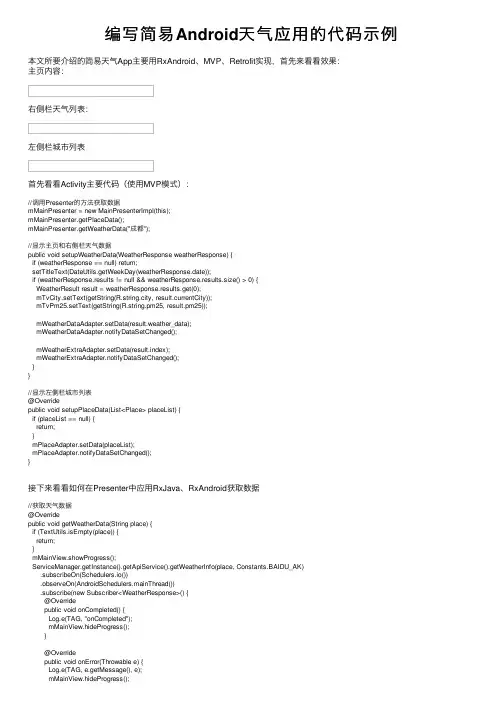
编写简易Android天⽓应⽤的代码⽰例本⽂所要介绍的简易天⽓App主要⽤RxAndroid、MVP、Retrofit实现,⾸先来看看效果:主页内容:右侧栏天⽓列表:左侧栏城市列表⾸先看看Activity主要代码(使⽤MVP模式)://调⽤Presenter的⽅法获取数据mMainPresenter = new MainPresenterImpl(this);mMainPresenter.getPlaceData();mMainPresenter.getWeatherData("成都");//显⽰主页和右侧栏天⽓数据public void setupWeatherData(WeatherResponse weatherResponse) {if (weatherResponse == null) return;setTitleText(DateUtils.getWeekDay(weatherResponse.date));if (weatherResponse.results != null && weatherResponse.results.size() > 0) {WeatherResult result = weatherResponse.results.get(0);mTvCity.setText(getString(R.string.city, result.currentCity));mTvPm25.setText(getString(R.string.pm25, result.pm25));mWeatherDataAdapter.setData(result.weather_data);mWeatherDataAdapter.notifyDataSetChanged();mWeatherExtraAdapter.setData(result.index);mWeatherExtraAdapter.notifyDataSetChanged();}}//显⽰左侧栏城市列表@Overridepublic void setupPlaceData(List<Place> placeList) {if (placeList == null) {return;}mPlaceAdapter.setData(placeList);mPlaceAdapter.notifyDataSetChanged();}接下来看看如何在Presenter中应⽤RxJava、RxAndroid获取数据//获取天⽓数据@Overridepublic void getWeatherData(String place) {if (TextUtils.isEmpty(place)) {return;}mMainView.showProgress();ServiceManager.getInstance().getApiService().getWeatherInfo(place, Constants.BAIDU_AK).subscribeOn(Schedulers.io()).observeOn(AndroidSchedulers.mainThread()).subscribe(new Subscriber<WeatherResponse>() {@Overridepublic void onCompleted() {Log.e(TAG, "onCompleted");mMainView.hideProgress();}@Overridepublic void onError(Throwable e) {Log.e(TAG, e.getMessage(), e);mMainView.hideProgress();@Overridepublic void onNext(WeatherResponse weatherResponse) {mMainView.setupWeatherData(weatherResponse);}});}public interface ApiService {/*@GET("service/getIpInfo.php")Call<GetIpInfoResponse> getIpInfo(@Query("ip") String ip);*/@GET("service/getIpInfo.php")Observable<GetIpInfoResponse> getIpInfo(@Query("ip") String ip);///telematics/v3/weather?location=%E6%88%90%E9%83%BD&output=json&ak=MPDgj92wUYvRmyaUdQs1XwCf@GET("/telematics/v3/weather?output=json")Observable<WeatherResponse> getWeatherInfo(@Query("location") String location, @Query("ak") String ak);}如上所述,我们通过百度api获取天⽓数据使⽤的是Retrofit框架,它能⾃动的返回Observable对象。
基于Android平台的天气预报系统设计与实现

a n d r o i d : v a l u e = ” 请输人您 的用 户 Ke y ” / > 注意 ,上 面这个 a n d r o i d : n a me的值不 是填 包名 ,笔
者开始 误 以为是填包名 ,填上 了包名 在后 面 的程 序运行
过程 中就发 生 了 I N V AL I D US E R KE Y错误 。
“ l i b s ”文 件夹 ,将定位包拷 贝到 l i b s 的根 目录下 。
r eque s t We at he r UPda t e s ( i nt w ea t h e r TyP e ,
1 . 4 定 位程序设计 与实现
1 . 4 . 1 注 册 监 听
1 . 3 在项 目中配置权 限及 k e y
通过 a Ma p L o c a t i o n . g e t A Ma p L o c E x c e p t i o n ( ) 方 法 获
用 名称 ,绑定服 务 ,拷 贝 S H A1 值 ,然后 输入包 名 ,点 取定 位异 常对 象 ,再通 过异 常对 象返 回的错误码 判断是
软件开 发与应 用
C h i n a C o m - p ● , u , t _ e - r — & Ⅱ - C t o - _ m m u n i c a t i o n
2 0 1 5 年 第l 9 期
拿到 S HAI 值 以后 ,在 高德地 图的控制 台 中输 入应
击 获取 KE Y,就可 以得 到 K E Y值 。
AMa p L o c a l We a t h e r L i s t e n e r l i s t e n e r ) 方 法 发 送 天 气
Android全国天气预报SDK演示示例
Android全国天气预报SDK演示示例今天要分享的是android手机设备集成天气预报功能的方案。
我采用的方案是使用聚合数据上的全国天气预报API。
如需要,可申请:实现步骤:1.到聚合数据官网上注册,然后申请申请全国天气预报SDK数据,生成AppKey。
2.配置工程,将开发包里的juhe_sdk_v_1_1.jar拷贝到libs根目录下,将libJuheSDK_v_1_0.so拷贝到libs\armeabi目录下,如图:3.根据接口说明文档找到以下方法:/*** 根据城市名查询天气** @param cityname* 城市名,如:"苏州"* @param format* 未来6天预报(future)两种返回格式,1或2,默认1** @param jsonCallBack**/public void getByCitys(String cityname, int format, JsonCallBack jsonCallBack) /*** 天气种类及标识列表** @param jsonCallBack**/public void getUni(JsonCallBack jsonCallBack) /**** 根据IP查询天气** @param ip* ip地址,如:58.215.185.154* @param format* 未来6天预报(future)两种返回格式,1或2,默认1* @param jsonCallBack**/public void getByIP(String ip, int format, JsonCallBack jsonCallBack)/**** 根据GPS坐标查询天气*** @param lon* 经度* @param lat* 纬度* @param format* 未来6天预报(future)两种返回格式,1或2,默认1* @param jsonCallBack**/public void getByGEO(double lat, double lon, int format, JsonCallBack jsonCallBack) /*** 城市天气三小时预报** @param cityname* @param jsonCallBack**/public void getForecast3h(String cityname, JsonCallBack jsonCallBack) /*** 支持城市列表** @param jsonCallBack*/public void getCities(JsonCallBack jsonCallBack)4.程序中调用方法首先,在AnroidManifest.xml中添加权限<uses-permissionandroid:name="android.permission.READ_PHONE_STATE" /> <uses-permissionandroid:name="android.permission.INTERNET" /><uses-permissionandroid:name="android.permission.ACCESS_NETWORK_STATE" /><uses-permissionandroid:name="android.permission.ACCESS_WIFI_STATE" /> <uses-permissionandroid:name="android.permission.ACCESS_FINE_LOCATION" /> <uses-permissionandroid:name="android.permission.READ_CONTACTS" />在application标签内部加入你申请的openid<meta-dataandroid:name="com.thinkland.juheapi.openid"android:value="申请的openid" />在使用前需要调用一次初始化方法CommonFun.initialize(getApplicationContext());导入相关包impimportmonFun;import mon.JsonCallBack;importcom.thinkland.juheapi.data.weather.WeatherData调用方法//根据城市名/id查询天气WeatherData weatherData = WeatherData.getInstance();weatherData.getByCitys("苏州", 1, new JsonCallBack() {@Overridepublic void jsonLoaded(JSONObject arg0) {// TODO Auto-generated method stubtry {int code = arg0.getInt("resultcode");if (code == 200) {JSONObject resultJson = arg0.getJSONObject("result");}} catch (JSONException e) {// TODO Auto-generated catch blocke.printStackTrace();}}});。
Android 2-1 使用XML解析制作天气预报
2-1 使用XML解析制作天气预报操作指导一、界面布局设计1.界面元素与布局分析图1 界面元素图2 界面布局2.代码需要控件的id3.布局代码<?xml version="1.0" encoding="utf-8"?><RelativeLayout xmlns:android="/apk/res/android"xmlns:app="/apk/res-auto"xmlns:tools="/tools"android:layout_width="match_parent"android:layout_height="match_parent"android:background="@drawable/weather"tools:context=".MainActivity"><TextViewandroid:id="@+id/tv_city"android:layout_width="wrap_content"android:layout_height="wrap_content"android:layout_marginBottom="20dp"android:layout_marginLeft="50dp"android:layout_marginTop="80dp"android:text="上海"android:textSize="40sp"android:textColor="#ff0505" /><ImageViewandroid:id="@+id/iv_icon"android:layout_width="120dp"android:layout_height="120dp"android:layout_alignLeft="@+id/tv_city"android:layout_below="@+id/tv_city"android:layout_marginBottom="10dp"android:layout_marginLeft="30dp"android:src="@drawable/ic_launcher" /><TextViewandroid:id="@+id/tv_weather"android:layout_width=" wrap_content "android:layout_height="wrap_content"android:layout_below="@+id/iv_icon"android:layout_alignLeft="@+id/iv_icon"android:layout_alignLeft="@+id/iv_icon"android:gravity="center"android:text="多云"android:textSize="18sp" /><LinearLayoutandroid:layout_width="wrap_content"android:layout_height="wrap_content"android:layout_alignTop="@+id/iv_icon"android:layout_marginLeft="30dp"android:layout_toRightOf="@+id/iv_icon"android:layout_marginTop="15dp"android:orientation="vertical"><TextViewandroid:id="@+id/tv_temp"android:layout_width="wrap_content"android:layout_height="wrap_content"android:layout_marginBottom="8dp"android:text="温度:28℃"android:textSize="22sp" /><TextViewandroid:id="@+id/tv_wind"android:layout_width="wrap_content"android:layout_height="wrap_content"android:layout_marginBottom="8dp"android:text="风力:10级"android:textSize="20sp" /><TextViewandroid:id="@+id/tv_pm"android:layout_width="wrap_content"android:layout_height="wrap_content"android:text="PM:80"android:textSize="20sp" /></LinearLayout><LinearLayoutandroid:layout_width="wrap_content"android:layout_height="wrap_content"android:layout_alignParentBottom="true"<Buttonandroid:id="@+id/btn_sh"android:layout_width="wrap_content"android:layout_height="wrap_content"android:text="上海" /><Buttonandroid:id="@+id/btn_bj"android:layout_width="wrap_content"android:layout_height="wrap_content"android:text="北京" /><Buttonandroid:id="@+id/btn_gz"android:layout_width="wrap_content"android:layout_height="wrap_content"android:text="广州" /></LinearLayout></RelativeLayout>二、天气预报数据分析1.数据描述2.数据类型-entity(WeatherInfo)编写一个实体类entity,描述天气信息的类型,包含6个字段:public class WeatherInfo {private String id;private String name;private String weather;private String temp;private String wind;private String pm;public String getId() {return id;}public void setId(String id) {this.id = id;}public String getName() {return name;}public void setName(String name) { = name;}public String getWeather() {return weather;}public void setWeather(String weather) { this.weather = weather;}public String getTemp() {return temp;}public void setTemp(String temp) {this.temp = temp;}public String getWind() {return wind;}public void setWind(String wind) {this.wind = wind;}public String getPm() {return pm;}public void setPm(String pm) {this.pm = pm;}}使用XML文件来描述天气信息。
Android获取新浪天气预报数据实例
Android获取新浪天气预报数据实例新浪天气预报地址:/xml.php?city=武汉&password=DJOYnieT8234jlsK&day=0其中,city后的城市可用.URLEncoder.encode(“武汉”,”gb2312”);也可以直接写”武汉”,但不能用”wuhan”。
Password固定Day为0表示当天天气,1表示第二天的天气,2表示第三天的天气,以此类推,最大为4。
工具类:1、定义成员1/** 新浪天气网址 */2public final String SINA_URL = "/xml.php";3/** 新浪天气XML调用密码 */4public final String PASSWORD = "DJOYnieT8234jlsK";5/** 城市 */6public String city;7/** 白天天气 */8public String status1;9/** 夜晚天气 */10public String status2;11/** 白天天气拼音 */12public String figure1;13/** 夜晚天气拼音 */14public String figure2;15/** 白天风向 */16public String direction1;17/** 夜晚风向 */18public String direction2;19/** 白天风级 */20public String power1;21/** 夜晚风级 */22public String power2;23/** 白天温度 */24public String temperature1;25/** 夜晚温度 */26public String temperature2;27/** 体感温度 */28public String tgd;29/** 紫外线指数 */30public String zwx_l;31/** 紫外线说明 */32public String zwx_s;33/** 体感度指数 */34public String ssd_l;35/** 体感度说明 */36public String ssd_s;37/** 空调指数 */38public String ktk_l;39/** 空调说明 */40public String ktk_s;41/** 洗车指数 */42public String xcz_l;43/** 洗车说明 */44public String xcz_s;45/** 穿衣指数 */46public String chy_l;47/** 穿衣说明 */48public String chy_shuoming;49/** 污染物扩散条件 */50public String pollution_l;51/** 污染物扩散条件说明 */52public String pollution_s;53/** 感冒指数 */54public String gm_l;55/** 感冒说明 */56public String gm_s;57/** 运动指数 */58public String yd_l;59/** 运动说明 */60public String yd_s;2、获取天气数据61/**62 * 更新天气63 *64 * @param city65 * 城市名66 * @param day67 * 0表示当天天气,1表示第二天的天气,2表示第三天的天气,以此类推,最大为468 */69public void UpdateWeatherInfo(String city, String day) {70if (city.equals("")) {71 isLoaded = false;72return;73 }74 String html = null;75try {76 html = doGet(SINA_URL + "?city="77 + .URLEncoder.encode(city, "gb2312") + "&password="78 + PASSWORD + "&day=" + day);7980 Document doc = Jsoup.parse(html);81if (doc.body().getElementsByTag("Profiles").size() == 0) { 82 isLoaded = false;83return;84 }85if(doc.body().getElementsByTag("Profiles").get(0).getElementsByTag("Weather ").size() == 0) {86 isLoaded = false;87return;88 }89 Element element = doc.body().getElementsByTag("Profiles").get(0)90 .getElementsByTag("Weather").get(0);9192this.city = element.getElementsByTag("city").text();93 status1 = element.getElementsByTag("status1").text();94 status2 = element.getElementsByTag("status2").text();95 figure1 = element.getElementsByTag("figure1").text();96 figure2 = element.getElementsByTag("figure2").text();97 direction1 = element.getElementsByTag("direction1").text();98 direction2 = element.getElementsByTag("direction2").text();99 power1 = element.getElementsByTag("power1").text();100 power2 = element.getElementsByTag("power2").text();101 temperature1 = element.getElementsByTag("temperature1").text();102 temperature2 = element.getElementsByTag("temperature2").text();103104 tgd = element.getElementsByTag("tgd").text();105 zwx_l = element.getElementsByTag("zwx_l").text();106 zwx_s = element.getElementsByTag("zwx_s").text();107 ssd_l = element.getElementsByTag("ssd_l").text();108 ssd_s = element.getElementsByTag("ssd_s").text();109 ktk_l = element.getElementsByTag("ktk_l").text();110 ktk_s = element.getElementsByTag("ktk_s").text();111 xcz_l = element.getElementsByTag("xcz_l").text();112 xcz_s = element.getElementsByTag("xcz_s").text();113 chy_l = element.getElementsByTag("chy_l").text();114 chy_shuoming = element.getElementsByTag("chy_shuoming").text();115 pollution_l = element.getElementsByTag("pollution_l").text();116 pollution_s = element.getElementsByTag("pollution_s").text();117 gm_l = element.getElementsByTag("gm_l").text();118 gm_s = element.getElementsByTag("gm_s").text();119 yd_l = element.getElementsByTag("yd_l").text();120 yd_s = element.getElementsByTag("yd_s").text();121122 isLoaded = true;123 } catch (UnsupportedEncodingException e) {124 isLoaded = false;125 }126 }3、访问网络127public static final String ENCODE = "utf-8";128129public static String doGet(String url) {130try {131 HttpGet httpGet = new HttpGet(url);132 HttpClient hc = new DefaultHttpClient();133 HttpResponse ht = hc.execute(httpGet);134if (ht.getStatusLine().getStatusCode() == HttpStatus.SC_OK) { 135 HttpEntity he = ht.getEntity();136 InputStream is = he.getContent();137 BufferedReader br = new BufferedReader(138new InputStreamReader(is));139 String response = "";140 String readLine = null;141while ((readLine = br.readLine()) != null) {142 response = response + readLine;143 }144 is.close();145 br.close();146return response;147 } else {148return"error";149 }150 } catch (Exception e) {151return"error";152 }153 }4、关于jsoup/view/4066913.htm。
Android开发_android如何通过Google Weather Api 获取天气预报信息
Android开发_android如何通过Google Weather Api 获取天气预报信息获取天气的链接地址根据经纬度获取:/ig/api?weather=,,,31174165,121433841 【如中山的经纬度是:22.516997123628076,113.39263916015625 必须都乘以1000000才能作为参数】int a=(int)22.516997123628076*1000000;int b=(int)113.39263916015625*1000000;String strUrl ="/ig/api?hl=zh-cn&weather=,,,"+a+","+b; System.out.println(strUrl);根据地名获取:/ig/api?hl=zh-cn&weather=BeijingString strData ="";String strUrl = "/ig/api?hl=zh-cn&weather=ZhongShan";strData =getResponse(strUrl);//天气预报的xml存储在sd卡中new FileUnit().write(strData, "weather.xml");//SAX解析xmltry{SAXParserFactory spf = SAXParserFactory.newInstance();SAXParser sp =spf.newSAXParser();SAXReader saxReader =new SAXReader();InputSource is =new InputSource();is.setByteStream(newByteArrayInputStream(strData.getBytes()));sp.parse(is, saxReader);weatherList=saxReader.getWeathList();} catch(Exception e) {e.printStackTrace();}//显示天气预报showWeather();根据地址获得xml的Stringprotected String getResponse(String queryURL) {URL url;try{url =new URL(queryURL.replace("", "%20"));URLConnection urlconn =url.openConnection();urlconn.connect();InputStream is =urlconn.getInputStream();BufferedInputStream bis =new BufferedInputStream(is);ByteArrayBuffer buf =new ByteArrayBuffer(50);int read_data =-1;while((read_data =bis.read()) !=-1) {buf.append(read_data);}//String resp = buf.toString();String resp =EncodingUtils.getString(buf.toByteArray(), "GBK");return resp;} catch(MalformedURLException e) {//TODO Auto-generated catch blocke.printStackTrace();return"";} catch(IOException e) {//TODO Auto-generated catch blocke.printStackTrace();return"";}显示天气private void showWeather(){List<String>weather=null;String strTemp="";for(int i=0; i<weatherList.size();i++){weather=weatherList.get(i);strTemp+="\n==========================\n";for(int j=0;j<weather.size();j++){strTemp+=weather.get(j)+"\n";}}tvShow.setText(strTemp);}SAXReader:package com.ReadOrder;import java.util.ArrayList;import java.util.List;import org.xml.sax.Attributes;import org.xml.sax.SAXException;import org.xml.sax.helpers.DefaultHandler;public class SAXReader extends DefaultHandler {private final String FORECASE_INFORMATION="forecast_information";private final String CURRENT_CONDITIONS="current_conditions";private final String FORECAST_CONDITIONS="forecast_conditions";private List<List<String>>weatherList =null;private List<String>weather =null;private static String tagname ="";@Overridepublic void startDocument() throws SAXException {weatherList =new ArrayList<List<String>>();}@Overridepublic void startElement(String uri, String localName, String qName,Attributes attributes) throws SAXException {if(localName.equals(FORECASE_INFORMATION)||localName.equals(CURRENT_CONDITIONS)||localName.equals(FORECAST_CONDITIONS)) {tagname ="current_conditions";weather =new ArrayList<String>();}else{if(tagname.equals(CURRENT_CONDITIONS)&& attributes.getValue("data") !=null) {weather.add (attributes.getValue("data"));System.out.println("###"+attributes.getValue("data"));}}}@Overridepublic void endElement(String uri, String localName, String qName)throws SAXException {if(localName.equals(FORECASE_INFORMATION)||localName.equals(CURRENT_CONDITIONS)||localName.equals(FORECAST_CONDITIONS)) {weatherList.add(weather);weather=null;tagname="";}}@Overridepublic void endDocument() throws SAXException {}public List<List<String>>getWeathList() { if(weatherList==null||weatherList.size()<1){return null;}else{for(int i=0;i<weatherList.size();i++){System.out.println(weatherList.get(i)); }return weatherList;}}}详细代码:package com.ReadOrder;import java.io.BufferedInputStream;import java.io.BufferedReader;import java.io.ByteArrayInputStream;import java.io.IOException;import java.io.InputStream;import java.io.InputStreamReader;import .HttpURLConnection;import .MalformedURLException;import .URL;import .URLConnection;import java.util.ArrayList;import java.util.HashMap;import java.util.List;import javax.crypto.spec.IvParameterSpec;import javax.xml.parsers.ParserConfigurationException; import javax.xml.parsers.SAXParser;import javax.xml.parsers.SAXParserFactory;import org.apache.http.util.ByteArrayBuffer;import org.apache.http.util.EncodingUtils;import org.w3c.dom.ls.LSException;import org.xml.sax.InputSource;import org.xml.sax.SAXException;import android.R.integer;import android.app.Activity;import android.os.Bundle;import android.view.View;import android.view.View.OnClickListener;import android.widget.TextView;public class GoogleWeatherActivity extends Activity {TextView tvShow;List<List<String>>weatherList=null;@Overrideprotected void onCreate(Bundle savedInstanceState) { super.onCreate(savedInstanceState);setTitle("获取天气预报");setContentView(yout_weather);tvShow =(TextView) findViewById(R.id.TextView001); tvShow.setText("None Data");findViewById(R.id.btnGetWeather).setOnClickListener(new OnClickListener() {@Overridepublic void onClick(View arg0) {System.out.println("btnGetWeather===>onclick");String strData ="";String strUrl ="/ig/api?hl=zh-cn&weather=ZhongShan";strData =getResponse(strUrl);//天气预报的xml存储在sd卡中new FileUnit().write(strData, "weather.xml");//SAX解析xmltry{SAXParserFactory spf = SAXParserFactory.newInstance();SAXParser sp =spf.newSAXParser();SAXReader saxReader =new SAXReader();InputSource is =new InputSource();is.setByteStream(newByteArrayInputStream(strData.getBytes()));sp.parse(is, saxReader);weatherList=saxReader.getWeathList();} catch(Exception e) {e.printStackTrace();}//显示天气预报showWeather();}});}private void showWeather(){List<String>weather=null;String strTemp="";for(int i=0; i<weatherList.size();i++){weather=weatherList.get(i);strTemp+="\n==========================\n";for(int j=0;j<weather.size();j++){strTemp+=weather.get(j)+"\n";}}tvShow.setText(strTemp);}protected String getResponse(String queryURL) {URL url;try{url =new URL(queryURL.replace("", "%20"));URLConnection urlconn =url.openConnection();urlconn.connect();InputStream is =urlconn.getInputStream();BufferedInputStream bis =new BufferedInputStream(is);ByteArrayBuffer buf =new ByteArrayBuffer(50);int read_data =-1;while((read_data =bis.read()) !=-1) {buf.append(read_data);}//String resp = buf.toString();String resp =EncodingUtils.getString(buf.toByteArray(), "GBK");return resp;} catch(MalformedURLException e) {//TODO Auto-generated catch block e.printStackTrace();return"";} catch(IOException e) {//TODO Auto-generated catch block e.printStackTrace();return"";}}}。