
外研版英语七年级上册Module 7 Unit 1 How do I write my homework on the computer
1 First, _c_o_n_n_e_c_t_ the screen to the computer. 2 Next, _c_o_n_n_e_c_t_ the keyboard and the mouse
to the computer. 3 Finally, _t_u_r_n_o_n__ the computer.
• 你离开办公室时务必把灯关掉。 Be sure to turn off the light when you leave the office.
5 Answer the questions.
1 How do you open a new document? 2 Where do you write your homework? 3 How do you save the document? 4 Where do you write its name? 5 How do you print the document?
Betty: Click “print” and “OK”. Lingling: What about some paper?
Betty: Oh yes, of course! You put the paper in there first!
Everyday English
• Is this it? • What’s next? • Of course!
Read again then answer.
How does Lingling write her homework on the computer?
_F__ir_s_t_, click and open a new document. _N__e_x_t_, use the keyboard to write your homework. _T_h_e_n__, save the document. Write the name in the box and click “save”. _F_i_n_a_l_ly_, save your document.
computer? Can I learn? Betty: Sure! First, open a new document.
Click the mouse on “new document”. Lingling: What’s the mouse? Is this it?
Betty: Yes.
Lingling: Where do I click on “new document”? Betty: On the left of the screen... there!
Lead-in Do you know these parts of a computer?
mouse
keyboard
screen
printer
host
Listening and vocabulary
1 Listen and number the words as you hear them.
Now number the instructions as
you hear them.
a) Write your homework. 2
b) Print your document.
5
c) Open a new document. 1
d) Save the document.
3
e) Put some paper in.
Learning to learn
Remember to use words like first, next and finally when you talk about a sequence of activities. Notice where the comma goes.
6 Complete the sentences with the correct form of the words from the box.
4
Language points
1. First, connect the screen to the computer. 首先,连接屏幕和电脑。 connect “连接,把……联系起来” connect +名词/代词 + (with/to)
• 这条铁路线连接郑州和上海。 The railway line connects Zhengzhou and Shanghai.
3 Put some __p_a_p_e_r_ in there to print your document.
4 Click “ __p_r_in_t__” and “OK”. 5 _F_i_n_a_ll_y__, go and get your document.
7 Find the words from the box in the conversation. Write the words they go with.
computer.
A. on B. in
C. at
D. with
2. A ____ is used to print documents.
A. mouse B. printer C. keyboard D. screen
Betty: You click “save”, and write a name for it.
Lingling: Where do I write the name? Betty: Write it in the box. OK, then click “save” again.
Lingling: OK. Finally, how do I print my document?
open print save use write
open a new document 1 use _t_h_e_k_e_y_b_o_a_r_d__ 2 write _th_e__h_o_m__ew__o_r_k
3 save _th_e__d_o_c_u_m_e_n_t__ 4 print _th_e__d_o_c_u_m_e_n_t__
the computer? …
How do you write yWouhrath’osmtheiws?ork on
the computer?
keIyt’b…sotahred.
Exercise
I. 用括号内所给单词的适当形式填空。 1. There are many _m__ic_e__ (mouse) in the
4 Where do you write its name?
Write the name in the box.
5 How do you print the document? Put the paper in there first and then click “print” and “OK”.
Lingling: OK, what’s next? Betty: Next, you write your homework in the new document. Use the keyboard.
Lingling: What do I do next? How do I save the document?
document n.文件
click
v.点击
use
v.使用
save
v.保存;储存
boxБайду номын сангаас
n. (计算机屏幕上的)框;盒子
finally adv.最后
v.打印
paper n.纸
Read the words loudly.
dcksoofmpecbsicltnupynaleurauoniborsapemcvueoieerrklexneecalsnrnnyttertd
Pronunciation and speaking
8 Listen and repeat.
how
mouse
home
open
finally
first
of
save
9 Work in pairs. Ask and answer questions about computers.
A: What’s this? B: It’s the keyboard. A: How do you write your homework on
Then, _s_a_v_e_ the document. Write the n__a_m_e_ in the _b_o_x__ and _c_li_c_k_ “save”.
Finally, _p_r_i_n_t_ your document.
4 Listen and read. Lingling: How do I write my homework on the
keyboard 2
mouse
3
screen
1
2 Label the parts of the computer.
1 screen 2 keyboard
3 mouse
3 Complete the sentences with the word and expression from the box.
finally learn paper print save
1 I want to _l_e_a_r_n__ how to print a document. 2 _S_a_v_e_ your document and write a name for it.
finally learn paper print save
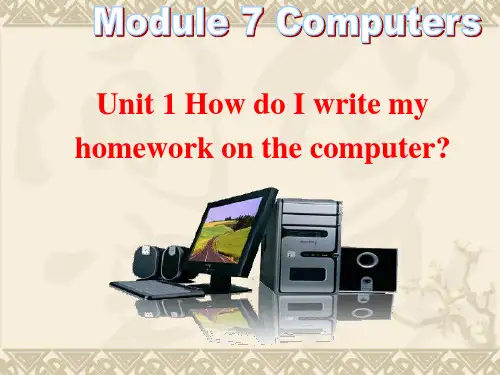
Module 7 Computers
Unit 1 How do I write my homework on the computer?
2013年新外研版七年级英语上册Module_7__Unit_1_How_do_I_write_my_homework_on_the_computer
教学目标
1.掌握本单元的单词keyboard ,mouse, screen, ------paper 及短语:connect to, turn on等。 2.掌握四会句型: 1).How do I write my homework on my computer ? 2).What do I do next? 3).Where do I write the name? 4).How do I save the document? First ,open a new document .Then ,use the mouse and click “new document”. 3.掌握一般现在时的特殊疑问句的用法。
二、翻译下列短语。 1. 连接显示器 与主机 2. 打开电脑 3. 打开一个新 文件 4. 使用键盘 5. 给它命名 6. 再点击保存 connect the monitor to the computer turn on the computer open a new document use the keyboard write a name for it click “save” again
Listen again and answer:
What does Lingling want to do on the computer? She wants to write her homework . Who is good at using the computer?
Betty
7.Find the words from the box in the conversat Write the words they go with. Work in pairs.
外研版英语七年级上册 正式篇 Module 7 Computers Unit 1 How do I
Module 7 Computers Unit 1 How do I write my homework on the computer?一、短语翻译1.做作业___________________2.在电脑上_______________3.打开一个新文件___________________4.用鼠标点击…… ___________________5.在……的左边____________6.保存文件________________7.打印文件________________8.把……放到……里___________二、根据语境及所给汉语提示语写出所缺单词。
1. My brother buys a new ________(鼠标).2. —What can I do first?—________(点击) this button (按钮).3. All of these __________(键盘) don’t work.4. There are some ________(纸) on the desk.5. We like those televisions. They have big _______(屏幕).三、根据语境从方框中选择恰当的单词填空,有的需要变换形式,每词限用一次。
1. Jenny ________ this photo, because she thinks it’s nice.2. My grandma ________ English every day.3. ________, they have some noodles for dinner.4. —Can you ________ pencils to draw pictures?—Sure.5. We can help Ms. White print these _________.四、根据语境从方框中选择恰当的单词填空完成短文。
外研版七年级英语上册分层训练:Module 7 Unit 1 How do I write my homework on the computer【含答案】

ModuleComputers7Unit 1How do I write myhomework on the computer?Ⅰ.根据句意及汉语提示完成单词1.—What time can I print(打印)those documents?—At nine ten.2.The girl saves(保存)her email and walks out of the room.3.I want to learn(学习)to swim this Saturday.4.We use the keyboard(键盘)to write our homework on the computer.5.Can I use(使用)your bike?Ⅱ.从方框中选词并用其适当形式填空1.We want to learn how to swim.2.Now I can save the new document.3.Next,please click“OK”.4.I can use my father’s computer on Sunday.5.Finally,we go to the library.Ⅲ.用括号内所给单词的适当形式填空1.First(one),he opens a new document.2.Peter turns(turn) off the TV and leaves home.3.Finally(final),the girl finishes her homework and goes home.4.My aunt always uses(use) the computer to draw some pictures.5.—Where do you write(write) your homework?—On the computer.Ⅰ.单项选择1.导学号25794108I can write my homework A the computer.A.onB.inC.atD.with2.导学号25794109Please C the computer to the printer.A.writeB.printC.connectD.switch3.—C do you use your computer?—I use it in the evening.A.WhatB.WhereC.WhenD.Why4.We often C TV on Sunday.A.lookB.look atC.watchD.read5.He A a computer to do his homework.esB.playsC.connectsD.turns onⅡ.按照要求完成句子1.You can stand here.(改为一般疑问句)Can you stand here?2.Open the new document.(改为否定句)Don’t open the new document.3.The “new document” is on the left of the “QQ”.(对画线部分提问) Where is the “new document”?4.Next,I write a name on it.(对画线部分提问)What do you do next?5.I do my homework on the computer.(对画线部分提问)Where do you do your homework?。
外研版七年级英语上册 Module 7 Unit 1 How do I write my homework on the computer?教案
Module 7 Unit 1 How do I write my homework on the computer?Warming upGood morning, class! Do I have a computer at home? Yes, I do. I have a laptop at home. What do I usually do on my computer? I usually listen to CDs and watch films on my computer. Do I write my diary on it? Yes, I do. How do I write my diary on the computer? First, I open a new document. I use the mouse and click “new document”. Next, I write my diary in the new document. I use the keyboard. At last, I click “save”, and write a name fo r it. So everybody can write his or her diary on the computer. What can you do on your computer besides this? You can write your homework on it! After you finish your homework, you can click “print” and “OK”. And then you can hand in your homework to teach ers. Do you know how to use the computer now? Let’s turn to page 60 and learn more about the computer!Vocabulary and listening1 Listen and number the words as you hear them.Here is a computer. It has several different parts. The big screen we see is the monitor. In front of the monitor is the keyboard. We use the keyboard to write things on the computer. The mouse is next to the keyboard. We use the mouse to click things on the monitor. The part on the left side is the printer. We use the printer to print images and documents. Now, please listen to the tape. Number the words as you hear them.Now we are going to label the parts of the computer. Look at the above picture please. Which part is the mouse? How do we use the mouse? What is the name of the second part? What is the fourth part used for?Hi, class! Can you tell me how to turn on the computer? First, we connect the monitor to the computer. Next, we connect the keyboard and the mouse to the computer. Finally we switch on the computer. In this way the computer can work.Now we are going to listen and read.Lingling and Daming are talking about how to write the homework on the computer. Lingling doesn’t kno w how to do it. She asks Daming questions of writing the homework on the computer. Daming answers to her questions. Listen carefully.Now let’s go on to read the dialogue. While reading try to cut(断句)/ the sentences into parts, blacken(涂黑)the predicates, shade(加影)the connectives and underline(划线)the expressions.Now write all the expressions in your Expression Book.5 Find these words in the dialogue. Write the words they go with.There are six verbs in the box below. We can find these words in the dialogue in Activity 4. Do you know how to use these words after reading the dialogue? First, find these words in the dialogue yourself. Second, make new sentences with these words. For example, I save my new document. I use the keyboard to write my diary. I open the document. I use the mouse to click print and OK. I use the mouse to draw a picture in the new document. I use the printer to print my picture. I write my composition in the new document.6 Number the instructions in the correct order.Hello, class! I would like you to write today’s English homework on your computer. Do you know how to write the homework on the computer now? What do you need to do first? Of course, you need to switch on the computer first. What do you need to do next? You should open a new document for your homework. Whatis the third step? You write your homework in the new document. How do you save the document? You use the mouse and click save. Do you print your homework? Yes, you do. You need to click print and OK to print the document. Number the instructions in the correct order please.2 Write your homework.4 Print your document.1 Open a new document.3 Save the documentThese are some questions about the conversation we learn. Now please answer them yourself. Use the correct sentences from the conversation.1 How do you open a new document?→I use the mouse and click “new document”.2 Where do you write your homework?→I write my homework in the new document.3 How do you sav e the document?→I use the mouse and click “save”.4 Where do you write its name?→I write it in the box.5 What do you do next?→I click “save” again.6 How do you print it?→I click “print” and “OK”.8 Listen and repeat.On page 61 there is one sound and one word. You are going to listen and repeat. Pay attention to the sound on the left and blackened part the word.// switchThere are five sentences here. Listen to the tape and repeat the questions. Make sentences like these by yourself. Say as many sentences as you can. NowI give you some examples. What’s the printer? What’s the polar bear? What do you do at weekends? What does he do on Sunday? How do I open a new document?How does a washing machine work? Where is the zoo? Where is the monitor? Where do we write our homework? Where do you go swimming?Work with your partner. Ask each other questions about computers. Try to think of as many as questions as possible. Use the word where, what and how. When you answer the questions, please try to make your answers complete.。
外研社七上module7unit1howdoIwritemyhomeworkonthecomp
外研社七上module7unit1howdoIwritemyhomeworkonthecompModule7 - unit1How do I write my homework on the computer?How do you put an elephant in the fridge?Song Dandanuse a computermou semiceWe use the mouse to clickeyboar dWe use the keyboard to type(打字screenuse the screen to watch movies read a document .printerWe use the printer to printListen and number the words as you hear them, and then label them.2 mouse □3 screen □ 1 keyboard □screenkeyboardmouseWhat do you do before you use a computer?Listen and complete the sentences:connect turn onconnect 1 First, _______ the screen to the connect 2 Next, _______ the keyboard and to the computer. turn on 3 Finally, _______ the computer.Listen and number the instructions (指令,使用说明) as you hear them.a) Write your homework. b) Print your document. c) Open a new document. d) Save the document. e) Put some paper in.2 5 13 4Read the dialogue quicklyand complete the table on the blackboard.(表格)How do you write your homework on theRead it carefully and answer the questions.1. How do you open a new document? Click the mouse on “new _______________________________ 2. Where do you write your document ”. homework? I write it in the new document. _______________________________ 3. How do you save the document? Click “save” and write a name for the___________________________ 4. Where do you write its name? document. Write it in the box. ___________________________ 5. How do you print the document? Put the paper in there first and then click “print”.___________________________e pay attention to the pronunciation and intona(请注意语音和语调。
七年级英语上册Module7ComputersUnit1HowdoIwritemyhomeworkonthecomputer课件新版外研版
Presentation
Difficult points.
1. What about…?
2.click the mouse on 3.turn on /off 4.on the left of … 5.First,… Next,…
Finally,…
a.点击鼠标在… b…怎么样? c.在…的左边 d.首先…其次…最后… e.打开/关闭
1.First, connect the _s_c_re_e_n__ to the computer. 2.Next, c_o_n_n_e_c_t_the keyboard and _m__o_u_se_ to the computer. 3.Finally,_tu_r_n_o_n_ the computer.
When the other students are reading,
you find out the difficult points.
Presentation
Act out the dialogue .
When the other students are reading,
you find out the difficult points.
A.to
B. on
C.at
D. in
First,… Next,… FinallCya,…n you do your homework
on the computer now ?
First, Next,
Presentation
•
ห้องสมุดไป่ตู้
new document
click
Presentation
Write your homework in the new document
最新外研版英语七年级上册Module7 Computers Unit 1 How do I write my homework 公开课课件
How can we write our homework on the computer?
open a new document use the mouse
write your homework •
save click new document new document
box
write a name for it save
How do you write your homework on the computer?
1.Write your homework 2.Print your document 3.Open a new document 4.Save the document
3
1 next
first
then
4 2
How do you write your homework?
What do you do next?
Use the keyboard.
Save the document. Click “save” and write a name for it. Write it in the box. Click “save” again. Click “print” and “OK”.
Match the words they go with:
• click • open
your homework
the document
• use
• write • save • print
a new document
new document the mouse and the keyboard the document
To write her homework on the computer.
七年级英语上册Module7Unit1教案新版外研版
Unit 1How do I write my homework on the computer
课题
Unit 1How do I write my homework on the computer?
总课时
主备人
备课人
教学内容
1.the students are expectedto listen, read、speak andwrite the key words correctly
Now let’s go on to read the dialogue. While reading try to cut(断句)/ the sentences into parts, blacken(涂黑)the predicates, shade(加影)the connectives and underline(划线)the expressions.
2.They are able to know about the meaning of the expressions and structures
教学重点
1.the students are expectedto listen, read、speak andwrite the key words correctly
1 →printer 2 →monitor 3 →computer 4 →keyபைடு நூலகம்oard 5 →mouse
3 Complete these sentences with these words.
Hi, class! Can you tell me how to turn on the computer? First, we connect the monitor to the computer. Next, we connect the keyboard and the mouse to the computer. Finally we switch on the computer. In this way the computer can work.
七年级英语上册 Module 7 Unit 1 How do I write my homework
七年级英语上册 Module 7 Unit 1 How do I write my homework on the computer?教材听力原文译文(新版)外研版1 Listen and number the words as you hear them.Ms Li:This is our computer. Tony, can you help me, please?Tony:Yes, Ms Li.Ms Li:What’s this in English?Tony:That’s the s creen.Ms Li:OK, and this?Tony:That’s the keyboard.Ms Li:That’s right. And what’s this? Tony:The mouse.Ms Li:Good. And how does it work, Daming? Daming:First, connect the screen to the computer.Ms Li:OK, good. What’s next?Daming:Connect the keyboard and themouse to the computer.Ms Li:Good. And finally...?Daming:Finally, turn on the computer. Ms Li:Right. Turn on the computer. 1 听录音并把你所听到的单词标序号。
李老师:这是我们的电脑,托尼,请问你能帮助我吗?托尼:是的,李老师。
李老师:这个用英语怎么说?托尼:是屏幕。
李老师:好的,这个呢?托尼:那是键盘。
李老师:没错。
这是什么?1。
外研版七年级英语上册Module 7练习Unit 1How do I write my homework on the computer
Unit 1 How do I write my homework on the computer?
Ⅴ.单项选择 ( B )1. Can you help me connect the printer(打印机)
________ the computer? A.on B.to C.from D.of ( A )2.Before you turn off the computer,you must ________ the document. A.save B.open C.connect D.click
Unit 1 How do I write my homework on the computer?
Ⅸ.补全对话,方框中有两项多余 A: Your computer is very nice! B: 1. ________ It is from my father. I can write my
homework on it. And it can help me with my studies. A: Really? How do you do it? B: 2. ________ Then, write my homework in the document
5.“请帮我打开电脑好吗?”“好的!” —Will you please help me ___t_u_rn___ ____on____ the computer? —OK!
6.我不知道接下来我应该做什么。 I don't know __w_h_a_t___ I should do ___ne_x_t___.
解析 turn on意为“打开”;turn off意为“关闭”;turn up意为“ 调高”;turn down意为“调低”。句意: 请打开收音机。到天气预报 的时间了。由句意可知选A。