
计算机专业英语论文
计算机专业英语论文
摘要:“工学结合”作为高职教育人才培养模式改革的
重要切入点,正积极推动着高职教育领域的重大变革。计算
机专业英语的学习对于高职院校计算机专业的学生至关重
要,但目前该课程教学存在很多不足之处。本文尝试通过英
语与计算机专业工作任务的结合,从实际出发,结合教学实
践,探索在工学结合教学理念下计算机专业英语的教学转型
之路。
关键词:计算机专业英语;工学结合;教学方法;高职
mode of work and study under the computer
professional teaching english
zheng cong1,2
(1.school of electronic and information
engineering,tongji
university,shanghai200092,china;2.zhejiang dongfang
college,wenzhou325011,china)
abstract:"combining work with study"as the reform
of vocational training model in an important entry
point,is actively promoting a major change in the field
of vocational education.computer learning of english
for students of vocational colleges is critical
computer professional,but there are many of the
teaching deficiencies.this paper attempts to pass an
english and computer tasks with professional work,from
reality,teaching practice,work and study to explore
the concept of teaching english teaching computer
transition path.
keywords:computer professional english;combining
work with study;teaching methods;higher vocational
一、计算机专业英语课程的现状
(一)高职院校对计算机专业英语课程的教学不够重
视,大部分院校把该门课程设置为考查课,专业选修课。计
算机专业英语通常在大二开设,学时少,学分低。专业英语
教学没有统一的要求,教学计划、教学方式和考试标准基本
处于散漫状态。(二)学生对于计算机专业英语的学习不够
重视,认为无用武之地。学生对于英语课的学习主动性和积
极性都较差,没有把计算机专业英语的学习作为进一步培训
英语综合能力的重要环节来对待,学习兴趣不高,甚至感觉
无所谓,这些情绪都不利于教学。(三)教材选用存在比较
大的主观随意性。计算机专业英语教材的内容大多来自国外
原版教材及某些外文刊物,有全文选用的,有节选部分章节
或者段落的,随意性强,选材面窄,问题单一,甚至内容老
旧,不利于课堂教学。
二、计算机专业英语课程开发的必要性
在讨论英语如何跟计算机结合成全新的一体化课程之
前,需要首先弄清楚计算机专业英语对于计算机从业人员是
否有用,究竟计算机从业人员会在怎样的情境下使用怎样的
英语。据不完全分析,几乎所有正在从事计算机相关行业的
人员认为英语相当重要,大多数芯片资料,专业文档资料,
计算机命令都是英语,不少软件的使用也涉及到英语。如果
有扎实的专业英语知识,才能学得更快更及时。英语本身对
于计算机从业人员来讲重要性一般,但是用英语写成的文献
就极其有价值。很多文献、标准是英语写成的,及时翻译成
中文也会因为各种原因出现表达上的问题,非计算机专业的
英语能手也不一定能确切表达。
但目前计算机专业英语教材内容框架仍然属于传统学
科体系,只是机械地将介绍计算机咨询的英文材料安硬件、
软件、操作系统、变成语言、网络安全等章节堆积起来,生
硬呆板。学生缺乏在专业学习中真正使用英语的环境,不明
课程的重要性,教师在课堂上就被迫成为唯一的灌输者,甚
至是课文的翻译者。
三、工学结合的计算机专业英语课程教学思路
(一)工作任务分析。首先让学生了解计算机行业使用
英语的工作情景,以下是典型工作任务的描述:在it行业
中,电脑的选购、组装、安装系统、系统的操作与优化软件
的使用都需要用到英语。计算机管理员(administrator)
能解决以英语形式出现的各类系统问题,获取国外最新计算
机技术和动态信息。完成计算机系统管理的工作过程:
1.计算机管理员接受选购电脑的任务,按照选购要求,
查阅相关电脑配置英文资料,找到合适的主板、硬件等地懊
恼配置,罗列一份电脑配置英文清单,在购置计划获得审核
后实施采购。2.计算机管理员在安装操作系统或超频时,设
置bios信息。3.计算机管理员根据使用人员的保修,用英
语进行电脑系统的检查和优化。4.计算机管理员浏览英语网
站,了解最新软件升级和病毒情况,以定期为电脑查杀病毒,
安装或升级软件。
(二)学习任务设计
得出典型工作任务分析后,将工作任务想学习任务进行
转化。以“计算机管理员”为职业定位,以“管理计算机原
版系统(英文系统)”为任务突破口,制定课程学习目标如
下:
1.学生能够有效地获取任务信息。2.学生能够根据用户
需求,在it市场选购计算机。3.学生能够查阅相关计算机
配置的资料。4.学生能够读懂计算机里的英语专业术语。5.
学生能够使用英语原版计算机系统并能够对系统进行一定
的优化。6.学生能够看懂常用软件,特别是杀毒软件的安装
与升级的英语说明,为计算机安装及升级软件。7.学生能够
根据工作需要,找到学习计算机专业英语的方向。
四、不足和局限性
(一)个人认识水平的局限性:由于经验不足,实践时
间不多,以上只是个人一些粗浅的探索。(二)学习任务不
够真实:虽然有一套完整的列表支持,模拟真实工作任务设
计学习任务,但整个教学毕竟还是要在虚拟的环境中完成。
(三)知识点衔接得不是很流畅,而且很分散。所构建的知
识体系有些显得理论过强,而实践不足,并且上述学习任务
对于专业英语知识体系的构建,英语学习方法的构建涉及不
够全面,是一大遗憾。
在今后的研究中,希望能找到更好的任务载体和教学模
式,让学科知识更好地以工作的形式呈现。当然在日新月异
的信息发展年代中,我们要不断地改进,不断地吸收新的知
识,跟上时代步伐,不仅仅是计算机专业英语,而应该是工
学结合背景下的计算机专业英语。
参考文献:
[1]章文君.cbi与工学结合的告知专业英语教学创新
——以“电子商务专业英语”为例[j].外语界,2008(3)
[2]卜艳萍,周伟.计算机专业英语[m].清华大学出版
社.2007(5)
计算机专业英语
2
练习
将下列英文语句翻译成中文
1. The first computers were programmed in machine language, but during the first computer generation, the idea of programming language translation and high-level languages occurred. 2. Transistors are smaller and less expensive than vacuum tubes, and they operate faster and produce less heat.
Computer English
Chapter 1 The History and Future of Computers
练习
将下列英文翻译成中文
The ENIAC was a major advancement for its time. It was the first general-purpose, electronic computing machine and was capable of performing thousands of operations per second. It was controlled, however, by switches and plugs that had to be manually set. Thus, although it was a general-purpose electronic device, it did not have a stored program. Therefore, it did not have all the characteristics of a computer .
计算机科学与技术专业英语
计算机科学与技术专业英语Computer Science and Technology Major计算机科学与技术专业(jìsuànjī kēxué yǔ jìshù zhuānyè) - Computer Science and Technology Major计算机科学与技术(Computer Science and Technology)是计算机科学与技术学科的核心专业,主要培养学生具有计算机科学与技术专业的基本理论、基本知识和基本技能,能够在计算机科学与技术领域从事应用与开发、设计与实施、管理与服务等工作。
Computer Science and Technology is a core major in the field of computer science and technology. It mainly focuses on cultivating students with basic theories, knowledge, and skills in computer science and technology. Graduates will be able to engage in application development, design and implementation, management, and service in the field of computer science and technology.专业课程(zhuānyè kèchéng) - Major Courses计算机科学与技术专业的课程包括但不限于以下方面:The courses of the Computer Science and Technology major include but are not limited to the following aspects:1.基础课程(basic courses):- 计算机组成原理(Computer Organization and Architecture)- 数据结构与算法(Data Structures and Algorithms)- 操作系统(Operating Systems)- 离散数学(Discrete Mathematics)- 编译原理(Compiler Design)- 计算机网络(Computer Networks)2.核心课程(core courses):- 计算机图形学(Computer Graphics)- 数据库系统(Database Systems)- 人工智能(Artificial Intelligence)- 计算机安全(Computer Security)- 软件工程(Software Engineering)- 分布式系统(Distributed Systems)3.专业选修课程(major elective courses):- 数据挖掘(Data Mining)- 机器学习(Machine Learning)- 物联网技术(Internet of Things)- 云计算(Cloud Computing)- 嵌入式系统(Embedded Systems)就业方向(jiùyè fāngxiàng) - Career Paths计算机科学与技术专业的毕业生在以下领域有广泛的就业机会: Graduates of the Computer Science and Technology major have extensive job opportunities in the following fields:- 软件开发(Software Development)- 网络安全(Network Security)- 数据分析(Data Analysis)- 人工智能与机器学习(Artificial Intelligence and Machine Learning)- 云计算与大数据(Cloud Computing and Big Data)- 嵌入式系统开发(Embedded System Development)- 网站设计与开发(Website Design and Development)- IT管理与咨询(IT Management and Consulting)以上是关于计算机科学与技术专业的简单介绍。
计算机专业英语的课文与翻译

Unit 8 Computer NetworkingText 1 Data CommunicationsThe end equipment can be computers, printers, keyboards, CRTs, and so on.They are either generates the digital information for transmission or uses the received digital data. This equipment generally operates digital information internally in word units.DTE is data terminal equipment. A station controller STACO is the corresponding unit at the secondaries. At one time, the DTE was the last piece of equipment that belonged to the subscriber in a data link system. Between the DTEs, first is the modem, and then is the communications equipment. The communication equipment is owned and maintained by Telco. Data communications equipment DCE accepts the serial data stream from the DTE. And DCE converts it to some form of analog signal suitable for transmission on voice-grade lines. At the receive end, the DCE performs the reverse function. It converts the received analog signal to a serial digital data stream. The simplest form of DCE is a modem modulator/demodulator or data set. At the transmit end, the modem can be considered a form of digital-to-analog converter.While at the receive end, it can be considered a form of analog-to-digital converter.参考译文数据通信终端设备可以是计算机、打印机、键盘、CRT等;它们可以生成要发送的数字信息,也可以使用所接收的数字数据;这种设备通常在内部以字为单位处理数字信息;DTE一般称为数据终端设备;辅助设备一方的相应设备是工作站控制器STACO;同时,DTE也是数据链路系统中属于用户端的最后一个设备;在两个DTE之间,先是调制解调器,接着是属于Telco电话公司维护的通信设备;数据通信设备DCE从DTE接收串行数据流,并将其转换成适合于在语音线路上发送的某种模拟信号形式;在接收端,DCE完成相反的功能,把接收到的模拟信号转换成串行数字数据流;最简单的DCE是调制解调器或数据传送机;在发送端,调制解调器可以视为一种数/模转换器,而在接收端则可视为一种模/数转换器;Text 2 Architecture of Computer NetworksComputer network is a complex unit, it consists of two or more connected computing units. It is used for the purpose of data communication and resource sharing. Design of a network and its logical structure should comply with a set of design principles. They include: the organization of functions, the description of data formats and procedure.In the following two sections we will discuss two important network architectures, the OSI reference model and the TCP/IP reference model.(1)the OSI reference modelThe OSI open systems interconnection model was created by the ISO. This model is a foundation for comparing protocols; However, more protocols deviate from the rules set up by the OSI model.The OSI model has seven layers. Note that the OSI model itself is not a network architecture.It just tells what each layer should do. However, ISO has also produced standards for all the layers. Each one has been published as a separate international standard.(2)the TCP/IP reference modelTCP/IP is a communication protocol; it provides many different networking services.The TCP/IP Internet protocol suite is formed from two standards: the TCP Transmission Control Protocol and the IP Internet Protocol. TCP means it is on the transport layer. IP means it is on the network layer. On top of the transport layer is the application layer. It contains all the higher-level protocols. The early ones included virtual terminal TELNET, file transfer FTP, electronic mail SMTP and domain name service DNS.As we know, TCP/IP is the foundation of the Internet.These protocols are continually changing and evolving to support the needs of the user community.参考译文计算机网络结构计算机网络是由两个或多个计算机设备互连而成的一种复合系统,它用于数据通信和资源共享;网络设计及其逻辑结构应该遵循一套设计原则,其中包括:功能的组织以及数据格式和过程的说明;在下面的两小节里,我们将讨论两个重要的网络体系结构,即OSI参考模型和TCP/IP参考模型;(1)OSI参考模型OSI模型开放系统互联参考模型是由国际标准化组织ISO开发的一个建议;相对于其他协议来说,此种模式为基础模式;然而,更多的协议是背离OSI模型的;OSI模型有7层;应该注意的是,OSI模型本身并不是一种网络体系结构,它只是说明每一层应该做什么;然而,ISO还是对各层制定了标准,每一层都是作为一个单独的国际标准来颁布的;(2)TCP/IP参考模型TCP/IP参考模型是一种传输协议,提供了许多不同的网络服务;TCP/IP协议组由TCP传输控制协议和IP网际协议两部分组成;TCP表明是处于传输层,IP意为是在网络层;在传输层上面是应用层;应用层包括所有高层协议;早期的协议包括虚拟终端TELNET、文件传送协议FTP、电子邮件SMTP和域名服务DNS;现在我们知道,TCP/IP协议是因特网的基础;这些协议在用户们的支持下不断地改变和进化着;Text 3 Local Area NetworkA LAN Local area data network is a group of computers. The work devices connected together usually within the same building. By definition, the connections must be high-speed and relatively inexpensive . token ring or Ethernet. For example, a LAN may be used to interconnect workstations distributed around offices within a single building or a group of buildings such as a university campus.LANs consist of carefully selected groups of components hardware and software. They are configured for the specific requirements of the organization. A LAN is generally limited to the size of a department or an organization. And a LAN often consists of 2 to 100 devices. LANs usually contain resources such as servers, printers, and connections to other networks through internetworking devices. The internetworking devices include switches and routers.In the next section we will discuss the structure of the different types of LAN.(1)TopologyMost wide area networks, such as the PSTN, use a mesh sometimes referred to as a network topology. With LANs, however, the limited physical separation of the subscriber DTEs allows simpler topologies to be used. The four topologies in common use are star, bus, ring and hub.The most widespread topology for LANs designed to function as data communication subnetworks for the interconnection of local computer-based equipment is the hub topology. It is a variation of the bus andring.(2)Transmission mediaTwisted pair, coaxial cable and optical fibre are the three main types of transmission medium used for LANs.(3)Medium access control methodsTwo techniques have been adopted for use of the medium access control in the LANs. One is carrier-sense-multiple-access with collision detection, and the other is control token.参考译文局域网局域数据网局域网由若干计算机组成;通常是一幢楼内的工作设备被连接在一起;通过定义可知,这种连接一定是高速并且相对廉价的如:令牌网和以太网;例如,一个局域网可以把一幢楼里或像大学校园内楼群里的各个办公室的工作站连在一起;局域网是由精心挑选的各组设备硬件和软件构成的;它们根据组织的各种特殊需要来配置;局域网的大小一般限制在一个部门或者一个组织,由2~100台电脑组成;局域网经常包含一些资源,如一些服务器和打印机,而且可以通过网络设备与其他的网络连接;这些网络设备包括交换机和路由器等;接下来,我们将讨论不同类型局域网的结构;(1)拓扑结构大多数广域网,如公共电话交换网PSTN,使用网状有时称为网络拓扑结构;而局域网由于用户数据终端设备相距很近,可采用简单的拓扑结构;常用的有星形、总线、环形和集线器等4种拓扑结构;应用最广的、用于互连本部门计算机设备以进行数据通信的局域网拓扑结构是集线器拓扑结构;这种拓扑结构是总线和环形拓扑结构的变种;(2)传输媒体双绞线、同轴电缆和光纤是局域网采用的3种主要传输媒体;(3)媒体访问控制方法局域网中采用了两种媒体访问控制技术,一种是载波侦听多路访问/冲突检测技术CSMA/CD,另一种是令牌控制技术;Text 4 InternetThe Internet is used by millions of people across the world to communicate business and personal information. The Internet is huge. Then we will talk about the difference of “an internet”and “ the Internet”.An internet note the lower case "i" is a computer network. It allows computers with distinctive software and hardware to communicate. Many kinds of computers can be connected to an internet. Each computer can serve a specialized role. It offers a wide variety of services to its users.The Internet is specific kind of internet. In The Internet Passport, the Internet will be defined as the network of networks. It follows a set of rules known as the "Internet Protocol IP suite".But what does this mean to you It means that any computer that is connected to the Internet can communicate with any other Internet computer. From the user's perspective, this works much like the telephone system works. You can dial from your phone to any other phone on the system, no matter what kind of telephone you have; you only need to know the phone number of the person you want to reach.With an Internet connection you can get some of the basic services available are:•E-mail. It’s a fast, easy, and inexpensive way to communicate with other Internet users around the world.•Telnet. It allows a user to log into a remote computer as though it were a local system.•FTP. It allows a user to transfer virtually every kind of file that can be stored on a computer from one Internet-connected computer to another.•Usenet news. It’s a distributed bulletin board which offers a combination news and discussion service on thousands of topics.•World Wide Web . It’s a hypertext interface to Internet information resources. Also, through an Internet connection, you can:•access online library catalogs.•copy computer files or software from archives.•access databases for teaching or research.•obtain free electronic books.•use educational and information services.•use directory services to find Internet users.•access supercomputer sites.It was estimated that at this rapid growth everyone in the world would have an e-mail address in the near future.参考译文互联网因特网是世界上很多人用来进行商业贸易和个人信息交流的网络,它非常巨大;接下来,我们将讨论互联网及因特网;互联网internet注意小写字母i是一种计算机网络,该网络上的计算机在通信时可以使用不同的软件和硬件;多种计算机都可以连入互联网,每台计算机都可以有一独特作用;一个互联网可以向它的用户提供各式各样的业务;因特网Internet是一种专用互联网;因特网在它的证书中定义为网络的网络,该网络使用了一组叫做互联网协议IP组的规则;但对你来说,这意味着什么呢这表明连接到因特网上的计算机可以与因特网上任何其他计算机通信;从用户的角度来看,其工作方式很像电话系统的工作方式;在电话系统内,可以从你的电话机拨打任何其他电话,而不管你使用什么样的电话机,你只需知道对方的电话号码即可;你可以通过因特网得到的基本服务如下:•电子邮件;它是与世界范围内的因特网用户进行联系的一种快速、方便、廉价的交流方式;•远程登录;允许用户连接到远程计算机上,就像这台远程计算机是本地机一样;•文件传输协议;该协议可以将存储在计算机上的各种文件,从因特网上的一台计算机传送给另一台计算机;•新闻组网络系统;一种分布式的电子公告牌,它能提供有关上千种话题的新闻和讨论服务;•万维网;一种因特网信息资源的超文本界面;•访问在线图书馆目录;•从计算机档案库存储器中拷贝文件或软件;•访问教学或科研数据库;•获取免费电子图书;•使用教育和信息服务;•使用目录服务以查找因特网用户;•访问超级计算机站点;估计以这样的高速发展,在不久的将来世界上每个人都将拥有至少一个电子邮件地址;Text 5 The World Wide WebThe World Wide Web also known as or Web is one of the fastest-growing Internet software applications. It is an architectural framework. It linked documents spread out over thousands of machines for accessing all over the Internet.The World Wide Web ties the computers together into a vast collection of interactive multimedia resources. The is a way of exchange information between computers on the Internet.The Web is built around hypertext and hypermedia. A hypertext document has certain keywords or phrases linked to other online documents. A person reading a hypertext document about mobile phone, for example, might be able to select the highlighted word “Nokia 3310”, and he call up another document giving more information about that particular type. With documents intertwined by links into a web of information, you can select paths to browse online resources, a process often referred to as surfing.Hypermedia extends the concept of hypertext to other forms of information. They include: images, sounds, and even video clips. If a person read a hypermedia document about mobile phones, then he might select a video show of a phone and hear the ring of it.The World Wide Web also subsumes previous Internet information systems such as Gopher and FTP. These resources can still be accessed through the Web. But the Web offered by these more restricted connection methods. Now the Web provides a wealth of additional capabilities.Thousands of computers around the world are now connected to the Web. They offer a huge variety of information and services to visitors. These online documents are generally referred to as pages. They are composed and supported by various people and organizations. Web pages are available for an amazing variety of tasks ranging from the playful to the serious. You can get many services access Web pages. For example, you can search database of mailing lists, you can see pictures of your favorite band and their concert schedule, or you can take a “tour” through a foreign country. Thousands of links to new services are added to the Web each day, and its growth has been explosive.参考译文万维网万维网又称或Web是因特网上发展最快的应用软件之一;它是一种结构化框架,用于访问遍布在因特网上的成千上万台机器中的链接文档;万维网把这些计算机连接成了一个巨大的交互式多媒体资源库,它是因特网上的计算机之间进行信息交流的一种方式;Web是用超文本和超媒体设计的;超文本文档中的一些关键词或短语被链接到了其他的在线文档中;例如,某人在阅读一篇有关移动电话的超文本文档时,如果他选择高亮显示的词“诺基亚3310”,就能链接到另一篇有关这一类型移动电话的文章,从而可以获取更多的信息;网络文章通过链接形成了一个网络信息资源库,用户可以选择路径来浏览这些在线资源,这种行为通常被称为“网上冲浪”;超媒体将超文本的概念扩展到了其他的信息形式,其中包括图片、声音,甚至是录像剪辑;在超媒体文档中阅读有关移动电话的文章时,读者可以选择关于该电话的视频演示,还能听见铃声;万维网也包括了以前的因特网信息系统,如Gopher 和FTP;这些资源仍然可以通过网络访问,但是以前那些连接方式的局限性很大,现在的网络提供了许多先辈们没能提供的功能;现在世界上成千上万的计算机都连接到了网络上,而且为访问者提供了相当多的信息和服务;这些由不同的人和组织编写和支持的在线文档被称为网页;Web网页可以跨越从诙谐到严肃的各种风格;通过访问网页,用户可以查看邮件数据库,查阅自己喜爱的乐队的图片和他们的演出时间表,或去国外周游一圈;现在每天都会增加上千种新的服务链接,万维网已经飞速发展起来了;。
计算机专业英语(Computer English)
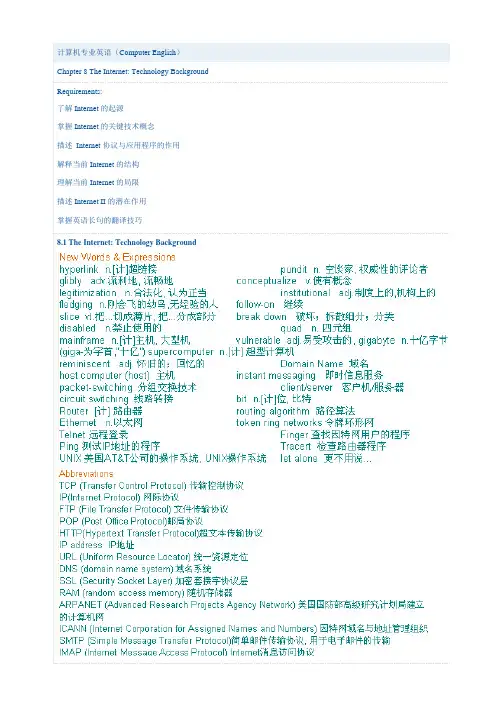
8.1 The Internet: Technology Background分组交换。
分组交换是传输数据的一种方法,“分组”的数据信息包;当路径可用时,经过不同的通信路径发送;当到达目的地后,-switching techniques were expensive and wasted available communications capacity—the然而,这些“专用的”线路——不论是否有数据输送都需要维持线路。
由于字间的停顿和组装时的延70%的时间内没有得到充分利用,而这两种因素都增加寻找和连接线路所需的时间第一本关于分组交换的著作是由Leonard Kleinrock于1964年所著,由于使用分组交换技术,网络的通信能力提15里提1500 里——而汽车没有太大的改变!在分组交换的网络中,信息首先被分解为许多信息包。
每个信(开始点)和目的地地址、以及顺序信息和错误控制信息。
在分组网络中,信息包,而是在计算机与计算机之间旅行直到它们到达目的地。
这些计算机叫做路由器。
路由器它将组成因特网的成千上万个不同计算机网络互相联接起来,并在信息包旅行时将它们的分组交换不需要一个专用线路,但是可以利用几百条线路中任何可用的空闲能力。
分组交换几乎充。
尽管分组交换是通信能力的一个巨大进步,但对于将数字信息分解为信息包、将它们传, 然后重新组装为原来的信息,还没有一种公认的方法。
这就像有了一个生产邮票的系统,而没有邮政)一样。
回答了在因特网上用信息包做什么和如何处理信息包的问题。
TCP指传输控制协议,IP表示网际协议。
次序化、压缩和检查错误的规则。
它也可以限定传输速度和网上设备显示它们已停止接收信息的方法。
协议既可以通过硬件也可通过软件来实现。
TCP/IP(传输控制协议/网际协议)通过被称为(在下文描述)。
TCP(传输控制协议)是用来在网上传输数据的公认协议。
TCP(传输控制,处理信息包在传输点的组装和在接收端的重新组装。
计算机专业英语(2)
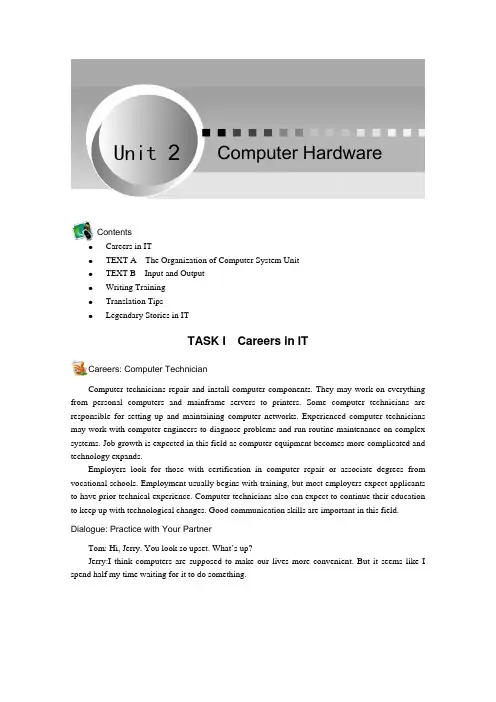
Computer HardwareContentsz Careers in ITz TEXT A The Organization of Computer System Unit z TEXT B Input and Output z Writing Training z Translation Tips zLegendary Stories in ITTASK I Careers in ITCareers: Computer TechnicianComputer technicians repair and install computer components. They may work on everything from personal computers and mainframe servers to printers. Some computer technicians are responsible for setting up and maintaining computer networks. Experienced computer technicians may work with computer engineers to diagnose problems and run routine maintenance on complex systems. Job growth is expected in this field as computer equipment becomes more complicated and technology expands.Employers look for those with certification in computer repair or associate degrees from vocational schools. Employment usually begins with training, but most employers expect applicants to have prior technical experience. Computer technicians also can expect to continue their education to keep up with technological changes. Good communication skills are important in this field. Dialogue: Practice with Your PartnerTom: Hi, Jerry. You look so upset. What’s up?Jerry:I think computers are supposed to make our lives more convenient. But it seems like I spend half my time waiting for it to do something.Unit 2计算机专业英语·18·Tom:Why is it so slow? How much RAM do you have? Jerry:I think I have 128 Megs.Tom:That’s your problem.If you want Windows 7 to run smoothly, you need at least 256 Megs. Jerry:I have 512 Megs now. and most things work better, but I can't get my mouse to work properly. First it moves and then, all of a sudden, it jerks all the way across the screen. What can I do?Tom:Here, let me see. You should open the mouse and take out the ball.Do you see these contacts here?Jerry:Yes, they look pretty dirty.Tom: That's right. Let me clean those for you, and you'll be back to normal in no time. Jerry: Wow, you are so professional.Thank you. Tom:It’s my pleasure.TASK II TEXT AThe Organization of Computer System UnitFigure 2.1 The Organization of Computer Componentssequentially[si5kwZnFEli ] adj . 从而,循序地readily[5redili ] adv . 容易地,乐意地component[kEm5pEunEnt ] n . 部件,组件 A computer is a programmable machine designed to sequentially and automatically carry out a sequence of arithmetic or logical operations. The particular sequence of operations can be changed readily, allowing the computer to solve more than one kind of problem. A general-purpose computer has four main components : the arithmetic logic unit (ALU), the control unit, the memory, and the input and output devices. These parts areUnit 2 Computer Hardware·19·bus [bQs ] n . 总线ArithmeticLogic Unit 运算器,运算逻辑部件circuit[5sE:kit ] n . 电路,环形fundamental[7fQndE5mentEl ] adj . 基本的,重要的maintain[men5tein ] vt . 保持,坚持accommodate[E5kCmEdeit ] vt . 容纳,顺应classification[7klAsifi5keiFEn ]n . 分类,类别distinct[dis5tiNkt ] adj . 截然不同的,明显的architecture[5B:kitektFE ] n .体系结构,建筑学address[E5dres ] n . 住址,地址binary[5bainEri ] n . 二进制register[5redVistE ] n . 寄存器interconnected by buses , often made of groups of wires (See Figure 2.1).Arithmetic Logic UnitIn computing, an arithmetic logic unit is a digital circuit that performs arithmetic and logical operations. The ALU is a fundamental building block of the central processing unit (CPU) of a computer, and even the simplest microprocessors contain one for purposes such as maintaining timers. The processors found inside modern CPUs and graphics processing units (GPUs) accommodate very powerful and very complex ALUs; a single component may contain a number of ALUs.Mathematician John von Neumann proposed the ALU concept in 1945, when he wrote a report on the foundations for a new computer called the EDVAC. Research into ALUs remains an important part of computer science, falling under arithmetic and logic structures in the ACM Computing Classification System.Control UnitThe control unit (often called a control system or central controller) manages the computer's various components; it reads and interprets the program instructions, transforming them into a series of control signals which activate other parts of the computer. Control systems in advanced computers may change the order of some instructions so as to improve performance. In computers, the control unit was historically defined as one distinct part of the 1946 reference model of Von Neumann architecture . In modern computer designs, the control unit is typically an internal part of the CPU with its overall role and operation unchanged.MemoryA computer's memory can be viewed as a list of cells into which numbers can be placed or read. Each cell has a numbered “address” and can store a single number. The information storedin memory may represent practically anything. Letters, numbers, even computer instructions can be placed into memory with equal ease. In almost all modern computers, each memory cell is set up to store binary numbers in groups of eight bits (called a byte).The CPU contains a special set of memory cells called registers that can be read and written to much more rapidly than计算机专业英语·20·random-access memory 随机存取存储器read-only memory 只读存 储器start-up 启动 indefinitely[in defEnEtli ] adv . 无限期地blur[blE :] vt .&vi . (使)变模糊 be restricted to 仅限于……,限制在……sophisticated[sE5fistikeitid ] adj .精密的,复杂的peripheral[pE5rifErEl ] n . 外围设备,周边设备perspective[pE5spektiv ] n . 远景,透视monitor[5mCnitE ] n . 监视器,显示器representation[7reprizen5teiFE n ] n . 表示,表达interaction[7intEr5AkFEn ] n .交互作用,互动 the main memory area. Registers are used for the most frequently needed data items to avoid having to access main memory every time data is needed. As data is constantly being worked on, reducing the need to access main memory greatly increases the computer's speed.Computer main memory comes in two principal varieties: random -access memory or RAM and read -only memory or ROM. RAM can be read and written to anytime the CPU commands it, but ROM is pre-loaded with data and software that never changes, so the CPU can only read from it. ROM is typically used to store the computer's initial start -up instructions. In general, the contents of RAM are erased when the power to the computer is turned off, but ROM retains its data indefinitely . Flash memory blurs thedistinction between ROM and RAM, as it retains its data when turned off but is also rewritable. It is typically much slower than conventional ROM and RAM however, so its use is restricted to applications where high speed is unnecessary.In more sophisticated computers there may be one or more RAM cache memories which are slower than registers but faster than main memory. Generally computers with this sort of cache are designed to move frequently needed data into the cache automatically, often without the need for any intervention on the programmer's part.Input/OutputI/O is the means by which a computer exchanges information with the outside world. Inputs are the signals or data received by the computer, and outputs are the signals or data sent from it. Devices that provide input or output to the computer are called peripherals . Note that the designation of a device as either input or output depends on the perspective . Mouse and keyboards take as input physical movement that the human user outputs and converts it into signals that a computer can understand. The output from these devices is input for the computer. Similarly, printers and monitors take as input signals that a computer outputs. They then convert these signals into representations that human users can see or read. For a human user the process of reading or seeing these representations is receiving input. These interactions between computers and humans are studied in a field called human–computer interaction.Unit 2 Computer Hardware·21·ExercisesI. March each of the following terms to its equivalent(s).II.Fill in the blanks with the information given in the text.1. In computing, __________ __________ __________ __________ (ALU) is a digital __________ that performs arithmetic and logical operations.2. Computer main memory comes in two principal varieties: __________ __________ or RAM and __________ __________ or ROM.3. Inputs are the signals or data __________ by the computer, and outputs are the signals or data __________ __________ it.4. In computers, the control unit was historically defined as one __________ part of the 1946 reference model of Von Neumann __________.5.Note that the designation of a device as either input or output depends on the __________. III. Mark the following sentences with true or false according to the passage.1. A computer has four main components: the arithmetic logic unit (ALU), the control unit, the memory, and the input and output devices;and they are interconnected by business. ( )2. I/O(Input and Output Devices) is the means by which a computer exchanges information with the outside world.( ) 3. Mouse and keyboards take as output physical movement that the human user inputs and converts it into signals that a computer can understand. ( ) 4. RAM is pre-loaded with data and software that never changes, so the CPU can only read from it.( ) 5. Control systems in advanced computers may change the order of some instructions so as to improve performance.( )IV. Translate the following passage from English into Chinese.Flash memory is a non-volatile computer storage chip that can be electrically erased andreprogrammed. It is primarily used in memory cards, USB flash drives, MP3 players and solid-state计算机专业英语·22·drives for general storage and transfer of data between computers and other digital products. It is a specific type of EEPROM (electrically erasable programmable read-only memory) that is erased and programmed in large blocks; in early flash the entire chip had to be erased at once.TASK III TEXT BInput andOutputFigure 2.2 Input and Output Devicesattach to 使依附 layout[5leiaut ] n . 布局combination[7kCmbi5neiFEn ] n . 结合,组合A computer is only useful when it is able to communicate with the external environment. When you work with the computer you feed your data and instructions through some devices to the computer. These devices are called input devices (See Figure 2.2). Similarly computer after processing, gives output through other devices called output devices (See Figure 2.2).Input DeviceInput devices are necessary to convert our information or data in to a form which can be understood by the computer.Keyboard: This is the standard input device attached to all computers. The layout of keyboard is just like the traditional typewriter of the type QWERTY. It also contains some extra command keys and function keys. It contains a total of 101 to 104 keys. You have to press correct combination of keys to input data. The computer can recognise the electrical signals corresponding to the correct keys combination and processing is done accordingly.Unit 2 Computer Hardware·23·rolls on 滚滚向前censor[5sensE ] vt . 检查 cursor[5kE:sE ] n . 光标monochrome[5mCnEkrEum ] adj . 单色的,黑白的dumb terminal 哑终端 intelligent terminal 智能终端hammering[5hAmEriN ] n .捶打,捶打的声音ribbon[5ribEn ] n .(打印机的) 色带Mouse :Mouse is an input device that is used with personal computer. It rolls on a small ball and has two or three buttons on the top. When you roll the mouse across a flat surface, the screen censors the mouse in the direction of mouse movement. The cursor moves very fast with mouse giving you more freedom to work in any direction. It is easier and faster to move through a mouse.Scanner :Scanner is an optical device that can input any graphical matter and display it back. The common optical scanner devices are Magnetic Ink Character Recognition (MICR), Optical Mark Reader (OMR) and Optical Character Reader (OCR).Output DeviceAn output device is any piece of computer hardware equipm- ent used to communicate the results of data processing carried out by a computer to the outside world.Visual Display Unit :The most popular output device is the Visual Display Unit (VDU). It is also called the monitor. A keyboard is used to input data and monitor is used to display the input data and to receive massages from the computer. A monitor has its own box which is separated from the main computer system and is connected to the computer by cable. In some systems it is compact with the system unit. It can be color or monochrome .Terminals :It is a very popular interactive input/output unit. It can be divided into two types:hard copy terminals and soft copy terminals. A hard copy terminal provides a printout on paper whereas soft copy terminals provides visual copy on monitor. A terminal when connected to a CPU sends instructions directly to the computer. Terminals are also classified as dumb terminals or intelligent terminals depending upon the work situation.Printer :It is an important output device which can be used to get a printed copy of the processed text or result on paper. There are different types of printers that are designed for different types of applications. Depending on their speed and approach of printing, printers are classified as impact and non-impact printers. Impact printers use the familiar typewriter approach of hammering a typeface against the paper and inked ribbon . Dot-matrix printers are of this type. Non-impact printers do not hit or impact a ribbon to print. They use electro-static chemicals and ink-jet technologies.计算机专业英语·24·dot-matrix 点矩阵 ink-jet 喷墨式elaborate[I5lAbEreit ] vt . 详细设计Laser printers and ink-jet printers are of this type. This type of printers can produce color printing and elaborate graphics.ExercisesI. March each of the following terms to its equivalent(s).II. Fill in the blanks with the information given in the text.1. Terminals can be divided into two types: __________ terminals and __________ _________ terminals.2. Laser printers and __________ printers can produce __________ printing and __________graphics.3. A monitor has its own box which is __________ the main computer system and is __________ to the computer by __________.4. The __________ of keyboard is just like the__________ typewriter of the type QWERTY.5.Mouse __________ __________ a small ball and has two or three buttons on the top. III. Mark the following sentences with true or false according to the passage.1. Input devices are necessary to convert our information or data into a form which can be understood by the computer. ( )2. Visual Display Unit (VDU) is the most popular input/output device of computer , it is also called the monitor .( ) 3. Scanner is an important inputer device,it is a kind of optical device that can output any graphical matter and display it back. ( ) 4. Mouse is an input device that is used with your personal computer, and it rolls on a small ball and has two or three buttons on the top. ( ) 5. A keyboard contains some extra command keys and function keys. When you press correctcombination of keys, you can input special data.( )Unit 2 Computer Hardware·25·IV. Translate the following passage from English into Chinese.A laser printer is a common type of computer printer that rapidly produces high quality text and graphics on plain paper. As with digital photocopiers and multifunction printers (MFPs), laser printers employ a xerographic printing process but differ from analog photocopiers in that the image is produced by the direct scanning of a laser beam across the printer's photo receptor.TASK IV Writing TrainingBusiness Card名片,又称卡片,是标示姓名及其所属组织、公司单位和联系方法的纸片。
计算机专业英文自我介绍范文8篇

计算机专业英文自我介绍范文8篇计算机专业英文自我介绍范文 (1) 大家好,我叫,天津大学计算机应用专业硕士,20xx年6月份毕业,研究方向,我想从三个方面介绍自己:(1)学习方面。
大三时保送研究生,之后进入实验室开展项目研究。
在x年时间里,先后参与了x个项目,其中x个纵向项目,x个横向项目,纵向项目主要是关于,横向项目主要是关于。
这些分别对应我简历里的项目经历(1,2,3)。
我本科绩点3.8,研究生绩点3.4。
我XX年一次性通过大学英语四、六级考试,XX年通过托业英语考试,考试成绩分(满分分),XX年通过软件工程师/网络工程师/系统分析师考试。
(2)实践方面。
曾在软件公司实xx年时间,曾在当过计算机讲师,主讲,另外,本科时曾参加过比赛,并获得了奖。
实习期间,我的最大收获是:学校学习与工作知识的衔接,深切感悟将理论应用于实践的重要性和快乐。
(3)社会工作方面。
本科和研究生都担任所在班级班长/**部长,同时也在校学生会工作过。
在担任班干部的日子里我具备了一定的组织、协调能力,并深深体会团队协作的重要性。
我的性格特点是,1.性格沉稳,2.考虑问题全面、仔细,3.做事有自己明确的想法和计划。
我的优势是1.自己全面的综合素质;2.做事分清轻重缓急;3.喜欢总结,避免犯同样的错误。
我的座右铭是:人因为梦想而伟大,机遇永远属于那些有准备、立即行动并能坚持到底的人!我的职业生涯目标是,将来有一天能带领一个团队,做出亿万网民喜爱和尊敬的软件!做一个既懂技术,又懂业务的复合型人才。
good morning.I call/, come from shandong province.this year is 21 years old, , is a student who will soon graduate.passes the foundation knowledge that the teachers guidance controled a calculator with personal effort firmly in the school.mainly studied c language at the software aspect. c#. java etc. plait the distance language, the data structure, vf. access etc. database is applied, calculator operate system.studied the dreamweaver web page manufacture and the asp network to weave a distance also.studied the calculator network at the hardware aspect, the calculator construction with many times to attend to pack machine, set the fulfillment of the net operation lesson, make me control the work principle of the calculator and the set of the calculator network net process.in addition, i attend various activities of the school organization to come to the oneself of actively and do various part-time to increase social experience.the teacher is divided into the group to us in the experiment and practice of the lesson remaining to complete mission, make we the deep comprehension arrive the importance of the team.the and the rise time acquires the school scholarship during the period of school, three staffs.however necessarily limited at the knowledge that the school learn, therefore i would ready to take advice study in the later work, the backlog working experience, the exaltation work ability.hope your company to give me a displays an own opportunity!this with the result thatsaluteI’m Cheers.Lee, I’m twenty-six year old, I majored in E-businessand with a bachelor degree. I’m single. And I love software testing, asthe software quality is vital to the company’s customer, it also couldimprove the company’s image, so quality is the best policy. We must devoteall my energy to assure the software quality.The position which I’ve come to apply is senior software testingengineer. I have three years work experience, one year and a half offunction testing experience and one year of performance and automationtesting experience. I have been reading up on software testing, especiallyon performance testing and automation testing. I’m quite familiar withperformance testing tool LoadRunner, and familiar with automation testingtool QTP. I’m good at developing performance testing script base on Clanguage in web system, and also have good skills in develop QTP script.As we all know that software performance has become more and moreimportant, while thousands of the users log in the system or visit thewebsite simultaneously, the problem may occurred, the system crash or theserver deny to provide the service to the user, so the performance testingneed to be done before the software delivered to our customers.We also benefit from the automation testing. There is always a lotof function testing or regression testing need us to finish in a shorttime. But we do not have enough time and sufficient human resource tocomplete it, how should we do? So the automation testing is the bestsolution. It cut down the costs, improve the work efficiency, save ourtime and energy. Its advantage is not merely as so.计算机专业英文自我介绍范文 (4)My name is a college of Finance and Information ManagementDepartment of computer science and application of fresh graduates.Three years of specialized courses and minor courses related tolearning, let me in the computer field with more solid theoretical basis.Through the school rooms and personal computers continue to practice, andto compare the system to use the knowledge learned in graduate design,which greatly improved the operational capability of my hands.I am diligent, hardworking, dedication and responsibility. Lively andoutgoing personality, dare to try to engage in innovation, as much as boysof the energy and vitality.Experience similar to "white", but I believe I have the ability toface the difficulties encountered, and can quickly enter the work on track.As long as you are willing to "pick up a pen" to "paint", I believe I willbe a beautiful "watercolor"!As I started studying computer science the psychological selectionas: computer and network is the main tool for the future. I believe thatmy insight. I know the speed of updating knowledge, I also need tocontinuously improve their professional standards. Not inferior tocollege students, because learning has no boundaries, and manyopportunities for self-improvement. Most college students can be down toearth, more in charity work ability is not necessarily worse than highstudents he educated!计算机专业英文自我介绍范文 (5) good morning, my name is jack, it is really a great honor to have thisopportunity for a interview, i would like to answer whatever you may raise,and i hope i can make a good performance today, eventually enroll in thisprestigious university in september. now i will introduce myselfbriefly,i am 21 years old,born in heilongjiang province ,northeast ofchina,and i am curruently a senior student at beijing uni.my major ispackaging engineering.and i will receive my bachelor degree after mygraduation in june.in the past 4 years,i spend most of my time on study,ihave passed cet4/6 with an ease. and i have acquired basic knowledge of packaging and publishing both in theory and in practice. besides,i have attend several packaging exhibition hold in beijing, this is ouradvantage study here, i have taken a tour to some big factory and company.through these i have a deeply understanding of domestic packaging industry.compared to developed countries such as us, unfortunately, although wehave made extraordinary progress since 1978,our packaging industry arestill underdeveloped, mess, unstable, the situation of employees in thisfield are awkard. but i have full confidence in a bright future if onlyour economy can keep the growth pace still. i guess you maybe interestedin the reason itch to law, and what is my plan during graduate study life,i would like to tell you that pursue law is one of my lifelong goal,i likemy major packaging and i won't give up,if i can pursue my master degreehere i will combine law with my former education. i will work hard inthesefields ,patent ,trademark, copyright, on the base of my years studyin department of p&p, my character? i cannot describe it well, but i knowi am optimistic and confident. sometimes i prefer to stay alone, reading,listening to music, but i am not lonely, i like to chat with my classmates,almost talk everything ,my favorite pastime is valleyball,playing cardsor surf online. through college life,i learn how to balance between studyand entertainment. by the way, i was a actor of our amazing drama club.i had a few glorious memory on stage. that is my pride.计算机专业英文自我介绍范文 (6)我叫,广东广州人,硕士研究生,将于20xx年6月毕业于南开大学,专业方向是电路与系统,20xx年加入中国共产党,我的专业特长是计算机应用程序开发和网络通信。
计算机专业英语
《计算机专业英语》
目录
• 计算机专业英语概述 • 计算机专业英语听力与口语 • 计算机专业英语阅读与写作 • 计算机专业英语翻译与口译 • 计算机专业英语应用场景及案例分析 • 总结与展望
01
计算机专业英语概述
定义与特点
定义
计算机专业英语是指用于计算机领域的技术、科学、工程等 范畴的英语语言。
总结学习计算机专业英语的经验与收获
掌握计算机专业基础知识
通过学习计算机专业英语,我掌握了计算机专业基础知识,如数据结构、算法、操作系统 等。这些知识有助于我更好地理解计算机科学的本质,提高我的专业素养。
提高英语阅读和写作能力
学习计算机专业英语的过程中,我不仅提高了英语阅读能力,还锻炼了英语写作能力。我 能更准确地理解英文技术文档,并且能够用英语撰写技术报告和论文。
的词汇和句子。
语速适中
控制好语速,既不要太快也不要 太慢,确保听者能够理解。
发音清晰
发音要清晰,确保听者能够准确理 解你的意思。
常用计算机专业英语表达方式
专业术语
如CPU、GPU、RAM等。
缩写
如TCP/IP、HTTP、SQL等。
技术表达
如algorithm、data structure 、programming language等
04
计算机专业英语翻译与口译
翻译技巧
了解源语言与目标语言 的文化背景
在翻译过程中,理解原文中使用的特定表达 和术语,以及它们在目标语言中的等效表达 ,是至关重要的。
掌握专业术语
在计算机专业领域,存在许多特定的专业术 语和缩写,需要确保准确无误地进行翻译。
理解复杂句子结构
翻译校对与修正
计算机专业英语中常常使用复杂的句子结构 和专业术语,需要翻译者具备高水平的语言 知识和理解能力。
计算机专业英语 -第11章
P315P315-3
On the other hand, some naïve persons naï are actually quite familiar with computers but underestimate the difficulty of changing computer systems or of generating certain information. 另一方面,一些新手其实熟悉电脑,但低估了计 算机系统变化或获取某些情报的困难。
database administrator (DBA) (322)A person who uses database management software to determine the most efficient ways to organize and access data desktop publisher (322)A person who creates and formats publication-ready publicationmaterial frustrated (315)A person who feels it is an imposition to have to learn something new or is too impatient to try to understand the manuals.
Page 432
Competencies (Page 2 of 2)
Discuss four ways people react to new technology Describe how you can stay current with your career Describe different careers in information technology
计算机专业英语影印版(Compu...
Key Terms Page 1of 6 Key TermsKey TermDefinition3G cellular network (249) A computer network that allows users to download data from the Internet at 400 to 700 Kbps using cell phone technology. analog signal (247) Continuous electronic waves. asymmetric digital subscriber line (ADSL) (248) The most widely used types of DSL. backbone (258) A common connecting cable on which all communications travel along. (see also bus) bandwidth (249) A measurement of the width or capacity of the communication channel. base station (254) A network’s centrally located receiver that interprets incoming radio frequencies and routes communications to the appropriate devices. (see also wireless receiver) bits per second (bps) (247) How transfer speed is measured Bluetooth (245) A short-range wireless communication standard that uses microwaves to transmit data over short distances broadband (250) The bandwidth used for high-capacity transmissions. broadcast radio (245) Uses radio signals to send and receive signals from wireless devices. bus (258) A common connecting cable on which all communications travel along. (see also backbone) bus network (258) Each device in the network handles its own communications control. cable modem (249) Use existing television cables to provide high-speed connections to the Internet. cellular service (249) Offer an alternative for mobile devices and laptops. client (251) A node that requests and uses resources available from other nodes. client/server network system (260) A computer network where one computer coordinates and supplies services to other nodes on the network. coaxial cable (244) A high-frequency transmission cable with a single solid-copper core. Communication channel (244) The actual connecting or transmission medium that carries the message. Communication system (243) An electronic system that transmit data from one location to another computer network (251) A communication system that connects two or more computers so that they can exchange information and share resources. connectivity (242) Using computer networks to link people and resources. demodulation (247) The process of converting from analog to digital. dial-up service (248) Using standard telephone lines and conventional modems to link to the Internet or other computers digital signal (247) A representation of the presence or absence of an electronic pulse – on/off digital subscriber line (DSL) (248) Uses existing telephone lines to provide high-speed connections distributed data processing system Computers that can perform processing tasks at their own Key Terms Page 2of 6 (258) dispersed locations. distributed processing (251) A system in which computing power is located and shared at different locations. domain name server (DNS) (250) Converts text-based addresses to IP addresses Ethernet (253) The most common way in which nodes can be connected to one another and communications can be controlled. external modem (247) A modem that stands apart from the computer and typically is connected by a cable to the computer’s serial port. extranet (262) A private network that connects more than one organization. fiber-optic cable (244) Transmits data as pulses of light through tiny tubes of glass. firewall (263) A security system designed to protect an organization’s network against external threats. global positioning system (GPS) (245) Global positioning system (GPS) devices use location information sent by satellites to uniquely determine the geographic location of the device. hierarchical network (258) Consists of several computers linked to a central host computer, but also are hosts to other, smaller computers or peripheral devices. home network (254) Local Area Networks used by individuals in their homes and apartments. host computer (251) A large centralized computer, usually a minicomputer or a mainframe. hub (251) The center or central node for other nodes. infrared (245) A type of wireless connection that uses infrared light waves to communicate over short distances. internal modem (248) A modem that consists of a plug-in circuit board inside the system unit. intranet (262) A private network within an organization that resembles the Internet. IP address (Internet Protocol address) (250) A unique numeric address for every computer on a network. local area network (LAN) (253) Networks with nodes that are in close physical proximity low bandwidth (250) Used for standard telephone communication. (see also voiceband) medium band (250) the bandwidth used in special leased lines to connect minicomputers and mainframes metropolitan area network (MAN) (254) A network that span distances up to 100 miles. microwave (245) A type of communication uses high-frequency radio waves. modem (247) Modulator-demodulator, enables digital microcomputers to communicate across analog telephone lines. modulation (247) The process of converting from digital to analog. network administrator (251, 264) A computer specialist responsible for efficient network operations and implementation of new networks. network gateway (253) A device that allows one LAN to be linked to other LANs or to larger networks. network hub (255) A central unit in a network, such as a server. Key Terms Page 3of 6 network interface card (NIC) (251) Expansion cards located within the system unit that connect the computer to a network network operating system (NOS) (251) An operating system that control and coordinate the activities of all computers and other devices on a network. node (251) Any device that is connected to a network. packet (250) Data reformatted or broken down into small parts PC Card modem (248) A modem that is a credit card –size expansion board that is inserted into portable computers peer-to-peer network system (261) A network system where nodes have equal authority and can act as both clients and servers. polling (255) A type of communications where each connecting device is asked whether it has a message to send. protocol (250) Rules for exchanging data between computers proxy server (263) A computer through which all communications between the company’s internal n etworks and the outside world must pass. ring network (258) Each device is connected to two other devices, forming a ring with no central computer satellite (245) A type of communication that uses satellites orbiting about 22,000 miles above the earth as microwave relay stations. satellite/air connection service (249) Use satellites and the air to download or send data to users at a rate seven times faster than dial-up connections. server (251) A node that shares resources with other nodes. star network (255) A number of small computers or peripheral devices are linked to a central unit. strategy (260) A way of coordinating the sharing of information and resources T1, T2, T3, T4 lines (248) Special high-speed lines leased from telephone companies. telephone line (244) A type of cable that uses 2, 4, or 8 pairs of copper wire. terminal network (260) A network system where processing power is centralized in one large computer, usually a mainframe. time-sharing system (258) Several users can share resources (time) on a central computer. topology (255) How a network is arranged or configured transfer rate (247) The speed at which data can be transmitted Transmission Control Protocol/Internet Protocol (TCP/IP) (250) The standard protocol for the Internet voiceband (250) Used for standard telephone communication. (see also low bandwidth) wide area network (WAN) (254) A countrywide or worldwide network that spans distances greater than 100 miles. Wi-FI (wireless fidelity) (245) A wireless standard used to connect computers to each other and to the Internet. wireless LAN (WLAN) (254) Local area network that uses wireless devices to connect nodes together. wireless modem (248) A modem that may be internal, external, or a PC Card sends and receives through the air. wireless receiver (254) A network’s centrally located receiver that interprets incoming radio frequencies and routes communications to the appropriate devices. (see also base station) Crossword Puzzle Answers:AcrossNum. Clue Answer 5 Interprets and routs incoming radio frequencies. Base station7 Continuous electronic waves. Analog9 Configuration of a network. topology10 Network interface card. NIC11 Transfer speed or transfer rate. bps12 Short range wireless communication standard. bluetooth14 Measurement of the width of the communication channel. bandwidth DownNum. Clue Answer 1 Node that requests and uses resources available from other nodes. client 2 Each device in the network handles its own communications. Bus network 3 Device that allows links between LANs. Network gateway 4 Process that converts digital to analog. modulation6 Pieces of a message sent over the Internet. packets8 Global positioning system. GPS13 Any device that is connected to a network. node15 Uses existing telephone lines to provide high-speed connections. DSL 16 Central node for other nodes. hubNum Multiple ChoiceAnswers Matching Answers1 C G 2 B B 3 A A 4 D I 5 C H 6 D E 7 B C 8 B J 9 B D 10 D F Open Ended Questions:to another 2.Identify and describe the various physical and wireless communication channels.PhysicalTelephone lines - consist of twisted-pair cable made up of hundreds of copper wires. Coaxial cable- a high-frequency transmission cable with a single solid-copper core. Fiber-optic cable - transmits data as pulses of light through tiny tubes of glass. WirelessInfrared - uses infrared light waves to communicate over short distances. Broadcast radio sends and receive radio signals through transceivers. Microwave - uses high-frequency radio waves. Satellite - uses satellites orbiting above the earth as microwave relay stations. 3.Identify the standard Internet protocol and discuss its essential features.The standard protocol for the Internet is TCP/IP (transmission control protocol/Internet protocol). Every computer on the Internet has a unique numeric address called an IP address. Information is reformatted or broken down into small parts called packets. 4.Define and discuss the four principal network topologies.S tar network - a number of small computers or peripheral devices are linked to a central unit. Bus network - each device in the network handles its own communications control. Ring network - each device is connected to two other devices, forming a ring. Hierarchical network— consists of several computers linked to a central host computer, and also hosts to other, smaller computers or to peripheral devices. 5.Define and discuss the three most common network strategies.Terminal network system,- processing power is centralized in one large computer, usually a mainframe. - use one computer to coordinate and supply services to other Client/server network systems - use one computer to coordinate and supply services to other nodes on the network. Peer-to-peer network system, nodes have equal authority and can act as both clients and servers. Answers to End of Chapter materials Page 5 of 6 Focus Applying Technology Expanding YourKnowledgeWriting AboutTechnologyEthical Electronic Monitoring Digital Rights Management Web Tools Palm How Napster and Gnutella Work Software Tools Home Networking Distributed Computing How Wireless Home Networks Work Hotspots Writing Skills Ethical focusWriting About Technology exercise #1 Electronic Monitoring explores the FBI Carnivore monitoring system and how it affects personal privacy. Writing About Technology exercise #2 Digital Rights Management explores the issue of sharing copyrighted material over the Internet and how it affects software piracy. Applying Technology exercise #3 Palm explores how Palms work with the Internet and looks at the types of information are available. Expanding Your Knowledge #2 How Napster and Gnutella Work looks at the different types of network architectures employed by each program and their efficiencies. Applying Technology exercise #1 Home Networking works with the Making it Work for you section in exploring the different types of home networking and how to configure Applying Technology exercise #2 Distributed Computing has the students research the concept of distributed computing, how it works, and why it is beneficial. Expanding Your Knowledge exercise #1 How Wireless Home Networks Work has the students discover basic features and functionalities of home networking and how they can Expanding Your Knowledge exercise #3 Hotspots has the student explore the technology of public Internet access and what is necessary to use it. 。
计算机专业英语
Part One Computer Hardware
4. The First GUI (Graphical User Interface) Computers were traditionally very difficult to use, requiring the user to memorize and type in the necessary commands (this is called a Command Line Interface). To make computers more accessible, the Graphical User Interface (GUI) (用户图形界面) was developed. In a GUI, the user interacts (交互) with a graphical (图形的) display on the screen containing icons and windows and controls. Commands are chosen from menus rather ths developed at the Xerox Palo Alto Research Center in the 1970, but it was not until the 1980s the emergence of the Apple Macintosh that graphical user interfaces became popular.
Part One Computer Hardware
Passage A Computer Overview
I think most people will agree that one of the greatest inventions in the 20th century is the computer. Such a device that changes the way we work, live, entertain and so on. The computer has changed nearly every aspect of people lives for the better. In fact Mechanical Calculating (机械计算) aids have been existence for thousands of years. An early example would be an abacus in use in China as much as five thousand years ago. But the electronic computer has been around for only a half-century. Now let us look some big events or milestone in the development of electronic computer.