
HP-300产品说明书
若道康宁违反该保证,您所能获得 的补偿仅限于退还购货价款或替换 不符合保证的任何产品。
道康宁特别声明,不作任何其他明 示或暗示对特定目的适用性或适销 性的保证。
道康宁声明不对任何间接或附带性 的损害负责。
全心助您创未来。TM
包装
本产品可提供 100 克塑料罐和 500 克塑料罐包装。
使用限制 本产品未被测试或陈述为适用于医 用或药用。
健康和环境信息 为帮助用户安全使用产品,道康宁 公司在世界各地设立了产品服务机 构,并有专门的环保、卫生及安全 专家为客户提供服务。
有限保证信息- 请仔细阅读 此处提供的信息准确无误。然而, 由于使用本公司产品的条件和方法 非我们所能控制,本信息不能取代 客户为确保道康宁产品安全、有 效,并完全满足于特定的最终用途 而进行的测试。我们所提供的使用 建议,不得被视为侵犯任何专利权 的导因。
锥入度(工作60次) NLGI等级 工作温度范围
密度 析油量(200℃,24小时) 蒸发量(200℃,24小时) 蒸发量(200℃,1000小时) 四球焊接载荷(1500rpm/1分钟) 四球磨痕(1200rpm,392N,1小 时)
mm/10
℃ g/cm3 % % % N mm
280 2 -65至250 2.0 8.0 0.2 1.0 3330 1.1
如何使用
清洁用用点。与普通润滑脂一样, 用刷子、刮板或自
虽然 MOLYKOTE HP-300 润滑脂是 高度化学稳定的,但在温度超过 250 ℃ 时 该 材 料 还 是 会 逐 渐 分 解 并 释放出有毒性气体。如果预计材料 会可能降解,请确保操作时通风良 好。接触到本产品后请不要吸烟。 使用后一定要彻底清洗双手。
y 可用于需要避免润滑材料挥发的场合,如清洁室设备和半导体制造设 备。
典型特性
规格制订者:以下数值不可用于规格制订。制订本产品规格前。请联络您当地
的道康宁销售处。
标准*
参数 外观
单位
数值 白色
JIS K 2220
MIL-S-8660 MIL-S-8660 MIL-S-8660 ASTM D2596 ASTM D2266
产品信息 特种润滑剂
MOLYKOTE®HP-300 润滑脂
特点
y 与大多数的橡胶和塑料相容 y 在高温下具有良好的稳定性 y 良好的耐化学品和耐溶剂性能 y 抗氧化能力极强,适合于长效
润滑 y 低蒸汽压(基础油)
成分
y 全氟聚醚 y 氟化聚合物
全氟化润滑脂在极端条件下提供出众的性能
应用
y MOLYKOTE HP-300润滑脂可广泛用于恶劣场合下,如:低温、高 温、腐蚀性、溶剂、液化天然气、高真空等。
有关详情,请登录www.dowcorning 或咨询当地的道康宁销售 代表。
MOLYKOTE HP-300 润滑脂
2 文件号:80-3103A-40
22/12/2003 16608
“全心助您创未来”是道康宁公司的商标。 MOLYKOTE和道康宁是道康宁公司的注册商标。
©2008道康宁公司版权所有。
未包括安全使用所需的安全信息。 操作之前,要阅读产品与安全数据 表以及关于安全使用、物理与健康 危险信息的容器标签。材料安全数 据表可在道康宁网站 上获得,也可向 您当地的道康宁销售办事处或分销 商索取或者向您当地的道康宁全球 联络点电话索取。
保质期与储存
在阴凉处未开封保存时,本品自生 产之日保质期为36个月。
JIS K 2220
低温扭矩试验(-20℃) 起始扭矩
Ncm
4.1
运行扭矩
Ncm
1.8
JIS K 2220
低温扭矩试验(-40℃) 起始扭矩 运行扭矩 基础油蒸汽压20℃
Ncm Ncm Pa
11 3.6 4×10⁻¹⁰
* JIS:日本工业标准。
ASTM:美国试验与材料协会。 MIL:军用规格与标准。
hptank511说明书

标准配置
扫描类型
平板式
扫描速度
黑白:5ppm,彩色:3ppm
光学分辨率
1200×1200dpi
灰度等级
256级
其它参数
接口类型
USB2.0,WiFi,蓝牙LE
电源电压
220-240V(±10%),50/60Hz(±3Hz)
耗电量
待机:3.12W,睡眠:0.75W,手动关机:0.12W
产品颜色
黑色
产品尺寸
447×373×158mm
产品重量
5.14kg
附件
包装清单
HP Smart Tank 511惠普连供无线打印一体机 x1
惠普HP GT53XL黑色大号墨水瓶(135毫升) x1
惠普GT52青色墨水瓶(70毫升) x1
惠普HP GT52品红墨水瓶(70毫升) x1
惠普HP GT52黄色墨水瓶(70毫升) x1
USB传输线 x1
电源线 x1
打印分辨率
4800
首页打印时间
黑白14秒,彩色20秒
打印语言
HP PCL3 GUI
月打印负荷
1000页
复印功能
复印速度
黑白:22cpm(草稿模式),10ppm(ISO模式)
彩色:14cpm(草稿模式),2ppm(ISO模式)ቤተ መጻሕፍቲ ባይዱ
复印分辨率
600×300dpi
连续复印
1-99页
缩放范围
25-400%
扫描功能
产品名称型号
hptank511
基础信息
产品定位
多功能家用一体机,多功能商用一体机
产品类型
喷墨多功能一体机,墨仓式多功能一体机
涵盖功能
hp deskjet ink advantage ultra 4800系列 用户指南说明书
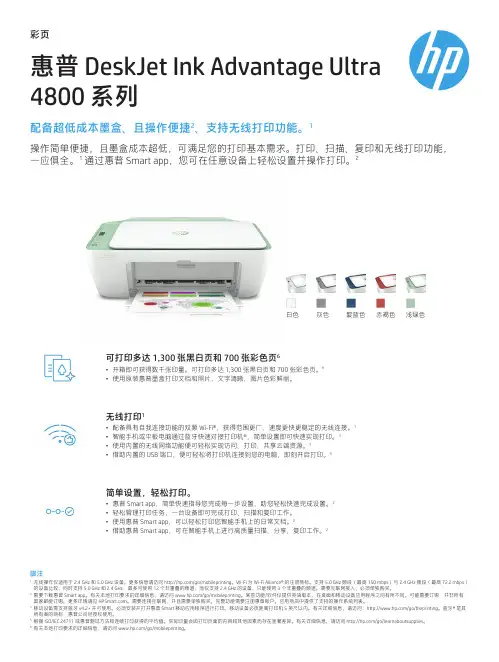
彩页配备超低成本墨盒、且操作便捷2、支持无线打印功能。
1惠普 DeskJet Ink Advantage Ultra 4800 系列操作简单便捷,且墨盒成本超低,可满足您的打印基本需求。
打印、扫描、复印和无线打印功能, 一应俱全。
1 通过惠普 Smart app,您可在任意设备上轻松设置并操作打印。
2简单设置,轻松打印。
• 惠普 Smart app,简单快速指导您完成每一步设置,助您轻松快速完成设置。
2• 轻松管理打印任务,一台设备即可完成打印、扫描和复印工作。
• 使用惠普 Smart app,可以轻松打印您智能手机上的日常文档。
2• 借助惠普 Smart app,可在智能手机上进行高质量扫描、分享、复印工作。
2白色灰色靛蓝色赤褐色 浅绿色无线打印1• 配备具有自我连接功能的双频 Wi-Fi ®,获得范围更广、速度更快更稳定的无线连接。
1• 智能手机或平板电脑通过蓝牙快速对接打印机®,简单设置即可快速实现打印。
3• 使用内置的无线网络功能便可轻松实现访问、打印、共享云端资源。
1• 借助内置的 USB 端口,便可轻松将打印机连接到您的电脑,即刻开启打印。
5可打印多达 1,300 张黑白页和 700 张彩色页6• 开箱即可获得数千张印量。
可打印多达 1,300 张黑白页和 700 张彩色页。
6• 使用原装惠普墨盒打印文档和照片,文字清晰,图片色彩鲜丽。
脚注1无线操作仅适用于 2.4 GHz 和 5.0 GHz 设备。
更多信息请访问 /go/mobileprinting。
Wi-Fi 为 Wi-Fi Alliance ® 的注册商标。
支持 5.0 GHz 频段(最高 150 mbps)与 2.4 GHz 频段(最高 72.2 mbps)的设备比较,同时支持 5.0 GHz 和 2.4 GHz,最多可使用 12 个非重叠的频道;而仅支持 2.4 GHz 的设备,只能使用 3 个非重叠的频道。
HP Deskjet 2723 All-in-One 打印机用户手册说明书

Data sheetHP DeskJet 2723 All-in-One Printer Keep it simpleAll the basics, now with easy-to-use features. Print, scan, and copy everyday documents, and get worry-free wireless. Simple setup with HP Smart app means you’re ready on any device. Dynamic security enabled printer. Intended to be used with cartridges using only HP original electronic circuitry. Cartridges with modified or non-HP electronic circuitry may not work, and those that work today may not work in the future. Learn more at: /go/learnaboutsuppliesHighlightsPrint. Copy. ScanPrint speed 7.5/5.5 ppm (black/colour)Contains more than 20% recycled plastic60 sheet input trayFlatbed scannerReliable connectivity with Dual Band Wi-Fi with self-reset + Bluetooth® 4.2Wireless and HP Smart app capable Simple setup. Simple printing.Get started fast with simple setup that guides you through each step, using HP Smart app.Easily handle tasks and get a lot from one device – print, scan, and copy.Easily print everyday documents from your smartphone, using HP Smart app.With HP Smart app, get high-quality scanning and sharing – plus easily make copies – from your smartphone.Worry-free wirelessGet better range and faster, more reliable connections using dual-band Wi-Fi®with self-reset.Get connected with Bluetooth® and start printing fast from your smartphone or tablet – easy setup.Built-in wireless capabilities let you easily access, print, and share resources ona network.Get connected and start printing. Easily connect your printer to your computer with the built-in USB port.Quality you can count onOriginal HP ink cartridges deliver sharp text and vibrant graphics for all your everyday documents and photos.Print more pages and change cartridges less often with Original HP high-yield cartridges.1272222113456Data sheet | HP DeskJet 2723 All-in-One PrinterTechnical specificationsFootnotesWireless operations are compatible with 2.4 GHz and 5.0 GHz operations only. Learn more at /go/mobileprinting. Wi-Fi is a registered trademark of Wi-Fi Alliance®. Supports both 5.0 GHz and 2.4 GHz using up to 12 non-overlapping channels vs only 3 non-overlapping channels for 2.4 GHz only. Supports 5.0 GHz band (up to 150 mbps) vs 2.4 GHz band (up to 72.2 mbps). Internet access required and must be purchased separately.Requires the HP Smart app download. For details on local printing requirements see /go/mobileprinting. Certain features/software are available in English language only. Internet access required and must be purchased separately.Mobile device needs to support Bluetooth v4.2+ and be enabled. A mobile app such as HP ePrint or HP Smart must be installed and opened for printing. Mobile device must be within 1.5 meters of the printer. For details, see/go/bleprinting. Bluetooth is a trademark owned by its proprietor and used by HP under license.Wireless operations are compatible with 2.4 GHz and 5.0 GHz operations only. Learn more at /go/mobileprinting. Wi-Fi is a registered trademark of Wi-Fi Alliance®.USB cable not included; purchase separately.Compared with standard-fill Original HP ink cartridges. High-yield ink cartridges not included; purchase separately. For more information, see /go/learnaboutsupplies.Made with more than 20% recycled plastic by weight.© Copyright 2020 HP Development Company, L.P. The information contained herein is subject to change without notice. The only warranties for HP products and services are set forth in theexpress warranty statements accompanying such products and services. Nothing herein should be construed as constituting an additional warranty. HP shall not be liable for technical or editorialerrors or omissions contained herein.Published in EMEA June 2020Functions Print, copy, scanPrint technology HP Thermal InkjetPrint speed Black (A4, ISO): Up to 7.5 ppm; Colour (A4, ISO): Up to5.5 ppm; Draft black (A4): Up to 20 ppm; Draft colour(A4): Up to 16 ppmFirst page out Black (A4, ready): As fast as 15 sec; Colour (A4, ready):As fast as 19 sec;Print resolution Black (best): Up to 1200 x 1200 rendered dpi; Colour(best): Up to 4800 x 1200 optimised dpi colour (whenprinting from a computer on selected HP photo papersand 1200 input dpi);Monthly duty cycle Up to 1000 pages A4; Recommended monthly pagevolume: 50 to 100Standard print languages HP PCL 3 GUI; HP PCLm (HP Apps/UPD); URF (AirPrint)Print area Print margins: Top: 3 mm, Bottom: 12.7 mm, Left: 3mm, Right: 3 mm; Maximum print area: 215 x 355 mmBorderless printing NoNumber of supplies 2 (1 each black, tri-color)Multitasking supported NoDuplex printing Manual (driver support provided)Copier specifications Auto-enlarge; Maximum number of copies: Up to 9copies; Copy resolution: Up to 300 x 300 dpiScan file format JPEG, TIFF, PDF, BMP, PNGScanner specifications Scanner type: Flatbed; Scan input modes: Front-panelscan; Twain version: Version 2.1; Scan size maximum(flatbed, ADF): 216 x 297 mm; Optical scan resolution:Up to 1200 dpiScannable area Maximum media size (flatbed): 216 x 297 mm;Bit depth/ Grey scale levels24-bit / 256Digital sending Standard: No;Processor speed180 MHzConnectivity Standard: 1 Hi-Speed USB 2.0;Wireless Yes, built-in Wi-Fi 802.11a/b/g/nMobile printing capability HP Smart app; Apple AirPrint™; Mopria™-certifiedNetwork capabilities Wi-Fi 802.11a/b/g/nHard disk NoMemory Standard: 86 MB; Maximum: 512 MB DDR1; 160 MBflashNumber of paper trays Standard: 1; Maximum: 1Media types Plain paper, Photo paper, Brochure paperMedia size Custom (metric): 89 x 127 to 215 x 279 mmSupported (metric): A4; B5; A6; DL envelopeInput capacity Standard: Up to 60 sheetsMaximum: Up to 60 sheetsADF: NoOutput capacity Standard: Up to 25 sheetsEnvelopes: Up to 5 envelopesLabels: Up to 10 sheetsCards: Up to 20 cardsMaximum: Up to 25 sheetsCompatible operating systems Windows 10, 7; MacOS Sierra v10.12 (previously OS X),macOS High Sierra v10.13, macOS Mojave v10.14,macOS Catalina v10.15Minimum system requirements Windows: Windows 10, 7: 1 GHz 32-bit (x86) or 64-bit(x64) processor, 2 GB available hard disk space, Internetconnection, USB port, Internet Explorer.Mac: MacOS Sierra v10.12 (previously OS X), macOSHigh Sierra v10.13, macOS Mojave v10.14, macOSCatalina v10.15, 2 GB available hard disk space,Internet Access.Software included HP Printer Software, available onlinePrinter dimensions (W x D x H)Minimum: 425 x 304 x 154 mm;Maximum: 425 x 546 x 250 mm (Output Extension fullyout);Package dimensions (W x D x H)475 x 191 x 354 mmPrinter weight 3.42 kgPackage weight 4.48 kgOperating environment Temperature: 5 to 40°CHumidity: 20 to 80% RH (non-condensing)Storage conditions Temperature: -40 to 60°CHumidity: 5 to 90% RH (non-condensing)Acoustics Acoustic power emissions: 6.2 B(A)Power Requirements: Input voltage: 220 to 240 VAC (+/-10%), 50/60 Hz (+/- 3Hz);Consumption: 1.7 watts (ready), 0.9 watts (sleep), 0.1watts (auto-off), 0.1 watts (off);Typical Electricity Consumption (TEC): 0.18 kWh/Week;Power supply type: Internal;Certifications EN 55032:2015/CISPR 32:2015 Class B, EN55024:2010/CISPR 24:2010, EN 55035:2017/CISPR35:2016, EN 61000-3-2:2014/IEC 61000-3-2:2014,EN 61000-3-3:2013/IEC 61000-3-3:2013, EN 301489-1 V2.1.1:2017, EN 301 489-17 V3.1.1:2017Country of origin Made in ChinaControl panel Icon LCD display, 7 buttons (Power, Cancel, Resume, Wi-Fi, Info, Colour Copy and Black Copy), 5 LED indicatorlights (Power, Ink, Resume, Wi-Fi and Info)What's in the box7FR55B: HP DeskJet 2723 All-in-One printer; HP 305Setup Black Cartridge; HP 305 Setup Tri-colorCartridge; Regulatory flyer; Setup guide; Referenceguide; Power cord. For ink volume and page yieldinformation, visit/go/learnaboutsuppliesSupplies3YM60AE HP 305 Tri-color Original Ink Cartridge3YM61AE HP 305 Black Original Ink Cartridge3YM62AE HP 305XL High Yield Black Original InkCartridge3YM63AE HP 305XL High Yield Tri-color Original InkCartridgeService and Support UG187E HP 3 year Care Pack with Standard Exchangefor Multifunction PrintersUG062E HP 3 year Care Pack with Next Day Exchangefor Multifunction PrintersUG235E HP 3 year Care Pack with Return to DepotSupport for Multifunction Printers(UG187E - available in All EMEA countries except MiddleEast, Adriatic, Africa, South Africa, Israel, Slovenia,Turkey, UG062E - available in Austria, Belgium, CzechRepublic, Denmark, Finland, France, Germany, Greece,Ireland, Italy, Netherlands, Norway, Poland, Portugal,Romania, Slovakia, Spain, Sweden, Switzerland, UK,UG235E - available in Adriatic, Africa, CIS, EEM, Israel,Middle East, Romania, South Africa, Turkey)Warranty One-year limited hardware warranty. Warranty andsupport options vary by product, country and locallegal requirements. Go to /supportto learn about HP award winning service and supportoptions in your region.1234567。
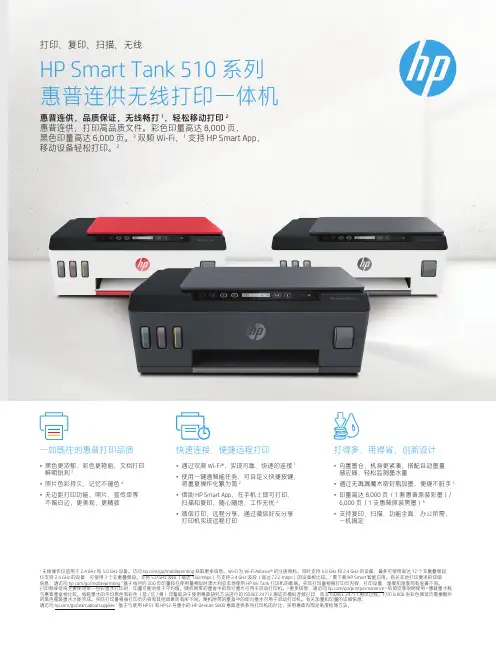
惠普Smart Tank 510系列说明书
1无线操作仅适用于 2.4 GHz 和 5.0 GHz 设备。
访问 /go/mobileprinting 获取更多信息。
Wi-Fi 为 Wi-Fi Alliance ® 的注册商标。
同时支持 5.0 GHz 和 2.4 GHz 的设备,最多可使用高达 12 个非重叠频段,仅支持 2.4 GHz 的设备,可使用 3 个非重叠频段。
支持 5.0 GHz 波段(高达 150 mbps)与支持 2.4 GHz 波段(高达 72.2 mbps)的设备相比较。
2 需下载 HP Smart 智能应用。
有关本地打印要求的详细 信息,请访问 /go/mobileprinting 3 基于每月约 200 页印量和在使用量相似时澳大利亚本地使用 HP Ink Tank 打印机的数据。
实际打印量根据打印页内容、打印设置、温度和湿度而有显著不同。
打印频率低或主要使用单一色彩墨水打印时,印量可能会低于平均值。
随机附带的墨盒中的部分墨水可用于启动打印机。
4 更多信息,请访问 /go/printpermanence 5 依照安装说明使用 6 惠普墨水瓶与惠普墨盒相比较。
每瓶墨水的平均黑色和彩色(蓝 / 红 / 黄)印量取决于使用惠普研究方法进行的 ISO/IEC 24712 测试页模拟连续打印,而非 ISO/IEC 24711 测试过程。
打印 8,000 张彩色测试页需要额外的黑色瓶装墨水才能完成。
实际打印量根据打印页内容和其他因素而有所不同。
随机附带的墨盒中的部分墨水可用于启动打印机。
有关加墨和印量的详细信息, 请访问 /go/learnaboutsupplies 7 基于与使用 HP51 和 HP52 号墨水的 HP DeskJet 5800 惠普连供系列打印机的对比,采用惠普内部光密度检测方法。
打印、复印、扫描、无线HP Smart Tank 510 系列 惠普连供无线打印一体机惠普连供,品质保证,无线畅打 1,轻松移动打印 2 惠普连供,打印高品质文件。
BCHP 全自动空气源 GCK3302 GCK3308 说明书
BCHP全 自 动 空 气 源GCK3302/GCK3308使用说明书北京中惠普分析技术研究所B C H P 受控文件敬告:1. 在使用仪器前请您认真阅读此说明书!2. 切勿将仪器倒置,防止压缩机漏油。
3. 请务必三个月更换一次活性炭!4. 若产品更新,仪器内部结构略有变化,恕不另行通知!注意:本说明书只适用于GCK3302和GCK3308型 GCK3302型流量为5000ml/min GCK3308型流量为8000ml/min企业通过ISO9001:2008质量管理体系认证 产品通过国家分析仪器质量监督检验中心检测 产品通过国家标准物质检测中心检测 产品荣获部级科技进步二等奖 产品中国专利号:94222810.3 产品在世界银行国际性招标《ITC-943026》项目中标 产品被联合国开发计划署《ICEB-Q91211》项目采用 B C H P 受控文件目 录一、公司介绍........................................................................1 二、产品概述........................................................................1 三、仪器各部位名称...............................................................2 四、仪器的安装与使用............................................................2 五、仪器的工作原理与特点......................................................4 六、主要技术参数..................................................................5 七、仪器的成套性..................................................................5 八、制造商的保证..................................................................6 九、附图1 ...........................................................................6 十、附图2 仪器的故障原因与排查方法 (8)B C H P 受控文件一、公司介绍北京中惠普分析技术研究所成立于1994年,是目前国内规模最大的气相色谱仪器配套气源发生器的生产厂家之一,产品系列多,品种全,涵盖高纯度氢气(200ml/min 9000ml/min)、高纯度氮气(300ml/min 1000ml/min)、低噪音空气源(2L/min 10L/min)等各种流量单体机及各种相关组合机,拥有多项国家专利,并曾荣获国家部级科技进步二等奖。
HP Presence 会议空间解决方案说明书

HP PRESENCEMEDIUM AND LARGE MEETING SPACE SOLUTIONSAdaptive AI-enhanced audio and engaging controls make virtual meetings more personal. HP Presence interacts intuitively with users providing an intelligent meeting experience anddelivers useful real-time analytics back to IT .1,2BE IN THE ROOM FROM ANY ROOMHP Presence Medium Space Solution Plus AI Video Bar 16HP Presence Medium Space Solution 16,19HP Presence Medium Space Solution Plus AI Camera 16SCALABLE, FUTURE-PROOF MEETING SPACE SOLUTIONSMEDIUM SPACE• 6-12 seats• Approx 15x20 ft (4.5x6 m)• Up to 300 sq ft (30 sq mt)LARGE SPACE• 12+ seats• Approx 15x25 ft (5x8 m) or larger• Up to 375 sq ft (40 sq mt)COMPATIBLE WITH30m USB-C cableHP Presence Large Space Solution 16,173HP Presence Audio Video Bar15conferencing solution thataudio in the control center.6HP Presence Control Plus20HP Presence SeeHP Presence Medium Space HP Presence Medium SpaceCustomize your space withHP Presence audio and videocomponents or connect to yourexisting audio and video systems.17CUSTOMIZEABLEFOR YOUR SPACEHP Presence LargeSpace Solution1630m USB-C cableEXPAND YOUR VOICE PICKUPWith the HP Presence Hub and HP Presence Talk,18 easily addplug-and-play satellite microphones that recognize wheresound is coming from and optimize voices so everyone isheard, even in large rooms.BETTER WAY TOCOLLABORATE✓HP Smart Setup app to quickly and easily configure and test the solution✓Tool-free, color-coded setup✓Start your meeting in seconds with HP Meeting Ready✓HP Clean Screen locks the screen for cleaning9✓One-tap issue reporting with HP Presence Room Assistant4BE SEEN CLEARLY & COLLABORATE NATURALLY✓HP Speaker Tracking keeps up with you, even if you are moving fast✓Automatic Lowlight and Backlight Adjustment improves harsh lightingHEAR & BE HEARDLeveling optimizes their volume to be heard clearly✓HP Auto Volume lets remote voices be heard in the room✓Remove unwanted sounds with AI Noise Reduction✓Keep echoes out of the conversation with Intelligent RapidEcho CancellationINTUITIVE SECURITY & MANAGEABILITYCONTINUALLY IMPROVINGCOLLABORATIONWITH HP PRESENCE SERVICESHP Presence services and hardware work together to create a collaborationexperience that optimizes your space and use preferences.HP PRESENCE M ANAGER 1 Know when something is wrong in the room via proactive monitoring and alerting of device health issues and updates with HP Presence Manager . HP Presence devices report their health status directly to the collaboration portal so you can resolve issues quickly.1Real-time analyticsHP PRESENCE INSIGHTS 2Get better visibility into the user experience and utilization of your conferencing spaces with optional HP Presence Insights that intelligently predicts room & product issues before they become problems. HP Room Assistant is included and allows users to self-report common meeting room issues, while IT receives alerts and can manage everything from a single dashboard.2Intelligent, actionable insightsHP PRESENCE CUSTOMER SUCCESS MANAGER 10Take the complexity out of tying all of your HP Presence solutions together by working with a dedicated Customer Success Manager who will provide assistance during onboarding and through renewal of your agreements to help you achieve your goals.Get the most out of your investmentHP PRESENCE EXCHANGE11If HP Presence components malfunction, simply contact HP and you will receive a replacement device with a pre-paid return label to send back the malfunctioning component.Replace devices quicklyHP PRESENCE PRODUCT DEFINITIONSHP PRESENCE CONTROL13HP PRESENCE HP PRESENCE SEE4K AI CAMERA14HP PRESENCEAUDIO VIDEO BAR 5,15HP PRESENCE HUB &HP PRESENCE TALK18 33LEGAL DISCLAIMERS1. HP Presence Manager uses HP Cloud Endpoint Manager and HP TechPulse, a telemetry and analytics platform that provides critical data around devices and applications. HP Cloud Endpoint Manager and HP TechPulse follow stringent GDPR privacy regulations. HP TechPulse is ISO27001, ISO27701, ISO27017 and SOC2Type2 certified for Information Security. Internet access with connection to TechPulse portal is required. For full system requirements, please visit http://www.hpdaas. com/requirements. HP Presence Manager and HP Presence Insights are licensed by the terms of the HP Presence Insights Terms of Service /hp-presence-insights-tos.2. HP Presence Insights is included through December 31, 2022 and functionality will then revert to HP Presence Manager. Purchase of 1–5-year license is required thereafter. HP Presence Manager and HP Presence Insights are licensed by the terms of the HP Presence Insights Terms of Service /hp-presence-insights-tos. HP Presence Manager and HP Presence Insights use HP Cloud Endpoint Manager and HP TechPulse, a telemetry and analytics platform that provides critical data around devices and applications HP Cloud Endpoint Manager and HP TechPulse follow stringent GDPR privacy regulations. HP TechPulse is ISO27001, ISO27701,ISO27017 and SOC2 Type2 certified for Information Security. Internet access with connection to TechPulse portal is required. For full system requirements, please visit /requirements. HP Presence Manager and HP Presence Insights are licensed by the terms of the HP Presence Terms of Service /hp-presence-insights-tos.3. Microsoft Teams Rooms or Zoom software preinstalled. Subscription to Microsoft Teams Rooms or Zoom required and sold separately.4. HP Presence Room Assistant is included with HP Presence Insights. HP Presence Insights is included through December 31, 2022 and functionality will then revertto HP Presence Manager. Purchase of 1–5-year license is required thereafter. HP Presence Manager and HP Presence Insights uses HP Cloud Endpoint Manager andHP TechPulse, a telemetry and analytics platform that provides critical data around devices and applications. HP Cloud Endpoint Manager and HP TechPulse follow stringent GDPR privacy regulations. HP TechPulse is ISO27001, ISO27701, ISO27017 and SOC2 Type2 certified for Information Security. Internet access with connection to TechPulse portal is required. For full system requirements, please visit /requirements. HP Presence Manager and HP Presence Insights are licensed by the terms of the HP Presence Insights Terms of Service /hp-presence-insights-tos.5. HP Presence Small Space Solution Plus AI Video Bar has an expected availability date of Q2 2022.6. Based on HP’s internal analysis of combined hardware/software solution dedicated to the sole purpose of collaborating with in-room and remote audiences that processes audio in the control center instead of the computer as of September 2021.7. Based on HP’s internal analysis of combined hardware/software solution dedicated to the sole purpose of collaborating with in-room and remote audiences with a webcam with an automatic, sensor driven privacy shutter as of September 2021.8. Based on HP’s internal analysis of hardware/software solution dedicated to the sole purpose of collaborating with in-room and remote audiences that can report room issues with one icon tap without the need to type text as of September 2021.9. Select household wipes can be safely used to clean HP Elite and Workstation, HP Presence Control and HP Presence Control Plus, and HP ProBook 635 Aero PCs up to 1,000 wipes: See wipe manufacturer’s instructions for disinfecting and the HP cleaning guide for HP tested wipe solutions at How to Sanitize Your HP Device Whitepaper (https:///v2/GetDocument.aspx?docname=4AA7-7610ENW) not applicable to HP Elite c1030 Chromebook.10. HP Presence Customer Success Manager is sold separately or as an optional service.11. HP Presence Exchange is sold separately or as an optional service.12. Mounting hardware included with HP See 4K AI Camera and HP Presence Audio Video Bar. Mounting hardware for HP Presence Control and HP Presence Control Plus sold separately.13. HP Presence Control and HP Presence Control without Audio included in select bundles or sold separately.14. HP Presence See 4K AI Camera included in select bundles or sold separately.15. HP Presence Audio Video Bar included in select bundles or sold separately.16. HP Presence Medium Space Solution, HP Presence Medium Space Solution Plus AI-Camera, HP Presence Medium Space Solution Plus AI Video Bar, HP Presence Large Space Solution has an expected availability date of Q2 2022.17. Speakers and video sold separately.18. HP Presence Talk Satellite Microphones (2) sold separately or as an optional feature.19. Video components are included in select HP Presence space solutions or sold as an optional feature.20. HP Presence Control Plus included in select bundles or sold separately.。
西门子SIRIUS SOFT STARTER产品说明书
Test Certificates
Type Test Certificates/Test Report
正树/批准:
3RW3013-1BB04 Page 3/5
15.08.2013
subject to modifications © Copyright Siemens AG 2013
General Product Approval
EMC
other
Declaration of Conformity
other
机械构造: 电机控制设备的机构尺寸 宽度 高度 深度
A
3.3
A
3
W
700
W
1,500
hp
0.5
Hz
50 … 60
%
-10
%
10
V
200 … 480
%
-15
%
10
%
10
%
115
W
0.25
AC/DC
Hz
50
Hz
60
%
-10
%
10
V
24
V
24
%
-20
%
20
V
24
%
-20
%
20
红色的
S00
mm
45
mm
95
mm
电力电子学: 产品名称 工作电流
• 在40 °C时 / 测定值
SIRIUS
是 是
否 否 否 否 否 否 否
HP LaserJet Pro MFP M127fn 产品说明说明书
LaserJet Pro MFP M127fnThis affordable, full-featured HP LaserJet Pro MFP is easy toinstall—and prints, copies, scans, and faxes. Enable easy printing from smartphones, tablets, and laptops—at work, home, or on the go—using mobile printing features.1Print speed:3 Up to 21 ppm Black (normal, letter)Scan resolution: Up to 1200 x 1200 dpi (hardware); Up to 1200 x 1200 dpi (optical)Copy resolution: Up to 600 x 600 dpi black (text and graphics) Display: 2-line LCD (text)Standard connectivity: Hi-Speed USB 2.0 port, built-in Fast Ethernet 10/100Base-TX network portRecommended monthly page volume:4 Up to 250 to 2000 pagesLocal printing requires mobile device and printer to be on the same network or have a direct wireless connection to printer. Wireless performance is dependent on physical environment and distance from the access point. Wireless operations are compatible with 2.4 GHz operations only. Remote printing requires an Internet connection to a HP web-connected printer. App or software may also be required. Wireless broadband use requires a separately purchased service contract for mobile devices. Check with your service provider for coverage and availability in your area. See/go/mobileprinting for more details. Supports OS X Lion, OS X Mountain Lion and the following devices running iOS 4.2 or later: iPad (all models), iPhone (3GS or later) and iPod touch (third generation or later). Works with HP's AirPrint-enabled printers and requires the printer be connected to the same network as your OS X or iOS device. Wireless performance is dependent on physical environment and distance from the access point. OS X, iPad, iPhone, and iPod touch are trademarks of Apple Inc., registered in the United States and other countries. AirPrint™ and the AirPrint logo are trademarks of Apple Inc. Exact speed varies depending on the system configuration, software program, and document complexity. HP recommends that the number of pages per month of imaged output be within the stated range for optimum device performance, based on factors including supplies replacement intervals and device life over an extended warranty period.HP Smart Install works with Microsoft® Windows® only.Handle the essentials•Use the simple, intuitive control panel to easily set up projects and start printing right away.•Finish projects fast—use the 35-page automatic document feeder to make the most of your time.•Easily copy both sides of a two-sided ID or other small document onto the front of a single-page.•Set the pace for success with an MFP that prints, copies, and scans—fast.Print on your terms•Now you're wired. Share all your printer has to offer, company-wide, using 10/100 Ethernet connectivity.•Print from your mobile device withbuilt-in print capability or HP ePrint app and software.1•Print from virtually anywhere with AirPrint™.2Hit the ground running•Get right to printing, right away. Install with ease. Set up and start fast with HP Smart Install—no CD required.5HP LaserJet Pro MFP M127fnHP LaserJet Pro MFP M127fn Product Number: CZ181AENERGY STAR qualified models; see: /go/energystar . Exact speed varies depending on the system configuration, software program, and document complexity. May require a firmware upgrade to be compatible, download at /go/support . First Copy Out and Copy Speed measured using ISO/IEC 29183, excludes first set of test documents. For more information see /go/printerclaims . Exact speed varies depending on the system configuration, software application, driver, and document complexity. Based on standard ITU-T test image #1 at standard resolution. More complicated pages or higher resolution will take longer and use more memory. Duty cycle is defined as the maximum number of pages per month of imaged output. This value provides a comparison of product robustness in relation to other HP LaserJet or HP Color LaserJet devices, and enables appropriate deployment of printers and MFPs to satisfy the demands of connected individuals or groups. HPrecommends that the number of pages per month of imaged output be within the stated range for optimum device performance, based on factors including supplies replacement intervals and device life over an extended warranty period. Replacement cartridge average declared yield ~1500 pages based on ISO/IEC 19752 and continuous print. Actual yields vary considerably based on images printed and other factors. For more information, visit:/go/learnaboutsupplies .Values subject to change. Power numbers are the highest values measured using all standard voltages. See /support for current information. Power requirements are based on the country/region where the printer is sold. Do not convert operating voltages. This will damage the printer and void the product warranty. Acoustic values are subject to change. For current information see /support. Configuration tested: LaserJet Pro MFP M127fw, simplex printing with A4 paper. LaserJet Pro MFP M127fw, ADF copy and print simplex using A4 paper.©2013 Hewlett-Packard Development Company, L.P. The information contained herein is subject to change without notice. The only warranties for HP products and services are set forth in the express warranty statementsaccompanying such products and services. Nothing herein should be construed as constituting an additional warranty. HP shall not be liable for technical or editorial errors or omissions contained herein. ENERGY STAR and the ENERGY STAR logo are registered U.S. marks. Windows is a registered trademark of Microsoft Corporation. AirPrint, iPad, iPhone, and iPod touch are trademarks of Apple Inc., registered in the U.S. and other countries. Linux is a U.S. registered trademark of Linus Torvalds. September 2013 R3For more information visit our website at TECHNICAL SPECIFICATIONSAiO functions Print, copy, scan, fax; AiO multitasking supported: Yes Duplex print options Manual (driver support provided)Print speed Black (normal, letter): Up to 21 ppm Print resolution Black (best): Up to 600 x 600 dpi Print technology LaserPrint resolution technologiesFastRes 600; FastRes 1200Print cartridges number 1 (black)Printer smart software featuresSmart Install, HP Auto-On/Auto-Off, HP ePrint, Apple AirPrint™, Embedded Web ServerMobile printing capability HP ePrint, Apple AirPrint™, Mobile Apps Standard print languages PCLmPrinter management HP Device Toolbox, Status Alerts (default install)Scan type Flatbed, ADFScan speed Normal (letter): Up to 7 ppm (b&w), up to 5 ppm (color)Scan resolution Enhanced: Up to 1200dpi; Hardware: Up to 1200 x 1200 dpi; Optical: Up to 1200 dpi;Scan technology Contact Image Sensor (CIS)Scan file format Windows Scan SW supports file format: JPG, RAW(BMP), PDF, TIFF, PNG; Mac Scan SW supports file format: TIFF, PNG, JPEG, JPEG-2000, PDF, PDF-Searchable, RTF, TXTScan input modes Scanning via HP LaserJet scan application or TWAIN—or WIA-compliant application software Scan size maximum ADF: 8.5 x 14 in (216 x 356 mm); Flatbed: 8.5 x 11.7 in (216 x 297 mm)Twain versionVersion 1.9Bit depth/Grayscale Levels 24-bit/256Copy speed Black (normal, letter): Up to 21 cpm Copy resolution Black (text and graphics): Up to 600 x 600 dpi Max number of copies Up to 99 copies Copier resize 25 to 400%Copier settings Number of copies; Lighter/Darker; Reduce/Enlarge; Optimize (draft, text, mixed, picture); Paper Size, Collation Fax speed3 sec per page; 33.6 kbpsFax resolutionBlack (best): Up to 300 x 300 dpi; Black (standard):203 x 98 dpi; Black and white (fine): 203 x 196 dpi, 256 levels of gray; Black and white(superfine): 300 x 300 dpi or 203 x 392 dpi, 256 levels of gray ; Black photo grayscale: 300 x 300 dpi (halftone)Fax smart software features Fax address book; LAN/Internet fax; Speed-dial; TAM interfaceFax featuresAuto fax reduction supported: Yes; Auto-redialing: Yes; Fax delayed sending: Yes;Distinctive ring detection supported: Yes; Fax forwarding supported: Yes; Fax phone TAM interface supported: Yes; Fax polling supported: Yes; Junk barrier supported: Yes; Maximum speed dialing numbers: Up to 100 numbers; PC interface supported: Yes; Remote retrieval capability supported: Yes; Telephone handset supported: NoStandard connectivity Hi-Speed USB 2.0 port; built-in Fast Ethernet 10/100Base-TX network port Direct Print Support CapabilityUSB printingNetwork capabilities Via built-in 10/100Base-T TCP/IP networking Network ready Standard (built-in Ethernet)Wireless capability No Modem 33.6 kbps Memory 128 MB Processor speed 600 MHz Duty cycle (monthly)Up to 8,000 pages Recommended monthly page volume Up to 250 to 2000 pagesPaper handling150-sheet input tray; 100-sheet face-down binInput capacity: Up to 150 sheets, Up to 10 envelopesOutput capacity: Up to 100 sheets, Up to 10 envelopes, Up to 75 sheets transparencies Media type Paper (plain, laserjet), envelopes, transparencies, labels, postcards Media weight 16 to 43 lb (60 to 163 g/m²)Media sizes custom 3 x 5 to 8.5 x 14 in (76 x 127 to 216 x 356 mm)Media Sizes standardLetter; Legal; Executive; envelopes (Com #10, Monarch #7 3/4); post cards (Standard #10)Auto document feeder capacityStandard, 35 sheetsDimensions (W x D x H)16.5 x 14.4 x 12.2 in (420 x 365 x 309 mm); Max: 16.5 x 17.2 x 12.2 in (420 x 438 x 309 mm)Weight20 lb (9.1 kg)What´s in the boxHP LaserJet Pro MFP M127fn; Preinstalled introductory HP LaserJet Black Cartridge (~700 pages); Installation guide, Getting Started guide, User's Guide, Support flyer, Warranty guide; Printer documentation and software on CD-ROM; Power cord; Phone cord Replacement cartridges HP 83A Black LaserJet Toner Cartridge (~1,500 yield), CF283A Warranty features One-year limited warrantyCompatible operating systemsFull software installs supported on: Windows 8 (82-bit/64-bit), Windows 7 (32-bit/64-bit), Windows Vista (32-bit/64-bit), Windows XP (32-bit) (SP2 or higher); Driver only installssupported on: Windows Server 2012; Windows Server 2008 (32-bit/64-bit), Windows Server 2008 R2 (x64) (SP1), Windows Server 2008 (Standard Edition), Windows Server 2008(Enterprise Edition), Windows Server 2003 (32-bit/64-bit) (SP1 or higher), Windows XP (64-bit) (SP2 and higher); Mac OS X v 10.6.8 or higher; Linux: Please check Linux on-line support: /hplip-web/install.htmlMinimum system requirementsPC: Windows 8 (32-bit/64-bit), Windows 7 (32-bit/64-bit), Windows Vista (32-bit/64-bit), Windows XP (32-bit) (SP2 or higher); 200 MB minimum hard disk space required (CD and Web Package); 400 MB minimum hard disk space required (Box Spec for Smart Install); 512 MB minimum RAM installed; CD-ROM/DVD or Internet; USB or Network port;Mac: Mac OS X v 10.6; PowerPC G4, G5, or Intel Core™ Processor; 500 MB available hard disk space; CD-ROM/DVD-ROM or Internet; USB or Network port Fonts and typefaces None (Host-based)Control panelDual digit numeric LED display; 26 buttons (Up, Down, OK, Cancel, Back, Setup, Number ofCopy, Dark/Light, Mono copy, Copy Menu, ePrint, Start Fax, Fax Setup, Number Key 0- 9, "*-@", "#,", Power ); 3 LED indicator lights (Attention, Ready, Power)Display 2-line LCD (text)PowerPower supply type: Built-in power supplyPower supply required : Input voltage: 110 to 127 VAC (+/- 12%), 60 Hz (+/- 3 Hz); Inputvoltage: 220 to 240 VAC (+/- 12%), 50/60 Hz (+/- 3 Hz) (Not dual voltage, power supply varies by part number with # Option code identifier)Power consumption: 480 watts (Printing), 186 watts (Copying from ADF), 4.5 watts (Ready), 1.1 watts (Sleep/Auto-Off), 0.1 watts (Manual Off)Software includedWindows: HP Installer/Uninstaller, HP PCLmS print driver, HP WIA Scan Driver, HP TWAIN Scan Driver, HP Scan, HP Fax Setup Wizard, HP Send Fax, Status Alerts, HP Update, DXP; Mac: HP Installer/Uninstaller, HP Postscript driver, HP Scan, HP Setup Assistant, HP Fax Print Driver, HP Utility, HP Alerts, HP Firmware Updater.Acoustic Acoustic power emissions: 6.0 B(A)Acoustic power emissions (active copy): 6.6 B(A) Acoustic power emissions (active scan): 6.2 B(A) Acoustic power emissions (ready): InaudibleAcoustic pressure emissions bystander (active copy): 52 dB(A) Acoustic pressure emissions bystander (active scan): 48 dB(A) Acoustic pressure emissions bystander (active, printing): 49 dB(A) Acoustic pressure emissions bystander (ready): InaudibleOperating environmentOperating temperature range: 59 to 90.5º F (15 to 32.5º C)Recommended operating temperature range: 63.5 to 77º F (17.5 to 25º C) Storage temperature range: -4 to 140º F (-20 to 60º C) Non-Operating humidity range: 10 to 95% RH Operating humidity range: 10 to 80% RHRecommended operating humidity range: 30 to 70% RHSecurity Management Password-protected network embedded Web server; SNMPv1 community password change HP Services and Support OptionsHP 2 Year Care Pack Business Priority Support with Next Business Day Exchange, UQ220E HP 3 Year Care Pack Business Priority Support with Next Business Day Exchange, UQ221E HP 4 Year Care Pack Business Priority Support with Next Business Day Exchange, UQ222E HP 2 Year Care Pack Business Priority Support with Onsite Exchange, U6M41E HP 3 Year Care Pack Business Priority Support with Onsite Exchange, U6M42E HP 4 Year Care Pack Business Priority Support with Onsite Exchange, U6M43EHP Basic Installation Service for one consumer printer with wireless capability, US284E HP Premium Installation Service with wireless network setup for up to three PCs and/or printers, US285E。
hp1219说明书
hp1219说明书基础信息产品定位多功能商用一体机产品类型黑白激光多功能一体机涵盖功能打印/复印/扫描/传真最大处理幅面A4耗材类型鼓粉一体耗材容量HP LaserJet黑色硒鼓CC388A:约1500页双面功能手动(需要驱动程序支持)网络功能支持有线网络打印移动打印惠普云打印打印功能黑白打印速度18ppm打印分辨率600×600dpi首页打印时间8.5秒打印语言基于主机的打印语言月打印负荷达到8000页打印其它性能建议月打印量:250-2000页复印功能复印速度18cpm复印分辨率600×400dpi连续复印1-99页缩放范围25-400%扫描功能扫描控制器标准配置扫描类型平板+馈纸式扫描速度黑白:7.4ppm,彩色:3ppm光学分辨率1200×1200dpi扫描尺寸平板:216×297mm;ADF:216×356mm(最大),152×114mm(最小)扫描格式PDF,TIF(压缩和未压缩),BMP,GIF,JPG色彩深度24位扫描其它性能扫描至电子邮件,应用程序,文件;不支持双面ADF扫描扫描输入模式:通过HP LaserJet扫描应用程序或符合TWAIN或WIA标准的应用软件进行扫描传真功能传真控制器标准配置调制解调器速度33.6kbps传真发送速度3秒/页传真分辨率300×300dpi传真内存最多500页拨号功能速拨号:100个,自动重拨传真其它性能支持传真轮询介质规格介质类型普通纸,激光打印纸,信封,投影胶片,标签,卡片,明信片介质尺寸A4,A5,ISO B5,ISO C5,ISO C5/6,ISO C6,ISO DL,16K,欧洲明信片,J明信片(Hagaki),J双面明信片(Oufuku Hagaki),自定义:76×127-216×356mm介质重量60-163g/㎡,ADF:60-90g/㎡供纸盒容量标配:150页输出容量标配:100页(面朝下),最大:100页自动供纸器支持,可进纸35页其它参数显示屏双行数字LCD显示屏处理器400MHz内存标配:64MB,最大:64MB系统平台最低系统要求:Windows 10/8/7/Vista/XP/Server 2003/Server 2008:1GHz处理器、1GB RAM、700MB可用硬盘空间、16位彩色SVGA 800x600显示屏、Internet Explorer 5.5或更高版本、USB或以太网端口;Mac OS X v 10.4,v 10.5,v 10.6;PowerPC G3、G4、G5或英特尔处理器;1GB RAM;200MB可用硬盘空间;CD-ROM光驱;USB或网络端口兼容的操作系统:Windows 8/7/Vista/XP/Server 2008/Server 2003;Mac OS Xv10.4、v10.5、v10.6;Linux接口类型高速USB2.0,10Base-T/100Base-TX(RJ-45网络接口),RJ-11(传真接口)电源电压AC 110-127V(±10%),60Hz(±2Hz)AC 220-240V(±10%),50/60Hz(±2Hz)耗电量工作:375W,复印:245W,就绪:4.7W,睡眠:2W,关机:0.3W 产品尺寸435×265×306mm(最小),435×365×306mm(最大)产品重量8.3kg,10.8kg(包装)工作噪音声功率(就绪):无声;旁观者位置声压(激活、打印中):50dB(A) 环境参数工作温度:10-32.5℃,工作湿度:10-80%RH其它特点符合ENERGY STAR的要求墨盒数量:1个(黑色)附件包装清单主机 x1电源线 x1电话线 x1150页进纸盒 x1出纸盒 x1HP LaserJet黑色体验硒鼓 x1 带软件与文档的CD x1安装指南 x1支持宣传页 x1勘误表 x1发现表 x1铁氧体宣传页 x1保修指南(如适用) x1USB连接线 x1随机软件基于主机的打印驱动程序、TWAIN、WIA、扫描到应用程序、XPS驱动程序、Mac驱动程序、发送传真、惠普工具箱保修信息保修政策全国联保,享受三包服务质保时间1年质保备注1年有限保修客服电话电话备注周一至周五:8:30-18:00(节假日休息)详细内容惠普支持全国联保,可享有三包服务。
JET- 300使用说明书
1 2 C1 C1 0 1.4mA 100uF 10V
2-3-4 (1)
实际值
+%
-%
注:每个电容值耐压都有不同,所以在实际值之电压是不一定的 (2)三端点量测: 此方法用于量测电解电容,此量测法须于电容上端栽针(如下图),并将程序修改 如下:
项目 零件编号 标准值 实际值
3 4 C2 C2 0 0.1 10uF 0.2V +% 30 0 -% 30 30 DC LV
3
66
66 72 72 74 74 75 75 75 76 76 76 76 76 77
6.7
6.7.1 6.7.2 6.7.3 6.7.4 6.7.5 6.7.6 6.7.7 6.7.8
报表指令(REPORT COMMAND)
77
78 78 79 80 80 80 80 80
6.7.9
扣除不良板
中文窗口版
使 用 说 明 书
捷智科技股份有限公司
目
一、 序言 二、 测试的方法与原理
2.1 2.2
2.2.1 2.2.2 2.2.3
录
5 6
6 6
6 7 7
隔离(Guarding)的原理 电阻的量测方法
定电流测量法 定电压测量 相位测量法
2.3
电容测试
9
9 9 9 10
2.3.1 交流定电压源量测 2.3.2 直流定电流量测法 2.3.3 相位量测法 2.3.4 电容极性量测
+
பைடு நூலகம்
I1 = If VA = Vo Rx Rf Rx - VA.Rf = Vo
2-2-3 相位测量法 (MODE P1,P2,P3,P4,P5)