
2018-2019学年度人教版必修二Unit 3 Computers-using language教案
- 1 -
Part Ⅳ Writing——想象类作文
想象类作文没有固定的结构或格式,内容也不受限制。你需要放飞想象的翅膀,可以对你理想中
的未来事物的形态、构造、性质、功能等进行大胆的设想,并进行科学的描述。
想象类作文可分为三段:首段,进行概述;中间部分,具体描述;结尾,对文章进行总结。
假定你设计出了一款新机器人——家用机器人,请你介绍一下其主要功能。可参考下面的内容:
1.可以陪老人聊天、下棋、做运动等;
2.可以在固定的时间做饭,做饭时间可以根据个人需要进行调整;
3.及时处理突发事件,例如在老人突然病倒时及时拨打求救电话等。
注意:1.词数100左右;
2.内容可适当发挥,注意行文连贯。
参考词汇:紧急情况emergency
[词汇搜索]
1.类型 n. type
2.照看 take__care__of/look__after
3.聊天 chat/have__a__chat
4.在很多方面 in__many__ways
5.在固定的时间 __at__a__fixed__time
6.根据 according__to
7.突然 all__of__a__sudden
8.对……有帮助 be__of__help__to...
[由词连句]
1.这里是一款新型机器人——家用机器人,它能在很多方面帮助我们。(here倒装句;which引
导定语从句)
Here__is__a__new__type__of__robot—the__household__robot,which__can__help us in
many__ways.
- 2 -
2.首先,我们外出时可以照顾老人,也可以陪老人聊天、下棋、做运动。(when引导时间状语从
句;v.-ing作宾语)
Firstly,it__can__take__care__of__the__old__people__when__we__are__away
and__can__also__accompany__the__old__people__in__having__a__chat,playing chess, and
doing__exercise.
3.其次,它能在固定的时间做饭,这个时间可以根据每个人调整。(which引导定语从句)
Secondly,it__can__cook__meals__at__a__fixed__time__which__can__be_ adjusted
according to__individual__needs.
4.总之,如果你有这样的机器人,会很有帮助的。(be+of+n.结构;if引导条件状语从句)
In__a__word,it__would__be__of__great__help__to__you__if__you__own__such a__robot.
[连句成文]
Here is a new type of robot—the household robot,which can help us in many ways.
Firstly,it can take care of the old people when we are away and can also accompany the
old people in having a chat,playing chess,and doing exercise.Secondly,it can cook
meals at a fixed time which can be adjusted according to individual needs.Thirdly,
it can deal with emergencies.For example,if an old man falls ill all of a sudden,
the robot will call doctors for help.
In a word,it would be of great help to you if you own such a robot.
公开课必修2unit3 Computers教案
Module 2 Unit 3 ComputersPeriod 1. Warming Up, Pre-reading, ReadingTeaching goals:1. To have a better understanding of the main idea of the passage.2.To enable the students to grasp the progress of computers3. To enable the students to talk about computers in EnglishTeaching aids: Computer, recorder and projectorTeaching procedures:Step 1. Lead-in(Word puzzle )1.Guess riddles: What they are?An abacus/A calculator/A PC/desktop/A notebook computer/2. T: What do they have in common?(Ask students to give their opinions, remind them of using the expressions of giving opinions) 3. Ask some of the students to talk about what they know about computers.Step 2 Pre-readingPurpose: To activate Ss’ interest about computers.T: What can we do with a computer?Step 3 SkimmingPurpose: To get a brief understanding of the text.Give students several minutes, then ask them to get the main idea of the passage and the topic sentence of every paragragh.The main idea of the passage: This is a short _____ of the _______ of computers.Topic sentences:Para1:Over time I have been changed quite a lot.Para2: These changes only became possible as my memory improvedPara3: Since the 1970s many new applications have been found for meStep 4 ScanningPurpose: To get Ss to have some details in the textQuestions (1) Who am I ? ( A computer )Students are asked to find out three sentences to support who the speaker is in the story.1) I was built as an Analytical machine by Charles Babbage.2 )My real father was Alan Turing….,3) I was always lonely standing there by myself, until in early 1960s …Step 5 Detail ReadingPurpose: 1.To get Ss to get more details about the text2. To train the students’ listening ability.I First, let Ss listen to the recording of the text. Pay attention to the pauses and pronunciation.and ask them to scan answers to the following questions:1. Where were you in 1642?2. What happened to you in 1822?3. What were you called in 1936?4. What happened in the 1960s?5. What happened to you in the 1970?II Complete the tableExplain how the computer technology has been developing and complete the following chart. Then give a brief oral presentation on the development of computer technology with the help of the chart.A chain of events showing the development of computer / Changes of the machineTimeline1642: _____________________________________________:1822 : the Analytical Machine was Made by Charles Babbage.1936: _______________________________________________________________________ _____: the first family of computers was connected to each other.1970s: ______________________________________________________________________ Now: _______________________________________________________________________III ComprehendingPurpose: To get Ss to get more details about the text.True or False1.Alan Turing built an Analytical Machine to solve any mathematical problems. (F)2.People began to realize that the computer got cleverer and quicker with time passing. (T)3.The computer began to serve the human race since it was brought into people’s homes.(F)4.Since the 1970s, the computer was used by people around the world through the Internet. (T)5. The larger the computer is, the more memory it has. (F)Step 6 SummaryPurpose: To have a deep understanding of the text.Ask Ss to use the chart above to retell the development of the computer.I was born in______in France. In_____, I was built as an____________,followinginstructions from cards with holes. In_____, my real father, Alan Turing, described how computers could be made to work in a book and solved any mathematic problem by_________ a ________machine. People were surprised at my artificial____________ . At first, I was the size of a large room. As times has gone by, I have been made smaller and smaller. In the______, I got new transistors. My memory became______ and_____, but I got ________and________, quicker and quicker. I could share information with others and talkto each other by a net. It was in the_________ that my family and I have been used by billions of people. I am happy that I have truly been built to serve _______ ________since my birth.Step 7 DiscussionT: Is it very important to learn computer skills for us? Why or why not?Let Ss tell advantages and disadvantages of the computers.(Ask students to give their opinions, remind them of using the expressions of giving opinions) Step 8 Homework1.Read the text carefully, find out the difficult points.2. Write a short passage about the development of computers.。
高中英语人教版必修2unit3ComputersUsinglanguage课件(系列二)
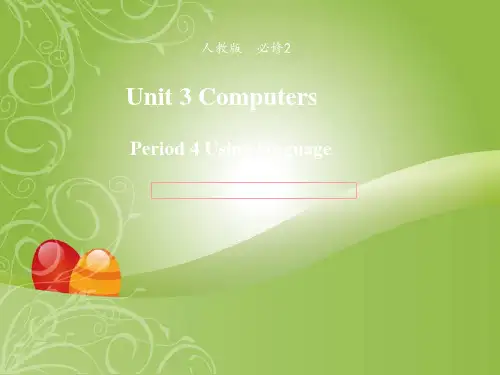
D: We’ve had IT for a long time. Books, radios and TVs are also kinds of IT. LM: Oh. I never thought of that before. Books are a wonderful way for us
1. What does Andy look like? 2. Andy looks like a human.
2. What can it do?
It is designed to play football games and can move and think like a human.
3. What part does Andy play in the football team? He’s a striker.
LM: You mean things like computers? In my opinion they’re so boring
to read about. They’re only good to use. D: But they’re just one kind of IT.
LM: Really? So what else is part of IT?
• in common, in one’s opinion, go by, so…that, deal with, human
race, in a way, make up, after all, with the help of, watch over
Listen to a conversation about different kinds of information technology or IT. Pay attention to the advantages and disadvantages of each one. Discuss the advantages and disadvantages.
高一人教课标必修2unit3-computers全单元的教案
高一人教课标必修2unit3-computers全单元的教案Period 1 ReadingThe General Idea of This Period:This period includes Warming up,Reading and Comprehending of Unit 3.It introduces the history and development of computers.From this period the students will learn more about computers.Meanwhile they can learn some reading strategies such as skimming and scanning.Teaching Aims:1.Train the students’ reading ability.2.Learn some useful words and expressions.3.Learn more about computers.Teaching Important Points:1.Help the students to understand the passage better.2.Learn how to use some important words and phrases in this passage.Teaching Difficult Points:1.How to help the students improve their reading ability and understand the passagebetter.2.Learn how to use some important words and phrases in this passage.Teaching Methods:1.Skimming the passage to get the general idea of the text.2.Scanning to get the details from the passage.3.Explanations and practice to help the students master some language points.4.Discussion to help the students understand better what they’ve learned and to use the knowledge they’ve learned in this period.Teaching Aids:1.A tape recorder.2.A multimedia.Teaching Procedures:Step 1 Warming up1.Greeting the students as usual.2.Introduce the topic of computersShow the five pictures (an abacus,a hugecomputer,a calculator,a PC,a notebook computer)and get the students name them in English.Through this task,st udents can have a general idea about what they are going to learn.Besides,students are expected to have a discussion about what they have in common while looking at them.And they are required to use the given expressions in their discussion to express their ideas.T:B oys and girls,today I am going to introduce some machines to you.Now let’s see whether you can name them in English correctly,and talk about them.Now work together with your partners and try to find out what they have in common.Two minutes late,five students are asked to talk about them in class.S1:An abacus is an old calculating machine used in China until now.S2:A huge computer is built to solve some mathematical pro blems.But,in my opinion,it is too big.S3:A calculator is a new calculating machine which can solve a large number mathematical problems.And I think it is very convenient to carry and use,so we ofte n use it.S4:A PC is a personal computer,which can solve all kinds of problems and is widely used in offices,schools,shops,at homes,etc.now.S5:A notebook computer is a kind of useful computer which can be taken conveniently like a notebook.But I think it is too expensive.T:Quite good.It seems that you are all quite familiar with these machines.But can you tell what they have in common?Any volunteers?S6:Let me try.I think they all calculate something.They can deal with some mathsproblems.S7:I believe that they are our good friends.With their help we can finish our work quickly.S8:The 21th century is the century of information technology.As middle school students,we should try to learn how to use computers.T:Well,your opinions are all right.Indeed,these machines all can calculate something.What’s more,from the abacus to the notebook computer,there is a long way.But now computers have already changed our lives greatly.But do you know more about computers and can you say something about how com puters have changed our lives.Step 2 Pre-readingShow the questions on the screen.T:Now,please have a discussion first,and then I’ll ask some students to report your work.After a few minutes.T:Now,who would like to answer the firstquestion?Voluntee r!S9:I’ll have a try.I know that computers have developed from large machines.They have been made smaller and smaller,but work faster and faster.I really can’t imagine what they will be like and wh ether they can take the place of human beings in the future.T:Yes,this is really a big problem.I think you are all interested in computers,you may go on studying computers,and perhaps one day you will design your own computers and become the masters of computers.OK!Next question!S10:I think computers have changed our lives greatly.We use computers widely in our study,in our work.You are using the computer to teach us English,aren’t you?S11:In my opinion,in the modern society,using the computers means grasping a tool of controlling the world.We may communicate with each other from a very long distance.In short,we can not live freely without them.T:I agree with you.The computers arebecoming more and more important in our lives.But learning more about computers is also importa nt,isn’t it?OK,let’s come to the reading passage “Who am I”.Step 3 ReadingTask 1.Skim the passage for the general idea.T:Boys and girls,you will be given two minutes to skim the passage and try to find out who “I”am and get the general idea of this pa ssage.After two minutes.T:Time is up.Who would like to tell us who “I”am and give the general idea of the text to the class?Volunteer!S12:Of course,“I”am the computer.The passage is mainly about the history and development of computers.S13:The passage is also about the relationship of computers and humans.Task 2.Scan for the details.T:Boys and girls,you will be given twomore minutes to scan the passage and try to find out the answers to the following questions.Let’s see who can find out the answers most quickly and correctly.1.Where were you in 1642?2.What happened to you in 1822?3.What were you called in 1936?4.What did you get in the 1960s?5.What happened to you in the 1970s?T:Have you finished?S14:I have.I was in France as a calculating machine in 1642.In 1822,I was built as an Analytical Machine by Charles Babbage.I was called “a universal machine”in 1936,as I could solve any mathematical problem.In the 1960s,I was given a family connected by a network,so that I could share information with others and we could talk to each other.In the 1970s,I was brought into people’s homes.T:You are so quick-minded that in such a short time you could find out all the answers to the questions.Your mind really works like a computer!Step 4 ComprehendingTask 3.Fill in the timeline to remember the facts.T:But can you memorize facts like a computer?I am afraid you can not.But let’s try to remember the facts in the passage by filing in the timeline on Page 19,which,I am sure,will help you remember the facts easily.Suggested answers:Timeline1642:The computer began a s a calculating machine.1822:The Analytical Machine was built by Charles Babbage.1936:Alan Turing wrote a book to describe how computers could be made.1960s:Computers had new transistors and became smaller.1960s:The first family of computers connected to each other.1970s:Computers were brought into people’s homes.Now:Computers connect people all over the world together.T:Have you finished?If so,please check your answers yourself.I’m sure all of you have got them right.Now you can retell the history of computers easily with the help of the timeline,can’t you?Please have a try,boys and girls!Step 5 Homework1.Recite the key sentences.2.Prepare for Learning About Language.3.Try to retell the text using about 100 words.Step 6 The Design of the Writing on the BlackboardUnit 3 ComputersPeriod 1The general idea of the text:Questions1.Where were you in 1642?2.What happened to you in 1822?3.What were you called in 1936?4.What did you get in the 1960s?5.What happened to you in the 1970s?Language points:1.in common/have... in common (with)...2.in one’s opinion3.deal with4.simple-minded5.“as”and “with”6.“There were times when... ”Step 7 Record after TeachingPeriod 2 Learning about LanguageThe General Idea of This Period:This period includes revision of the text、learning about language.From this period the students will learn how to use some of the key words and expressions in the text and do some exercises for consolidation,and learn how to use the Present Perfect Passive Voice.Teaching Aims:1.Help the students to learn to use some useful words and expressions.2.Enabl e the students to learn how to use the present perfect passive voice.Teaching Important Point:The use of the present perfect passive voice.Teaching Difficult Points:How to master the usages of some important words and phrases and the Present Perfect Passive Voice.Teaching Methods:1.Task-based learning.2.Cooperative learning.3.Explanation and practice.Teaching Aids:1.A tape recorder.2.A multimedia.Teaching Procedures:Step 1 RevisionT:Boys and girls,in last period we learned something about the history and development of computers.Now who would like to retell the text with the help of these figures?S1:Let me try.In 1642,a calculating machine was used in France.Then in 1922,the Analytical Machine was made by Charles Babbage.It could follow instructions from cards with holes.In 1936,Alan Turing,the real father of computers,wro te a book to describe how computers could be made to work and built a “universal machine”to solve any mathematical ter,people discoveredthe computer had “artificial intelligence”.In the 1960s,the computer got his new transistors.Its size was totally changes at that time.And in the early 1960s,the first family of computers were connected to each other.In 1970s,computers have brought into people’s homes.Now computers have been used by billions of people to deal with information and communicate with each other around the world by the Internet.T:Congratulations!You’ve done very well.Now try to do the same to your partners,OK!Step 2 Words and ExpressionsTask 1T:Please turn to Page 19 and finish Discovering Useful Words and Expressions.At first,look at Ex.1.From the reading passage,find the words and expressions with the following meanings.Now,ten students will be asked to give the words.Who can?Volunteers!Check the answers together.Task 2.T:Well done.Now please look at Ex 2.and complete the passage with some of the words above.Pay attention to the use and the forms of those words.The possible answers:ne twork so that went by totally truly simple-minded Anyway deal with Task 3T:Please finish Ex.3.Look at the sentences on Page 20.Tick the right word.Then some of you will be asked to read the sentences one by one.The possible answers:1.Life totally changed when I went to university.2.I was amazed to find that I won the competition to design a new computer.3.The competition was so exciting that we cheered all evening.4.I was so excited at the thought of meeting Yang Liwei that I could not sleep.5.Robots can be bought so cheaply that Igave one to each of my friends.6.It was so unlucky that you lost your watch at the concert.Task 4T:Please turn to Page 56 and let’s finish Using Words and Expressions.First look at Ex.1.Read through the words in the right-hand box e some of them to name each part of a computer in the left-hand box.We have known about computer.But who can give us the exact names?The possible answers:1.floppy disc2.hard disc3.scanner4.modem5.CD-ROM6.monitor7.keyboard8.printerTask 5T:Now please look at plete the sentences with some of the words in the right-hand box above.You can use each word only once.First do the exercise individually,and then check yo ur answers with your partners.And last seven students will be asked toreport their answers to the class.The possible answers:1.A printer is a machine for printing text or pictures onto paper,especially once connected toa computer.2.A CD-ROM or disk is the main device that a computer uses to store information.3.A monitor is used to see your data on a computer.4.A keyboard is used to put data into a computer.5.A CPU is often used to conne ct computers to each other through phone lines.6.Data can also be stored in a floppy disc,which is small and can be carried easily.7.A hard disc is a disc that contains computer data.It can store a large amount of data.Step 3 Grammar—The Present PerfectPassive VoiceT:Boys and girls,now please pay attention to the following sentences in the text:1.As the years have gone by,I have been made smaller and smaller.2.Since then,my family and I have been used by billions of people to deal with information and communicate with each other around the world by the Internet.3.I have truly been built to serve the human race since my birth.T:What verb tense is used in these sentences?And what verb voice is used in these sentences?Yes,the present perfect pa ssive voice is used in these sentences.Can you tell us the structure of the present perfect passive voice?Quite right.The structure of the present perfect passive voice is “subject+have/has been done+object”.The function of present perfect passive voice is indicating verbs’the present perfect and the passive voice.OK,let’s practise the present perfect passi ve voice.Task 1T:Please turn to P age 20.Let’s finish Discovering useful structures.At first,look at Ex.2.According to examples,change the following sentences into the present perfect passive voice.Put the verbs into the correct form.Suggested answers:1.A new personal computer has been bought.2.Many problems have been found with our new computer.3.A PC has been built the way we wanted.4.Our computer has just joined to the Inter net.5.The computer has been used every day since we bought it.6.A lot of e-mails have been written on the computer in the last year.Task 2T:Class,let’s play a game called “What has been decided”.Now,get into groups of four.Your task is to decide what things have been decidedfor the class.Take turns to make the ideas as interesting and lively as you like.You may finish them according to EXAMPLES on Page 21,(or finish Ex.3 after class.)Then collect the ones you all like best and be prepared to tell them to the class.Suggested answers: S1:It has been decided that those who know of the computer will be asked to say something in class. S2:It has been decided that those who didn’t clean the blackboard will be asked to come into office after school. Task 3 T:Now,pleas e turn to Page 57.Finish using structures.First,look at Ex.1 and change the following sentences according to the model,and pay attention to the passive voice form.First do the exercise individually,and then check your answers with your partners.After that we’ll check the answers in class. Step 4 Homework21T:OK,it’s almost time for a break.Now look at Ex.2 on Page 57.Translate the following sentences into English after class.The words and expressions in brackets may help you.Step 5 The Design of the Writing o n the BlackboardUnit 3 Computers Period 2The Present Perfect Passive Voice 1.As the years have gone by,I have been made smaller and smaller. 2.Since then,my family and I have been used by billions of people to deal with information and communicate with each other around the world by the Internet. 3.I have truly been built to serve the human race since my birth. Structure: “subject+have/has been done+object” Step 6 Record after TeachingPeriod 3 Extensive Reading22The General Idea of This Period: This perio d includes revision of the text, Reading and speaking on Page 22、Reading task on Page 58.In this period the students will be involved in a speaking activity about designing an android after reading the story of Andy,an d learn something about the performances of a sporting robot of the 22nd century,Hua Fei in 78th Olympics and 79th Olympics,so that the students will not only improve their reading and speaking,but also their creative thinking. Teaching Aims: 1.Help the students to learn about the different ways of designing the robots and give their opinions to the class. 2.Enable the students to discuss to design their own robots. Talk about the different ways of designing the robots. Teaching Important and Difficult Points: How to design their own robots and report their designing to the class.23Teaching Methods: 1.Task-based learning. 2.Cooperative learning. Teaching Aids: 1.A tape recor der. 2.A multimedia. Teaching Procedures: Step 1 Greetings Step 2 Reading (1) We’ve learned a lot about computers,but can you imagine that computers could be put into androids or robots.Think of the fun you c ould have!Now let’s first read the passage about a robot called Andy—what it looks like and what it can do on Page 22,and then we’ll have a des igning competition to see who will design the best robots. The students read the passage fo r several minutes. T:A few simple questions for you.What does Andy look like? What can it do?24S2:Andy looks like a human.It is designed to play football games and can move and think like a human.Andy is really smart.T:I agree with you.Are you eager to design your smart robots?Now in small groups discuss how to design your own androids , draw a picture of your androids and write down your design.You may refer to the following questions:1.What would you like it to look like? 2.What are some of the things you would like it to do? 3.Do you want it to be like a man or a woman or neither? 4.How much would it cost? T:And don’t forget to use the following expressions in your discussion. I think that In my opinion... What is your reason? I have decided that... After several minutes. T:Now,I’ll check your work.One from25each group will show your picture of the android you have designed and tell the class your design.And we’ll see which group has designed the best android.Who would like to try first?S3:Look here.This is the picture of the robot we’ve designed.What does it look like?Yes,it looks like a dog.We all like dogs very much.Every morning it will wake us up so that we will not be late for school.Then it will company us to school and carry our heavy bags.You know how heavy our bags are!In the evening,after a whole day’s hard work,it will play beautiful music to help us relax.Maybe it will cost at least 2000 yuan,but we don’t think it is too expensive to have such a good friend.S4:Well,we’d like to design our robot in this way.We would like it to look like the famous footballer Beckham who serves as a striker on the football team.It has the most advanced program , so it can move and think like Beckham,and of course can shoot good goals26like him.We would like it to enter the nextElectronic World Cup,and we are sure that itwill win the cup!T : Your designs are very unusual andsmart.I really want to go on appreciating yourdesigns,but time is limited.Will you put up yourpic tures of the robots you have designed withinstructions on the back wall,and then decidewhich group has designed the best androidsafter comparison?Step 3 Reading (2) Class,let’s come to the Reading Task onPage 58.First read the passage quickly and thenfill in the chart of Exercise 1 and keep a recordof his performances of the sporting robot of the22nd century,Hua Fei in 78th Olympics and79th Olympics.After doing it individual ly ,please check your answers with your partners,and then we will check the answers in class.Suggested answersRECORD CARDHUA FEIAbilityHigh flying exercises27Performance in 78th OlympicsWonderful turns, dives,circles anddancesPrize wonSilver medalPerformance in 79th OlympicsBegan very well but failed through on fault of his ownReason for failureParachute failed to openTreatmentTwo new legs and a new headStep 4 Homework T : It’s almost time for a break.Nowhomework for you today.pare the designs of the androids ofeach group and try to decide which one is thebest.2.Suppose you have been lucky enough tobe allowed to interview Hua Fei in hospital foryour school paper.Work out some questions together with your partner,and then intervieweach other.28Step 5 The Design of the Writing on theBlackboardComputersUnit 3Period 3TimeEvents16421822 19361960s1960s1970sNow29Reference for your design of the androids:1.What would you like it to look like? 2.What are some of the things you would like it to do? 3.Do you want it to be like a man or a woman or neither? 4.How much would it cost?RECORD CARDHUA FEIAbilityPerformance in 78th OlympicsHigh flying exercises Wonderful turns, dives,circles anddancesPrize wonSilve r medalBegan very well but Performance in 79thfailed through on Olympicsfault of his ownReason for failureParachute failed to open30TreatmentTwo new legs and a new headStep 6 Record after TeachingPeriod 4 ListeningThe General Idea of This Period: This period includes listening and writing on Page 21;listening on Page 55 and listening task on Page 58.Apparently,the purpose of this period is to train the students’ listening—for information ; for comprehension and for language.Meanwhile , the students will be trained to express their own opinions after listening. Teaching Aims:311.Help the students to learn about the knowledge of information technology.2.Enable the students to get the main ideas of the listening materials.Teaching Important and Difficult Points: 1.How to get the main idea and information in details. 2.Express their own opinions after listening. Teaching Methods: 1.Task-based learning. 2.Cooperative learning. Teaching Aids: 1.A tape recorder. 2.A multimedia. Teaching Procedures: Step 1 Revision Check the students’ interviews. Get the students to work together with their partners to interview each other. Step 2 Listening and writing (Page 21) Task 1 Listen to a conversation T:Class,as we all know,the 21st century32is the century of information andtechnology.Next we will listen to a conversationabout differe nt kinds of information technologyor IT.And as we know,each kind of informationtechnology has its own advantages anddisadvantages.So from this conversation we willlisten for the advantages and disadvantages ofeach one.But before listening let’s first look atthe pictures on Page 21 and the form on Page 22to make sure what you are going to do whilelistening.OK,let’s begin.The students listen to the conversation forthe first time.Task 2 Discussion and fillingT:You can see there are a TV,a CD-ROM,a computer,a radio,a DVD and newspaperhere.Now try to finish filling in the form withthe information you have just got from theconversation.Suggested answers:Type of IT Advantages DisadvantagesTVYou can both You can’t write33listen andto friendswatchYou can findIt’s veryWebinformation expensiveRadioYou can listen You can notto EnglishwatchBookYou can get Sometimes it is information out-of-dateT:Now,let’s discuss the advantages anddisadvantages of each type of IT in small groupsand then decide which type of IT is best for youto use,according to the form above and explainthe reasons.While discussing,remember to usethe following expressions:I think that...In my opinio n...I believe that...I agree because...I disagree because...I’ve decided that...Step 3 Listening (Page 55) T : Now come to the listening on Page3455.Before you listening , please read therequirements of Ex.1.After that,you will find thethree robots from the pictures above on Page 55and num ber them.The possible number:Picture 1—No.3 Picture 3—No.2 Picture4—No.1T:Now please look at these boxes on Page55 before you listen to the tape again,and try tofind out the listening points.Pay more attentionto the se points and you may make some noteswhile listening.Three minutes later.T:Now try to fill in the boxes with theinformation from the listening material,andthen check your answers with your partners.Suggested answers:Personal robotInformationSize35 cmWhat it looks l ike Robot with five armsWhat it can doAll homeworkPrice50 yuan a day35Bird-like android SizeWhat it looks like What it can do PriceInformation 10 cmBird-like android Sings beautifully600 yuanLonely androidInformationSize2mWhat it looks like What it can doLarge,energetic robot Climbs mountains; plays guitar;singskaraokeTelephone numberRoom-1234Step 4 Listening task (Page 58)T:Now please turn to Page 58,and finishthe listening task. As we know,computers are used widelyand put into androids.Please look at the picturesabove.There are two androids in it.One works asa maid.The other works in a car factory.Theyare friends and they were made at the same36ti me.Now they are talking about their lives andwhat it feels like to be android.OK,please listencarefully to their problems and fill in theform.I’ ll play the tape twice.After listening.T:Try to fill in the forms as quickly as youcan,and then we will check the answers in class.Suggested answersSally and Brenda’s problemsAbout their jobsTheir programmer decided themAbout changing their They are not able tojobschange jobsAbout who decides Their programmertheir futuredoesAbout how they are They can not smell,different from people laugh,taste,or eat foodAbout how they are the same as peopleThey enjoy footballT:From what we have just listened,weknow that Sally and Brenda have some troublesin their lives.They are treated badly.Now you37are going to make a list of the rights that androids should have so that they will be treated better.You can work with your partners and have discussion.Suggested an swers: 1.They should be able to choose the work they do. 2.They should have their own time. 3.They should be able to change their jobs. 4.They should be able to decide their own future. 5.They should be able to taste,smell,feel, etc. Step 5 Assignment T:Class,I really appreciate your good performance in this listening class.I can see that your listening has greatly improved since you came to the senior school.Keep on your good work!OK,we have no time left.I’d like to assign you some homework to do. 1.Go over the listening and writing on Page 21 and get ready for the writing.38Step 6 The Design of the Writing on the BlackboardUnit 3 Computers Period 4Type of IT Advantages DisadvantagesYou can’tYou can bothTVwrite tolisten and watch.friends.You can findIt’s veryWebinformation. expensive.RadioYou can listen to You can notEnglish.watch.BookYou can get Sometimes it information. is out-of-date.Personal robot SizeWhat it looks like What it can do PriceInformation 35 cmRobot with five arms All homework 50 yuan a day39Bird-like android SizeWhat it looks like What it can do PriceInformation 10 cmBird-like android Sings beautifully600 yuanLonely androidInformationSize2mWhat it looks like Large, energetic robot Climbs mountains;playsWhat it can do guitar;sings karaokeTelephone numberRoom-1234Step 7 Record after TeachingPeriod 5 WritingThe General Idea of This Period:40。
高中英语人教新课标必修二课件:Unit 3 Computers Using Language (共18张PPT) - 副本

cook
sing
Waiter
Firefighter
Play football
Reading P22
Task 1. Scanning : True or False
1.The androids can play games together every month. F 2.I am a striker, so I can run very fast. T 3. In the game, I need to speak to my teammates in English. F 4. Our team won the match last year in Seattle. F 5. I disagreed to the result of the match. T 6. Our coach is also an android. F
Homework
Write an article to describe your own android:
My Android
as … as… ; bigger/ smaller than… look like… work as… be able to … be…
With the help of my android, I can…
(cook/ play/ talk… …; friend/ helper/ partner)
Andy’s Character
If you have a chance to create your own android...
I want to design an android whose name is …
高中英语 Unit 3 Computers 语言要点教案 新人教版必修2
语言要点1. sum n. 金额; 款项; 总数; 总和[典例]1). He was fined the sum of 200. 他被处以200英镑罚金。
2). The sum of 5 and 3 is 8. 5加3的和是8。
[重点用法]in sum简言之; 总而言之sum sb/sth up形成对某人[某事物]的看法[练习] 中译英1). 总之, 计划告吹了。
_______________________________________________________________________________ ______2). 我认为她是个很能干的经理。
_______________________________________________________________________________ ______Keys: 1). In sum, the plan failed.2). I summed her up as a competent manager.2. advantage n.优点;优势;有利条件[典例]1). He has the advantage of a steady job. 他有工作稳定的有利条件。
2). They took full advantage of the hotel's facilities. 他们充分利用旅馆的设备。
[重点用法]take advantage of 对……加以利用;欺骗to sb.’s advantage 对某人有利have /get/win an advantage over (of)胜过;优于[练习] 中译英1).协议对我们有利。
_______________________________________________________________________________ ______2).她利用了我的慷慨。
2018学年度人教版必修二Unit 3ComputersPeriod 3Learning about language专题学案设计(5页word版)
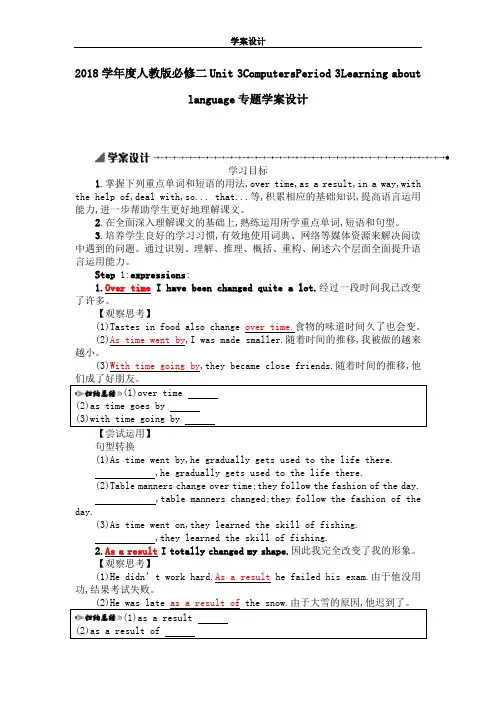
2018学年度人教版必修二Unit 3ComputersPeriod 3Learning aboutlanguage专题学案设计学习目标1.掌握下列重点单词和短语的用法,over time,as a result,in a way,with the help of,deal with,so... that...等,积累相应的基础知识,提高语言运用能力,进一步帮助学生更好地理解课文。
2.在全面深入理解课文的基础上,熟练运用所学重点单词,短语和句型。
3.培养学生良好的学习习惯,有效地使用词典、网络等媒体资源来解决阅读中遇到的问题。
通过识别、理解、推理、概括、重构、阐述六个层面全面提升语言运用能力。
Step 1:expressions:1.Over time I have been changed quite a lot.经过一段时间我已改变了许多。
【观察思考】(1)Tastes in food also change over time.食物的味道时间久了也会变。
(2)As time went by,I was made smaller.随着时间的推移,我被做的越来越小。
(3)With time going by,they became close friends.随着时间的推移,他(1)over time(2)as time goes by句型转换(1)As time went by,he gradually gets used to the life there.,he gradually gets used to the life there.(2)Table manners change over time;they follow the fashion of the day.,table manners changed;they follow the fashion of the day.(3)As time went on,they learned the skill of fishing.,they learned the skill of fishing.2.As a result I totally changed my shape.因此我完全改变了我的形象。
人教新课标必修二英语Unit 3Computers【教学设计】
Unit 3 Computers本堂课包括Warming up 和Reading 两部分。
他们是语言知识和文化意识的输入过程;是语言技能、情感态度和学习策略的培养过程,也是语言输出过程。
在整个教学过程中,它是培养学生阅读能力的主要过程,教学重点是阅读技能的培养、交际能力及情感态度的提升。
Warming up部分根据每个人对电脑的看法不同让学生就“Do you like computer?”进行小组探究和讨论,从自身实际出发谈论自己的看法,有助于激发学生对于整个单元的学习兴趣。
Reading部分(Computers)主要讲述的是电脑的发展史,通过一系列问题的设置让学生能够在全面理解文章的基础上提高信息处理、加工和学习的能力。
Knowledge objectives:掌握以下词语和句型:Calculate,sum, solve, simplify, artificial, intelligence, revolution,reality, totally, application, finance, in common, over time, as a result, from···on, so···that. Ability objectives:训练学生一定的阅读技巧,使他们掌握一些有效的学习策略,从而提高阅读速度和篇章理解的准确性,并养成一定的自主学习能力;培养学生快速阅读的能力、捕捉信息的能力及运用语言进行交际的能力。
Emotion objectives:通过对“computer”的学习,启发学生思考电脑给我们带来的影响,从而以一种正确的方式利用电脑和网络资源;另外通过电脑的发展历程让学生意识到科技对生活的影响。
1. 教学重点:1.了解计算机的发展过程,进一步认识计算机的演变以及对人类的影响。
2.训练学生的阅读技巧,提高学生阅读速度和理解能力。
高一人教课标必修2unit3 computers全单元的教案
Period 1 ReadingThe General Idea of This Period:This period includes Warming up,Reading and Comprehending of Unit 3.It introduces the history and development of computers.From this period the students will learn more about computers.Meanwhile they can learn some reading strategies such as skimming and scanning.Teaching Aims:1.Train the students’ reading ability.2.Learn some useful words and expressions.3.Learn more about computers.Teaching Important Points:1.Help the students to understand the passage better.2.Learn how to use some important words and phrases in this passage.Teaching Difficult Points:1.How to help the students improve their reading ability and understand the passage better.2.Learn how to use some important words and phrases in this passage.Teaching Methods:1.Skimming the passage to get the general idea of the text.2.Scanning to get the details from the passage.3.Explanations and practice to help the students master some language points.4.Discussion to help the students understand better what they’ve learned and to use the knowledge they’ve learned in this period.Teaching Aids:1.A tape recorder.2.A multimedia.Teaching Procedures:Step 1 Warming up1.Greeting the students as usual.2.Introduce the topic of computersShow the five pictures (an abacus,a huge computer,a calculator,a PC,a notebook computer)and get the students name them in English.Through this task,st udents can have a general idea about what they are going to learn.Besides,students are expected to have a discussion about what they have in common while looking at them.And they are required to use the given expressions in their discussion to express their ideas.T:B oys and girls,today I am going to introduce some machines to you.Now let’s see whether you can name them in English correctly,and talk about them.Now work together with your partners and try to find out what they have in common.Two minutes late,five students are asked to talk about them in class.S1:An abacus is an old calculating machine used in China until now.S2:A huge computer is built to solve some mathematical pro blems.But,in my opinion,it is too big.S3:A calculator is a new calculating machine which can solve a large number mathematical problems.And I think it is very convenient to carry and use,so we ofte n use it.S4:A PC is a personal computer,which can solve all kinds of problems and is widely used in offices,schools,shops,at homes,etc.now.S5:A notebook computer is a kind of useful computer which can be taken conveniently like a notebook.But I think it is too expensive.T:Quite good.It seems that you are all quite familiar with these machines.But can you tell what they have in common?Any volunteers?S6:Let me try.I think they all calculate something.They can deal with some maths problems.S7:I believe that they are our good friends.With their help we can finish our work quickly.S8:The 21th century is the century of information technology.As middle school students,we should try to learn how to use computers.T:Well,your opinions are all right.Indeed,these machines all can calculate something.What’s more,from the abacus to the notebook computer,there is a long way.But now computers have already changed our lives greatly.But do you know more about computers and can you say something about how com puters have changed our lives.Step 2 Pre-readingShow the questions on the screen.T:Now,please have a discussion first,and then I’ll ask some students to report your work.After a few minutes.T:Now,who would like to answer the first question?V oluntee r!S9:I’ll have a try.I know that computers have developed from large machines.They have been made smaller and smaller,but work faster and faster.I really can’t imagine what they will be like and wh ether they can take the place of human beings in the future.T:Yes,this is really a big problem.I think you are all interested in computers,you may go on studying computers,and perhaps one day you will design your own computers and become the masters of computers.OK!Next question!S10:I think computers have changed our lives greatly.We use computers widely in our study,in our work.You are using the computer to teach us English,aren’t you?S11:In my opinion,in the modern society,using the computers means grasping a tool of controlling the world.We may communicate with each other from a very long distance.In short,we can not live freely without them.T:I agree with you.The computers are becoming more and more important in our lives.But learning more about computers is also importa nt,isn’t it?OK,let’s come to the reading passage “Who am I”.Step 3 ReadingTask 1.Skim the passage for the general idea.T:Boys and girls,you will be given two minutes to skim the passage and try to find out who “I” am and get the general idea of this pa ssage.After two minutes.T:Time is up.Who would like to tell us who “I” am and give the general idea of the text to the class?V olunteer!S12:Of course,“I”am the computer.The passage is mainly about the history and development of computers.S13:The passage is also about the relationship of computers and humans.Task 2.Scan for the details.T:Boys and girls,you will be given two more minutes to scan the passage and try to find out the answers to the following questions.Let’s see who can find out the answers most quickly and correctly.1.Where were you in 1642?2.What happened to you in 1822?3.What were you called in 1936?4.What did you get in the 1960s?5.What happened to you in the 1970s?T:Have you finished?S14:I have.I was in France as a calculating machine in 1642.In 1822,I was built as an Analytical Machine by Charles Babbage.I was called “a universal machine”in 1936,as I could solve any mathematical problem.In the 1960s,I was given a family connected by a network,so that I could share information with others and we could talk to each other.In the 1970s,I was brought into people’s homes.T:You are so quick-minded that in such a short time you could find out all the answers to the questions.Your mind really works like a computer!Step 4 ComprehendingTask 3.Fill in the timeline to remember the facts.T:But can you memorize facts like a computer?I am afraid you can not.But let’s try to remember the facts in the passage by filing in the timeline on Page 19,which,I am sure,will help you remember the facts easily.Suggested answers:Timeline1642:The computer began a s a calculating machine.1822:The Analytical Machine was built by Charles Babbage.1936:Alan Turing wrote a book to describe how computers could be made.1960s:Computers had new transistors and became smaller.1960s:The first family of computers connected to each other.1970s:Computers were brought into people’s homes.Now:Computers connect people all over the world together.T:Have you finished?If so,please check your answers yourself.I’m sure all of you have got them right.Now you can retell the history of computers easily with the help of the timeline,can’t you?Please have a try,boys and girls!Step 5 Homework1.Recite the key sentences.2.Prepare for Learning About Language.3.Try to retell the text using about 100 words.Step 6 The Design of the Writing on the BlackboardUnit 3 ComputersPeriod 1The general idea of the text:Questions1.Where were you in 1642?2.What happened to you in 1822?3.What were you called in 1936?4.What did you get in the 1960s?5.What happened to you in the 1970s?Language points:1.in common/have... in common (with)...2.in one’s opinion3.deal with4.simple-minded5.“as” and “with”6.“There were times when... ”Step 7 Record after TeachingPeriod 2 Learning about LanguageThe General Idea of This Period:This period includes revision of the text、learning about language.From this period the students will learn how to use some of the key words and expressions in the text and do some exercises for consolidation,and learn how to use the Present Perfect Passive Voice.Teaching Aims:1.Help the students to learn to use some useful words and expressions.2.Enabl e the students to learn how to use the present perfect passive voice.Teaching Important Point:The use of the present perfect passive voice.Teaching Difficult Points:How to master the usages of some important words and phrases and the Present Perfect Passive V oice.Teaching Methods:1.Task-based learning.2.Cooperative learning.3.Explanation and practice.Teaching Aids:1.A tape recorder.2.A multimedia.Teaching Procedures:Step 1 RevisionT:Boys and girls,in last period we learned something about the history and development of computers.Now who would like to retell the text with the help of these figures?S1:Let me try.In 1642,a calculating machine was used in France.Then in 1922,the Analytical Machine was made by Charles Babbage.It could follow instructions from cards with holes.In 1936,Alan Turing,the real father of computers,wro te a book to describe how computers could be made to work and built a “universal machine” to solve any mathematical ter,people discovered the computer had “artificial intelligence”.In the 1960s,the computer got his new transistors.Its size was totally changes at that time.And in the early 1960s,the first family of computers were connected to each other.In 1970s,computers have brought into people’s homes.Now computers have been used by billions of people to deal with information and communicate with each other around the world by the Internet.T:Congratulations!You’ve done very well.Now try to do the same to your partners,OK!Step 2 Words and ExpressionsTask 1T:Please turn to Page 19 and finish Discovering Useful Words and Expressions.At first,look at Ex.1.From the reading passage,find the words and expressions with the following meanings.Now,ten students will be asked to give the words.Who can?V olunteers!Check the answers together.Task 2.T:Well done.Now please look at Ex 2.and complete the passage with some of the words above.Pay attention to the use and the forms of those words.The possible answers:ne twork so that went by totally truly simple-minded Anyway deal withTask 3T:Please finish Ex.3.Look at the sentences on Page 20.Tick the right word.Then some of you will be asked to read the sentences one by one.The possible answers:1.Life totally changed when I went to university.2.I was amazed to find that I won the competition to design a new computer.3.The competition was so exciting that we cheered all evening.4.I was so excited at the thought of meeting Yang Liwei that I could not sleep.5.Robots can be bought so cheaply that I gave one to each of my friends.6.It was so unlucky that you lost your watch at the concert.Task 4T:Please turn to Page 56 and let’s finish Using Words and Expressions.First look at Ex.1.Read through the words in the right-hand box e some of them to name each part of a computer in the left-hand box.We have known about computer.But who can give us the exact names?The possible answers:1.floppy disc2.hard disc3.scanner4.modem5.CD-ROM6.monitor7.keyboard8.printerTask 5T:Now please look at plete the sentences with some of the words in the right-hand box above.You can use each word only once.First do the exercise individually,and then check yo ur answers with your partners.And last seven students will be asked to report their answers to the class.The possible answers:1.A printer is a machine for printing text or pictures onto paper,especially once connected to a computer.2.A CD-ROM or disk is the main device that a computer uses to store information.3.A monitor is used to see your data on a computer.4.A keyboard is used to put data into a computer.5.A CPU is often used to conne ct computers to each other through phone lines.6.Data can also be stored in a floppy disc,which is small and can be carried easily.7.A hard disc is a disc that contains computer data.It can store a large amount of data.Step 3 Grammar—The Present PerfectPassive V oiceT:Boys and girls,now please pay attention to the following sentences in the text:1.As the years have gone by,I have been made smaller and smaller.2.Since then,my family and I have been used by billions of people to deal with information and communicate with each other around the world by the Internet.3.I have truly been built to serve the human race since my birth.T:What verb tense is used in these sentences?And what verb voice is used in these sentences?Yes,the present perfect pa ssive voice is used in these sentences.Can you tell us the structure of the present perfect passive voice?Quite right.The structure of the present perfect passive voice is “subject+have/has been done+object”.The function of present perfect passive voice is indicating verbs’the present perfect and the passive voice.OK,let’s practise the present perfect passi ve voice.Task 1T:Please turn to P age 20.Let’s finish Discovering useful structures.At first,look at Ex.2.According to examples,change the following sentences into the present perfect passive voice.Put the verbs into the correct form.Suggested answers:1.A new personal computer has been bought.2.Many problems have been found with our new computer.3.A PC has been built the way we wanted.4.Our computer has just joined to the Inter net.5.The computer has been used every day since we bought it.6.A lot of e-mails have been written on the computer in the last year.Task 2T:Class,let’s play a game called “What has been decided”.Now,get into groups of four.Y our task is to decide what things have been decided for the class.Take turns to make the ideas as interesting and lively as you like.Y ou may finish them according to EXAMPLES on Page 21,(or finish Ex.3 after class.)Then collect the ones you all like best and be prepared to tell them to the class.Suggested answers:S1:It has been decided that those who know of the computer will be asked to say something in class.S2:It has been decided that those who didn’t clean the blackboard will be asked to come into office after school.Task 3T:Now,pleas e turn to Page 57.Finish using structures.First,look at Ex.1 and change the following sentences according to the model,and pay attention to the passive voice form.First do the exercise individually,and then check your answers with your partners.After that we’ll check the answers in class.Step 4 HomeworkT:OK,it’s almost time for a break.Now look at Ex.2 on Page 57.Translate the following sentences into English after class.The words and expressions in brackets may help you.Step 5 The Design of the Writing o n the BlackboardUnit 3 ComputersPeriod 2The Present Perfect Passive V oice1.As the years have gone by,I have been made smaller and smaller.2.Since then,my family and I have been used by billions of people to deal with information and communicate with each other around the world by the Internet.3.I have truly been built to serve the human race since my birth.Structure:“subject+have/has been done+object”Step 6 Record after TeachingPeriod 3 Extensive ReadingThe General Idea of This Period:This perio d includes revision of the text,Reading and speaking on Page 22、Reading task on Page 58.In this period the students will be involved in a speaking activity about designing an android after reading the story of Andy,an d learn something about the performances of a sporting robot of the 22nd century,Hua Fei in 78th Olympics and 79th Olympics,so that the students will not only improve their reading and speaking,but also their creative thinking.Teaching Aims:1.Help the students to learn about the different ways of designing the robots and give their opinions to the class.2.Enable the students to discuss to design their own robots.Talk about the different ways of designing the robots.Teaching Important and Difficult Points:How to design their own robots and report their designing to the class.Teaching Methods:1.Task-based learning.2.Cooperative learning.Teaching Aids:1.A tape recor der.2.A multimedia.Teaching Procedures:Step 1 GreetingsStep 2 Reading (1)We’ve learned a lot about computers,but can you imagine that computers could be put into androids or robots.Think of the fun you c ould have!Now let’s first read the passage about a robot called Andy—what it looks like and what it can do on Page 22,and then we’ll have a des igning competition to see who will design the best robots.The students read the passage fo r several minutes.T:A few simple questions for you.What does Andy look like?What can it do?S2:Andy looks like a human.It is designed to play football games and can move and think like a human.Andy is really smart.T:I agree with you.Are you eager to design your smart robots?Now in small groups discuss how to design your own androids,draw a picture of your androids and write down your design.You may refer to the following questions:1.What would you like it to look like?2.What are some of the things you would like it to do?3.Do you want it to be like a man or a woman or neither?4.How much would it cost?T:And don’t forget to use the following expressions in your discussion.I think thatIn my opinion...What is your reason?I have decided that...After several minutes.T:Now,I’ll check your work.One from each group will show your picture of the android you have designed and tell the class your design.And we’ll see which group has designed the best android.Who would like to try first?S3:Look here.This is the picture of the robot we’ve designed.What does it look like?Yes,it looks like a dog.We all like dogs very much.Every morning it will wake us up so that we will not be late for school.Then it will company us to school and carry our heavy bags.You know how heavy our bags are!In the evening,after a whole day’s hard work,it will play beautiful music to help us relax.Maybe it will cost at least 2000 yuan,but we don’t think it is too expensive to have such a good friend.S4:Well,we’d like to design our robot in this way.We would like it to look like the famous footballer Beckham who serves as a striker on the football team.It has the most advanced program,so it can move and think like Beckham,and of course can shoot good goals like him.We would like it to enter the next Electronic World Cup,and we are sure that it will win the cup!T:Your designs are very unusual and smart.I really want to go on appreciating your designs,but time is limited.Will you put up your pic tures of the robots you have designed with instructions on the back wall,and then decide which group has designed the best androids after comparison?Step 3 Reading (2)Class,let’s come to the Reading Task on Page 58.First read the passage quickly and then fill in the chart of Exercise 1 and keep a record of his performances of the sporting robot of the 22nd century,Hua Fei in 78th Olympics and 79th Olympics.After doing it individual ly,please check your answers with your partners,and then we will check the answers in class.Step 4 HomeworkT:It’s almost time for a break.Now homework for you today.pare the designs of the androids of each group and try to decide which one is the best.2.Suppose you have been lucky enough to be allowed to interview Hua Fei in hospital for your school paper.Work out some questions together with your partner,and then interview each other.Step 5 The Design of the Writing on the BlackboardUnit 3 ComputersPeriod 3dancesSilve r medalStep 6 Record after TeachingPeriod 4 ListeningThe General Idea of This Period:This period includes listening and writing on Page 21;listening on Page 55 and listening task on Page 58.Apparently,the purpose of this period is to train the students’listening—for information;for comprehension and for language.Meanwhile,the students will be trained to express their own opinions after listening.Teaching Aims:1.Help the students to learn about the knowledge of information technology.2.Enable the students to get the main ideas of the listening materials.Teaching Important and Difficult Points:1.How to get the main idea and information in details.2.Express their own opinions after listening.Teaching Methods:1.Task-based learning.2.Cooperative learning.Teaching Aids:1.A tape recorder.2.A multimedia.Teaching Procedures:Step 1 RevisionCheck the students’ interviews.Get the students to work together with their partners to interview each other.Step 2 Listening and writing (Page 21)Task 1 Listen to a conversationT:Class,as we all know,the 21st century is the century of information and technology.Next we will listen to a conversation about differe nt kinds of information technology or IT.And as we know,each kind of information technology has its own advantages and disadvantages.So from this conversation we will listen for the advantages and disadvantages of each one.But before listening let’s first look at the pictures on Page 21 and the form on Page 22 to make sure what you are going to do while listening.OK,let’s begin.The students listen to the conversation for the first time.Task 2 Discussion and fillingT:You can see there are a TV,a CD-ROM,a computer,a radio,a DVD and newspaper here.Now try to finish filling in the form with the information you have just got from the conversation.Book You can get information Sometimes it is out-of-date T:Now,let’s discuss the advantages and disadvantages of each type of IT in small groups and then decide which type of IT is best for you to use,according to the form above and explain the reasons.While discussing,remember to use the following expressions:I think that...In my opinio n...I believe that...I agree because...I disagree because...I’ve decided that...Step 3 Listening (Page 55)T:Now come to the listening on Page 55.Before you listening,please read the requirements of Ex.1.After that,you will find the three robots from the pictures above on Page 55 and num ber them.The possible number:Picture 1—No.3 Picture 3—No.2 Picture 4—No.1T:Now please look at these boxes on Page 55 before you listen to the tape again,and try to find out the listening points.Pay more attention to the se points and you may make some notes while listening.Three minutes later.T:Now try to fill in the boxes with the information from the listening material,and then check your answers with your partners.SizeWhat it looks l ikeWhat it can doTelephone number Room-1234 Step 4 Listening task (Page 58)T:Now please turn to Page 58,and finish the listening task.As we know,computers are used widely and put into androids.Please look at the pictures above.There are two androids in it.One works as a maid.The other works in a car factory.They are friends and they were made at the same ti me.Now they are talking about their lives and what it feels like to be android.OK,please listen carefully to their problems and fill in the form.I’ll play the tape twice.After listening.T:Try to fill in the forms as quickly as you can,and then we will check the answers in class.Their programmer decided themThey are not able to change jobsTheir programmer does About how they are different from people They can not smellAbout how they are the same as peopleT:From what we have just listened,we know that Sally and Brenda have some troubles in their lives.They are treated badly.Now you are going to make a list of the rights that androids should have so that they will be treated better.You can work with your partners and have discussion.Suggested an swers:1.They should be able to choose the work they do.2.They should have their own time.3.They should be able to change their jobs.4.They should be able to decide their own future.5.They should be able to taste,smell,feel,etc.Step 5 AssignmentT:Class,I really appreciate your good performance in this listening class.I can see that your listening has greatly improved since you came to the senior school.Keep on your good work!OK,we have no time left.I’d like to assign you some homework to do.1.Go over the listening and writing on Page 21 and get ready for the writing.Step 6 The Design of the Writing on the BlackboardUnit 3 ComputersPeriod 42 mLarge,energetic robotClimbs mountains;plays guitar;sings karaokeStep 7 Record after TeachingPeriod 5 WritingThe General Idea of This Period:This period includes speaking and writing on Pag e 22 and writing on Page 23.The purpose is to encourage the Ss to think and talk creatively about computers and androids,express their own opinions using words and expressions concerning computers and androids,and organize their ideas into a compositio n.Teaching Aims:1.Enable the students to learn how to write a report about their choice.2.Enable the students to learn the writing way of expressing ideas and giving reasons to support the ideas.Teaching Important and Difficult Point:How to make a decision about which kind of computer to buy and explain why.Teaching Methods:1.Task-based learning.2.Cooperative learning.Teaching Aids:A projector and multimedia.Teaching Procedures:Step 1 Speaking and writing (Page 22)T:Class,suppose you and your partner have been asked to help choose computers for your school.You have looked at several computers.Talk about the special things each computer has.Make a decision about which kind of computer to buy and explain why.And then you are going to write a report about your choice There is a list of things your computer could have.A fast PC the monitor is smallerImproved disc storage used recycled materialsInternet a flat screenStudents talk about the special things each computer can do.T:So much for the talking.And now you will be given five minutes to write a report about your choice.After that some of you will be asked to present your report to the class.In your writing try to use the present perfect pass ive in your report.You may begin your r eport like this:We looked at many different computers.The one we have chosen is the PEP personal computer.One of the main reasons is that it is suitable for schools.We found out that...Five minutes later,severa l students begin to present their reports to the class,and the teacher will show two or three reports using the projector to find out and correct the possible mistakes with the class.Possible versionWe looked at many different computers.The one we have chosen is the PEP personal computer.One of the main reasons is that it is suitable for schools.We found out that it looked not only cute but also advanced.First,it has a flat screen which makes the computer pretty attractive.But the second and the most important aspect about the PEP is that it has undergone a lot of improvements in many respects.For example,it contains improved disc storage and that means it’s faster PC.It’s suitable to be connected to the Internet.Also the PC has a smaller monitor and is made with used recycled materials which do no harm to the environment.In a word,we think it is suitable for our school.T:Thank you for helping choose computers which are suitable for our school,and I’m sure with these computers to be equipped in our school we will improve the teaching conditions and teaching quality of course.Now,let’s come to the writing on Page 23.Step 2 Writing(Page 23)T:Boys and girls,suppose you are an android and work for a family with one child who is very spoiled.The parents want you to do everything for them.The parents are kind,but they often ask you to watch over their child.How do you feel?What would you do if the child asked you to do his/her homework for him/her?Would you tell the child “no”?You may begin like this:Hello,everyone.My name is______.I’m a 321 model android.I work for the Li family...Now,you will also be given five minutes to write your opinion and feelings.Five minutes later,the teacher shows two or three of the passages written by the students using the projector to find out and correct the possible mistakes with the class.。
2019人教版英语高中必修二Unit3Computerspart2教案语文
Unit 3 Computers 教案2(WHO AM I? <PART 2>)IntroductionYou are advised to lead in by talking about IT. Then help students write a report about IT. ObjectivesTo discuss about ITTo write a report about ITTo read about androids or robotsProceduresI. Warming up by talking about ITWhat is Information technology?Information technology (IT) or information and communication technology (ICT) is the technology required for information processing. In particular the use of electronic computers and computer software to convert, store, protect, process, transmit, and retrieve information from anywhere, anytime.II. Listening and writingTurn to page 21.Look at the pictures and listen to a conversation about different kinds of information technology or IT, discuss and write down in groups the advantages and disadvantages of each kind.III. Speaking and writingSuppose you and your partner are going to help choose computers for your school. Now talk about the special things each of the computer can do and write a report to your headmaster.IV. Reading, underlining and speakingIt is said that computers could be put into androids or robots. Read the text Andy—The Android, underlining all the expressions and think of the fun you could have!Expressions from Andy—The Androidp art of a football team, once a year, get together, play a football game, be as…as…, in fat, look like…, on the football team, run fast, think like a human, shout to…, in computer language, have a good shot for a goal, get second place, win the first place, have a new kind of program, improve one’s intelligence, create a better system, play against a human team, in a way, program…with…, make up…, after all, with the help of…V. Close down by writing a letterSuppose you are an android. What would say to a spoiled child who would not do his homework? Write a letter to the boy.AndroidAn android is an artificially created being that resembles a human being.The word derives from Greek Android- ‘man, human’ and the suffix -eidesused to mean ‘of the species, kind, alike’ (from eidos ‘species’).The word droid, a robot in the Star Wars universe, is derived from this meaning. Some people maintain that, etymologically, the word android means resembling a male human and that a robot resembling a woman should logically be called a gynoid for sexist language to be avoided; however, this word is not commonly used.Unlike the terms robot (a mechanical being) and cyborg (a being that is partly organic and partly mechanical), the word android has been used in literature and other media to denote several different kinds of man-made, autonomous creations:a robot that closely resembles a humana cyborg that closely resembles a humanan artificially created, yet primarily organic, being that closely resembles a humanAlthough essentially human morphology is not the ideal form for working robots, the fascination in developing robots that can mimic it can be found historically in the assimilation of two concepts: simulacra (devices that exhibit likeness) and automata (devices that have independence).The term android was first used by the French author Mathias Villiers de lisle-Adam (1838-1889) in his work Tomorrow’s Eve, featuring a man-made human-like robot named Hadaly. As said by the officer in the story, “In th is age of Realien advancement, who knows what goes on in the mind of those responsible for these mechanical dolls.”。
2019届一轮人教版必修二Unit3Computers单元教案(15页)
2019 届一轮复习人教版必修二 Unit3Computers 单元教案Period 1 ReadingThe General Idea of This Period: This period includes Warming up,Reading and Comprehending of Unit 3.It introduces the history and development of computers.From this period the students will learn more about computers.Meanwhile they can learn some reading strategies such as skimming and scanning. Teaching Aims: 1.Train the students’ reading ability. 2.Learn some useful words and expressions. 3.Learn more about computers. Teaching Important Points: 1.Help the students to understand the passage better. 2.Learn how to use some important words and phrases in this passage. Teaching Difficult Points: 1.How to help the students improve their reading ability and understand the passage better. 2.Learn how to use some important words and phrases in this passage. Teaching Methods: 1.Skimming the passage to get the general idea of the text. 2.Scanning to get the details from the passage. 3.Explanations and practice to help the students master some language points. 4.Discussion to help the students understand better what they’ve learned and to use the knowledge they’ ve learned in this period. Teaching Aids: 1.A tape recorder. 2.A multimedia. Teaching Procedures: Step 1 Warming up 1.Greeting the students as usual. 2.Introduce the topic of computers Show the five pictures (an abacus,a huge computer,a calculator,a PC,a notebook computer)and get the students name them in English.Through this task,st udents can have a general idea about what they are going to learn.Besides,students are expected to have a discussion about what they have in common while looking at them.And they are required to use the given expressions in their discussion to express their ideas. T:B oys and girls,today I am going to introduce some machines to you.Now let’s see whether you can name them in English correctly,and talk about them.Now work together with your partners and try to find out what they have in common.Two minutes late,five students are asked to talk about them in class. S1:An abacus is an old calculating machine used in China until now. S2:A huge computer is built to solve some mathematical pro blems.But,in my opinion,it is too big. S3:A calculator is a new calculating machine which can solve a large number mathematical problems.And I think it is very convenient to carry and use,so we ofte n use it. S4:A PC is a personal computer,which can solve all kinds of problems and is widely used in offices,schools,shops,at homes,etc.now. S5:A notebook computer is a kind of useful computer which can be taken conveniently like a notebook.But I think it is too expensive. T:Quite good.It seems that you are all quite familiar with these machines.But can you tellwhat they have in common?Any volunteers? S6:Let me try.I think they all calculate something.They can deal with some maths problems. S7:I believe that they are our good friends.With their help we can finish our work quickly. S8:The 21th century is the century of information technology.As middle school students,weshould try to learn how to use computers. T : Well , your opinions are all right.Indeed , these machines all can calculatesomething.What’s more,from the abacus to the notebook computer,there is a long way.But nowcomputers have already changed our lives greatly.But do you know more about computers and canyou say something about how com puters have changed our lives.Step 2 Pre-readingShow the questions on the screen. T:Now,please have a discussion first,and then I’ll ask some students to report your work.After a few minutes. T:Now,who would like to answer the first question?Voluntee r! S9:I’ll have a try.I know that computers have developed from large machines.They have been made smaller and smaller,but work faster and faster.I really can’t imagine what they will be likeand wh ether they can take the place of human beings in the future. T:Yes,this is really a big problem.I think you are all interested in computers,you may go onstudying computers,and perhaps one day you will design your own computers and become themasters of computers.OK!Next question! S10:I think computers have changed our lives greatly.We use computers widely in our study,in our work.You are using the computer to teach us English,aren’t you? S11:In my opinion,in the modern society,using the computers means grasping a tool ofcontrolling the world.We may communicate with each other from a very long distance.In short,we can not live freely without them.T:I agree with you.The computers are becoming more and more important in our lives.But learning more about computers is also importa nt,isn’t it?OK,let’s come to the reading passage “Who am I”.Step 3 Reading Task 1.Skim the passage for the general idea. T:Boys and girls,you will be given two minutes to skim the passage and try to find out who “I” am and get the general idea of this pa ssage. After two minutes. T:Time is up.Who would like to tell us who “I” am and give the general idea of the text to the class?Volunteer! S12:Of course,“I” am the computer.The passage is mainly about the history and development of computers. S13:The passage is also about the relationship of computers and humans. Task 2.Scan for the details. T:Boys and girls,you will be given two more minutes to scan the passage and try to find out the answers to the following questions.Let’s see who can find out the answers most quickly and correctly. 1.Where were you in 1642? 2.What happened to you in 1822? 3.What were you called in 1936? 4.What did you get in the 1960s? 5.What happened to you in the 1970s? T:Have you finished? S14:I have.I was in France as a calculating machine in 1642. In 1822,I was built as an Analytical Machine by Charles Babbage. I was called “a universal machine” in 1936,as I could solve any mathematical problem. In the 1960s,I was given a family connected by a network,so that I could share information with others and we could talk to each other. In the 1970s,I was brought into people’s homes. T:You are so quick-minded that in such a short time you could find out all the answers to the questions.Your mind really works like a computer! Step 4 Comprehending Task 3.Fill in the timeline to remember the facts. T:But can you memorize facts like a computer?I am afraid you can not.But let’s try to remember the facts in the passage by filing in the timeline on Page 19,which,I am sure,will help you remember the facts easily. Suggested answers:Timeline 1642:The computer began a s a calculating machine. 1822:The Analytical Machine was built by Charles Babbage. 1936:Alan Turing wrote a book to describe how computers could be made. 1960s:Computers had new transistors and became smaller. 1960s:The first family of computers connected to each other. 1970s:Computers were brought into people’s homes. Now:Computers connect people all over the world together.T:Have you finished?If so,please check your answers yourself.I’m sure all of you have got them right.Now you can retell the history of computers easily with the help of the timeline,can’t you?Please have a try,boys and girls!Step 5 Homework1.Recite the key sentences.2.Prepare for Learning About Language.3.Try to retell the text using about 100 words.Step 6 The Design of the Writing on the BlackboardUnit 3 ComputersThe general idea of the text:Period 1Questions 1.Where were you in 1642?2.What happened to you in 1822?3.What were you called in 1936?4.What did you get in the 1960s?5.What happened to you in the 1970s? Language points: 1.in common/have... in common (with)...2.in one’s opinion3.deal with4.simple-minded 5.“as” and “with” 6.“There were times when... ”Step 7 Record after TeachingPeriod 2 Learning about LanguageThe General Idea of This Period: This period includes revision of the text、learning about language.From this period the students will learn how to use some of the key words and expressions in the text and do some exercises for consolidation,and learn how to use the Present Perfect Passive Voice.Teaching Aims: 1.Help the students to learn to use some useful words and expressions. 2.Enabl e the students to learn how to use the present perfect passive voice. Teaching Important Point: The use of the present perfect passive voice. Teaching Difficult Points: How to master the usages of some important words and phrases and the Present Perfect Passive Voice. Teaching Methods: 1.Task-based learning. 2.Cooperative learning. 3.Explanation and practice. Teaching Aids: 1.A tape recorder. 2.A multimedia. Teaching Procedures: Step 1 Revision T:Boys and girls,in last period we learned something about the history and development of computers.Now who would like to retell the text with the help of these figures? S1:Let me try.In 1642,a calculating machine was used in France.Then in 1922,the Analytical Machine was made by Charles Babbage.It could follow instructions from cards with holes.In 1936,Alan Turing,the real father of computers,wro te a book to describe how computers could be made to work and built a “ universal machine ” to solve any mathematical ter,people discovered the computer had “artificial intelligence”.In the 1960s,the computer got his new transistors.Its size was totally changes at that time.And in the early 1960s, the first family of computers were connected to each other.In 1970s,computers have brought into people’s homes.Now computers have been used by billions of people to deal with information and communicate with each other around the world by the Internet. T:Congratulations!You’ve done very well.Now try to do the same to your partners,OK! Step 2 Words and Expressions Task 1 T:Please turn to Page 19 and finish Discovering Useful Words and Expressions.At first,look at Ex.1.From the reading passage , find the words and expressions with the following meanings.Now, ten students will be asked to give the words.Who can?Volunteers! Check the answers together. Task 2. T:Well done.Now please look at Ex 2.and complete the passage with some of the words above.Pay attention to the use and the forms of those words. The possible answers: ne twork so that went by totally truly simple-minded Anyway deal with Task 3 T:Please finish Ex.3.Look at the sentences on Page 20.Tick the right word.Then some of you will be asked to read the sentences one by one. The possible answers:1.Life totally changed when I went to university. 2.I was amazed to find that I won the competition to design a new computer. 3.The competition was so exciting that we cheered all evening. 4.I was so excited at the thought of meeting Yang Liwei that I could not sleep. 5.Robots can be bought so cheaply that I gave one to each of my friends. 6.It was so unlucky that you lost your watch at the concert. Task 4 T:Please turn to Page 56 and let’s finish Using Words and Expressions.First look at Ex.1.Read through the words in the right-hand box e some of them to name each part of a computer in the left-hand box.We have known about computer.But who can give us the exact names? The possible answers: 1.floppy disc 2.hard disc 3.scanner 4.modem 5.CD-ROM 6.monitor 7.keyboard 8.printer Task 5 T:Now please look at plete the sentences with some of the words in the right-hand box above.You can use each word only once.First do the exercise individually,and then check yo ur answers with your partners.And last seven students will be asked to report their answers to the class. The possible answers: 1.A printer is a machine for printing text or pictures onto paper,especially once connected to a computer. 2.A CD-ROM or disk is the main device that a computer uses to store information. 3.A monitor is used to see your data on a computer. 4.A keyboard is used to put data into a computer. 5.A CPU is often used to conne ct computers to each other through phone lines. 6.Data can also be stored in a floppy disc,which is small and can be carried easily. 7.A hard disc is a disc that contains computer data.It can store a large amount of data. Step 3 Grammar—The Present Perfect Passive Voice T:Boys and girls,now please pay attention to the following sentences in the text: 1.As the years have gone by,I have been made smaller and smaller. 2.Since then,my family and I have been used by billions of people to deal with information and communicate with each other around the world by the Internet. 3.I have truly been built to serve the human race since my birth. T:What verb tense is used in these sentences?And what verb voice is used in these sentences? Yes,the present perfect pa ssive voice is used in these sentences. Can you tell us the structure of the present perfect passive voice? Quite right.The structure of the present perfect passive voice is “subject+have/has been done+object”.The function of present perfect passive voice is indicating verbs’ the present perfect and the passive voice.OK,let’s practise the present perfect passi ve voice. Task 1 T:Please turn to P age 20.Let’s finish Discovering useful structures. At first,look at Ex.2.According to examples,change the following sentences into thepresent perfect passive voice.Put the verbs into the correct form. Suggested answers: 1.A new personal computer has been bought. 2.Many problems have been found with our new computer. 3.A PC has been built the way we wanted. 4.Our computer has just joined to the Inter net. 5.The computer has been used every day since we bought it. 6.A lot of e-mails have been written on the computer in the last year. Task 2 T:Class,let’s play a game called “What has been decided”.Now,get into groups of four.Yourtask is to decide what things have been decided for the class.Take turns to make the ideas as interesting and lively as you like.You may finish them according to EXAMPLES on Page 21,(or finish Ex.3 after class.)Then collect the ones you all like best and be prepared to tell them to the class.Suggested answers: S1:It has been decided that those who know of the computer will be asked to say something in class. S2:It has been decided that those who didn’t clean the blackboard will be asked to come into office after school. Task 3 T:Now,pleas e turn to Page 57.Finish using structures.First,look at Ex.1 and change the following sentences according to the model,and pay attention to the passive voice form.First do the exercise individually,and then check your answers with your partners.After that we’ll check the answers in class. Step 4 Homework T:OK,it’s almost time for a break.Now look at Ex.2 on Page 57.Translate the following sentences into English after class.The words and expressions in brackets may help you. Step 5 The Design of the Writing o n the BlackboardUnit 3 Computers Period 2The Present Perfect Passive Voice 1.As the years have gone by,I have been made smaller and smaller. 2.Since then,my family and I have been used by billions of people to deal with information and communicate with each other around the world by the Internet. 3.I have truly been built to serve the human race since my birth. Structure: “subject+have/has been done+object” Step 6 Record after TeachingPeriod 3 Extensive ReadingThe General Idea of This Period: This perio d includes revision of the text,Reading and speaking on Page 22、Reading task on Page 58.In this period the students will be involved in a speaking activity about designing anandroid after reading the story of Andy,an d learn something about the performances of a sporting robot of the 22nd century,Hua Fei in 78th Olympics and 79th Olympics,so that the students will not only improve their reading and speaking,but also their creative thinking.Teaching Aims: 1.Help the students to learn about the different ways of designing the robots and give their opinions to the class. 2.Enable the students to discuss to design their own robots. Talk about the different ways of designing the robots. Teaching Important and Difficult Points: How to design their own robots and report their designing to the class. Teaching Methods: 1.Task-based learning. 2.Cooperative learning. Teaching Aids: 1.A tape recor der. 2.A multimedia. Teaching Procedures: Step 1 Greetings Step 2 Reading (1) We’ve learned a lot about computers,but can you imagine that computers could be put into androids or robots.Think of the fun you c ould have!Now let’s first read the passage about a robot called Andy—what it looks like and what it can do on Page 22,and then we’ll have a des igning competition to see who will design the best robots. The students read the passage fo r several minutes. T:A few simple questions for you.What does Andy look like? What can it do? S2:Andy looks like a human.It is designed to play football games and can move and think like a human.Andy is really smart. T:I agree with you.Are you eager to design your smart robots?Now in small groups discuss how to design your own androids,draw a picture of your androids and write down your design.You may refer to the following questions: 1.What would you like it to look like? 2.What are some of the things you would like it to do? 3.Do you want it to be like a man or a woman or neither? 4.How much would it cost? T:And don’t forget to use the following expressions in your discussion. I think that In my opinion... What is your reason? I have decided that... After several minutes. T:Now,I’ll check your work.One from each group will show your picture of the android you have designed and tell the class your design.And we’ll see which group has designed the best android.Who would like to try first?S3:Look here.This is the picture of the robot we’ve designed.What does it look like?Yes,itlooks like a dog.We all like dogs very much.Every morning it will wake us up so that we will notbe late for school.Then it will company us to school and carry our heavy bags.You know how heavy our bags are!In the evening,after a whole day’s hard work,it will play beautiful music to help us relax.Maybe it will cost at least 2000 yuan,but we don’t think it is too expensive to havesuch a good friend. S4:Well,we’d like to design our robot in this way.We would like it to look like the famousfootballer Beckham who serves as a striker on the football team.It has the most advanced program,so it can move and think like Beckham,and of course can shoot good goals like him.We would like it to enter the next Electronic World Cup,and we are sure that it will win the cup!T:Your designs are very unusual and smart.I really want to go on appreciating your designs,but time is limited.Will you put up your pic tures of the robots you have designed with instructions on the back wall,and then decide which group has designed the best androids after comparison?Step 3 Reading (2) Class,let’s come to the Reading Task on Page 58.First read the passage quickly and then fillin the chart of Exercise 1 and keep a record of his performances of the sporting robot of the 22nd century,Hua Fei in 78th Olympics and 79th Olympics.After doing it individual ly,please check your answers with your partners,and then we will check the answers in class.Suggested answersRECORD CARDHUA FEIAbilityHigh flying exercisesPerformance in 78th OlympicsWonderful turns,dives,circles and dancesPrize wonSilver medalPerformance in 79th OlympicsBegan very well but failed through on fault of his ownReason for failureParachute failed to openTreatmentTwo new legs and a new headStep 4 Homework T:It’s almost time for a break.Now homework for you today.pare the designs of the androids of each group and try to decide which one is the best.2.Suppose you have been lucky enough to be allowed to interview Hua Fei in hospital for your school paper.Work out some questions together with your partner,and then interview each other.Step 5 The Design of the Writing on the BlackboardUnit 3 ComputersPeriod 3Time 1642 1822 1936 1960s 1960s 1970s NowEventsReference for your design of the androids: 1.What would you like it to look like? 2.What are some of the things you would like it to do? 3.Do you want it to be like a man or a woman or neither? 4.How much would it cost?RECORD CARD AbilityPerformance in 78th Olympics Prize wonPerformance in 79th OlympicsReason for failure TreatmentStep 6 Record after TeachingHUA FEI High flying exercises Wonderful turns,dives,circles and dancesSilve r medal Began very well but failed through on fault of his ownParachute failed to open Two new legs and a new headPeriod 4 ListeningThe General Idea of This Period: This period includes listening and writing on Page 21;listening on Page 55 and listening task on Page 58.Apparently,the purpose of this period is to train the students’ listening—for information;for comprehension and for language.Meanwhile,the students will be trained to express their own opinions after listening. Teaching Aims: 1.Help the students to learn about the knowledge of information technology. 2.Enable the students to get the main ideas of the listening materials. Teaching Important and Difficult Points: 1.How to get the main idea and information in details. 2.Express their own opinions after listening. Teaching Methods: 1.Task-based learning. 2.Cooperative learning. Teaching Aids: 1.A tape recorder. 2.A multimedia. Teaching Procedures: Step 1 Revision Check the students’ interviews.Get the students to work together with their partners to interview each other. Step 2 Listening and writing (Page 21)Task 1 Listen to a conversation T:Class,as we all know,the 21st century is the century of information and technology.Nextwe will listen to a conversation about differe nt kinds of information technology or IT.And as we know,each kind of information technology has its own advantages and disadvantages.So from thisconversation we will listen for the advantages and disadvantages of each one.But before listeninglet’s first look at the pictures on Page 21 and the form on Page 22 to make sure what you are going to do while listening.OK,let’s begin.The students listen to the conversation for the first time.Task 2 Discussion and fillingT:You can see there are a TV,a CD-ROM,a computer,a radio,a DVD and newspaperhere.Now try to finish filling in the form with the information you have just got from theconversation. Suggested answers:Type of ITAdvantagesDisadvantagesTVYou can both listen and watch You can’t write to friendsWebYou can find informationIt’s very expensiveRadioYou can listen to EnglishYou can not watchBookYou can get informationSometimes it is out-of-dateT:Now,let’s discuss the advantages and disadvantages of each type of IT in small groups and then decide which type of IT is best for you to use,according to the form above and explainthe reasons.While discussing,remember to use the following expressions:I think that...In my opinio n...I believe that...I agree because...I disagree because...I’ve decided that... Step 3 Listening (Page 55) T:Now come to the listening on Page 55.Before you listening,please read the requirements of Ex.1.After that,you will find the three robots from the pictures above on Page 55 and num ber them. The possible number:Picture 1—No.3 Picture 3—No.2 Picture 4—No.1 T:Now please look at these boxes on Page 55 before you listen to the tape again,and try tofind out the listening points.Pay more attention to the se points and you may make some noteswhile listening.Three minutes later. T:Now try to fill in the boxes with the information from the listening material,and thencheck your answers with your partners. Suggested answers:Personal robotInformationSize35 cmWhat it looks l ikeRobot with five armsWhat it can do PriceAll homework 50 yuan a dayBird-like android SizeWhat it looks like What it can do PriceInformation 10 cmBird-like android Sings beautifully600 yuanLonely androidInformationSize What it looks like2m Large,energetic robotWhat it can doClimbs mountains;plays guitar;sings karaokeTelephone numberRoom-1234Step 4 Listening task (Page 58) T:Now please turn to Page 58,and finish the listening task. As we know,computers are used widely and put into androids.Please look at the picturesabove.There are two androids in it.One works as a maid.The other works in a car factory.They arefriends and they were made at the same ti me.Now they are talking about their lives and what it feels like to be android.OK,please listen carefully to their problems and fill in the form.I’ ll playthe tape twice.After listening. T:Try to fill in the forms as quickly as you can,and then we will check the answers in class.Suggested answersSally and Brenda’s problemsAbout their jobsTheir programmer decided themAbout changing their jobsThey are not able to change jobsAbout who decides their future About how they are different from peopleTheir programmer does They can not smell,laugh,taste,or eat foodAbout how they are the same as peopleThey enjoy footballT:From what we have just listened,we know that Sally and Brenda have some troubles intheir lives.They are treated badly.Now you are going to make a list of the rights that androidsshould have so that they will be treated better.You can work with your partners and havediscussion. Suggested an swers:1.They should be able to choose the work they do.2.They should have their own time.3.They should be able to change their jobs.4.They should be able to decide their own future. 5.They should be able to taste,smell,feel,etc.Step 5 Assignment T:Class,I really appreciate your good performance in this listening class.I can see that your listening has greatly improved since you came to the senior school.Keep on your good work!OK,we have no time left.I’d like to assign you some homework to do.1.Go over the listening and writing on Page 21 and get ready for the writing. Step 6 The Design of the Writing on the BlackboardType of IT TV WebRadio BookUnit 3 Computers Period 4Advantages You can both listen and watch.You can find information. You can listen to English. You can get information.Disadvantages You can’t write to friends.It’s very expensive. You can not watch. Sometimes it is out-of-date.Personal robot SizeWhat it looks like What it can do PriceInformation 35 cmRobot with five arms All homework 50 yuan a dayBird-like android SizeWhat it looks like What it can do PriceLonely android SizeWhat it looks like What it can doTelephone numberStep 7 Record after TeachingInformation 10 cmBird-like android Sings beautifully600 yuanInformation 2mLarge, energetic robot Climbs mountains;plays guitar;sings karaokeRoom-1234Period 5 WritingThe General Idea of This Period: This period includes speaking and writing on Pag e 22 and writing on Page 23.The purpose is to encourage the Ss to think and talk creatively about computers and androids,express their own opinions using words and expressions concerning computers and androids,and organize their ideas into a compositio n. Teaching Aims:1.Enable the students to learn how to write a report about their choice.2.Enable the students to learn the writing way of expressing ideas and giving reasons tosupport the ideas.Teaching Important and Difficult Point:How to make a decision about which kind of computer to buy and explain why.Teaching Methods:1.Task-based learning.2.Cooperative learning.Teaching Aids:A projector and multimedia.Teaching Procedures:Step 1 Speaking and writing (Page 22)T:Class,suppose you and your partner have been asked to help choose computers for yourschool.You have looked at several computers.Talk about the special things each computerhas.Make a decision about which kind of computer to buy and explain why.And then you aregoing to write a report about your choice There is a list of things your computer could have.A fast PCthe monitor is smallerImproved disc storage used recycled materialsInterneta flat screenStudents talk about the special things each computer can do.T:So much for the talking.And now you will be given five minutes to write a report aboutyour choice.After that some of you will be asked to present your report to the class.In your writingtry to use the present perfect pass ive in your report.You may begin your r eport like this:We looked at many different computers.The one we have chosen is the PEP personalcomputer.One of the main reasons is that it is suitable for schools.We found out that...Five minutes later,severa l students begin to present their reports to the class,and the teacherwill show two or three reports using the projector to find out and correct the possible mistakeswith the class.Possible versionWe looked at many different computers.The one we have chosen is the PEP personalcomputer.One of the main reasons is that it is suitable for schools.We found out that it looked notonly cute but also advanced.First,it has a flat screen which makes the computer pretty attractive.But the second and themost important aspect about the PEP is that it has undergone a lot of improvements in manyrespects.For example,it contains improved disc storage and that means it’s faster PC.It’s suitableto be connected to the Internet.Also the PC has a smaller monitor and is made with used recycledmaterials which do no harm to the environment.In a word,we think it is suitable for our school.T:Thank you for helping choose computers which are suitable for our school,and I’m surewith these computers to be equipped in our school we will improve the teaching conditions andteaching quality of course.Now,let’s come to the writing on Page 23.Step 2 Writing(Page 23)T:Boys and girls,suppose you are an android and work for a family with one child who is。