
Sonicwall防火墙如何恢复出厂设置
如何恢复出厂设置
配置手册
版本1.0.0
Question/Topic
UTM: 如何恢复出厂设置
Answer/Article
本文适用于:
涉及到的Sonicwall 防火墙
Gen5: NSA E7500, NSA E6500, NSA E5500, NSA 5000, NSA 4500, NSA 3500, NSA 2400, NSA 240
Gen5 TZ 系列: TZ 100, TZ 100 Wireless, TZ 200, TZ 200 W , TZ 210, TZ 210 Wireless
Gen4: PRO 系列: PRO 5060, PRO 4100, PRO 4060,PRO 3060, PRO 2040, PRO 1260
Gen4: TZ 系列: TZ 190, TZ 190 W , TZ 180, TZ 180 W , TZ 170, TZ 170 W , TZ 170 SP , TZ 170 SP Wireless, TZ 150, TZ 150 W , TZ 150 Wireless(RevB) 固件/软件版本: 所有SonicOS 版本
服务: Reset to Safe Mode
功能与应用
如果无法连接到SonicWALL 防火墙的管理界面,您可以重启SonicWALL 防火墙进入SafeMode 模式。
SafeMode 可以把一个不确定的配置状态转换成一个简单的管理界面,这个管理界面和System->Settings 页面相似,通过该界面可以恢复出厂设置。
重要提示重要提示::在进行以下操作前在进行以下操作前,,强烈建议您备份防火墙的配置信息
步骤
1.将PC与防火墙的LAN口连接,设置PC的IP地址为192.168.168.20
2.用一根狭长的细棒触发防火墙背后的reset按钮保持5到10秒钟。
根据防火墙型号的不同,reset按钮位于console口或者电源旁边
提示:如果在电源开启的情况下这一步骤不起作用,那么在触发reset按钮时切换电源开关,直到test灯开始闪烁(大约20秒),当test灯开始闪烁意味着防火墙已经进入SafeMode
3.连接防火墙管理界面:在浏览器中输入192.168.168.168,将显示SafeMode管理界面
4.如果希望备份当前固件版本,可以点击Create Backup Settings
5.点击Current Firmware with Factory Default Settings右侧的boot按钮,防火墙将恢复出厂设置
6.恢复出厂设置后,如果再次进入SafeMode模式,点击Current Firmware with Backup Settings一行右侧的boot按钮,可以恢复之前备份的配置信息。
还原centos firewall 规则

还原centos firewall 规则要还原CentOS的firewall规则,可以按照以下步骤进行操作:1.查看当前firewalld服务的状态。
可以使用命令sudo systemctl statusfirewalld来检查firewalld服务是否正在运行。
如果服务正在运行,将显示“active (running)”状态。
2.如果firewalld服务正在运行,并且您想要还原到默认规则,可以使用命令sudofirewall-cmd --restore来恢复默认的firewall规则。
这将重置所有自定义规则,并将系统恢复到安装firewalld时的默认配置。
3.如果您想要禁用firewalld服务,可以使用命令sudo systemctl stopfirewalld来停止服务。
然后,使用命令sudo systemctl disable firewalld来禁止firewalld在系统启动时自动启动。
4.如果您想要启用firewalld服务并设置其在系统启动时自动启动,可以使用命令sudo systemctl enable firewalld来启用服务,并使用命令sudo systemctl start firewalld来启动服务。
请注意,还原firewall规则将删除所有自定义规则,并将系统恢复到默认配置。
在执行此操作之前,请确保您已备份任何重要的自定义规则,以便在需要时可以重新应用它们。
另外,CentOS 7的firewalld服务使用firewalld命令来管理规则,而CentOS 8及更高版本使用nftables来管理网络防火墙规则。
如果您使用的是CentOS 8或更高版本,请参考相应的文档或指南来还原firewall规则。
最新整理juniper防火墙如何恢复出厂设置
j u n i p e r防火墙如何恢复出厂设置我的j u n i p e r防火墙恢想要恢复出厂设置,该怎么办呢?下面由学习啦小编给你做出详细的j u n i p e r防火墙恢复出厂设置方法介绍!希望对你有帮助!j u n i p e r防火墙恢复出厂设置方法一:和防火墙配套C O N S O L E线也两头都C O M口线边连接防火墙C O M口边连接电脑C O M口用超级终端登录进去按下方法恢复出厂设置①记录下防火墙序列号(又称 S e r i a l N u m b e r防火墙机身上面找)②使用控制线连接防火墙 C o n s o l e端口并重起防火墙③防火墙正常启动登录界面用记录下来序列号作登录用户名/密码根据防火墙提示恢复出厂配置 R E S E T 复位键j u n i p e r防火墙恢复出厂设置方法二:想要恢复之前的设置可以用r o l l b a c k0-50想要恢复出厂设置可以使用l o a d f a c t o r y-d e f a u l t 前提是设置了r o o t密码j u n i p e r防火墙恢复出厂设置方法三:1、先介绍软方法.用C o n s o l e(串口)访问N e t S c r e e n,在用户名和密码处都输入该设备的序列号(在设备背面的标签上有),再输入两次y确认后,就可以将N e t S c r e e n设备初始化至出厂状态.2、硬办法.找出后面板上的重置针孔,使用回形针,推压针孔四至六秒然后松开.状态L E D闪烁琥珀黄色.等待一至二秒,在第一次重置之后,电源L E D闪烁重新变成绿色;设备正等待第二次推压再次推压重置针孔四至六秒.状态L E D亮琥珀黄色半秒,然后返回到闪烁绿色状态.当设备重置时,状态L E D变为琥珀黄色半秒,然后返回到闪烁绿色状态此时配置已被删除并且设备被重置.设备重启后,即将N e t S c r e e n恢复至出厂设置。
juniper防火墙如何恢复出厂设置

juniper防火墙如何恢复出厂设置我的juniper防火墙恢想要恢复出厂设置,该怎么办呢?下面由店铺给你做出详细的juniper防火墙恢复出厂设置方法介绍!希望对你有帮助!juniper防火墙恢复出厂设置方法一:和防火墙配套CONSOLE线也两头都COM口线边连接防火墙COM口边连接电脑COM口用超级终端登录进去按下方法恢复出厂设置① 记录下防火墙序列号(又称 Serial Number防火墙机身上面找)② 使用控制线连接防火墙 Console 端口并重起防火墙③ 防火墙正常启动登录界面用记录下来序列号作登录用户名/密码根据防火墙提示恢复出厂配置 RESET复位键juniper防火墙恢复出厂设置方法二:想要恢复之前的设置可以用roll back 0-50想要恢复出厂设置可以使用load factory-default 前提是设置了root密码juniper防火墙恢复出厂设置方法三:1、先介绍软方法.用Console(串口)访问NetScreen,在用户名和密码处都输入该设备的序列号(在设备背面的标签上有),再输入两次y确认后,就可以将NetScreen设备初始化至出厂状态.2、硬办法.找出后面板上的重置针孔,使用回形针,推压针孔四至六秒然后松开.状态LED闪烁琥珀黄色.等待一至二秒,在第一次重置之后,电源LED闪烁重新变成绿色;设备正等待第二次推压再次推压重置针孔四至六秒.状态LED亮琥珀黄色半秒,然后返回到闪烁绿色状态.当设备重置时,状态LED变为琥珀黄色半秒,然后返回到闪烁绿色状态此时配置已被删除并且设备被重置.设备重启后,即将NetScreen恢复至出厂设置。
出厂时NetScreen设备的用户名和密码都是netscreen.使用用户名:netscreen 密码:序列号然后用Console进入,执行unset all,然后再用reset命令重新启动。
然后选择“N”不保存配置,再选择“Y”确认重新启动系统。
华为usg2000防火墙恢复出厂设置密码[整理版]
![华为usg2000防火墙恢复出厂设置密码[整理版]](https://360docs-1393072327.cos.ap-beijing.myqcloud.com/c4e11d0b640e52ea551810a6f524ccbff121cae6.webp)
华为USG2000防火墙恢复出厂设置密码通过console口联接设备到台式电脑或笔记本电脑上具体设置如下:通过Console口进行本地登录简介0000通过交换机Console口进行本地登录是登录交换机的最基本的方式,也是配置通过其他方式登录交换机的基础。
缺省情况下,S2000-MI系列以太网交换机只能通过Console口进行本地登录。
00000交换机Console口的缺省配置如下。
00000表2-1 交换机Console口缺省配置000000用户终端的通信参数配置要和交换机Console口的配置保持一致,才能通过Console口登录到以太网交换机上。
00000用户登录到交换机上后,可以对AUX用户界面进行相关的配置,请参见2.3 配置Console口登录方式的属性。
0000通过Console口登录交换机000000第一步:如图2-1所示,建立本地配置环境,只需将PC机(或终端)的串口通过配置电缆与以太网交换机的Console口连接。
000000图2-1 通过Console口搭建本地配置环境000000第二步:在PC机上运行终端仿真程序(如Windows 3.X的Terminal或Windows 9X/Windows 2000/Windows XP的超级终端等,以下配置以Windows XP为例),选择与交换机相连的串口,设置终端通信参数:传输速率为9600bit/s、8位数据位、1位停止位、无校验和无流控,如图2-2至图2-4所示。
0000 00图2-2 新建连接000000图2-3 连接端口设置000000图2-4 端口通信参数设置000000第三步:以太网交换机上电,终端上显示设备自检信息,自检结束后提示用户键入回车,之后将出现命令行提示符(如<Quidway>),如图2-5所示。
000图2-5 以太网交换机配置页面0000001、将设备进行重启2、当设备重启时提示“Press Ctrl+B按住Ctrl+B 输入密码:O&m15213,登录到boot menu,选择<3> File Manage Menu…选项进入下级菜单,选择<3>Delete File选项,在输入框中输入‘falsh:/vrpcfg.zip’回车。
SonicWALL 防火墙配置

SonicWALL 防火墙配置NAT Policy1、简介: 如何配置NAT Policies并发布服务器本文适用于:涉及到的Sonicwall防火墙Gen5:NSA E7500, NSA E6500, NSA E5500, NSA 5000, NSA 4500, NSA 3500, NSA 2400, NS A 240Gen5 TZ系列:TZ 100/W, TZ 200/W, TZ 210/WirelessGen4: PRO系列:PRO 5060, PRO 4100, PRO 4060,PRO 3060, PRO 2040, PRO 1260Gen4: TZ系列:TZ 190/W, TZ 180/W, TZ 170/W/SP/SP Wireless固件/软件版本:所有SonicOS增强版版本服务:NAT Policy, Firewall Access Rules, Firewall Services功能与应用NAT(网络地址转换)属接入广域网(WAN)技术,是一种将私有(保留)地址转化为合法IP地址的转换技术,它被广泛应用于各种类型Internet接入方式和各种类型的网络中。
Sonicwall的操作系统允许用户对出入流量定义NAT Policies,本文演示了在Sonicwall防火墙中配置NA T Policies的方法。
步骤配置NAT Policies添加地址对象1、选择Network->Address Objects2、点击Add按钮,为服务器添加一个局域网私有地址和一个公有地址3、点击OK完成添加地址对象定义NAT Policies1、选择Network->NAT Policies2、点击Add按钮,进行相关配置,如下图所示:提示:create a reflexive policy:当选择这个选项,将自动生成一个镜像的出入NAT Policies。
3、点击Add按钮完成配置Loopback Policy:假如想要从另一个内网的zone通过公有IP地址1.1.1.1访问服务器,可以添加一条Loopback Policy:∙Original Source:Firewalled Subnets∙Translated Source:Mywebserver Public∙Original Destination:Mywebserver Public∙Translated Destination:Mywebserver Private∙Original Service:HTTP∙Translated Service:Original∙Inbound Interface:Any∙Outbound Interface:Any∙Comment:Loopback policy∙Enable NAT Policy:Checked∙Create a reflexive policy:unchecked创建防火墙Access Rules1、选择Firewall->Access Rules2、在View style区域选择WAN到LAN的access rules3、点击Add按钮,创建一条访问规则4、点击OK完成配置。
sonicwall ssl vpn 配置手册
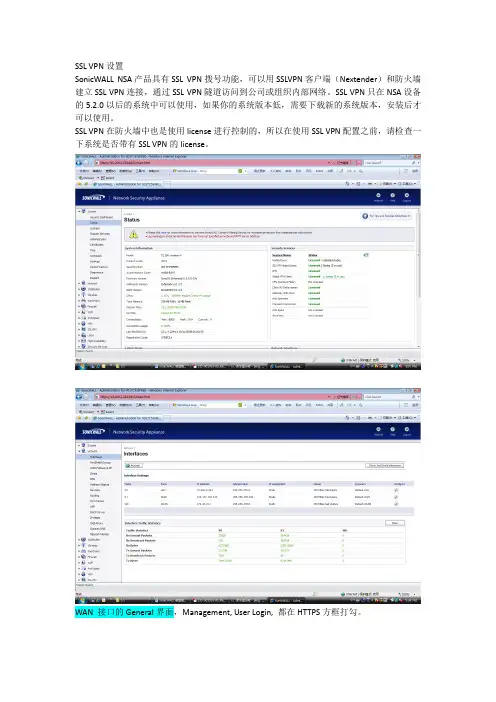
SSL VPN设置SonicWALL NSA产品具有SSL VPN拨号功能,可以用SSLVPN客户端(Nextender)和防火墙建立SSL VPN连接,通过SSL VPN隧道访问到公司或组织内部网络。
SSL VPN只在NSA设备的5.2.0以后的系统中可以使用,如果你的系统版本低,需要下载新的系统版本,安装后才可以使用。
SSL VPN在防火墙中也是使用license进行控制的,所以在使用SSL VPN配置之前,请检查一下系统是否带有SSL VPN的license。
WAN 接口的General界面,Management, User Login, 都在HTTPS方框打勾。
选择SSL VPN->Client Setting.在Interface下拉框中,使用X0(LAN口)作为SSL VPN服务口,同时在WAN安全区域允许SSL VPN接入,点WAN是红色的按钮变成绿色。
需要注意到是,Nextender的地址范围要和内网接口(本例是X0 LAN)的地址范围一致。
这个地址范围不要和其它机器冲突。
(你可以启用防火墙的另外一个没有使用的端口做SSL VPN 服务接口,那么你在Interface界面选择那个接口,IP 地址池范围就是那个接口网段的地址)NetExtender Client Settings是配置客户端的细致的设置。
Create Client Connection Profile:可以使NetExtender Client客户端软件自动保存成功连接的配置,下次连接,直接选择这个连接的参数,不用手工再次输入了。
点击SSL VPN->Client Routes菜单下,把需要访问的服务器网段地址或服务器地址添加进去。
Client Route界面把允许SSL VPN用户访问的主机地址和网段加入即可。
防火墙自动创建SSL VPN到各个安全区域的规则,本例是SSL VPN用户访问LAN Primary Subnet,就是LAN口的整个网段,自动生成的防火墙规则在Firewall->Access Rules, SSL VPN->LAN界面可以看到。
逐基尔TZ系列安全防火墙产品说明说明书
The SonicWall TZ series of Unified Threat Management (UTM) firewalls is ideally suited for any organization that requires enterprise-grade network protection. SonicWall TZ series firewalls provide broad protection with advanced security services consisting of on-box and cloud-based anti-malware,anti-spyware, application control, intrusion prevention system (IPS), and URL filtering. To counter the trend of encrypted attacks, the TZ series has the processing power to inspect encrypted SSL/TLS connections against the latest threats. Combined with Dell X-Series switches, selected TZ series firewalls can directly manage the security of these additional ports.Backed by the SonicWall Capture Threat Network, the SonicWall TZ series delivers continuous updates to maintain a strong network defense against cybercriminals. The SonicWall TZ series is able to scan every byte of every packet on all ports and protocols with almost zero latency and no file size limitations.The SonicWall TZ series features Gigabit Ethernet ports, optional integrated 802.11ac wireless*, IPSec and SSL VPN, failover through integrated 3G/4G support, load balancing and network segmentation. The SonicWall TZ series UTM firewalls also provide fast, secure mobile access over Apple iOS, Google Android, Amazon Kindle, Windows, Mac OS X and Linux platforms.The SonicWall Global Management System (GMS) enables centralized deployment and management of SonicWall TZ series firewalls from a single system.Managed security for distributed environments Schools, retail shops, remote sites, branch offices and distributed enterprises need a solution that integrates with their corporate firewall. SonicWall TZ series firewalls share the same code base—andsame protection—as our flagship SuperMassive next-generation firewalls. This simplifies remote site management, as every administrator sees the same user interface (UI). GMS enables network administrators to configure, monitor and manage remote SonicWall firewalls through a single pane of glass. By adding high-speed, secure wireless, the SonicWall TZ series extends the protection perimeter to include customers and guests frequenting the retail site or remote office.SonicWall TZ seriesExceptional security and stellar performance at a disruptively low TCOBenefits:• Enterprise grade networkprotection• Deep packet inspection of all trafficwithout restrictions on file size orprotocol• Secure 802.11ac wirelessconnectivity using integratedwireless controller or viaexternal SonicPoint wireless accesspoints• SSL VPN mobile access for AppleiOS, Google Android, AmazonKindle, Windows, Mac OS andLinux devices• Over 100 additional ports canbe securely managed by theTZ console when deployed incombination with Dell X-Seriesswitches* 802.11ac currently not available on SOHO models; SOHO models support 802.11a/b/g/nFor emerging enterprises, retail and branch offices looking for security performance at a value price, the SonicWall TZ600 next-generation firewall secures networks with enterprise-class features and uncompromising performance.USB port (3G/4G WAN failover)Link and activityindicator LEDsPower LEDTest LEDX1 WAN port powerswitch (configurable)portmodule SonicWall TZ500 seriesFor growing branch offices and SMBs, the SonicWall TZ500 series delivers highly effective, no-compromise protection withnetwork productivity and optional integrated 802.11ac dual-band wireless.(3G/4G WAN failover)X1 WAN port wirelesspoweractivity indicator LEDs6x1-GbEswitch(configurable)Console portFor small business, retail and branch office locations, the SonicWall TZ400 series delivers enterprise-grade protection. Flexible wireless deployment is available with optional 802.11ac dual-band wireless integrated into the firewall.SonicWall TZ300 seriesThe SonicWall TZ300 series offers an all-in-one solution that protects networks from attack. Unlike consumer grade products, the SonicWall TZ300 series firewall combines effective intrusion prevention, anti-malware and content/URL filtering with optional802.11ac integrated wireless and broadest secure mobile platforms support for laptops, smartphones and tablets.(3G/4G WANfailover)X1 WAN port wirelesspoweractivityindicator LEDs(configurable)portUSB port (3G/4G WANfailover)X1 WAN port wirelesspowerLink and activity indicator LEDsPower LED Test LED5x1-GbE switch (configurable)portFor wired and wireless small and home office environments, the SonicWall SOHO series delivers the same business-class protectionlarge organizations require at a more affordable price point.USB port (3G/4G WAN failover)X0 LAN port X1 WAN portwirelesspowerLink andactivityindicator LEDsPower LED Test LED(configurable)portExtensible architecture for extreme scalabilityand performanceThe Reassembly-Free Deep Packet Inspection (RFDPI) engineis designed from the ground up with an emphasis on providingsecurity scanning at a high performance level, to match boththe inherently parallel and ever-growing nature of networktraffic. When combined with multi-core processor systems, thisparallel-centric software architecture scales up perfectly toaddress the demands of deep packet inspection at high trafficloads. The SonicWall TZ Series platform relies on processorsthat, unlike x86, are optimized for packet, crypto and networkprocessing while retaining flexibility and programmability inthe field — a weak point for ASICs systems. This flexibility isessential when new code and behavior updates are necessaryto protect against new attacks that require updated and moresophisticated detection techniques.branch officeX-Series switchGlobal management and reportingFor larger, distributed enterprise deployments, the optional SonicWall Global Management System (GMS) provides administrators a unified, secure and extensible platform to manage SonicWall security appliances and Dell X-Series switches. It enables enterprises to easily consolidate the management of security appliances, reduce administrative and troubleshooting complexities and governs all operationalaspects of the security infrastructure including centralized policy management and enforcement, real-time eventmonitoring, analytics and reporting, and more. GMS also meets the firewall change management requirements of enterprises through a workflow automation feature. GMS provides abetter way to manage network security by business processes and service levels that dramatically simplify the lifecyclemanagement of your overall security environments rather than on a device-by-device basis.Reassembly-Free Deep Packet Inspection (RFDPI) engineThe RFDPI engine provides superior threat protection and application control without compromising performance. This patented engine inspects the traffic stream to detect threats at Layers 3-7. The RFDPI engine takes network streams through extensive and repeated normalization and decryption in order to neutralize advanced evasion techniques that seek to confuse detection engines and sneak malicious code into the network. Once a packet undergoes the necessary preprocessing, including SSL decryption, it is analyzed againsta single proprietary memory representation of three signature databases: intrusion attacks, malware and applications. The connection state is then advanced to represent the position of the stream relative to these databases until it encounters a state of attack, or another “match” event, at which point a pre-set action is taken. As malware is identified, the SonicWall firewall terminates the connection before any compromise can be achieved and properly logs the event. However, the engine can also be configured for inspection only or, in the case of application detection, to provide Layer 7 bandwidth management services for the remainder of the application stream as soon as the application is identified.Packet Packet assembly-based processSonicWall stream-based architectureCompetitive proxy-based architecture When proxy becomes full or content too large,files bypass scanning.Packet reassembly-free processReassembly-free packet scanning eliminates proxy and content size limitations.Inspection timeLessMoreInspection capacityMinMaxSecurity and protectionThe dedicated, in-house SonicWall Capture Labs threat research team works on researching and developing countermeasures to deploy to the firewalls in the field for up-to-date protection. The team leverages more than one million sensors across the globe for malware samples, and for telemetry feedback on the latest threat information, which in turn is fed intothe intrusion prevention, anti-malware and application detection capabilities. SonicWall firewall customers with current subscriptions are provided continuously updated threat protection aroundthe clock, with new updates taking effect immediately without rebootsor interruptions. The signatures onthe appliances protect against wide classes of attacks, covering up to tensof thousands of individual threats witha single signature. In addition to the countermeasures on the appliance, all SonicWall firewalls also have access to SonicWall CloudAV, which extends the onboard signature intelligence with more than 20 million signatures, and growing. This CloudAV database is accessed via a proprietary light-weight protocol by the firewall to augment the inspection done on the appliance. With Geo-IP and botnet filtering capabilities, SonicWall next-generation firewalls are able to block traffic from dangerous domains or entire geographies in order to reduce the risk profile of the network.Application intelligenceand controlApplication intelligence informs administrators of application traffic traversing the network, so they can schedule application controls based on business priority, throttle unproductive applications and block potentially dangerous applications. Real-time visualization identifies traffic anomalies as they happen, enabling immediate countermeasures against potential inbound or outbound attacks or performance bottlenecks. SonicWall application traffic analytics provide granular insight into applicationtraffic, bandwidth utilization andsecurity threats, as well as powerfultroubleshooting and forensicscapabilities. Additionally, secure singlesign-on (SSO) capabilities enhance theuser experience, increase productivityand reduce support calls. Managementof application intelligence and controlis simplified by using an intuitive web-based interface.Flexible and secure wirelessAvailable as an optional feature, high-speed 802.11ac wireless* combineswith SonicWall next-generationfirewall technology to create a wirelessnetwork security solution that deliverscomprehensive protection for wired andwireless networks.This enterprise-level wirelessperformance enables WiFi-ready devicesto connect from greater distancesand use bandwidth-intensive mobileapps, such as video and voice, inhigher density environments withoutexperiencing signal degradation.* 802.11ac currently not available on SOHO models; SOHO models support 802.11a/b/g/nFeaturesSonicOS feature summaryFirewall• Stateful packet inspection• Reassembly-Free Deep PacketInspection• DDoS attack protection(UDP/ICMP/SYN flood)• IPv4/IPv6 support• Biometric authentication for remote access• DNS proxy• Threat APISSL/SSH decryption and inspection1• Deep packet inspection for TLS/SSL/SSH • Inclusion/exclusion of objects, groups or hostnames• SSL controlCapture Advanced Threat Protection1• Cloud-based multi-engine analysis• Virtualized sandboxing• Hypervisor level analysis• Full system emulation• Broad file type examination• Automated & manual submission• Real-time threat intelligence updates • Auto-Block capabilityIntrusion prevention1• Signature-based scanning• Automatic signature updates• Bidirectional inspection• Granular IPS rule capability• GeoIP/Botnet filtering2• Regular expression matchingAnti-malware1• Stream-based malware scanning• Gateway anti-virus• Gateway anti-spyware• Bi-directional inspection• No file size limitation• Cloud malware database Application identification1• Application control• Application visualization2• Application component blocking• Application bandwidth management• Custom application signature creation• Data leakage prevention• Application reporting over NetFlow/IPFIX• User activity tracking (SSO)• Comprehensive application signaturedatabaseWeb content filtering1• URL filtering• Anti-proxy technology• Keyword blocking• Bandwidth manage CFS ratingcategories• Unified policy model with app control• Content Filtering ClientVPN• Auto-provision VPN• IPSec VPN for site-to-site connectivity• SSL VPN and IPSec client remote access• Redundant VPN gateway• Mobile Connect for iOS, Mac OS X,Windows, Chrome, Android andKindle Fire• Route-based VPN (OSPF, RIP, BGP)Networking• PortShield• Enhanced logging• Layer-2 QoS• Port security• Dynamic routing (RIP/OSPF/BGP)• SonicWall wireless controller• Policy-based routing(ToS/metric and ECMP)• Asymmetric routing• DHCP server• NAT• Bandwidth management• High availability - Active/Standby withstate sync3• Inbound/outbound load balancing• L2 bridge mode, NAT mode• 3G/4G WAN failover• Common Access Card (CAC) supportVoIP• Granular QoS control• Bandwidth management• DPI for VoIP traffic• H.323 gatekeeper and SIP proxy supportManagement and monitoring• Web GUI• Command line interface (CLI)• SNMPv2/v3• Centralized management and reportingwith SonicWall GMS• Logging• Netflow/IPFix exporting• Cloud-based configuration backup• Application and bandwidth visualization• IPv4 and IPv6 management• Dell X-Series switch managementincluding cascaded switchesIntegrated Wireless• Dual-band (2.4 GHz and 5.0 GHz)• 802.11 a/b/g/n/ac wireless standards2• Wireless intrusion detection andprevention• Wireless guest services• Lightweight hotspot messaging• Virtual access point segmentation• Captive portal• Cloud ACLRequires added subscriptionNot available on SOHO seriesState sync high availability only on SonicWall TZ500 and SonicWall TZ600 modelsSonicWall TZ series system specifications*Future use.Testing Methodologies: Maximum performance based on RFC 2544 (for firewall). Actual performance may vary depending on network conditions and activated services.Full DPI/GatewayAV/Anti-Spyware/IPS throughput measured using industry standard Spirent WebAvalanche HTTP performance test and Ixia test tools. Testing done with multiple flows through multiple port pairs.VPN throughput measured using UDP traffic at 1280 byte packet size adhering to RFC 2544. All specifications, features and availability are subject to change.BGP is available only on SonicWall TZ400, TZ500 and TZ600.All TZ integrated wireless models can support either 2.4GHz or 5GHz band. For dual-band support, please use SonicWall's wireless access points products (SonicPoints)SonicWall TZ Series ordering informationAbout UsSonicWall has been fighting the cyber-criminal industry for over 25 years, defending small, medium size businesses and enterprises worldwide. Our combination of products and partners has enabled a real-time cyber defense solution tuned to the specific needs of the more than 500,000 global businesses in over 150 countries, so you can do more business with less fear.。
恢复出厂设置的方法
恢复出厂设置的方法恢复出厂设置是指将设备恢复到出厂时的初始状态,清除所有用户设置和数据,使设备回到出厂时的默认设置。
在一些特定情况下,我们可能需要使用恢复出厂设置的方法,例如设备出现故障、系统运行缓慢或想要将设备交给他人使用等。
下面将介绍几种常见的恢复出厂设置的方法。
方法一:通过系统设置恢复出厂设置大多数设备都提供了恢复出厂设置的选项,可以在设备的系统设置中找到。
具体步骤如下:1. 打开设备的设置菜单,通常可以在主屏幕上找到设置图标,点击进入。
2. 在设置菜单中寻找“恢复出厂设置”或类似的选项,可能位于“系统”、“高级选项”或“隐私”等分类下。
3. 进入恢复出厂设置选项后,系统可能会要求输入密码或进行其他验证,以确保只有合法用户可以执行此操作。
4. 确认恢复出厂设置的警告提示,系统会清除所有用户设置和数据,并将设备恢复到出厂状态。
5. 点击确认或类似按钮,开始执行恢复出厂设置的操作。
整个过程可能需要一些时间,请耐心等待设备完成操作。
方法二:使用硬件按键恢复出厂设置如果设备的操作系统无法正常启动或无法进入系统设置,我们可以尝试使用硬件按键来进行恢复出厂设置。
具体步骤如下:1. 关机:长按设备上的电源按钮,直到设备完全关机。
2. 进入恢复模式:按住设备上的特定硬件按键组合,例如音量加和电源键,直到设备进入恢复模式。
具体的按键组合可能因设备而异,请查询设备的使用手册或上网搜索相关信息以获取准确的按键组合。
3. 导航和选择:使用设备上的音量键来导航,找到并选择“恢复出厂设置”或类似选项,确认选择。
4. 确认操作:设备可能会显示一个警告提示,确认清除所有用户设置和数据,并将设备恢复到出厂状态。
5. 开始操作:点击确认或类似按钮,开始执行恢复出厂设置的操作。
整个过程可能需要一些时间,请耐心等待设备完成操作。
方法三:使用特定工具进行恢复出厂设置一些设备可能提供了特定的工具或软件,可以帮助用户进行恢复出厂设置。
h3c防火墙恢复出厂设置
h3c 防火墙恢复出厂设置1.第一步:建立本地配置环境,将笔记本电脑或台式电脑的串口通过专用配置电缆与交换机的Console口连接。
2.第二步:在笔记本电脑机上运行终端仿真程序,(系统可以是Windows 2000或Windows XP),这里以Windows XP为例。
1. 输入连接名称,确定。
2. 这里要选择笔记本电脑的COM1端口,确定。
3. 配置终端通信参数为:波特率为9600bit/s、8位数据位、1位停止位、无校验和无流控,确定。
4. 配置好终端后,会显示超级终端界面。
5. 在超级终端界面中,点击“属性”工具按钮。
6. 建议选中“Windows 键”单选项、终端仿真选择为VT100,确定。
7. 第三步:交换机上电,超级终端上会显示设备自检信息,自检结束后提示用户键入回车,之后将出现命令行提示符“<H3C>”。
8. 第四步:输入命令“reset saved-configuration” ,会提示是否擦除配置文件,按“Y”。
9. 第五步:再输入命令“reboot” ,会提示是否重启设备,按“Y”。
交换机重启后,就恢复到出厂设置了!扩展知识随着资源的不断整和与共享,人才的流动性也随之增大,特别是网管这一职位。
往往一个企业、网吧等行业一年可能就换过几个网管。
伴随着网管这一职业流动性大的现象,问题接踵而来。
上一网管人员修改了路由器的密码,而第二代网管来管理路由器时发现路由器登陆不进去,或者是因为各种原因忘记密码登陆不了路由器,恢复出厂设置嘛,能解决问题,但里面原有的也随之清空了,这就给第二代网管的工作量带来很大的麻烦。
根据这个现象,艾泰科技工程师针对于HiPER 系列产品在此分享使用技巧(技巧操作步骤如下)。
前提:要求设备有TERMINAL/Console口,软件版本在ReOS 以上。
操作方法(1)将随机附带的配置线一端(RJ45接头)接入设备的TERMINAL/Console接口,另一端(DB9接头)接入计算机的串口。
RG-WALL1600系列防火墙密码恢复指导手册
1.1.2、设置超级终端
1)、请用配置线连接电脑的COM和防火墙的Console接口。 电脑上的COM接口: 电脑的COM口在台式机箱后面, 接显示器接口的旁边, 上面有9根针。 如果是没有COM口的笔记本时,请自行买COM转USB的线。 防火墙的console口:有一块插板上有一个接口,下面写着“console” 2)、配置超级终端 点击电脑的“开始”—“所有程序”—“附件”—“通讯” ,打开其中的“超级终端” 程序(Windows Server 2003默认是安装无“超级终端”,需在“控制面板”的“添加/ 删除程序”中进行添加)。 如果是首次使用超级终端会出现如下信息。
任意填入一个区号后点击“确定”,出现以下信息
再次点击“确定”便打开了超级终端。名称任意填写,然后点击“确定”。
在“连接时使用”选择当前配置线连接的COM口,然后点击“确定”。
在“COM属性”中将每秒位数选为9600 (除带液晶屏的防火墙是115200外, 其他均是9600) , 点击“还原默认值”然后点击“确定”, 这时会打开“超级终端”配置窗口, 窗口左上角可 看到光标在闪烁。
文件类型: 维护类 文档作者:技术服务部
版本号:V1.1(2011/11/01) 文档密级: 公开
RG-WALL1600 系列防火墙密码恢复指导 手册
2012-11-11
福建星网锐捷网络有限公司
版权所有
侵权必究
前
言
本文档记录了 WALL160/1600 系列防火墙的通用密码恢复方法。该方法 适用于所有版本。
这时按一下“ENTER键”后即进入了网络设备的用户模式下(>)
1.2 使用 telnet 方式进入命令行
若防火墙有开启 telnet 管理功能情况下, 可直接使用 telnet 方式进入命令行进行密码恢复。 操作步骤: